BetterGravity
Health Pass
- License — License: NOASSERTION
- Description — Repository has a description
- Active repo — Last push 0 days ago
- Community trust — 160 GitHub stars
Code Pass
- Code scan — Scanned 12 files during light audit, no dangerous patterns found
Permissions Pass
- Permissions — No dangerous permissions requested
No AI report is available for this listing yet.
The extensible power-user platform for Google Antigravity. Adds a native In-App Browser, animated Desktop Pets, revamped Gemini UI, and custom BYOK Gemini Pro keys.
BetterGravity
The open community modification platform for Google Antigravity.
Drop in a .css file and the interface restyles instantly. Write a plugin in plain JavaScript with no build step. Experience a revamped UI, animated desktop companions, in-app browser with autonomous computer use, personal Gemini API keys, and Discord Rich Presence.



Install · Make a theme ·
Make a plugin · How it works ·
Community catalog
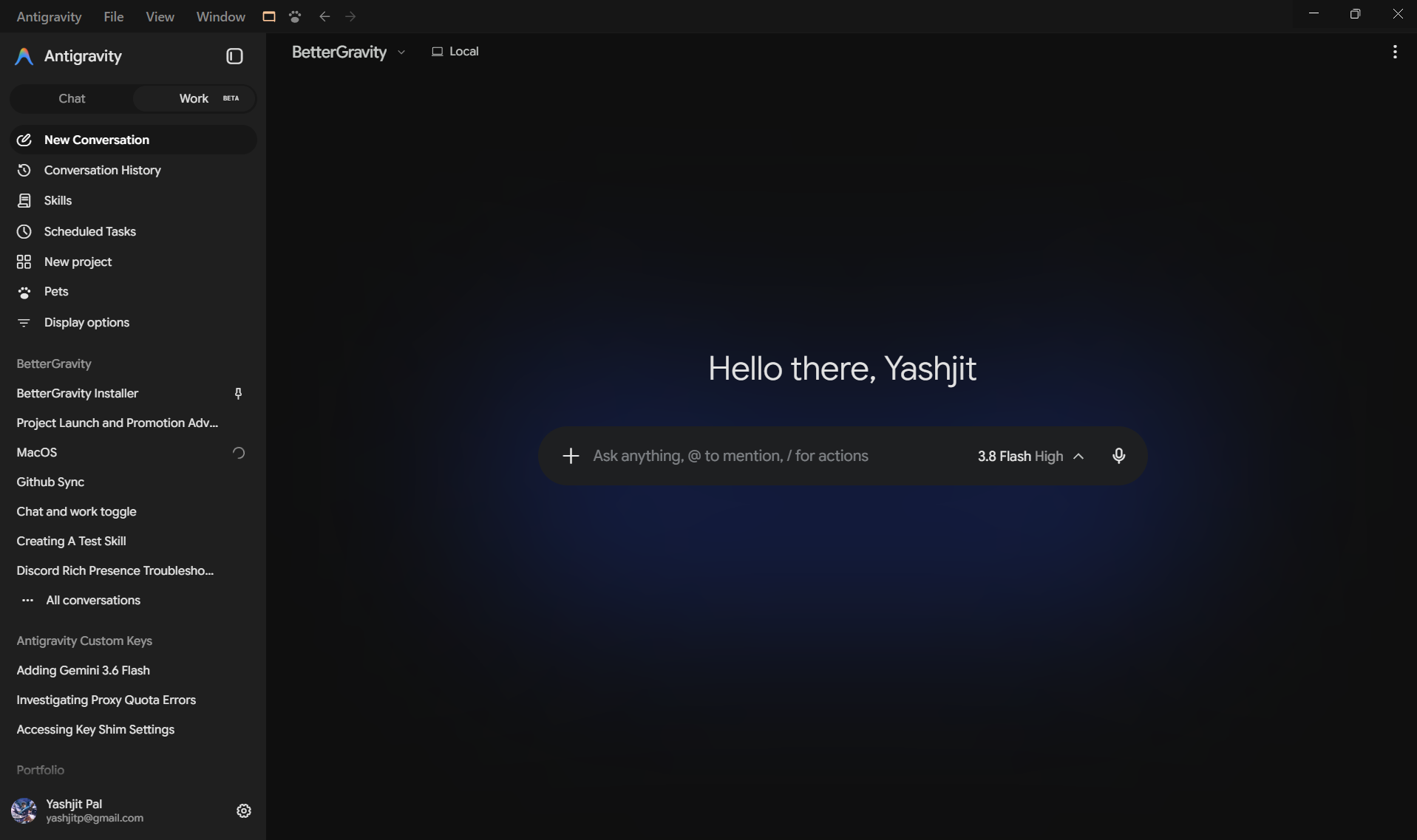
What BetterGravity unlocks
BetterGravity is both an extensible modification platform and a curated suite of power-user capabilities built directly into Antigravity.
🎨 Revamped Gemini Workspace
Restyled with the clean Willow design system, dedicated sidebar navigation (Chat, Work, Skills, Scheduled Tasks, and Pets), refined typography, and distraction-free conversation layouts.
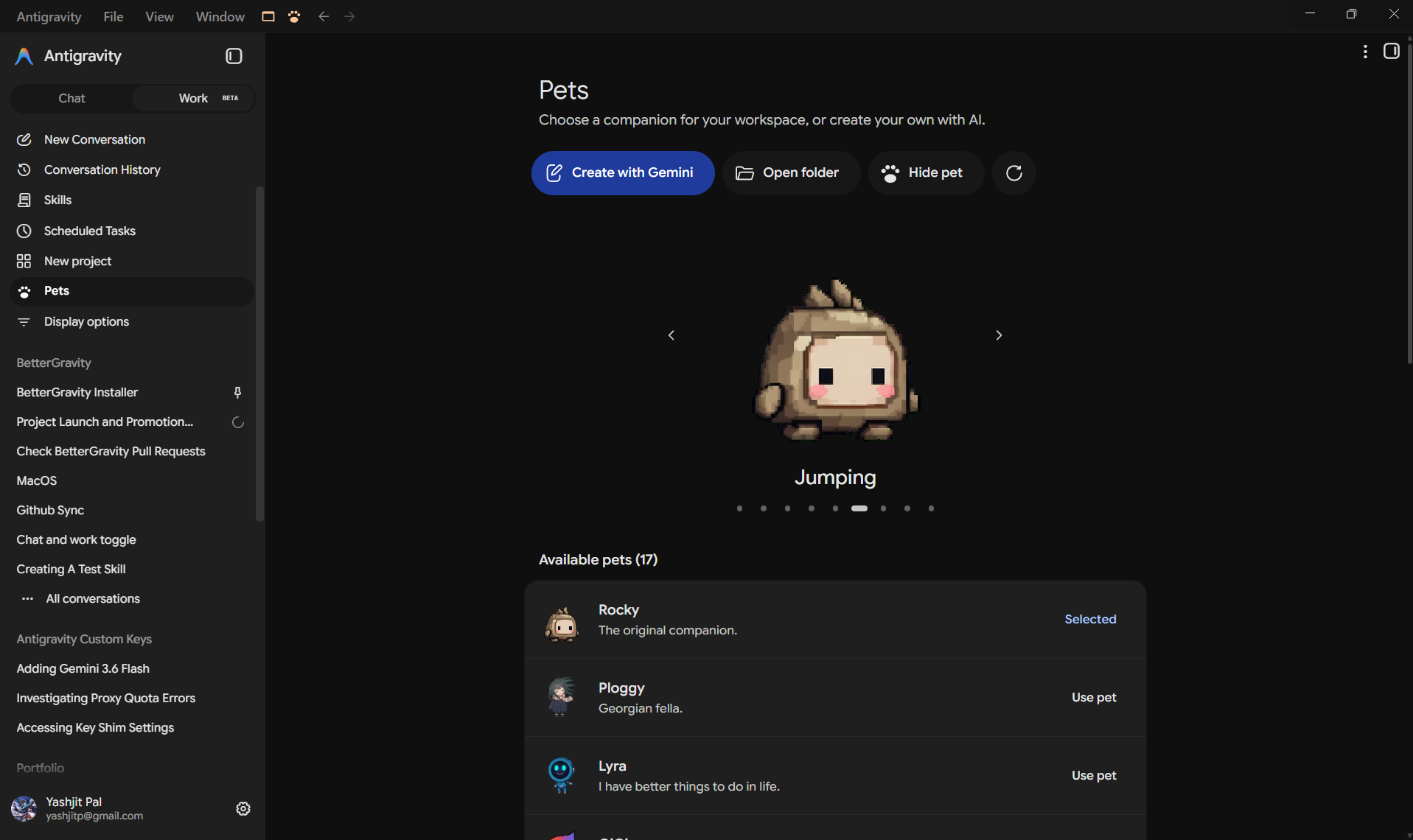
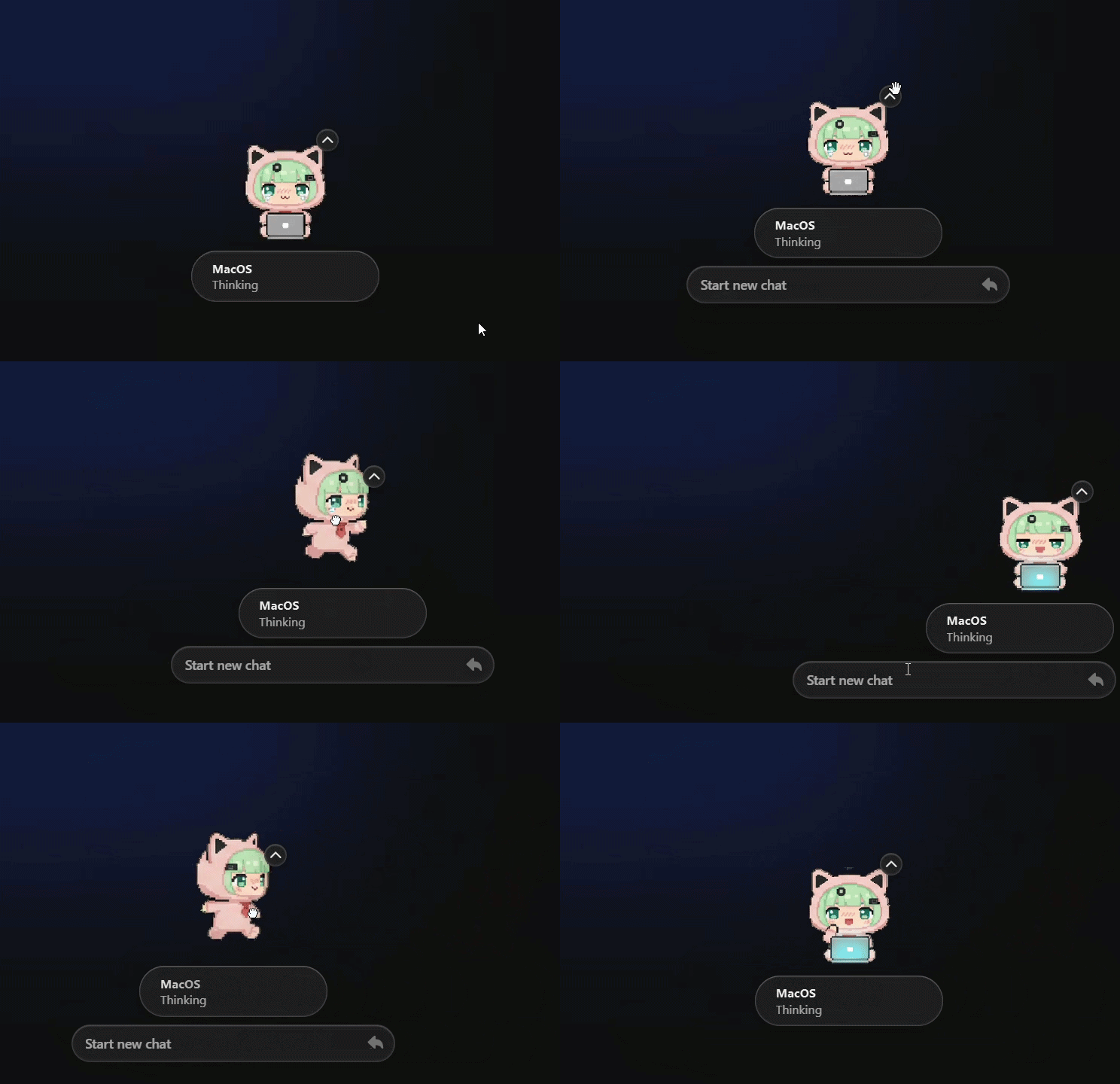
🐾 Interactive Desktop Companions
Choose from 17+ desktop companions, generate custom animated pixel pets with Gemini, or watch them cheer, idle, and code alongside your agent in real time.
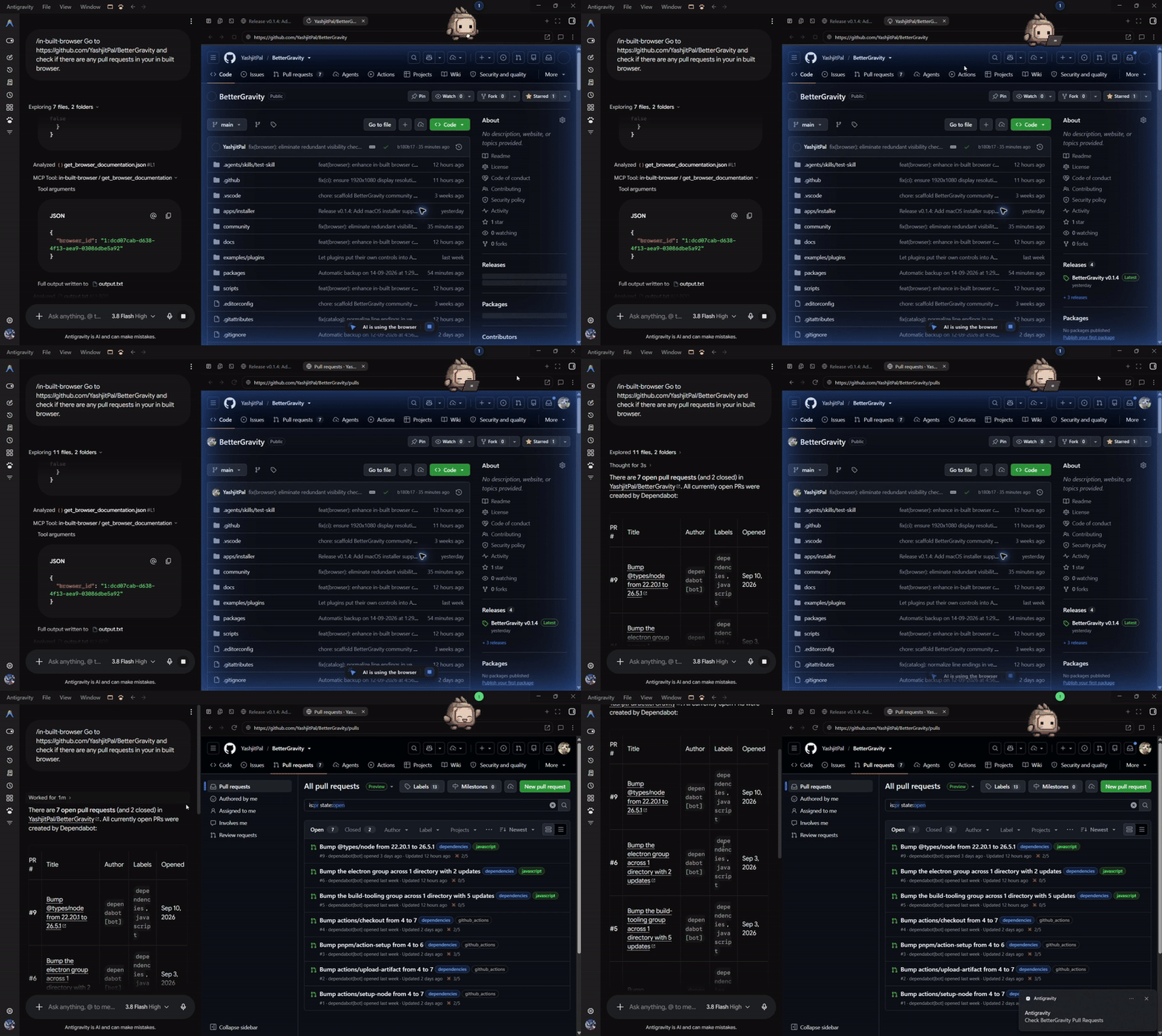
🌐 In-App Browser & Autonomous Computer Use
Test web applications, inspect live DOM trees, and let your agent browse the web or drive mouse and keyboard interactions autonomously without leaving Antigravity.
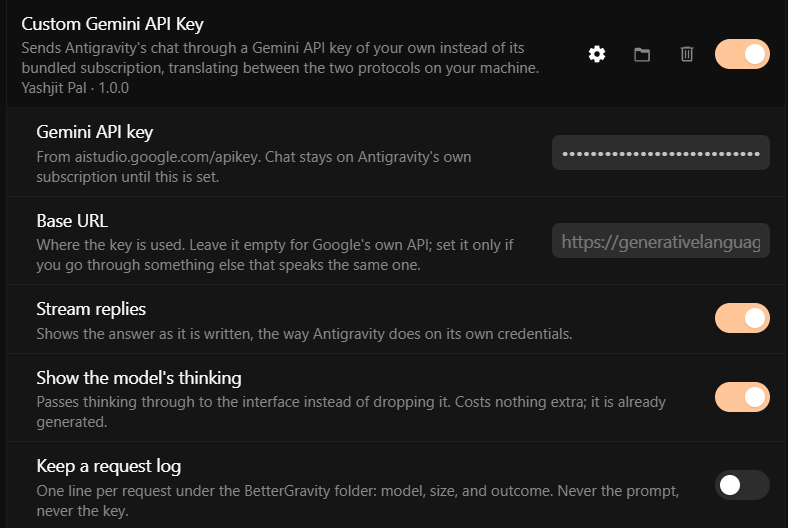
🔑 Bring Your Own Gemini Key & 🎮 Discord Rich Presence
| Bring Your Own Gemini Key (BYOK) | Discord Rich Presence |
|---|---|
 |
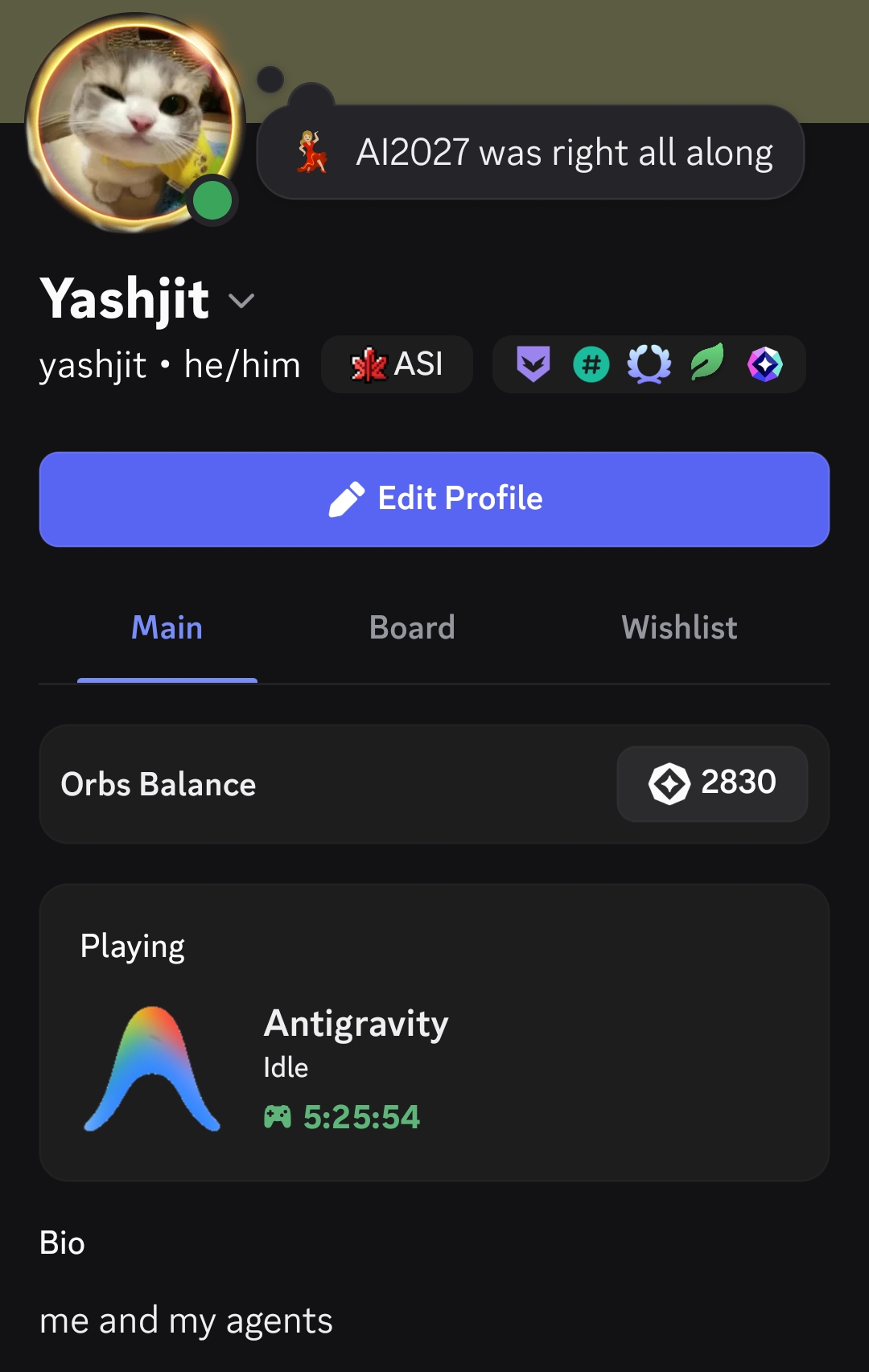 |
| Bypass quota limits with your own Gemini API key, connect custom base URLs, and stream raw model reasoning & thinking tokens. See Gemini key guide. | Flex your agent's active tasks and elapsed time dynamically on Discord with zero project or code data leaked. See Discord Rich Presence. |
Platform features
| Themes | A .css file, a folder of them with fonts and images, or a link to one hosted elsewhere. Save and Antigravity restyles immediately — no build step, no reload. Around twenty design tokens recolour the entire app. See theme guide. |
| Plugins | A folder with a manifest and a script. Persistent storage, declarative settings, scoped styles, and DOM helpers built for a UI that constantly re-renders. See plugin guide. |
| Interface hooks | Add toasts, entries in Antigravity's menus, toolbar buttons, dialogs, and a settings screen of your own — built from the app's own components. See adding to Antigravity's interface. |
| Deeper hooks | Patch Antigravity's own functions, read its React tree, intercept its language-server traffic by RPC method name, and rewrite its bundle before it runs. See reaching into Antigravity. |
| Native settings | BetterGravity gets its own heading in Antigravity's settings sidebar — Settings, Plugins, and Themes — built from Antigravity's own components, so it follows your theme automatically. |
| Community catalogue | Browse, install, and update themes and plugins right inside the app; every file is checked against the SHA-256 hash recorded when reviewed. See community content. |
| Survives updates | Antigravity replaces its own program files when it updates, which removes BetterGravity. A detached guardian puts it back the next time you close the app. |
| Fully reversible | The original bundle is kept beside the patched one. Uninstall restores it byte for byte and keeps your content. |
Install
Windows, macOS & Linux, Antigravity 2.x.
Download the installer from releases, run it, and press Install.
Enabling features & plugins
Once installed, BetterGravity adds its own dedicated menu inside Antigravity:
- Open Antigravity and click Settings (gear icon in the bottom-left corner).
- In the settings sidebar, scroll down to the BetterGravity section.
- Click Plugins to toggle on your preferred capabilities:
- Gemini App — Willow UI workspace redesign with dedicated tabs (Chat, Work, Skills, Scheduled Tasks).
- Pets — Desktop companions & interactive manager.
- In-App Browser & Computer Use — Autonomous web browsing and UI automation.
- Bring Your Own Gemini Key — Bypass quotas with custom API keys and thinking token pass-through.
- Discord Rich Presence — Live agent status in Discord.
- Click Themes to switch styles or drag-and-drop custom
.cssstylesheets.
🛡️ Safety & Reversibility:
- Backups are created automatically before any patch is applied.
- Uninstalling restores your original Antigravity installation byte for byte.
- Never touches your local repositories, workspace code, or credentials.
Full instructions and troubleshooting are in the installation guide.
A theme in ten seconds
/**
 * @name Neon
 * @author you
 */

:root {
  --primary: #22d3ee !important;
  --background: #16091f !important;
}

[data-testid="agent-input-box"] {
  border: 2px solid #7c5cff !important;
  border-radius: 18px !important;
}
Drop it on the BetterGravity settings page, or put it in the themes folder.
Switch it on.
!importantmatters: Antigravity applies its theme as inline custom
properties, so ordinary rules lose. The theme guide explains
what else is reachable, including how to replace the app's own animations.
A plugin in twenty
plugin.log.info("started");

const settings = plugin.settings.define({
  greeting: { type: "string", label: "Greeting", default: "Hello" }
});

plugin.dom.observe('[data-testid="conversation-row-sidebar"]', (row) => {
  row.title = settings.greeting;
});
With a plugin.json beside it, that is a complete plugin. Turn on developer
mode, switch it on, and editing the file reloads it live.
Plain JavaScript gets full type checking and editor completion by copying oneglobals.d.ts — no TypeScript
required. See making a plugin.
How it works
Antigravity is not a normal Electron app, and that shapes everything here. Itsapp.asar is a small launcher: it starts a native language server and points a
window at https://127.0.0.1:<port>, so the entire interface is a web app
served over loopback. There are no UI files on disk to patch.
So BetterGravity injects at runtime instead. The installer swaps app.asar for
a small bootstrap and keeps the original as _app.asar. The bootstrap restores
Antigravity's identity, starts the BetterGravity runtime, and hands control to
the original entry point. If anything in the runtime fails, it is caught and
Antigravity starts exactly as it would without BetterGravity.
Nothing you install can stop your editor from opening.
Architecture goes into detail.
Safety
The installer is privileged code that modifies an application on your machine.
It keeps timestamped backups, verifies every step, refuses host versions it has
not been tested against, and never deletes your content.
Plugins are the opposite: untrusted code running in the same page as your source
and credentials. Plugin loading is off until you turn on developer mode, and
the settings page says exactly why. Themes are plain CSS and carry no such risk,
so they load freely.
Found a vulnerability? See the security policy.
Repository
apps/installer          The Windows installer: Electron shell and its UI
packages/patcher        Patching, verification, uninstall, update guardian
packages/runtime        The layer that runs inside Antigravity
packages/plugin-api     The public contract plugins are written against
packages/theme-api      Theme metadata format
packages/marketplace    Submission rules and the catalog shape
packages/shared         Version constants and shared types
community/              Submitted themes and plugins, and the catalog
examples/               A reference plugin, type-checked in CI
docs/                   Everything above, in detail
Development
Node.js 22+ and pnpm 10+.
pnpm install
pnpm check     # verify structure, typecheck, build, and test
pnpm dev       # the installer UI in a browser, against a safe preview patcher
pnpm dev never touches Antigravity. To work against a real installation, and
for the DevTools-protocol harness used to develop the injected UI, see
contributing.
Sharing what you make
Themes and plugins are submitted to community/ as pull requests,
reviewed, and indexed into a catalog. Keeping them in
the repository means every listing has a readable diff and a review attached —
which matters, because a plugin is arbitrary code running beside your source and
your credentials.
pnpm community:check runs the same validation CI does. The rules are in the
community README.
Status
Windows, macOS & Linux, Antigravity 2.x. In-app community catalogue browsing and 1-click installation are live. Submissions for new community themes and plugins are open via pull request. Binaries are currently unsigned (Windows SmartScreen and macOS Gatekeeper notices apply on first run). See the roadmap.
Licence
MIT.
BetterGravity is an unofficial community project. It is not affiliated with,
endorsed by, or sponsored by Google, and it distributes none of Google's files.
Reviews (0)
Sign in to leave a review.
Leave a reviewNo results found