AfterFrame
Health Pass
- License — License: MIT
- Description — Repository has a description
- Active repo — Last push 0 days ago
- Community trust — 236 GitHub stars
Code Warn
- process.env — Environment variable access in .github/workflows/quality.yml
- fs module — File system access in apps/desktop/e2e-web/01-web-smoke.spec.js
- network request — Outbound network request in apps/desktop/e2e-web/01-web-smoke.spec.js
- network request — Outbound network request in apps/desktop/e2e-web/03-web-split.spec.js
Permissions Pass
- Permissions — No dangerous permissions requested
No AI report is available for this listing yet.
Local-first photo library for Mac and Windows. Browse, cull and search thousands of photos and RAWs, find people and places on-device, and edit with LUTs, text, stickers, camera frames and collages. Agent-ready over MCP.
AfterFrame
English | 简体中文
A local-first photo workspace for browsing, editing, and managing large photography libraries.
AfterFrame is built for photographers who work with thousands of exported images and want a fast, visual tool to browse, organize, crop, add text overlays, and experiment with AI-powered style transfer — all without leaving one app.
Download
Download the latest version from Releases:
- Mac:
-arm64.dmgfor Apple Silicon on macOS 14 or later. On macOS 12 or 13, or on an Intel Mac, take-macOS12-arm64.dmg(Apple Silicon) or-macOS12-Intel.dmg(Intel): the same app without People, Scene Depth and Stickers, which need macOS 14. Signed with an Apple Developer ID. If a build isn't notarized yet, macOS may warn on first launch — right-click the app and choose Open, or allow it under System Settings → Privacy & Security. - Windows: the
-setup.exe. Windows 10 or 11, 64-bit. The installer isn't signed yet: when Windows says "Windows protected your PC", click More info, then Run anyway. Stickers, People, Scene Depth and LUTs are in the macOS app only for now.
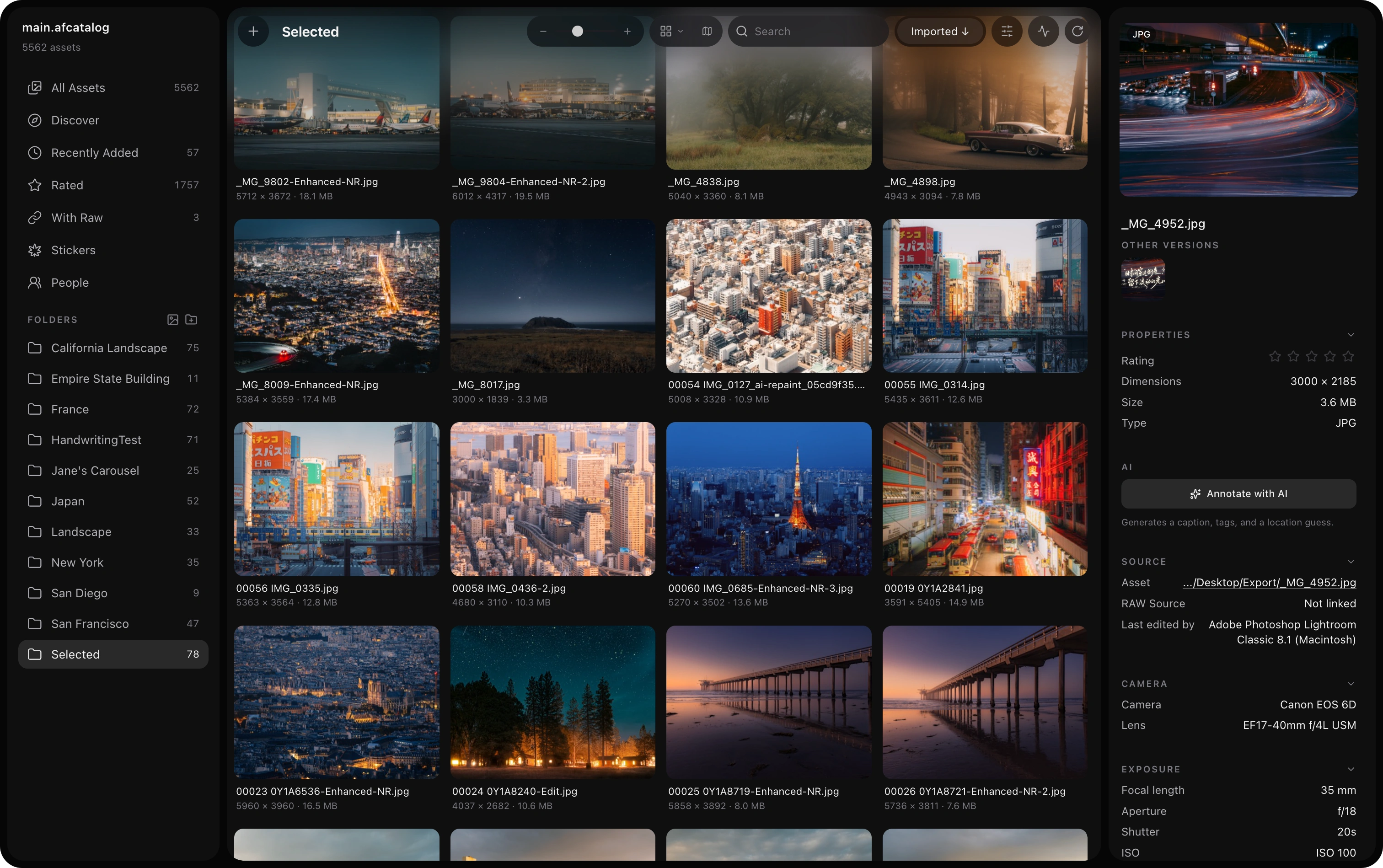
Table of Contents
Features
Library Management
The core of AfterFrame — a catalog-based workflow that keeps your originals on disk and everything else indexed and fast.
- Catalog-based workflow — one
.afcatalogper project - Import pipeline with automatic metadata extraction and preview generation; on a large import, photos show up a batch at a time, thumbnails included
- Metadata read with ExifTool: camera, lens, exposure, capture time, GPS and colour space from JPEG, HEIF and RAW files, CR3 and IIQ included
- RAW files from 1,200+ cameras read with LibRaw: the camera's embedded preview when it's big enough, a full decode when it isn't; RAW HD previews are made when you open the photo, not at import
- Two preview tiers: fast 512px thumbnails always, plus optional 2000px HD previews (toggle in Settings → Library, off by default to save disk)
- Optional RAW source indexing and matching by filename
- HEIC / HEIF support — originals are transcoded to JPEG on demand so iPhone photos display everywhere (lightbox, editor, collage) at full resolution
- Unified background-activity dock: imports, previews, annotation, and AI jobs all report progress in one place and can be cancelled
- Bilingual interface (English / 简体中文) — switch live in Settings → General
- Keyboard shortcuts you can rebind in Settings → Shortcuts, the menu's included
- Tools open on the settings you used last, after a restart too: text style, collage canvas and export, Split, LUT strength, AI styles, and the gallery's view and sort
- Backup & transfer your settings to another Mac — AI provider configs, API keys and app preferences export to one passphrase-encrypted file (Settings → General), since keychain-encrypted keys do not survive a plain copy of the settings file
- Local-first: your files stay on your drives, nothing is uploaded
Browse & Organize
- Grid, tiles, justified, and waterfall layout modes
- Sort by imported time, captured time, rating, or name
- Smart collections (a saved filter with a live count: exclude any filter, ratings below a value or unrated, either-or condition groups) and manual folders
- Folder list you can sort (custom order, name, newest, most photos) and search by name; new folders go on top
- Full metadata inspector: EXIF, camera, lens, exposure, dates
- Star rating system (imports Lightroom XMP ratings)
- Pick and reject flags as in Lightroom (P / X / U, with Shift to move on to the next photo), and Delete Rejected Photos… to take the rejects out of the library or move them to the Trash
- Add Tags… (T) tags every selected photo at once. Your tags and the AI's share one list, and a description you write wins over the AI's caption
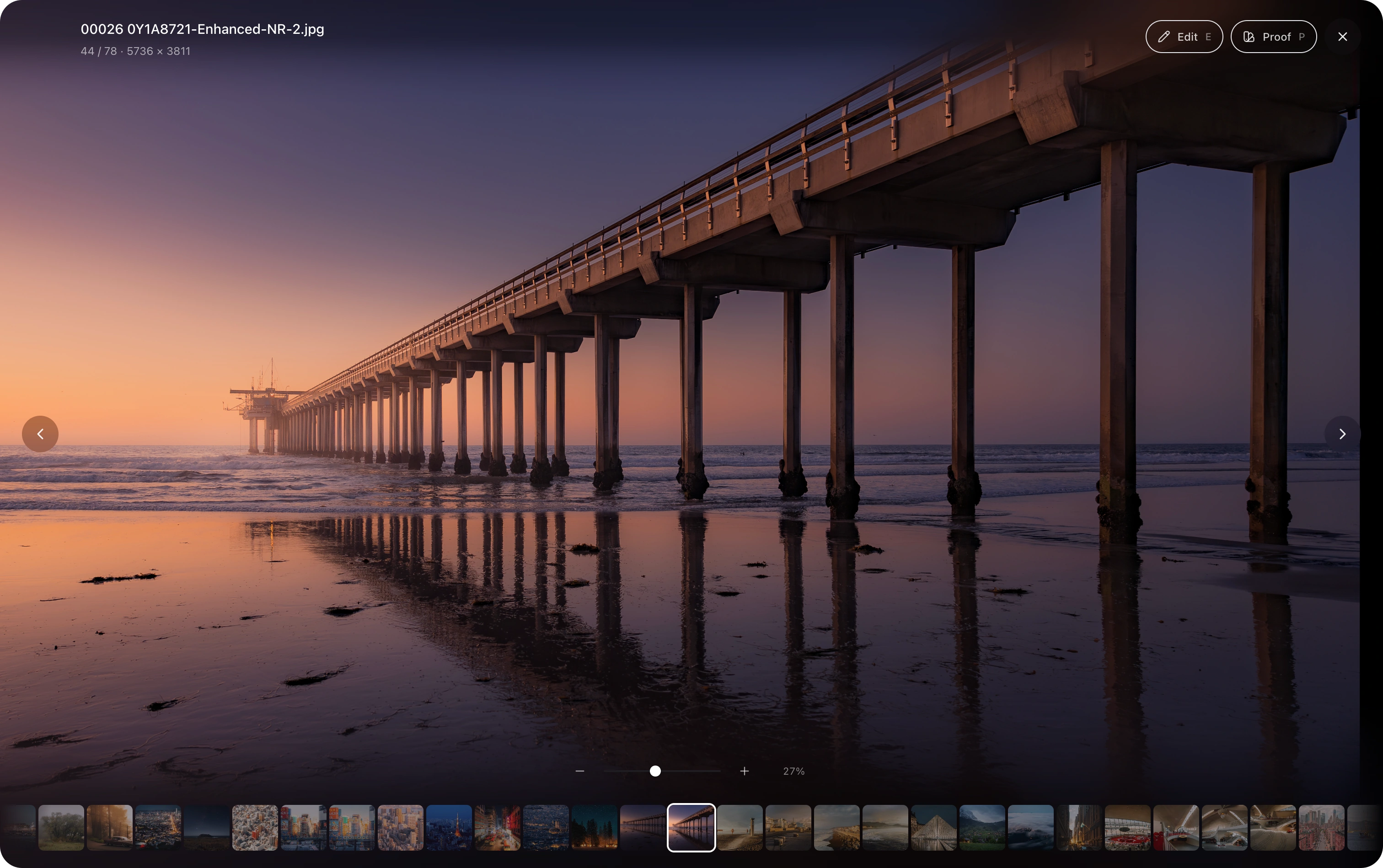
- Virtual-scroll gallery that handles 10,000+ images smoothly
Search & Filter
- Full-text search across filename, camera/lens, and AI annotations (caption, detected text/OCR, tags) — find photos by what's actually in them
- Faceted filter bar: camera and lens, ISO / aperture / focal-length ranges, capture-date range, star rating, flag, orientation (landscape / portrait / square, as the photo shows), colour (any colour, matched against each photo's dominant colours), country and city, location source, and description / text in the picture / path — combined live. Tick several values of one facet, and choose which facets sit on the bar
- Filters refine where you are: inside a folder, the filter bar and search cover that folder, with counts to match
- Tag filtering: click any tag in the inspector, or pick from a searchable tag list (server-side search, scales to thousands of tags)
People
- On-device face detection and ArcFace grouping — photos and face embeddings stay inside the local catalog
- Review and name suggested groups, choose a cover, merge matches, or move incorrectly grouped faces
- Select and delete multiple incorrect groups at once; deleted groups stay excluded from later rescans
- Filter the gallery by person or open every matching photo directly from the People view
- Optionally analyze faces right after import (People settings)
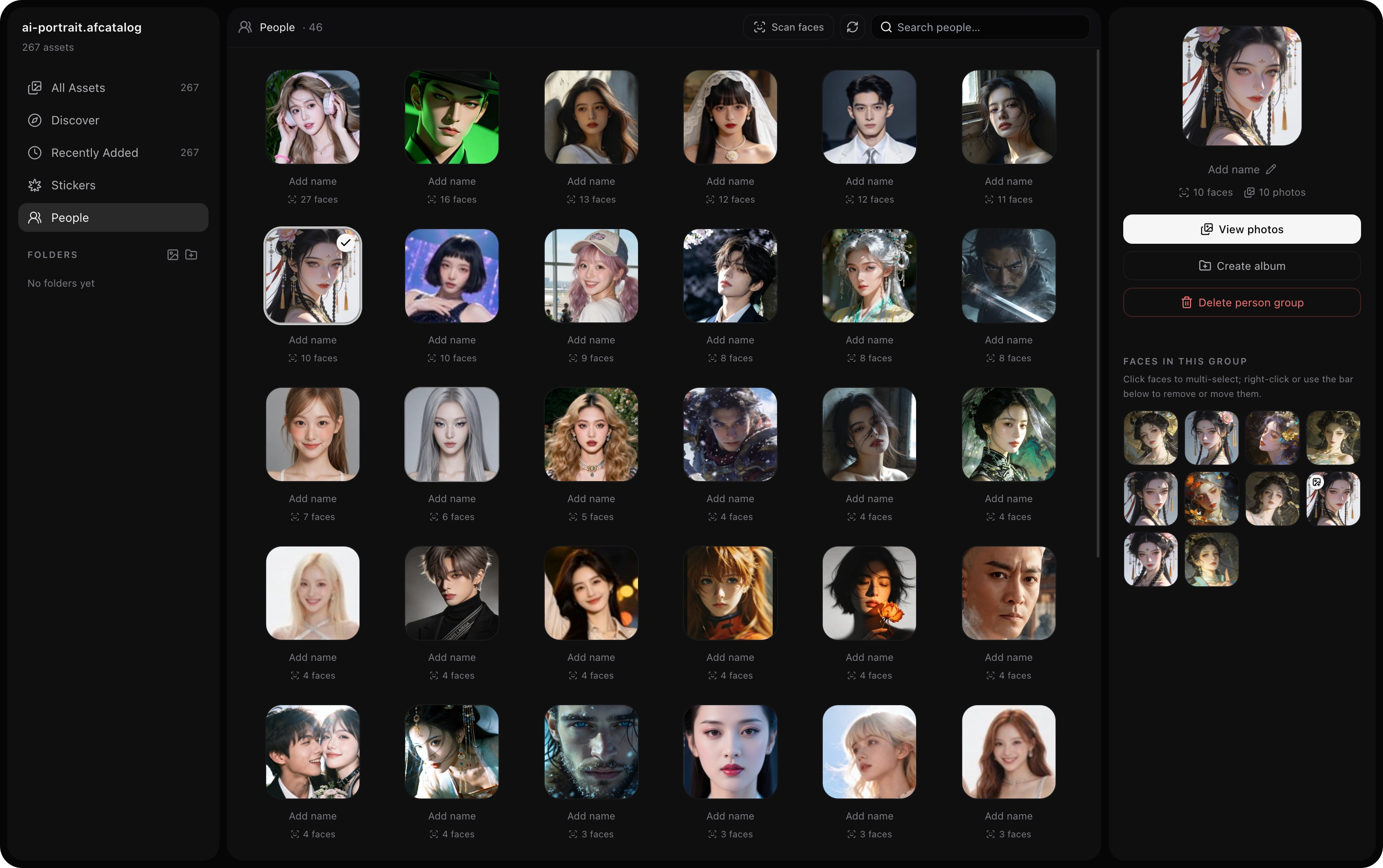
Demo portraits are AI-generated and do not depict real people.
Edit
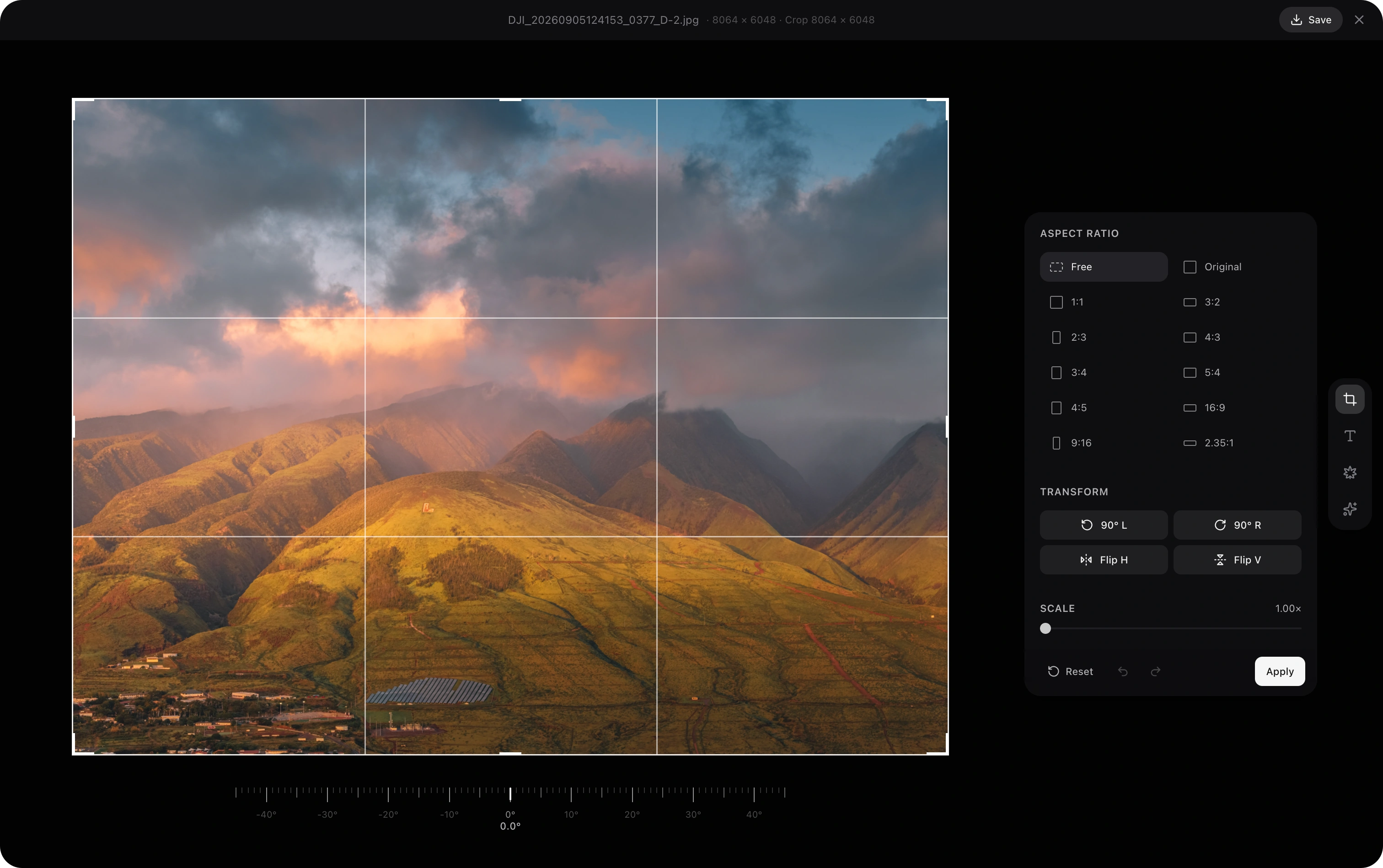
- Crop with preset aspect ratios, rotation, and flip
- Split a wide photo into N seamless panels for social-media carousels — per-panel aspect presets (3:4, 4:5, 1:1, 9:16, 2:3 or custom), automatic or manual panel count, a draggable covered region that honours the straighten angle, and full-resolution export into a
<name>_splitfolder with every panel registered as a version of the original
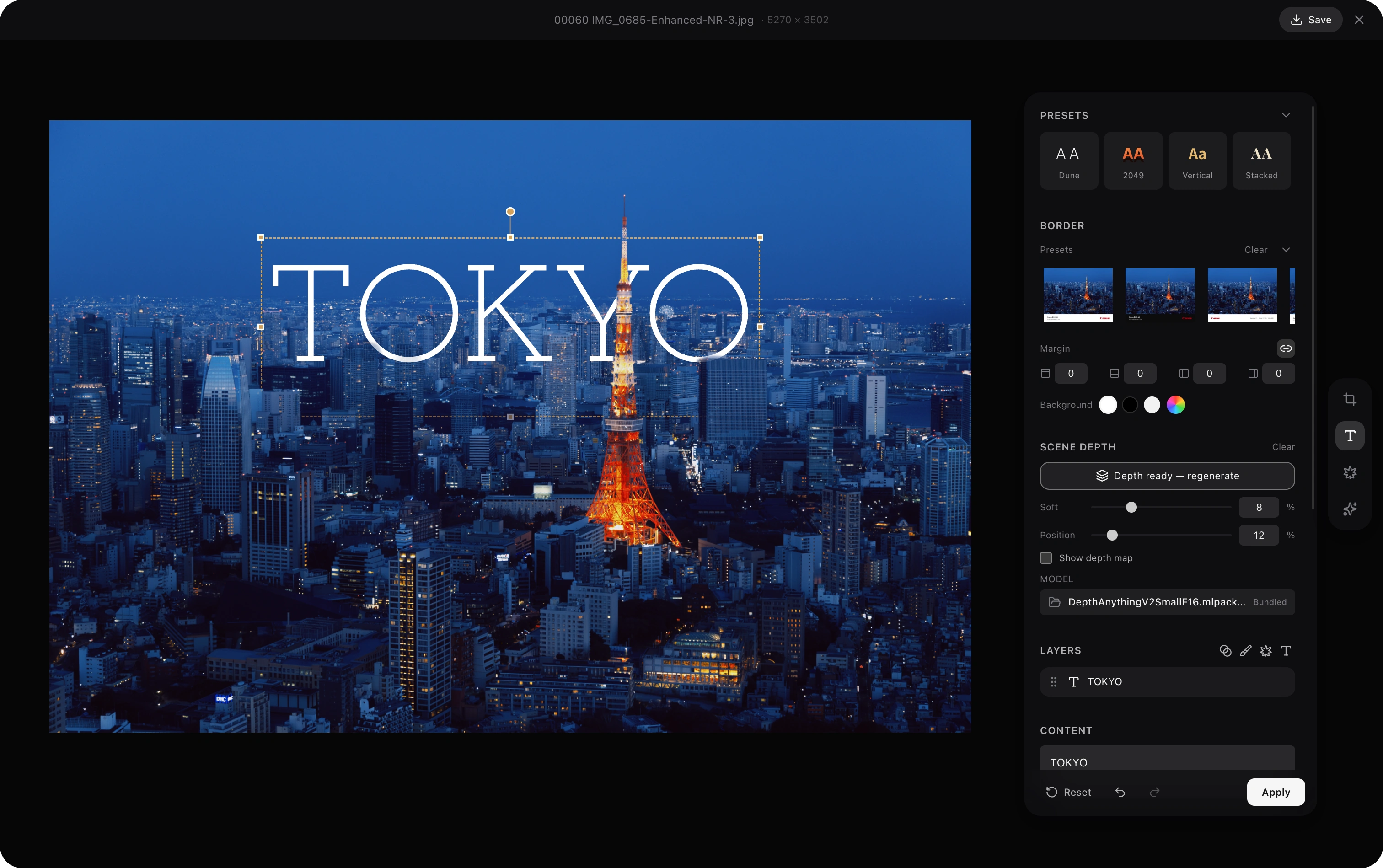
- Text Overlay with system fonts, solid/gradient fill, stroke, shadow, outer glow, background, opacity, and snap-to-center guides
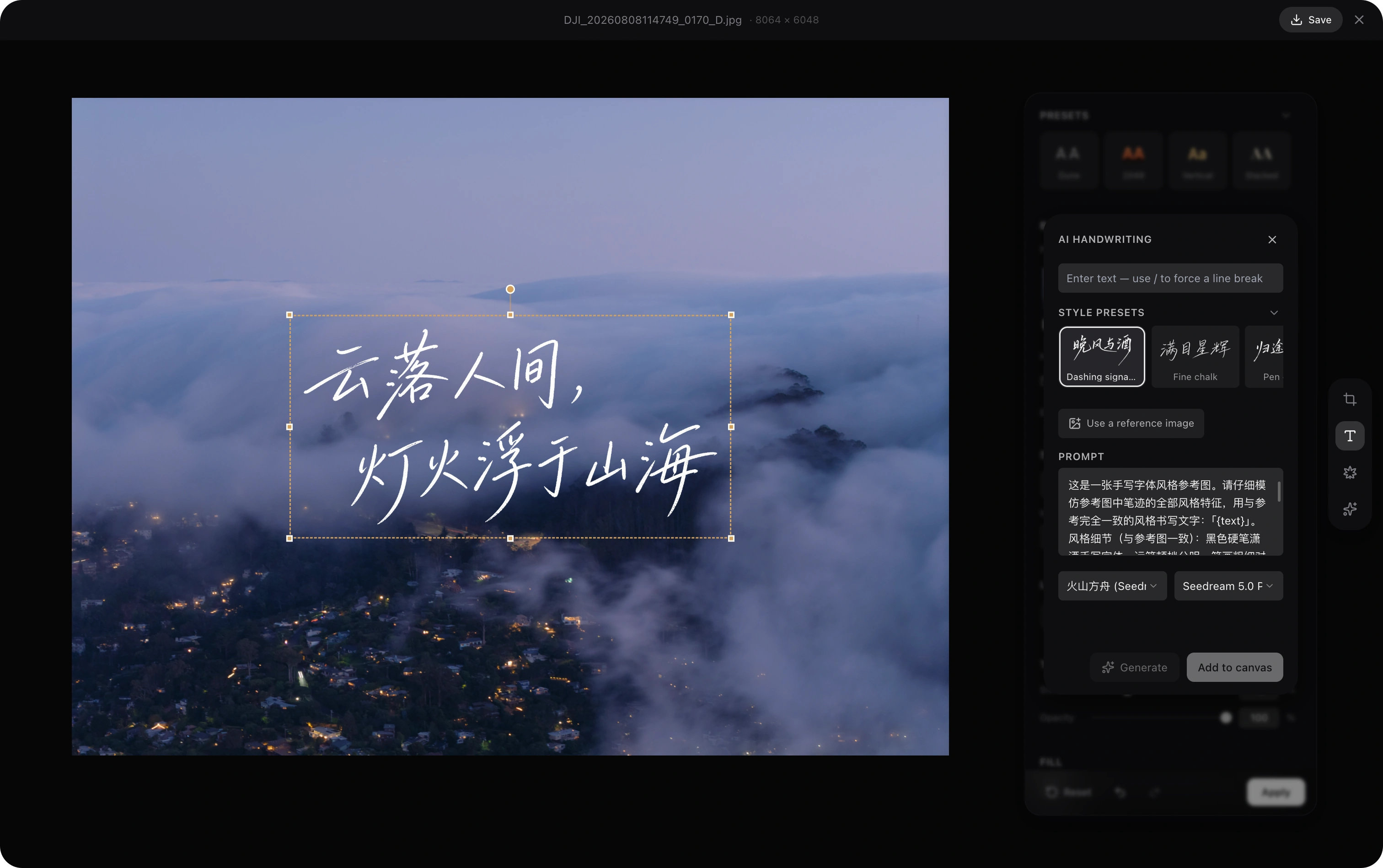
- AI Handwriting (BYOK) — generate handwritten-calligraphy titles no font could give you. 17 built-in style presets (brush, pen signature, chalk, marker, English scripts — every preset ships its own reference image, all self-generated), or upload any handwriting sample as a style reference. The full prompt is visible and editable, long sentences auto-break at punctuation, and the result is matted locally into an alpha sticker you can recolor (solid or gradient) at any time — no re-generation needed. Works with Gemini, GPT Image, Seedream (Volcengine Ark), or Jimeng

LUT (macOS) — apply
.cubeLUTs with a strength slider, from a grid that shows the photo through every LUT, grouped by pack and folder, with search, favorites and recently used. Import LUT files into AfterFrame's library or read a LUT folder where it is. Log LUTs are tagged so you can hide them, hold to see the original, and RAW files are graded on Apple's rendering instead of the camera's embedded JPEGOverlay layers — stackable solid/gradient washes that dim the photo for readable titles. They are normal layers: reorder them against text and stickers, add several, and they bake into the image on Apply
Depth-aware Text — on-device CoreML depth inference (Depth Anything V2) lets text sit behind subjects in the scene, iPhone-wallpaper style. Bring your own model via the model picker; preference is persisted
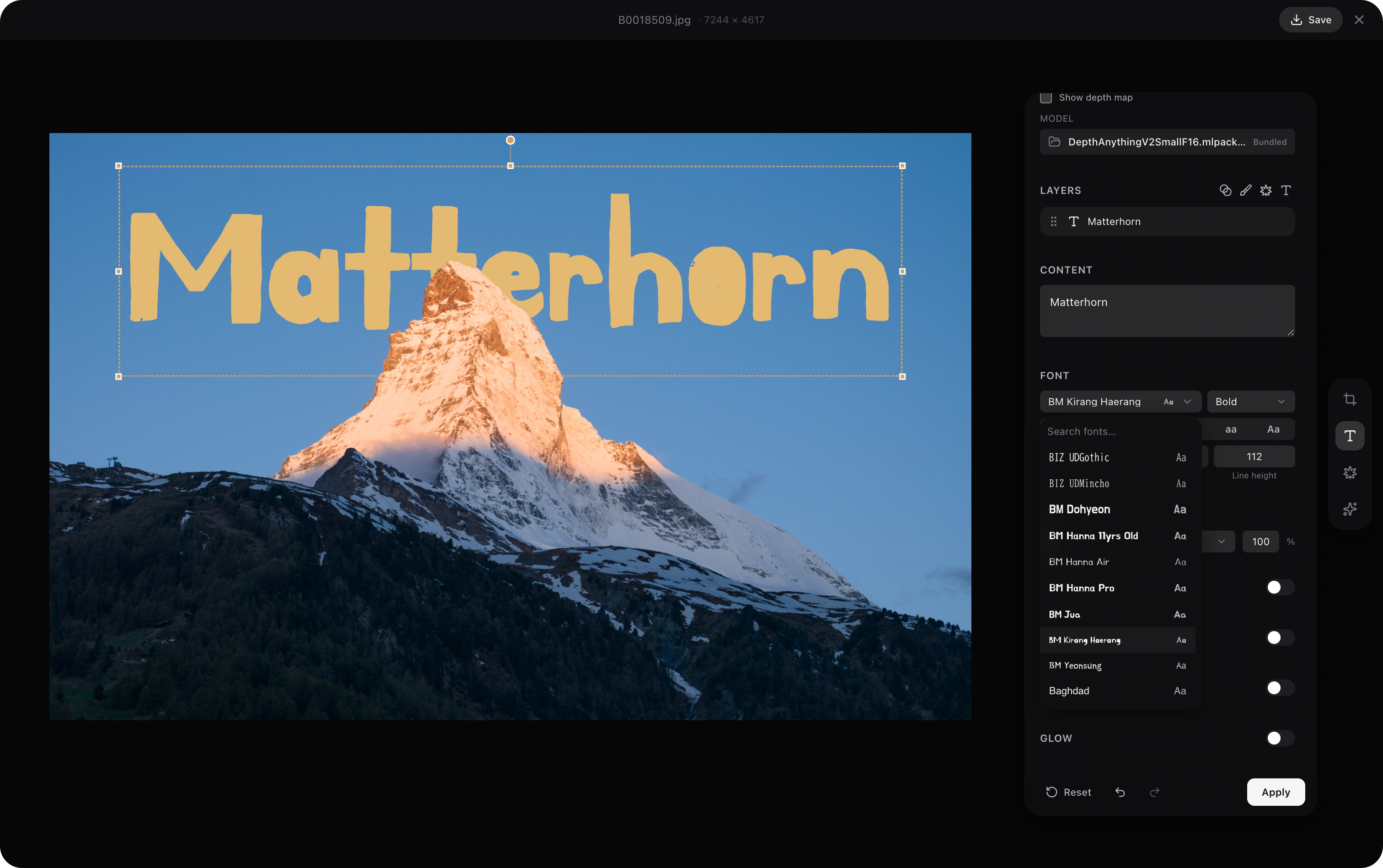
Stickers — extract subjects from any photo with one click (VisionKit on macOS 14+), save to a per-catalog library with optional outline and shadow, then drop them as image layers on any other photo. Stickers share the same depth, opacity, rotation, outline (with opacity), shadow, and outer-glow controls as text layers
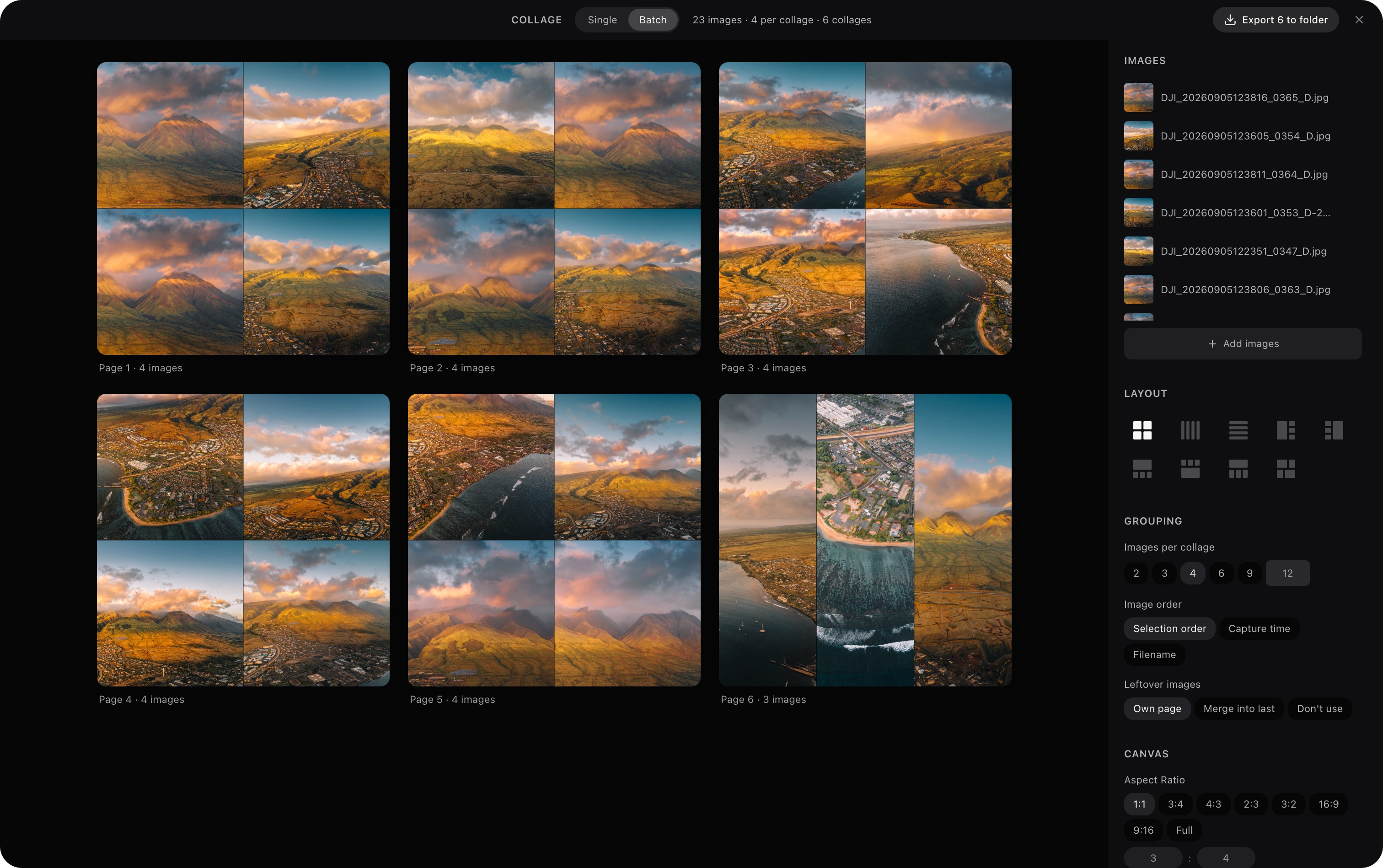
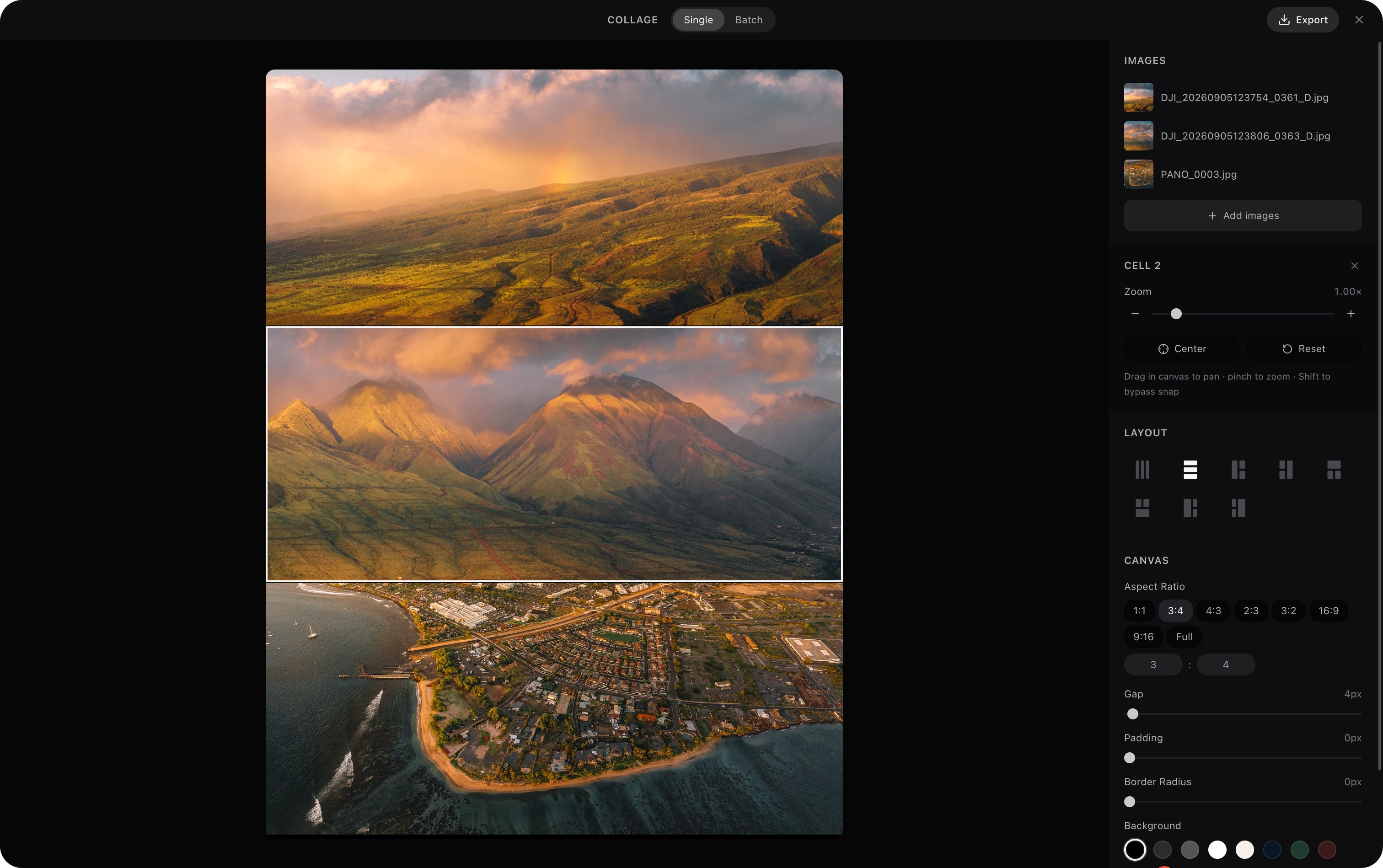
Collage maker with 77 layout templates for 1 to 12 photos, adjustable gap/padding/border-radius, background color, and high-res export. Per-cell pan and zoom with snap-to-center alignment guides, precise zoom slider, and trackpad pinch sync — drag any cell to reframe, swap two cells by dropping one on the other
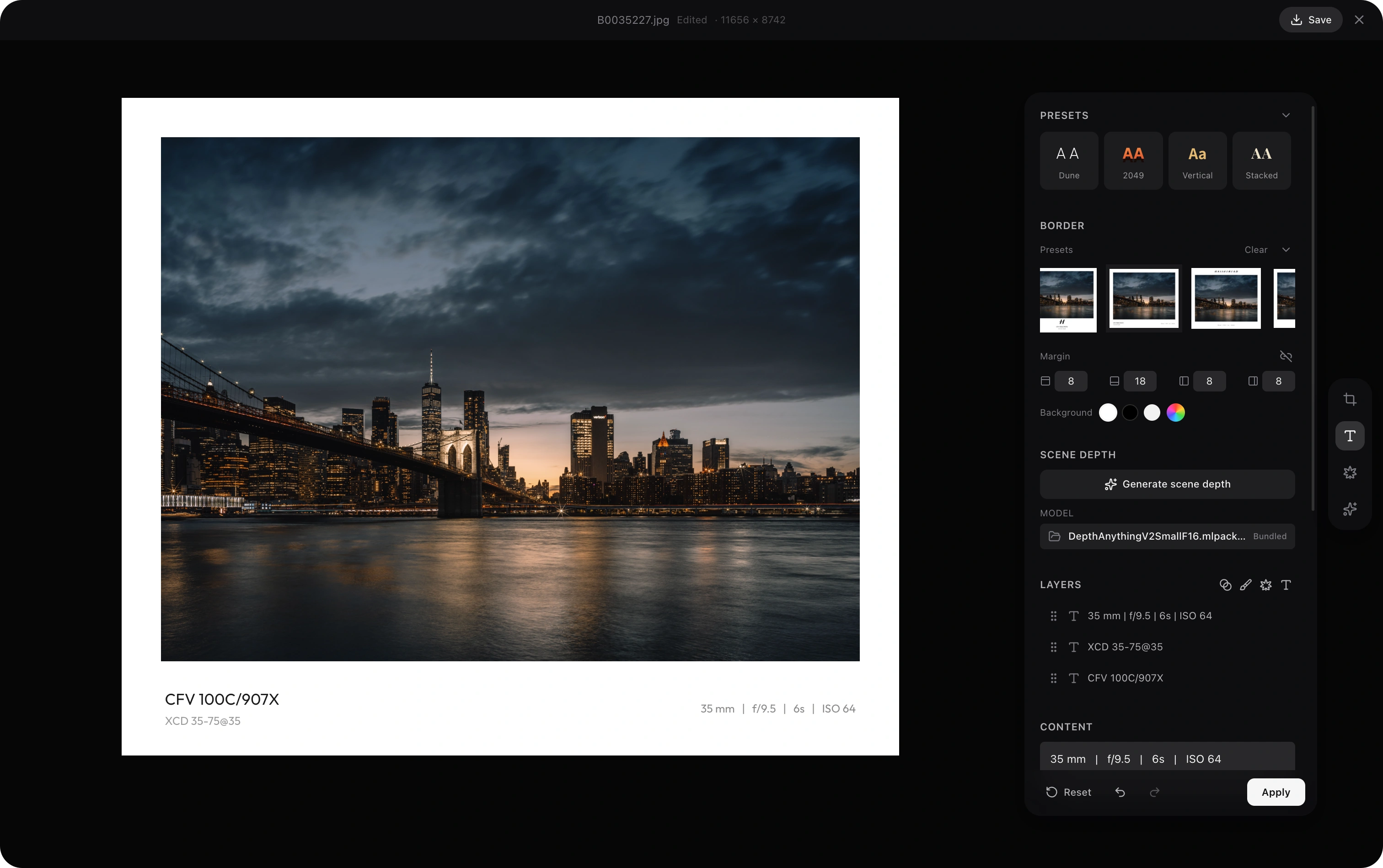
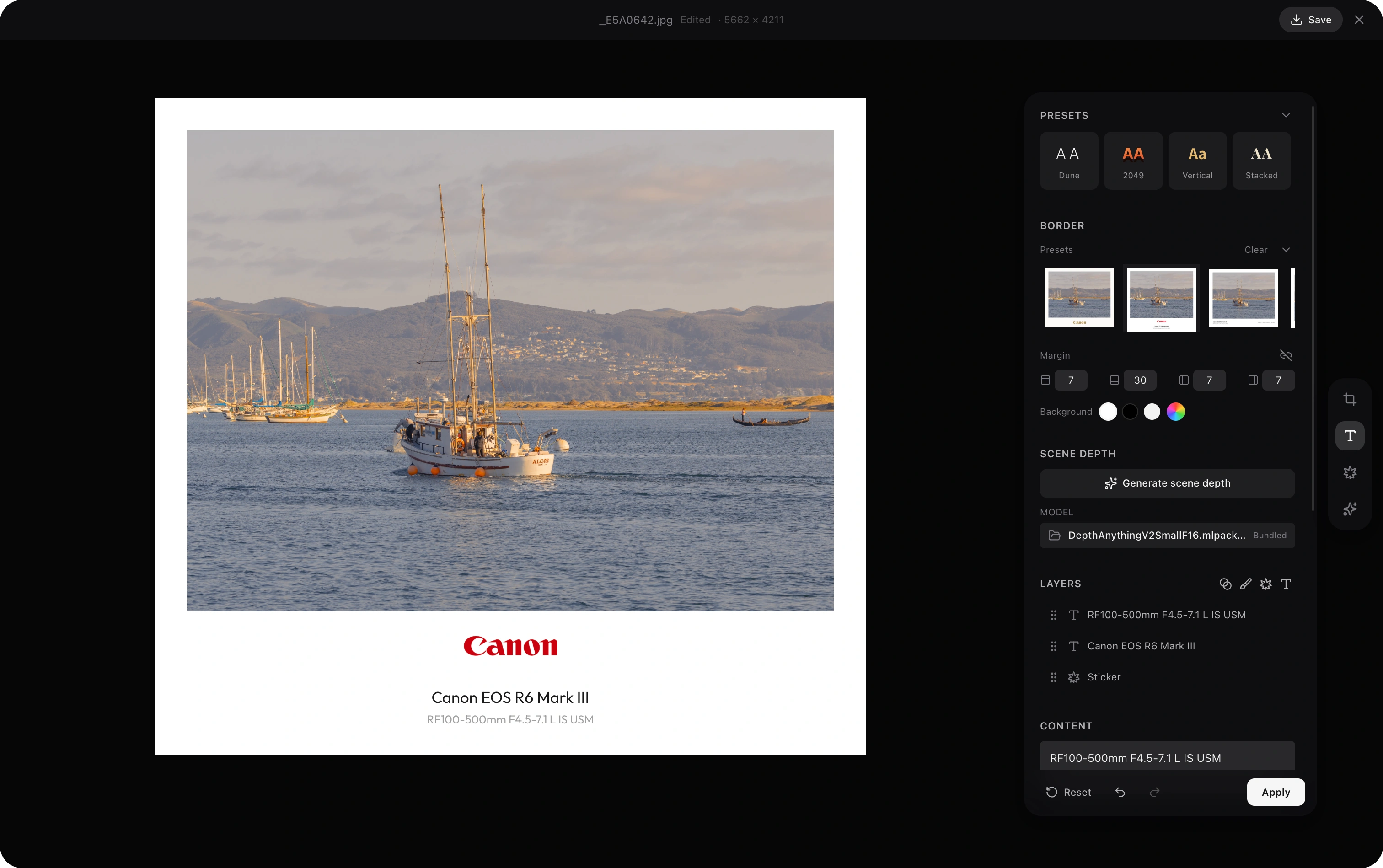
- Frame — brand-aware camera watermark frames driven by EXIF, in a Frame tool of their own. Pick from 20+ presets (bottom bars, dual-logo, and vertical side-strip layouts) or save your own as templates, rendered with real brand logos and colors for Hasselblad, Sony, Canon, Nikon, Leica, Fujifilm, Lumix, Ricoh, Pentax, Sigma, Olympus / OM System, Phase One, DJI, Insta360, GoPro, Apple, Xiaomi, OPPO, vivo, OnePlus, Huawei, Honor and more, plus a clean generic set. Import your own logos (a signature, a studio mark), or give a camera brand or one model a logo of your own. Camera model codes show as product names (DJI FC9184 as DJI Air 3S), and any camera can be renamed. Adaptive light/dark contrast, a logo color picker (original / black / white / grey / gold), text and margin scaling, and export at the original resolution
Video
- Index video files alongside photos — each clip is probed for duration, dimensions, and codec on import, and a poster frame is generated automatically
- Gallery cards show the poster with a duration badge; hover to scrub a keyframe filmstrip without opening anything
- Full playback in the lightbox via a custom player (play/pause, scrubber, volume, fullscreen, spacebar)
- Automatic on-the-fly H.264 proxy for codecs the OS can't decode natively (e.g. 10-bit HEVC), so clips still play back
AI Repaint (BYOK)
Bring your own API key. AfterFrame does not bundle or proxy any AI service — you connect your own provider and all requests go directly from your machine to the API.
- Supports Gemini, GPT Image, Seedream (Volcengine Ark), Jimeng, or any OpenAI-compatible endpoint — manage providers and per-provider model defaults in Settings → AI Repaint; model lists refresh live from each provider's API
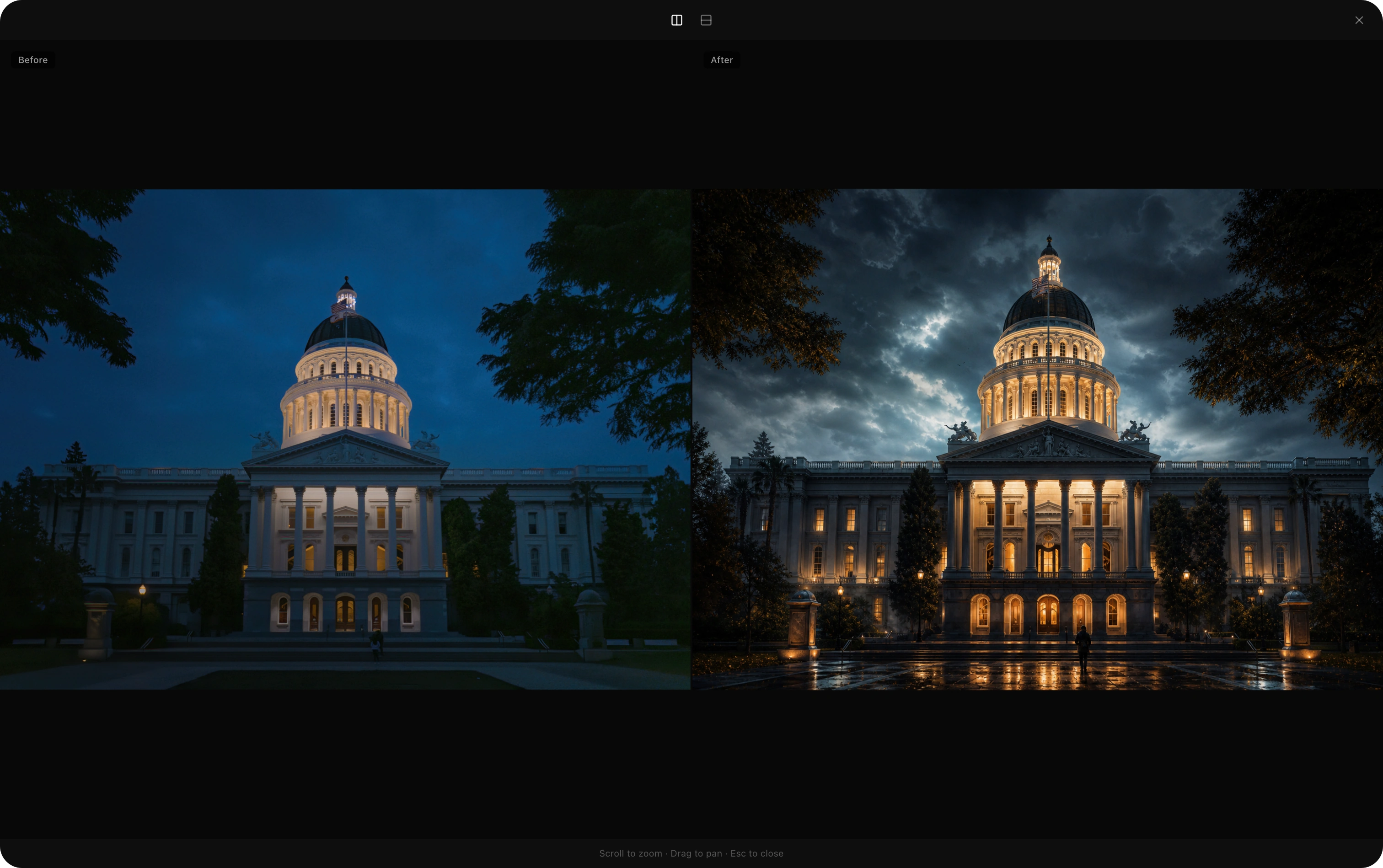
- 25 built-in style prompts (oil painting, anime, watercolor, ink, concept art, and more)
- Side-by-side and stacked before/after comparison
- Version history for every repaint
AI Auto-Annotation (BYOK)
Generate a caption, tags, and a location guess for your photos with your own LLM provider (Anthropic, OpenAI, or any OpenAI-compatible endpoint). As with AI Repaint, requests go directly from your machine to the API.
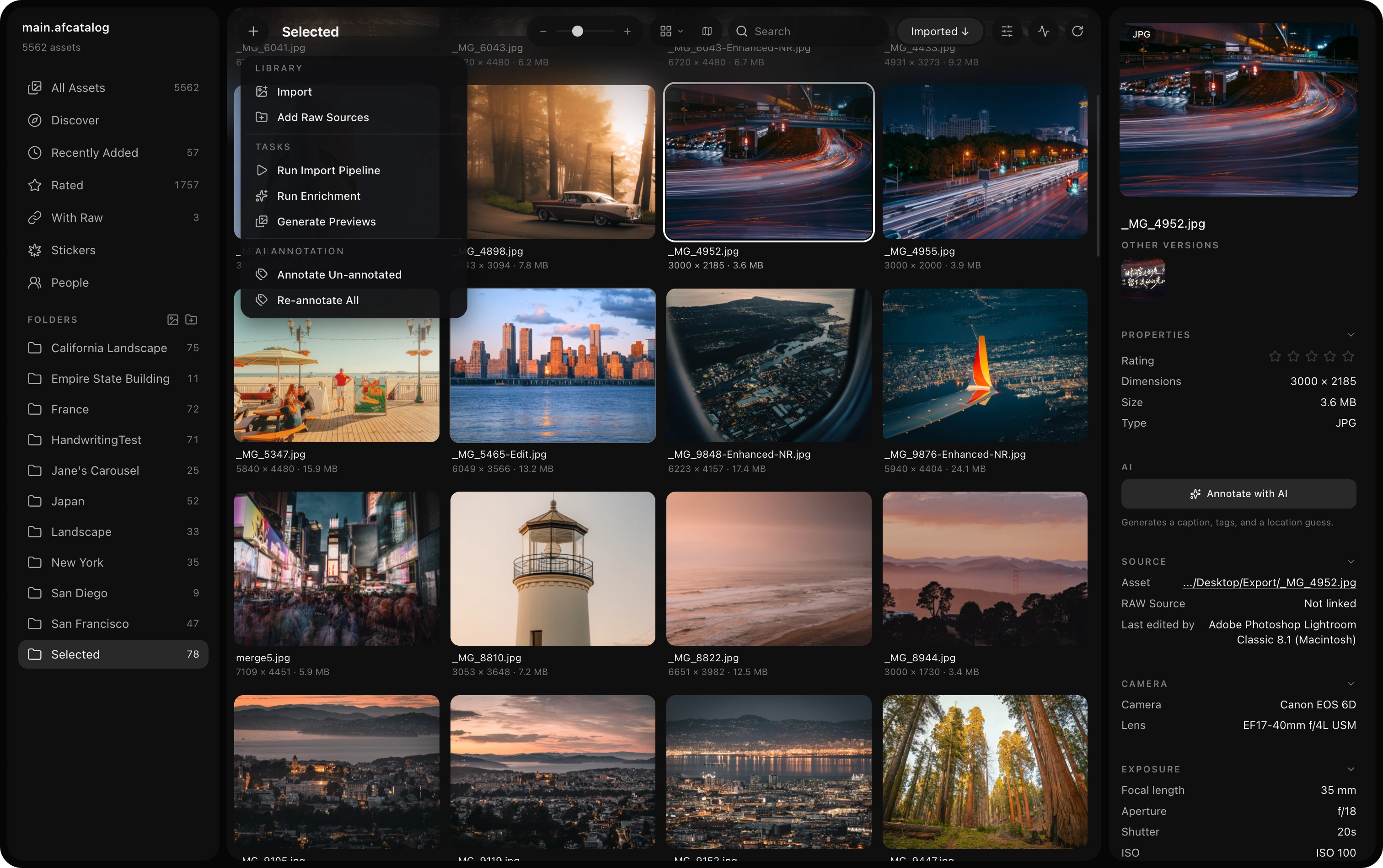
- Annotate one photo, a multi-selection, a whole folder, or every un-annotated asset — all as tracked background jobs with live progress
- Optional auto-annotate on import
- Bilingual tags (English / 中文), with configurable tag count and caption length
- Hand-edit per-photo tags — remove a wrong one or add your own (with the same tag search)
- Results power Search & Filter above; HEIC / RAW inputs handled
Agent-Native (MCP)
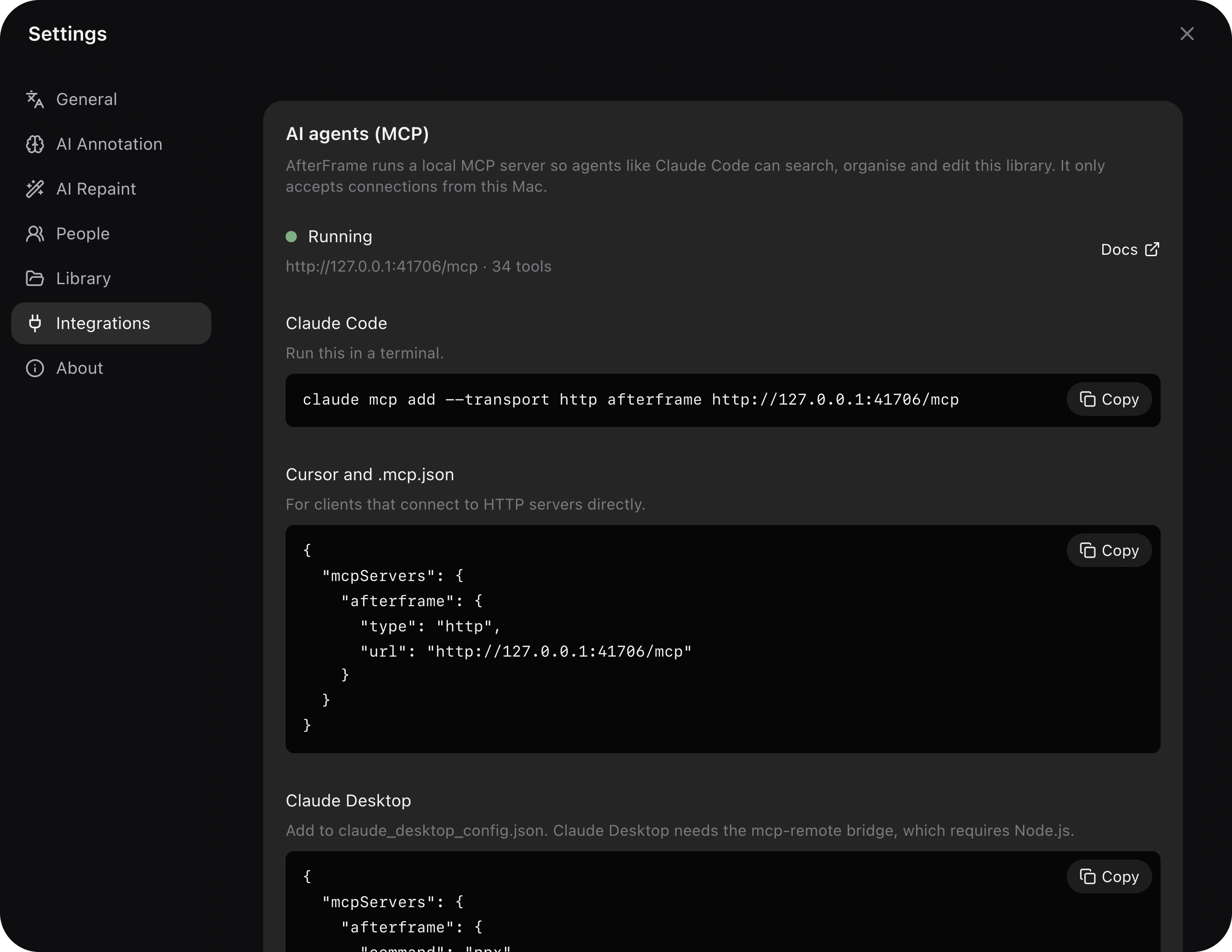
AfterFrame embeds an MCP server, so any AI agent — Claude Code, Claude Desktop, or anything MCP-compatible — can drive your library in natural language while the app runs:
"Import the photos on my Desktop" · "Find the vertical shots from last month and show them to me" · "Crop these to 4:3 for Xiaohongshu" · "Tag everything that has no tags yet" · "Export this collection at 2048px JPEG"
- 17 tools: search (full-text + EXIF facets), thumbnails the agent can actually see, import, crop, export, tags/ratings, collections, AI annotation & repaint jobs, deletion — plus job control
- Two-way selection bridge — select photos in the app and say "these"; the agent's picks get highlighted and scrolled into view right in your gallery (
show_in_app) - Visible & cancellable — agent-started work appears in the same background-activity dock as your own, with live progress and a Cancel button
- Local-only — the server listens on
127.0.0.1:41706while the app runs; same BYOK privacy stance as everything else
Connect an agent (AfterFrame must be running):
# Claude Code
claude mcp add --transport http afterframe http://127.0.0.1:41706/mcp

# Codex CLI
codex mcp add afterframe --url http://127.0.0.1:41706/mcp
Working inside this repo? Nothing to do — the bundled .mcp.json connects Claude Code automatically. Other MCP clients (Claude Desktop etc.): add a remote HTTP server with the same URL.
Then just ask: "Find my photos of California and show them in the app."
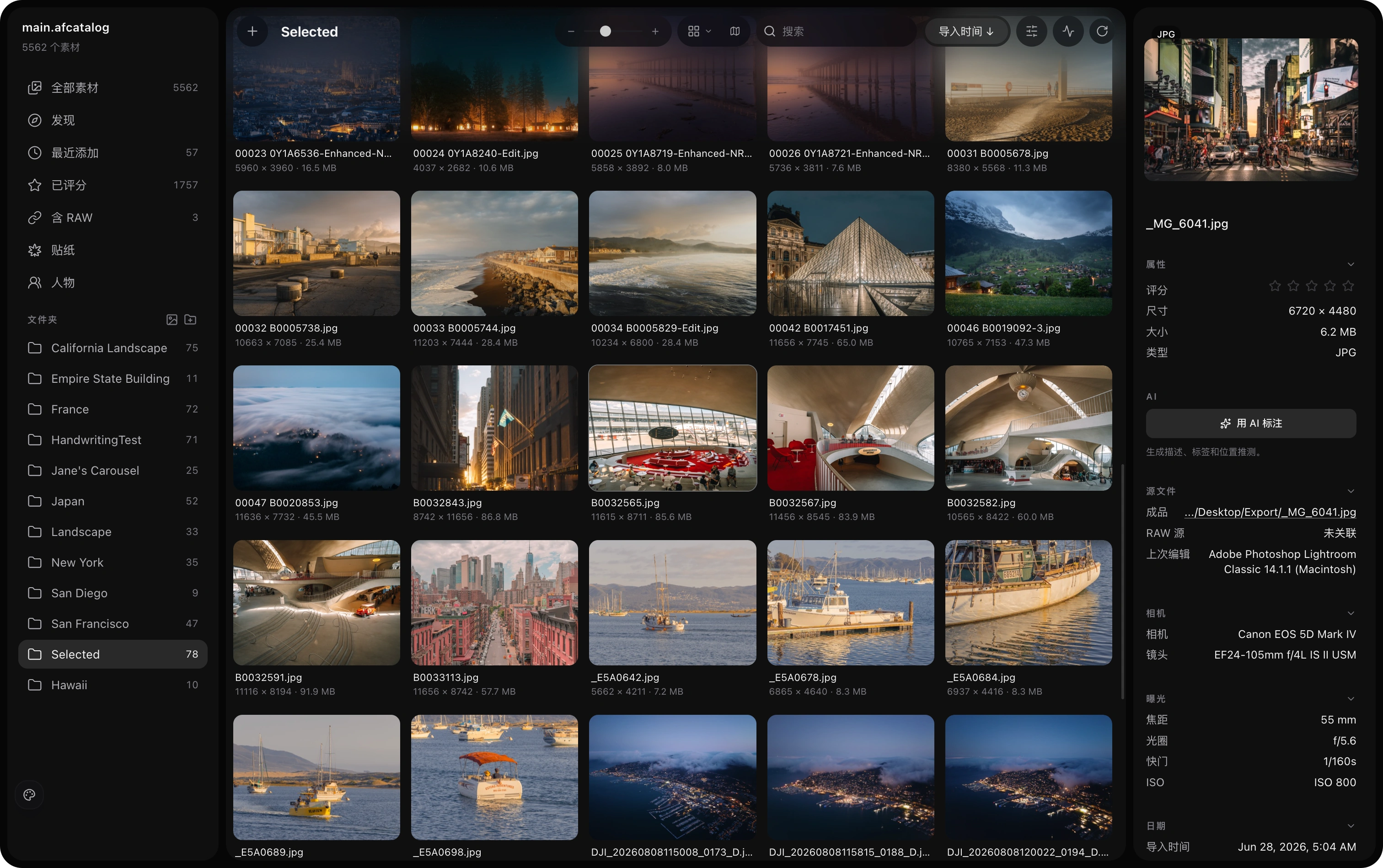
The full interface in 简体中文 (switch live in Settings → General):
Getting Started
Requirements
- macOS 14 or later (Apple Silicon)
- Python 3.10+ (for the sidecar service, development only)
- Node.js 20.19+ or 22.13+ (development only)
Development
# Install frontend dependencies
cd apps/desktop
npm install

# Start dev server
npm start
Build
cd apps/desktop
npm run dist:mac          # rebuild sidecar, then package + sign (Developer ID)
npm run dist:mac:release  # also notarize — set APPLE_ID / APPLE_APP_SPECIFIC_PASSWORD / APPLE_TEAM_ID
npm run dist:mac:macos12-arm64  # Apple Silicon, macOS 12+, without People, Scene Depth and Stickers
npm run dist:mac:macos12-intel  # Intel, macOS 12+, the same
npm run dist:mac:intel          # Intel, macOS 14+
The .dmg will be in apps/desktop/release/, and the other builds' in apps/desktop/release/<build>/ (bash scripts/dist-mac-build.sh <build> --release notarizes one). On macOS the sidecar step needs uv: it builds the sidecar from uv's CPython 3.12 with wheels for macOS 14, and fails if any bundled binary needs a newer macOS (see docs/developer-setup.md). ExifTool is fetched into native/exiftool by the build. Signing uses the Developer ID Application certificate in your keychain; dist:mac:release additionally uploads the build to Apple for notarization.
npm run build updates the workspace renderer only; it does not update an
installed /Applications/AfterFrame.app. To verify the actual packaged app
(including ASAR resources and the map Worker), run from apps/desktop:
AFTERFRAME_E2E_EXECUTABLE="/Applications/AfterFrame.app/Contents/MacOS/AfterFrame" npx playwright test e2e/23-map.spec.js
This uses a temporary test catalog and settings, leaving the personal library untouched.
Project Structure
apps/desktop/          Electron + React desktop app (embedded MCP server in electron/mcp/)
services/sidecar/      Python backend (SQLite catalog, metadata, AI repaint)
RESOURCES/             AI style prompt libraries, design assets
docs/                  Screenshots and developer docs
Customization
AI Style Prompts
Edit ~/Library/Application Support/afterframe/ai-styles.json to add or modify style prompts. Changes take effect on restart.
[
  { "id": "my-style", "name": "My Style", "prompt": "Transform this photo into..." }
]
Built With
This project was vibe-coded with Claude Code.
For implementation details, see docs/developer-setup.md.
Reviews (0)
Sign in to leave a review.
Leave a reviewNo results found