continuo
Health Warn
- License — License: MIT
- Description — Repository has a description
- Active repo — Last push 0 days ago
- Low visibility — Only 8 GitHub stars
Code Fail
- process.env — Environment variable access in .github/workflows/ci.yml
- rm -rf — Recursive force deletion command in Scripts/generate-appcast.sh
- rm -rf — Recursive force deletion command in Scripts/package-app.sh
- rm -rf — Recursive force deletion command in Scripts/sign-and-notarize.sh
- rm -rf — Recursive force deletion command in Scripts/smoke-test.sh
Permissions Pass
- Permissions — No dangerous permissions requested
No AI report is available for this listing yet.
Move a coding-agent session between Claude Code, Codex, and OpenCode
Continuo
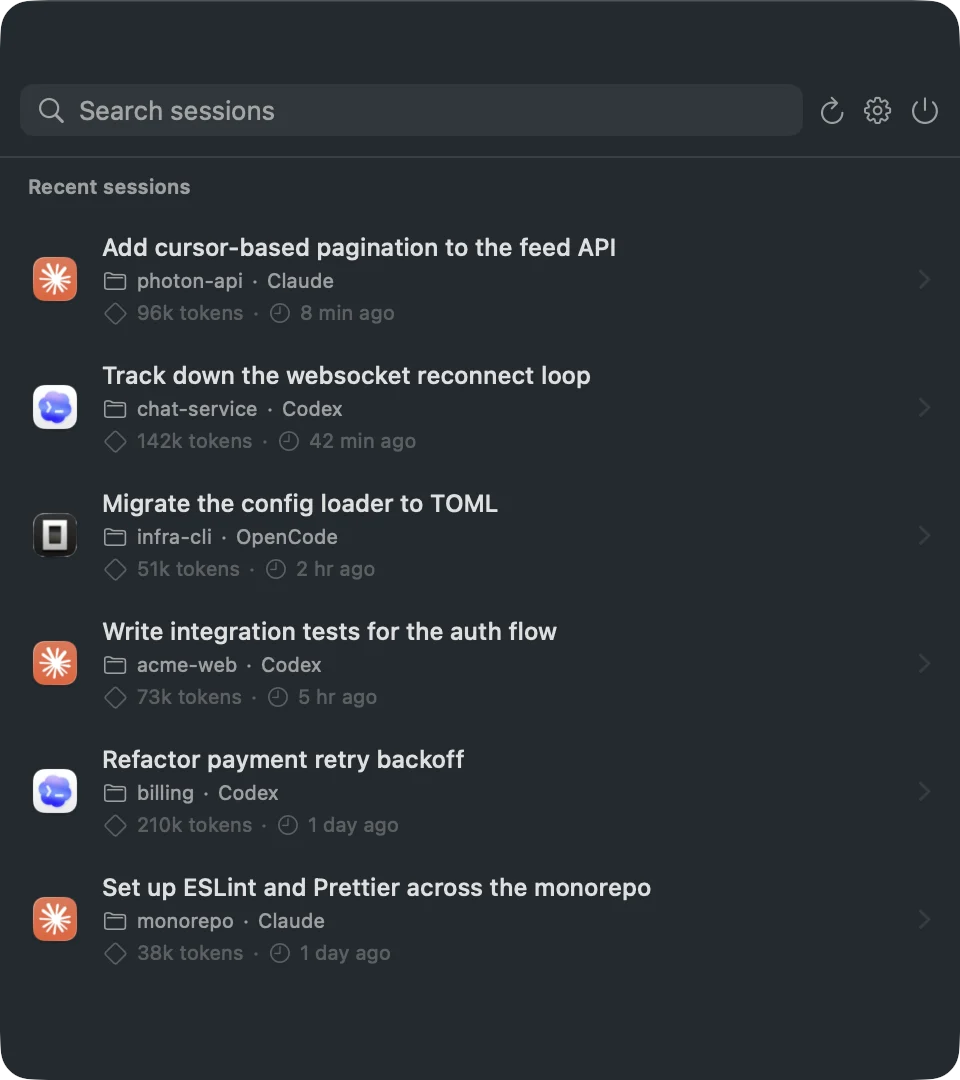
Continue a coding-agent session in a different agent. Continuo is a macOS menu-bar app that converts a recent Claude Code, Codex, or OpenCode session into another agent's native format and opens it already resumed in your chosen session destination — in any direction, on demand.
Switched tools mid-task? Hitting a model's limits? Want a fresh agent with the same context? Open the picker, pick a session, click the agent you want to continue in.
Install
brew install --cask yoavf/tap/continuo
Or download the latest Continuo.dmg from Releases, drag it to Applications, and launch it — it's signed and notarized.
Recent sessions from ~/.claude and ~/.codex show up automatically. Click the menu-bar icon, or press ⌥⌘S from anywhere, to see them.
Using it
- Pick a session from the menu-bar picker — the newest across all three tools, searchable.
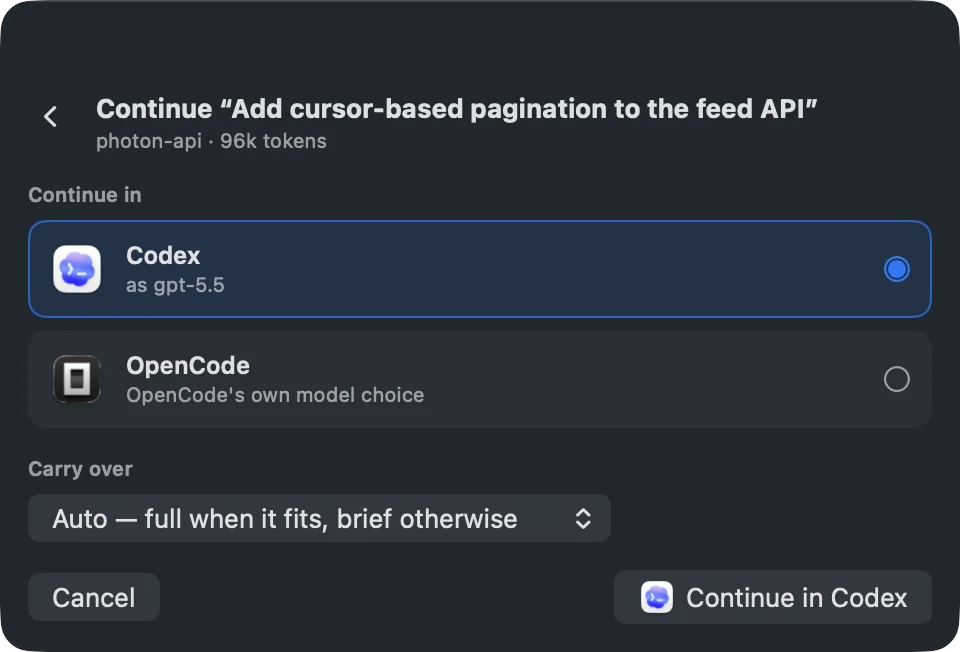
- Choose where to continue it. Click a session to open the continue panel and pick one of the other two agents.
- Choose how much to carry over — the full transcript when it fits the target model's context, or a handoff brief (a structured summary plus your most recent exchanges) when it wouldn't.
- It opens resumed. Continuo writes the target's native session file and opens the resumed session in your chosen destination.
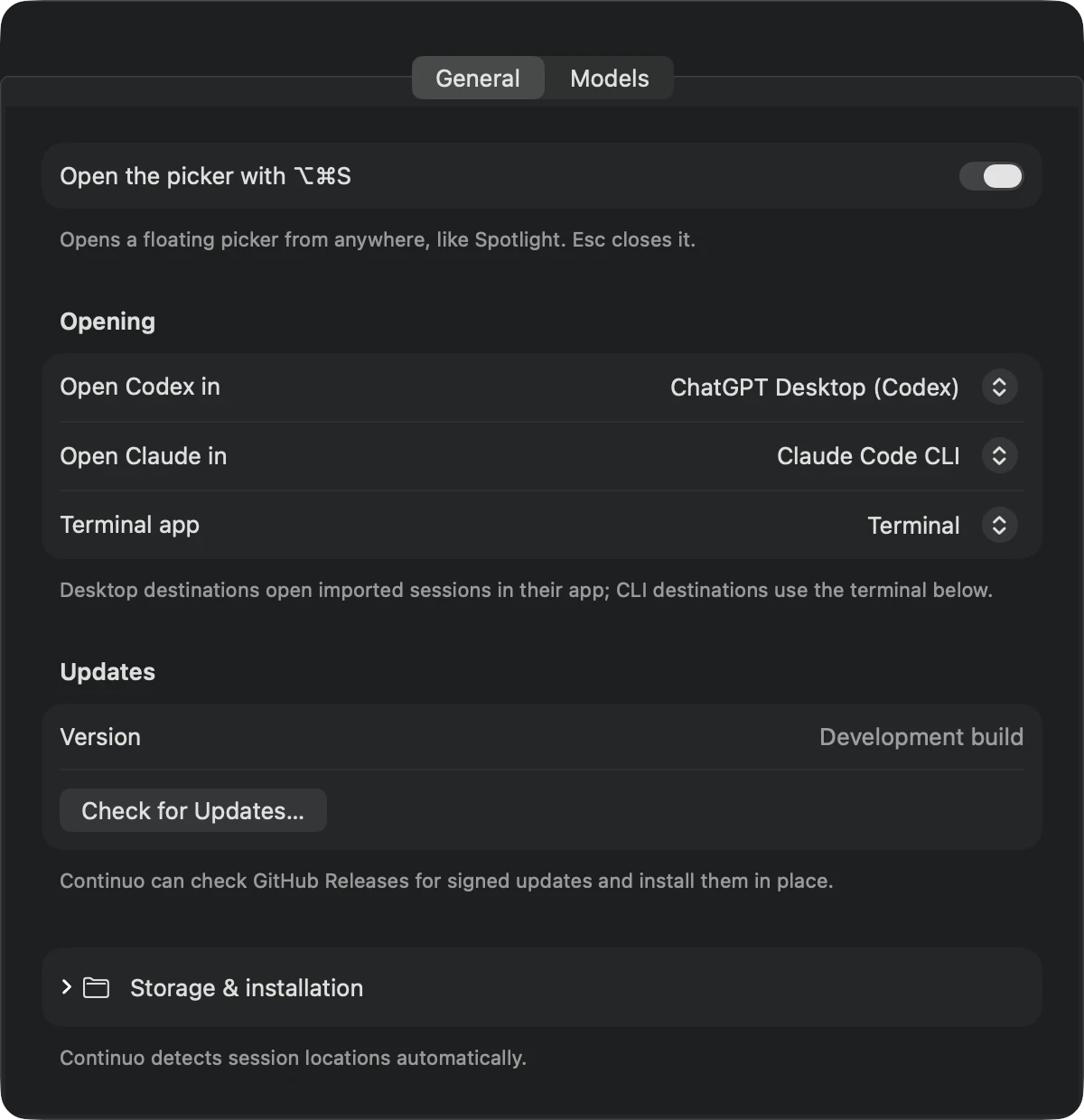
Settings lets you choose where Codex and Claude sessions open, select a terminal app for CLI sessions, pick target models per direction, and toggle the hotkey. Session folders are detected automatically; custom locations and installation controls stay tucked under Storage & installation.
Continuo checks GitHub Releases for cryptographically signed updates using Sparkle. You can check manually from Settings; Sparkle offers background checks using its standard macOS opt-in prompt.
Supported session destinations
A session destination can be a desktop agent, conventional terminal, or workspace environment. Continuo currently supports:
- ChatGPT Desktop (Codex) — open the converted session directly as a local Codex task.
- Claude Desktop (Code) — import the converted Claude Code session and open it in Claude Desktop.
- Terminal, iTerm2, and Ghostty — open the resumed agent directly in a new terminal session.
- CMUX — create a named workspace and run the resumed agent inside it. One-time password access must be enabled under CMUX → Settings → Automation.
How it works
Native session files are read-only inputs. Continuo only ever writes its own mirror files, tracked in bridge-state.json; it refuses to overwrite anything it doesn't own, and never rewrites a mirror you've since continued natively (it makes a fresh one instead). Nothing runs in the background — sessions are converted only when you ask.
Converting a transcript means translating each tool call into the target agent's vocabulary (Claude's Bash ⇄ Codex's exec_command, and so on) so transplanted history reads naturally. Model matching is conservative: the source model is preserved in metadata, and the converted session gets a target-provider model from built-in family matches or your Settings defaults. Hidden provider reasoning is never carried across * — only the visible conversation, tool summaries, and safe metadata.
When a session's title is just a raw prompt, and when it builds a handoff brief, Continuo uses your Mac's on-device model (Apple Intelligence, where available) to write a clean title or a custom compaction of the conversation. Nothing about your sessions is sent anywhere — the on-device model runs locally, and everything else is plain file conversion.
* The latest OpenAI and Anthropic reasoning models return their chain-of-thought as encrypted, provider-owned tokens that never appear in the readable transcript and can't be replayed into another provider. That reasoning is necessarily left behind when you continue a session elsewhere.
What carries over
- Your prompts and the agent's replies, in full
- Tool calls — name, input, and output — remapped to the target agent's equivalent operation
- Timestamps and session metadata: model, working directory, title
What stays behind
- Provider reasoning and thinking traces (encrypted and provider-owned — see above)
- Token counts and billing/usage data
- System prompts and other injected context (the target agent supplies its own)
- Raw file-history snapshots
OpenCode sessions are read from its opencode.db and written through the official opencode import command; models cross in with their provider prefix (anthropic/claude-…, openai/gpt-…) and cross out by stripping it.
Transfer budgets come from each model's real context limit, sourced from models.dev: a snapshot is bundled at build time and refreshed weekly at runtime, falling back to the bundle when offline.
Similar tools
- session-porter — a CLI for porting agent sessions between tools, if you'd rather work from the command line.
Build
swift test
./Scripts/package-app.sh   # → dist/Continuo.app
Signed, notarized release DMGs are built in CI — see docs/RELEASING.md.
License
MIT — see LICENSE. Bundled model metadata is from models.dev, also MIT.
Reviews (0)
Sign in to leave a review.
Leave a reviewNo results found