Axiom
Health Gecti
- License — License: NOASSERTION
- Description — Repository has a description
- Active repo — Last push 0 days ago
- Community trust — 28 GitHub stars
Code Gecti
- Code scan — Scanned 12 files during light audit, no dangerous patterns found
Permissions Gecti
- Permissions — No dangerous permissions requested
Bu listing icin henuz AI raporu yok.
Native Windows AI workspace: local GGUF models, your own server or cloud, with a Workplace agent that edits files and can undo. Signed installer.
Axiom
A native Windows AI workspace: run models on your own PC, on your own server, or in the cloud.




⬇ Download Axiom for Windows
Free with local models or your own key · Code-signed installer · Windows 10/11 (64-bit)
Getting started · Changelog · Privacy · Terms · Feedback
Why Axiom
- Native, not a web wrapper. C# and WPF on .NET 10, with no Electron.
- Your model, your choice. The same features work on a local GGUF model, your own
OpenAI-compatible server, or the cloud. - Adapts to small models. Axiom measures the model you load and scales prompts, tools and
budgets so a 1B model still gives usable results. - Private by default. Chats, keys and models stay on your PC. Anonymous diagnostics can be
switched off in Settings (see PRIVACY.md).
Three ways to run a model
| Runs on | You need | |
|---|---|---|
| Local | Your GPU or CPU (llama.cpp) | A GGUF model; the first-run guide can download one that fits |
| Hybrid Local | Your own server | Any OpenAI-compatible endpoint |
| Cloud | Axiom Cloud or OpenRouter | An optional Axiom Cloud subscription, or your own OpenRouter key |
What's inside
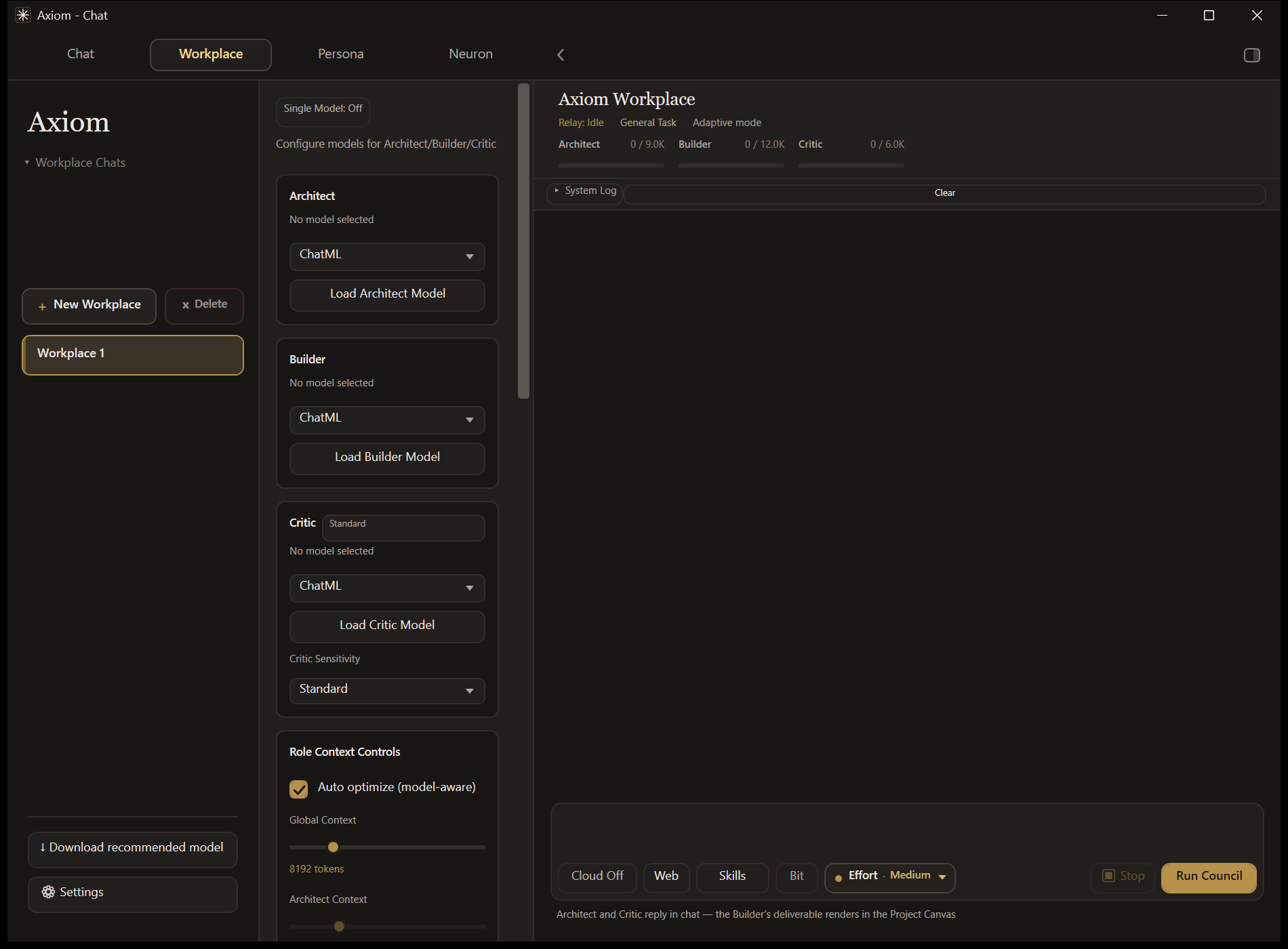
Chat. One conversation with every tool: attachments with previews, web search, a Python
sandbox, calculator, Skills and Plugins, and Persona notes that give the model background about
you. Type @ProjectCanvas to render an answer as a live HTML, SVG or Markdown artifact beside the
chat.
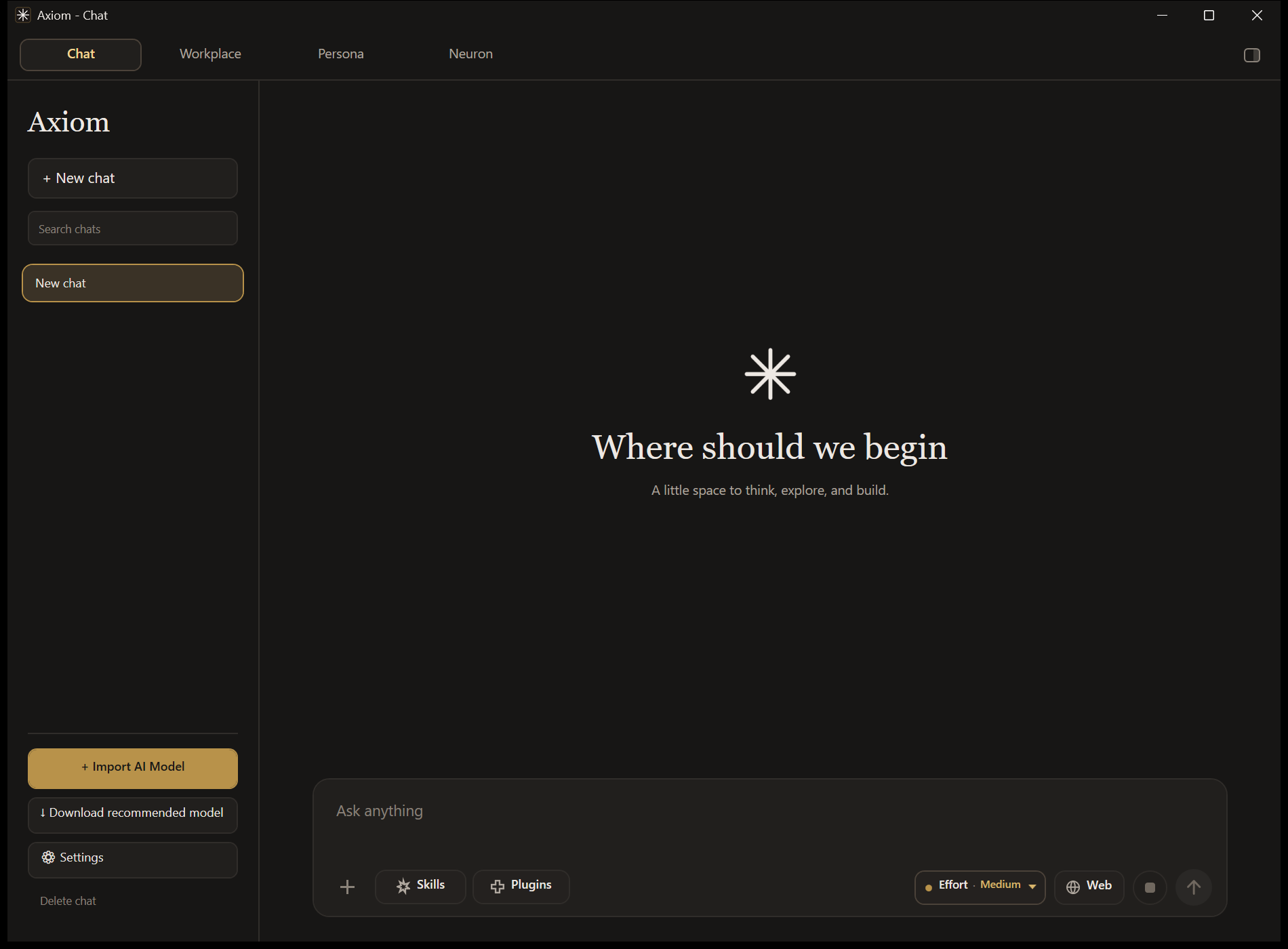
Workplace. For work that takes more than one pass.
- Single Model: one agent plans, uses tools and checks its own result.
- Council: a Builder does the work; at Extra High and Ultra Axiom checks the result and has it fixed.
- Agent Access: a terminal-style agent that runs commands and reads and writes files in a
folder you pick. Every run ends with its steps, a file-change summary and one-click Undo.
You choose Manual (approve each change) or Auto. - Browser actions: the agent can open pages and click or fill controls, each with your
approval. It never presses payment or account-closing buttons. @ComputerUse: drives the desktop with a vision model, checking each action landed.
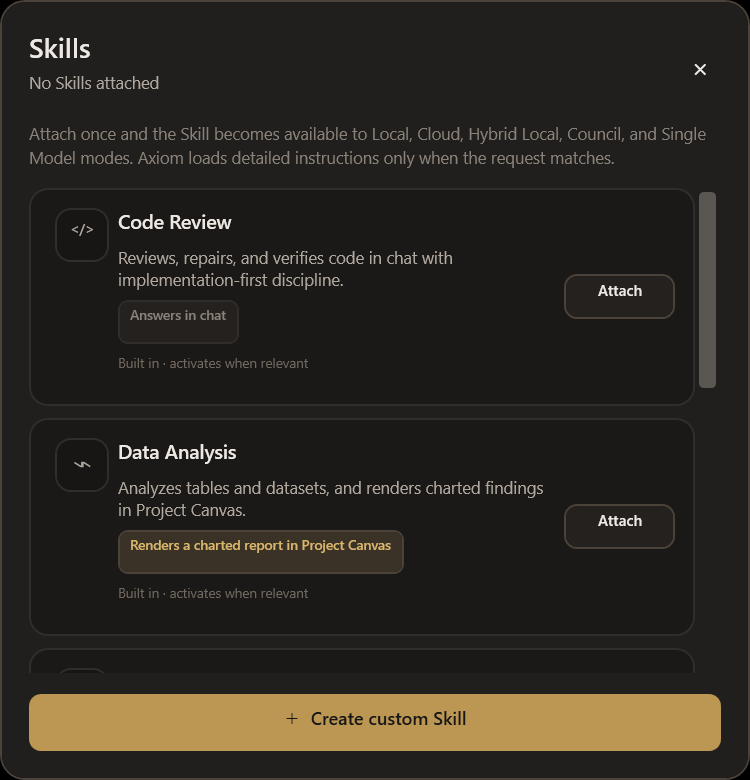
Skills. Reusable procedures you attach once, everywhere. Some answer in chat; others produce
a finished artifact, such as a slide deck, a print-ready PDF or a charted report. On small models
Axiom builds the artifact itself from the model's outline.
Effort. Pick Light to Ultra per message. Higher levels think longer and allow more tool
rounds and time per step. Extra High checks the result (runs it, validates files) and fixes what
the checks find; Ultra adds a fresh review of the finished work.
Reply as context. Right-click any AI reply, or select part of it and press Ctrl+Shift+L, to
attach it to your next message. It shows as a short quote above the input box.
Themes. Switch themes in Settings › General without restarting.
Cloud models
| Profile | Model | Use |
|---|---|---|
| Edios 1.5 | Google Gemma 4 31B (free) | General chat, documents, tools |
| Hepha 2.5 Coder | NVIDIA Nemotron 3 Ultra (free) | Coding |
| Threnody 1.0 | DeepSeek V4.1 Flash | Long context, vision |
| Workplace | NVIDIA Nemotron 3.5 Super VL (free) | Every Workplace cloud run |
| Kestral 1 | Your own endpoint | Hybrid Local |
Workplace uses exactly one cloud model with no silent fallback, so every step of a run uses the
same model.
Getting started
Download
Axiom-Setup-…-win-x64.exefrom the
latest release and run it. It is
code-signed and installs for your account only, with no admin prompt. (Or download the…-clean.zip, extract the whole folder and runAxiom Harness.exe.)The first-run guide checks your hardware, shows which local models fit and downloads one, or
lets you set up a cloud key or your own server.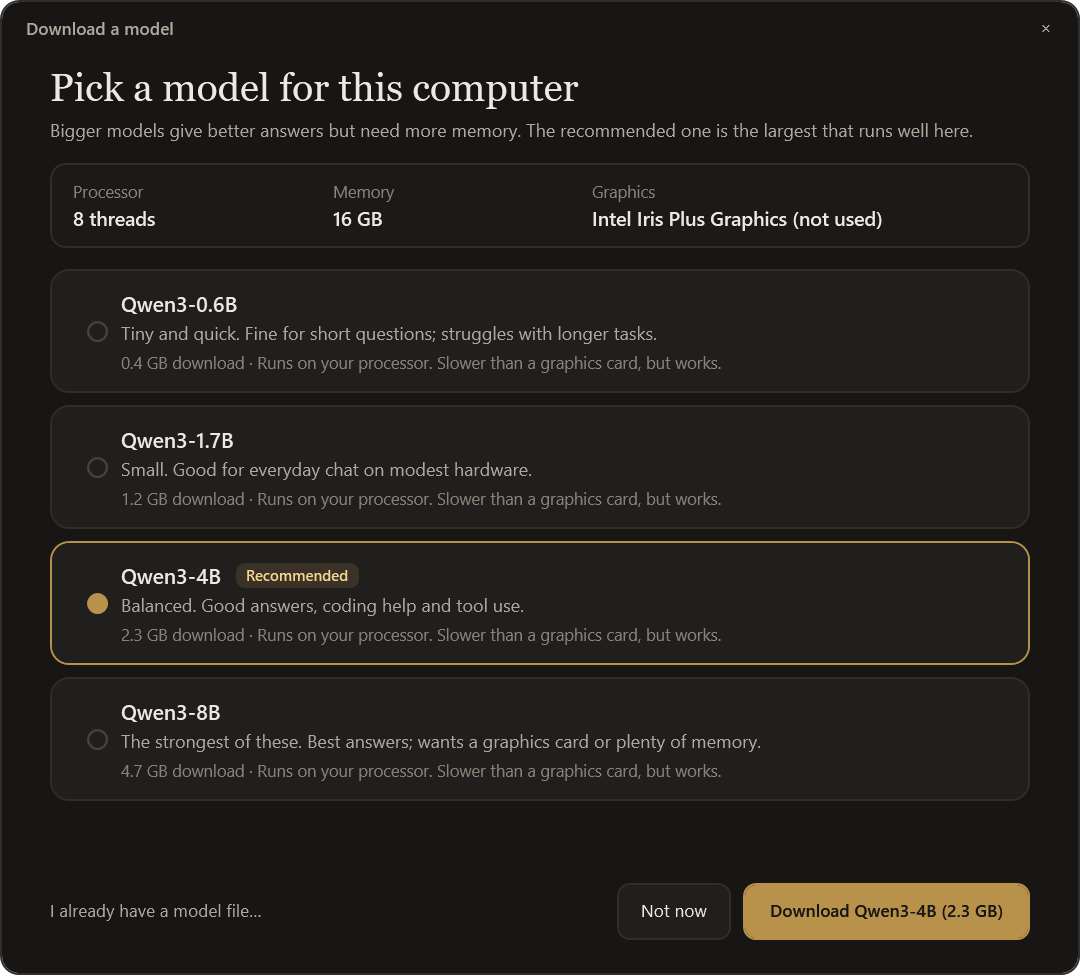
Open Chat, or head to Workplace.
Updates install from inside the app (Settings › General › Check for updates). Your chats,
settings and models are kept. Your data lives in %LOCALAPPDATA%\Axiom, never in the install
folder, so every new install starts empty.
Requirements: Windows 10 or 11 (64-bit), 4 GB RAM (16 GB recommended for local models),
optional NVIDIA GPU for faster local models.
Feedback
- In the app: Settings › General › Send feedback (adds your app version and recent error
lines; never your chats, files or keys). - On GitHub: open an issue. Issues are
public, so leave out keys and personal files. - By email: [email protected]
Contributing
Fork the repo, work on a branch and open a pull request; every change is reviewed before it is
merged. See CONTRIBUTING.md. Report security problems privately as described in
SECURITY.md.
License
PolyForm Noncommercial 1.0.0: use, study, change and share Axiom for any noncommercial
purpose, keeping the license and copyright notice. Releases before V1.11.0 were published under
CC BY-NC-ND 4.0. The author (YoMosa2009) keeps the right to
distribute official builds commercially and to run paid hosted services such as Axiom Cloud.
Third-party commercial use needs written permission; see
CONTRIBUTING.md.
Built by YoMosa2009 ·
MalxLabs.work · Axiominference.work
Yorumlar (0)
Yorum birakmak icin giris yap.
Yorum birakSonuc bulunamadi