Trof
Health Warn
- License — License: MIT
- Description — Repository has a description
- Active repo — Last push 0 days ago
- Low visibility — Only 9 GitHub stars
Code Warn
- network request — Outbound network request in frontend-src/src/api.js
Permissions Pass
- Permissions — No dangerous permissions requested
No AI report is available for this listing yet.
Manage your tasks with AI.
Trof
AI task generation for Vikunja — it intercepts bad tasks before they hit your board. Describe a project in plain language and let AI break it down into structured Vikunja tasks. It asks clarifying questions when needed, and nothing is written to your tracker until you review and confirm every change.
Why "Trof"? Named after the Trophy active protection system on the Merkava tank, which intercepts incoming threats before they reach the hull. Trof does the same for your task board: the AI proposes, but every task passes through your review before it ever lands in Vikunja so nothing gets in that you didn't approve.
Homepage
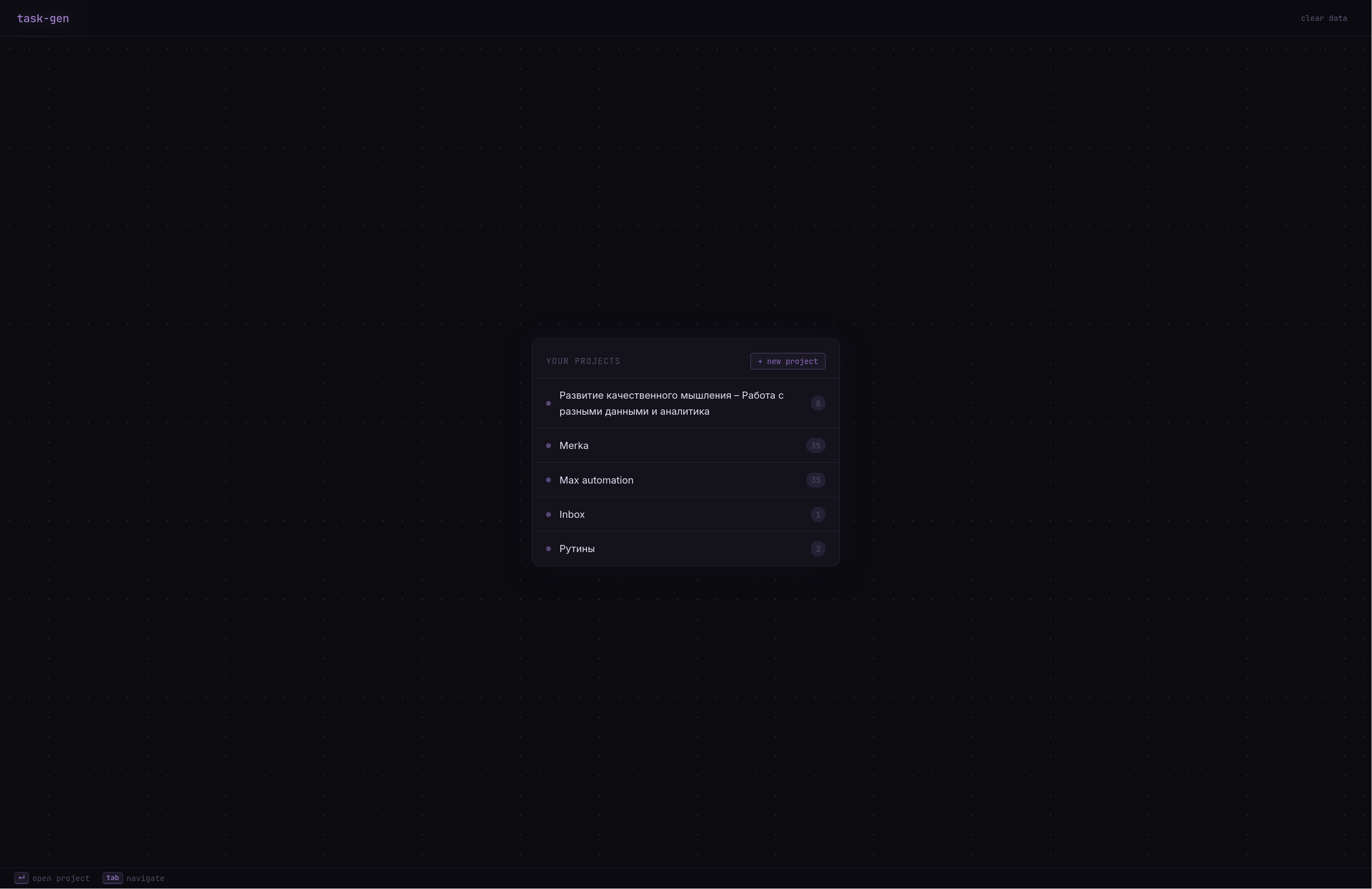
Features
- Create and edit projects — start a new project or modify an existing one.
- AI-assisted breakdown — the AI turns your description into a structured set of tasks.
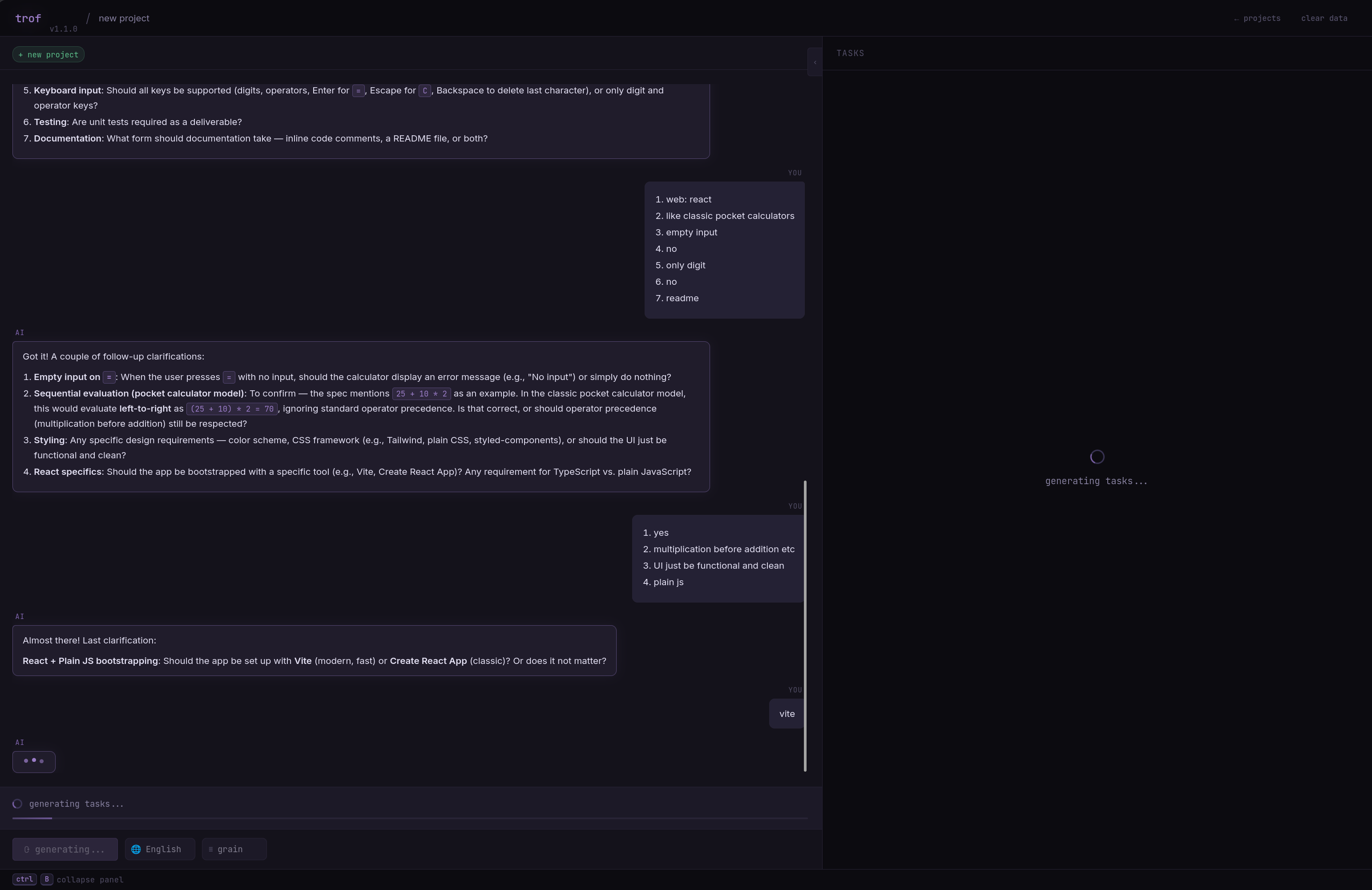
- Clarifying questions — the AI can ask you follow-up questions to refine the decomposition.
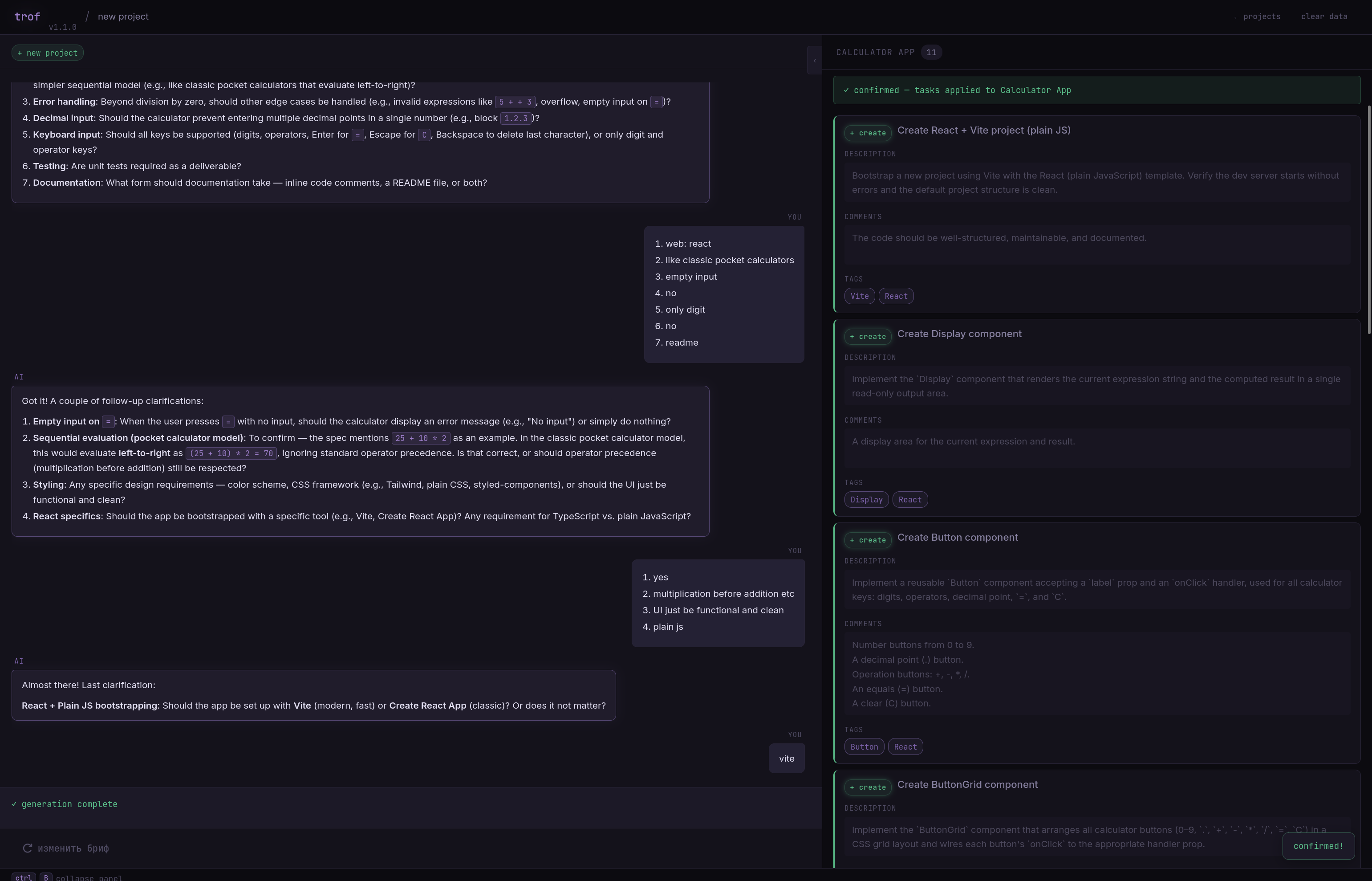
- Full control over changes — edit task names, descriptions, comments, and tags, or delete generated tasks before saving.
- Explicit confirmation — nothing is written to Vikunja until you confirm.
Configuration
Copy the example environment file:
cp example.env .envSet your Vikunja connection in
.env:VIKUNJA_URL=https://your.vikunja.instance/api/v1 VIKUNJA_TOKEN=your-vikunja-token-hereEnable the AI provider you want to use. Uncomment its block in
.envand fill in the API key.
For example, to use Anthropic:AI_KOOG.ANTHROPIC.ENABLED=true AI_KOOG.ANTHROPIC.API_KEY=sk-ant-api***AA AI_KOOG.ANTHROPIC.BASE_URL=https://api.anthropic.com AI_MODEL_ID="claude-sonnet-4-6"Supported providers: OpenAI, Anthropic, Google, OpenRouter, DeepSeek, and Ollama
(Ollama runs locally and needs no API key).Provide TLS certificates for nginx by placing
cert.crtandcert.keyin the./datadirectory.Build and start the stack:
./gradlew build -x test && docker compose up -dDone! Trof is now running on your machine at https://localhost.
Example
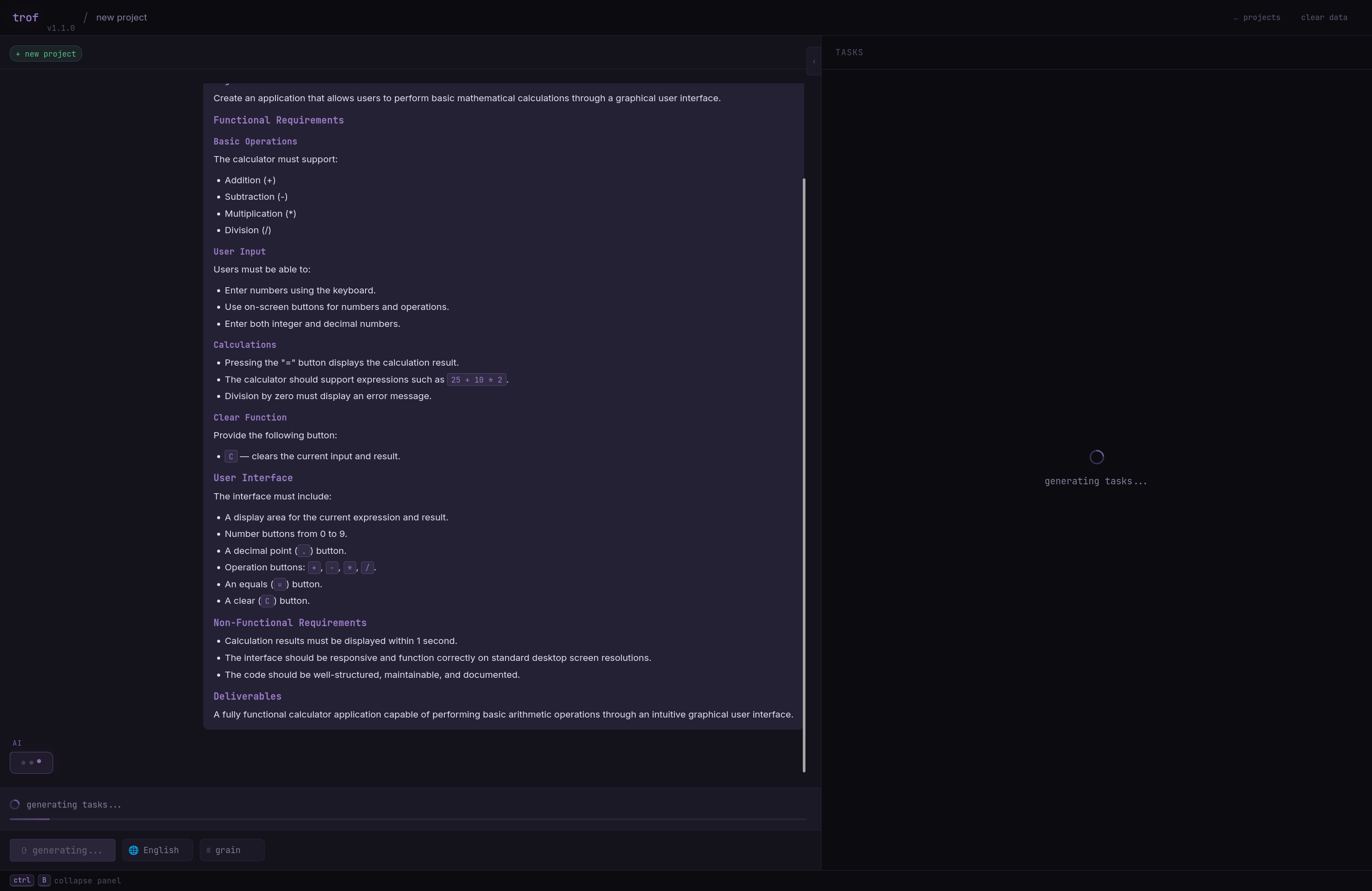
Here's what a typical project-creation flow looks like.
1. Describe what you want to build:
2. Answer the AI's clarifying questions:
3. Review and confirm the generated tasks:
4. See the result in Vikunja:
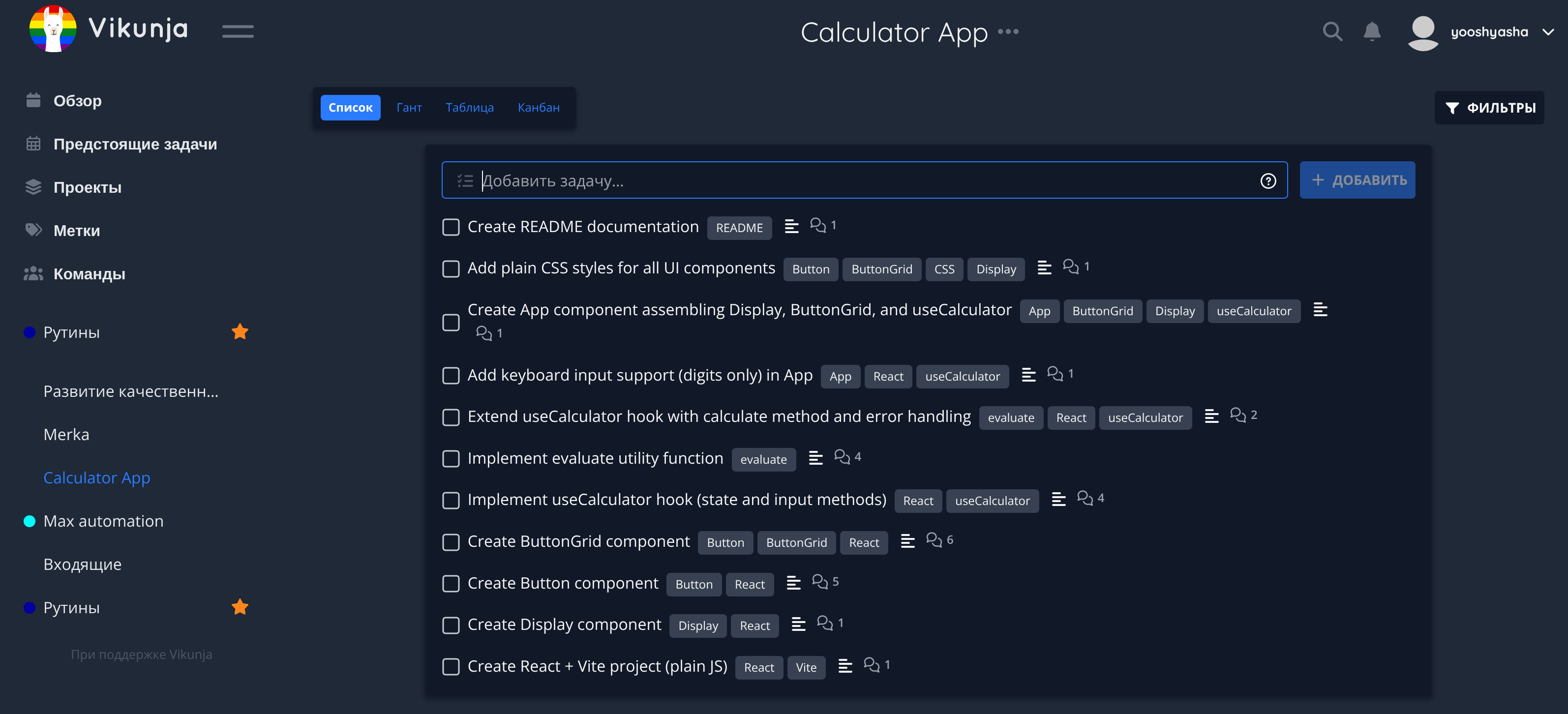
Editing an existing project follows the same flow.
Reviews (0)
Sign in to leave a review.
Leave a reviewNo results found