tackroom
Health Warn
- License — License: MIT
- Description — Repository has a description
- Active repo — Last push 0 days ago
- Low visibility — Only 6 GitHub stars
Code Fail
- network request — Outbound network request in internal/app/web/app.js
- rm -rf — Recursive force deletion command in macos/bundle.sh
Permissions Pass
- Permissions — No dangerous permissions requested
No AI report is available for this listing yet.
Dotfiles for your AI agents: one ~/.agents repo for skills, MCP servers, hooks, agent roles and memory, synced natively into 15 coding agents (Claude Code, Codex, Gemini CLI, Cursor, Pi, OpenCode and more). Commit-pinned, audited externals.

tackroom
Dotfiles for your AI agents. One ~/.agents repo, rendered into every coding agent.
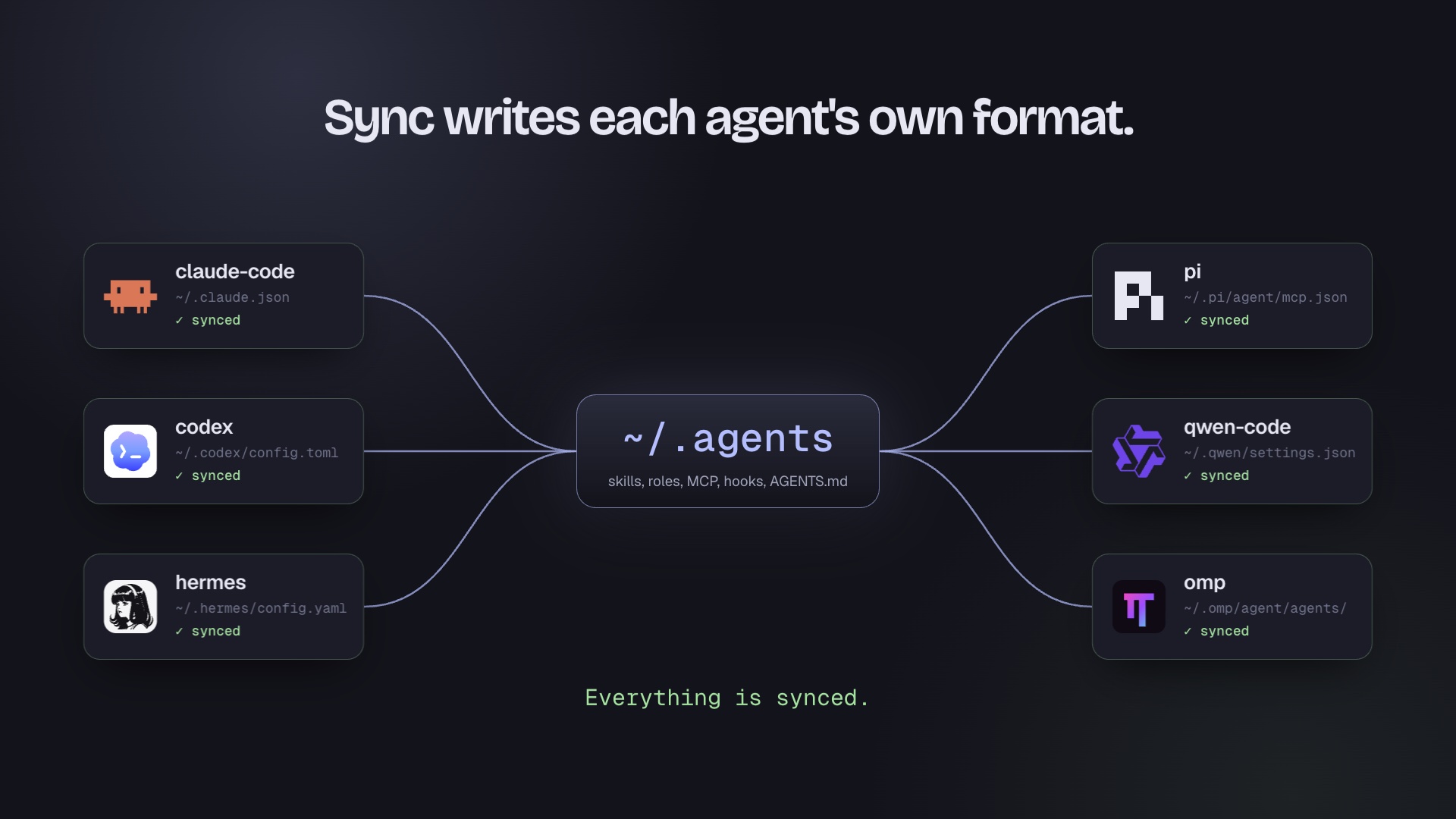
Watch the 23-second tour · Website · Music: Chill House Vol. 1 by Sascha Ende, CC BY 4.0




brew install yourconscience/tap/tackroom   # Homebrew
npm install -g tackroom                    # npm, or run once with: npx tackroom setup
Overview & comparison → · Releases · Docs
Why
If you use more than one coding agent, you maintain the same skills, MCP servers, hooks, and roles in a different place and format for each one. Copying them by hand drifts within a week. Skills have converged on one open convention (agentskills.io), plugins on agent-plugins-spec, and root instructions on AGENTS.md — but every harness still stores and renders config in its own native format. tackroom applies the dotfiles pattern to that last mile: one versioned repo, rendered natively per harness, with memory tooling built in.
Quick start
brew install yourconscience/tap/tackroom   # or: npm install -g tackroom
# no brew/npm? curl -fsSL https://raw.githubusercontent.com/yourconscience/tackroom/main/scripts/install.sh | sh
tackroom setup                             # detect harnesses, import, first sync
setup creates ~/.agents, detects installed harnesses, imports existing content by copy after a per-item review, and runs the first sync. To carry the setup to other machines, add a private git remote and repeat — details in docs/setup.md.
tackroom status   # per-harness sync state
tackroom doctor   # health checks: frontmatter, lock pins, audits, hooks
What it syncs
Five surfaces, each rendered into the harness's own format — tackroom does not invent compatibility files a harness cannot consume:
| Harness | Skills | Roles | MCP | Hooks | Plugins |
|---|---|---|---|---|---|
| Amp | yes, config-driven | --⁑ | yes | --⁑ | -- |
| Claude Code | yes | yes | yes | yes | yes‖ |
| Codex | yes | yes | yes | yes | planned |
| Cursor | yes† | yes | yes | yes¶ | -- |
| Gemini CLI | yes† | yes | yes | yes | -- |
| GitHub Copilot CLI | yes† | yes | yes | yes | -- |
| Grok Build | yes† | yes | yes | yes | -- |
| OpenClaw | yes† | -- | yes | -- | -- |
| DeepSeek Harness (dsh) | yes† | -- | yes | -- | -- |
| Factory Droid | yes | yes | yes | yes | -- |
| Hermes | yes | -- | yes | yes | -- |
| OpenCode | yes† | yes | yes | -- | -- |
| Qwen Code | yes, config-driven | yes | yes | yes | skills + MCP§ |
| OMP (pi fork) | yes | yes | yes | session‡ | -- |
| Pi* | yes | yes* | yes | session‡ | skills + MCP* |
* Vanilla pi gains managed roles through pi-subagents. Pi 1.0 and later read MCP servers from ~/.pi/agent/mcp.json natively; older versions need pi-mcp-adapter, which also projects Agent Plugins (and replaces the built-in MCP support when installed). A Pi target can also declare a pinned packages list; sync writes that list to ~/.pi/agent/settings.json, and Pi installs missing packages on its next startup. Tackroom does not install the Pi executable itself. The OMP fork remains a separate target.
agents:
  - name: pi
    enabled: true
    detect: pi
    skill_root: ~/.pi/agent/skills
    agent_root: ~/.pi/agent/agents
    packages:
      - npm:[email protected]
      - npm:[email protected]
† OpenCode, Cursor, Gemini CLI, GitHub Copilot CLI, Grok Build, OpenClaw and DeepSeek Harness read ~/.agents/skills/ natively, so tackroom mirrors skills into their own skill roots only when the config root is not ~/.agents (or, for OpenClaw, when $OPENCLAW_STATE_DIR is set). OpenCode's only hook surface is a JS plugin API.
Gemini CLI MCP servers and hooks go to ~/.gemini/settings.json (hook events renamed to Gemini's, timeouts in milliseconds), roles to ~/.gemini/agents/, and root instructions link to ~/.gemini/GEMINI.md. Gemini CLI parses a hook's stdout as JSON, so a hook should print JSON or nothing.
¶ Cursor hooks go to ~/.cursor/hooks.json with Cursor's event names. If Cursor's third-party configs setting is on, Cursor also runs Claude Code's hooks, so a hook synced to both runs twice there.
‡ Pi and OMP run hooks as TypeScript extension modules, so tackroom writes one generated module per hook (~/.pi/agent/extensions/tackroom-<name>.ts, ~/.omp/agent/hooks/post/tackroom-<name>.ts) that pipes a Claude Code-style JSON payload to the command. Only SessionStart (its additionalContext reaches the model with the next prompt) and SessionEnd map; Stop and the tool events need block-and-continue semantics the module does not reproduce, so they are reported as unsupported.
§ Qwen Code natively loads Agent Plugins v1 skills and MCP servers; tackroom manages those same surfaces without rewriting the plugin.
‖ Claude Code plugins load in place from a directory marketplace at the config root; see Claude Code plugins.
⁑ Amp's hook and role surfaces use plugin-based models incompatible with tackroom' script-based hooks and per-agent role files.
Root instructions follow the same idea: ~/.agents/AGENTS.md links into each harness's own instructions file (~/.claude/CLAUDE.md, ~/.codex/AGENTS.md, ~/.hermes/SOUL.md, ...). List extra files such as SOUL.md or a user profile under instructions:, and every harness with a managed root doc gets them after AGENTS.md: Claude Code through @ imports, the rest as a generated copy that sync keeps current. Details in docs/setup.md.
In tackroom.yaml and --agents, Claude Code is claude. The former name claude-code is still accepted; a tackroom older than 1.2.0 does not know claude, so upgrade every machine that shares the config.
OpenClaw MCP servers go to mcp.servers in ~/.openclaw/openclaw.json; a running Gateway picks them up after openclaw mcp reload. DeepSeek Harness MCP servers go to tackroom-mcp-* rows in the home-level ~/.dsh/cordis.patch.yml, which every dsh profile applies, and its root instructions link to ~/.dsh/AGENTS.md. Neither has a role or hook format tackroom can render: OpenClaw agents are separate gateway personas, and dsh roles and hooks are Cordis plugins. A "yes" above only appears after end-to-end verification.
Skills
A skill is a directory under ~/.agents/skills/ with a SKILL.md (agentskills.io convention) — create once, appears everywhere. External skills are treated like dependencies: pinned in tackroom.lock, materialized for diffing, audited by tackroom doctor. Add a source such as mattpocock/skills or obra/superpowers with tackroom skill sources add (find more with tackroom skill sources search); it also spots sources already installed as Claude Code plugins or with npx skills. Details in docs/skills.md.
Memory
Pick a tier during setup: off, basic (session digests), or memsearch (indexed search). On top of that, sync builds two Go helpers into ~/.local/bin: knowledge-sync (vault git sync) and rem:
rem add -src claude "prefers pnpm for Node work"   # capture a candidate fact anywhere
rem dream                                          # consolidate candidates into review reports
rem dream --apply                                  # collapse exact-duplicate records (backup + commit)
rem search "quota preferences"                     # semantic search over captured memory
Candidates are inert until you promote them into durable instructions — consolidation is report-first by design, because automatically rewriting memory is how agents quietly corrupt their own instructions. sync keeps the managed memory code layer current and removes files a release no longer ships; anything you edited yourself is reported and left alone. Design notes in docs/memory.md.
Roles
Markdown role definitions in ~/.agents/agents/, rendered to each harness's native format (Claude Markdown, Codex TOML, Qwen Markdown, Droid, Cursor and Grok Markdown, Copilot .agent.md). Generic model tiers (haiku/sonnet/opus) render natively for Claude and Droid; Codex omits them and uses its own default unless a per-harness override pins an exact id. Six starter roles ship with the tool; yours win on name collision. Details in docs/roles.md.
Claude Code plugins
Claude Code plugins carry what the other surfaces cannot: mods (in-process function hooks that draw panes, status lines and commands), workflows, monitors, output styles, themes, LSP servers and bin/ tools. Put each plugin in its native layout under the config root and list it in .claude-plugin/marketplace.json there:
{
  "name": "my-agents",
  "owner": { "name": "you" },
  "plugins": [{ "name": "my-mods", "source": "./plugins/my-mods" }]
}
sync registers the config root under extraKnownMarketplaces in ~/.claude/settings.json as a directory source and sets enabledPlugins["<plugin>@<marketplace>"] for each relative-path entry. Claude Code reads a directory marketplace in place, so there is no install step or plugin cache: edit a plugin, run /reload-plugins, and the change is live. A plugin you turn off in /plugin stays off, also across a marketplace rename. Entries with defaultEnabled: false are left for you to enable, entries that point at the config root itself (".") or outside it are skipped, and bare names resolve under metadata.pluginRoot. Enable keys for plugins the marketplace no longer lists are removed, and deleting the marketplace file removes the registration. A marketplace name already registered with another source, or a malformed marketplace.json or settings key, is reported as a conflict and nothing is written. doctor runs claude plugin validate on the marketplace when Claude Code is a detected target.
Commands
tackroom setup    [--memory off|basic|memsearch] [--yes] [--dry-run] [--json]
tackroom status   [--verbose] [--json] [--agents ...]
tackroom sync     [--pull] [--replace-conflicts] [--json] [--agents ...]
tackroom doctor   [--e2e] [--json] [--agents ...]
tackroom config   validate|print
tackroom view     [--addr 127.0.0.1:8765] [--no-open] [--secure-cookie] [--ssh-host user@host]  # loopback web config UI
tackroom skill    new|list|info|update|promote
tackroom publish  [--target NAME] [--skills a,b] [--dry-run] [--json] [--yes]  # push skills to a remote registry
tackroom mcp      list|add|import|remove
tackroom hook     list [query] | remove [--dry-run] <query>
tackroom restore  [<backup> | latest] [--dry-run]   # put backed-up native files back
tackroom cron     collect [--hosts local,HOST...] [--table]  # read-only inventory of scheduled jobs
status, sync and doctor take --json for scripts and agents; exit code 1 means something is out of sync or failed. tackroom mcp remove <name> followed by sync removes the server from every agent tackroom wrote it to, and from agents whose entry still matches its definition (the native config is backed up first). Other hand-configured servers stay. If a native file differs from the shared copy (say a hand-written ~/.claude/CLAUDE.md), sync leaves that agent alone, syncs the others, and says how to resolve it; sync --replace-conflicts moves such files to ~/.local/state/tackroom/backups/<time>/ and links the shared copy. setup does this for you after asking (--yes accepts). tackroom restore lists those backups and puts one back; whatever it replaces is saved as a new backup, so tackroom restore latest undoes it.
tackroom cron collect lists every scheduled job on this machine and on SSH hosts (--hosts local,laptop,vps, or crons.hosts in tackroom.yaml; tackroom.local.yaml can set its own, since hosts differ per machine): launchd agents with a calendar or interval schedule, crontab, systemd user timers, and the Hermes, Codex and Claude desktop schedulers. Failing KeepAlive and RunAtLoad agents are listed too, with crash loops flagged. It prints JSON (--table for people) with each job's schedule, command, runs, last exit or status and problems such as miscased launchd keys or an enabled job that stopped firing, plus an access entry per host and source that tells empty apart from unreadable and not_scanned. It only reads; databases are copied back over SSH and opened locally. The Crons tab in tackroom view shows the same inventory, with jobs that need attention first. Plain tackroom cron still installs tackroom's own self-update entry. Design: docs/crons.md.
Hooks are declared in tackroom.yaml (there is no hook add yet) and rendered with each agent's event names:
hooks:
  - name: notify-stop
    enabled: true                 # entries stay off unless enabled
    event: Stop                   # Claude Code event names
    command: ~/.agents/hooks/notify.sh
    timeout: 10                   # seconds
    agents: [claude, codex, gemini]   # optional; default: every agent with hooks
MCP servers are stdio (mcp add NAME --command ...) or remote (mcp add NAME --url https://... --header 'Authorization: Bearer ${TOKEN}'). Remote servers go to Claude Code, Codex, Pi, Grok Build, Cursor and Gemini CLI in each one's format (Codex reads Bearer ${TOKEN} through bearer_token_env_var, Cursor as ${env:TOKEN}); other agents get stdio servers only for now. As with env, a ${VAR} header never replaces a real value already in an agent's config.
sync prints the skills, agents, MCP servers, hooks, packages and plugins the run changed (harnesses with identical changes grouped), a table with one row per harness, and every managed item per harness, with long lists wrapped to the terminal. status stays compact; --verbose adds the full lists. Both drop escape codes when output is not a terminal and color when NO_COLOR is set.
Companion tools
tackroom does one job. These tools pair well with it; install and run them on their own:
| Tool | Purpose | Run |
|---|---|---|
| HarnessKit | Inspect and audit skills, MCP servers, hooks, and native harness configuration | hk serve |
| AgentsView | Search and replay sessions; inspect tool telemetry, token usage, and estimated cost | agentsview serve |
Treat HarnessKit as read-mostly: its enable, disable and deploy actions bypass tackroom, so reconcile any changes with tackroom sync.
On macOS, the experimental Tackroom app puts all three in one window, with sync state in the menu bar, AgentsView skill usage next to each skill, and a list of what tackroom does not manage. Build it with macos/bundle.sh.
tackroom skill list remains the built-in provenance view for each harness skill root. It reports managed links, foreign symlinks, unmanaged directories, drift, broken links, and estimated context cost.
tackroom hook list [query] inventories native hook registrations and marks canonical entries as managed and missing script targets as stale. To clean up a hook installed outside tackroom, preview with tackroom hook remove --dry-run <query>, then rerun without --dry-run; unrelated hook entries are preserved. tackroom doctor reports stale native hooks, and tackroom sync reconciles the remaining canonical hooks afterward.
Installing skills without tackroom
A tackroom-format repo also works as a plain skills source. Anyone can copy individual skills into their harness of choice with the skills.sh installer, no tackroom install needed:
npx skills add yourconscience/myagents -s tackroom --copy # verified: copies cleanly, no symlinks
That path copies editable files (the "fork" model); tackroom users get the symlink-to-canonical model with lock-pinned updates. Pick one per machine — installing both leaves you with every skill twice.
Configuration
~/.agents/tackroom.yaml is the single source of truth; setup fills in detected harnesses. Resolution order: --config <path> → $TACKROOM_HOME/tackroom.yaml → ~/.agents/tackroom.yaml; never walks the current project. Machine-local entries overlay via tackroom.local.yaml. Managed entries are marked in native configs; anything else is left untouched.
Canonical config authoring
tackroom view opens a local dashboard over the canonical config. It shows
every agent's sync state, a skills × agents and roles × agents matrix of what is
on disk, editable MCP server and hook targeting per agent, and the items in agent
folders that tackroom does not manage. The Config view edits the YAML directly:
Shared and tackroom.local.yaml are separate editable layers, and the effective
merge is read-only. Structured edits preserve comments and unknown fields, and a
save never runs sync implicitly. Sync opens a per-agent plan, and each
destructive item has to be ticked before it applies. tackroom config validates
or prints the result.
tackroom view --no-open --addr 127.0.0.1:8765   # loopback web UI, print the URL
tackroom config validate
tackroom config print
The view web server is loopback-only, session-cookie authenticated (a
one-time startup token swapped for an HttpOnly, SameSite=Strict cookie),
CSRF- and origin-checked on mutations, guards saves by revision, and keeps sync
as a separate preview/confirm step. It prints the tokenized URL on its own line
and opens your default browser locally; --no-open skips that, and--ssh-host user@host (or an SSH session, via SSH_CONNECTION) prints anssh -L tunnel command for reaching the loopback UI from another machine.
The URL survives restarts: the token lives in view.token under$XDG_STATE_HOME/tackroom (~/.local/state/tackroom), or in --token-file.
Running tackroom view while one is already up opens that one instead of
starting a second, and a long-running view restarts itself when the tackroom
binary is upgraded. For deliberate HTTPS tailnet access, expose the loopback
listener yourself; --secure-cookie applies to requests through the proxy, so
the same view still works at its local http://127.0.0.1 URL:
tackroom view --no-open --secure-cookie --addr 127.0.0.1:8765
tailscale serve --bg --set-path /tackroom http://127.0.0.1:8765
Releases
Releases are cut from main after the release PR is reviewed and merged, and only with explicit approval:
scripts/release.sh vX.Y.Z # verify + tag; CI publishes binaries, brew tap, npm
The script refuses to run unless the tree is clean, HEAD matches origin/main, the tag is strict vMAJOR.MINOR.PATCH, and every check passes. Pushing the tag starts .github/workflows/release.yml, which re-verifies the tag against main and a green ci.yml run, waits on the protected release environment, then publishes binaries, the Homebrew tap, and the npm wrapper.
Documentation
- Overview & comparison — landing page, sync matrix, positioning
- docs/setup.md — first-run walkthrough, review screen, multi-machine setup
- docs/skills.md — authoring skills, external pins and audits
- docs/roles.md — role format, model tiers, per-harness overrides
- docs/memory.md — memory tiers, rem workflow, vault layout
- docs/comparison.md — how tackroom differs from rulesync, ruler, openskills
- Troubleshooting
- memory/README.md — memory layer layout, hooks, and tools
Project-level generators (rulesync, ruler) win on tool breadth; tackroom is user-level — one private repo, twelve targets deep, pinned externals, review-first memory. Full table in docs/comparison.md.
License
Reviews (0)
Sign in to leave a review.
Leave a reviewNo results found