mobby
Health Pass
- License — License: MIT
- Description — Repository has a description
- Active repo — Last push 0 days ago
- Community trust — 12 GitHub stars
Code Fail
- rm -rf — Recursive force deletion command in .github/workflows/release.yml
- fs module — File system access in docs/examples/travel-checklist-en/server.cjs
- fs module — File system access in docs/examples/travel-checklist/server.cjs
Permissions Pass
- Permissions — No dangerous permissions requested
No AI report is available for this listing yet.
Run Pi, Claude Code, Codex, and OpenCode directly on Android. A native AI assistant for your screen, files, apps, and code.

mobby
Your personal AI agent, running on Android.
Ask about your screen, work with files, use apps, and write code — right on your phone or tablet.




English · 简体中文
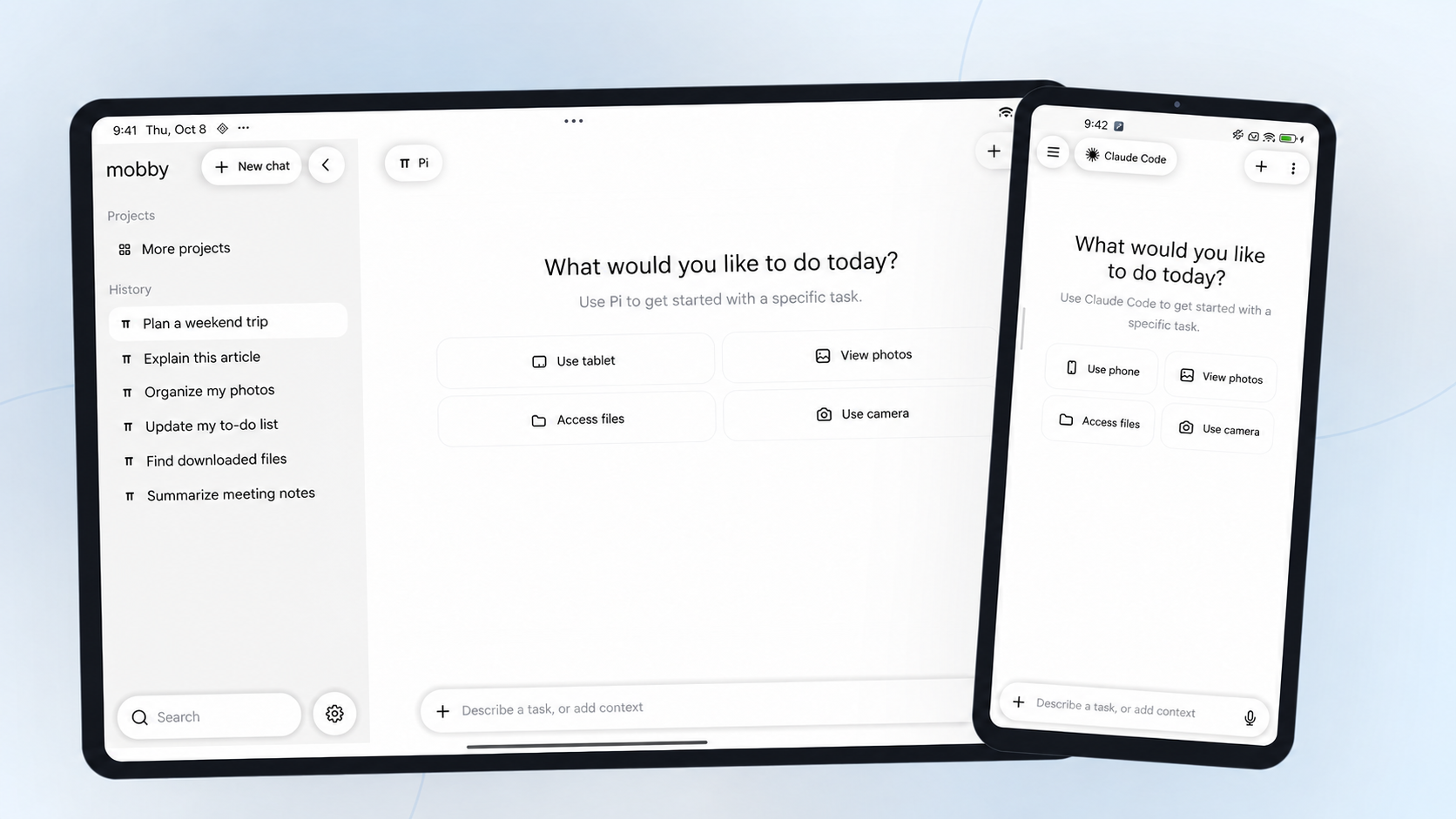
Runs Pi · Claude Code · Codex · OpenCode on-device, with access to your screen, photos, and files.
Screen Q&A · Photos and files · App control · Coding on Android · Getting started
What it can do
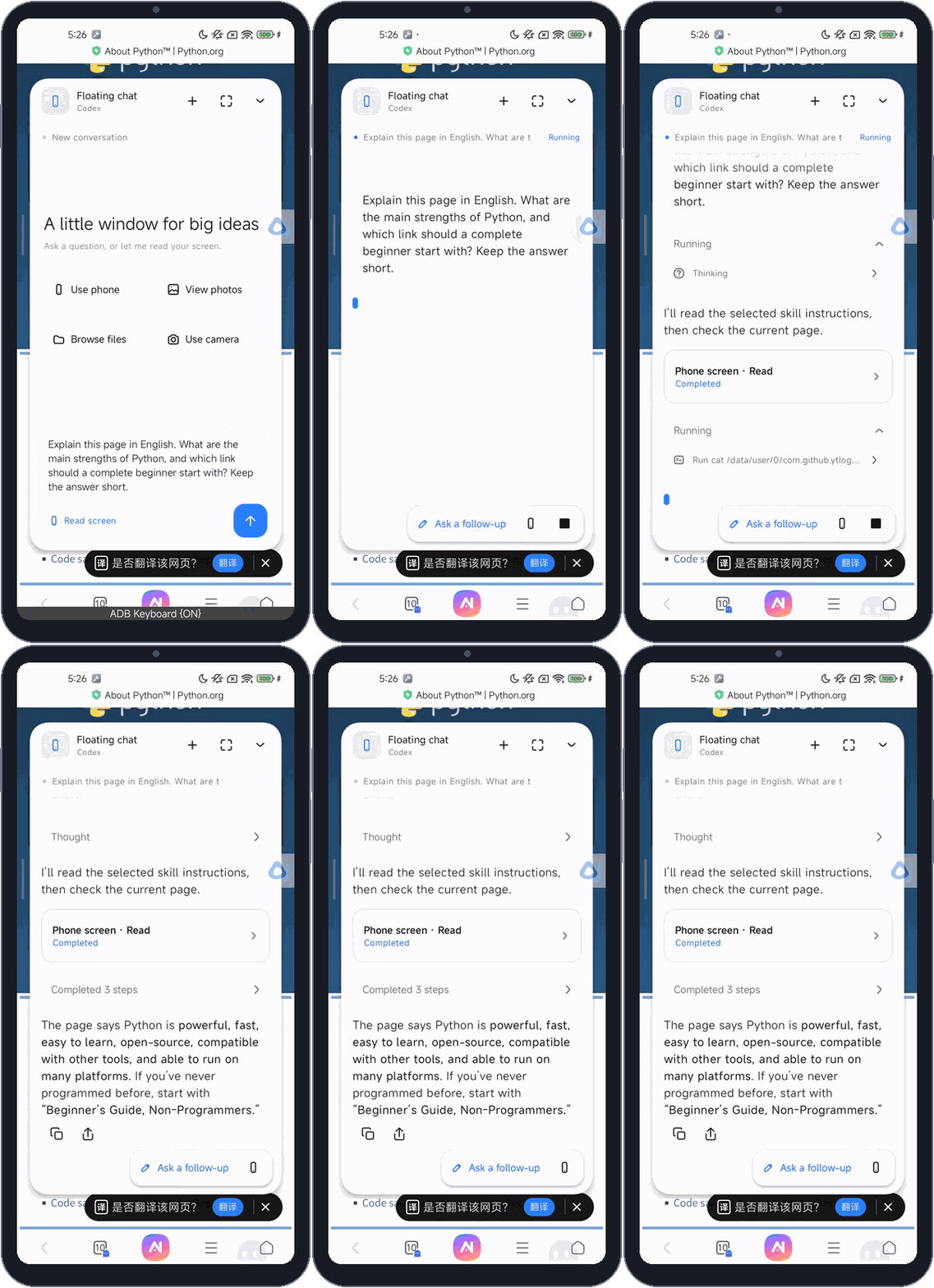
Ask about what's on your screenReading a page you don't understand? Tap the floating button, open the floating chat, and use screen recognition. Ask mobby to translate the text, explain it, or answer a follow-up question.
|
|
|
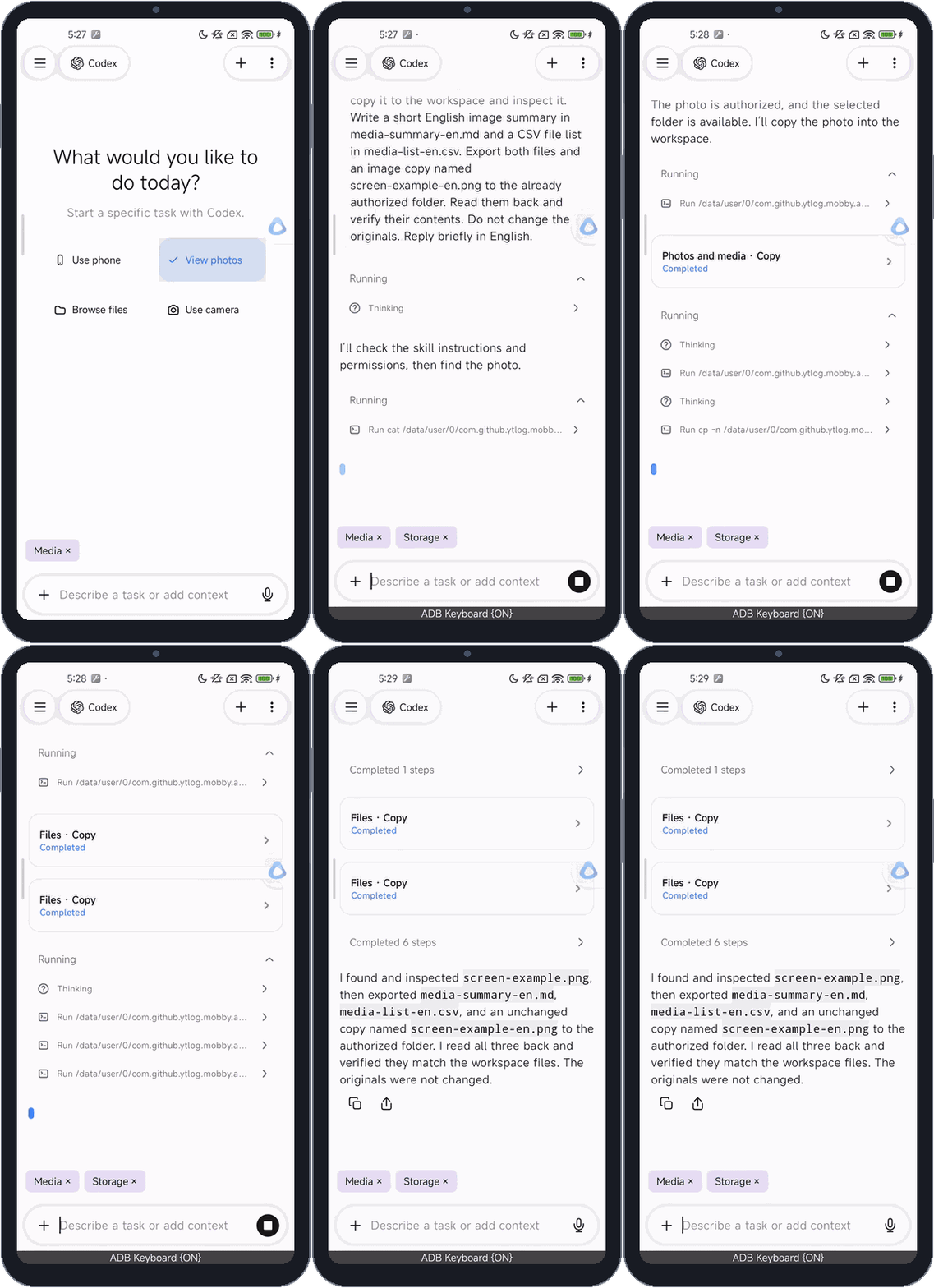
Work with photos and filesAdd photo or file access to a task and choose the photos or folder to share. Ask mobby to describe an image, copy files, make a list, and save the results back to your phone.
|
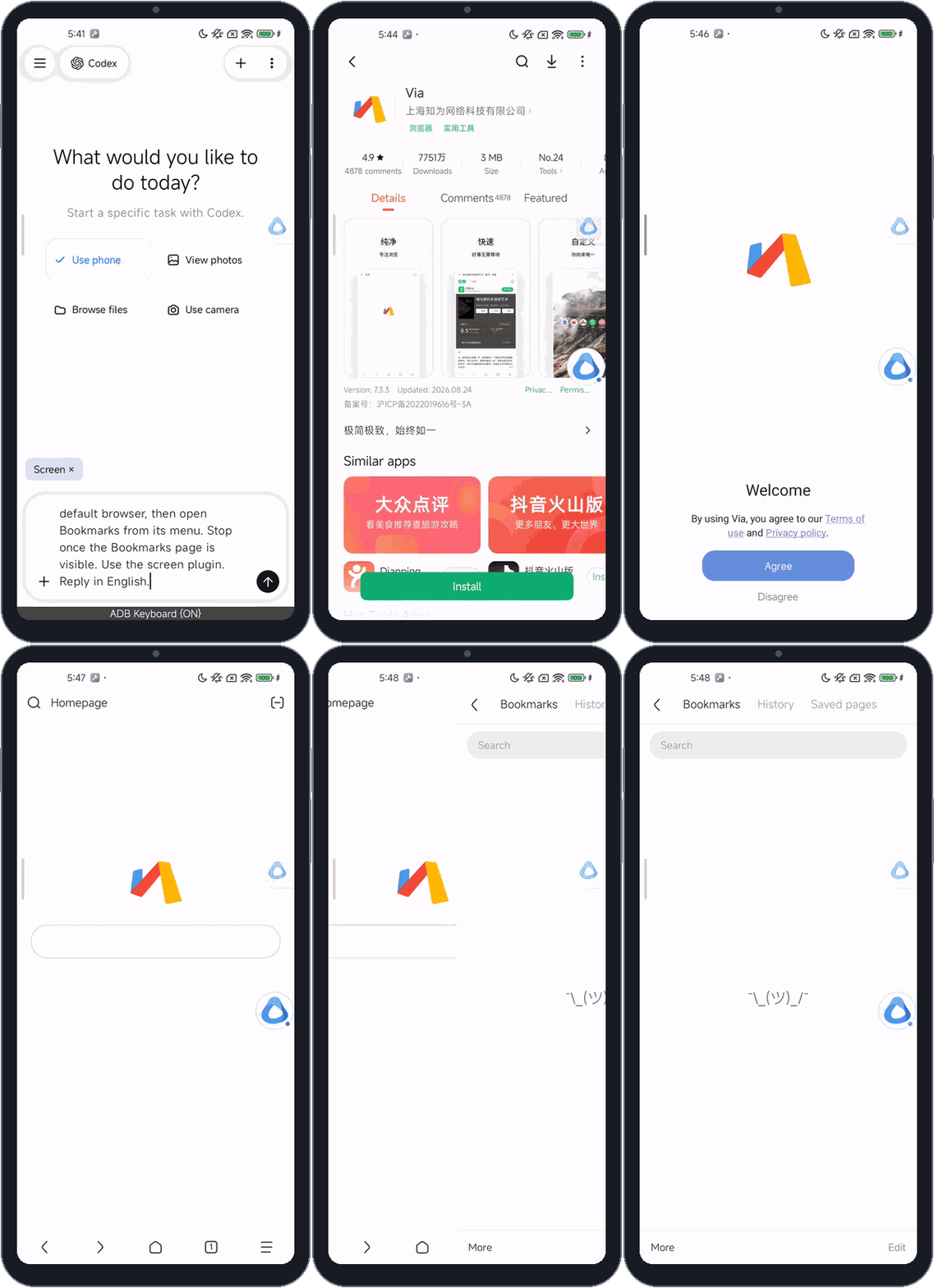
Let it use apps for youAdd phone or tablet access to a task and describe what you want to do. mobby reads the screen, taps buttons, types text, and moves between pages to carry out the steps.
|
|
|
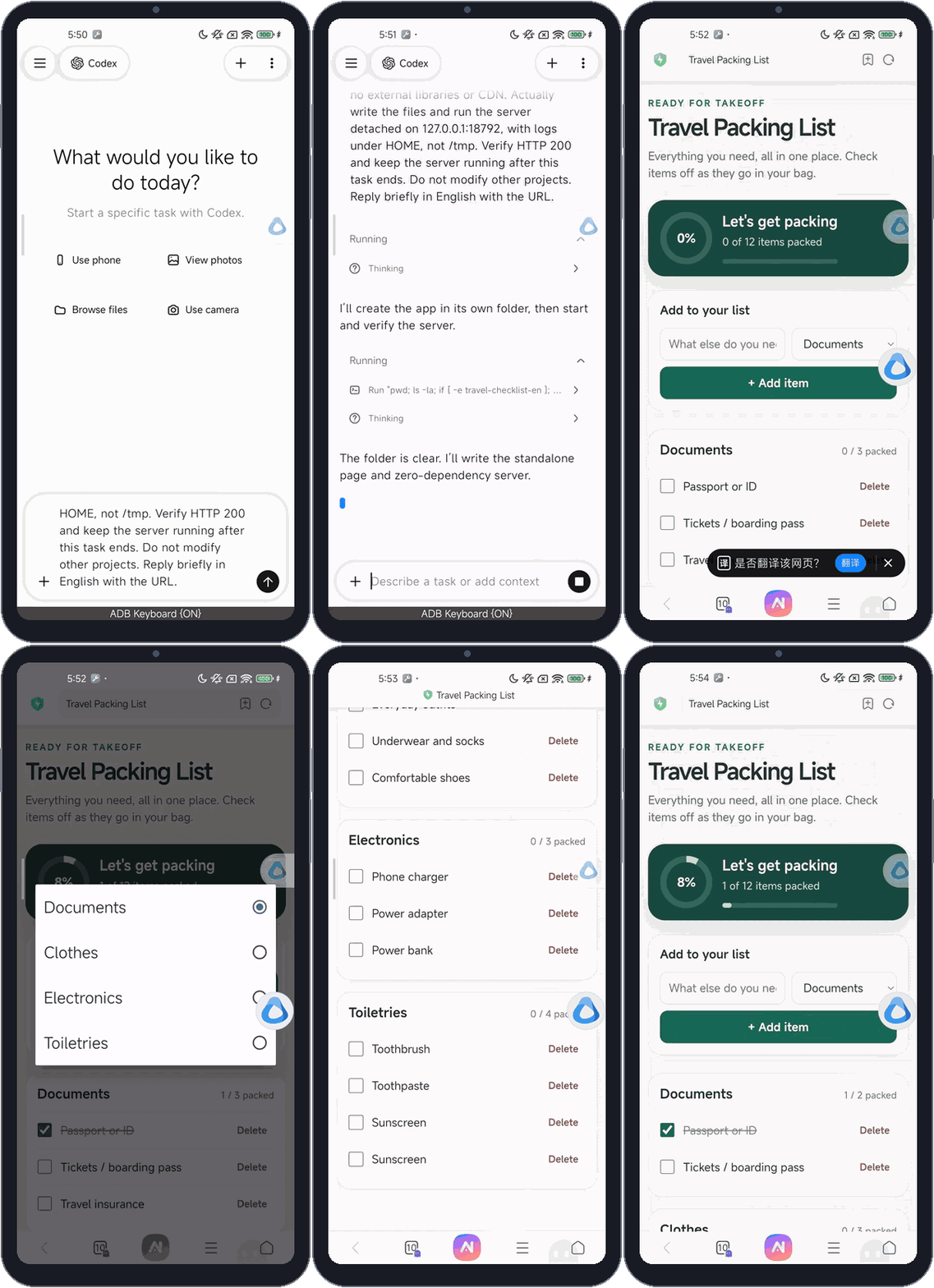
Build something useful on your deviceDescribe what you need. The agent writes the code in your device's workspace, starts a local server, and opens the result in your browser.
|
Getting started
mobby supports ARM64 Android phones and tablets running Android 8.0 or later.
- Install mobby. Get the APK from Releases and open it on your device. Wait for the runtime to initialize; Claude Code downloads from its official source during setup.
- Set up a gateway. Open Settings → Gateway settings, choose a service or enter its base URL and API key, tap Get models, select a default model, then save the gateway.
- Start a conversation. Select the gateway and send a task. For screen Q&A, enable the floating button, display-over-other-apps permission, and the Screen accessibility service. Grant photo or file access when you use those features.
Learn more
📖 Build and usage guide · 🔌 Gateway setup · 🗂️ Project docs · ⚖️ MIT license
Reviews (0)
Sign in to leave a review.
Leave a reviewNo results found