illusion-agent
Health Warn
- License — License: MIT
- Description — Repository has a description
- Active repo — Last push 0 days ago
- Low visibility — Only 8 GitHub stars
Code Warn
- process.env — Environment variable access in frontend/terminal/src/App.tsx
Permissions Pass
- Permissions — No dangerous permissions requested
No AI report is available for this listing yet.
AI-powered CLI coding assistant with Claude Code heritage, deep Windows optimization, bilingual UI,comprehensive Markdown rendering.
IllusionAgent
Where fantasy meets functionality.
The best of many worlds, refined into one intelligent agent
中文版 | English
📖 Introduction
IllusionAgent is an open-source AI agent platform. It unifies a multi-provider
LLM gateway, a bilingual (Chinese/English) CLI, a browser-based Web UI, and
a flexible extension ecosystem into a single intelligent agent — at home
on Windows, macOS, and Linux.
Whether you prefer the discipline of the terminal or the ease of the browser,
IllusionAgent resonates with your workflow: 42 built-in tools, 49 slash
commands, 7 specialized sub-agents, MCP server support, hooks, plugins, and
a cron scheduler for unattended automation — spanning Feishu, WeChat, and QQ.
Standing on the shoulders of giants — Claude Code prompts, OpenHarness
architecture, OpenClaw scheduling, kimi-cli infrastructure, hermes-agent
channels, cc-switch routing.
Core Features
- 🤖 Multi AI Provider Support - Anthropic, OpenAI, Copilot, Codex, and any compatible endpoint
- 🧠 Multi-Agent Collaboration - 7 built-in specialized Agents
- 🛠️ Rich Toolset - 42 built-in tools (29 base + 13 channel) + MCP dynamic tool extension
- ⌨️ 49 Slash Commands - Session, config, project, scheduling
- 🌐 Web UI Interface - Browser-based chat interface with
illusion web, independently usable alongside the terminal - 🌍 Bilingual Interface - Chinese/English auto-switch via
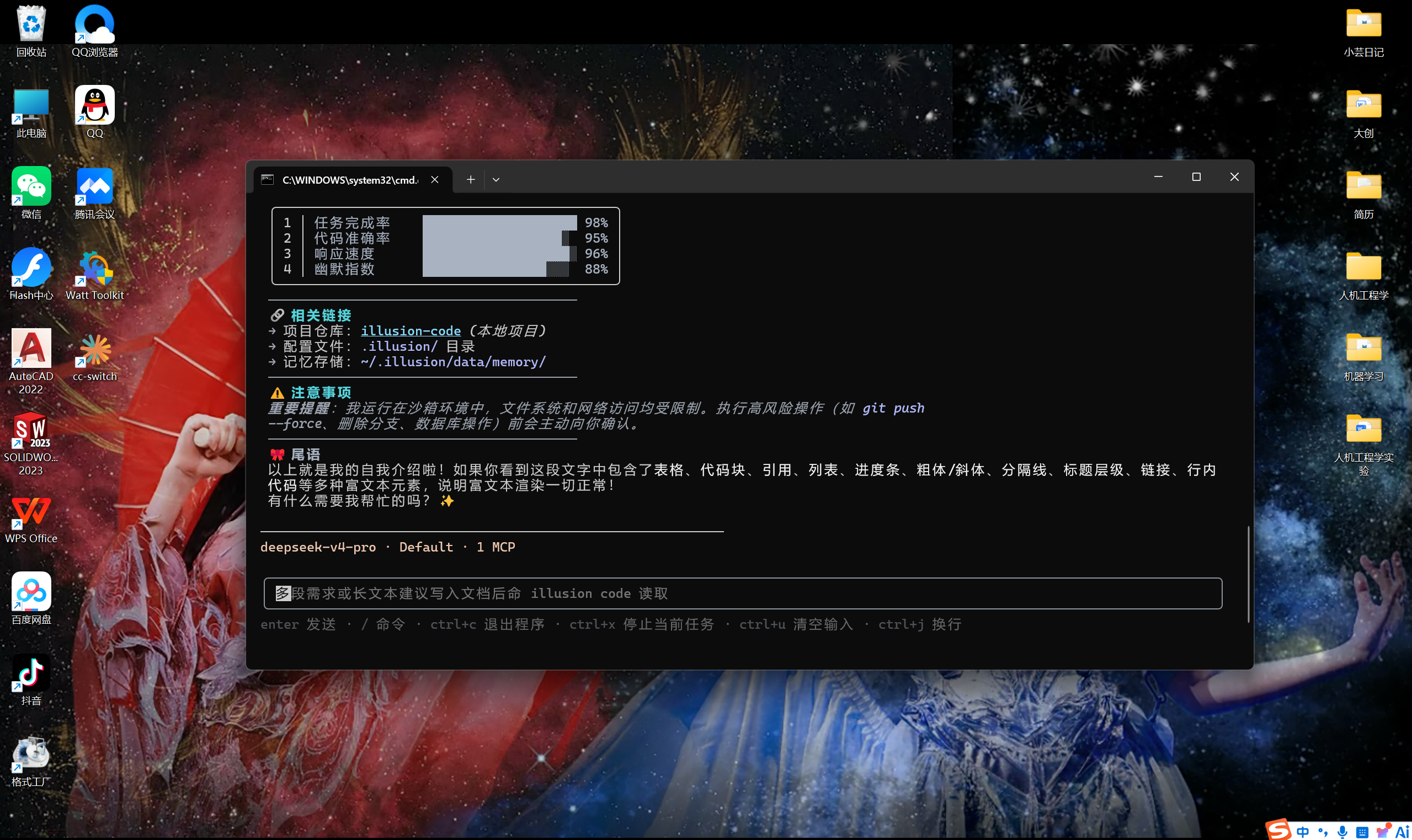
ui_languagesetting - 📝 Comprehensive Markdown Rendering - Tables, code blocks, rich text
- 🔌 Flexible Extension System - Plugins, hooks, skills, MCP servers
- 🔐 Comprehensive Permission Control - Three modes + fine-grained rules
- 🎯 Reasoning Effort Control - low/medium/high/xhigh/max levels
- 🪟 Deep Windows Optimization - Auto-detect Git, PowerShell support
- 🖥️ Zero Terminal Flicker - Stable rendering based on Ink Static component
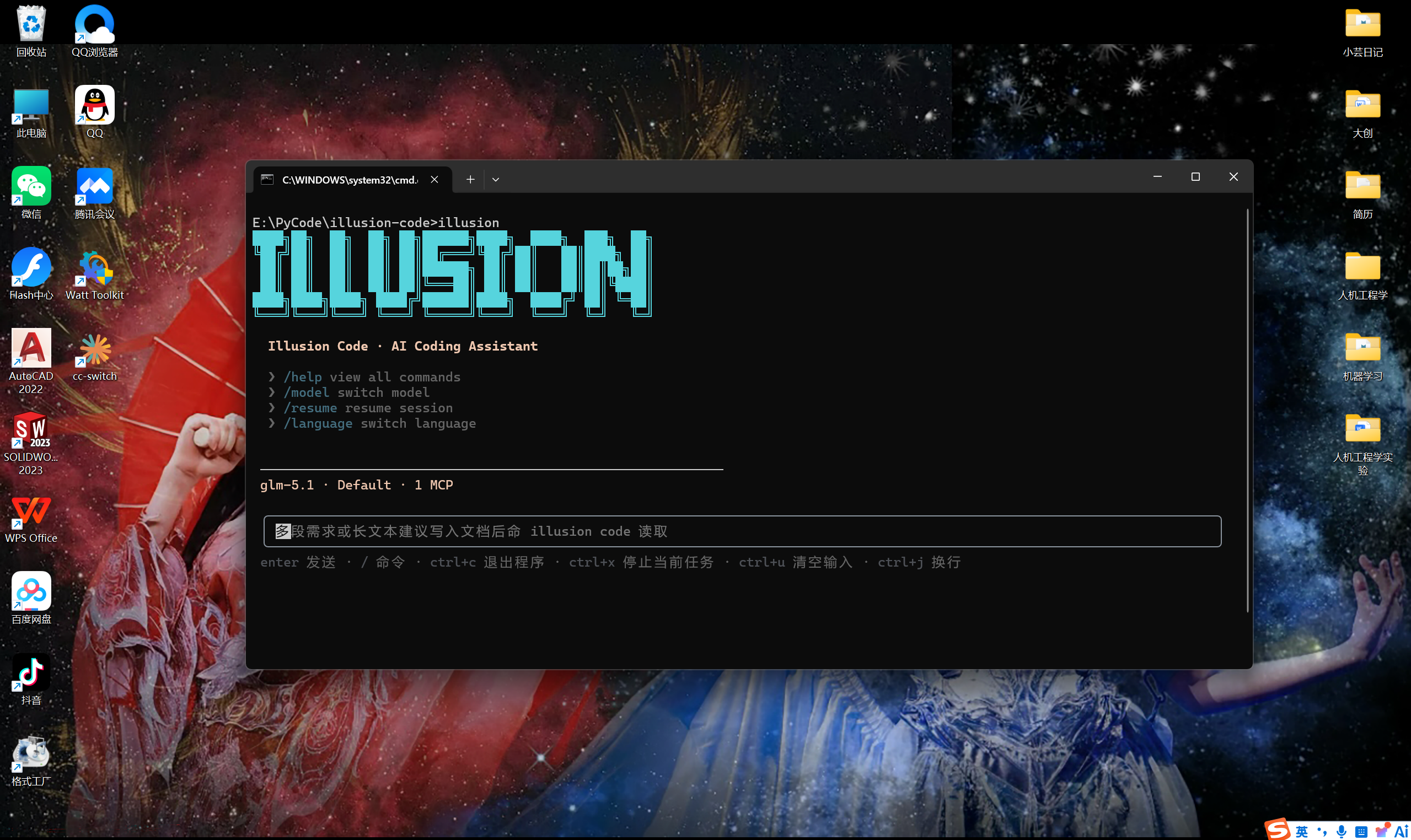
Interface Preview
Welcome screen & rich text rendering

🚀 Quick Start
Requirements
- Python >= 3.10
- Supports Windows, macOS, Linux
- Node.js 18+ (only for source install;
pip install illusion-agentdoes not require Node.js)
Installation
# Recommended: pip install from PyPI (no Node.js required)
pip install illusion-agent

# Alternative: from source (requires Node.js 18+)
git clone https://github.com/YunTaiHua/illusion-agent.git
cd illusion-agent
pip install .
Basic Usage
# First-time: configure authentication
illusion auth login

# Start interactive session (recommended)
illusion

# Launch Web UI in browser
illusion web

# Non-interactive print mode
illusion -p "Analyze the structure of this project"
Print Mode Notes
-p / --print runs a single non-interactive request and exits:
# Read-only analysis (safe, default permission mode)
illusion -p "Analyze the structure of this project"

# Allow file writes / command execution without interactive approval
illusion --permission-mode full_auto -p "Fix the failing tests"

# Resume after the process exits with code 2 (pending question/permission/plan)
illusion -c -p "Y"

# Specify model and effort for print mode
illusion -m env_1.model_2 -e high -p "Refactor this module"
Important details:
- The prompt value must be the last argument because typer parses
-pgreedily. - In default permission mode, mutating tools exit with code 2 and persist a pending approval; answer it with
illusion -c -p "Y","F", or"N". - Exit codes:
0success,1error,2waiting for cross-turn input.
Interface Notes
The terminal (illusion) and Web UI (illusion web) are two independent, first-class interfaces. They share the same backend runtime, settings, and session storage — use whichever fits your workflow.
📚 Detailed Documentation
| Topic | English | 中文 |
|---|---|---|
| Introduction | docs/en/introduction.md | docs/zh-CN/introduction.md |
| Getting Started | docs/en/getting-started.md | docs/zh-CN/getting-started.md |
| Commands | docs/en/commands.md | docs/zh-CN/commands.md |
| Settings & Credentials | docs/en/settings.md | docs/zh-CN/settings.md |
| Project Files & Memory | docs/en/project-files.md | docs/zh-CN/project-files.md |
| Extensions (MCP, Plugins, Skills, Hooks) | docs/en/extensions.md | docs/zh-CN/extensions.md |
| Architecture | docs/en/architecture.md | docs/zh-CN/architecture.md |
| Messaging Channels | docs/en/channels.md | docs/zh-CN/channels.md |
📄 License
This project is open-sourced under the MIT license.
🤝 Contributing
Welcome to submit Issues and Pull Requests!
Reviews (0)
Sign in to leave a review.
Leave a reviewNo results found