monet
Health Warn
- License — License: MIT
- Description — Repository has a description
- Active repo — Last push 0 days ago
- Low visibility — Only 9 GitHub stars
Code Fail
- network request — Outbound network request in infra/report-worker/src/index.js
- execSync — Synchronous shell command execution in scripts/bench/render-bench.mjs
- os.homedir — User home directory access in scripts/bench/render-bench.mjs
- rm -rf — Recursive force deletion command in scripts/bundle-tray.sh
Permissions Pass
- Permissions — No dangerous permissions requested
No AI report is available for this listing yet.
Monet — Mission Control for Claude Code. Browse, search, and drive your Claude Code sessions from a native desktop app.

Monet
Mission Control for Claude Code






Features • Install • Build • Privacy • FAQ
Don't feel like reading? Hand this line to your AI — it will assess, install, and troubleshoot for you:
Read https://raw.githubusercontent.com/zenolab124/monet/main/llms.txt
If you are that AI: read the llms.txt above and follow its guidance to serve your user.
What is Monet?
Every conversation you have with Claude Code is scattered across terminal windows — close one and it's gone, run several and you can't keep up, start a long task and all you can do is wait.
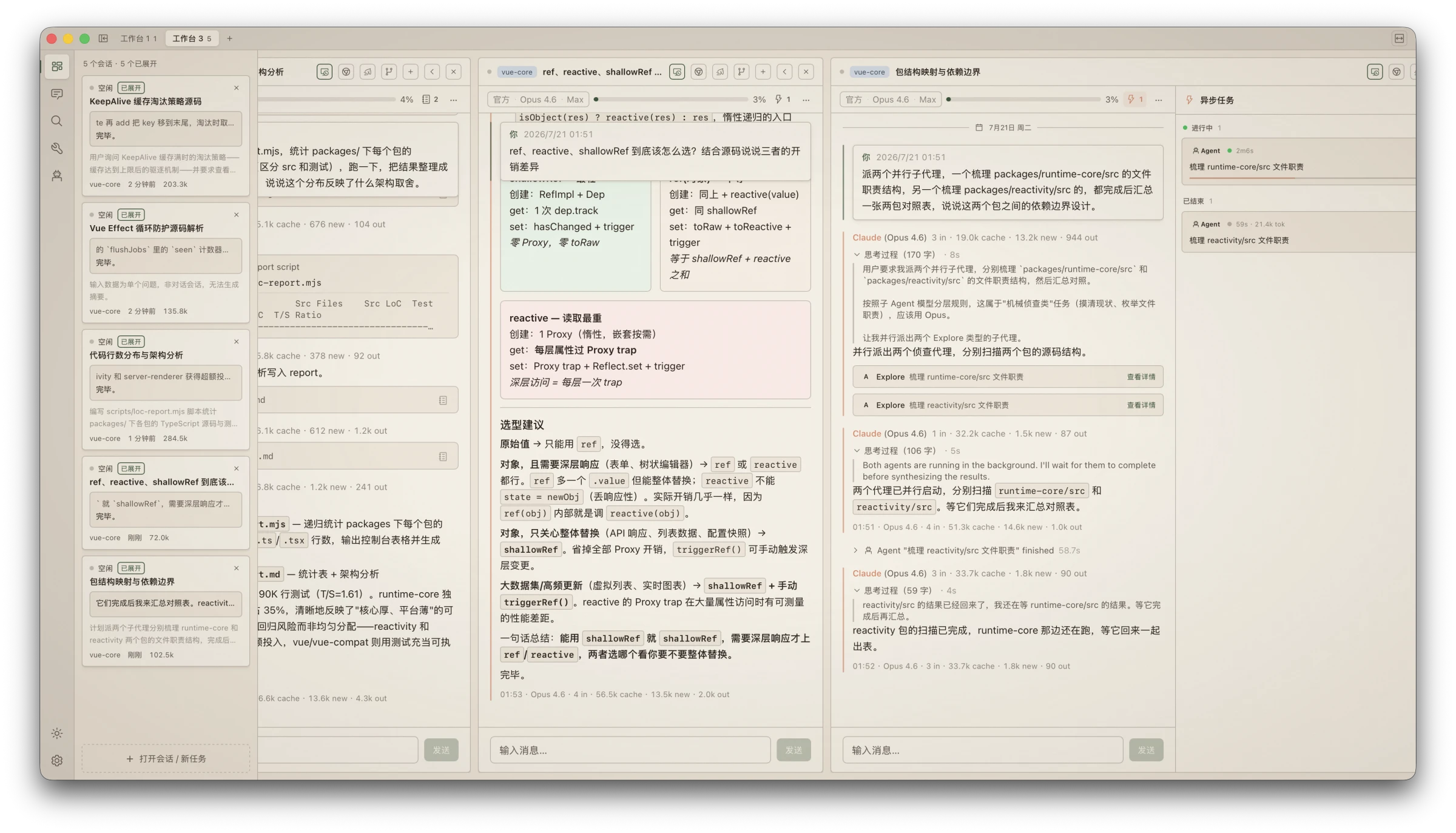
Monet gathers them onto one wall: every session browsable, searchable, and commandable in parallel. The CLI does the work; Monet gives you eyes and hands.
Why Monet?
Command your agents like a trader watches the market. Unlimited parallel session columns spread out horizontally; the monitor rail shows every session's status, output, and token spend at a glance. Approve permissions, answer questions, retry failures — one click on the card. You stop being the person alt-tabbing between terminals and become the one at the command desk.
A home for multi-channel players. Official subscription, third-party APIs, self-hosted proxies, local models — each session on its own channel, hot-switchable mid-conversation: a strong model for the hard turn, a cheap channel for the chores. "Follow CLI" and "Official Direct" stand side by side, and the settings page shows exactly where your CLI config points.
Your data stays yours. Read-only over Claude Code's session files by architecture — there is no write path in the code, not a toggle. Fully offline, zero telemetry, no accounts; everything Monet adds lives in its own ~/.monet/ directory, so uninstalling leaves your data untouched.
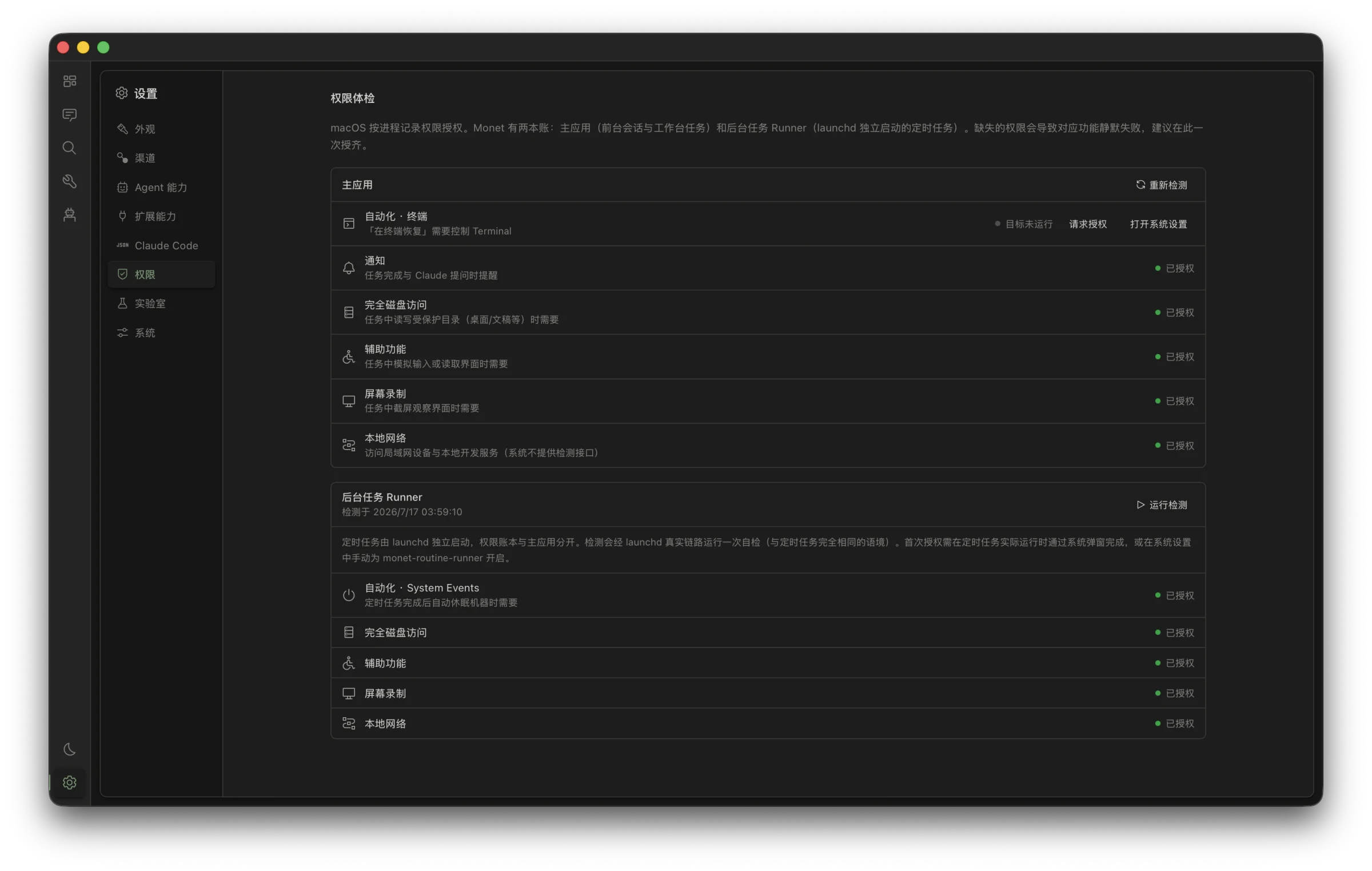
It works while you sleep. Scheduled tasks run through the OS scheduler even with Monet closed; your Mac can wake itself on time, run the task, and go back to sleep. System notifications call you back whenever needed — you can walk away, the work doesn't stop.
Features
Workbench — parallel session command
- No cap on column count; when the screen runs out, scroll horizontally — wheel input glides like a native trackpad
- Monitor rail overviews every session: live status, tail output, token usage; approve/retry/answer right on the card
- Permission requests as GUI cards: dangerous commands flagged in red, AI annotates the risk in plain language;
Enterto allow,Escto deny - Race mode: broadcast one question to different models/channels, compare answers and cost side by side
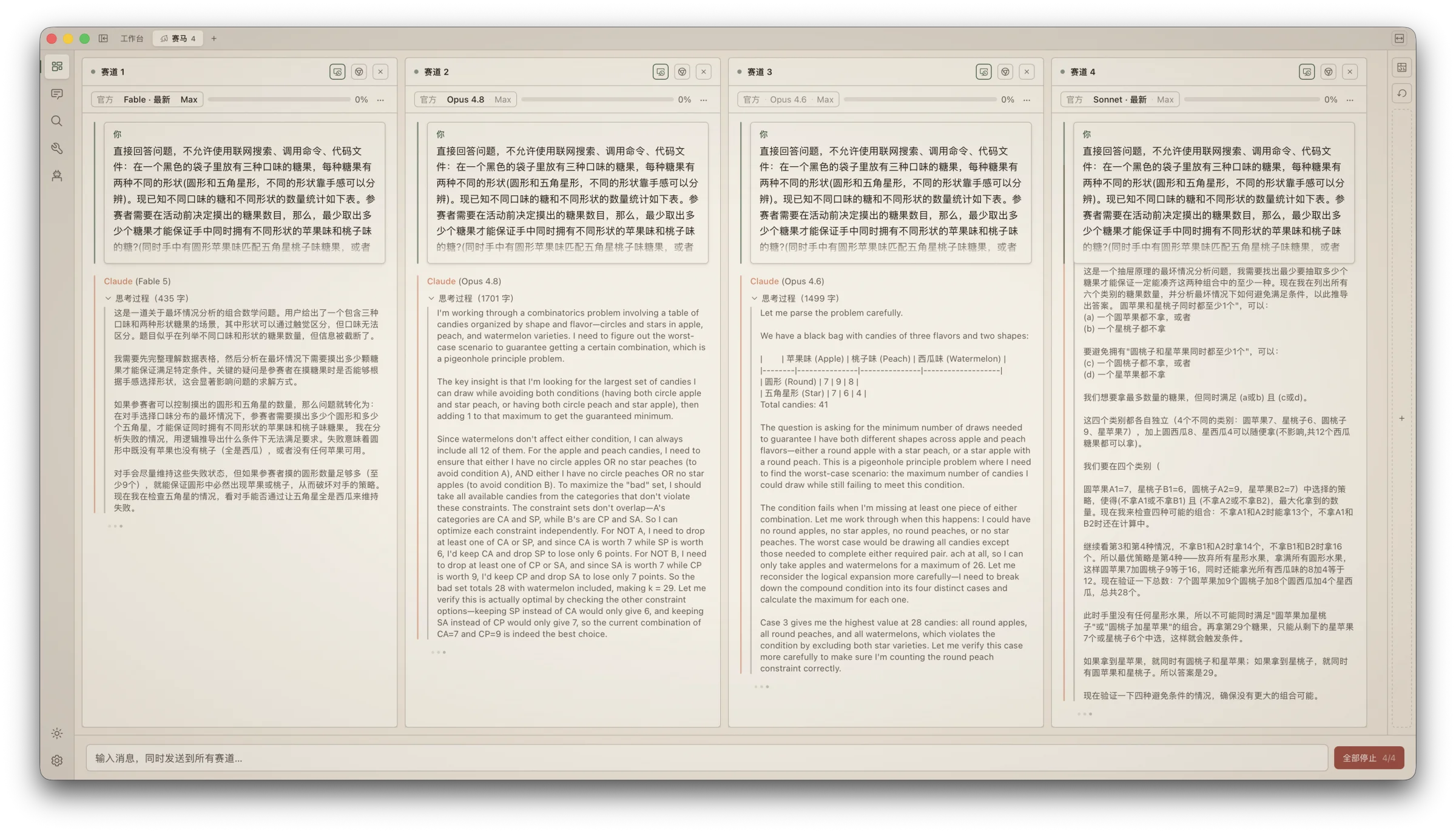
Session running — the CLI session, now in a GUI
- True character-level streaming; first-token latency down to the API's first token
- Hot-switch channel / model / thinking effort mid-session — no process restart, no lost context
- File ledger: which files this session touched, every diff, one click back to "why the AI changed it"
- Runner supervises your dev server: logs right next to the session, errors fed to the AI in one click
- Sessions running in your terminal are auto-detected and followed live — you can even terminate them from Monet
Reading experience — one engine for live and past
- 18+ purpose-built tool-call cards: Edit shows side-by-side red/green diffs, Bash separates command and output, both copyable
- Inline HTML/SVG rendering in replies: comparison cards, tables, diagrams — no more walls of text
- Anchor navigation + pinned prompts + back-to-bottom float: glide through sessions hundreds of turns long
- Per-turn token quadruple and a context-usage bar that warns before overflow — see where the money goes, live
Archive & search
- Zero import: install and your whole history is there, organized by project
- Millisecond full-text search; can't recall the keyword? Ask in natural language and AI synthesizes the answer
- AI-generated titles, tags, and summaries — stored outside the JSONL, of course
Automation
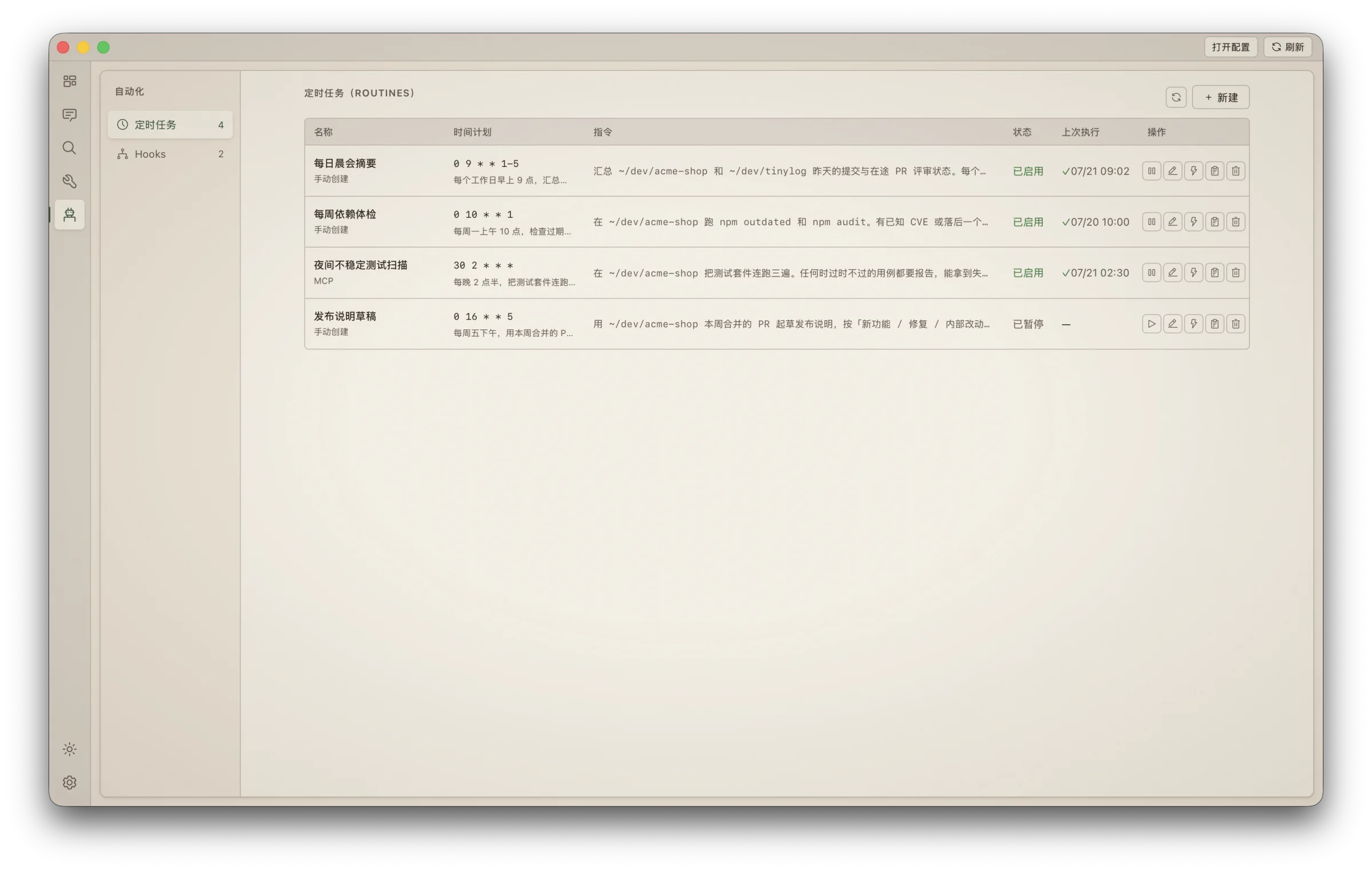
- "Summarize yesterday's sessions every morning at nine" — natural language becomes a scheduled task
- Wakes the machine from sleep, runs, puts it back to sleep; authorize once, silent thereafter
- Real hooks statistics: configured ≠ working — see which hooks actually ran in the last 7 days
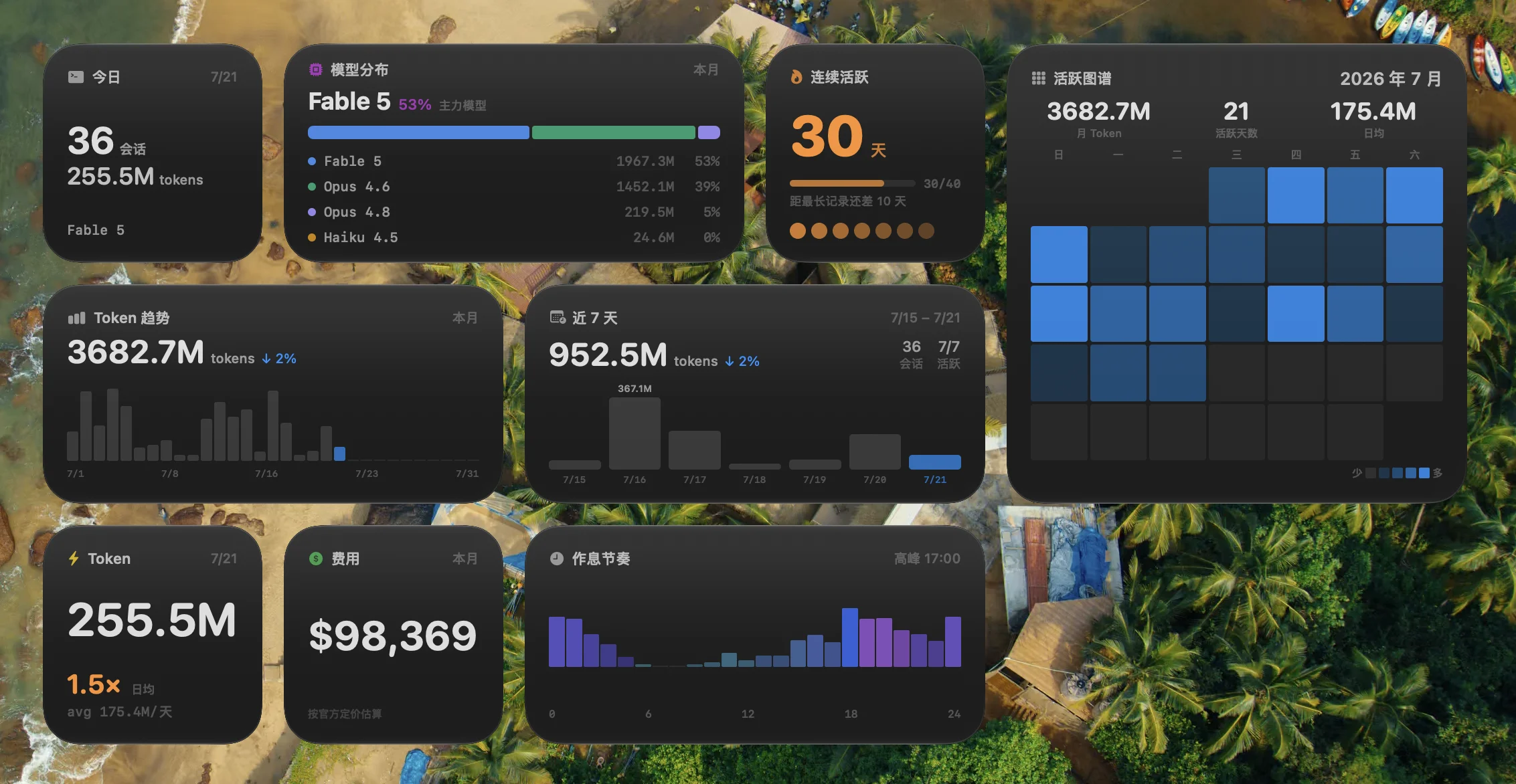
Always-on glances
- Menu-bar quota: session window / weekly window / per-model usage with reset countdown, visible with the app closed
- Desktop widgets: streaks, token pulse, 28-day heatmap, model mix
- Cost estimation prices four token classes separately; unknown models are honestly labeled "unpriced" — never guessed
AI value-add (BYOAI)
- Monet ships no model and charges nothing for AI — every capability runs on your own channels and quota, each toggleable, fully audited
- Built-in MCP server: the Claude in your sessions can search your history, create scheduled tasks, and read Runner logs
- 12 UI languages; name any other language and AI translates the entire interface on the spot
Craft
- Paper design language: warm, matte, ink-on-paper; a dark Ink theme included
- No startup flash, ProMotion high refresh, virtual scrolling for huge sessions — details taken seriously, with a performance HUD (
Cmd+Shift+M) keeping everything transparent
Install
Homebrew (macOS):
brew tap zenolab124/tap
brew install --cask monet
Or download from Releases: macOS .dmg / Windows installer.
macOS 11+ (Apple Silicon) gets the full experience; Windows covers the core features, with system-level integrations (widgets, menu bar, wake-from-sleep) being macOS-only.
First launch (macOS): Monet is signed but not yet notarized by Apple, so Gatekeeper warns on first open. Right-click the app → Open (once), or run:
xattr -cr /Applications/Monet.app
Updates install silently in-app afterwards.
Works out of the box, zero config: if your claude runs, Monet runs — it uses the CLI's own configuration by default, and your session history is discovered automatically with no import step. CLI not installed yet? The Settings page installs it in one click.
Build from Source
Prerequisites
Development
git clone https://github.com/zenolab124/monet.git
cd monet
pnpm install
pnpm tauri dev
Release Build (with widget + signing)
pnpm release
This runs tauri build, compiles the macOS widget extension, embeds it into the app bundle, signs everything, and creates a .dmg.
To set up a local signing identity (recommended — keeps TCC permissions stable across rebuilds):
scripts/setup-signing.sh
Without it, the build falls back to ad-hoc signing — functional, but TCC permissions reset on each rebuild and widgets may not register.
Data & Privacy
| What | Where | Access |
|---|---|---|
| Claude Code sessions | ~/.claude/projects/ |
Read-only |
| Monet metadata (titles, tags, routines) | ~/.monet/ |
Read-write |
| MCP registration | ~/.claude/settings.json |
Adds monet entry under mcpServers |
Fully offline, zero telemetry, no accounts. Credential discipline: API tokens never enter command-line arguments, temp files are deleted right after use, and the CLI's OAuth credentials are never refreshed by Monet.
FAQ
Something broken? Skip the docs — hand this to your AI:
Read https://raw.githubusercontent.com/zenolab124/monet/main/llms.txt and help me troubleshoot Monet. It can self-diagnose common issues and, if it's a real bug, file a report with diagnostics attached (no GitHub account needed).
Does Monet replace the Claude Code CLI?
No — it's a companion. The CLI does the work; Monet gives you eyes and hands. Sessions started in either show up in both.
Is my session data safe?
Read-only by architecture, verifiable in the open source. Delete Monet and your Claude Code data is untouched.
Anything to configure after install?
No. If the CLI runs, Monet runs; multi-channel and AI value-add are optional upgrades.
Why does Gatekeeper warn on first launch?
Signed but not yet notarized. Right-click → Open once, and updates are silent afterwards.
Windows / Linux?
Windows is supported (core features complete, minus macOS system integrations); Linux has no near-term plans.
Will it support tools beyond Claude Code?
Possibly. Session parsing and the interface layer are separate, so supporting more agentic CLIs isn't ruled out — open an issue and vote if you want it.
Tech Stack
- Tauri 2 — Rust backend + system WebView
- Vue 3 + TypeScript + Composition API
- UnoCSS — atomic CSS (preset-wind4 + preset-icons)
- Shiki — syntax highlighting
- markdown-it — Markdown rendering
- vue-i18n — internationalization
- @dnd-kit/vue — drag and drop
- Swift WidgetKit — macOS widgets
Acknowledgments
- Thanks to the LINUX DO community for the sharing culture and honest feedback
- Thanks to every early user who filed issues and suggestions
License
Reviews (0)
Sign in to leave a review.
Leave a reviewNo results found