AzureSupportAgent
Health Pass
- License — License: MIT
- Description — Repository has a description
- Active repo — Last push 0 days ago
- Community trust — 10 GitHub stars
Code Warn
- network request — Outbound network request in backend/app/agent/builtins.py
Permissions Pass
- Permissions — No dangerous permissions requested
No AI report is available for this listing yet.
AI-driven Azure operations workbench. Chat with your tenant, investigate incidents with a team of specialist AI agents, and assess, monitor & remediate your cloud — runs in your own subscription. One-click deploy.
🛠️ Azure Support Agent
An AI-driven Azure operations workbench that runs in your subscription. Point it at
your tenant and AI discovers your workloads, reverse-engineers live architecture diagrams,
and runs Well-Architected assessments — then a War Room of specialist agents helps you
investigate, monitor, and remediate.






Deploy · Install guide · Features · Screenshots · Quick start · Architecture · Docs
Why Azure Support Agent?
Operating Azure at scale means hopping between the Portal, CLI, Resource Graph, Monitor,
Advisor, and a dozen blades just to answer one question. Azure Support Agent puts an LLM
in the driver's seat — it talks to your subscription through the official Azure MCP
server and a Microsoft Graph (Entra ID) MCP server, reasons over live evidence, and
turns "why is the website throwing 5xx?" into a ranked, validated answer — with the
diagrams, assessments, and dashboards to back it up. And it doesn't just wait to be asked:
a whole Proactive Support suite continuously scans your estate for coverage gaps and
looming retirements, while scheduled autonomous agents push findings to Teams, Jira, or
ServiceNow before they bite.
- 🧠 Agentic, not just a chatbot — a War Room of specialist agents investigates in parallel against your real Azure data.
- 🛡️ Proactive, not just reactive — a Proactive Support suite (Assessments · Identity · Monitoring, Telemetry & Backup/DR coverage · Retirement Radar · Telemetry Intelligence · Performance Profiler) surfaces risks before you ask, and scheduled autonomous agents notify you via connectors.
- 🏠 Runs in your tenant — one-click deploy to Azure Container Apps; your data never leaves your subscription.
- 🔒 Safe by default — Azure access is read-only, writes are approval-gated + audited, and AI providers stay disabled until you configure them.
- 🧰 A whole workbench — chat, investigations, architectures, inventory, assessments, policy, monitoring, automations, and more.
Built for cloud architects, SREs, platform teams, and Azure support engineers.
Table of Contents
- Features
- Screenshots
- Deploy to Azure (one-click)
- Installation guide
- Quick start (local)
- How it works
- Tech stack
- Security & access model
- Documentation
- Contributing
- License
✨ Features
💬 Conversational operationsMulti-session chat with isolated context, live SSE streaming, a per-message reasoning + |
🕵️ Deep investigations ("War Room")Toggle deep mode to dispatch specialist agents (Networking, Identity, Compute, Storage, |
🗺️ Architectures + Architecture MemoryAI reverse-engineers live resources into interactive diagrams with best-practice review, |
📦 Workloads & inventoryDiscover and group resources into workloads, browse a sortable inventory grid and world |
✅ Assessments & governanceRun Well-Architected-style assessments across Security, Reliability, Cost, Operations, and |
📈 Monitoring & resilienceMonitor 2.0 customizable dashboards with AI authoring and ping history; AMBA |
🤖 Automations & workflowsBuild custom sub-agents with scoped tools, schedule recurring tasks, chain Workbooks into |
🔌 Bring your own AI11+ providers — OpenAI, Azure OpenAI, Anthropic Claude, Google Gemini, GitHub |
Enterprise-ready
🔐 Read-only Azure by default · ✅ approval-gated writes · 🧾 full audit log ·
👥 RBAC (users / roles / groups) · 🔑 OIDC + SAML SSO · 🗝️ encrypted connection
credentials · 🖥️ Sandbox VMs for private-endpoint diagnostics · 🧩 multi-tenant Azure
connections.
📸 Screenshots
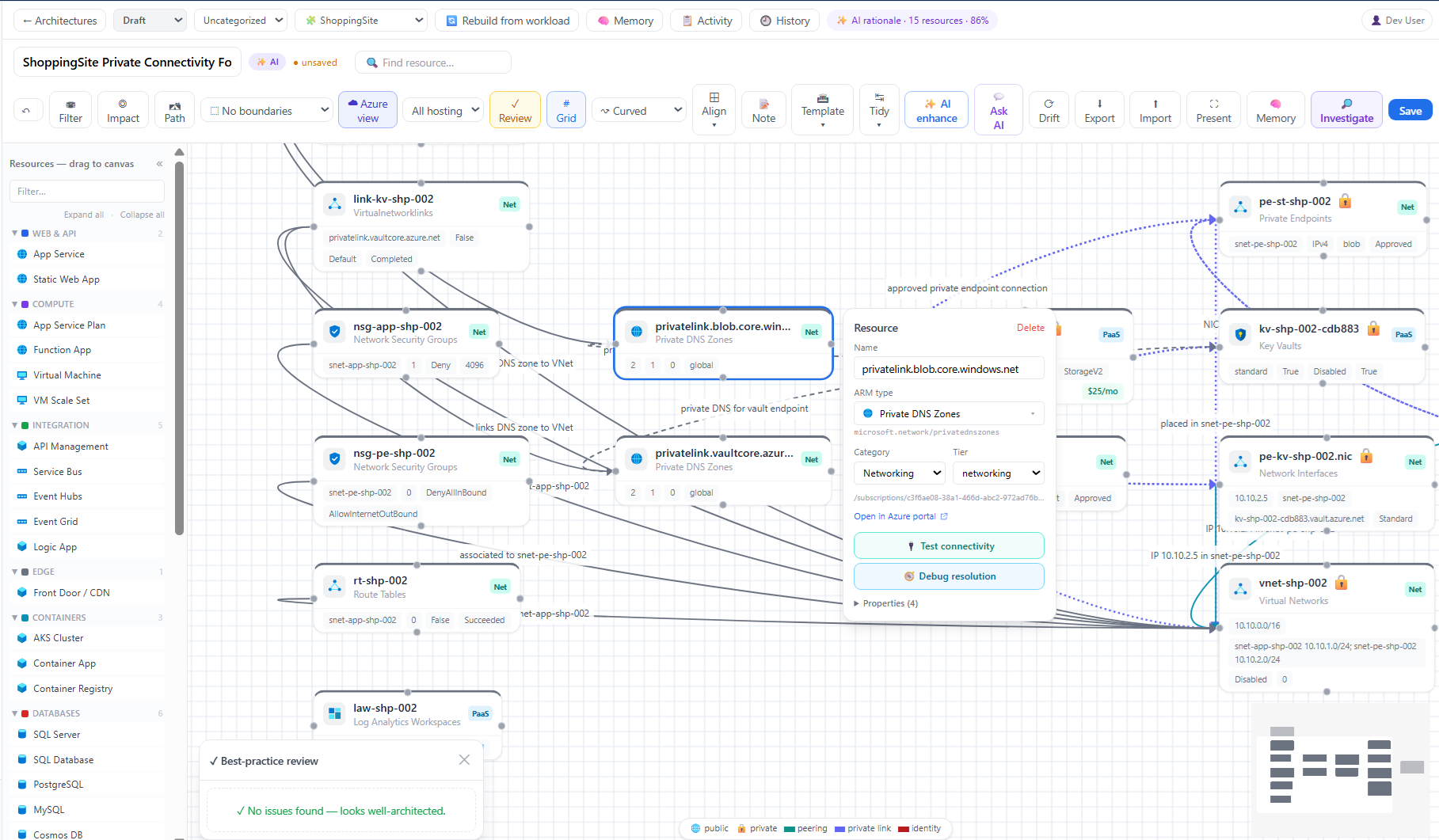
Architectures designer — design diagrams with AI rationale & best-practice review. |
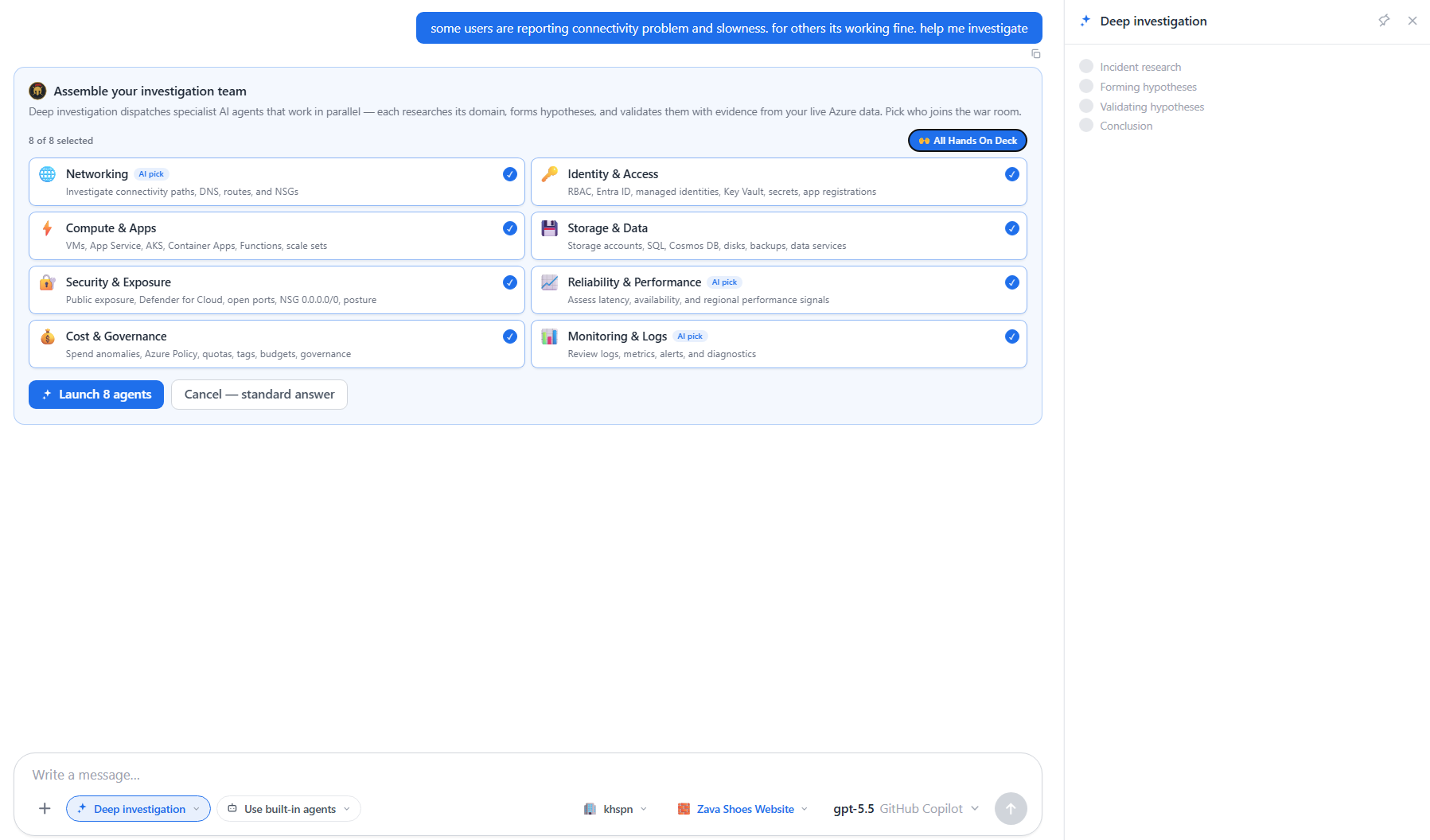 War Room — assemble a team of specialist agents to investigate in parallel. |
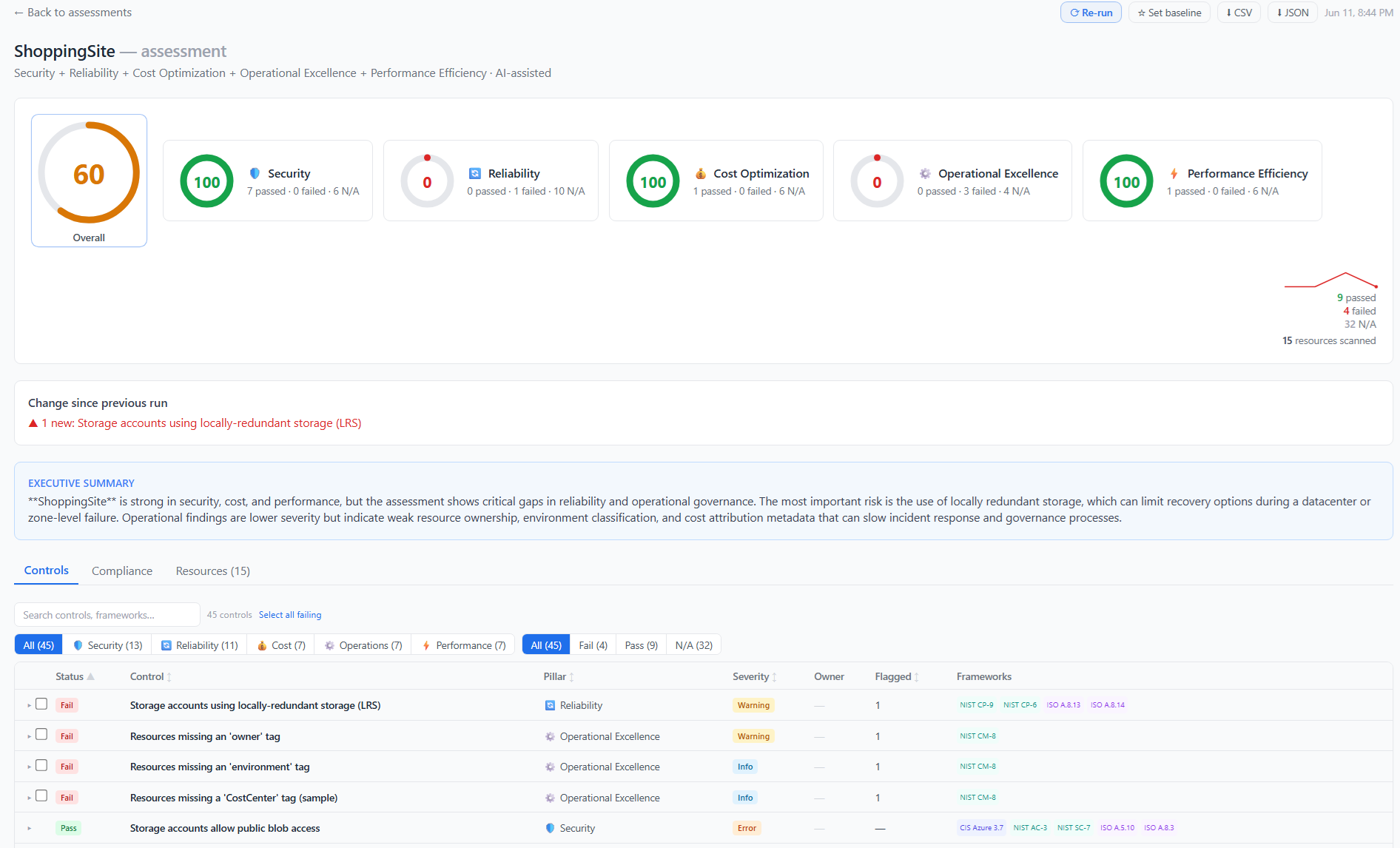 Assessments — pillar scores, controls, and framework mappings (NIST/ISO/CIS). |
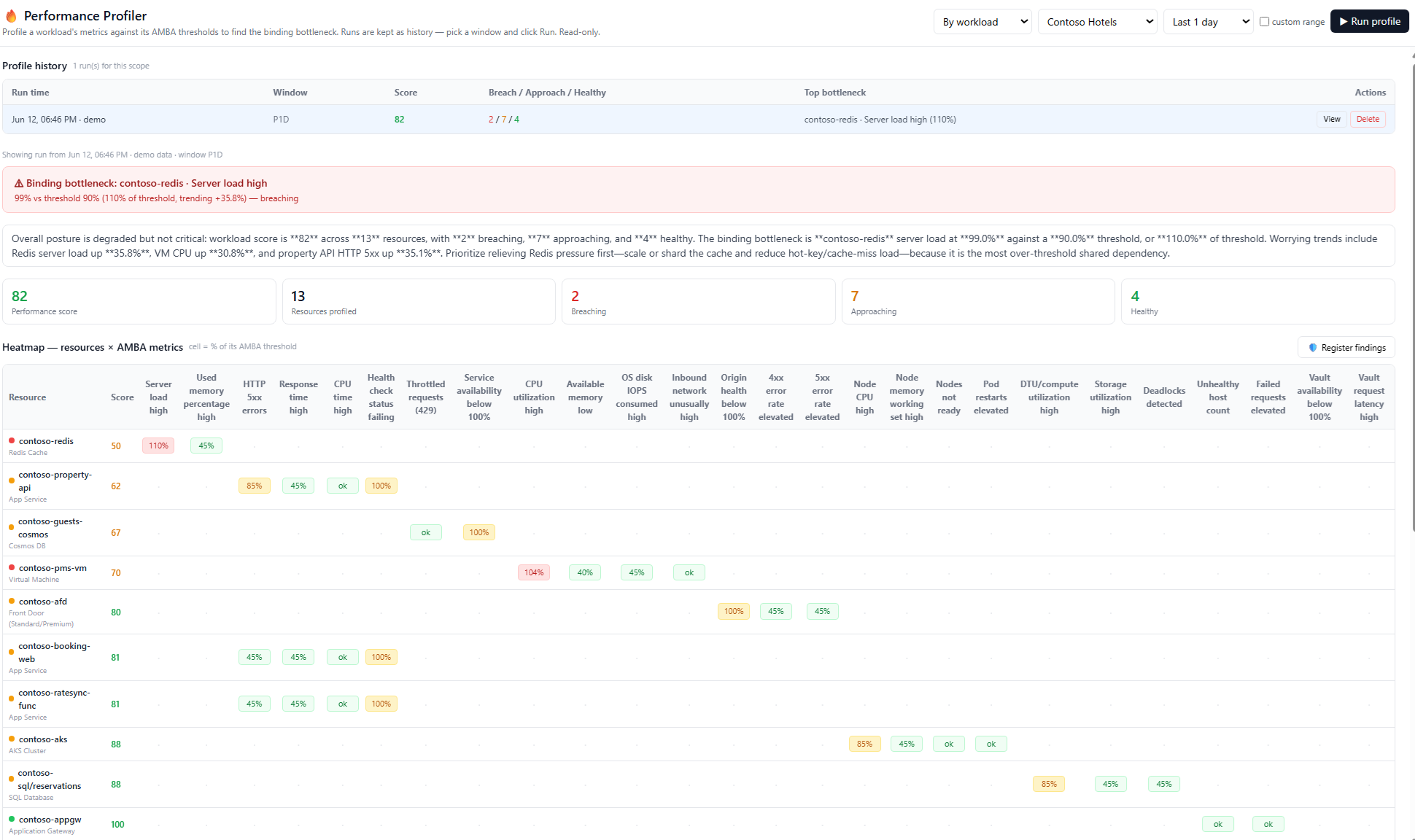 Performance Profiler — resource × AMBA-metric heatmap to find bottlenecks. |
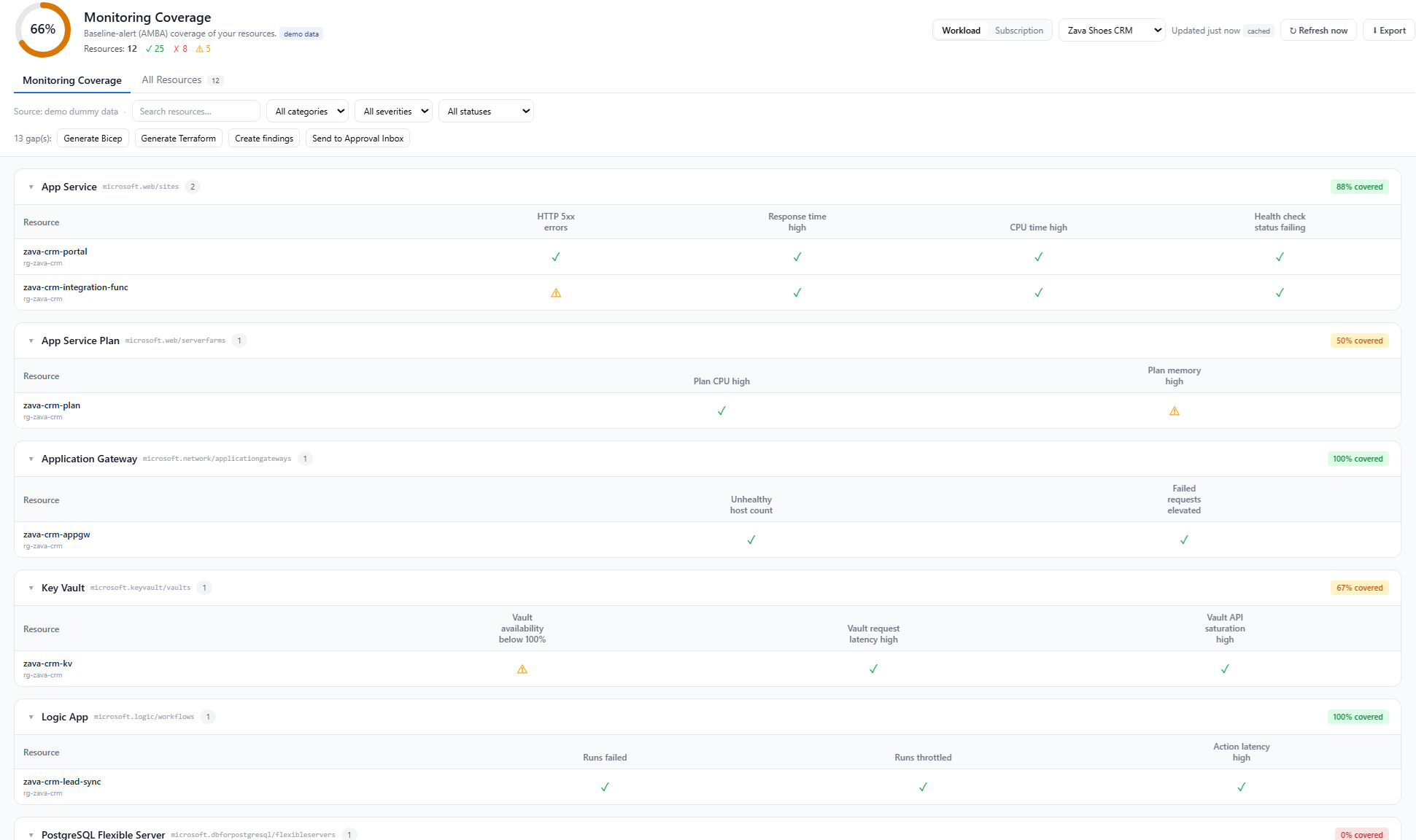 Monitoring coverage — AMBA baseline-alert gaps with Bicep/Terraform fixes. |
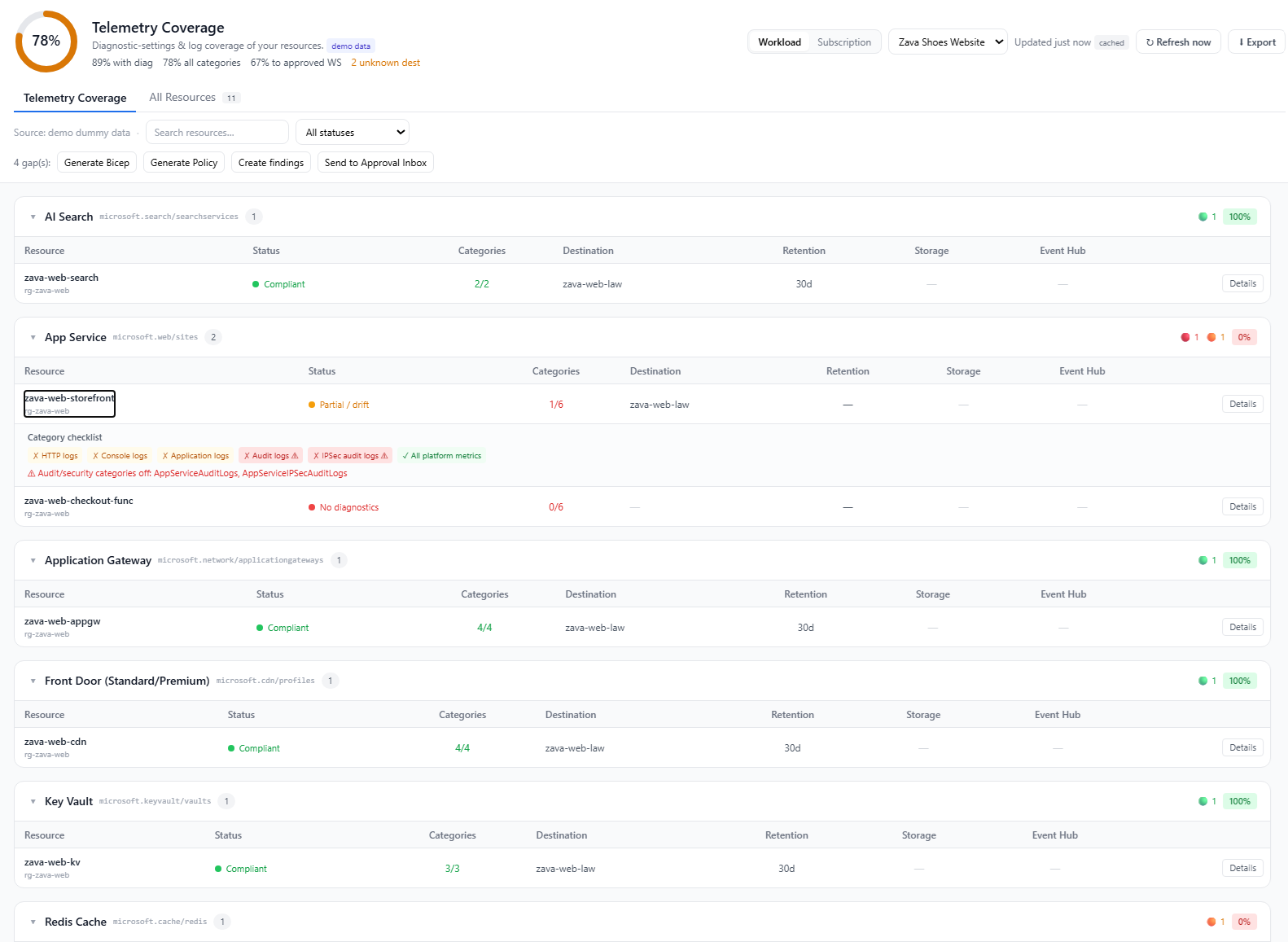 Telemetry coverage — diagnostic-settings & log coverage with Bicep/Policy gap fixes. |
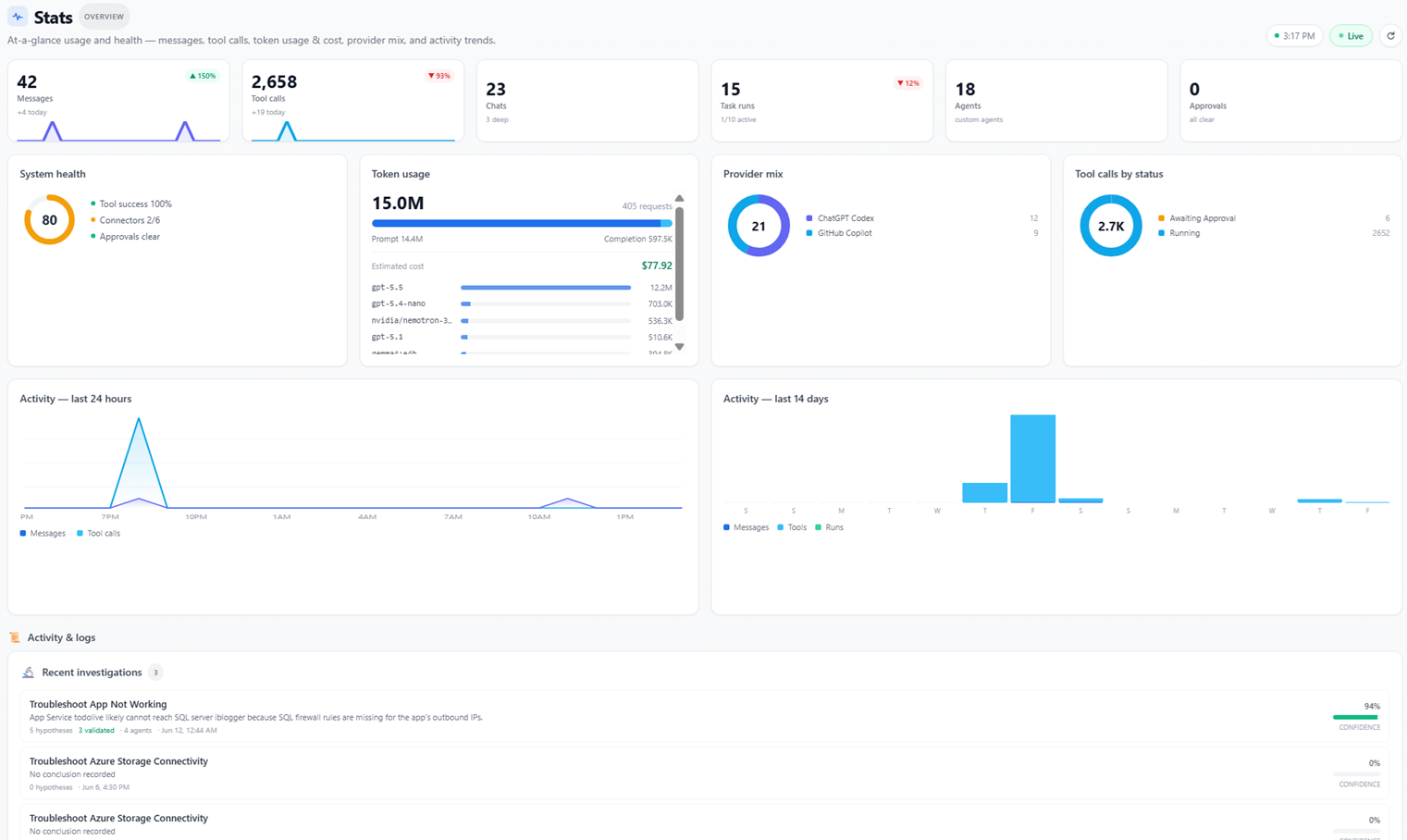 Monitor 2.0 — usage, token cost, provider mix, and activity at a glance. |
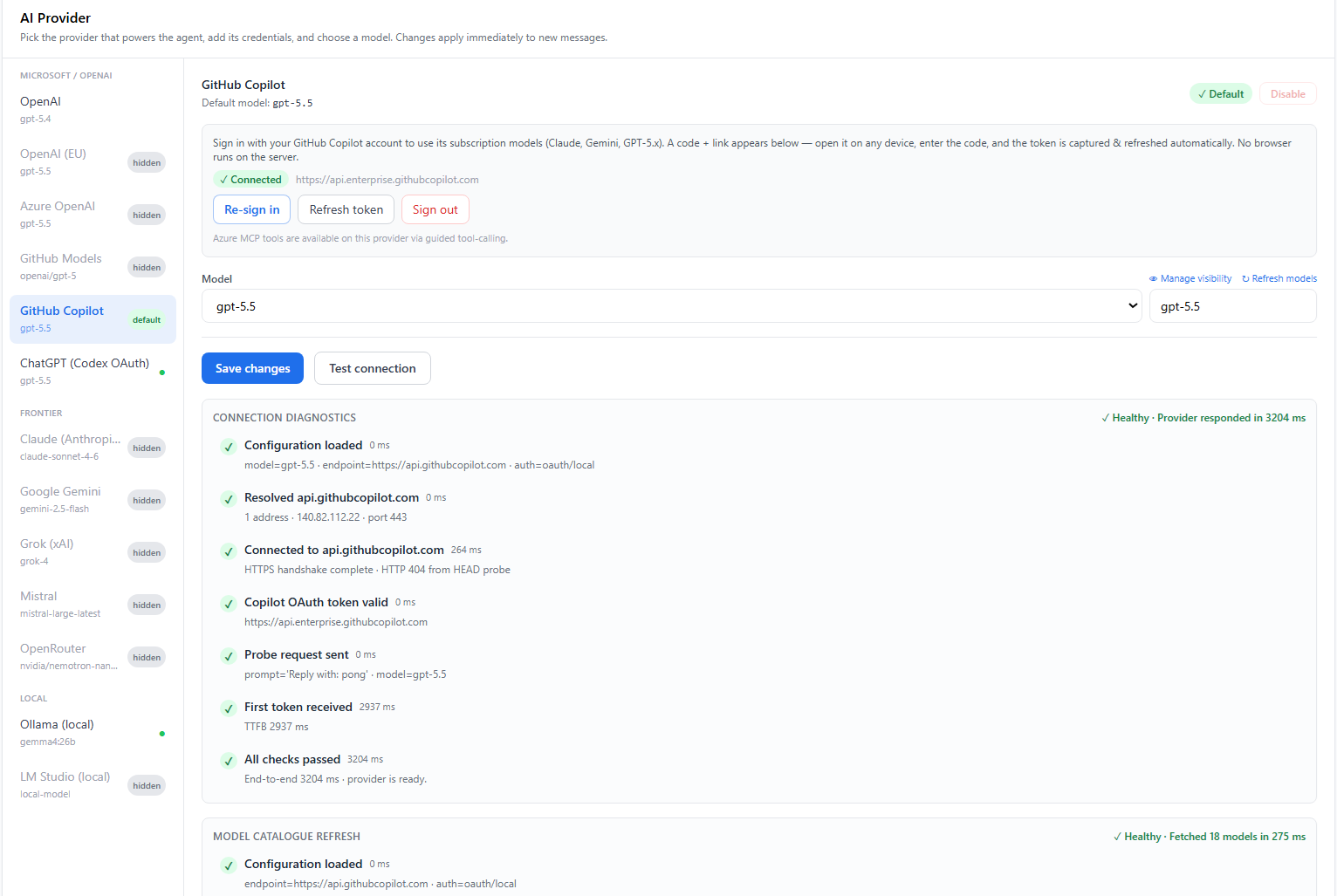 AI providers — bring your own model; each one stays disabled until configured. |
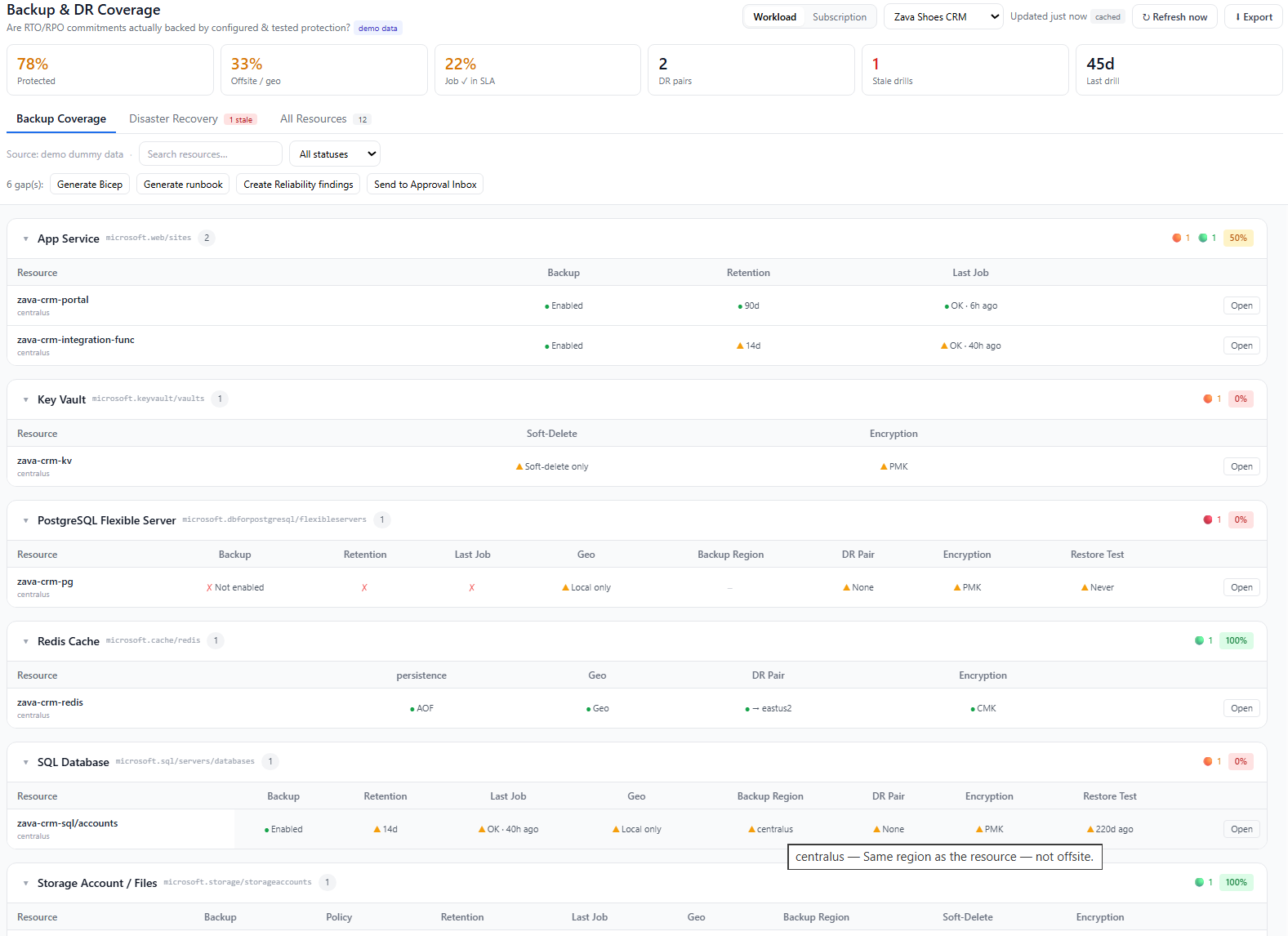 Backup & DR coverage — RTO/RPO protection posture with Bicep/runbook gap fixes. |
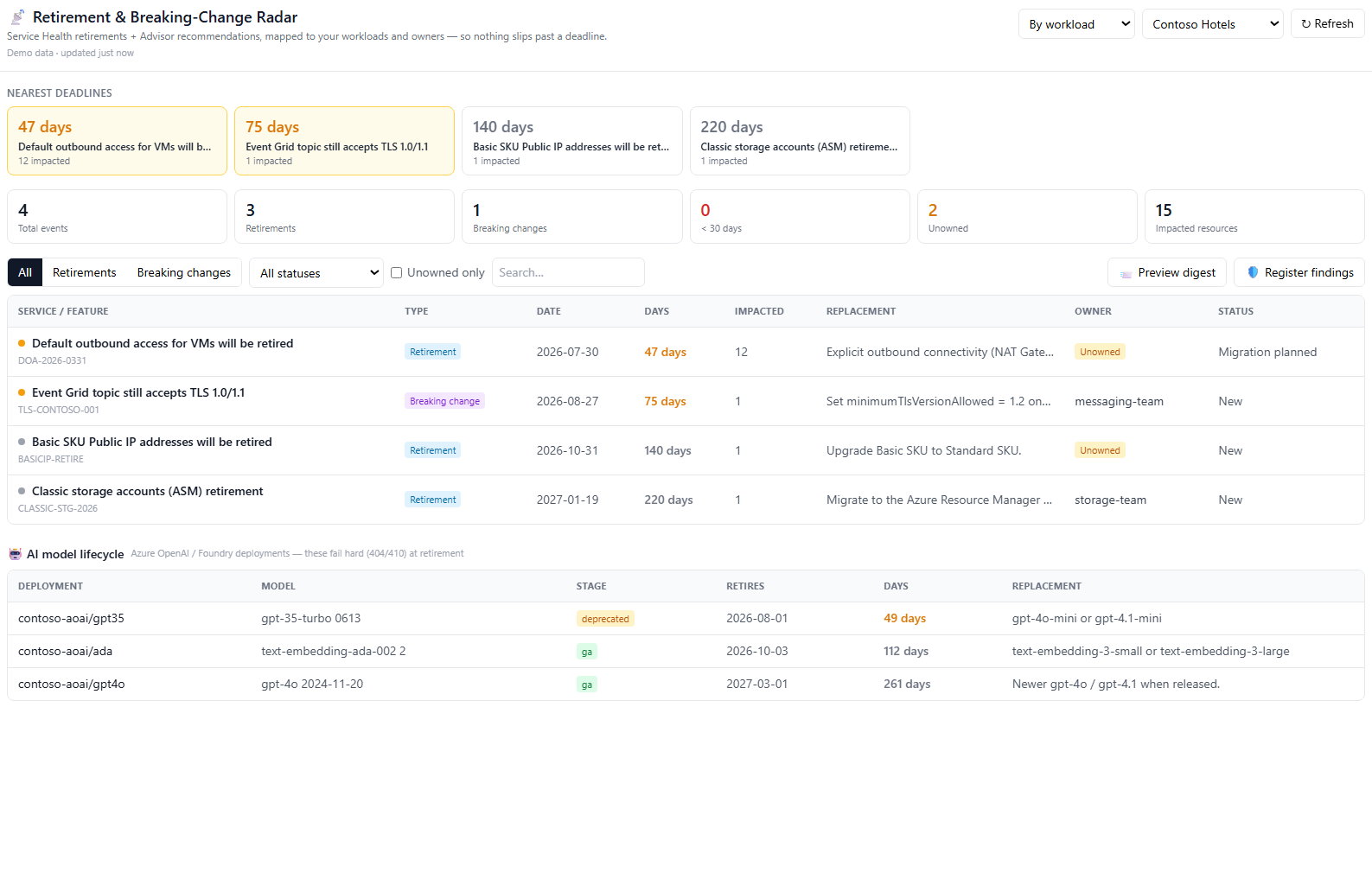 Retirement radar — service retirements & breaking changes mapped to workloads, owners, and deadlines. |
🚀 Deploy to Azure (one-click)
Status: tested. Provisions a managed PostgreSQL database, Azure Files state storage,
and the Container App running the public image — in your subscription, in one
deployment. No CLI, no manual wiring.
What it creates:
- Azure Container App running the public Docker Hub image
- Azure Database for PostgreSQL — Flexible Server (managed), auto-linked via
DATABASE_URL(?ssl=require) - Azure Files share mounted at
/app/.data(registries, caches, encryption key) - Container Apps environment + external HTTPS ingress on port 8000
💰 Estimated cost: ~$25–35 / month for the default infra at typical low/idle usage
(West US 3, pay-as-you-go) — mostly the Container App (1 vCPU / 2 GiB) and a BurstableB1msPostgreSQL server.
You supply only an admin password (you're forced to change it on first login). Then
connect your Azure tenant and an LLM from Settings — the AI does the rest (workload
discovery, architectures, coverage scans, assessments, retirement radar, performance
profiling). Defaults to West US 3 (validated for Container Apps + PostgreSQL B1ms).
📖 New here? Follow the step-by-step installation guide — from
clicking the button to onboarding your first workload.
Prefer the CLI or want full control? See the manual deployment guide.
⚡ Quick start (local)
Prerequisites: Docker Desktop · Azure CLI (az) · an LLM key (or a local Ollama / LM Studio).
# 1) Sign in to the subscription you want to work with
az login
az account set --subscription "<your-subscription-id>"

# 2) Configure environment
Copy-Item .env.example .env     # set LLM_API_KEY (optional — you can also do it in the UI)

# 3) Run the whole stack
docker compose up --build
Open http://localhost:5173. The backend runs DB migrations on startup; the first Azure
MCP call fetches @azure/mcp via npx (a few seconds), then caches it.
Health check: /healthz · MCP tools (admin):/api/admin/mcp/tools
Full local/dev instructions (native backend, tests, type-check) live in
CONTRIBUTING.md.
🧩 How it works
The whole app — FastAPI API + the built React SPA + the in-process MCP servers — ships
as one container image and runs as a single Container App. No separate frontend,
database, or Redis containers required.
flowchart LR
    U([Browser]) --> SPA[React SPA]
    SPA -->|/api| BE[FastAPI backend<br/>orchestrator · SSE streaming]
    BE --> LLM{{LLM providers<br/>OpenAI · Claude · Gemini<br/>Copilot · Ollama · …}}
    BE --> AZ[Azure MCP server · stdio]
    BE --> EID[Entra / Graph MCP server · stdio]
    BE --> TOOLS[Built-in tools<br/>DNS · HTTP · ping · traceroute]
    BE --> DB[(PostgreSQL / SQLite)]
    BE --> FILES[[Azure Files<br/>/app/.data]]
    AZ --> SUB[(Your Azure subscription)]
    EID --> GRAPH[(Microsoft Graph)]
For local dev nothing is deployed to Azure — the MCP server reaches your real subscription
outbound using your signed-in identity and existing RBAC, read-only by default.
🔧 Tech stack
| Layer | Tech |
|---|---|
| Backend | Python 3.12 · FastAPI · async SQLAlchemy 2 · Pydantic v2 · Alembic · SSE |
| Frontend | React 18 · TypeScript · Vite · Tailwind · TanStack Query · Recharts · XYFlow · Mermaid |
| AI | Provider abstraction with streaming + normalized tool-calls (11+ providers) |
| Azure | Official Azure MCP server (@azure/mcp) · Azure CLI / Resource Graph runner |
| Entra ID | Vendored Microsoft Graph (EntraID) MCP server over stdio |
| Data | PostgreSQL (prod) / SQLite (local) · Azure Files for state |
| Hosting | Azure Container Apps (single image) |
🔐 Security & access model
- Read-only by default. The Azure MCP server starts with
--read-only; write-capable tools are classified, approval-gated, and audited. - AI providers off until configured. A fresh install ships every provider disabled; a provider only becomes selectable once you add a key (or sign in / set a local base URL).
- Identity & SSO. Local users with RBAC (users / roles / groups), plus OIDC and SAML SSO. Forced password change on first admin login.
- Secrets. Connection credentials are encrypted at rest and never returned to the UI.
.env,backend/.data/, and keys are git-ignored. - Found a vulnerability? Please follow SECURITY.md — don't open a public issue.
📚 Documentation
| Doc | What's inside |
|---|---|
| docs/INSTALLATION.md | Step-by-step one-click install: deploy, first login, connect an LLM & tenant, onboard a workload |
| docs/TECHNICAL_SPEC.md | Full architecture & feature specification |
| docs/DEPLOYMENT.md | Manual Azure Container Apps deploy, env vars, cost/scaling, gotchas |
| docs/ENTRA_SETUP.md | EntraID (Microsoft Graph) MCP setup + required permissions |
| CONTRIBUTING.md | Local dev, tests, type-check, PR guidelines |
| SECURITY.md | Vulnerability disclosure policy |
| CODE_OF_CONDUCT.md | Community guidelines |
🤝 Contributing
Contributions are welcome! Please read CONTRIBUTING.md and our
Code of Conduct. Good first steps: open an issue to discuss a
change, keep PRs focused, and make sure backend tests and the frontend type-check pass.
📄 License
MIT © 2026 Zeeshan Mustafa (@zmustafa)
🙏 Acknowledgements
- Azure MCP server — the official Azure tool surface
- EntraID MCP server (Microsoft Graph, FastMCP) — vendored under
third_party/ - The Model Context Protocol community
Reviews (0)
Sign in to leave a review.
Leave a reviewNo results found