Orbital
Health Warn
- License — License: NOASSERTION
- Description — Repository has a description
- Active repo — Last push 0 days ago
- Low visibility — Only 5 GitHub stars
Code Pass
- Code scan — Scanned 12 files during light audit, no dangerous patterns found
Permissions Pass
- Permissions — No dangerous permissions requested
This tool provides a management and delegation framework for AI agents. It allows you to organize projects, autonomously dispatch tasks to sub-agents (like Claude Code or Gemini CLI), and manage them remotely via mobile approvals and budget controls.
Security Assessment
Risk: Medium. The application inherently executes shell commands and orchestrates various sub-agents to perform work. It handles highly sensitive data, requiring API keys for 15+ LLM providers and storing credentials in the OS keychain. It also includes browser automation capabilities with anti-detection features. While the light code scan found no hardcoded secrets or dangerous patterns, and the system utilizes sandboxing (macOS Seatbelt, Windows sandbox user) for execution, the extensive system access required by its core design warrants careful handling.
Quality Assessment
The project is very new and actively maintained, with recent repository pushes. However, it is still in the Alpha stage and has very low community visibility (5 GitHub stars), meaning it has not been widely tested or vetted by a large user base. It explicitly states no Python or Node experience is required, offering straightforward pre-built installers (.exe and .dmg) for desktop users. While an open-source license badge is present in the documentation, the automated scan flagged the license status as "NOASSERTION," which is a minor administrative discrepancy to note.
Verdict
Use with caution: the codebase appears clean and utilizes sandboxing, but its alpha status, low community trust, and extensive system access require you to monitor its permissions closely.
Give your agents a project, not a prompt
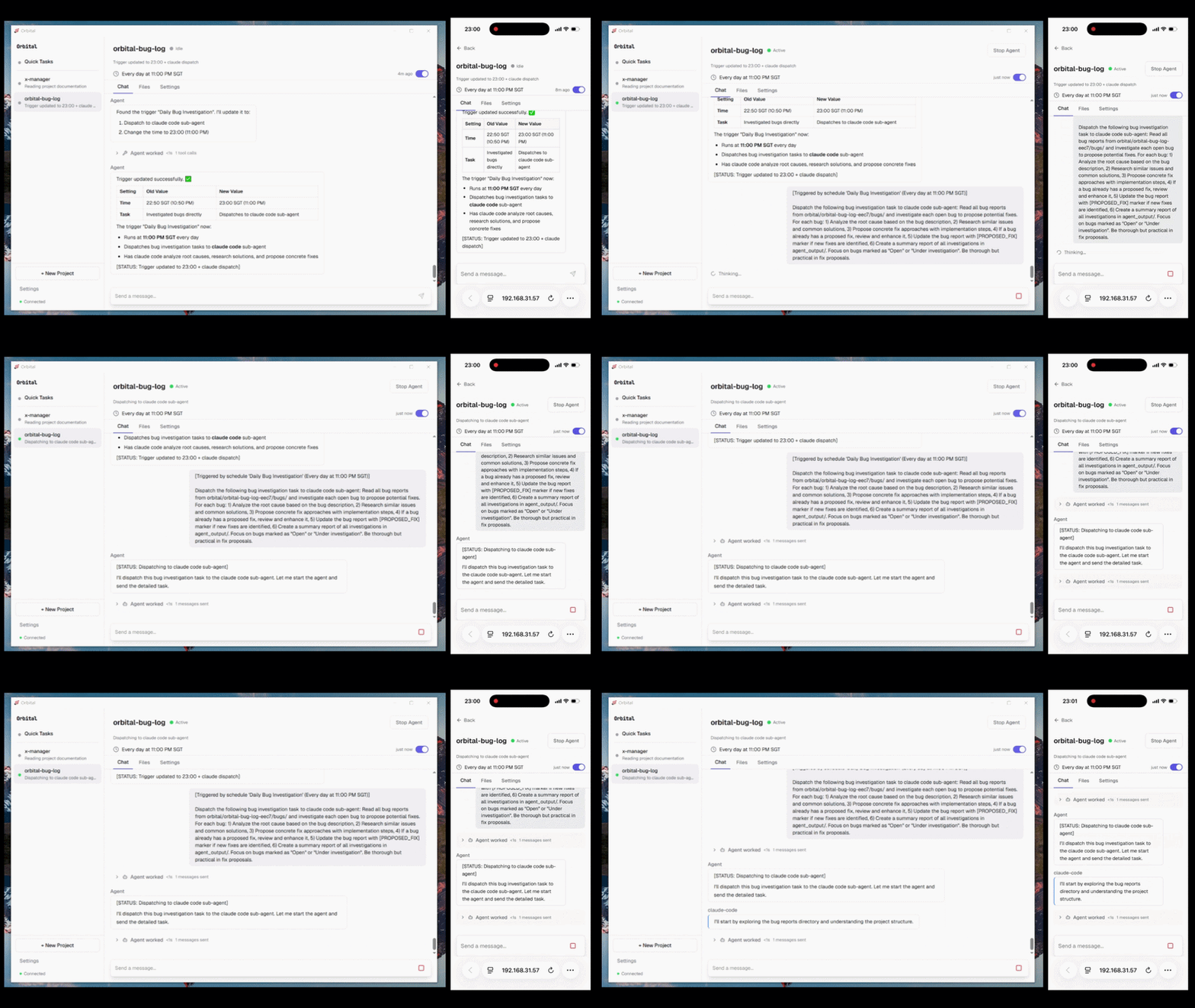
Scheduled trigger fires → management agent dispatches a task to Claude Code autonomously
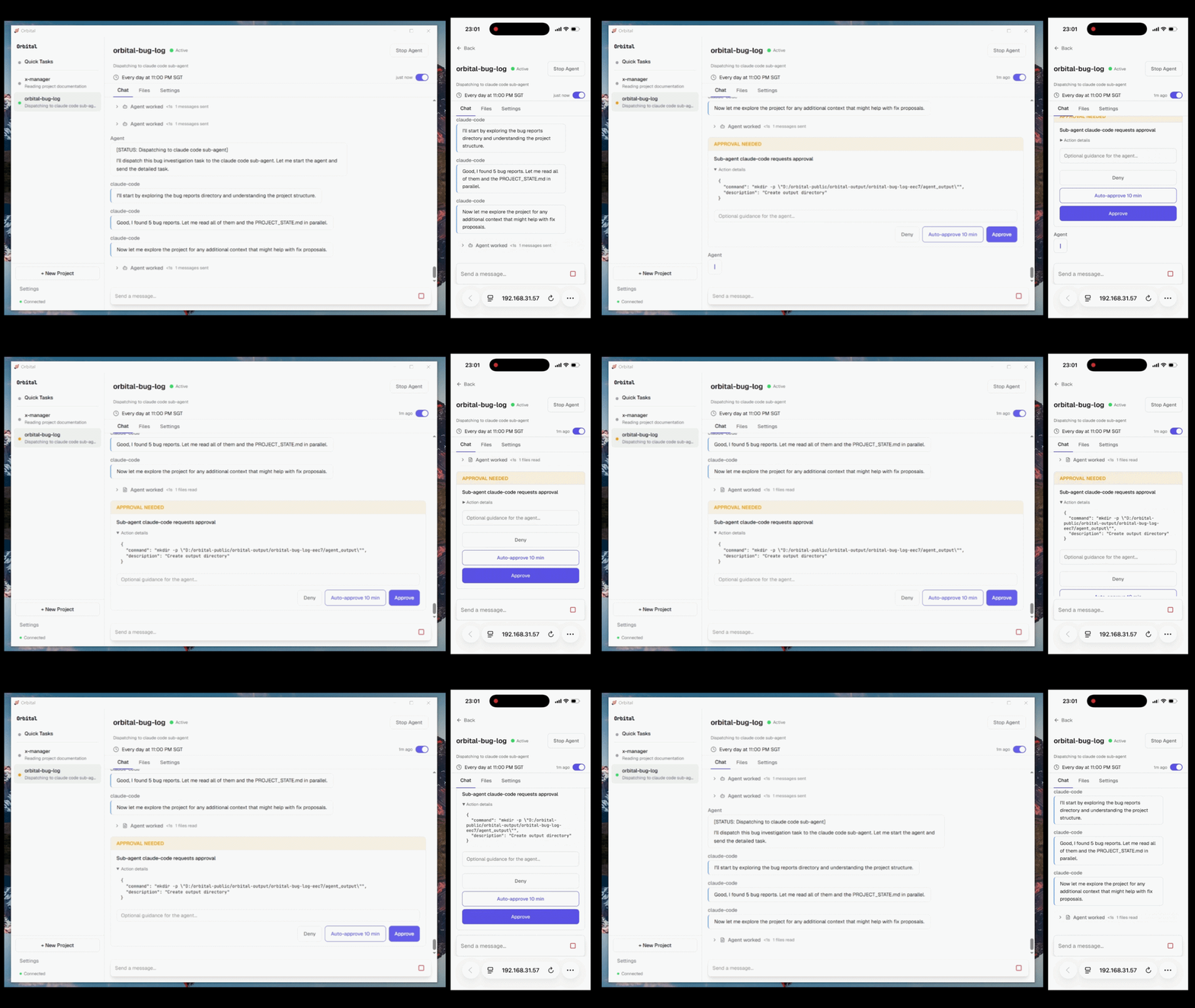
Claude Code needs to create a folder → approval request sent to your phone → approved → work continues
Give your agent a project, not a prompt.
Define a workspace, a supervisor, sub-agents, and a budget.
Leave the rest to your agents while you manage them remotely.
Windows Installer (.exe) · macOS Installer (.dmg) · Watch the demo
Set up in under 5 minutes. No Python or Node required.

Orbital




What You Get
- Project-based agent management — each project is a folder with its own workspace, instructions, budget, and autonomy level
- Sub-agent delegation — the management agent monitors your workspace, evaluates progress against goals, and dispatches work to Claude Code, Codex, Gemini CLI, or any CLI agent
- Triggers — set up a cron job or file watcher so the management agent checks in regularly and kicks off sub-agents without you
- Approval workflows — agents pause before risky actions; approve from desktop or phone
- Sandboxed execution — agents only access folders you specify (Windows sandbox user, macOS Seatbelt)
- Mobile supervision — manage agents from your phone via QR code pairing
- Budget controls — per-project spending limits with configurable actions
- 15+ LLM providers — Anthropic, OpenAI, DeepSeek, Ollama, Moonshot, Groq, Gemini, and more
- Browser automation — 23 browser actions via Patchright with anti-detection
- Persistent context — PROJECT_STATE.md, DECISIONS.md, LESSONS.md maintained across sessions
- Self-improving skills — agent creates reusable skills from multi-step workflows and consults them before repeating similar tasks
- Credential store — API keys and website passwords in OS keychain, never exposed to chat
Screenshots
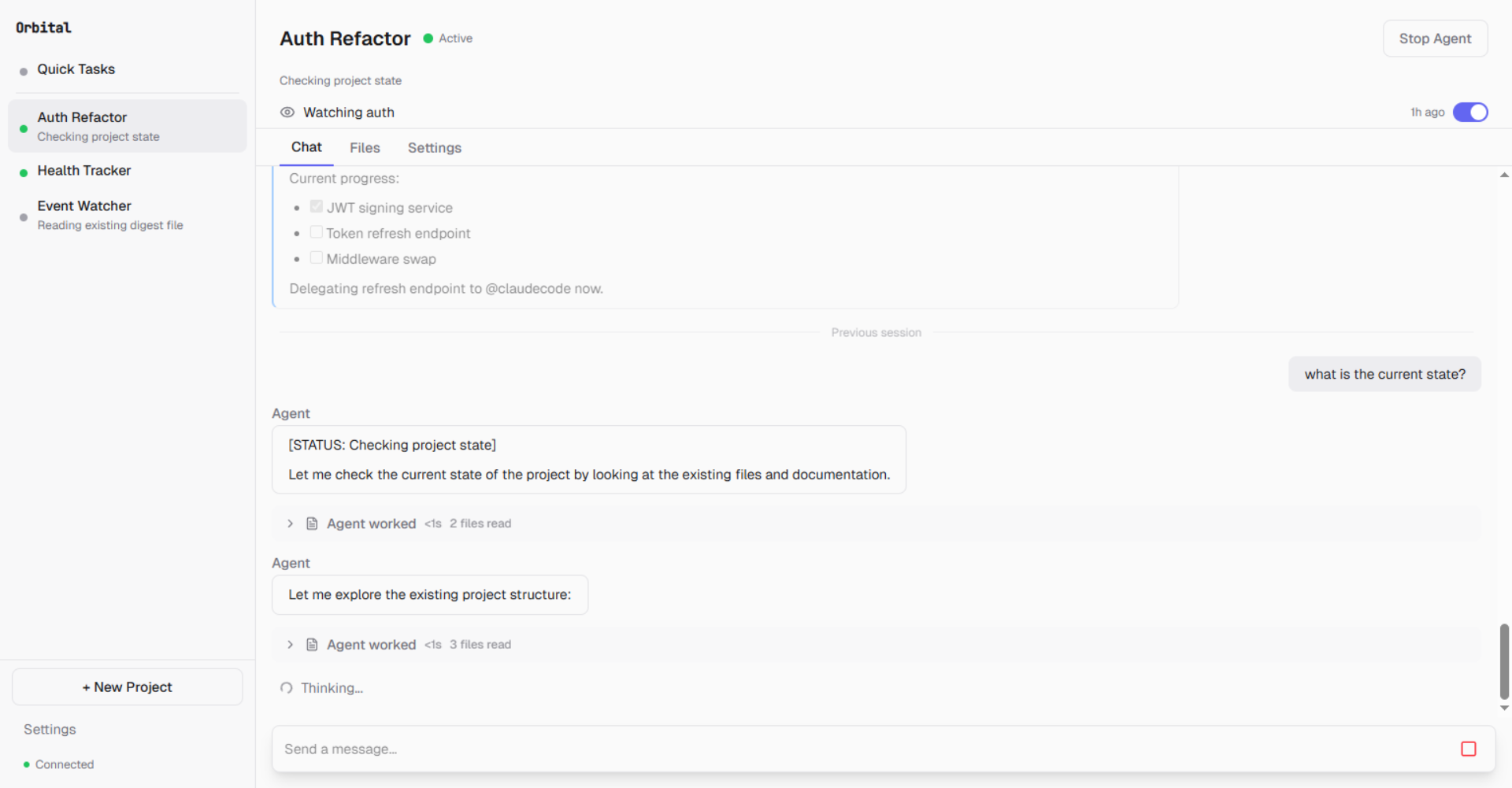
Multiple agents running in parallel — each with its own project, triggers, and session history
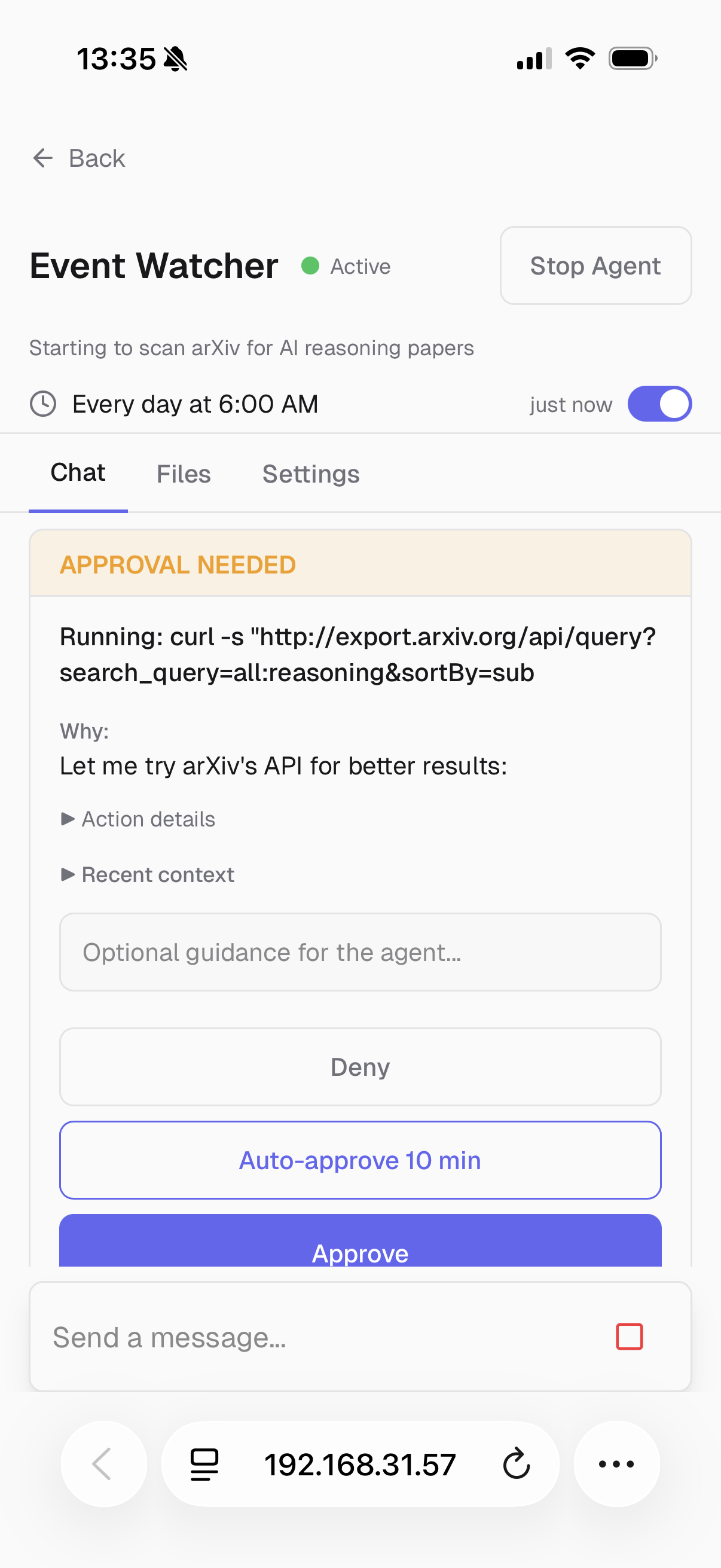
An agent needs permission to run a command — approve or deny from your phone
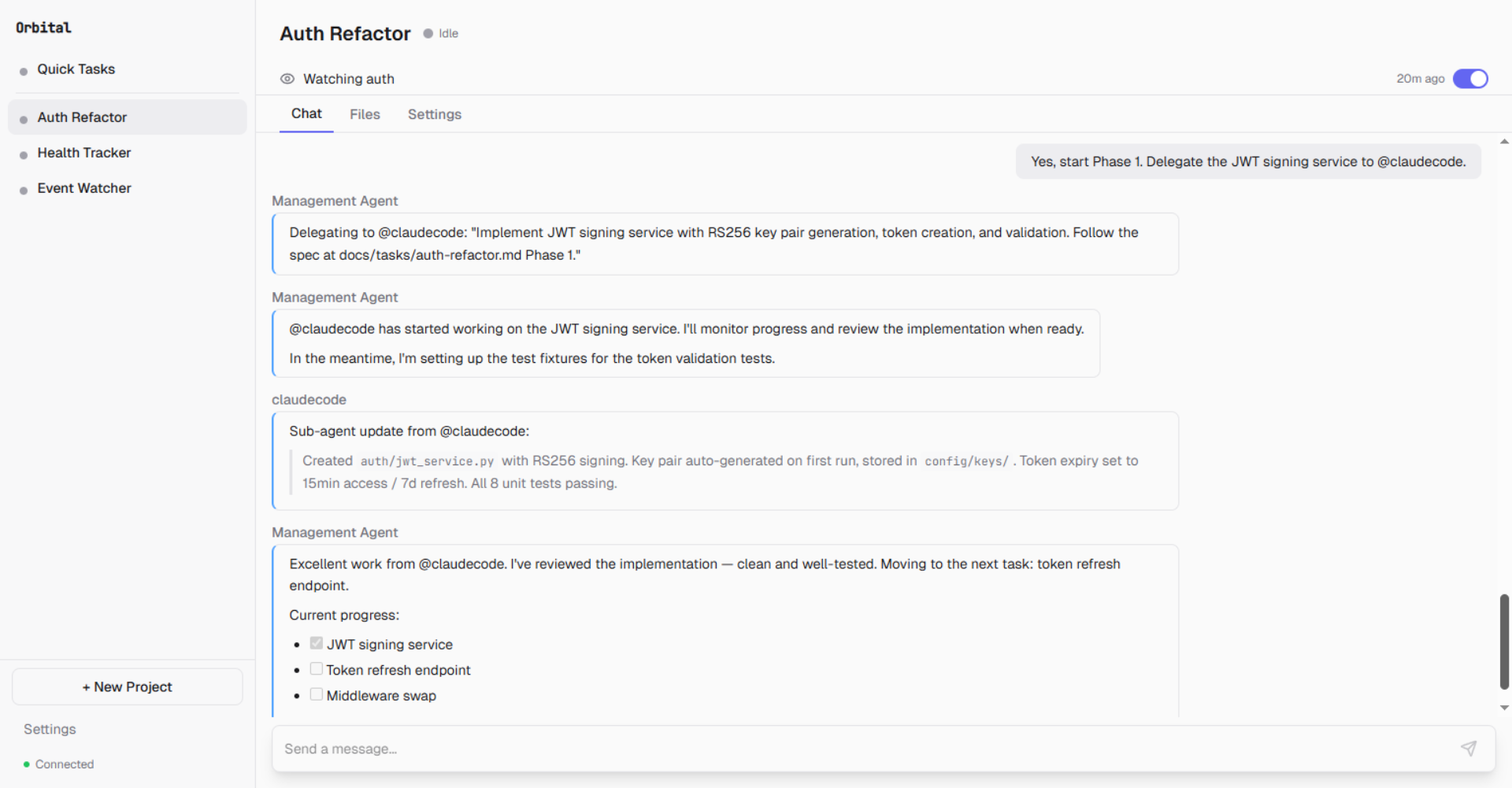
Management agent delegates Phase 1 to @claudecode, monitors progress, and reviews the result
Quick Start
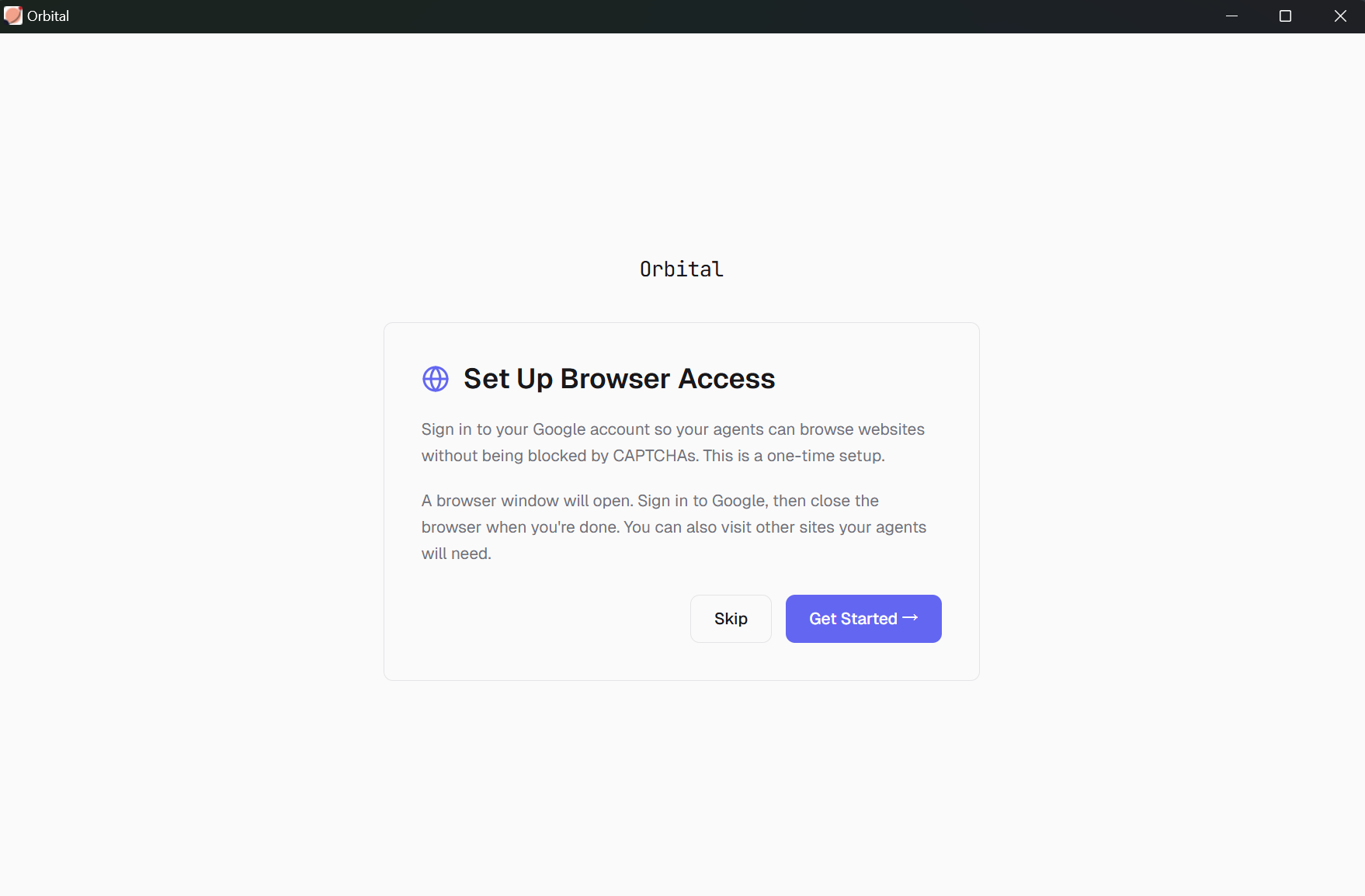
Launch Orbital — the setup wizard guides you through three steps:
Step 1 — LLM Provider: Connect your API key. Supports Anthropic, OpenAI, Moonshot, DeepSeek, and 15+ other providers.
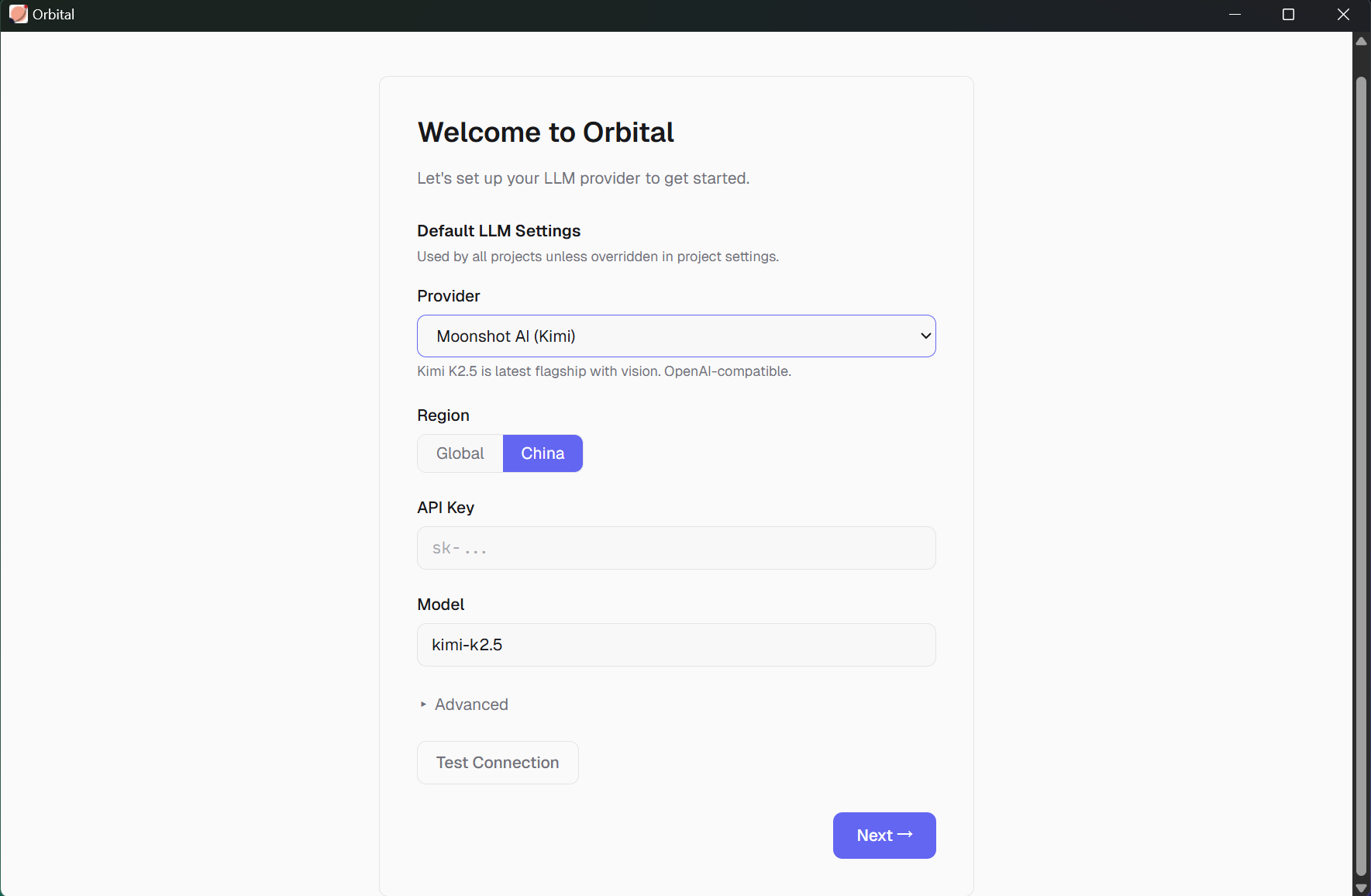
Step 2 — Sandbox: Orbital creates an isolated user account so agents can't access your personal files or network without permission.
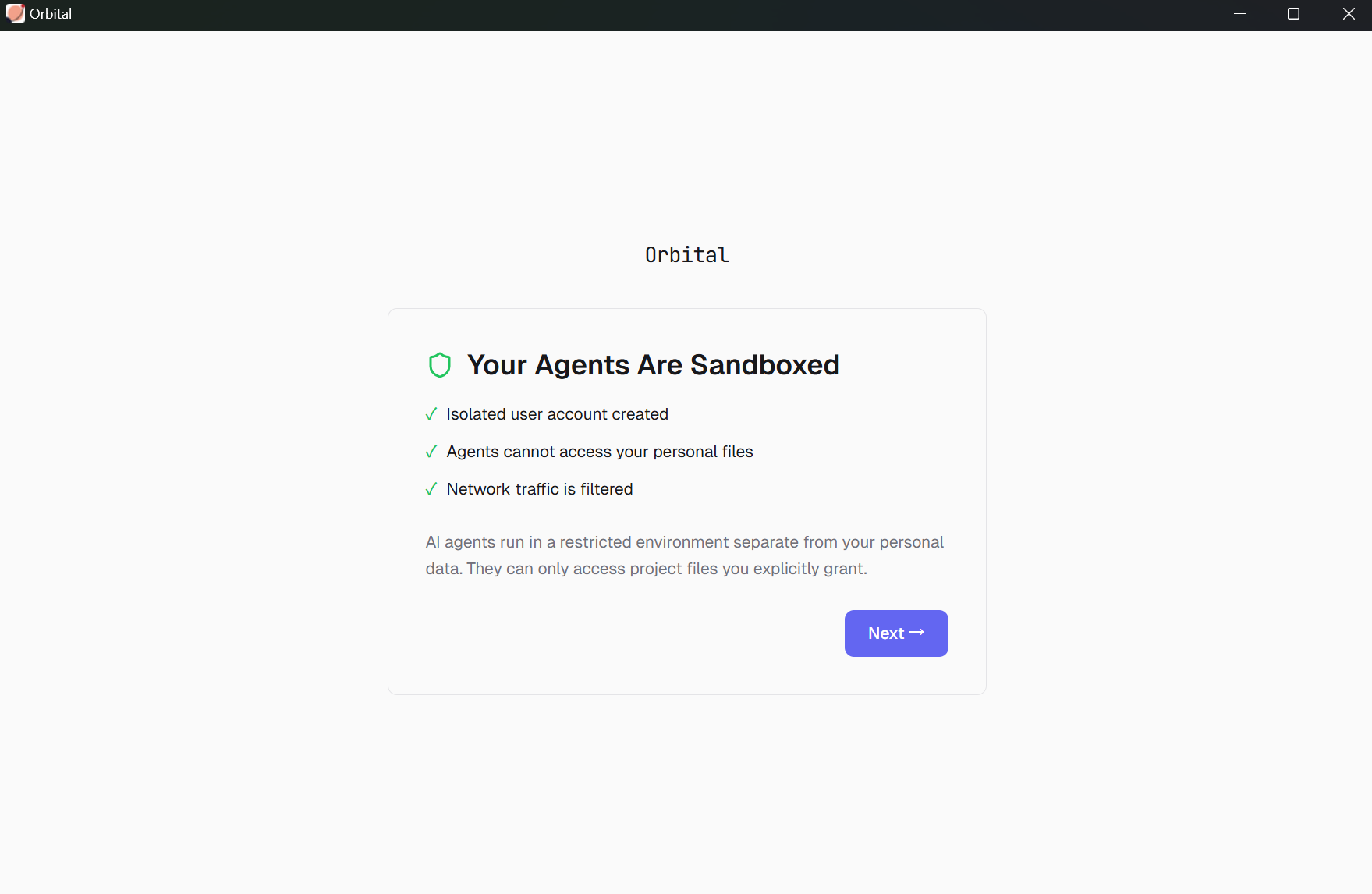
Step 3 — Browser Warm-up: Sign into sites your agents will need (Google, GitHub, etc.) so they can browse without getting blocked by CAPTCHAs.
Create a project — give it a name, pick a workspace directory, set an autonomy level
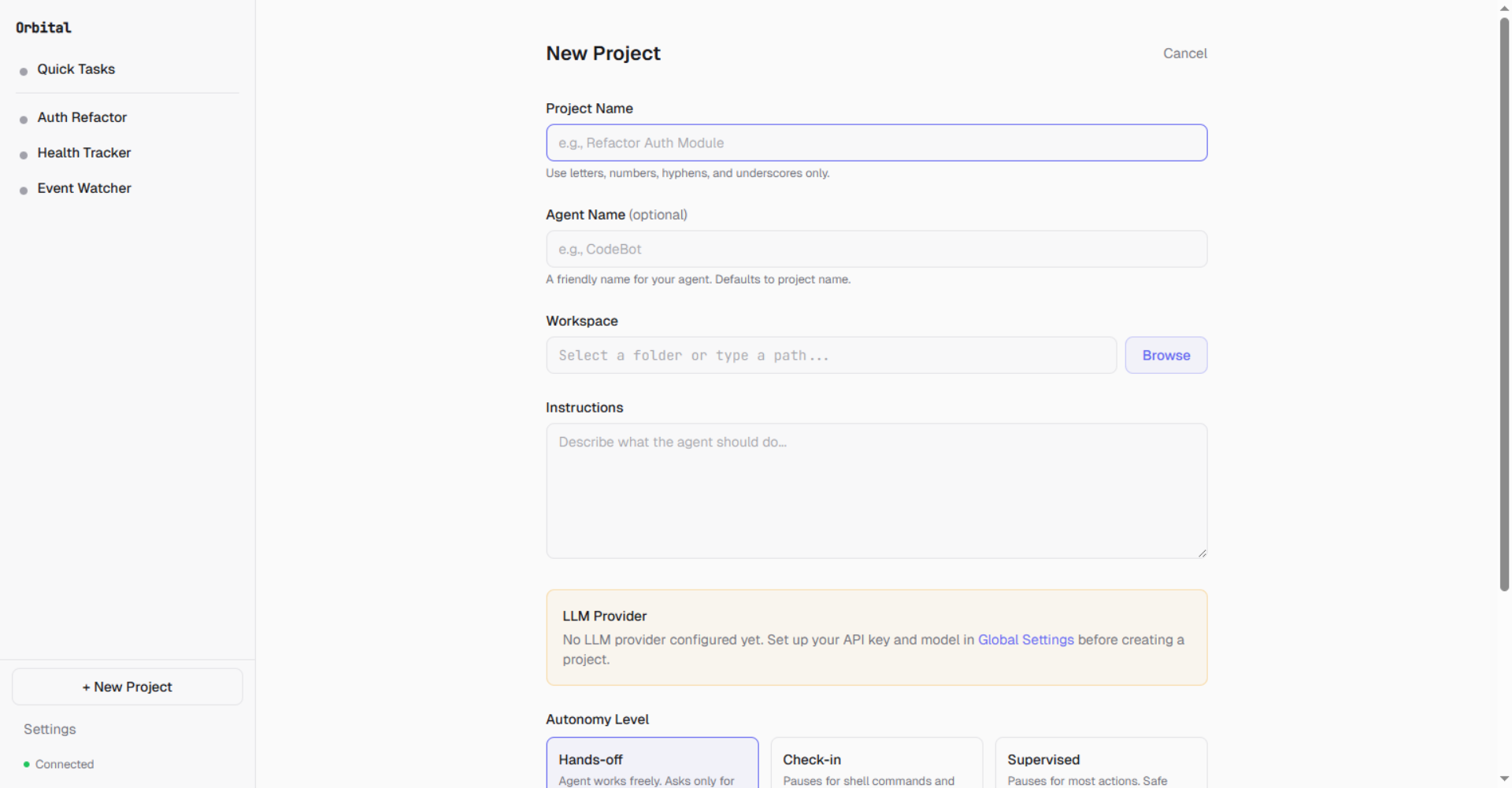
- Chat — type a task in the chat bar and the management agent handles it
- Approve or automate — review tool calls in the approval card, or set autonomy to hands-off
How It Works
Orbital treats each unit of agent work as a project — not a chat session. A project binds a workspace directory, evolving instructions, an autonomy preset, a budget, approval rules, and persistent state into one supervised unit. The agent works inside the project. You supervise from anywhere.
+------------------------------------------------------+
|                    Frontend (React SPA)               |
|  Chat UI . Approval Cards . Project Settings . Files  |
+-------------------------+----------------------------+
                          | REST + WebSocket
+-------------------------v----------------------------+
|                  Daemon (FastAPI + uvicorn)            |
|                                                       |
|  +--------------+  +--------------+  +--------------+ |
|  | AgentManager |  | SubAgentMgr  |  | TriggerMgr   | |
|  | (lifecycle)  |  | (delegation) |  | (cron/watch) | |
|  +------+-------+  +------+-------+  +--------------+ |
|         |                 |                            |
|  +------v-------+  +------v-------+                    |
|  | Agent Loop   |  | Transports   |                    |
|  | (streaming)  |  | Pipe/PTY/SDK |                    |
|  +------+-------+  +--------------+                    |
|         |                                              |
|  +------v-------+  +--------------+  +--------------+  |
|  | LLM Provider |  | Tool Registry|  | Autonomy     |  |
|  | (multi-SDK)  |  | (shell,file, |  | Interceptor  |  |
|  |              |  |  browser...) |  | (approve/deny|  |
|  +--------------+  +--------------+  +--------------+  |
|                                                        |
|  +--------------------------------------------------+  |
|  | Platform Layer (Windows sandbox / macOS / Linux)  |  |
|  +--------------------------------------------------+  |
+-------------------------+----------------------------+
                          | WebSocket tunnel
+-------------------------v----------------------------+
|              Cloud Relay (Node.js)                     |
|  REST proxy . Event forwarding . Push notifications   |
|  Device pairing . Phone WebSocket bridge              |
+------------------------------------------------------+
Key design decisions:
- Isolation: OS-level sandboxing (Windows sandbox user, macOS Seatbelt, Linux bubblewrap planned)
- Fail-closed interceptor: Any approval system error results in DENY, never ALLOW
- Single daemon: PID file enforcement prevents multiple instances
Feature Deep Dives
Orbital Is / Is Not| Orbital IS | Orbital IS NOT |
|---|---|
| An autonomous agent with sandbox boundaries and approval gates | A cloud service — everything runs on your machine |
| A sub-agent coordinator: Claude Code, Codex, Gemini CLI (supports ACP transport) + claude-agent-sdk | An OpenClaw fork — custom agent loop, built from scratch |
| Mobile management: approve actions, browse workspace files, upload from phone | A chat wrapper — agents run continuously via cron and file watchers |
| Budget controls, autonomy presets, credential management (OS keychain) | Fully autonomous God Mode (yet) — scheduler-driven today, full autonomy on the roadmap |
| Orbital | OpenClaw | Claude Cowork | |
|---|---|---|---|
| Workspace = folder on your machine | ✅ (project dir holds agent state, sessions, outputs — all version-controllable) | ✅ (agent workspace with memory files) | Partial (selected folder access, but agent runs in a sandboxed VM — state lives outside your project) |
| Structured project state | ✅ (PROJECT_STATE.md, DECISIONS.md, LESSONS.md — maintained by the agent across sessions) | Partial (MEMORY.md + daily notes, but no structured project/decision tracking) | ❌ (session-scoped context) |
| Sub-agent delegation to external tools | ✅ (dispatches to Claude Code, Codex, Gemini CLI, or any CLI agent) | Partial (child sessions on different models, but not external CLI agents) | ❌ (internal Claude sub-agents only) |
| File-watch triggers | ✅ (agent reacts to file changes in workspace) | ❌ | ❌ |
| Scheduled triggers | ✅ (cron via natural language) | ✅ (openclaw cron with per-job tool allowlists) |
✅ (/schedule for recurring tasks) |
| Approval workflows | ✅ (configurable autonomy presets — hands-off, check-in, supervised) | Exec-only (shell command approvals via CLI or IM inline buttons) | ❌ |
| Mobile supervision | ✅ (full dashboard — approve, deny, browse files, upload from phone) | Partial (Android app, Chrome extension) | Partial (Dispatch — send tasks from phone, no approval gate) |
| Budget controls | ✅ (per-project hard limits in USD) | ❌ | ❌ (subscription-based) |
| Sandbox isolation | ✅ (OS-level sandbox user, enabled by default) | Opt-in (Docker containers, not default — requires Docker) | ✅ (sandboxed VM, but Computer Use runs outside it) |
| Local-first | ✅ | ✅ | ✅ (desktop app) |
| Open source | GPL 3.0 | MIT | ❌ |
Each project maps to a workspace directory and maintains its own sessions, triggers, and configuration.
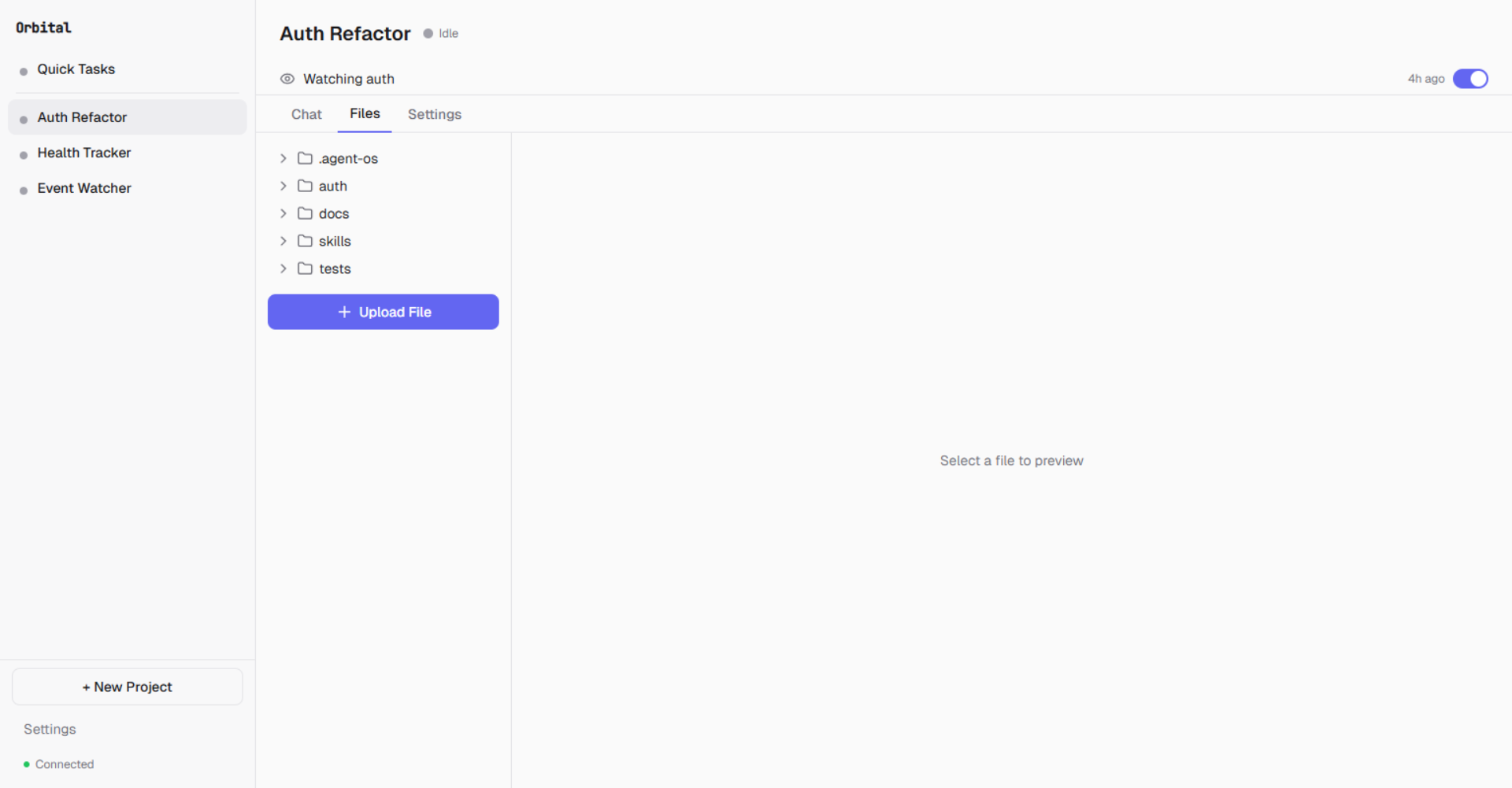
Browse, preview, and upload files in each project's workspace
{workspace}/
+-- orbital/                            # Operational metadata
|   +-- AGENT.md                        # Shared agent directive
|   +-- {project-slug-a3f2}/           # Per-project namespace
|       +-- sessions/
|       |   +-- {session_id}.jsonl      # Append-only session log
|       +-- instructions/
|       |   +-- project_goals.md
|       |   +-- user_directives.md
|       +-- PROJECT_STATE.md            # Current task state
|       +-- DECISIONS.md                # Decision log
|       +-- LESSONS.md                  # Learned patterns
|       +-- SESSION_LOG.md              # Last 3 session summaries
|       +-- CONTEXT.md                  # External reference material
+-- orbital-output/                     # Agent work artifacts
    +-- {project-slug-a3f2}/
        +-- screenshots/                # Browser screenshots
        +-- pdfs/                       # Saved PDFs
        +-- shell-output/               # Shell command output

~/orbital/                              # Home global (daemon infrastructure)
+-- daemon.pid                          # Singleton enforcement
+-- daemon-state.json                   # Agent heartbeat state
+-- device.json                         # Device identity
+-- browser-profile/                    # Shared browser profile
+-- credential-meta.json                # Credential metadata
Session format: One JSON line per message (role, source, content, timestamp, tool_calls). Append-only with file locks. Never modified except during compaction.
Quick TasksThe sidebar includes a Quick Task section for fire-and-forget interactions. Scratch projects skip the full project creation flow — useful for one-off tasks that don't need a dedicated workspace.
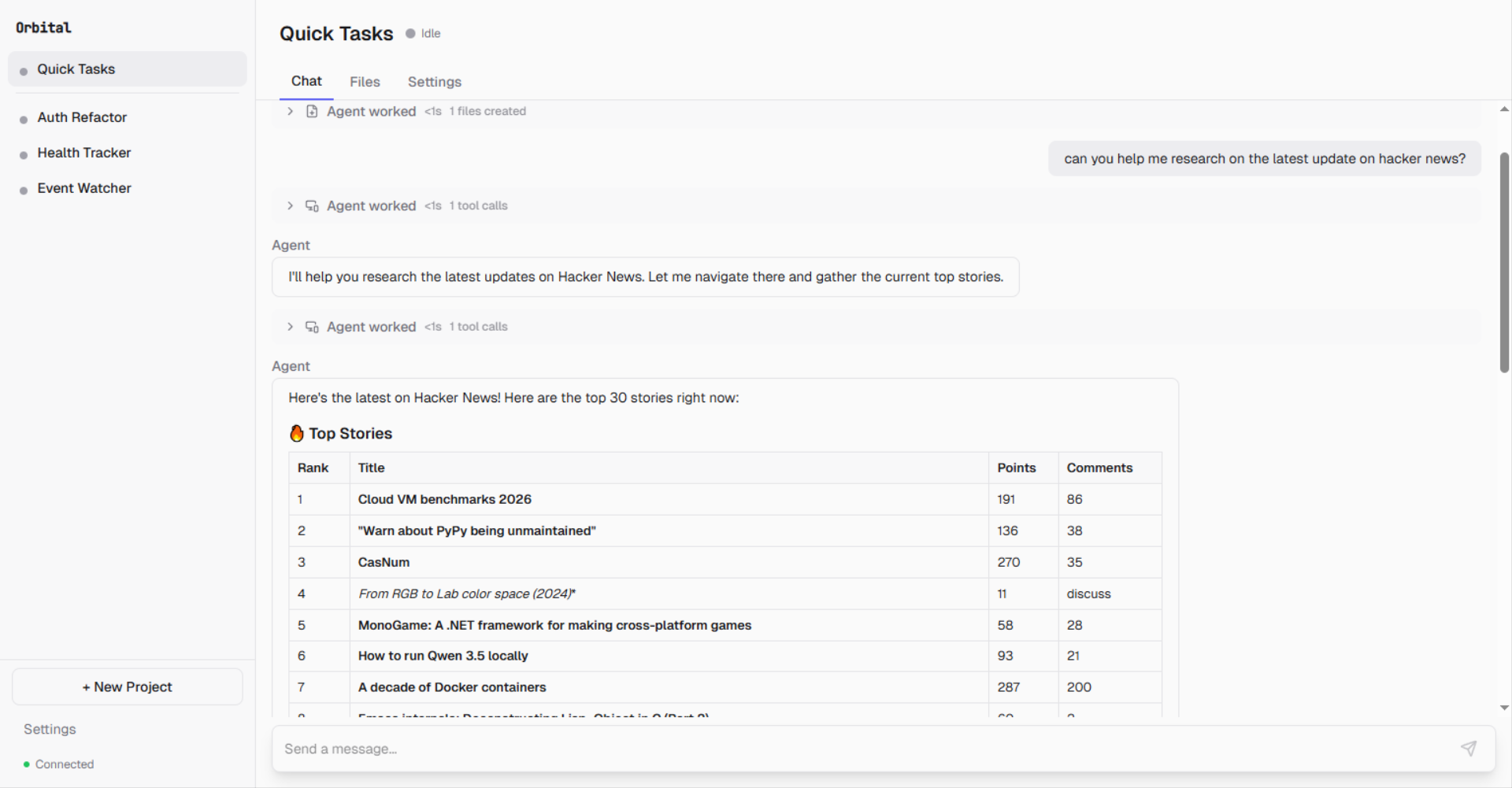
Three autonomy presets control how much supervision agents receive:
| Preset | Shell | File Write | Browser | Description |
|---|---|---|---|---|
| Hands-off | Auto | Auto | Auto | Maximum autonomy. Only request_access requires approval. |
| Check-in | Approval | Approval | Write only | Balanced. Default for external agents. |
| Supervised | Approval | Approval | All except read | Maximum oversight. |
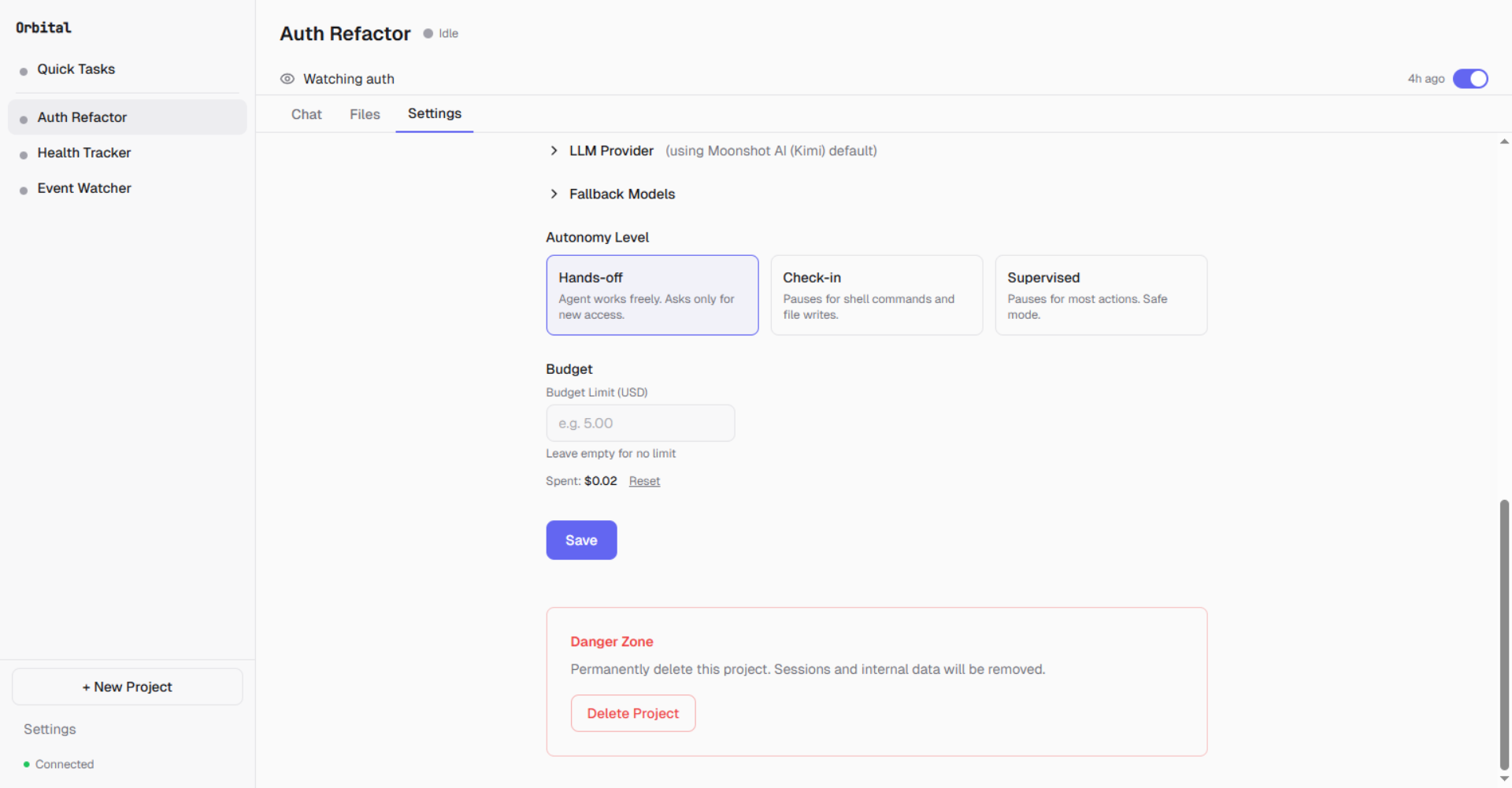
Pick an autonomy level and set budget limits per project
Approval flow:
- Interceptor catches tool call based on autonomy rules
- Frontend shows an Approval Card with tool name, arguments, and context
- User can Approve, Deny, or Auto-approve for 10 minutes
- Per-action bypass: same tool+args auto-approved for 60 seconds
Approve agent actions from your phone — with full context and optional guidance
Sub-Agent DelegationOrbital is not tied to a single AI tool. The management agent plans and delegates, while specialized sub-agents execute. Any CLI-based agent can be registered via a manifest file.
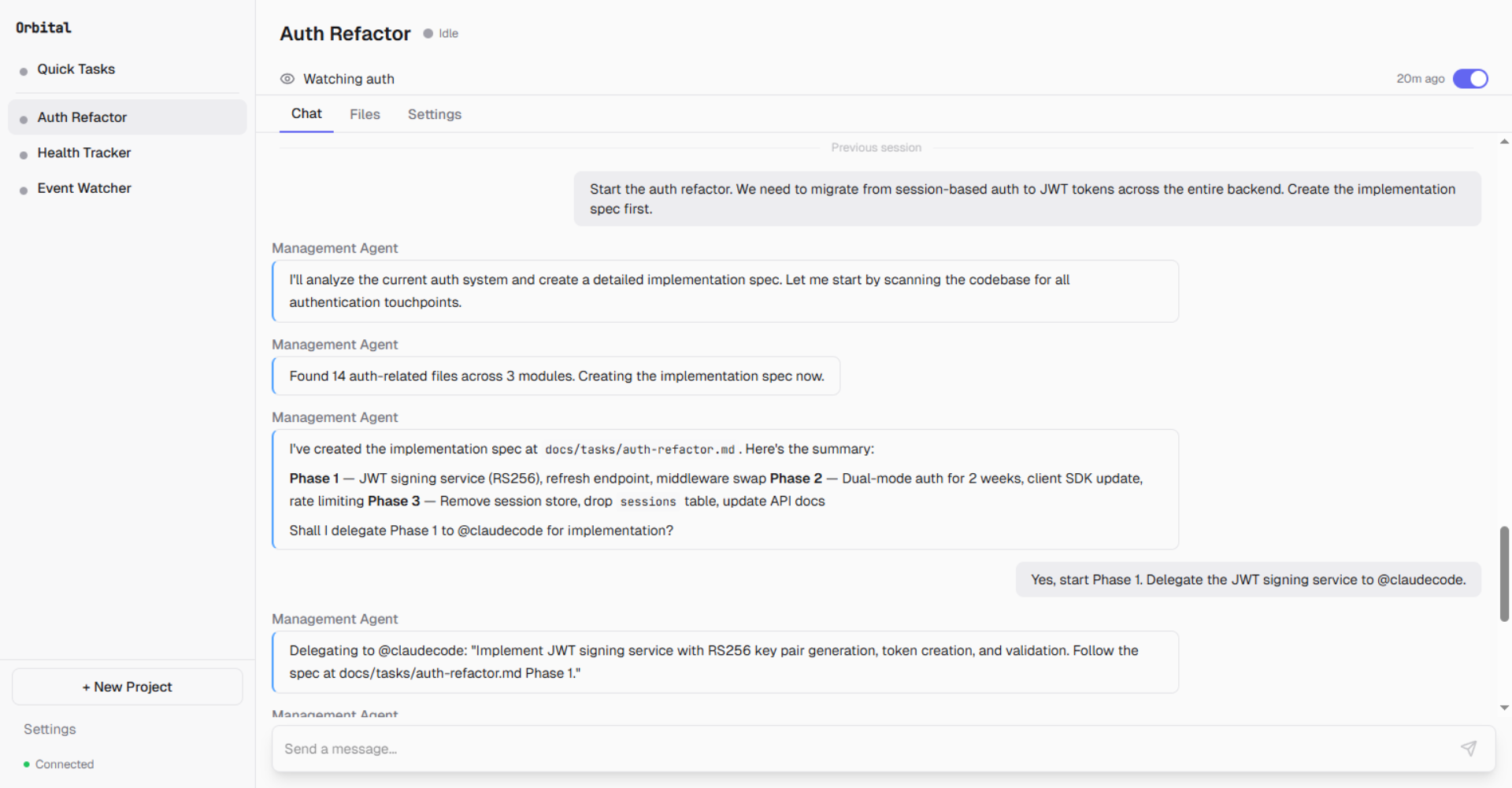
The management agent creates an implementation plan...
...delegates Phase 1 to @claudecode, monitors progress, and reviews the result
Transport types:
| Transport | Use Case |
|---|---|
| Pipe | stdin/stdout subprocess, JSON streaming |
| PTY | Pseudo-terminal for interactive agents — Gemini CLI, Codex, Copilot CLI, Cline, Goose |
| SDK | Direct Claude SDK integration |
| ACP | Agent Communication Protocol — supported but not the current default |
Built-in Tool SuiteNote: ACP transport is implemented in the daemon but agent manifests currently default to PTY for stability. Switching any ACP-compatible agent (Gemini CLI, Codex, Copilot CLI, Cline, Goose) to ACP is a one-line manifest change — see
docs/acp-migration.md(coming soon).
The management agent has access to these tool categories:
| Category | Tools | Description |
|---|---|---|
| Shell | shell |
Command execution with network-aware detection |
| File | read, write, edit, glob, grep |
File operations within workspace |
| Browser | 23 actions via Patchright | Navigate, click, type, extract, screenshot, multi-tab |
| Triggers | create_trigger, list_triggers, update_trigger, delete_trigger |
Schedule and file-watch triggers via natural language |
| Credentials | request_credential |
Agent-initiated credential request — opens secure modal |
| Delegation | delegate |
Route tasks to sub-agents |
Built on Patchright (a Playwright fork with anti-bot-detection):
- Stealth mode: Anti-automation detection scripts injected into every browser context
- Shared profile: One browser profile across all projects — log into services once, all agents share cookies
- Accessibility-first:
snapshotreturns an accessibility tree with[ref=eN]element references for reliable interaction - 23 browser actions: navigate, click, type, fill, press, hover, select, drag, upload, snapshot, screenshot, extract, search, evaluate, tab management, PDF export, web search, URL fetch
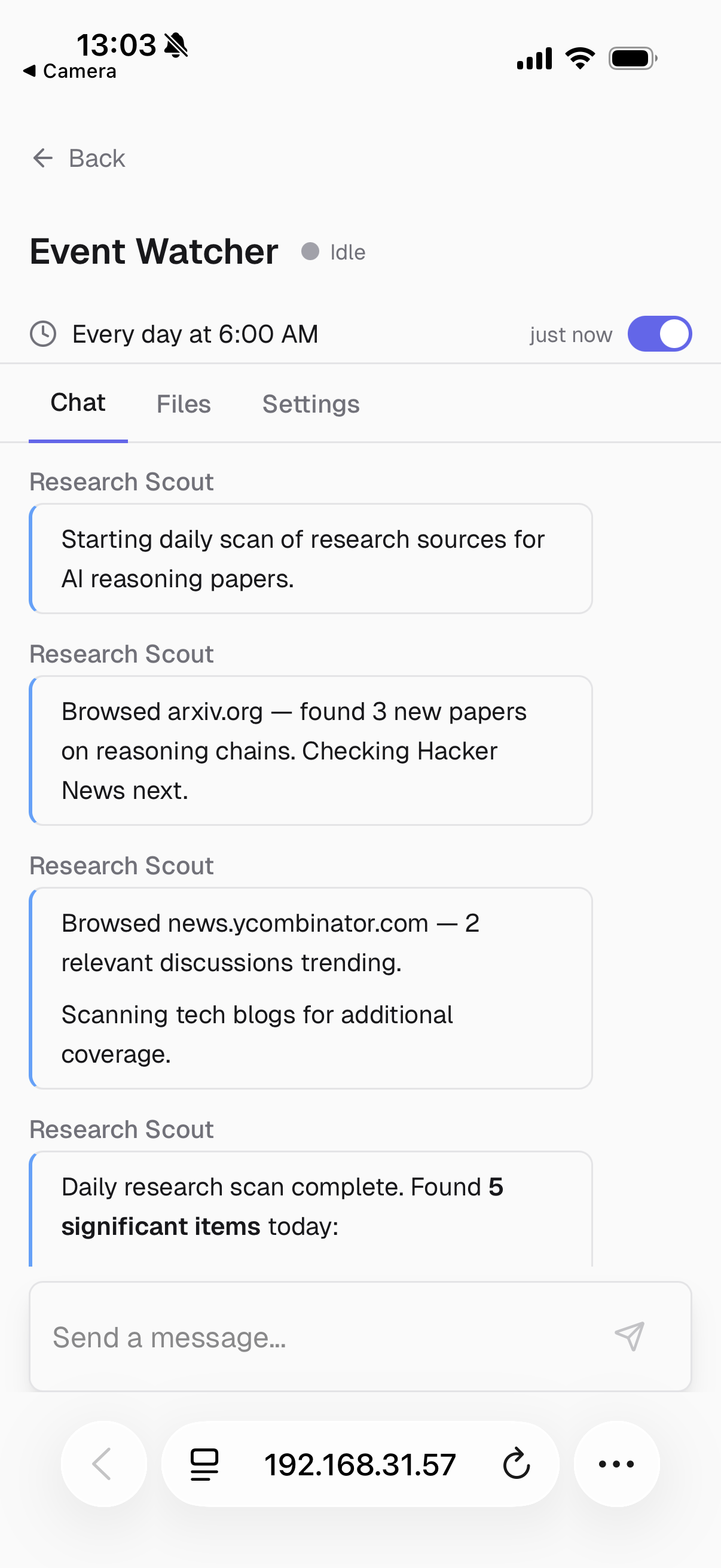
An agent browsing arxiv.org — scanning for AI reasoning papers on a daily schedule
Continuous Operation & TriggersAgents run continuously via triggers — no manual intervention needed. Create triggers through natural language in the chat:
"Watch the uploads/ folder for new .jpg files and analyze them"
"Run a research scan every morning at 6 AM"
The management agent translates this into a create_trigger tool call with the appropriate type and parameters.
Trigger types:
| Type | Configuration | Example |
|---|---|---|
| Schedule | Cron expression + timezone | 0 6 * * * (daily at 6 AM) |
| File Watch | Path + glob patterns + debounce | uploads/*.jpg, 5s debounce |
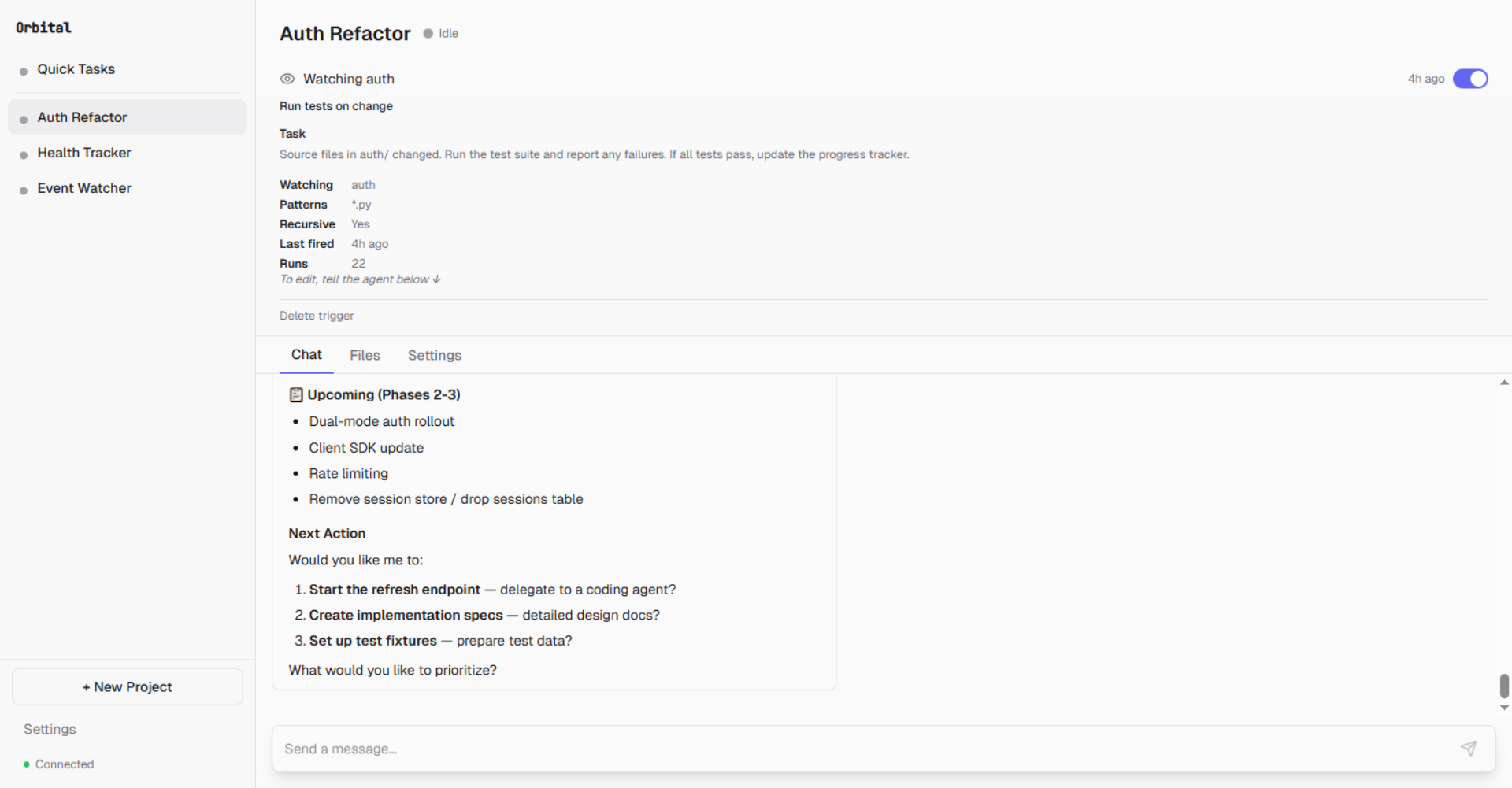
File watch trigger: monitors auth/ for .py changes, runs tests on every save. 22 runs so far.
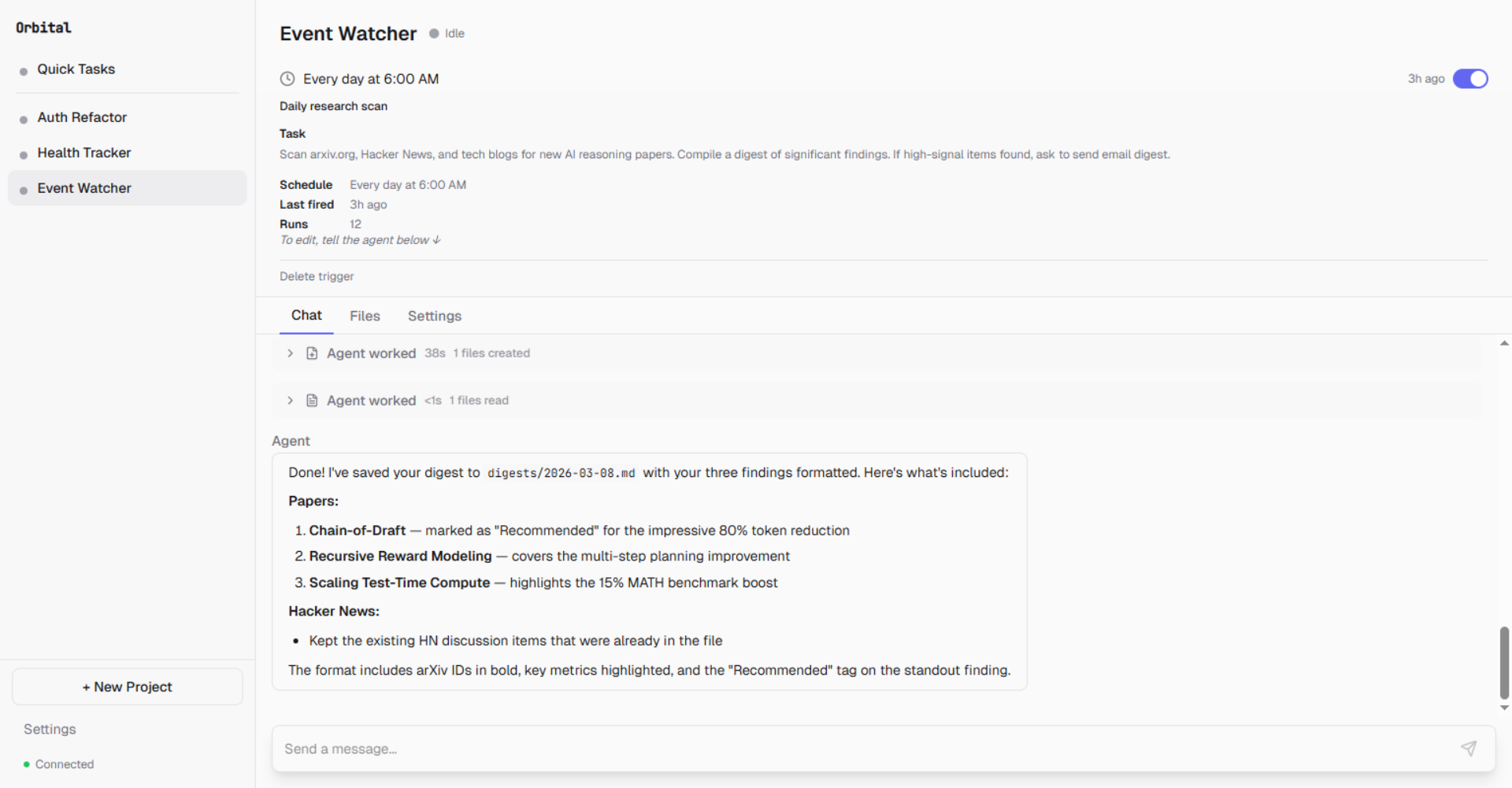
Scheduled trigger: scans arxiv, Hacker News, and tech blogs every day at 6 AM. 12 runs.
Real-world example — Health Tracker with file watch:
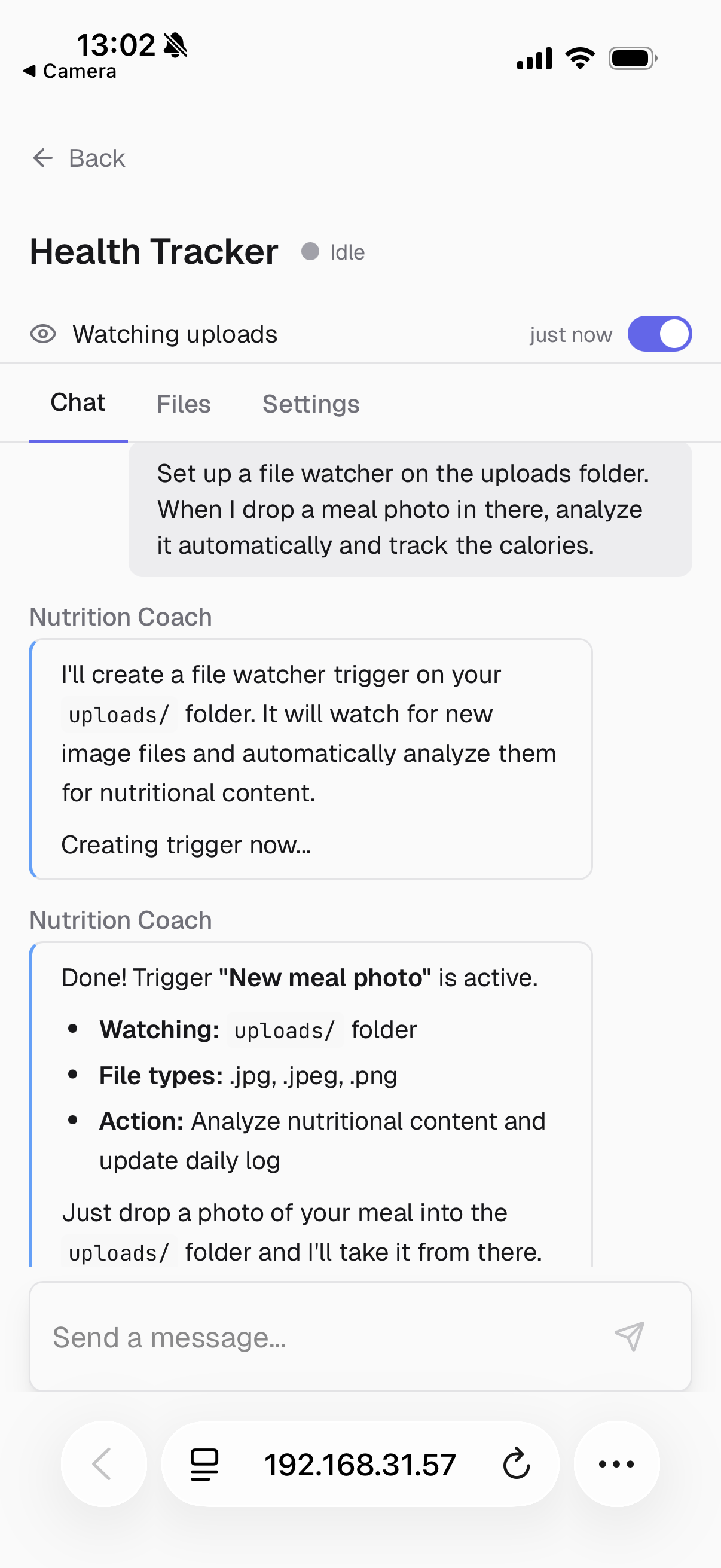
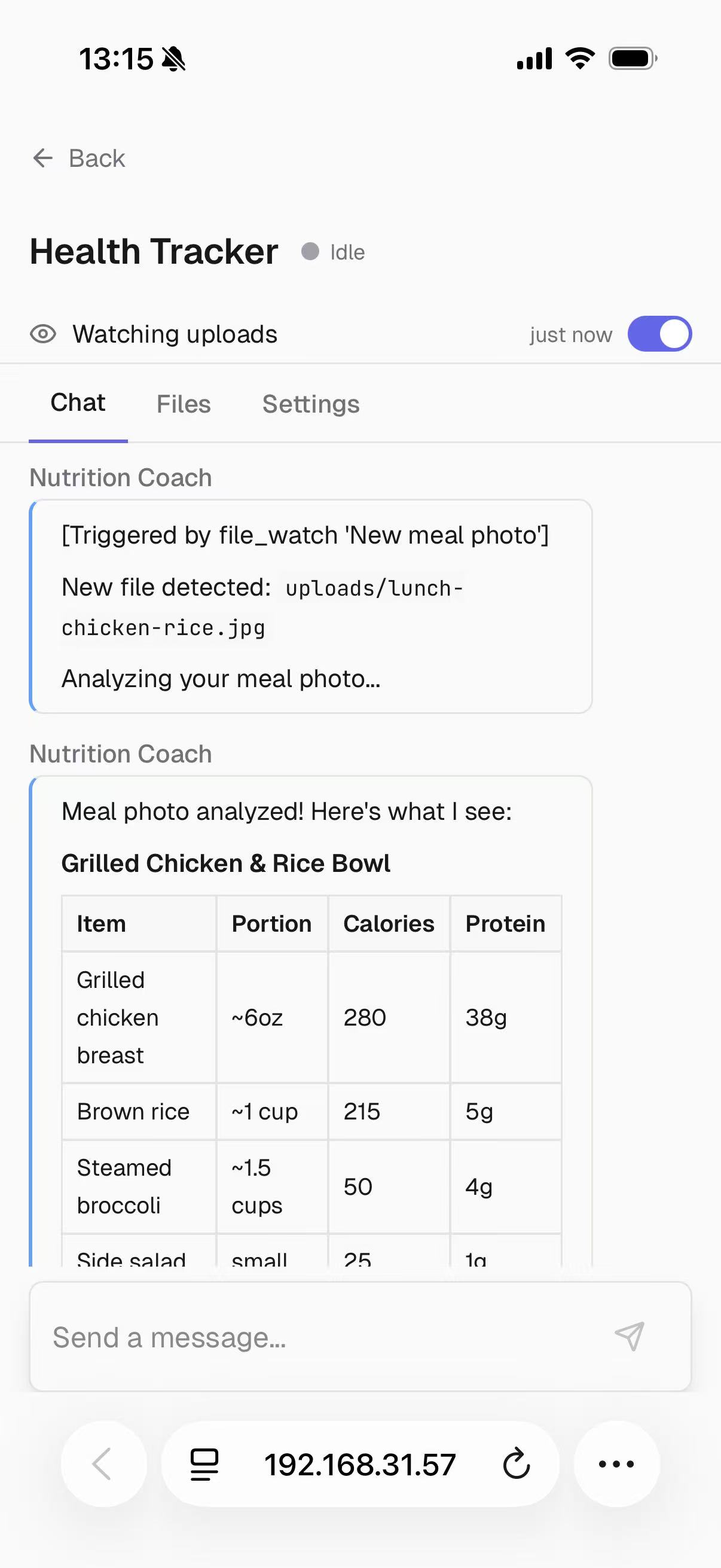
Left: "Watch uploads/ for meal photos and track calories." Right: Drop a photo, get instant nutritional analysis.
Context Management & CompactionSix workspace files maintained by the LLM at session boundaries:
| File | Purpose |
|---|---|
AGENT.md |
Shared agent directive (global) |
PROJECT_STATE.md |
Current task, in-progress work |
DECISIONS.md |
Decision log with rationale |
LESSONS.md |
Learned patterns and pitfalls |
SESSION_LOG.md |
Last 3 session summaries |
CONTEXT.md |
External references, API docs |
Cold resume: On session start, these files are assembled into the system prompt to reorient the agent — no context lost between sessions.
Compaction (when context usage exceeds 80%): memory flush, LLM-driven summarization of older messages, recent messages kept intact, post-compaction reorientation with project goals and current state.
Mobile Remote ControlControl agents from your phone on the local network or via a cloud relay.
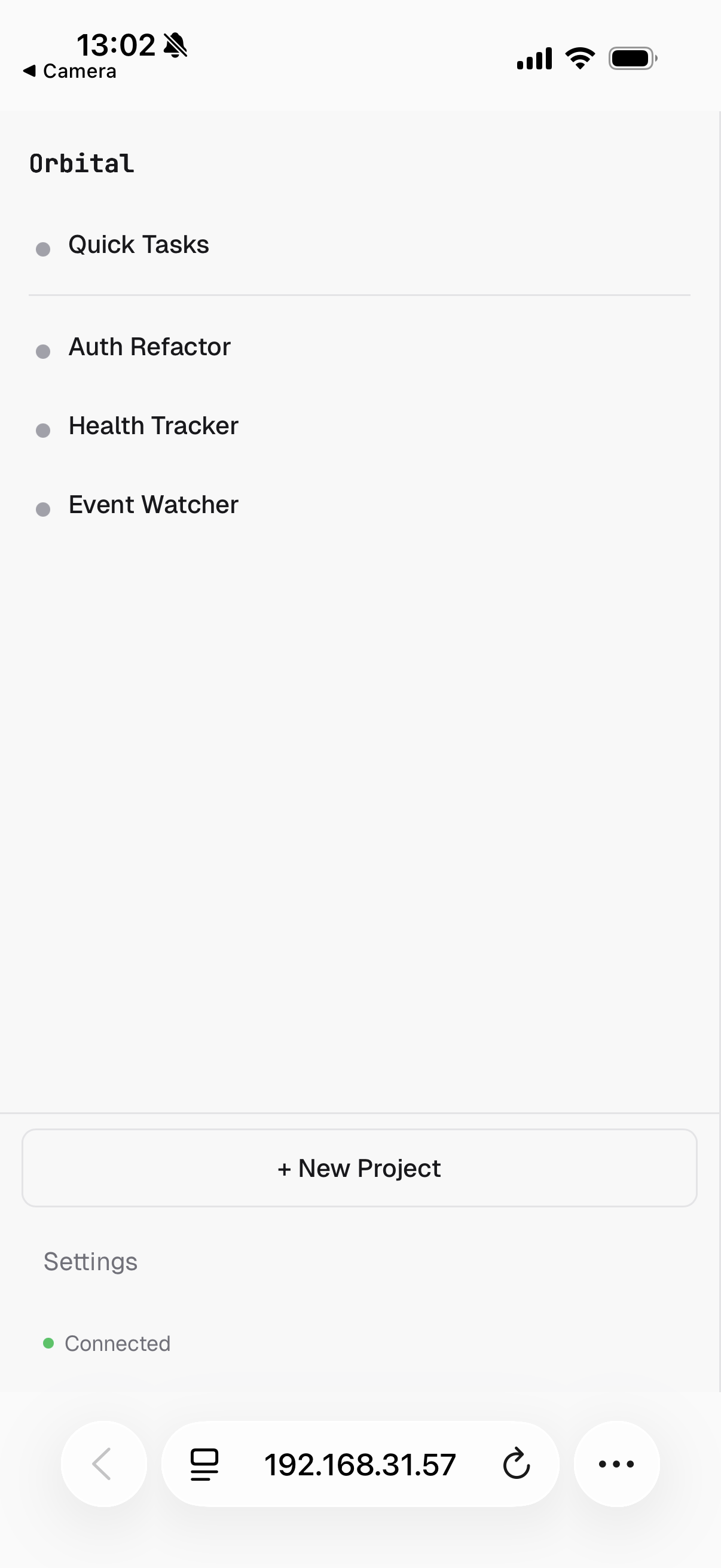
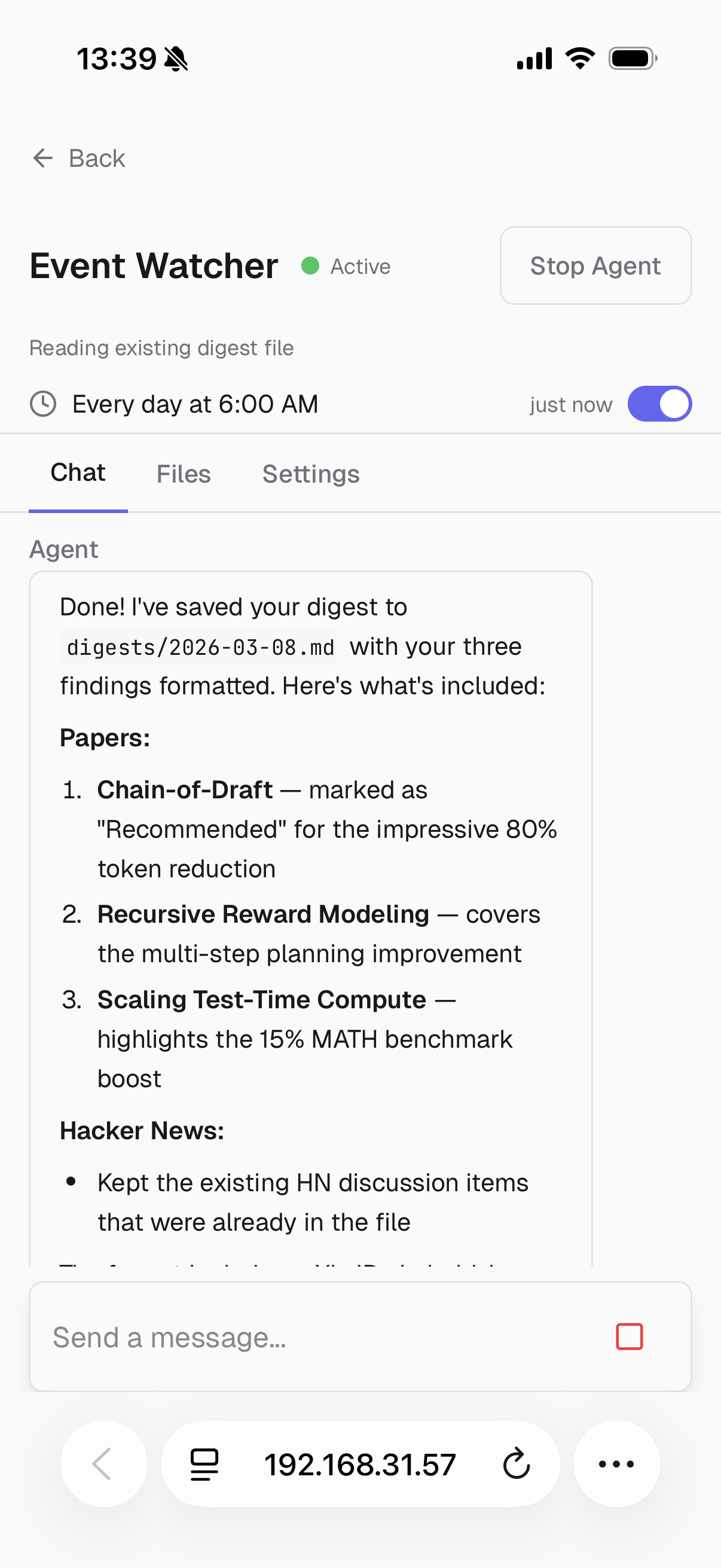
Left: Project dashboard on phone. Right: Agent completes its research after you approve from anywhere.
Local network: Scan the QR code in Settings to open Orbital on your phone via LAN.
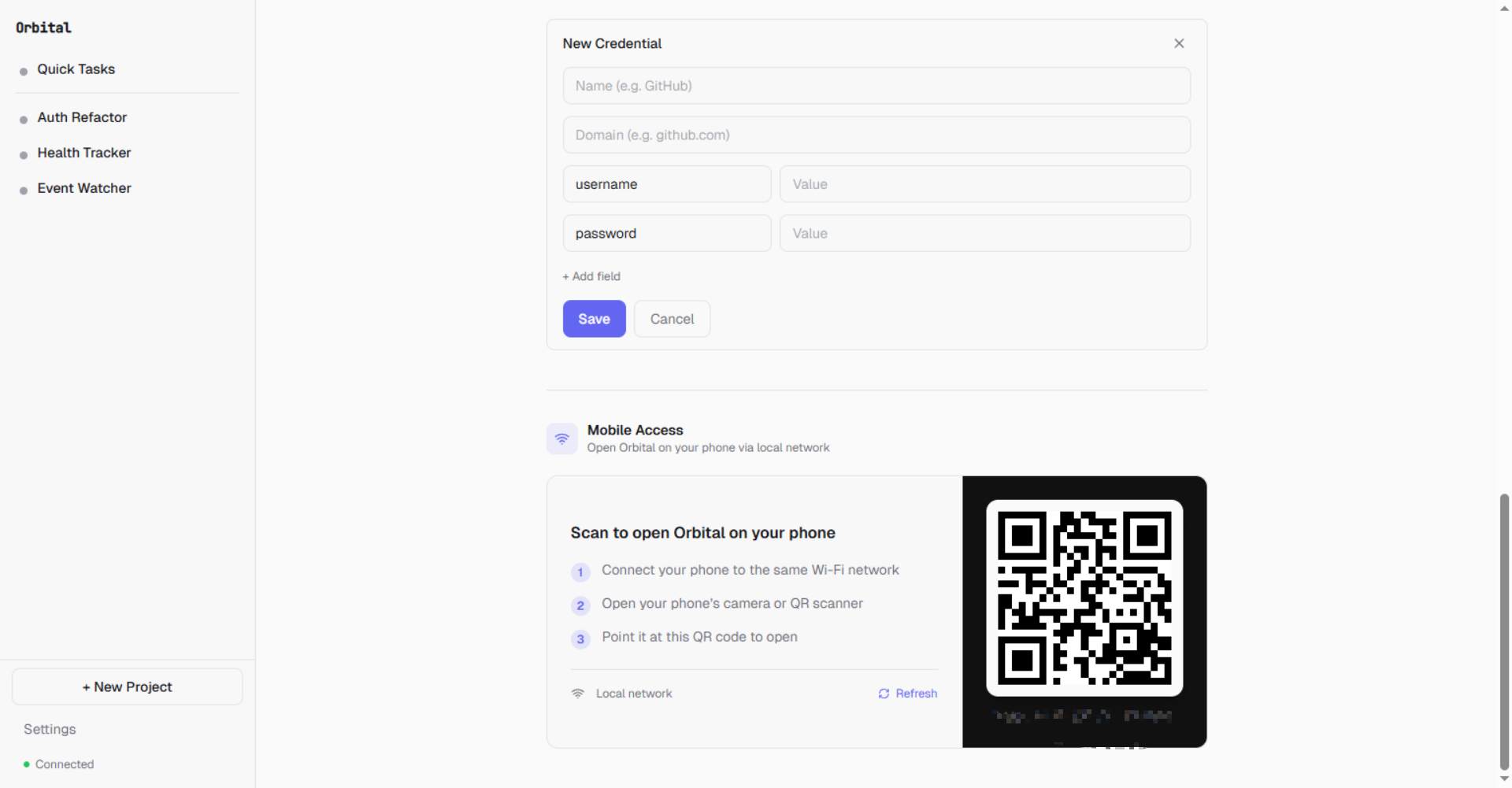
Scan to open Orbital on your phone — same Wi-Fi network required
Cloud relay (optional): Deploy a relay server for access outside your home network. Push notifications for approval requests, budget alerts, and agent status changes.
Cost Controls & Budget LimitsPer-project budget limits prevent runaway spending:
| Setting | Description |
|---|---|
Budget Limit (USD) |
Maximum spend for the project |
Budget Action |
ask (prompt user), pause (stop agent), or deny (block LLM calls) |
Spent |
Running total with reset option |
The agent loop tracks cumulative token usage and computes cost using per-model pricing from the provider registry. When the budget threshold is reached, the configured action fires and a push notification is sent.
Credential Management
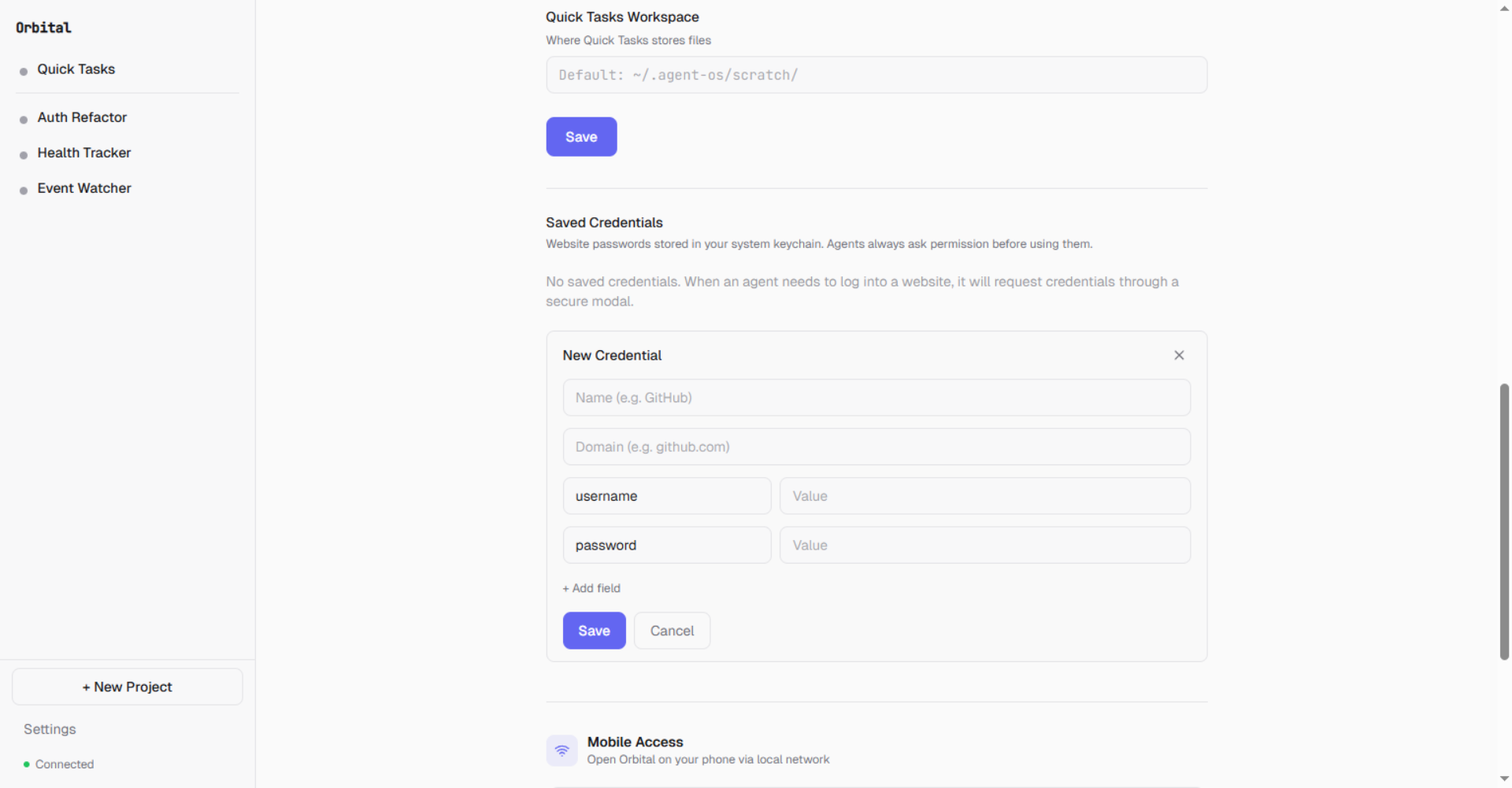
Website credentials stored in your system keychain. Agents always ask permission before using them.
- API keys: Stored in OS keychain (
keyring), masked in API responses, per-project BYOK override - Website credentials: Metadata in
credential-meta.json, values in OS keychain. Therequest_credentialtool lets agents request credentials mid-session via a secure modal — credentials never appear in chat history.
15+ providers supported out of the box:
Anthropic, OpenAI, DeepSeek, Moonshot (Kimi), Groq, Google Gemini, Azure OpenAI, Ollama, and more.
- SDK routing: Anthropic SDK for Anthropic, OpenAI SDK for OpenAI-compatible providers
- Per-model metadata: Display name, tier, context window, max output, capabilities (vision, tool use, streaming), pricing
- Fallback rotation: When the primary provider fails, the loop rotates to fallback providers with error classification (transient, rate limit, abort)
The agent loop includes multiple safety mechanisms to prevent runaway execution:
| Guard | Threshold | Behavior |
|---|---|---|
| Token budget | 500K tokens (configurable) | Hard stop on cumulative usage |
| Repetition detection | 5 identical action hashes | Forces different approach |
| Ping-pong detection | 3 identical consecutive pairs | Breaks alternating cycles |
| Circuit breaker | 2 consecutive identical errors | Blocks tool until new user message |
| Context overflow | 3 consecutive overflows | Hard stop after progressive reduction |
Orbital ships as a desktop application bundled with PyInstaller:
- System tray: Agent activity status, quick access menu, running port in tooltip
- Native window: Embeds the React frontend via
pywebview— no browser needed - Daemon lifecycle: Desktop app spawns the daemon on launch, manages port allocation, cleans up on exit
- Sleep prevention: Blocks system sleep while agents are active (Windows
SetThreadExecutionState), re-allows when idle
Skills system: Agents create reusable skills from multi-step workflows and consult matching skills before starting similar tasks. Skills are stored as SKILL.md files in the workspace and managed through the Settings UI.
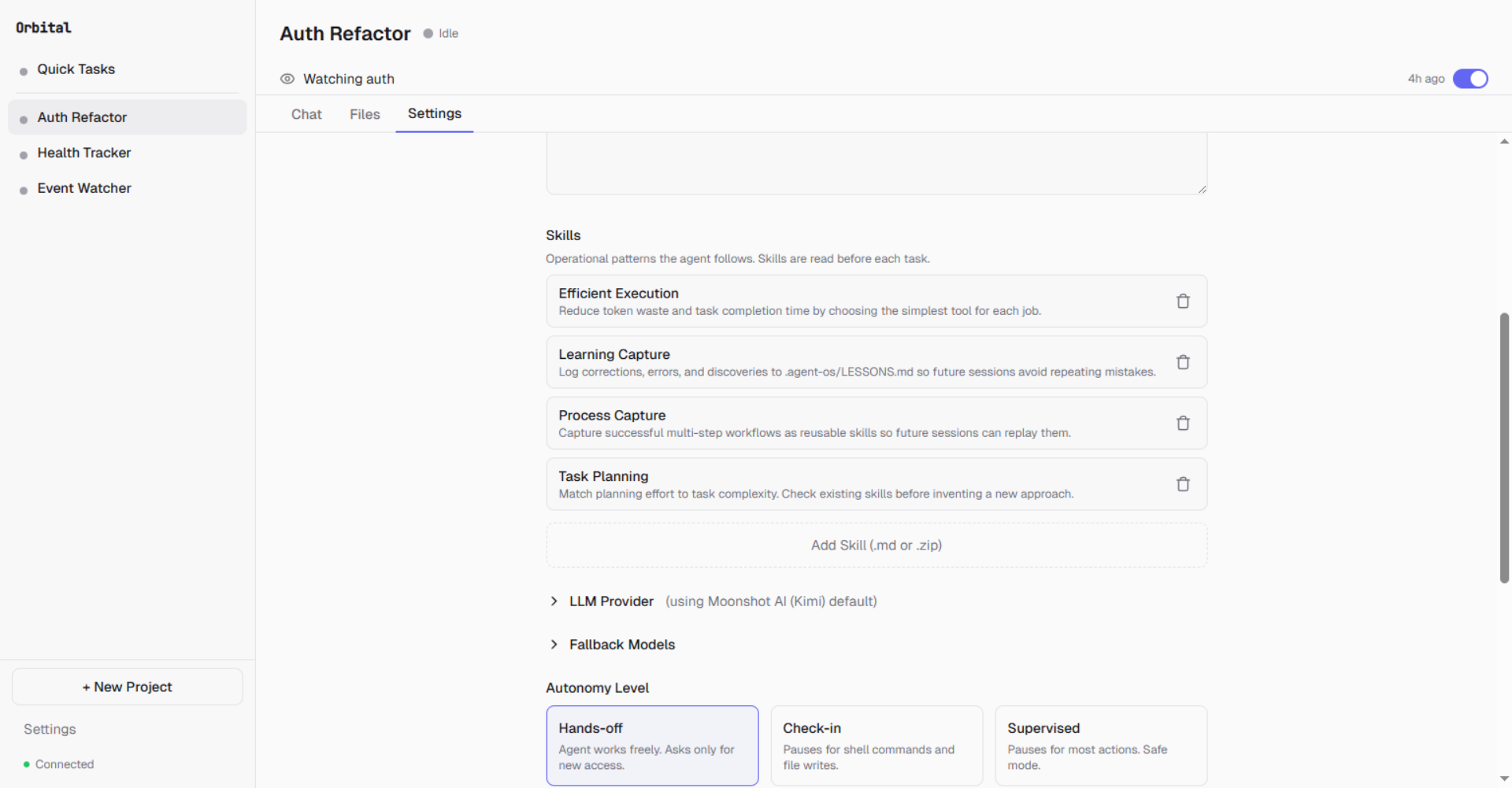
Skills like Efficient Execution, Learning Capture, and Task Planning shape how the agent works
Installation
Windows
- Download
Orbital-Setup-1.0.0.exefrom Releases - Run the installer and follow the prompts
- Launch Orbital from the Start Menu or desktop shortcut
Orbital is not yet code-signed, so Windows will show a security warning:
Windows protected your PC — Microsoft Defender SmartScreen prevented an unrecognized app from starting.
Click "More info" then "Run anyway". Code signing will be added in a future release.
macOS
- Download
Orbital-1.0.0-macOS.dmgfrom Releases - Open the DMG and drag Orbital to your Applications folder
- Launch Orbital from Applications or Spotlight
Requires macOS 13 (Ventura) or later. Apple Silicon and Intel supported.
macOS Gatekeeper WarningOrbital is not yet code-signed, so macOS will block it on first launch:
"Orbital" can't be opened because Apple cannot check it for malicious software.
To proceed:
- Open System Settings → Privacy & Security
- Scroll down — you'll see "Orbital was blocked"
- Click "Open Anyway"
This is only needed once. Code signing will be added in a future release.
From Source
# Clone the repository
git clone https://github.com/zqiren/Orbital.git && cd Orbital

# Install Python dependencies (Python 3.11+)
pip install -e ".[desktop]"

# Install frontend dependencies (Node.js 18+)
cd web && npm install && cd ..

# Start the daemon
python -m uvicorn agent_os.api.app:create_app --factory --port 8000

# Start the frontend dev server (separate terminal)
cd web && npx vite --host 127.0.0.1 --port 5173
Open http://localhost:5173 in your browser. The setup wizard runs on first launch.
Note on Sleep/Shutdown
Orbital prevents system sleep while agents are actively working (via OS-level sleep inhibition on Windows and macOS). When all agents are idle, sleep is re-allowed. The system tray icon shows current agent activity status.
Development
Backend
# Start daemon
python -m uvicorn agent_os.api.app:create_app --factory --port 8000

# Restart with fresh code
bash scripts/restart-daemon.sh
Frontend
cd web
npm install
npx vite --host 127.0.0.1 --port 5173
Key Paths
| Component | Path |
|---|---|
| FastAPI app factory | agent_os/api/app.py |
| Agent loop | agent_os/agent/loop.py |
| Tool implementations | agent_os/agent/tools/ |
| Autonomy interceptor | agent_os/agent/interceptor.py |
| LLM providers | agent_os/agent/providers/ |
| Trigger manager | agent_os/daemon_v2/trigger_manager.py |
| Browser manager | agent_os/daemon_v2/browser_manager.py |
| Desktop entry point | agent_os/desktop/main.py |
| System tray | agent_os/desktop/tray.py |
| Frontend components | web/src/components/ |
Testing
# Unit + platform tests
python -m pytest tests/unit/ tests/platform/ -q \
  --ignore=tests/platform/test_consumer3_wiring.py

# TypeScript check (zero errors expected)
cd web && npx tsc --noEmit

# Daemon integration test
bash scripts/restart-daemon.sh
curl http://localhost:8000/api/v2/projects
Known pre-existing test notes:
test_consumer3_wiring.py— requires Windows sandbox user configurationtest_e2e.py,test_user_stories.py— require a real LLM API key set viaAGENT_OS_TEST_API_KEY
Roadmap
Shipped
- Multi-provider LLM routing with fallback rotation
- Three autonomy presets with cascade to sub-agents
- Streaming chat with real-time WebSocket events
- Browser automation with anti-detection (Patchright)
- Continuous operation via schedule and file-watch triggers
- Natural language trigger creation
- Cloud relay with push notifications and device pairing
- Context compaction with pre-compaction memory flush
- Per-project budget limits and cost tracking
- Credential management (API keys + website credentials)
- Desktop app with system tray and native window
- Agent loop safety guards (iteration cap, repetition, ping-pong, circuit breaker)
- OS-level sleep prevention during agent activity
- Sub-agent delegation with @mention routing
Next
- Webhook triggers — HTTP endpoint that fires agent tasks on incoming webhooks
- Pipeline triggers — Chain project outputs as inputs to other projects
- Network isolation — Per-project domain allowlists enforced at OS level
- Linux sandboxing — bubblewrap enforcement
- Code signing — Eliminate SmartScreen warnings on Windows
- Auto-resume on daemon restart — Restore in-progress sessions
License
Orbital is licensed under the GNU General Public License v3.0.
Orbital - An operating system for AI agents
Copyright (C) 2026 Orbital Contributors

This program is free software: you can redistribute it and/or modify
it under the terms of the GNU General Public License as published by
the Free Software Foundation, either version 3 of the License, or
(at your option) any later version.
Reviews (0)
Sign in to leave a review.
Leave a reviewNo results found