dsh-game-studio
Health Pass
- License — License: MIT
- Description — Repository has a description
- Active repo — Last push 0 days ago
- Community trust — 433 GitHub stars
Code Fail
- exec() — Shell command execution in scripts/fake-llm.mjs
- process.env — Environment variable access in scripts/fake-llm.mjs
- exec() — Shell command execution in src/assets.ts
- exec() — Shell command execution in src/client/feed.ts
Permissions Pass
- Permissions — No dangerous permissions requested
No AI report is available for this listing yet.
Describe a small game in one sentence, play it in the DeepSeek Harness sidebar, swap in AI art, and publish to GitHub Pages or Cloudflare in one click.
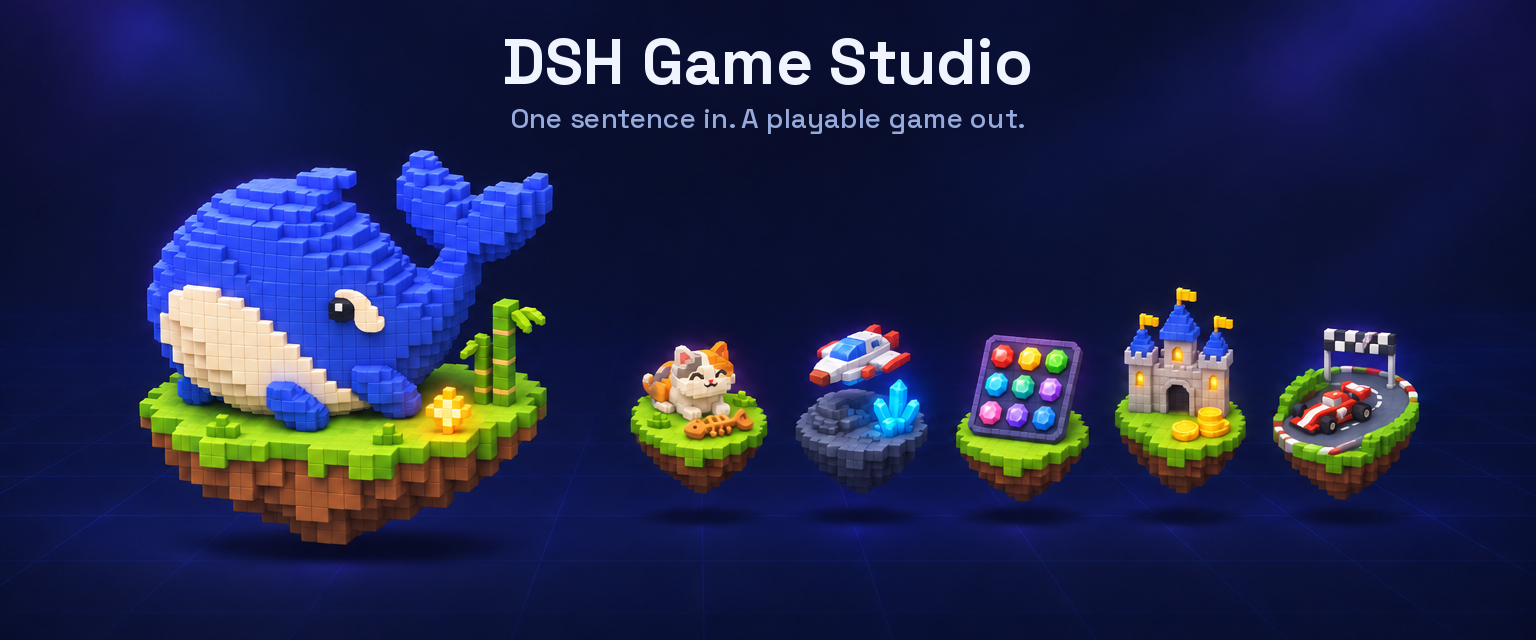
DSH Game Studio
Describe a small game in one sentence — play it in the sidebar of a DeepSeek Harness conversation, swap in AI art, export one HTML file.
10 agent tools • live sidebar preview • 2D and 3D voxel templates • OpenAI or Codex art with a cost check first • self-playing playtests • version history • one-file export
English · 简体中文 · 繁體中文 · 日本語 · 한국어 · Français · Español · Deutsch · Português · Русский · हिन्दी · Türkçe · ไทย · Tiếng Việt · Bahasa Indonesia
Package: @zseven-w/dsh-game-studio · Current plugin release: 0.1.0-rc.5 · Tested with DSH 0.2.1-rc.5
🎮 Live Demo Game Wall (10 playable 2D & 3D games) · Subscribe in Online Sources: finiking/dsh-games
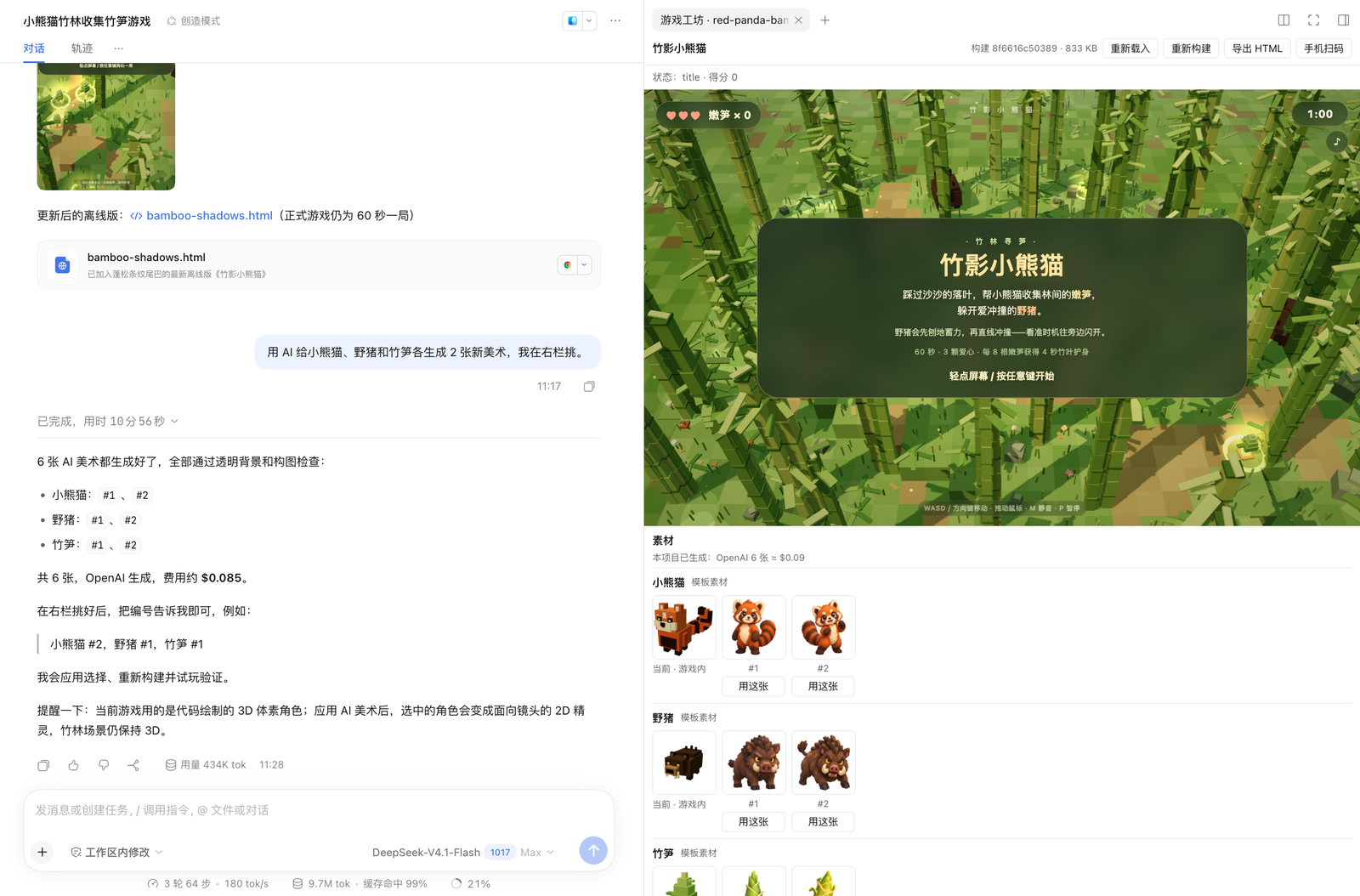
The game plays in the right sidebar while the agent works; numbered AI art candidates wait under it for you to pick
Why DSH Game Studio
Ask the agent for a game in plain words — "a 3D game: a red panda collects bamboo shoots in a forest and dodges wild boars" — and it builds one from a template, plays it to check it works, and shows it in a sidebar you can play right away. Characters start as code-drawn models; when you want real art, the agent generates candidates with OpenAI or your Codex sign-in, you pick one by number, and the game swaps it in. Every change is a version you can go back to, and the finished game exports as a single offline HTML file.
| 🎮 Playable from the first answer | Two templates — a 2D top-down game and the same loop in a 3D voxel world (three.js) — that the agent reshapes into the game you described: characters, rules, levels, screens. |
| 🖥️ Live sidebar preview | The game runs in a sandboxed panel next to the conversation, rebuilds on every change, and lists the art slots, candidates and versions under it. Landscape games get a wide stage. |
| 🎨 Your own art, with a cost check first | game_studio_generate_asset makes numbered candidates per slot with the OpenAI image API or the local Codex CLI. Before anything is spent you get an approval card with the service, image count and expected cost. A picture you attach in chat can be the reference. |
| 🤖 Self-playing playtests | game_studio_playtest plays the latest code in a headless Chrome or Edge and reports phases, score, frame rate, script errors and screenshots. Games that are not steered with arrow keys (grids, cards, aiming, rhythm…) define window.__autoplay, so the playtest plays their real loop. |
| 🕰️ Version history | Every build that changed the game is saved; game_studio_restore_version brings back code, rules and art together. |
| 📦 One-file export | game_studio_export writes a self-contained HTML file with no network access — open it in any browser or put it on any static host. |
| 📱 Try it on your phone | game_studio_share opens a temporary read-only link on your local network — or a temporary public link via a Cloudflare Quick Tunnel (cloudflared) so friends on any network can play — with a QR code in the sidebar. |
| 🌐 Publish to GitHub Pages | game_studio_publish pushes the built HTML (or the whole game wall) to a public repository under your signed-in gh account and enables GitHub Pages for a permanent link that stays live after you close your computer. |
| 🗂️ My games | Open the sidebar's + and pick Game Studio · My games: every game in the workspace as a tile with its latest playtest picture, filtered by 2D/3D and sorted by recency, versions or name. Click one to play it — no agent, no tokens. You can also subscribe to online game sources (owner/repo, GitHub repository URL, or GitHub Pages URL) to browse and play published games alongside your own. Export wall packs your local games into one offline page to send to friends. |
Games made with it
🎮 Try 10 test games live in your browser (desktop or mobile): finiking.github.io/dsh-games/wall — or enter
finiking/dsh-gamesunder Online sources in your local Game Wall to subscribe and play them in your sidebar.
Four games from our test runs. Each started from the one sentence under it, in a fresh session (prompts translated from Chinese); later requests in the same session tweaked some of them, as noted. Gameplay is recorded with each game's own autoplay.
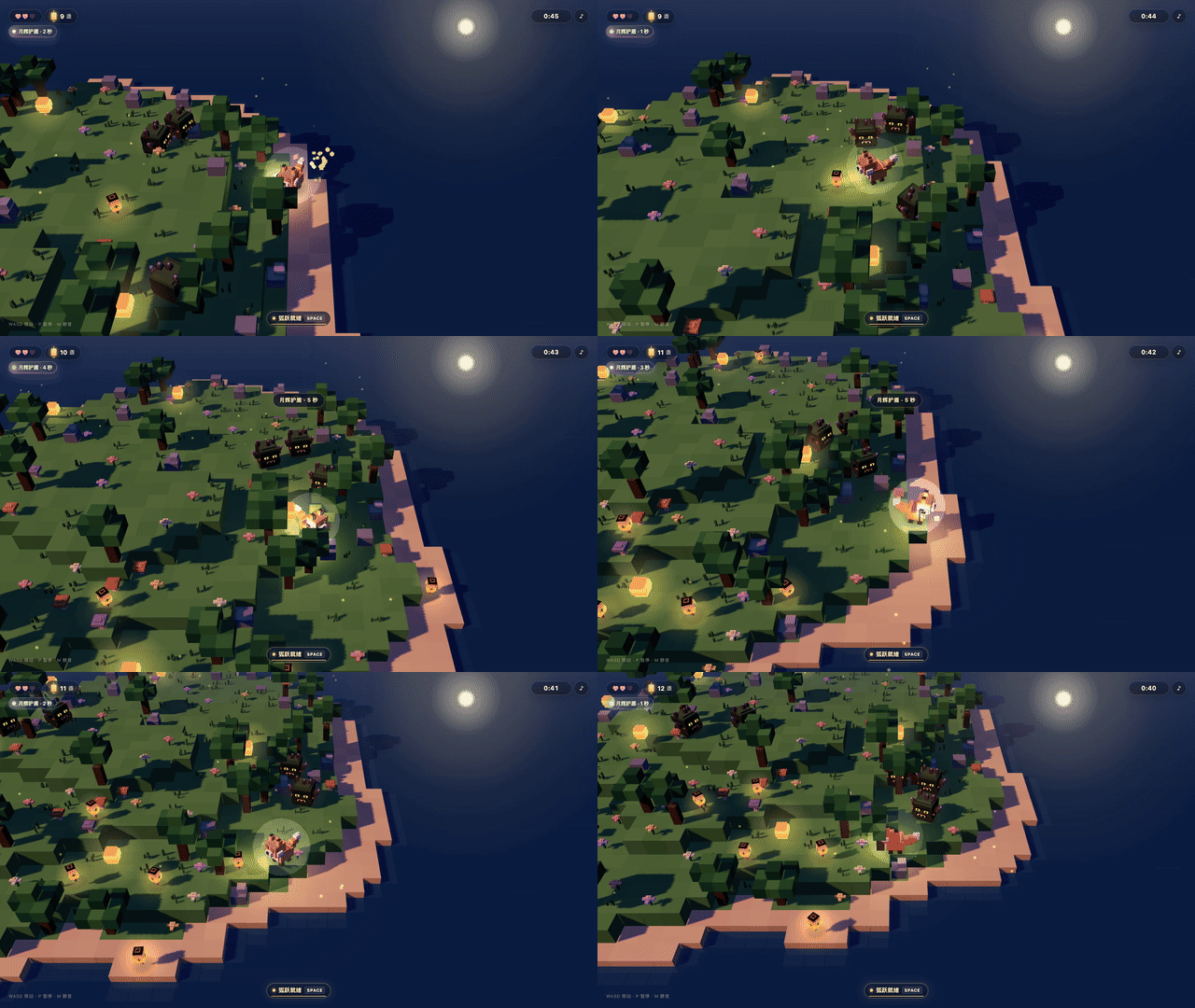
Moonlit Fox: Lantern Isle — 3D voxel template, live gameplay
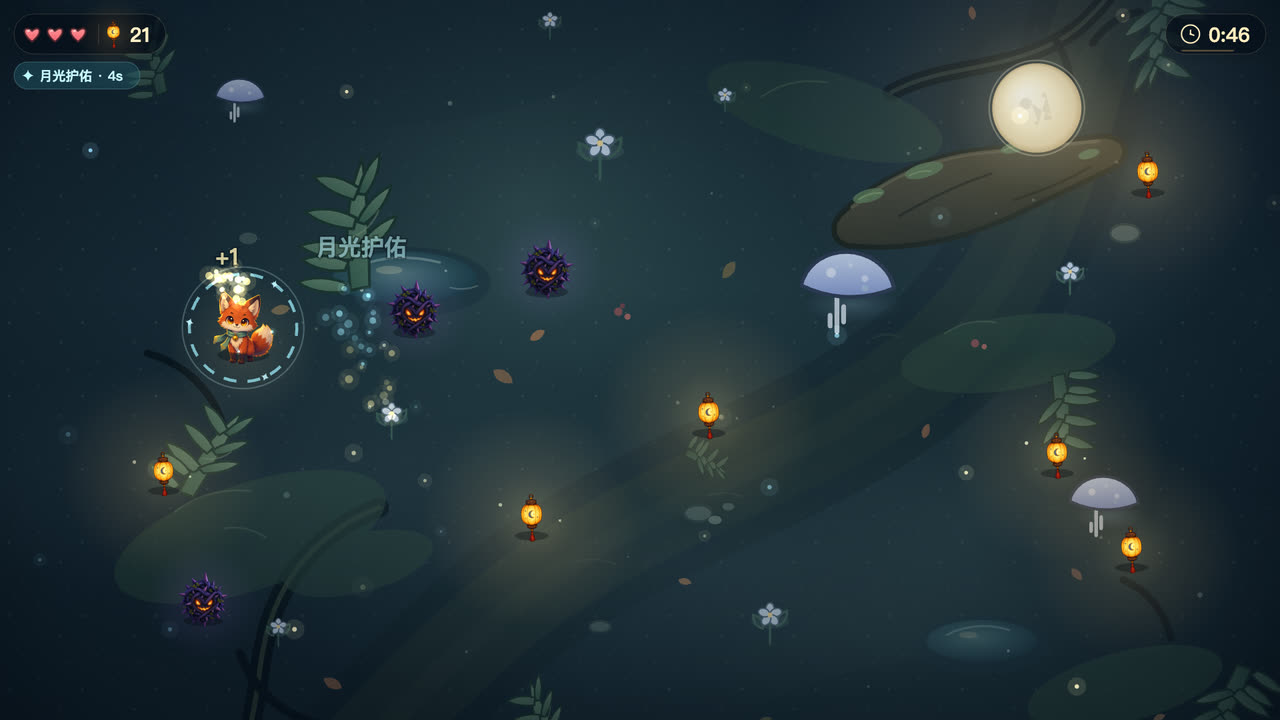 “Make a small game: a little fox collects lanterns in a moonlit forest and dodges thorn monsters.” 2D template; characters later swapped for picked AI art |
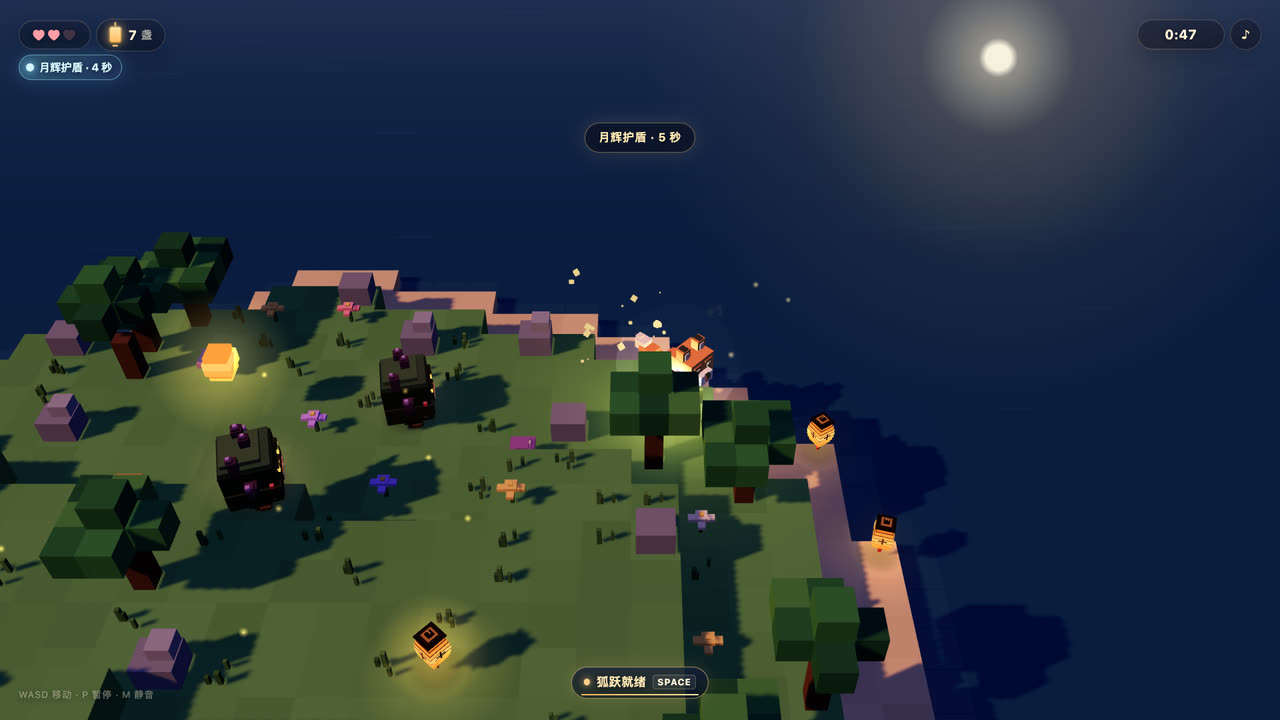 “Make a 3D game: a little fox collects lanterns on a voxel island and dodges thorn monsters.” 3D voxel template; the lantern model was redone in a later request |
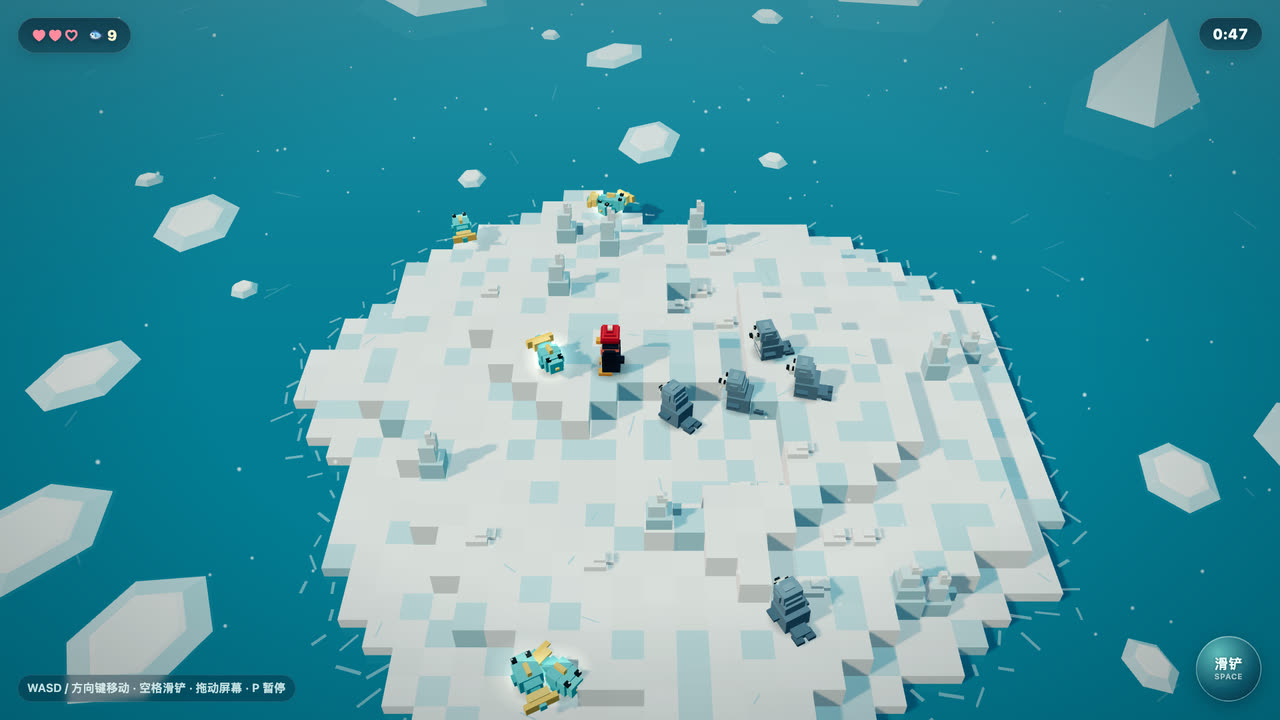 “Make a 3D game: a little penguin collects fish on an iceberg and dodges seals.” 3D; a later request added the red hat |
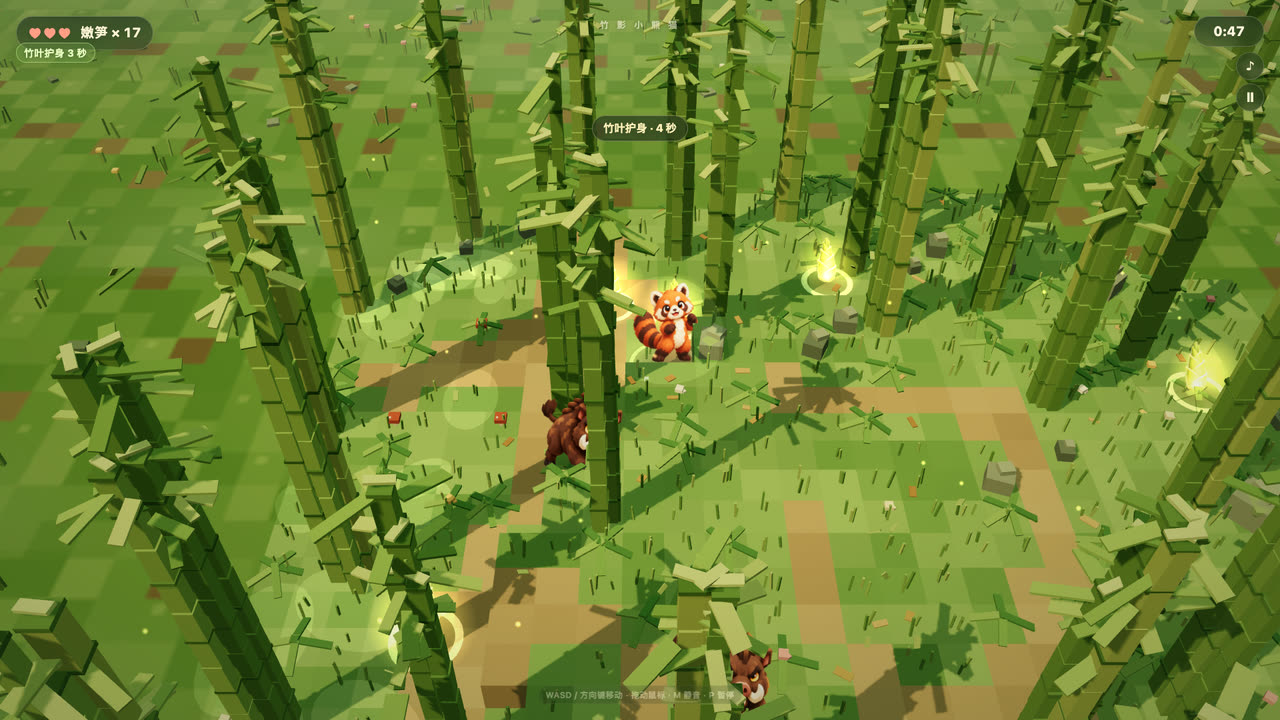 “Make a 3D game: a red panda collects bamboo shoots in a bamboo forest and dodges wild boars.” 3D; characters later swapped for AI art, the forest stays 3D |
How well it works
Measured in a real DSH with DeepSeek-V4.1-Flash, each game made from one sentence in a fresh session, scored by an independent playtest (2026-11-04/05):
- Collect-and-dodge games (the templates' home ground): 10 of 10 different requests were playable on the first try, median about 14 minutes per game.
- Other genres — match-3, box pushing, tower defense, basketball, platformer, rhythm, racing, card battle, farming, café management: all 10 came out playable, but took a median of about 26 minutes. After adding
__autoplay, custom art slots and landscape support, four of them were rerun and took 8–18 minutes. The sample is small.
Tools
| Tool | What it does |
|---|---|
game_studio_create |
Create a playable game from the collector (2D) or voxel (3D) template, build it and show it in the sidebar. Takes the title, an art style, orientation (portrait or landscape) and slots — the game's own art slots, named in the user's language. |
game_studio_build |
Rebuild after editing game.json or game.js, refresh the preview and save a version with a short note. |
game_studio_playtest |
Play the latest code headlessly (phone-shaped portrait or 960×540 landscape) and report phases, best score, hearts, fps, errors and screenshots; characters: true returns close-ups of the characters only. |
game_studio_generate_asset |
Generate 1–4 candidate images for one slot with openai or codex, optionally following a reference picture. Asks for approval before spending. Codex runs in the background. |
game_studio_apply_asset |
Put a candidate into the game by its number, rebuild and refresh. |
game_studio_revert_asset |
Go back to a slot's previous art. |
game_studio_versions |
List saved versions, newest first. |
game_studio_restore_version |
Restore an earlier version of the whole game. |
game_studio_export |
Export one self-contained, offline HTML file. |
game_studio_share |
Open (or close) a temporary read-only link on the local network, or pass public: true for a temporary public link via cloudflared so anyone with the link can play. |
game_studio_list |
List the games in the working directory with title, 2D/3D, build state and versions, so the agent finds "the penguin game" by name. |
game_studio_export_wall |
Export the game wall: one offline HTML page with a tile per built game; click a tile to play it. |
game_studio_publish |
Publish the built game (or wall: true for the game wall) to GitHub Pages via the local signed-in gh CLI, or pass remove: true to delete it. Asks for approval first and only writes to repositories carrying its .dsh-game-studio.json marker. |
The sidebar's buttons (apply, revert, build, export, restore, share, publish) call the same operations through the /game-studio command.
Image services and spending
| Service | What it needs | Cost | Notes |
|---|---|---|---|
| OpenAI (GPT Image) | An API key in DSH credentials or the environment (OPENAI_API_KEY by default) |
Billed per image to your key; the approval card shows an estimate | About a minute per batch. openaiBaseUrl accepts an OpenAI-compatible gateway. |
| Codex CLI | Codex installed and signed in (codex login) |
Counts against your Codex plan; no API key | Several minutes per image, runs in the background and reports back when done. |
imageProvider: auto (the default) uses OpenAI when its key is set and Codex otherwise. With confirmSpending on (the default) nothing is generated until you approve the card. Sprites are checked for a transparent background and framing and fitted to the slot before they are offered.
Security and privacy
- Games run in a sandboxed iframe with a content security policy that blocks network access; exported files make no network requests.
- The only things sent off your machine are the prompts — and the reference picture, if you give one — to the image service you choose.
- The share link is read-only, serves just that game's build, and closes after the time you set (30 minutes by default). Local links listen on your local network only; public links listen on
127.0.0.1only and tunnel through Cloudflare (trycloudflare.com) after you approve. - Publishing to GitHub Pages (
game_studio_publish) uses your local signed-inghCLI (the plugin never touches your GitHub token), uploads only the built HTML to a public repository after you approve, and refuses to write to any existing repository that does not carry its.dsh-game-studio.jsonmarker. - Online game sources run on the provider's own site inside a sandboxed iframe (
sandbox="allow-scripts") without access to DSH or your workspace, and are never copied or forwarded when exporting or publishing your local game wall. - API keys are read from DSH credentials or the environment and are never written into projects, logs or tool results.
Requirements
- DeepSeek Harness
0.2.1or later (web or desktop), Node.js24.11or later. - Google Chrome or Microsoft Edge on the same computer for playtests.
- For AI art, either an OpenAI API key or the Codex CLI signed in. Without either, games still work with their code-drawn characters.
- Optional:
cloudflared(brew install cloudflaredon macOS) for temporary public share links;gh(brew install ghandgh auth login) for publishing to GitHub Pages.
Install into DSH
Install from npm into a DSH profile:
dsh plugin --profile web add @zseven-w/dsh-game-studio@latest
dsh web
Quick start
Open a session in a workspace folder and ask, for example:
Make a small game: a kitten steals dried fish in a kitchen without bumping into the robot vacuum.Make a 3D game: a little knight collects coins in a castle and avoids skeletons; collecting 20 coins in 60 seconds wins.Make a match-3 game on a 6×6 grid; reach 1000 points in 60 seconds to win.
Then try:
Generate 2 new pieces of art for the hero with AI; I'll pick in the sidebar.Follow the picture I attached for the hero's look.Export it as a single HTML file.
Configuration
Set these under config in your profile's cordis.patch.yml:
| Option | Default | Meaning |
|---|---|---|
imageProvider |
auto |
auto, openai or codex. |
openaiModel |
gpt-image-2.5-flare |
OpenAI image model; pin it so results stay comparable. |
openaiBaseUrl |
OpenAI | OpenAI-compatible base URL, e.g. a company gateway. |
openaiCredential |
OPENAI_API_KEY |
Name of the credential or environment variable holding the key. |
codexPath |
found on PATH or through the login shell |
Codex CLI executable. |
codexModel |
Codex's default | Model for Codex image runs. |
codexReasoningEffort |
low |
Reasoning effort for Codex image runs. |
codexTimeoutMinutes |
15 |
Give up on one Codex image after this long. |
confirmSpending |
true |
Ask for approval before every generation. |
cloudflaredPath |
found on PATH or Homebrew |
cloudflared executable for temporary public share links. |
ghPath |
found on PATH or Homebrew |
GitHub CLI (gh) executable for publishing to GitHub Pages. |
githubRepo |
dsh-games |
Public GitHub repository name (under your signed-in account) for GitHub Pages. |
Game project format
Each game is a plain folder in your workspace:
game.json— title, art style, orientation, art slots and rules. Rules are free-form: any key is passed to the game aswindow.GAME.rules.game.js— the game code the agent edits. It exposeswindow.__gameState()for playtests, optionallywindow.__autoplay(state)for games not steered with arrow keys, andwindow.__renderSlots(size)so the sidebar shows characters drawn in code (the 2D template draws them indrawCharacter()).assets/— the picture for each slot plusASSETS.json, the record of where each one came from. You can draw over a slot's file directly; the studio records it as your edit.dist/index.html— the current build;.studio/holds versions, candidates and playtest runs.
Development
npm ci
npm run build   # lib/index.js, lib/client.js and the bundled three.js runtime
npm test        # node --test; playtest tests are skipped when no Chrome or Edge is found
Ecosystem
- DSH Crew — dispatch work to DSH agents from Claude Code / Codex
- DSH iOS — a live iOS Simulator or USB iPhone inside the conversation
- DSH Android — a live Android emulator or USB device inside the conversation
- DSH Noema — long-term memory for DSH
- DSH OpenPencil — inspect and edit
.opdesign documents inside a conversation
Credits & License
- three.js — the 3D runtime bundled into voxel games (MIT).
- qrcode-generator — Kazuhiko Arase — the QR code in the sidebar's share panel (MIT).
- Playwright (
playwright-core) — drives the browser for playtests (Apache-2.0; runtime dependency). - The templates, sprites and voxel models are original to this project.
- See THIRD_PARTY_NOTICES.md for the full notices.
License: MIT
Reviews (0)
Sign in to leave a review.
Leave a reviewNo results found