termpeek
Health Warn
- License — License: MIT
- Description — Repository has a description
- Active repo — Last push 0 days ago
- Low visibility — Only 5 GitHub stars
Code Fail
- rm -rf — Recursive force deletion command in lib/cache.sh
- rm -rf — Recursive force deletion command in lib/render.sh
Permissions Pass
- Permissions — No dangerous permissions requested
No AI report is available for this listing yet.
Preview images, video, PDFs, code and diffs from inside an AI coding CLI that can't show them to you. Works with Claude Code, Codex, Gemini CLI, Hermes.
Preview images, video, PDFs, code and diffs from inside an AI coding CLI that can't show them to you.




Install · Usage · Configuration · How it works · Contributing
When your agent writes an image, you get Read image (42 KB). The agent can see
it. You can't — the full-screen TUI sits between every renderer and your screen.
termpeek doesn't fight the TUI. It renders where the TUI never repaints.
termpeek ~/Desktop/dashboard-v3.png              # image, full pixels
termpeek out/onboarding-demo.mp4                 # video, sampled into a filmstrip
termpeek docs/2026-q3-report.pdf                 # rendered page, not a filename
termpeek https://x.com/nykdotdev/status/20       # the post, as a card
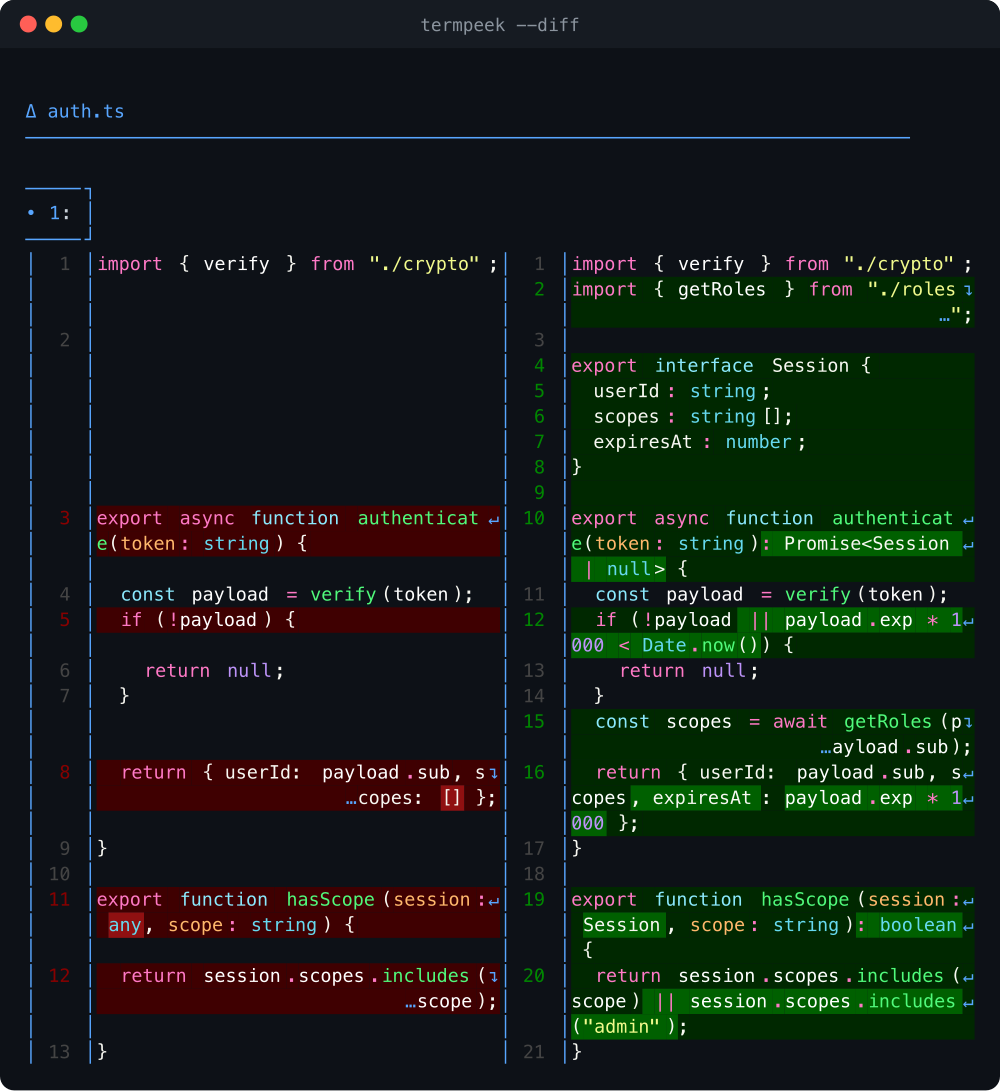
termpeek --diff HEAD~1                           # what changed, side by side
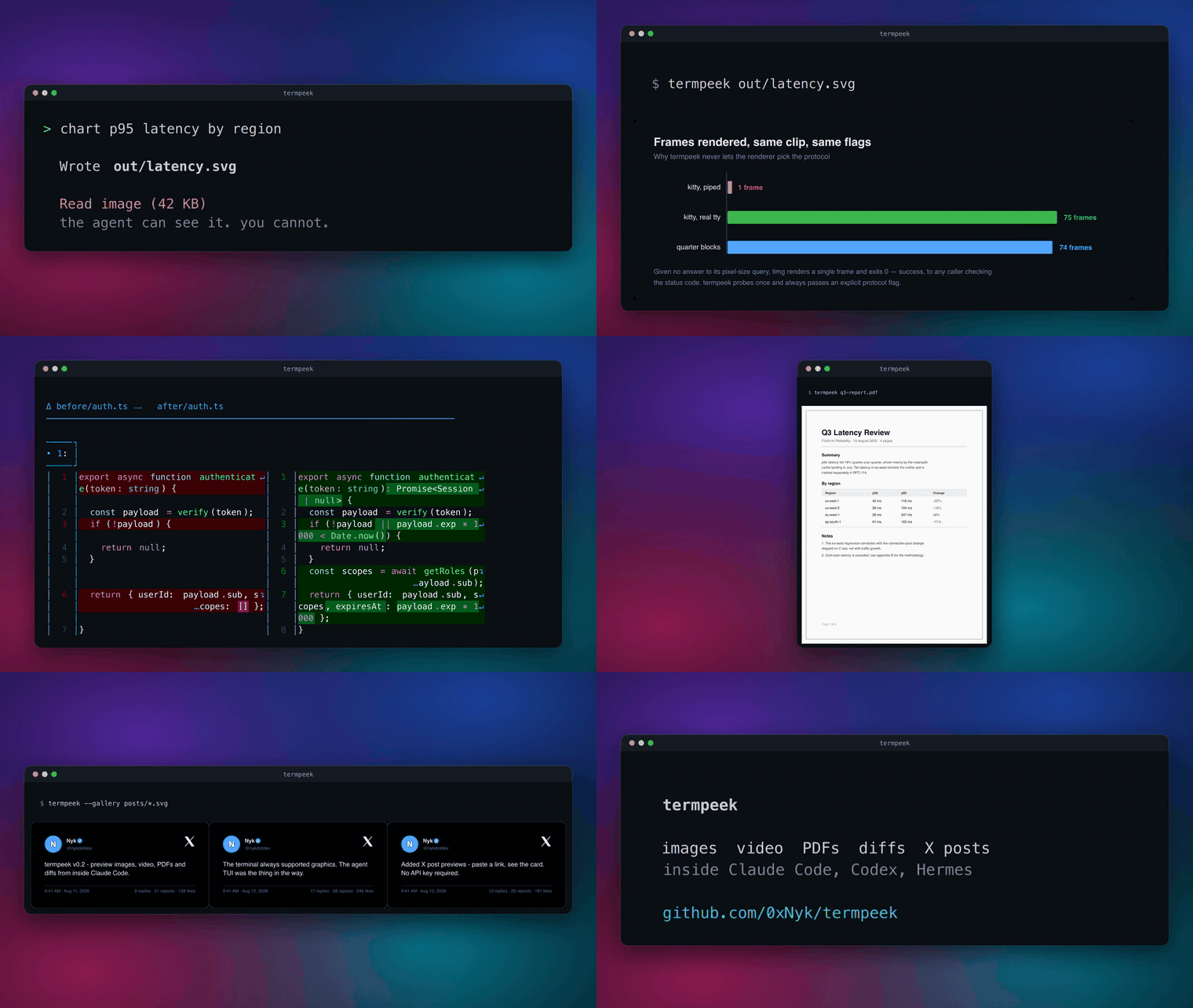
Features
- Images, video, PDFs, code, diffs and X posts — one command, type detected
automatically - Works inside the agent — Claude Code, Codex, Hermes, Gemini, or anything
that speaks MCP - A sidebar, not a context switch — previews open beside the conversation
and reuse one tmux pane - Automatic previews — a
PostToolUsehook shows media the moment the agent
writes it - X posts without an API key — paste a link, get the rendered card
- Degrades instead of failing — no graphics protocol means Unicode block
art, which works in every terminal and over SSH - No runtime to install — bash 3.2, so it runs on a stock Mac
- Entirely local — nothing is sent anywhere
Install
git clone https://github.com/0xNyk/termpeek
cd termpeek && ./install.sh
Then the renderers (Homebrew shown; all are widely packaged):
brew install chafa ffmpeg    # required: images, video, PDFs, tiling
brew install poppler         # PDFs (pdftoppm)
brew install bat git-delta   # code and diffs
brew install tmux            # optional, gives the sidebar
chafa and ffmpeg are the two that matter. Everything else degrades.
get.sh clones or updates the repo and runs the installer. Fetch it, read it,
then run it — it is deliberately short:
curl -fsSL https://raw.githubusercontent.com/0xNyk/termpeek/main/get.sh -o get.sh
less get.sh && sh get.sh
It clones a public repository and symlinks three scripts into ~/.local/bin.
Nothing else: no sudo, no shell profile edits, no daemons. Piping an installer
straight into a shell is a habit worth not having.
Quick start
tp-session          # launch claude inside tmux with the sidebar ready
tp-session codex    # or any other agent CLI
Then ask the agent to preview anything, or run termpeek <file> yourself.
Usage
termpeek out/latency-by-region.png       # detect type, pick transport, show it
termpeek --diff                          # working-tree diff
termpeek --diff HEAD~3 -- src/           # any git diff arguments
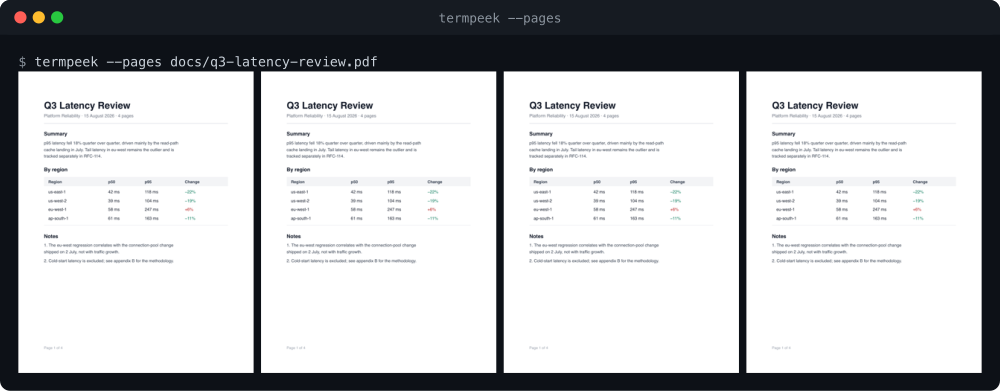
termpeek --pages docs/2026-q3-report.pdf # contact sheet of every page
termpeek --page 4 docs/spec.pdf          # a specific page
termpeek https://x.com/nykdotdev/status/20
termpeek --gallery shot.png report.pdf   # several items at once
termpeek --carousel --wait 4 img/*.png   # one at a time
termpeek --probe                         # what your terminal actually supports
| Flag | Meaning | Default |
|---|---|---|
-g, --geometry <WxH> |
size in character cells | measured from the pane |
-p, --protocol |
kitty | iterm | sixel | symbols |
detected |
-t, --transport |
tmux | window | inline |
detected |
--page <n> |
PDF page | 1 |
--pages |
PDF contact sheet | off |
--gallery |
tile several items together | off |
--carousel |
cycle several items, one at a time | off |
--cols <n> |
gallery columns | auto — whatever fits the pane best |
--wait <s> |
carousel delay per item | 3 |
--dpi <n> |
PDF DPI (overrides exact-pixel sizing) | auto |
--loops <n> |
video loops, -1 for forever |
1 |
--here |
write to stdout, skip the transport | off |
What it renders
| Type | Renderer | Notes |
|---|---|---|
| Images | chafa | PNG, JPG, GIF, WebP, SVG, AVIF, JXL, TIFF, QOI |
| Video | ffmpeg → chafa | sampled into a filmstrip; TERMPEEK_ANIMATE=1 to play it |
| pdftoppm → chafa | rasterized at 2x the display size, framed as a page | |
| Tiled views | ffmpeg → chafa | composed into one image, laid out to fit the pane |
| Diffs | delta | syntax highlighted, side-by-side when wide enough |
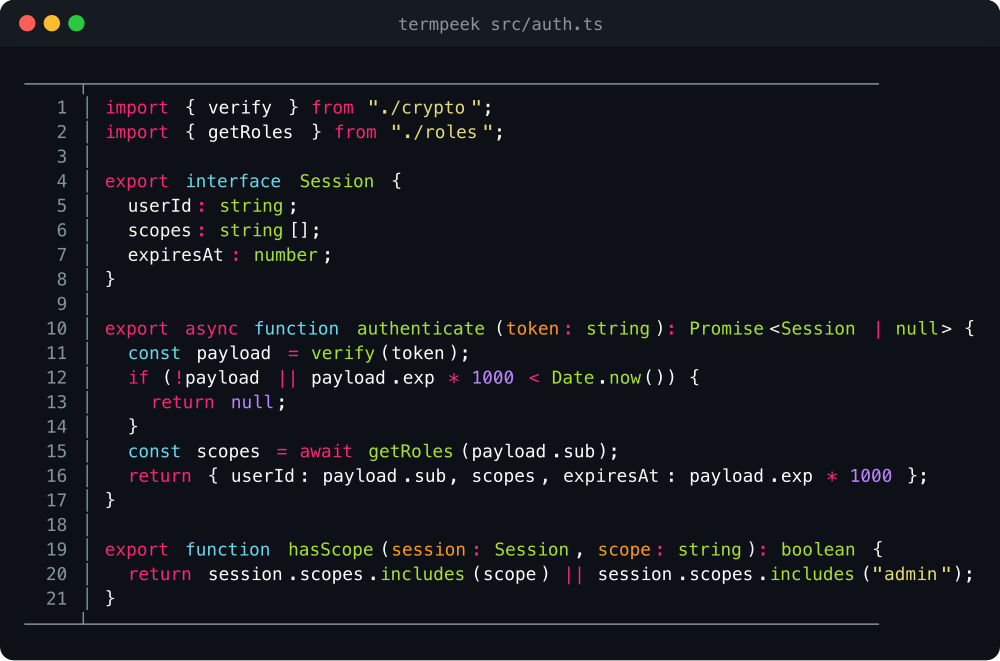
| Code | bat | syntax highlighting and line numbers |
| X posts | SVG → chafa | avatar, badge, text, counts — no API key needed |
Inside tmux everything goes through chafa, including video and tiled views —
here's why.
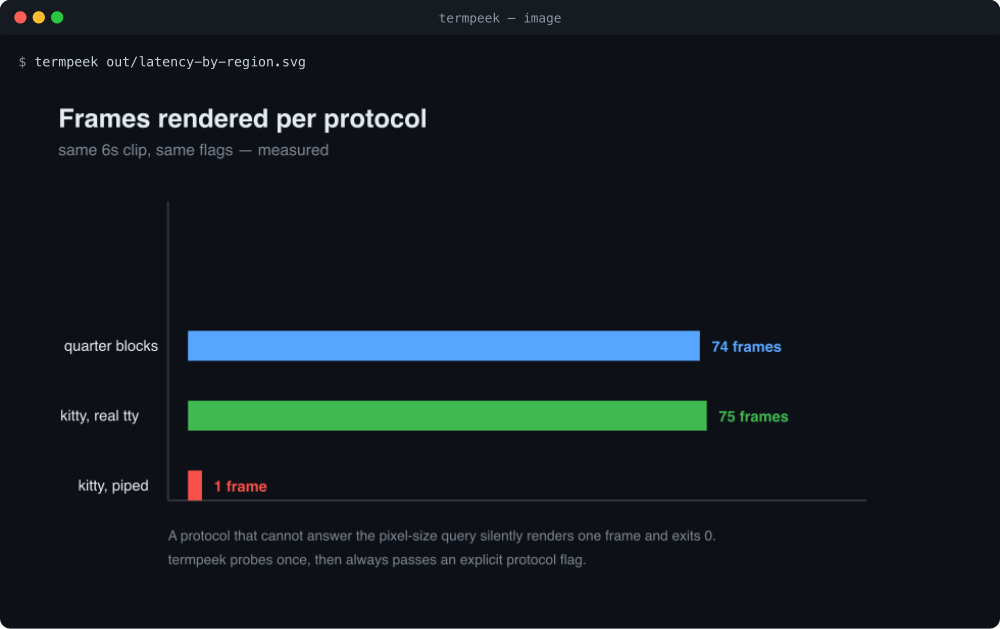
Every image below is generated from real command output by tools/ansi2svg.py,
not drawn by hand.
Images
Video
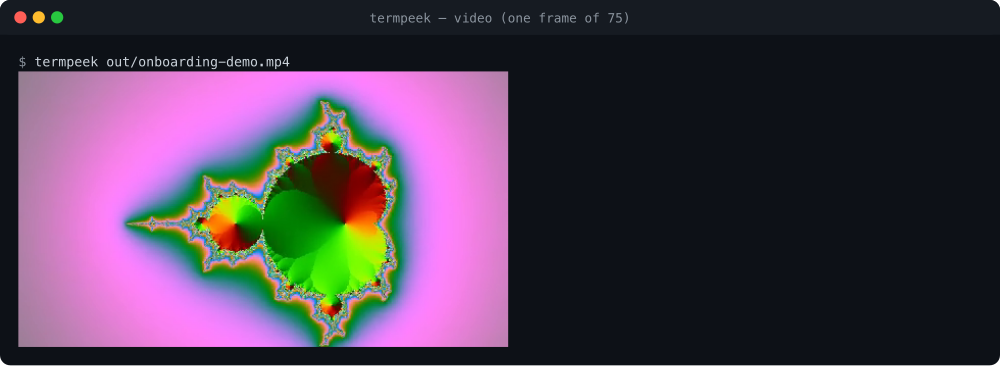
A clip is sampled into a filmstrip by default, because a still persists in the
pane and an animation does not. TERMPEEK_ANIMATE=1 plays it instead.
PDFs
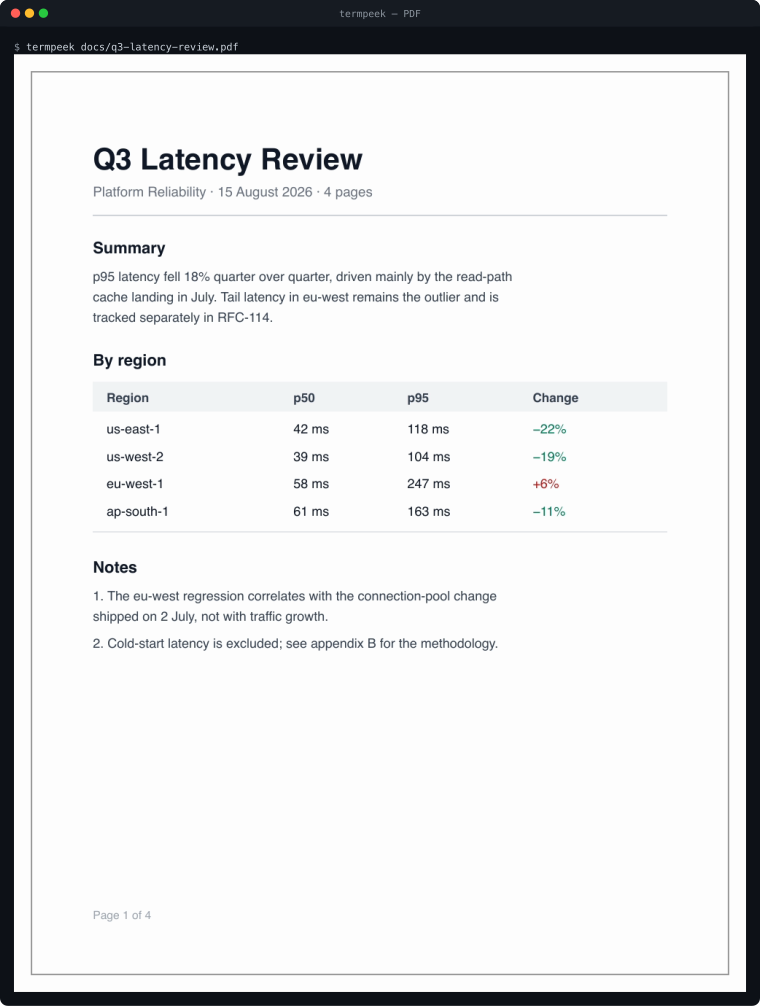
Rasterized at twice the pixel size the terminal will draw, then downscaled, so
the downscale itself does the anti-aliasing and small type stays legible.
--pages gives the whole document at once:
Diffs
Code
Several things at once
termpeek --gallery a.png report.pdf https://x.com/nykdotdev/status/20
termpeek --carousel --wait 4 links/*.url     # one at a time
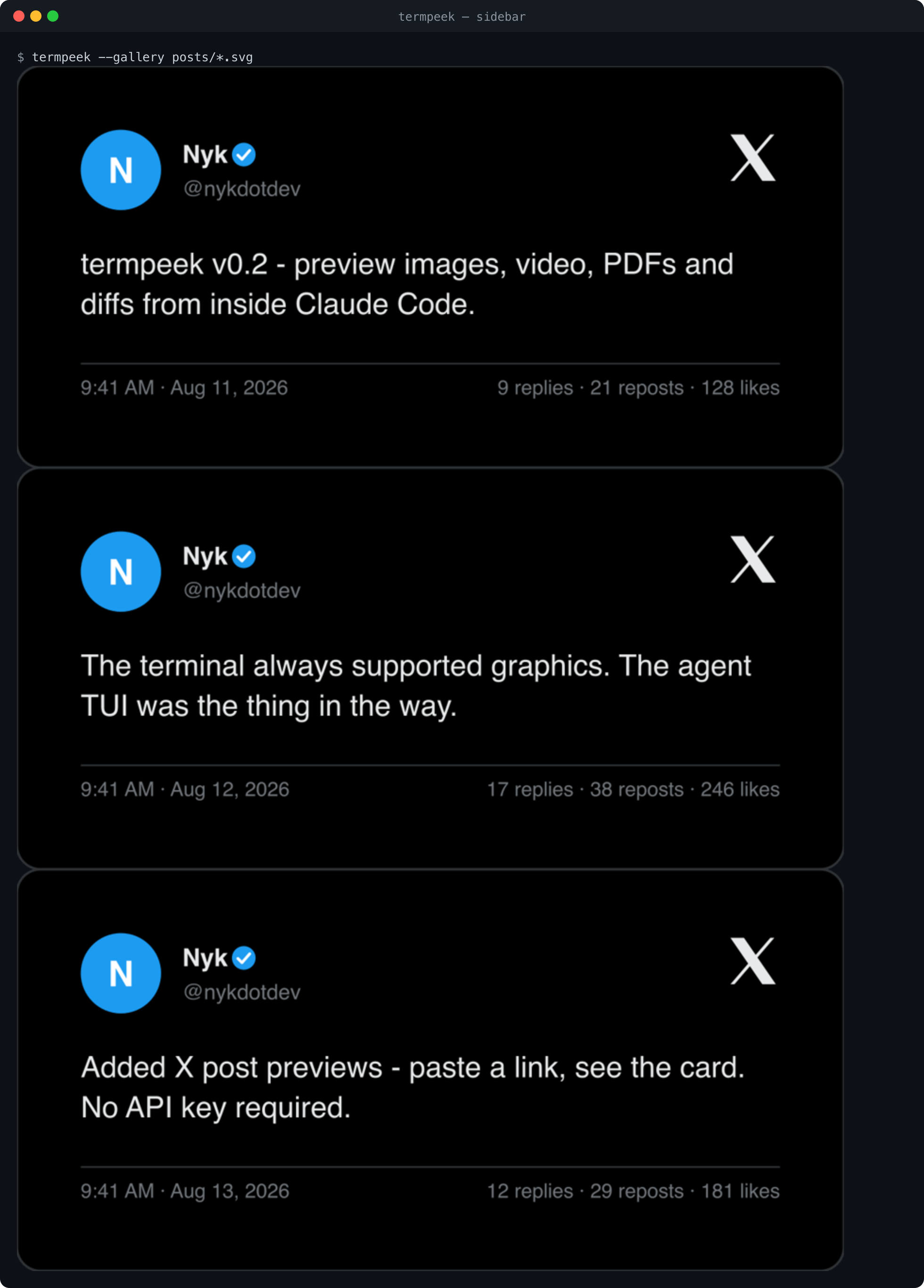
The layout adapts to the pane rather than assuming a row: a narrow sidebar
stacks the tiles, a wide window spreads them. Pin it with --cols.
The sidebar
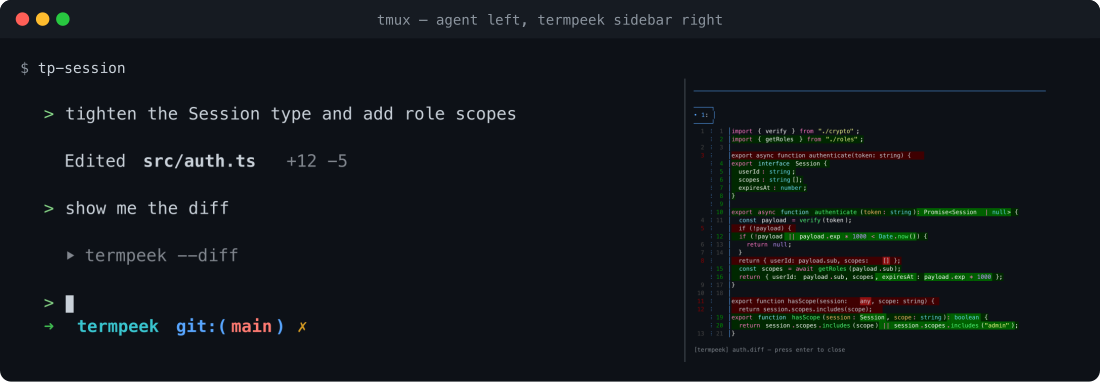
Captured from a real tmux session: the agent runs on the left, previews open on
the right and reuse that one pane.
Capability probe
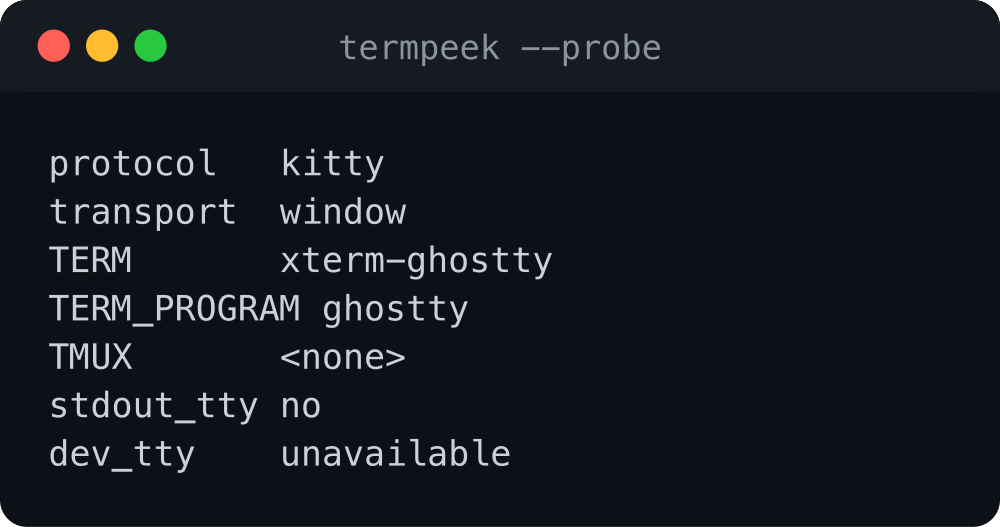
Integrations
| CLI | How | Status |
|---|---|---|
| Claude Code | skill, auto-preview hook, or MCP | verified end to end |
| Codex | MCP | verified end to end — mcp: termpeek/preview (completed) |
| Hermes Agent | MCP | connected, all 4 tools discovered by its own tester |
| Gemini CLI | MCP | protocol verified, not tried in the client |
| Grok Build | renders images natively; termpeek adds PDFs, diffs and posts | untested |
Gemini is protocol-verified only; it is marked that way rather than assumed.
If your agent can run a shell command or speak MCP, it can use termpeek.
MCP
claude mcp add termpeek -- /path/to/termpeek/scripts/termpeek-mcp
codex mcp add termpeek  -- /path/to/termpeek/scripts/termpeek-mcp
hermes mcp add termpeek --command /path/to/termpeek/scripts/termpeek-mcp
Four tools: preview, preview_many, preview_diff, probe.
This differs from other image-related MCP servers in a way worth stating: they
return base64 so the model can see a picture. This renders to your
terminal and returns text to the model. The model already has a tool for
reading an image; what it cannot do is put one in front of you. See
hooks/mcp/README.md.
Automatic previews
A PostToolUse hook previews media the moment the agent writes it.
{ "hooks": { "PostToolUse": [ { "matcher": "Write|Edit|NotebookEdit",
  "hooks": [ { "type": "command",
    "command": "/path/to/termpeek/hooks/claude-code/auto-preview.sh" } ] } ] } }
Images, PDFs and video only — code and diffs are skipped, because the agent
already shows you those.
Note the matcher: Write|Edit|NotebookEdit. Media an agent generates through a
shell command (ffmpeg, pdftoppm, a plotting script) arrives via Bash and
will not trigger this hook. Adding Bash to the matcher is not enough on
its own, because a shell command can return while its output is still being
flushed — that is the case the write-settle check exists for. Repeats of the same file are suppressed for 20 seconds,
so a render loop opens one preview rather than forty. TERMPEEK_AUTO_PREVIEW=0
turns it off. See hooks/claude-code/README.md.
Configuration
Everything is an environment variable; none are required.
| Variable | Does | Default |
|---|---|---|
TERMPEEK_PROTOCOL |
force kitty / iterm / sixel / symbols |
detected |
TERMPEEK_TRANSPORT |
force tmux / window / inline / none |
detected |
TERMPEEK_GEOMETRY |
size in cells, e.g. 80x40 |
measured from the pane |
TERMPEEK_ANIMATE |
1 plays video instead of a filmstrip |
0 |
TERMPEEK_STRIP_FRAMES |
frames sampled for the filmstrip | 4 |
TERMPEEK_SUPERSAMPLE |
PDF raster multiple | 2 |
TERMPEEK_MAX_PAYLOAD |
bytes before a render is scaled down | 8000000 |
TERMPEEK_WAIT_STABLE |
0 renders immediately instead of waiting for a file to finish writing |
1 |
TERMPEEK_RENDERER |
timg to prefer timg outside tmux |
chafa |
TERMPEEK_COLS |
pin gallery columns | auto |
TERMPEEK_SIDEBAR_WIDTH |
sidebar pane width | 45% |
TERMPEEK_TMUX_MODE |
sidebar or popup |
sidebar |
TERMPEEK_WINDOW_APP |
terminal to spawn for the window transport | platform default |
TERMPEEK_X_BACKEND |
syndication / xint / cookies |
tried in order |
TERMPEEK_X_COOKIE_FILE |
cookie file for the cookie backend | unset |
TERMPEEK_AUTO_PREVIEW |
0 disables the hook |
1 |
TERMPEEK_CACHE_DISABLE |
1 bypasses the cache |
0 |
Documentation
- How it works — the TUI problem, transports, and the
three constraints the implementation is built around - X post previews — backends, cookie auth, limitations
- Caching — what is cached, and how it is invalidated
- Contributing · Security · Changelog
Comparison
There are good pieces in this space. None of them cover the whole problem.
| Covers | Gap termpeek fills | |
|---|---|---|
| chafa / timg / viu | rendering | no way past the agent's TUI; auto-detection downgrades silently |
| Existing Claude Code image skills | images, Claude only | no video, PDFs or diffs; single-agent |
| MCP image servers | the model sees the image | you still don't; different problem, both useful |
| cterm, cmux, Warp | replacing your terminal | termpeek works with the terminal you already use |
| Grok Build's native support | images, one vendor | everything else, plus PDFs and diffs |
FAQ
Does it send anything anywhere? No. Rendering is entirely local.
What if my terminal has no graphics support? You get Unicode block art. It
works in every terminal, including over SSH and inside CI logs.
Do I have to use tmux? No. Without it you get a separate window, which works
everywhere. tmux only buys you the sidebar.
Why doesn't my video move? By design — the default is a filmstrip, because a
still survives in the pane and an animation does not. TERMPEEK_ANIMATE=1 plays
it.
Can it preview a half-written file? It waits for one. A file touched in the
last couple of seconds is polled until its size and mtime settle, then rendered;
older files skip the check entirely. On a slow writer it gives up and renders
what is there rather than blocking. TERMPEEK_WAIT_STABLE=0 turns it off.
A large preview came up empty. Lower TERMPEEK_MAX_PAYLOAD. chafa transmits
uncompressed RGBA, and tmux discards output once a pane's backlog gets large
enough.
Will this break when Claude Code adds native image support? Images become
redundant; video, PDFs, diffs and the other agents do not. The tool is built
around a constraint that only partly goes away.
Does it work over SSH? Yes, with the caveats you'd expect: Kitty graphics
pass through, and the block-art fallback always works.
Requirements
macOS or Linux. bash 3.2 is enough (macOS ships it). chafa and ffmpeg are
the dependencies that matter — ffmpeg composes tiled views, samples video
filmstrips and frames PDF pages. poppler (pdftoppm) is needed for PDFs,bat and git-delta for code and diffs.
On Linux you need either tmux or a terminal emulator and a display; headless
hosts get the inline path only.
Contributing
./tests/run.sh
Contributions welcome — see CONTRIBUTING.md. The most useful
thing you can add is a regression test: every bug in this project failed
silently, by falling back rather than erroring.
CI runs shellcheck plus the suite on Ubuntu and macOS. macOS gets its own job
because it ships bash 3.2, where an empty array under set -u is fatal — a
difference that has already broken this project once.
License
Reviews (0)
Sign in to leave a review.
Leave a reviewNo results found