Cenra
Health Gecti
- License — License: MIT
- Description — Repository has a description
- Active repo — Last push 0 days ago
- Community trust — 11 GitHub stars
Code Gecti
- Code scan — Scanned 12 files during light audit, no dangerous patterns found
Permissions Gecti
- Permissions — No dangerous permissions requested
This tool is a production-ready AI support agent designed for SaaS companies. It ingests your business documentation and uses conversational memory to provide interactive, context-aware customer support via an embeddable chat widget.
Security Assessment
The overall risk is rated as Low. The automated code scan of 12 files found no dangerous patterns, no hardcoded secrets, and the tool does not request any inherently dangerous permissions. Because it is an AI support agent, the system naturally processes potentially sensitive data, including customer chat logs, session details, and device context. It relies on external network requests to function properly, specifically connecting to third-party services for document ingestion (Firecrawl, Jina), AI processing (LangGraph), and authentication (Google OAuth). Just be aware that you will need to securely manage your own API keys and user authentication tokens (JWT) when self-hosting the application.
Quality Assessment
The project is actively maintained, with its most recent code push occurring today. It uses a highly modern technology stack (Next.js, React, TailwindCSS) within a clean monorepo architecture, indicating professional development standards. It is fully licensed under the permissive MIT license, making it safe for commercial and private use. While community trust is currently small with only 11 GitHub stars, the active development and clean codebase are highly promising signs.
Verdict
Safe to use, provided you securely configure your own environment variables and API keys during deployment.
AI Agent that actually understands your business
 Cenra
Cenra




AI Agent that actually understands your business
What is Cenra
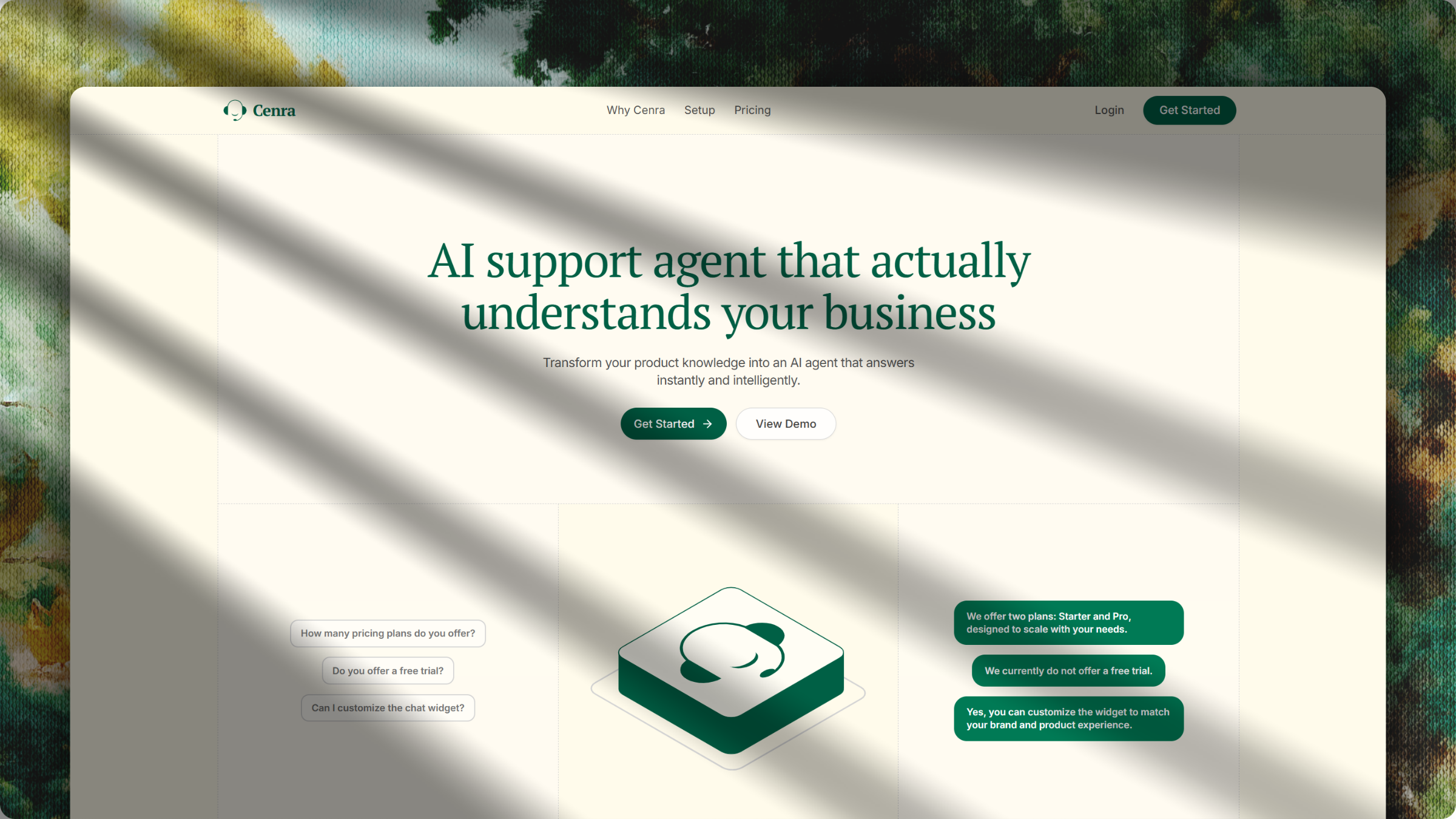
Cenra is a production-ready AI support agent that deeply understands your business context, documentation, and product knowledge. Built for modern SaaS companies, it transforms static resources into an interactive widget that remembers customer conversations, handles intelligent responses in real-time, and integrates seamlessly into your existing workflows without requiring complex AI infrastructure.
Features
- Flexible Integrations & AI Chat Widget: Deploy an embeddable, responsive customer support widget across websites and apps (HTML, React, Next.js) with real-time streaming responses.
- Product-Trained Knowledge: Train Cenra on your website, docs, and FAQs. Automatically vectorize and ingest business documents via Firecrawl and Jina to deliver accurate, business-aligned responses.
- Context-Aware Support: LangGraph-powered conversational memory maintains context across messages and follow-ups so users don't have to repeat themselves.
- Customer Context Extraction: Access customer details like email, device, location, and session data directly within conversations for highly personalized AI responses.
- AI + Human Workflow: Automatically resolve routine queries or smoothly escalate them, giving your support team full control directly from a unified dashboard inbox.
- Support Analytics: Track requests, resolutions, escalations, and trends with real-time insights to continuously improve your support performance.
- Workspace Administration: Comprehensive admin controls to manage agent settings, appearance, knowledge bases, and secure authentication (JWT & Google OAuth).
- Subscription & Billing: Built-in pricing, billing tiers, and usage gating via Dodo Payments.
- Developer-First Architecture: Clean monorepo structure (Turborepo) featuring containerized Docker services for rapid deployment and robust local development.
Tech Stack
| Category | Technologies |
|---|---|
| Frontend | Next.js 16 (App Router), React 19, TailwindCSS, shadcn/ui, Zustand, Framer Motion |
| Backend | Node.js, Express, LangChain, LangGraph, Qdrant |
| Database | PostgreSQL (Neon DB), Prisma ORM |
| AI Integration | Gemini API, Jina AI |
| DevOps | Docker, Docker Compose, Turborepo |
| Tooling | TypeScript, ESLint, Prettier, PNPM |
Project Structure
cenra/
├── apps/
│   ├── web/               # Next.js workspace dashboard for ops teams
│   └── widget/            # Next.js embeddable customer chat widget
├── packages/
│   ├── backend/           # Node.js/Express API and LangGraph AI agent
│   ├── db/                # Prisma schema, migrations, and database client
│   ├── eslint-config/     # Shared ESLint configurations
│   ├── typescript-config/ # Shared TypeScript configurations
│   └── ui/                # Shared React components (shadcn/ui)
├── docker/                # Dockerfiles for web, widget, and backend
└── docker-compose.yml     # Local deployment and orchestration
Getting Started
Prerequisites
- Node.js >= 20
- PNPM >= 10.x
- Docker (optional, but recommended)
Option A: Run with Docker (Recommended)
The fastest way to spin up the entire stack (Database, Backend, Web, Widget).
pnpm run docker:dev
This automatically starts:
- Next.js Web Dashboard (
localhost:3000) - Next.js Embeddable Widget (
localhost:3001) - Node.js API Backend (
localhost:8080) - Syncs local file changes to containers in real-time.
Option B: Run Manually
If you prefer running services directly via Turborepo:
pnpm install
pnpm build
pnpm dev
Environment Variables
Environment templates are provided in each application and package. Duplicate the .env.example files to .env and fill in your keys.
| Location | Purpose | Key Variables |
|---|---|---|
apps/web/.env |
Next.js Dashboard | NEXT_PUBLIC_API_BASE_URL, NEXT_PUBLIC_GOOGLE_CLIENT_ID, RESEND_API_KEY |
apps/widget/.env |
Next.js Widget | NEXT_PUBLIC_API_BASE_URL |
packages/backend/.env |
API & AI Agent | DATABASE_URL, QDRANT_URL, GOOGLE_API_KEY, GROQ_API_KEY, JWT_SECRET, DODO_API_KEY |
packages/db/.env |
Prisma ORM | DATABASE_URL |
Prisma Database Management
Manage your PostgreSQL database from the root directory using PNPM filters.
# Generate the Prisma client after schema changes
pnpm dlx turbo run db:generate

# Apply pending migrations to the database
pnpm dlx turbo run db:migrate
Scripts
Core commands available from the root package.json.
| Command | Description |
|---|---|
pnpm dev |
Starts all applications in development mode via Turborepo |
pnpm build |
Builds all packages and applications for production |
pnpm lint |
Runs ESLint across the entire workspace |
pnpm format |
Runs Prettier to format source code |
pnpm docker:dev |
Starts the Docker compose stack in watch mode for development |
pnpm docker:prod |
Starts the standard optimized Docker compose stack |
Deployment
Cenra is designed to be highly deployable across modern infrastructure.
- Frontend (Web/Widget): Optimized for native deployment on Vercel.
- Backend (API): Deployable as a Docker container on any VPS, or platforms like Render, Railway, and Fly.io.
- Database: Use any managed PostgreSQL provider (e.g., Neon, Supabase, AWS RDS).
Contributing
We welcome contributions from the community. Please follow these steps:
- Fork the repository.
- Create a feature branch (
git checkout -b feature/amazing-feature). - Ensure your code passes all linting and formatting checks (
pnpm lint,pnpm format). - Commit your changes with descriptive messages.
- Open a Pull Request.
Code of Conduct
We are committed to providing a friendly, safe, and welcoming environment for all. Please behave professionally and respectfully in all interactions within our issue trackers, pull requests, and community channels.
License
This project is licensed under the MIT License. See the LICENSE file for details.
Yorumlar (0)
Yorum birakmak icin giris yap.
Yorum birakSonuc bulunamadi