typst-dev-container
Health Uyari
- License — License: MIT
- Description — Repository has a description
- Active repo — Last push 0 days ago
- Low visibility — Only 5 GitHub stars
Code Basarisiz
- rm -rf — Recursive force deletion command in .github/actions/smoke-test/test.sh
Permissions Gecti
- Permissions — No dangerous permissions requested
Bu listing icin henuz AI raporu yok.
Typst + Pandoc dev container: reproducible PDF document builds in Docker, VS Code Dev Containers, and GitHub Codespaces.
Typst + Pandoc Dev Container
Reproducible, containerized Typst and Pandoc toolchain — No installation hassles. Write markup, compile PDFs, convert documents with a single git clone and "Reopen in Container."
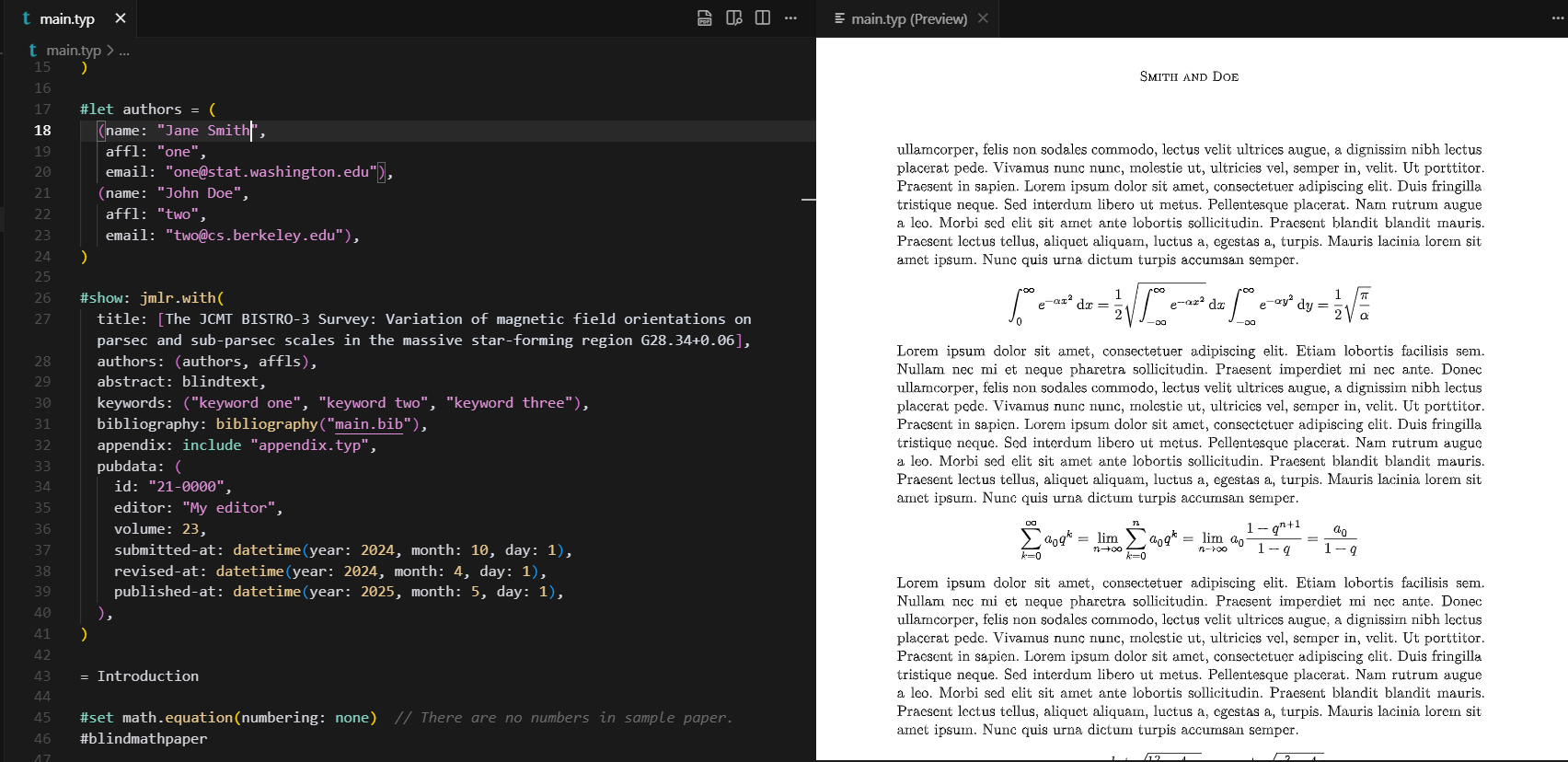
The Problem
Setting up Typst and Pandoc locally is tedious:
- Version conflicts across projects and systems
- Binary installation complexity and brittleness
- Dependency management across platforms (macOS, Linux, Windows)
- Wasted time on toolchain setup instead of document writing
This container solves it by providing a ready-to-use, reproducible environment where the exact versions of Typst, Pandoc, and Rust are locked and consistent.
Quick Start (30 Seconds)
- Clone this repository and open it in VS Code
- Click "Reopen in Container" (or press F1 → "Dev Containers: Reopen in Container")
- In the container terminal, create
hello.typ:#set text(size: 14pt) = Hello, Typst! This is a simple PDF document. - Compile to PDF:
typst compile hello.typ - View
hello.pdf— done!
Key Features
- Typst — Modern, fast markup-based typesetting system (similar to LaTeX but simpler syntax)
- Pandoc — Universal document converter (LaTeX ↔ Typst, Markdown → PDF, and more)
- Rust toolchain — Pre-installed for Typst development and customization
- VS Code integration — Dev Container support with recommended extensions
- Multi-platform — Runs on macOS, Linux, Windows (via Docker Desktop, WSL 2, or Codespaces)
Included Versions
This container bundles:
- Typst: 0.15.1 (
latest), 0.15.0, 0.14.2 - Pandoc: 3.13
- Rust: 1.99.1
- Base image:
rust:1.99.1(Debian 13 trixie)
Each Typst version is published as its own tag, for exampleghcr.io/1solomonwakhungu/typst-dev-container/typst:0.15.0. The list above is
rewritten by the toolchain updater, so it matches images/typst/docker-bake.hcl.
Why This Is Better Than Manual Setup
| Aspect | Manual Install | This Container |
|---|---|---|
| Setup time | 10–30 minutes | 1–2 minutes (first run pulls image) |
| Version consistency | Varies by machine | Locked and reproducible |
| Platform support | OS-specific scripts needed | Works on macOS, Linux, Windows |
| Collaboration | "Works on my machine" syndrome | Same environment for all developers |
| Cleanup | Files scattered system-wide | Single docker stop command |
Usage
Typst → PDF
Create a new Typst document (.typ file):
#set text(font: "Linux Libertine", size: 11pt)
#set page(
  paper: "us-letter",
  margin: (x: 1.5in, y: 1in),
)

= A Typst Document

This is a simple example. Typst uses modern,
intuitive syntax compared to LaTeX.

- Fast compilation
- Beautiful defaults
- Powerful scripting
Compile and preview:
# One-time compile
typst compile document.typ document.pdf

# Watch for changes and auto-compile
typst watch document.typ document.pdf
LaTeX → Typst Conversion
Convert existing LaTeX or Word documents:
# LaTeX to Typst
pandoc article.tex -o article.typ

# Word to Markdown (then edit for Typst)
pandoc document.docx -o document.md

# Markdown to PDF via Typst
pandoc README.md -o README.pdf --from markdown
Prerequisites
- VS Code or compatible IDE (VS Codium, Cursor, etc.)
- Dev Containers extension
- Docker (Docker Desktop on macOS/Windows, Docker Engine on Linux)
Optional: Use GitHub Codespaces — no local Docker needed.
Troubleshooting
Container fails to build
- Ensure Docker is running and has enough free disk space (at least 3 GB)
- Pull the latest image:
docker pull ghcr.io/1solomonwakhungu/typst-dev-container/typst:latest - Check logs: Open the "Remote" output panel in VS Code for detailed error messages
typst or pandoc command not found
- Verify container is running: Check the bottom-left corner of VS Code shows "Dev Container"
- Re-open container: Close and reopen the workspace in the container
Slow first startup
- The first start pulls about 670 MB (compressed, linux/amd64), mostly the Rust base image. Later starts reuse the cached image
- Network speed matters — faster internet = faster initial setup
Learn More
Agent Skills
This repository publishes two skills for coding agents, each with a different
job:
typst-devcontainer-pandoc-setup
— for document work: sets up and verifies a containerized Typst + Pandoc
workspace (VS Code Dev Containers, GitHub Codespaces, Docker), converts with
Pandoc, and compiles Typst to PDF.typst-toolchain-version-updater
— for maintaining this repository: updates the buildable Typst, Rust, and
Pandoc version matrix and the GitHub Actions publishing workflow.
Install them with the skills CLI:
npx skills add https://github.com/1solomonwakhungu/typst-dev-container --skill typst-devcontainer-pandoc-setup
npx skills add https://github.com/1solomonwakhungu/typst-dev-container --skill typst-toolchain-version-updater
License
MIT License — see LICENSE for details.
Contributing
Found a bug or have an improvement? Open an issue or submit a pull request.
See CONTRIBUTING.md for guidelines.
Yorumlar (0)
Yorum birakmak icin giris yap.
Yorum birakSonuc bulunamadi