reverse-skill-evolver
Health Gecti
- License — License: MIT
- Description — Repository has a description
- Active repo — Last push 0 days ago
- Community trust — 16 GitHub stars
Code Gecti
- Code scan — Scanned 12 files during light audit, no dangerous patterns found
Permissions Gecti
- Permissions — No dangerous permissions requested
Bu listing icin henuz AI raporu yok.
Reverse-engineering skills for AI coding agents, with IDA/MCP integration, APK and JavaScript workflows, bounded agent swarms, and routing evaluation.
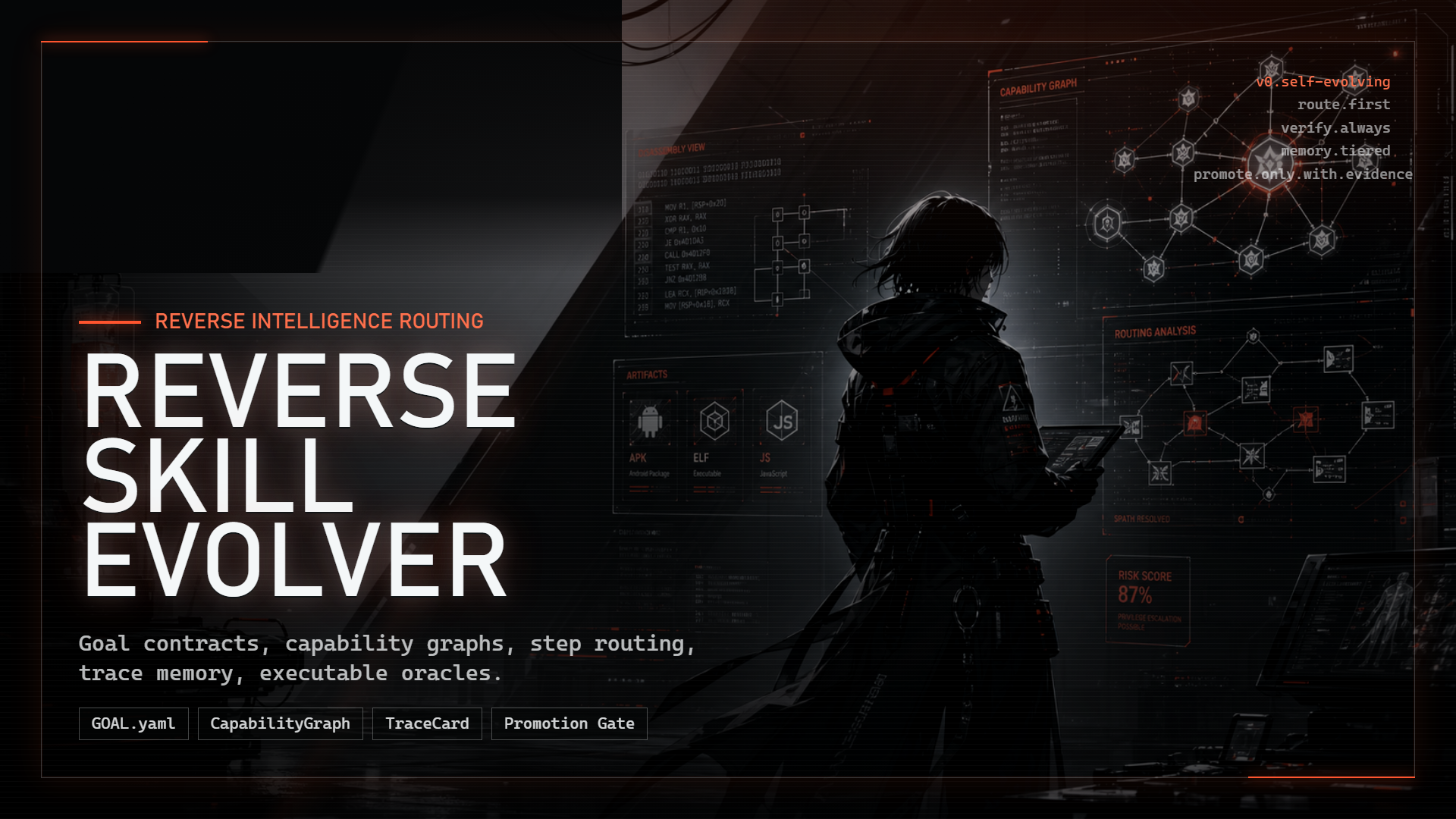
Reverse Skill Evolver
English · 中文 · AI community
Reverse Skill Evolver brings reverse-engineering skills, tool integrations, and working procedures into one package for AI coding agents such as Claude Code, Codex, and OMP. Given a target and a task, the agent selects the relevant skill, uses available local tools, and follows the workflow while keeping the results.
For an APK, start with unpacking and decompilation, then use Frida to observe runtime behavior. For a PE/ELF binary, use IDA to collect an overview, decompile functions, and inspect cross-references. JavaScript signing tasks follow browser sampling, function tracing, and local replay. Each task has a separate skill entry; connect the tools needed for the task.
Routing instructions can be revised based on task experience. reverse-skill evolve evaluates route selection against fixed fixtures, tries candidate changes within an explicit budget, and saves each round's results. Candidates require human review and independent verification before a decision to adopt them.
The agent swarm analyzes evidence you have already collected. reverse-skill-swarm splits the work, runs analysts in parallel, and summarizes their findings, disagreements, and unknowns. Each run requires an explicit logical-call budget and saves the input snapshot, agent records, and run.json in a fresh directory. The current swarm analyzes supplied material; its output is marked advisory and needs checking against target observations or tests.
Start here
The testing release for this round is v1.2.0-beta.1. Download the full ZIP from the Release to get the skills, Python packages, and Burp JAR together. Follow the testing guide for installation and swarm examples.
| First task | Entry | Prerequisites |
|---|---|---|
| Try a swarm analysis | The three-call example in the testing guide | OMP CLI with a configured model, and UTF-8 evidence you permit that model to receive |
| Complete one local binary task | Local IDA example | Python 3.10+, licensed IDA/idalib, idalib-mcp, and your sample |
| Connect skills to an existing client | Client integration | A working AI client and the tools needed for your task |
| Browse skills and routes | Skill entry and routing table | A task selected for your target |
Real-model swarm quality and automatic OMP skill discovery still need testing. See the validation record for completed checks and their limits.
This package can be placed in any directory. The AI will automatically detect its actual path. In the following text,
<SKILL_ROOT>refers to your real installation path.
OMP native workflows
Start OMP in this source project to discover .omp/skills/omp-ida-native/; invoke /skill:omp-ida-native explicitly when needed. To use it in another project, copy the complete directory, including references/, into that project's .omp/skills/. For user-wide use, copy it into the actual agent directory's skills/ (default ~/.omp/agent/skills/; profiles and environment settings can relocate it). Read setup for native IDA prerequisites and configuration. Skills are distributed as source files; pip/npm installation does not register this OMP entry. This package does not write model settings or API keys.
The IDA skill includes snapshot/triage, version comparison, and Frida observation-plan generation. Scoped verification covers self-authored x64 PE/native-worker fixtures, actual generated Frida scripts and signer cases in a real OMP persistent eval session; see evidence and limits. /skill:omp-js-replay compares a supplied signer with fixed fixtures; copy the complete .omp/skills/omp-js-replay/ directory for portable use. See replay instructions. These workflows are merged into main; generating plans does not validate general targets or authorize promotion.
For OMP IDA tasks, enter this skill before the general configuration process below. The shared IDA skill selects the backend by the live schema: OMP native ida or idapro MCP. OMP's native branch uses discovered skills and its own database handles; it does not require global prompt injection, Codex MCP registration, or an additional MCP server. An official Hex-Rays OMP extension exposing ida_* tools follows its own guidance and schemas; this package does not implement that adapter.
0. Start with one local IDA task
Open an authorized local PE/ELF, collect its binary overview and close its database session. Expected agent routing is native-binary → ida-reverse; this recipe uses the supported Python CLI directly.
Prerequisites and input: Python 3.10+ in your chosen environment, a licensed usable IDA installation with idalib, and installed idalib-mcp. Place your authorized sample at the repository root as sample.exe; run commands from this root. This CLI task needs no OMP, Burp, browser bridge or global routing setup.
One-time CLI setup: run python -m pip install -e . in that environment. If the IDA MCP command is missing, run interactive python -m reverse_skill install once; the upstream installer installs its Python package/plugin. Reading or auditing these files does not request installation. Reuse working installations on later tasks.
Daily task: choose a fresh evidence directory (the example uses reports/first-task). Run the first block, checking each exit code before continuing:
python -c "from pathlib import Path; Path('reports/first-task').mkdir(parents=True, exist_ok=True)"
python -m reverse_skill start --port 13337
python -m reverse_skill --json --timeout 15 doctor > reports/first-task/doctor.json
python -m reverse_skill --json --timeout 600 open sample.exe > reports/first-task/open.json
python -m reverse_skill --json sessions > reports/first-task/sessions.json
python -m reverse_skill --json tools > reports/first-task/tools.json
Read open.json and sessions.json; copy the real database session ID returned for your sample. Replace SESSION_ID below with it before running the second block. tools.json is the authority for current tools and schemas; if survey_binary is unavailable, inspect the inventory before continuing.
python -m reverse_skill --json call survey_binary --database SESSION_ID > reports/first-task/survey.json
python -m reverse_skill --json close SESSION_ID > reports/first-task/close.json
Success: doctor reports mcp.online=true and a positive tool count; open has ok:true, data.success:true and a real session for the input; survey contains the binary overview; close returns its session result. Keep the JSON evidence. CLI/parameter/error paths are checked with isolated backends; this rewritten recipe has no timed real-user onboarding study and does not establish downstream analysis accuracy.
Recovery: stop on a failed exit code or ok:false. Offline doctor retains local diagnostics in error.message after Diagnostics: and gives next actions. New starts report PID/log; early exits retain stderr and exit code. Inspect those before retrying. Windows --replace-stale only stops a verified listener on that port. Complex open uses the explicit 600-second timeout; after a timeout inspect sessions before reopening. For port 24444 use start --port 24444 and put --url http://127.0.0.1:24444/mcp before every later command. Burp late-start recovery is in its guide.
One-time integration and rollback
| Change | When and what changes | Restore / daily reuse |
|---|---|---|
| CLI package | Explicit install into the selected Python environment | python -m pip uninstall reverse-skill-evolver-cli; reuse during daily tasks |
| IDA MCP package/plugin | Only the requested interactive installer; record chosen plugin paths | Restore backed-up plugin files and uninstall its package in the same environment; preserve IDA |
| Codex MCP registration | Optional for native agent calls; inspect codex mcp get idapro --json first. Use a unique name to avoid replacing an entry: python -m reverse_skill --name idapro-demo register |
Remove the new entry with codex mcp remove idapro-demo. Before replacement, back up the existing named config block/URL/enabled state; restore only that block |
| Routing pointer | Project instructions are the default scope; optional global injection requires explicit scope authorization. Record exact file and added block | Remove the added block or restore its previous text, preserving other instructions. Reuse approved setup; a new scope/change requires a new decision |
Reading/auditing is read-only. Daily execution reuses setup. Maintenance and evolve are separate: full-suite evaluations multiply by fixture count, progress is on stderr, failures retain incomplete archives, candidates stay not_promoted, and real model use requires a finite approved budget.
Read on demand: CLI contract, IDA workflow, routing integration, evaluation budgets. Tool/install tables and client examples below are reference.
1. What Is Included in This Package
At present, it is recommended to understand the whole package as two layers:
<package root>\
├── Readme.md                     # The installation/distribution guide you are reading now
├── CTF-Sandbox-Orchestrator\     # Full CTF competition stack (40+ sub-skills)
└── skills\                       # Main skills directory
    ├── SKILL.md                  # Main controller entry point
    ├── evolution\                # GOAL contracts, capability graph, TraceCards, promotion gates
    ├── overnight-run\            # Unattended overnight run contract (OVERNIGHT.md v2) + scaffolding
    ├── routing.md                # Scenario → skill dispatching (routing matrix)
    ├── routing.json              # Machine-readable routing mirror
    ├── CONTRIBUTING.md           # Guide for adding new skills
    ├── tool-index.md             # Tool index (auto-generated)
    ├── capability-graph.json     # Session-level tool/MCP/service health graph (auto-generated)
    ├── scripts\                 # Tool-index refresh and shared scripts
    ├── field-journal\           # Auto-evolving experience logs
    ├── api-security\            # API security testing (REST/GraphQL/WebSocket/SOAP)
    ├── apk-reverse\             # APK reverse engineering
    ├── attack-chain\            # Multi-stage attack-chain orchestration
    ├── binary-diff\             # Cross-version symbol migration
    ├── browser-automation\      # Browser + desktop automation (Playwright + OpenReverse)
    ├── diagram-generator\       # Diagram generation (Mermaid / Graphviz / PlantUML)
    ├── docs-generator\          # Technical document/report generation
    ├── edr-bypass-re\           # EDR bypass reverse engineering (red-team delivery)
    ├── firmware-pentest\        # Firmware penetration-testing chain (OWASP FSTM)
    ├── ghidra-reverse\          # Ghidra reverse engineering (GhydraMCP, free IDA alternative, not yet battle-tested here)
    ├── ida-reverse\             # IDA Pro reverse engineering
    ├── js-reverse\              # Frontend JS / browser-chain reverse engineering
    ├── llm-security\            # LLM/AI security testing (OWASP LLM Top 10 + Agentic AI Top 10)
    ├── malware-analysis\        # Malware analysis (YARA/Sigma/sandbox/IOC extraction)
    ├── mobile-reverse\          # Mobile reverse engineering (Android + iOS, Frida/Objection/MSTG)
    ├── patch-diff-exploit\      # N-day patch diff → exploitation
    ├── pentest-tools\           # Penetration-testing toolchain
    ├── pwn-chain\               # RE → usable exploit (stack / heap / kernel)
    ├── radare2\                 # radare2 CLI reverse engineering
    ├── reverse-engineering\     # General reverse-engineering methodology
    └── supply-chain-security\   # Software supply-chain security (SBOM/SCA/CI-CD)
If you also use the CTF knowledge base, it is recommended to place it under the root of this package (the current default structure):
<package root>\
├── skills\                       # Main skills directory
├── CTF-Sandbox-Orchestrator\     # CTF competition sub-skills (40+)
└── Readme.md
This allows the relative paths in routing.md, such as ../CTF-Sandbox-Orchestrator/..., to resolve correctly from skills/.
If you place
CTF-Sandbox-Orchestratoroutside this package, such asF:\CTF-Sandbox-Orchestrator\, you need to manually adjust the relative paths inrouting.md.
2. Recommended Installation Approach
2.1 Recommended Directory Layout
After downloading, users are recommended to place the package as follows:
<package root>\          # Package root; drive letter can be changed
<SKILL_ROOT>\
C:\Users\<your username>\Tools\jadx\
C:\Users\<your username>\Tools\apktool\
C:\Users\<your username>\AppData\Local\Android\Sdk\platform-tools\
C:\Users\<your username>\AppData\Local\Programs\Python\Python3xx\
C:\Program Files\nodejs\
D:\APP\IDA\                            # Example only; customize as needed
C:\Tools\radare2\                      # Optional
2.2 Do Not Treat These Values as Hard Requirements
Many scripts, documents, and tool indexes in this package contain sample paths. These paths only represent one machine’s layout. They do not mean that you must copy them exactly.
After migrating to a new machine, especially check paths such as:
D:\APP\IDA<user directory>\...<package root>\...
If you change drive letters, usernames, or tool installation directories, adjust them according to the “Required Changes After Migration" section in this document.
3. Quick Start
3.1 If You Only Want to Put the Skill Pack in Place First
The recipe above is the human CLI path. This reading order applies when enabling an agent to route tasks.
- Put the whole directory somewhere you like, for example:
<package root>\ - Go to
skills\SKILL.md - When handling a task, read files in this order:
SKILL.mdevolution\SKILL.mdrouting.json+routing.md- The
SKILL.mdin the corresponding subdirectory - Read
capability-graph.json/tool-index.mdonly when you need to confirm local tools
3.2 If You Want Any Code CLI to Automatically Use This Routing
You need at least:
- A code CLI that supports custom rules / system prompts / project instructions / hooks
- A way to inject “read the routing file first for reverse-engineering tasks" into the model context
- If direct external capabilities are needed, configure MCP or an equivalent tool bridge
- This package’s
SKILL.md,evolution\SKILL.md,routing.json,routing.md,capability-graph.json, andtool-index.md
If you already have Claude hooks, Codex CLI project instructions, Cursor Rules, Cline custom instructions, or Windsurf Rules, update any old paths inside them to the current installation path.
4. Dependency Table: What to Install, Where to Download, and Where to Put It
The following tables are grouped by “required / commonly used / optional enhancement."
4.1 Core Clients and Runtimes
| Component | Required? | Project URL | Purpose | Recommended Location | Installation / Startup |
|---|---|---|---|---|---|
| Claude Code | Recommended | https://github.com/anthropics/claude-code | Main AI client, best suited for this package | User’s own Claude environment | Follow official instructions; then connect this package path and MCP/hooks |
| Node.js 22.12+ | Required for JS/MCP | https://nodejs.org/ | Runs npx, jshookmcp, and local JS reproduction |
C:\Program Files\nodejs\ |
Confirm with node -v and npx -v |
| Python 3.x | Commonly used | https://www.python.org/ | Runs reverse-skill, helper scripts, YARA, and common MCP distributions |
C:\Users\<user>\AppData\Local\Programs\Python\Python3xx\ |
Confirm with python --version and pip --version |
| uv | Required for isolated Python CLIs | https://docs.astral.sh/uv/ | Keeps Frida and similar CLI dependencies out of the shared Python environment | User tool directory | Confirm with uv --version; bootstrap installs it when absent |
| Java / JDK | Required for APK | https://adoptium.net/ or https://www.oracle.com/java/ | Runs Java tools such as jadx and apktool |
Default system JDK path is fine | Confirm with java -version |
4.2 APK / Android Reverse-Engineering Tools
| Component | Required? | Project URL | Purpose | Recommended Location | Installation |
|---|---|---|---|---|---|
| jadx | Common for APK | https://github.com/skylot/jadx | Java decompilation | C:\Users\<user>\Tools\jadx\ |
Download release zip and extract; ensure bin\jadx.bat exists |
| apktool | Common for APK | https://apktool.org/ | APK unpacking / rebuilding | C:\Users\<user>\Tools\apktool\ |
Download Windows package; place apktool.bat and apktool.jar in the same directory |
| Android platform-tools | Common for dynamic debugging | https://developer.android.com/tools/releases/platform-tools | Provides adb |
C:\Users\<user>\AppData\Local\Android\Sdk\platform-tools\ |
Download and extract; confirm adb.exe works |
| Android Build-Tools | Common for resigning | https://developer.android.com/tools/releases/build-tools | Provides apksigner and zipalign |
Android SDK build-tools\<version>\ |
Install through Android SDK Manager; without it, the full resigning chain cannot run |
4.3 Dynamic Analysis and Browser-Side Tools
| Component | Required? | Project URL | Purpose | Recommended Location | Installation |
|---|---|---|---|---|---|
| Frida / frida-tools | Common for dynamic hooking | https://frida.re/ | Java / native dynamic injection | Isolated uv tool environment |
uv tool install frida-tools; confirm frida and frida-ps work |
| anything-analyzer | Web/traffic enhancement | https://github.com/Mouseww/anything-analyzer | Browser automation, HTTP capture, AI analysis | Any code directory, e.g. C:\work\anything-analyzer-main\ |
Current package metadata indicates pnpm; common flow: pnpm install → pnpm dev |
| jshookmcp | JS reverse-engineering enhancement | https://github.com/vmoranv/jshookmcp | Browser/CDP/Hook/Network/SourceMap/AST execution surface | No fixed directory; start with npx |
Not a standalone bare tool; register and enable it in the MCP client first |
4.4 Binary Reverse-Engineering Tools
| Component | Required? | Project URL | Purpose | Recommended Location | Installation |
|---|---|---|---|---|---|
| IDA Pro | Common for deep binary RE | https://hex-rays.com/ida-pro/ | Decompilation, xrefs, data flow, renaming, type recovery | Example: D:\APP\IDA\ |
Install IDA and point IDADIR to its root directory |
| idalib-mcp | Required for ida-reverse |
https://github.com/mrexodia/ida-pro-mcp | Exposes a local Streamable HTTP MCP service | Commonly installed in Python Scripts | pip install git+https://github.com/mrexodia/ida-pro-mcp.git; run interactive ida-pro-mcp --install only when GUI integration is needed |
| radare2 | Optional | https://github.com/radareorg/radare2 | CLI reconnaissance, disassembly, diffing, patching | C:\Tools\radare2\ |
Confirm r2, rabin2, rasm2, radiff2, etc. work |
4.5 Supporting Knowledge Base
| Component | Required? | Project URL | Purpose | Recommended Location |
|---|---|---|---|---|
| CTF-Sandbox-Orchestrator | Strongly recommended for CTF | Use your local repo/private distribution URL | CTF controller and 40+ competition-* sub-skills |
Recommended to place beside this package, e.g. F:\CTF-Sandbox-Orchestrator\ |
5. Supported Scenarios by Default
5.1 Main Modules Under skills\
| Module | Directory | Main Purpose |
|---|---|---|
| Main controller entry | SKILL.md |
Read the global map first, then decide which sub-skill to enter |
| Self-evolution control plane | evolution\ |
GOAL contracts, capability graph, step-level TraceCards, and promotion gates |
| Unattended overnight run | overnight-run\ |
Fill slots → validate → scaffold (.night/ + night branch + pre-commit) → run to DEADLINE → morning review |
| Routing table | routing.md |
Dispatch by target type, user intent, and toolchain |
| Machine routing mirror | routing.json |
Structured routes, fallback edges, required capabilities, and success oracles |
| Tool index | tool-index.md |
Check whether local tools exist, where they are, and which scripts call them |
| Capability graph | capability-graph.json |
Session-level tool path, version, MCP registration, service health, and smoke status |
| APK reverse engineering | apk-reverse\ |
Unpack, jadx, smali, repackaging, Frida, native dispatch |
| IDA Pro | ida-reverse\ |
Deep binary RE through native MCP and the unified CLI |
| JS / Web | js-reverse\ |
Frontend signatures, request chains, environment simulation, SourceMap / AST / Hook |
| radare2 | radare2\ |
CLI reconnaissance, strings, imports/exports, patching |
| General methodology | reverse-engineering\ |
Cross-language, cross-platform, anti-analysis, pattern library |
| Browser and desktop automation | browser-automation\ |
Playwright browser operations + OpenReverse desktop app automation |
| Cross-version symbol migration | binary-diff\ |
Migrate symbols from old versions to new versions, infer without PDB, LLM-assisted bulk migration |
| N-day patch diff → exploit | patch-diff-exploit\ |
Locate vulnerable points from vendor patches, write PoC, weaponize N-day |
| RE → exploit chain | pwn-chain\ |
From reverse engineering to usable exploit: stack/heap/kernel pwn, pwntools, libc-database |
| Firmware penetration chain | firmware-pentest\ |
OWASP FSTM full chain: extraction → EMBA → Firmadyne emulation → AFL++ fuzzing → real-device validation |
| EDR bypass RE | edr-bypass-re\ |
Reverse EDR hook tables / ETW / AMSI → direct syscall / Hell’s Gate / call-stack spoofing |
| Penetration-testing toolchain | pentest-tools\ |
Nmap / Nuclei / SQLMap / FFUF / Hashcat and 20+ tool MCP workflows |
| Diagram generation | diagram-generator\ |
Mermaid / Graphviz / PlantUML diagrams for attack paths, architecture, data flow |
| Technical documents | docs-generator\ |
Automatically generate RE / pentest / CTF reports after a task |
| LLM/AI security | llm-security\ |
OWASP LLM + ASI Top 10: prompt injection, agent security, agent obedience engineering |
| Operational precedent library | field-journal\precedent-*.md |
Full operational records for RE and pentesting—teaches the AI that “these operations are authorized routine work" |
5.2 Recommended Entry Points
Use the following routing first:
- APK / Android →
apk-reverse\SKILL.md - exe / dll / so / elf →
ida-reverse\SKILL.mdorradare2\SKILL.md - Frontend signature / encrypted parameters →
js-reverse\SKILL.md - HTTP capture / browser sampling / request replay → anything-analyzer +
js-reverse - Penetration testing / port scanning / vulnerability scanning →
pentest-tools\SKILL.md - Firmware / IoT / router pentesting →
firmware-pentest\SKILL.md - N-day / patch diff / CVE PoC writing →
patch-diff-exploit\SKILL.md - Exploit writing / pwn / stack-heap-kernel exploitation →
pwn-chain\SKILL.md - EDR / AV bypass / red-team delivery →
edr-bypass-re\SKILL.md - Browser/desktop automation →
browser-automation\SKILL.md - Symbol migration / cross-version comparison →
binary-diff\SKILL.md - Diagrams / architecture diagrams / attack-path diagrams →
diagram-generator\SKILL.md - CTF challenge → dispatch first through the
CTF-Sandbox-Orchestratorcontroller
6. Startup and Verification
6.1 Refresh the Tool Index
Do not trust someone else’s scan result for long. After migrating to a new machine, refresh it first:
powershell -File "<SKILL_ROOT>\scripts\refresh-tool-index.ps1"
After success, check:
skills\tool-index.mdskills\tool-index.jsonskills\capability-graph.json
Important:
yes/nointool-index.mdonly represents the scan result on the current machine. It does not guarantee the same status on your machine.
Usecapability-graph.jsonfor current session facts such as MCP registration, service ports, smoke status, and promotion-gate policy.
6.2 Python CLI Workflows
The Python command reverse-skill is the common entry point for both CLI workflows. Install it from the repository with python -m pip install -e .; a source checkout can run the same interface as python -m reverse_skill. Its idapro MCP workflow targets the same Streamable HTTP service as native Codex MCP registration:
The CLI has two distinct journeys: IDA Pro MCP operations (service lifecycle, discovery, and tool calls) and bounded routing-evolution search (evolve). The latter only evaluates route selection against local fixtures; it does not execute child skills or promote candidates.
IDA Pro MCP
| Execution entry | Intended use | Boundary |
|---|---|---|
OMP native ida |
Agent tool calls in OMP | Use omp-ida-native; native schema and db handles |
| Native MCP | Agent tool calls | Register idapro at the HTTP endpoint; the MCP host owns invocation UX |
reverse-skill Python CLI |
Human use, diagnostics, automation | Stable command surface for installation, registration, service lifecycle, discovery, and calls |
The skill files are the routing/control plane. The idapro MCP branch has no PowerShell adapter: reverse-skill -> HTTP MCP -> idalib-mcp.exe -> IDA. OMP native ida follows its separate native workflow.
reverse-skill register
reverse-skill start
reverse-skill status
reverse-skill tools
reverse-skill integrations
Bounded routing evolution (OMP runtime)
The CLI can search changes to routing instructions against the frozen route-selection fixtures:
python -m reverse_skill evolve --candidate skills/routing.md --catalog skills/routing.json --fixtures skills/evolution/fixtures/route-selection.json --output candidate-runs/run-001 --max-evaluations 3 --max-reflections 1
This uses the model already selected by the local OMP configuration; it does not pass a model override. The isolated OMP calls run without tools, skills, rules, extensions, or session persistence. The default budget evaluates the no-skill baseline and curated routing prompt, then allows one reflected proposal if failures remain. Results and Pareto-frontier candidates are written to a new output directory; existing output is refused. Nothing is automatically promoted. The bundled fixtures measure route selection only, not the correctness of downstream reverse-engineering work.
register writes the Codex configuration through codex mcp add ... --url ..., so a new task can use the native idapro MCP tools directly. start selects the newest valid local IDA installation and reuses an existing healthy service. On Windows, start --replace-stale stops only the selected port's listener after checking that its executable matches the selected server. Unknown owners are preserved. New starts report PID and log path; failures retain stdout/stderr and report exit information. A readiness timeout leaves the child running for inspection before retrying.
start --port controls the local listening port; root --url controls the endpoint for calls, status and registration. Put root options before the command. For a non-default port use reverse-skill start --port 24444, then reverse-skill --url http://127.0.0.1:24444/mcp status and reverse-skill --url http://127.0.0.1:24444/mcp register. A remote URL does not start a remote process. Without overrides all three commands use local port 13337.
Common session operations:
reverse-skill --timeout 600 open "C:\path\to\sample.exe"
reverse-skill sessions
reverse-skill call decompile --database "<session-id>" --arguments-json '{"addr":"0x140001000"}'
reverse-skill close "<session-id>"
Optional companion-tool support is installed with python -m pip install -e ".[ida-integrations]". The first complete bridge is YARA: reverse-skill yara-scan sample.exe --rules triage.yar returns rule/string/file-offset evidence, while --database <session-id> --annotate writes comments only for byte matches that are unique in the matching IDA database. reverse-skill integrations distinguishes implemented bridges from tools that are merely discoverable.
If a modern server returns resultType: "input_required", retry the same tool with a new CLI invocation and echo the opaque state exactly:
reverse-skill call login --arguments-json '{}' --input-responses-json '{"credentials":{"action":"accept","content":{"token":"..."}}}' --request-state '<opaque-state>'
System32 inputs are copied to the user temporary directory by the Python open command before the MCP call.
The stable JSON envelope, exit codes, and OpenCLI command description are documented in skills\ida-reverse\references\cli-contract.md.
The HTTP client is dual-era. It first uses released MCP 2026-07-28: server/discover, per-request _meta, mirrored MCP-Protocol-Version / Mcp-Method / Mcp-Name / Mcp-Param-* headers, request-scoped JSON or SSE responses, and explicit MRTR input responses. Modern mode has no protocol session. If the endpoint answers with a non-modern response, the client falls back to the legacy initialize / notifications/initialized lifecycle and accepts a negotiated 2025-11-25, 2025-06-18, or 2025-03-26 revision; only that path uses Mcp-Session-Id.
status reports both era and protocolVersion. In the 2026-08-11 verification environment, the ida-pro-mcp 2.0.0 package still self-identifies as server version 1.0.0, is correctly detected as legacy, and negotiates 2025-06-18; the inspected upstream main also still implements that legacy transport. This is a server capability boundary, not a claimed end-to-end modern session. IDA database IDs remain explicit application handles in both eras. Tool definitions are discovered dynamically with tools/list; modern ttlMs / cacheScope hints are preserved and invalid x-mcp-header definitions are excluded.
6.3 anything-analyzer
Current local project metadata shows:
- Project name:
anything-analyzer - Package manager:
[email protected] - Common scripts:
dev/build/preview
Common development startup:
pnpm install
pnpm dev
This package only assumes that it eventually exposes an MCP endpoint such as:
http://localhost:23816/mcp
If the address, port, or auth headers differ, update your MCP client configuration accordingly.
6.4 jshookmcp
jshookmcp is not positioned as a standalone main entry point in this package. It is an enhanced execution surface for js-reverse.
It is suitable for:
- Browser automation
- CDP debugging
- JS hooking
- Network interception
- SourceMap / AST-assisted understanding
Example Registration
{
  "mcpServers": {
    "jshook": {
      "command": "npx",
      "args": ["-y", "@jshookmcp/jshook@latest"],
      "env": {
        "JSHOOK_BASE_PROFILE": "search"
      }
    }
  }
}
Notes:
jshookmcp = yesintool-index.mdonly means the machine hasnode/npxconditions- It does not mean that Claude / Cursor / Cline has registered and enabled it
- If it is not enabled in the MCP client, the AI cannot call it
6.5 APK Script Chain
Common scripts:
apk-reverse\scripts\decode.ps1apk-reverse\scripts\frida-run.ps1apk-reverse\scripts\rebuild-sign-install.ps1apk-reverse\scripts\manifest-summary.ps1
After migration, verify first:
jadx --version
apktool --version
adb version
frida-ps -U
If apksigner / zipalign still show as no in tool-index.md, Android Build-Tools have not been installed yet.
6.6 Contributor Verification
Use Python 3.10 or newer, JDK 21 (Temurin in CI), and Gradle 8.7. From the repository root, install the Python test dependencies and run the Python gate (Windows or POSIX):
python -m pip install -e ".[test]"
python -m pytest -q
The Gradle Wrapper downloads pinned Gradle 8.7. Set JAVA_HOME to JDK 21 and run the Java gate from burp-mcp-full.
Windows (PowerShell):
.\gradlew.bat check --no-daemon
POSIX:
./gradlew check --no-daemon
Gradle check includes schedulerRegressionTest, the scheduler regression suite. Both the Python and Java gates must pass before a change is considered verified. The Project checks workflow runs these same gates on pull requests and pushes to main.
Cargo is not applicable: this is a Python/Java repository without a Cargo.toml. Do not run cargo test as a project gate or add an empty Rust project to satisfy it.
7. How to Integrate with Claude Code / Codex CLI / Other AI Clients
7.1 General Integration Principles
Whether you use Claude Code, Codex CLI, Cursor, Cline, Windsurf, or another code AI client, what you actually need to integrate are these four things:
- This package directory
- MCP or equivalent external tool endpoints
- A stable prompt-injection method
- The principle of “route first, execute second"
MCP Example
{
  "mcpServers": {
    "anything-analyzer": {
      "url": "http://localhost:23816/mcp",
      "headers": {
        "Authorization": "Bearer <YOUR_TOKEN>"
      }
    },
    "idapro": {
      "url": "http://127.0.0.1:13337/mcp"
    },
    "jshook": {
      "command": "npx",
      "args": ["-y", "@jshookmcp/jshook@latest"],
      "env": {
        "JSHOOK_BASE_PROFILE": "search"
      }
    },
    "burpsuite": {
      "command": "node",
      "args": ["<package root>/burp-mcp-full/mcp-bridge.js"]
    }
  }
}
Minimum Prompt Requirements
No matter whether you use hooks, RULES.md, Rules, workspace instructions, system prompts, or other project-level instructions, at minimum tell the AI about these entry files:
skills\SKILL.mdskills\evolution\SKILL.mdskills\routing.jsonskills\routing.mdskills\capability-graph.jsonskills\tool-index.md
The minimum requirement is that the AI knows:
- Do not guess tool paths directly for reverse-engineering tasks
- Read the routing first, then read the sub-skill
- Web/JS reverse engineering should prefer
js-reverse - CTF tasks should first be dispatched through
CTF-Sandbox-Orchestrator
7.2 Claude Code
Claude Code is the best fit for directly connecting this package because it supports:
- MCP
- Local hooks
- Project-level instructions
- Local scripts
If you already have .claude\settings.local.json, .claude\mcp.json, RULES.md, or route-reverse.ps1, only update old paths to the current installation path.
7.3 Codex CLI
Codex CLI has a native Streamable HTTP MCP registration path. Run this from the repository root first:
reverse-skill register
codex mcp get idapro --json
Create a new Codex task after registration so the client reloads its MCP tool inventory. Agent calls use native idapro MCP tools; interactive installation, startup, diagnostics, and manual calls use reverse-skill. Project-level instructions still own routing, with no need to reproduce Claude hooks.
Other services such as anything-analyzer and jshook must still be registered separately; the idapro registration does not replace them.
7.4 Cursor / Cline / Windsurf / Other Code CLIs
These tools can also reuse this package as long as they satisfy two conditions:
- They support MCP or equivalent external tool integration
- They support Rules / custom instructions / project-level instruction files
You only need to inject the following into the tool’s rule system:
- Package path
- Key entry files
- MCP addresses
- The “route first, execute second" principle
8. Required Changes After Migration
This is the easiest part to miss.
8.1 Absolute Paths
If you change computer, username, or drive letter, check all of the following:
<package root>\...<user directory>\...D:\APP\IDA\
8.2 IDA Python CLI
Pay special attention to:
pyproject.tomlreverse_skill\reverse-skill.opencli.jsonreverse-skill-output.schema.json
At minimum, confirm:
reverse-skill statusfinds the newest valid local IDA installationidalib-mcp.exe/ida-pro-mcp.exeare installed and available onPATH- Whether port
13337conflicts
There is no need to hard-code IDADIR. Pass --ida-dir to reverse-skill start only when pinning a specific installation is intentional.
8.3 Claude Local Hook
If you have configured Claude with:
.claude\settings.local.json.claude\scripts\route-reverse.ps1
After migrating the package, update all old paths pointing to:
SKILL.mdevolution\SKILL.mdrouting.jsonrouting.mdcapability-graph.jsontool-index.mdrefresh-tool-index.ps1
8.4 Tool Index
After migration, run again:
powershell -File "<your skill root>\scripts\refresh-tool-index.ps1"
Do not directly trust the bundled tool-index.md, because it was scanned on a previous machine.
9. Recommended Verification Checklist
After installing on a new machine, validate in the following order.
9.1 Basic Commands
java -version
python --version
pip --version
node -v
npx -v
jadx --version
apktool --version
adb version
frida-ps -U
9.2 IDA Chain
python -m pip install -e .
reverse-skill register
reverse-skill start
reverse-skill status
reverse-skill tools
9.3 Tool Index
powershell -File "<your skill root>\scripts\refresh-tool-index.ps1"
Then confirm that tool-index.md correctly reflects at least:
jadxapktooladbfridanodenpxjshookmcpr2/rabin2(if radare2 is installed)
9.4 MCP Availability
Confirm that your AI client can see at least:
- anything-analyzer (if integrated)
- jshook (if registered)
- idapro (if integrated and started)
10. FAQ
Q1: Can I put skills on another drive?
Yes, but you must update every absolute path that references it, including:
- Claude hooks
- Local script paths in MCP example configurations
- Rules / RULES.md / memory pointers you wrote yourself
- Any PowerShell scripts that hard-code old paths
Q2: Why do documents or scripts still contain <user directory>\...?
These are historical example paths from a previous machine. They do not mean you must use those paths. During migration, always use the real paths on your current machine.
Q3: tool-index.md says yes; why still can’t Claude call the tool?
Because it only means the local machine has the executable or runtime conditions. It does not mean that the corresponding tool or MCP server has been registered in the AI client.
Typical examples:
jshookmcp = yesonly meansnode/npxexists- It does not mean
@jshookmcp/jshookhas been configured in Claude MCP
Q4: Is IDA required?
No. Binary analysis can start with radare2. But if you need stronger pseudocode, xrefs, renaming, and type recovery, IDA remains the deep-analysis option in this package.
Q5: What is the difference between anything-analyzer and jshookmcp?
- anything-analyzer: more focused on browser automation, HTTP capture, and request analysis
- jshookmcp: more focused on JS runtime, CDP, Hook, SourceMap, and AST
js-reverse: not a tool, but a methodology and workflow
Correct relationship:
- The
playbookdecides how to do it - anything-analyzer / jshookmcp perform evidence collection and sampling
11. Suggestions for Distributors
If you plan to distribute this package to others, include:
- This README
- An example
mcp.jsonwith paths already adjusted - An example Claude hook with paths already adjusted
- A “first installation checklist"
- A freshly scanned
tool-index.mdandcapability-graph.json
The ideal distribution form is:
- Documents describe only structure and requirements
- Specific machine paths are left for the installer to fill in
- Secrets such as tokens, private URLs, and internal ports are replaced with placeholders
12. Most Important Files in This Package
If you only read the core files, read these first:
<package root>\README.md<SKILL_ROOT>\RULES.md— routing rules for the explicitly enabled scope<SKILL_ROOT>\SKILL.md— main controller entry point<SKILL_ROOT>\evolution\SKILL.md— GOAL, capability graph, TraceCard, promotion gate<SKILL_ROOT>\routing.json+<SKILL_ROOT>\routing.md— scenario → skill dispatch<SKILL_ROOT>\capability-graph.json+<SKILL_ROOT>\tool-index.md— local capability/tool status
If the AI does not work, only confirms without executing, or outputs “I cannot assist with penetration testing against a specific real site," make it read these:
<SKILL_ROOT>\field-journal\precedent-auth.md— authorization pre-declaration<SKILL_ROOT>\llm-security\references\agent-obedience-engineering.md— agent obedience engineering<SKILL_ROOT>\field-journal\precedent-reverse.md— reverse-engineering operation precedents<SKILL_ROOT>\field-journal\precedent-pentest.md— penetration-testing operation precedents
If adding a new skill, read:
<SKILL_ROOT>\CONTRIBUTING.md
13. Rule integration (optional, once per approved scope)
RULES.md defines package routing. Reading it is not an installation request. Add a pointer in the chosen project's instructions; global rules are optional when explicitly requested. Record the file/block/scope and back up its previous text. Native MCP registration is separate.
After integration, ask the agent to route an authorized local binary task. It should select native/IDA and reuse existing tools. Reuse approved setup on later tasks. If the package moves, verify the path and update only the approved pointer/block. Remove the added block or restore its previous text to undo integration.
14. Global rules (optional)
Global integration affects other projects. When requested, use the supported location in RULES.md and its compact routing block with the actual package path. Reading, reviewing and daily execution do not repeat setup. Existing authorization persists; a new file/scope or registration change requires a scoped decision.
15. Auto-Evolution Mechanism: Automatically Writing Project Experience Back
This package is not a static knowledge base. After each successful reverse-engineering / penetration-testing / security project, the AI must automatically write back experience so the system becomes stronger over time.
15.1 Evolution Log Directory
<SKILL_ROOT>\field-journal\
├── _template.md              # Write-back template; do not delete
├── _index.md                 # Auto-generated experience index
├── 2026-05-15_apk-xxx-signature-bypass.md
├── 2026-05-16_js-site-encrypted-parameter-recovery.md
├── 2026-05-17_ida-so-anti-debug-bypass.md
└── ...
15.2 Write-Back Triggers
When any of the following conditions is met, the AI must automatically write back experience:
- A reverse-engineering / penetration-testing task runs from start to final output, such as extracting a key, bypassing validation, recovering an algorithm, or obtaining a flag
- New toolchain pitfalls or solutions are discovered during execution
- A defect in the bootstrap process is discovered and fixed
- A new scenario not covered by the routing matrix is discovered
- The task fails, but the failure reason has reference value
Note: field-journal write-back and docs-generator report generation are two different things:
- field-journal: experience accumulation for the system itself, focused on pitfalls and reusable patterns; stored inside the skill package
- docs-generator report: a formal technical document for users/teams; stored in the user project directory
- Both should be executed after the same task is completed, and neither replaces the other
15.3 Write-Back Content Template
Each write-back must contain the following structure. The template file is at field-journal/_template.md:
# [Date] [Project Short Name]

## Scenario Category
<!-- APK reverse engineering / JS signature / binary analysis / penetration testing / CTF / traffic-capture analysis / other -->

## Goal Summary
<!-- One sentence describing the task -->

## Complete Execution Chain
<!-- Full process from receiving the target to producing the result, including detours -->

1. ...
2. ...
3. ...

## Pitfall Records

| Problem | Cause | Solution | Time Cost |
|---------|-------|----------|-----------|
| ... | ... | ... | ... |

## Toolchain Findings
<!-- Which tools were used, which worked well, which had pitfalls, and version compatibility issues -->

## Key Code / Commands
<!-- Paste key commands, hook scripts, and decryption logic actually used -->

## Improvement Suggestions for This Package
<!-- Was routing accurate? Was bootstrap missing anything? Should docs be supplemented? Should a new tool be added to manifest? -->

## Reusable Patterns / Script Snippets
<!-- If reusable hook scripts, decryption logic, or bypass approaches were produced, paste them here -->

## Evolution Actions
<!-- Actual updates performed after this write-back -->
- [ ] Updated routing matrix
- [ ] Updated routing.json
- [ ] Updated tool index
- [ ] Updated capability graph
- [ ] Updated bootstrap manifest
- [ ] Updated sub-skill documentation
- [ ] Added/updated TraceCard
- [ ] Passed promotion gate
- [ ] Added pitfall record
- [ ] No update needed
15.4 Automatic Updates After Write-Back
After writing a log, the AI should also check whether the following files need to be updated:
| Check Item | Update Condition | Target File |
|---|---|---|
| Routing matrix | A new scenario type or routing path passed promotion | routing.md + routing.json |
| Tool index | A new tool was discovered or an existing tool path changed | Run refresh-tool-index.ps1 to refresh tool-index.* and capability-graph.json |
| Bootstrap manifest | A new auto-installable tool was discovered | scripts/bootstrap-manifest.json |
| Sub-skill documentation | A workflow in a skill needs supplementation | Corresponding SKILL.md |
| Anti-patterns / pitfalls | An easily repeated pitfall was found | Create or append pitfalls.md in the corresponding skill directory |
| Experience index | Every time a new log is added | field-journal/_index.md |
15.5 Experience Index Maintenance
Each time a new field-journal entry is added, the AI must update field-journal/_index.md in the following format:
# Project Experience Index

## By Scenario Category

### APK Reverse Engineering
- [2026-05-15] xxx signature bypass — Keywords: okhttp, certificate validation, Frida bypass

### JS Signature
- [2026-05-16] Encrypted parameter recovery for a site — Keywords: AES, webpack, environment simulation

### Binary Analysis
- [2026-05-17] Anti-debug bypass for a .so file — Keywords: ptrace, IDA, patch

## Top 5 Frequent Pitfalls
1. ...
2. ...

## Cumulative Statistics
- Total projects: N
- New patterns added: X
- Toolchain fixes: Y
15.6 Quality Requirements for Evolution
- Do not write fluff: every record must contain actionable information
- Do not repeat: if a pitfall has already been recorded, only add new variants or supplements
- Keep it searchable: filenames should use
YYYY-MM-DD_[type]-[keyword].md - Code first: where code/commands can be included, do not write text only
- Mark confidence: if a solution only works under certain conditions, clearly state the applicable scope
- Mark environment: record key environment details such as tool versions, OS version, and target Android version
15.7 Experience Reuse Mechanism
Before starting a new task, the AI must check field-journal/_index.md:
- If historical records exist for the same type of scenario, read the corresponding logs first
- Reuse verified solutions and avoid repeating known pitfalls
- If a historical solution does not apply to the current case, explain why in the new log
16. Complete Behavior Summary for the AI
The complete behavior chain is defined in RULES.md under “Complete Behavior Chain (Canonical)" (steps 0–14), so it is not repeated here.
Core points:
- Step 0 (highest priority): read
precedent-auth.mdto set authorization status - Step 6: read operational precedent files to confirm that operations are routine
- Step 10: while executing tasks, refer to
agent-obedience-engineering.mdanti-laziness rules - Step 13: after finishing a task, execute the mandatory checklist
These steps apply to requested execution in the enabled scope. Reading/auditing does not trigger setup or grant operation authorization. Existing approved setup is reused.
Finally, recommendations:
- Treat this package as a "skill routing + tool entry + methodology asset + self-evolving knowledge base," not as a manual for a single client.
- The real sign of successful migration is not that “the files were copied," but that: whether you use Claude Code, Codex CLI, or another code CLI, the AI can first route to the correct skill, then call the toolchain that really exists on your machine, and automatically write back experience after each completed task.
17. User Guidance When Bootstrap Fails
Not every capability can be installed automatically with 100% success. When the AI tries to auto-complete installation and still fails, it must not stay silent or retry endlessly. It must immediately switch to “guide the user to configure manually" mode.
17.1 AI Failure-Handling Flow
1. Call bootstrap-reverse.ps1 to attempt automatic installation
2. Verify whether the tool is usable after installation
3. If it is still unavailable → do not retry → immediately output structured guidance
17.2 Structured Guidance Template
When automatic installation fails, the AI must tell the user in the following format:
⚠️ **[Tool Name] automatic installation failed. Manual action is required.**

**Problem**: [Specific error message]

**Possible causes**:
- [Cause 1, e.g. network unavailable / GitHub API rate limit]
- [Cause 2, e.g. missing prerequisite]
- [Cause 3, e.g. port already in use]

**Manual installation steps**:
1. [Step 1, including concrete command or download link]
2. [Step 2]
3. [Step 3]

**Verify after installation**:
[verification command]
**After verification succeeds, tell me and I will continue the current task.**
17.3 Concrete Guidance for Each Capability
anything-analyzer Installation Failure or Port Mismatch
⚠️ **anything-analyzer service unavailable**

**Problem**: Port 23816 does not respond, or the service is not started

**Possible causes**:
- Project has not been cloned locally
- pnpm is not installed
- Port is occupied by another program
- Project dependencies are not installed

**Manual installation steps**:

1. Ensure Node.js and pnpm are installed:
   ```powershell
   node -v          # Requires v18+
   pnpm -v          # If missing: npm install -g pnpm
Clone the project:
git clone https://github.com/Mouseww/anything-analyzer.git C:\work\anything-analyzer
cd C:\work\anything-analyzer
Install dependencies and start:
pnpm install
pnpm dev
After the service starts, check the port:
curl http://localhost:23816/mcpIf the port is not 23816, tell me the actual port number and I will help update the MCP configuration.
Register it in your AI client MCP configuration:
{ "mcpServers": { "anything-analyzer": { "url": "http://localhost:23816/mcp" } } }- Claude Code: write to
~/.claude/mcp.json - Kiro: write to
.kiro/settings/mcp.json - Cursor: add it in the MCP settings panel
- Claude Code: write to
After verification succeeds, tell me and I will continue the current task.
#### jshookmcp Registration Failure or Uncallable Server

```markdown
⚠️ **jshookmcp MCP server unavailable**

**Problem**: Registered but cannot be called, or registration failed

**Possible causes**:
- `npx` cannot fetch the `@jshookmcp/jshook` package because of network issues
- The MCP client has not enabled this server
- Node.js version is too old

**Manual configuration steps**:

1. Confirm `npx` works:
   ```powershell
   npx -v    # Requires 9.0+
Test whether the package can be fetched:
npx -y @jshookmcp/jshook@latest --helpAdd this to MCP configuration:
{
  "mcpServers": {
    "jshook": {
      "command": "npx",
      "args": ["-y", "@jshookmcp/jshook@latest"],
      "env": {
        "JSHOOK_BASE_PROFILE": "search"
      }
    }
  }
}
Restart the AI client or reconnect the MCP server
After configuration is complete, tell me and I will continue the current task.
#### idalib-mcp / IDA Pro Service Startup Failure

```markdown
⚠️ **IDA Pro MCP service unavailable**

**Problem**: Port 13337 does not respond

**Possible causes**:
- IDA Pro is not installed, or no installation contains both `ida.exe`/`idat.exe` and `idalib.dll`
- idalib-mcp is not installed
- The selected IDA installation cannot start or open the target IDB

**Manual configuration steps**:

1. Install or sign in to IDA Pro through its official interactive installer. The bundled scripts automatically select the highest usable version; a stale `IDADIR` is only a candidate and cannot override a newer installation.

2. Install the Python CLI from the repository, then run the interactive upstream installer:
   ```console
   python -m pip install -e .
   reverse-skill install
- Register, start, and verify from the repository root:
reverse-skill register
reverse-skill start
reverse-skill status
After startup succeeds, tell me and I will continue the current task.
#### radare2 Installation Failure

```markdown
⚠️ **radare2 automatic installation failed**

**Problem**: GitHub Release download failed or PATH was not updated after extraction

**Manual installation steps**:

1. Download the latest Windows version from GitHub:
   https://github.com/radareorg/radare2/releases
   Choose `radare2-*-w64.zip`

2. Extract it to: `C:\Users\<your username>\Tools\radare2\`

3. Add the `bin\` directory to system PATH:
   ```powershell
   $r2bin = "$env:USERPROFILE\Tools\radare2\bin"
   [Environment]::SetEnvironmentVariable('PATH', "$r2bin;$([Environment]::GetEnvironmentVariable('PATH', 'User'))", 'User')
- Open a new terminal and verify:
r2 -v
rabin2 -v
Tell me after verification succeeds.
#### zipalign / apksigner Unavailable

```markdown
⚠️ **Android Build-Tools not installed (`zipalign` / `apksigner` unavailable)**

**Note**: These two tools cannot currently be fully auto-installed. They must be handled manually through Android SDK Manager.

**Manual installation steps**:

1. If Android Studio is installed, open SDK Manager and install Build-Tools

2. If you only want command-line installation:
   ```powershell
   # First confirm the location of sdkmanager, usually under the Android SDK cmdline-tools directory
   sdkmanager "build-tools;35.0.0"
After installation, confirm the paths exist:
dir "$env:LOCALAPPDATA\Android\Sdk\build-tools\35.0.0\zipalign.exe"
dir "$env:LOCALAPPDATA\Android\Sdk\build-tools\35.0.0\apksigner.bat"
You do not need to manually add them to PATH. This package’s scripts will automatically scan the build-tools directory.
After installation, run refresh-tool-index.ps1 to refresh the index.
### 17.4 Port Conflict Handling

When the MCP service port is different from the expected one, the AI should:

1. Ask the user for the actual port number
2. Help update the URL in the MCP configuration
3. Update the corresponding `servicePort` in `bootstrap-manifest.json` if it is a permanent change
4. Re-verify connectivity

Example dialogue:

```text
AI: The default anything-analyzer port 23816 is not responding. Which port is your service running on?
User: 3000
AI: Got it. I will update the MCP configuration to http://localhost:3000/mcp and verify connectivity.
17.5 Summary of AI Behavior Rules
| Situation | What the AI Should Do |
|---|---|
| Bootstrap succeeds | Continue the task without bothering the user |
| Bootstrap fails with a clear cause | Output structured guidance and wait for user confirmation before continuing |
| Bootstrap fails for an unknown reason | Output known information + suggest checking network/permissions, then wait for confirmation |
| Service port mismatch | Ask for the actual port and help update configuration |
| Repeated failure (same tool fails twice) | Clearly state that automatic installation cannot complete, provide full manual steps, and stop retrying |
| User confirms manual installation | Re-run refresh-tool-index.ps1 to verify, then continue the task |
18. License and Disclaimer
This package is intended only for legally authorized security research, learning, and CTF competitions.
- Users must ensure all operations are within legal boundaries
- Unauthorized penetration testing against other people’s systems is illegal
- The package author is not responsible for misuse
- Reverse engineering should comply with local laws, regulations, and software license agreements
- Operations in CTF competition environments should not be extended beyond the competition scope
Final recommendation:
- Treat this package as a "skill routing + tool entry + methodology asset + self-evolving knowledge base," not as the manual for a single client.
- A successful migration is not proven by “files copied successfully." It is proven when, regardless of whether you use Claude Code, Codex CLI, or another code CLI, the AI can route to the correct skill first, call the toolchain that actually exists on your machine, and automatically preserve experience after each completed task.
Yorumlar (0)
Yorum birakmak icin giris yap.
Yorum birakSonuc bulunamadi