bilibili-mcp-js
mcp
Uyari
Health Gecti
- License — License: MIT
- Description — Repository has a description
- Active repo — Last push 0 days ago
- Community trust — 195 GitHub stars
Code Uyari
- process.env — Environment variable access in index.ts
- network request — Outbound network request in package-lock.json
- fs module — File system access in package.json
- network request — Outbound network request in package.json
- network request — Outbound network request in src/index.ts
- network request — Outbound network request in test/search-limit.offline.test.mjs
Permissions Gecti
- Permissions — No dangerous permissions requested
Bu listing icin henuz AI raporu yok.
Bilibili video search MCP (Model Context Protocol) service - 哔哩哔哩视频搜索MCP服务
README.md
Bilibili MCP



简介
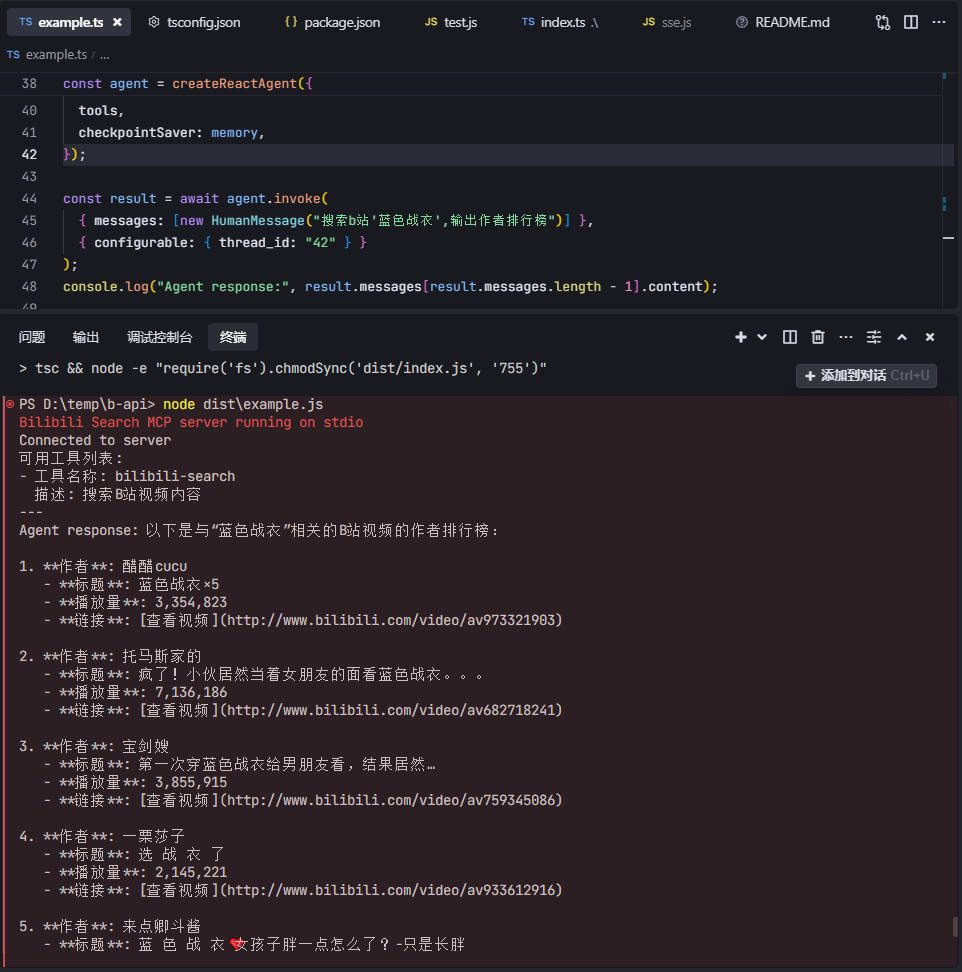
这是一个基于 Model Context Protocol (MCP) 的 B站视频搜索服务器。该服务器提供了简单的 API 接口,允许用户搜索 B站 的视频内容。提供LangChain调用示例、测试脚本。
鸣谢
- LangChain 示例代码参考自 mcp-langchain-ts-client
功能特点
- 搜索B站视频内容简介列表
- 获取B站热门内容(综合热门、入站必刷、排行榜、全站音乐榜)
- 获取B站视频详情信息(支持BV号或AV号)
- 获取UP主信息(基本信息、粉丝数、关注数等)
- 番剧时间表(时间范围内的番剧播出信息)
系统要求
- Node.js >= 20.12.0
AI工具使用配置
以Trae为例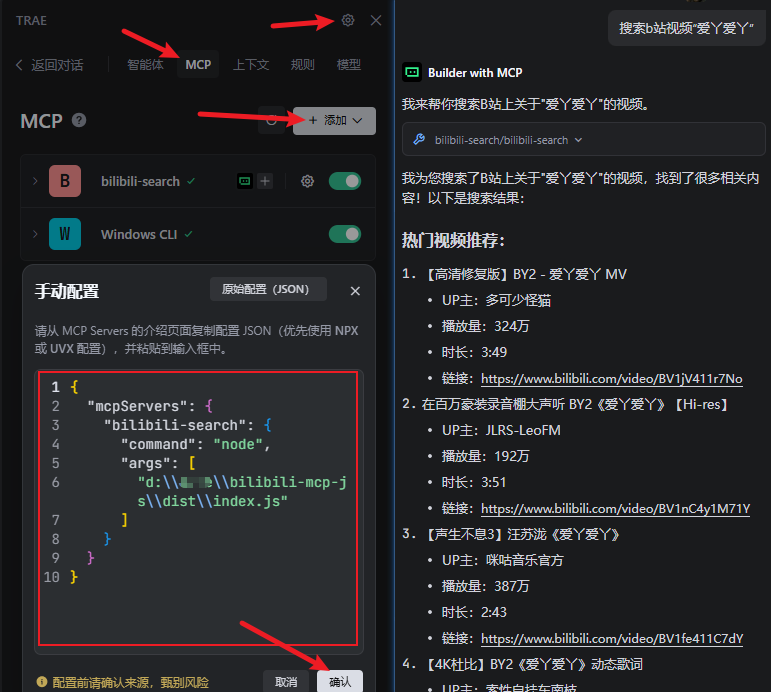
npm package
感谢HQHC发布的npm包
{
  "mcpServers": {
    "bilibili-search": {
    "command": "npx",
    "args": ["bilibili-mcp-js"],
    "description": "B站视频搜索 MCP 服务,可以在AI应用中搜索B站视频内容。"
    }
  }
}
本地编译使用
需要编译之后才可以使用.
先npm run build然后这里改成你build之后的dist文件夹路径,"args": ["d:\your-path\bilibili-mcp-js\dist\index.js"]
{
  "mcpServers": {
    "bilibili-search": {
      "command": "node",
      "args": ["d:\\your-path\\bilibili-mcp-js\\dist\\index.js"],
      "description": "B站视频搜索 MCP 服务,可以在AI应用中搜索B站视频内容。"
    }
  }
}
快速开始
如果要运行langchain例子,请先配置llm模型,修改.\example.ts文件。
const llm = new ChatOpenAI({
  modelName: "gpt-4o-mini",
  temperature: 0,
  openAIApiKey: "your_api_key", // 替换成你模型的密钥
  configuration: {
    baseURL: "https://www.api.com/v1", // 替换成你模型的API地址
  },
});
bun:
# 安装依赖
bun i
# stdio 模式
bun index.ts
# streamable http 模式
TRANSPORT=remote bun index.ts
TRANSPORT=remote PORT=8888 bun index.ts
# 测试脚本
bun test.js
# MCP Inspector
bun run inspector
# 运行langchain例子
bun build:bun
bun example.ts
npm:
# 安装依赖
npm i
# stdio 模式
npm run start
# streamable http 模式
TRANSPORT=remote npm run start
TRANSPORT=remote PORT=8888 npm run start
# 测试脚本
npm run test
# MCP Inspector
npm run inspector
# 运行langchain例子
npm run build
node dist/example.js
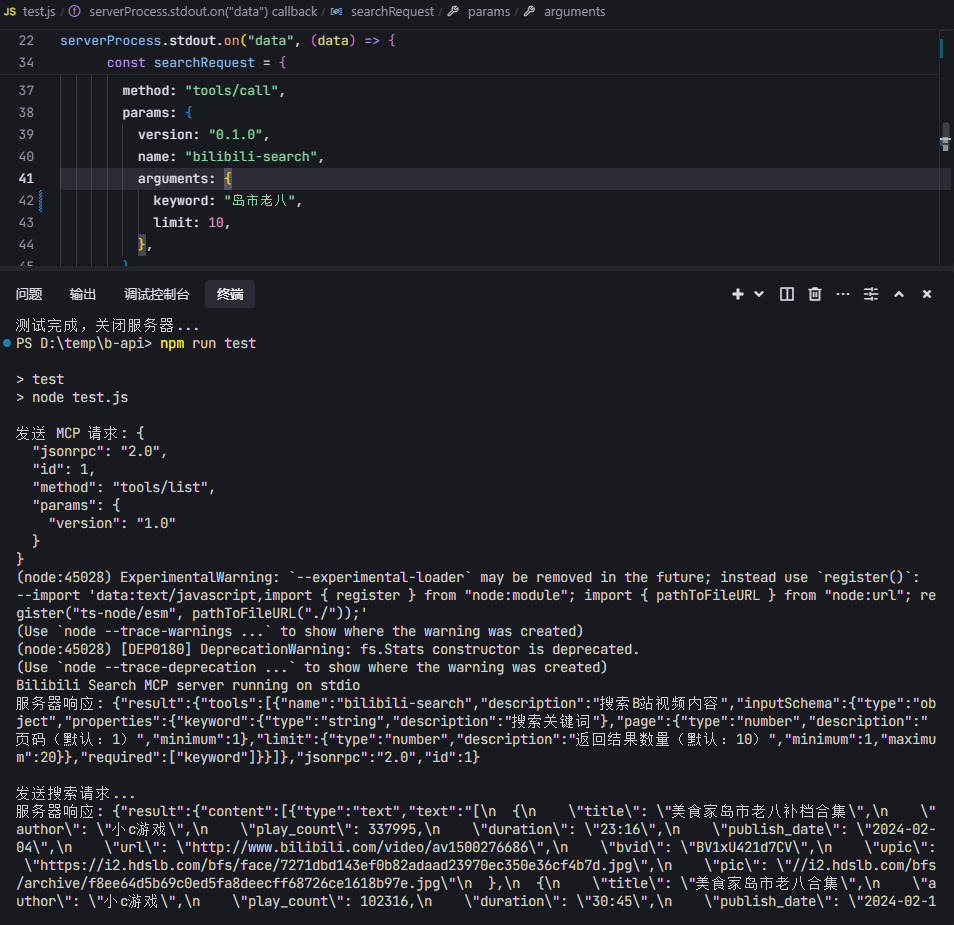
截图
Hosted deployment
A hosted deployment is available on Fronteir AI.
Yorumlar (0)
Yorum birakmak icin giris yap.
Yorum birakSonuc bulunamadi