larder
Health Pass
- License — License: MIT
- Description — Repository has a description
- Active repo — Last push 0 days ago
- Community trust — 29 GitHub stars
Code Fail
- rm -rf — Recursive force deletion command in build/darwin/Taskfile.yml
Permissions Pass
- Permissions — No dangerous permissions requested
No AI report is available for this listing yet.
Local-first desktop app for inspecting and safely managing the Skills, MCP servers, CLIs, and instruction files your AI agents use.
Larder
Local provisions for your agents.
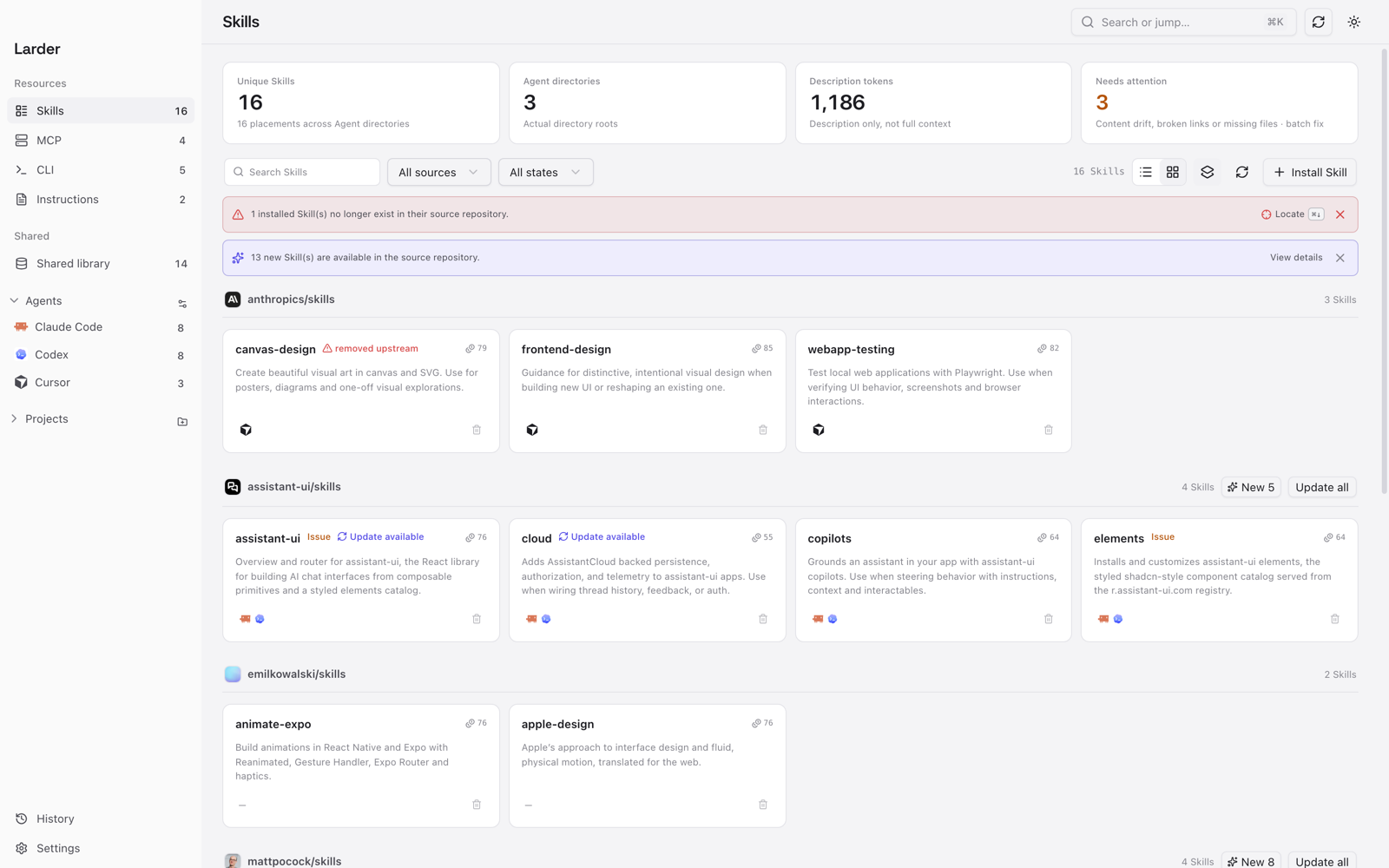
Larder is a local-first desktop app for developers who work with multiple AI agents. It shows what is actually installed on your machine — Skills, MCP servers, CLI tools, instruction files, and custom Agent commands — and lets you manage them safely.
What it does
- Skills — scan every Agent directory and shared library, inspect sources, token cost and visibility, then install, update, uninstall, repair links or sync copies.
- Agent Inspector — see what an Agent statically sees and why: visible Skills, duplicates, missing links, instruction files and context budget. Read-only.
- MCP servers — inspect global and project configuration, add or edit servers, toggle them per Agent, and test whether a command or URL is reachable.
- CLI tools — see what is installed, which package manager owns it, duplicates and available updates. Update or uninstall through the package manager.
- Instruction files — scan
AGENTS.md,CLAUDE.md, Cursor rules and Copilot instructions. Preview Markdown or raw content, edit existing files, or create new ones. - Commands — scan custom slash commands for Claude Code, Cursor, OpenCode, Gemini CLI and GitHub Copilot. Create or edit them through a plan and snapshot; Codex prompts are not supported by current Codex releases and use Skills instead.
- App updates — check GitHub Releases, download a verified app archive, install it in place and restart Larder.
- Projects — see the Skills, MCP servers and instruction files that belong to a project in one place.
- Language — switch between English and Chinese in Settings; the app follows the system language on first launch.
Screenshots
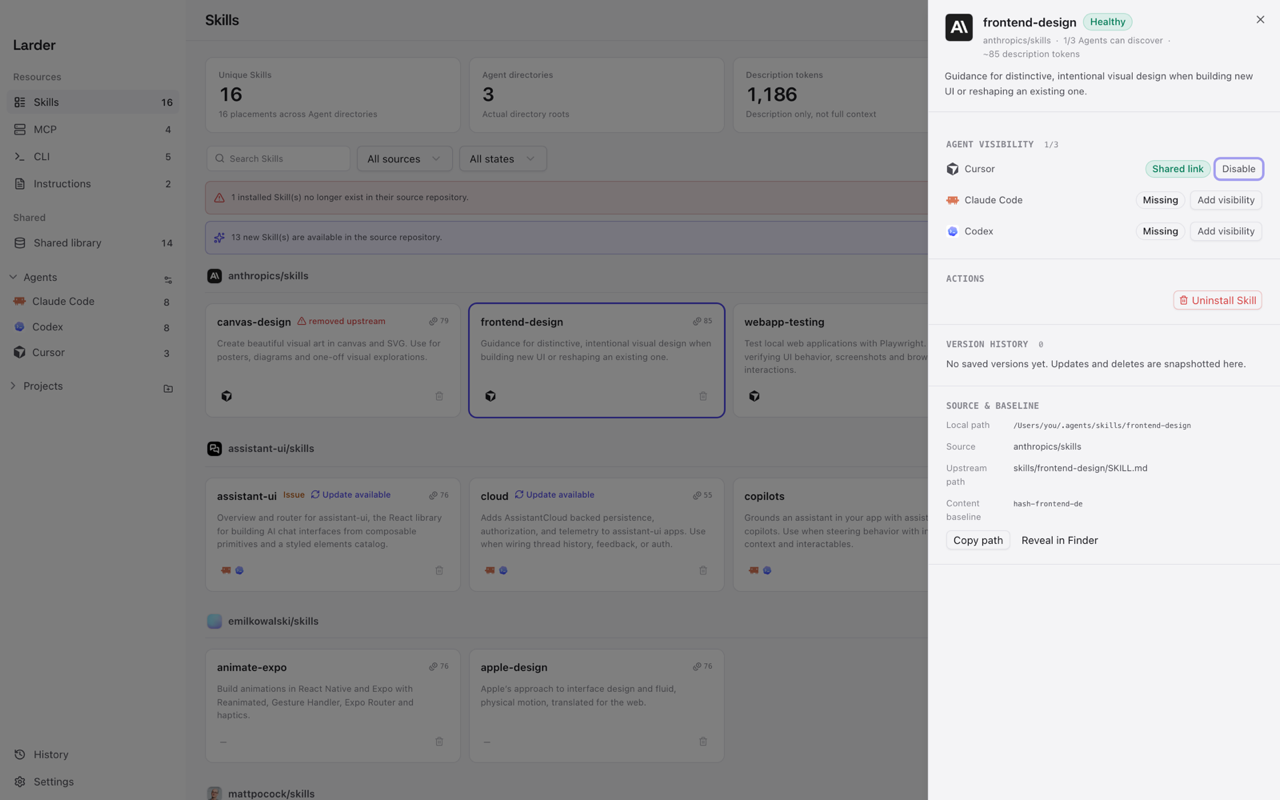 Skill detail Source, Agent visibility and the next safe action. |
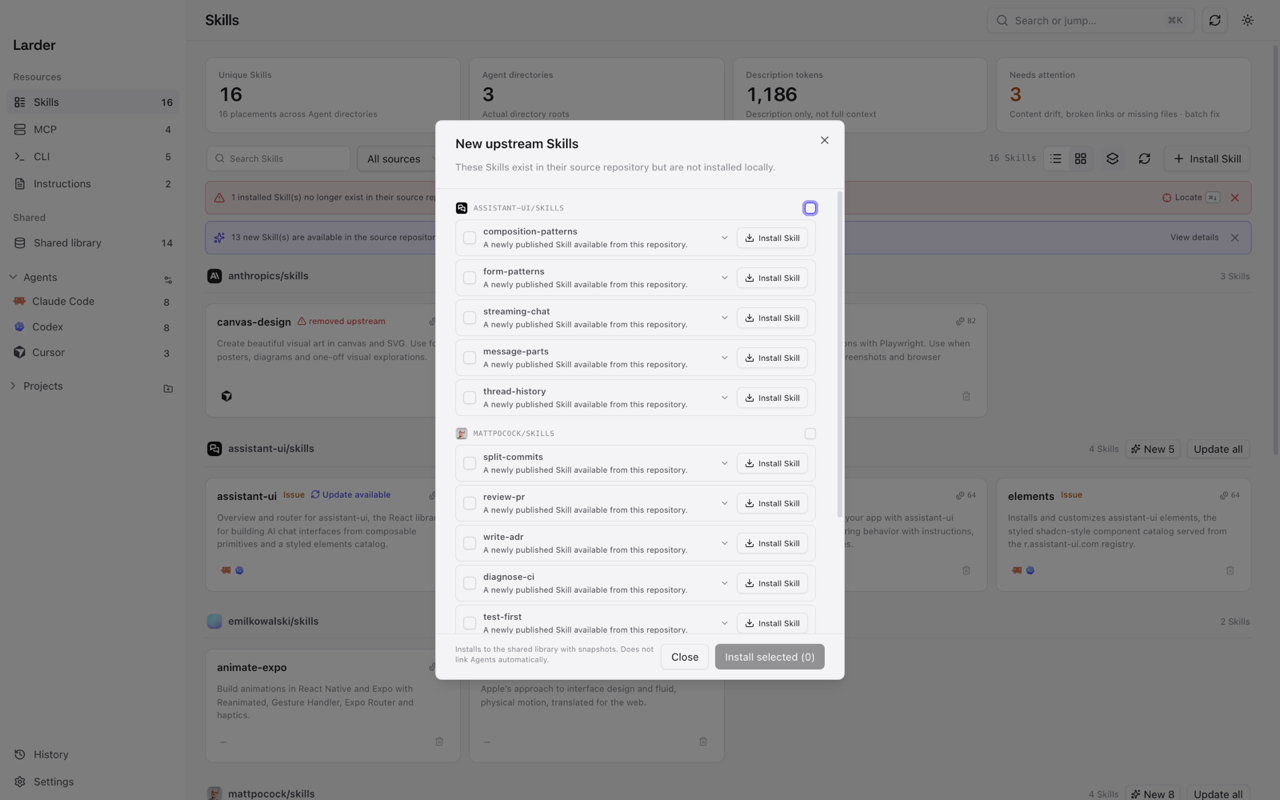 Review upstream additions See new Skills before installing one or a batch. |
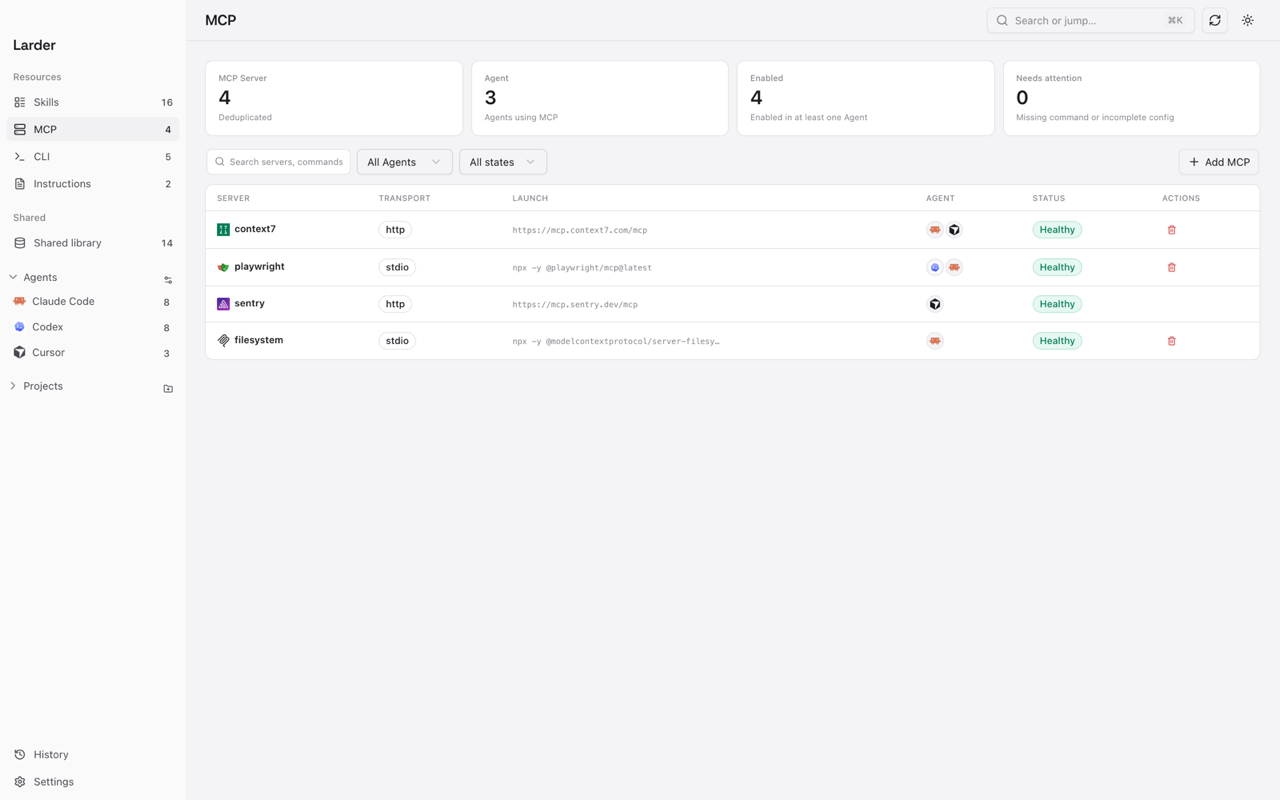 MCP servers Transport, launch command, status and Agent visibility. |
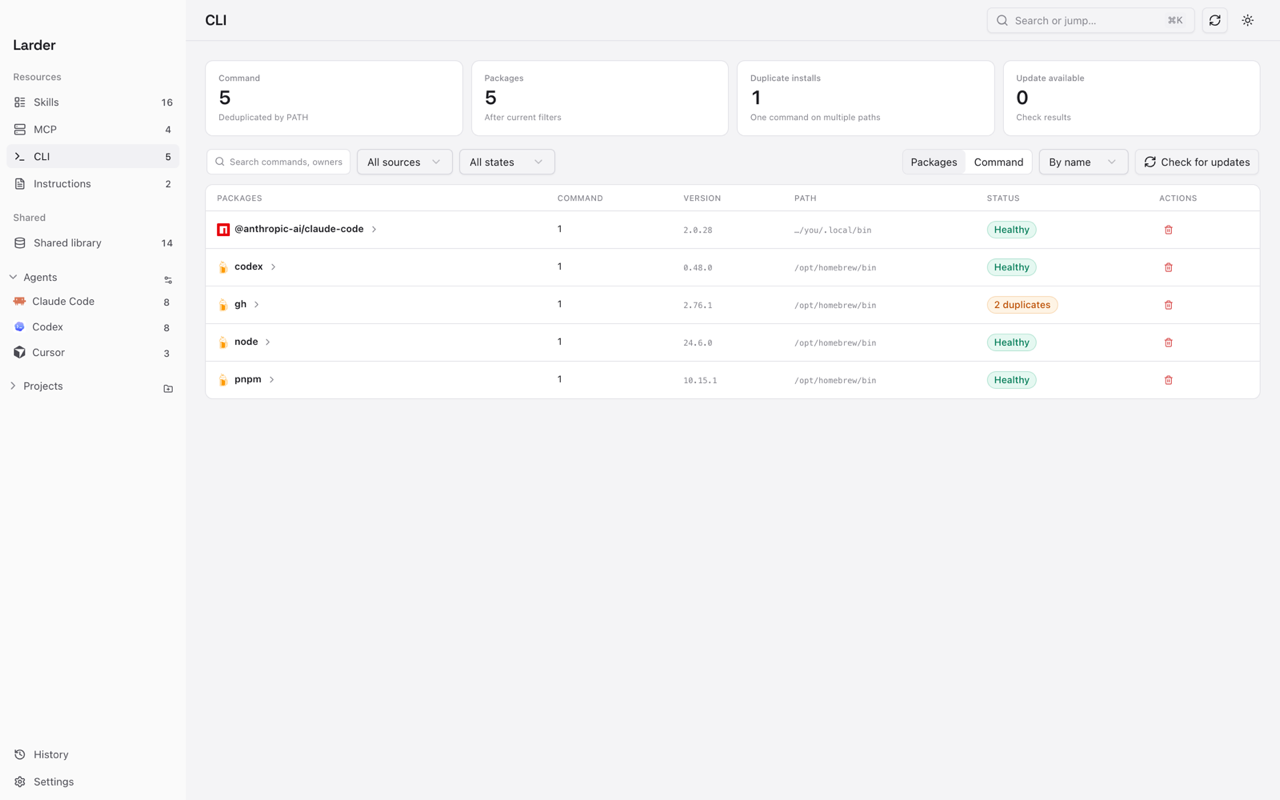 CLI tools Owners, PATH duplicates and available updates. |
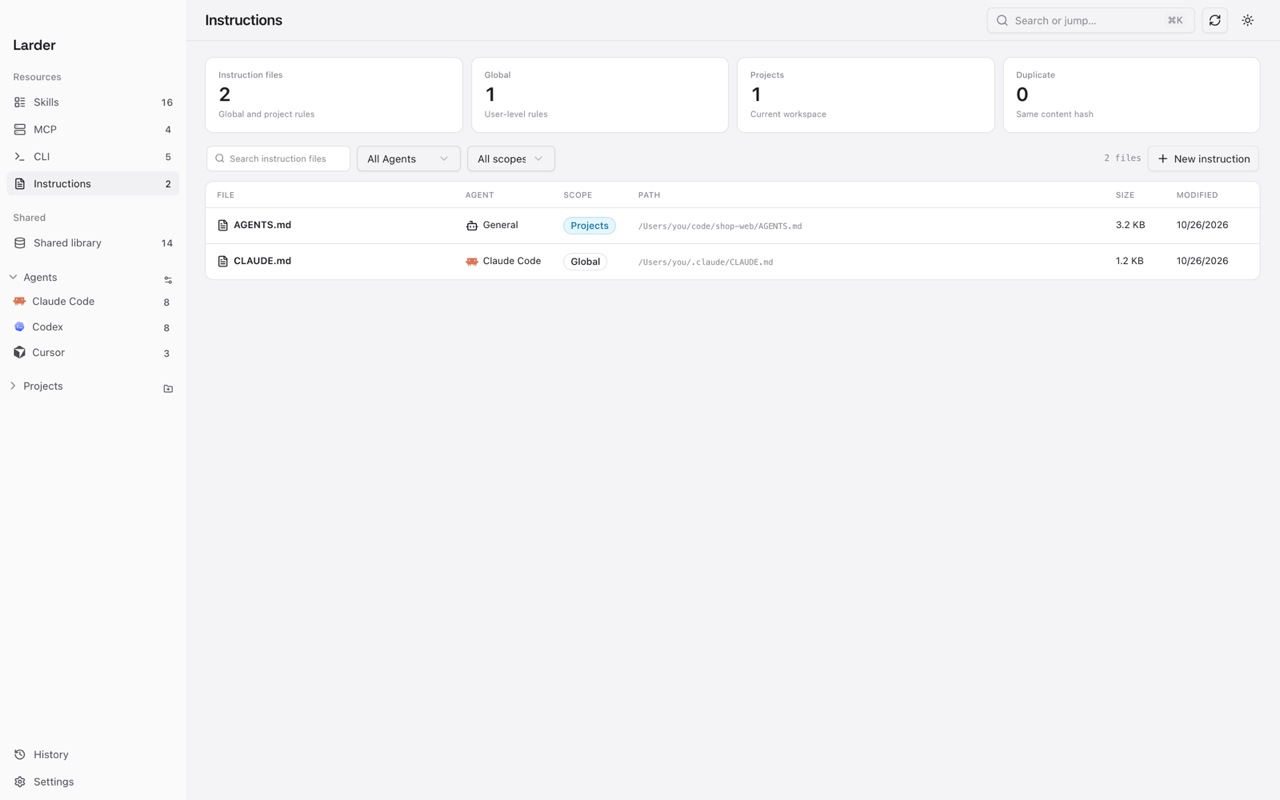 Instruction files Scan, preview and edit global or project instructions. |
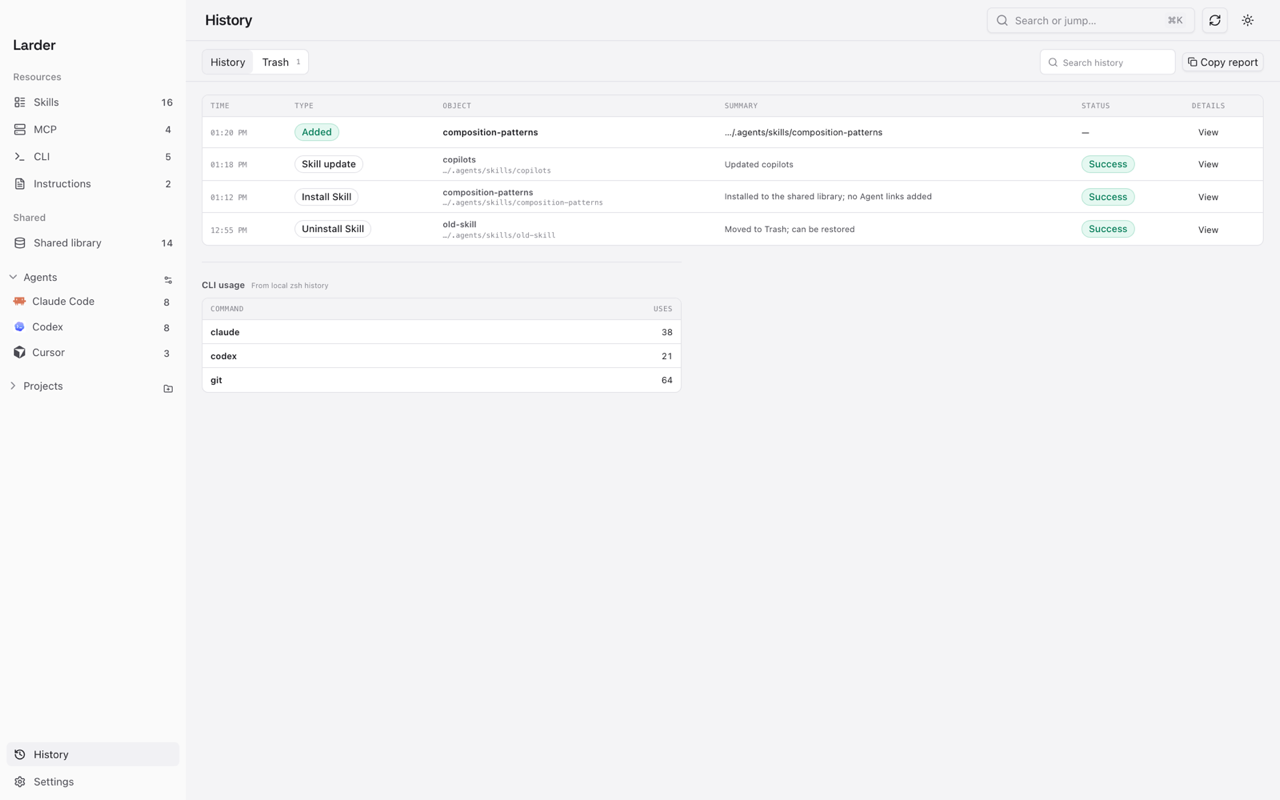 History and rollback Every write keeps a snapshot that can be restored. |
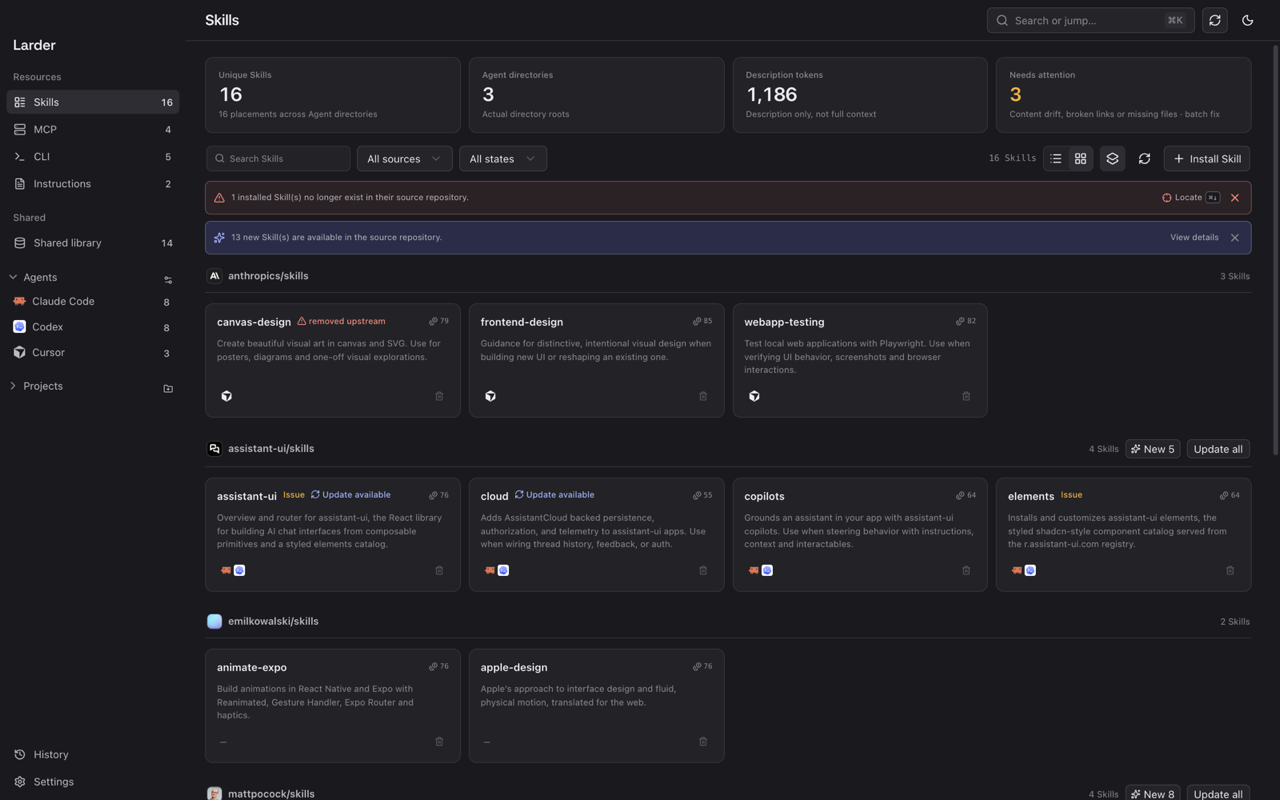 Light and dark Light, dark or system appearance. |
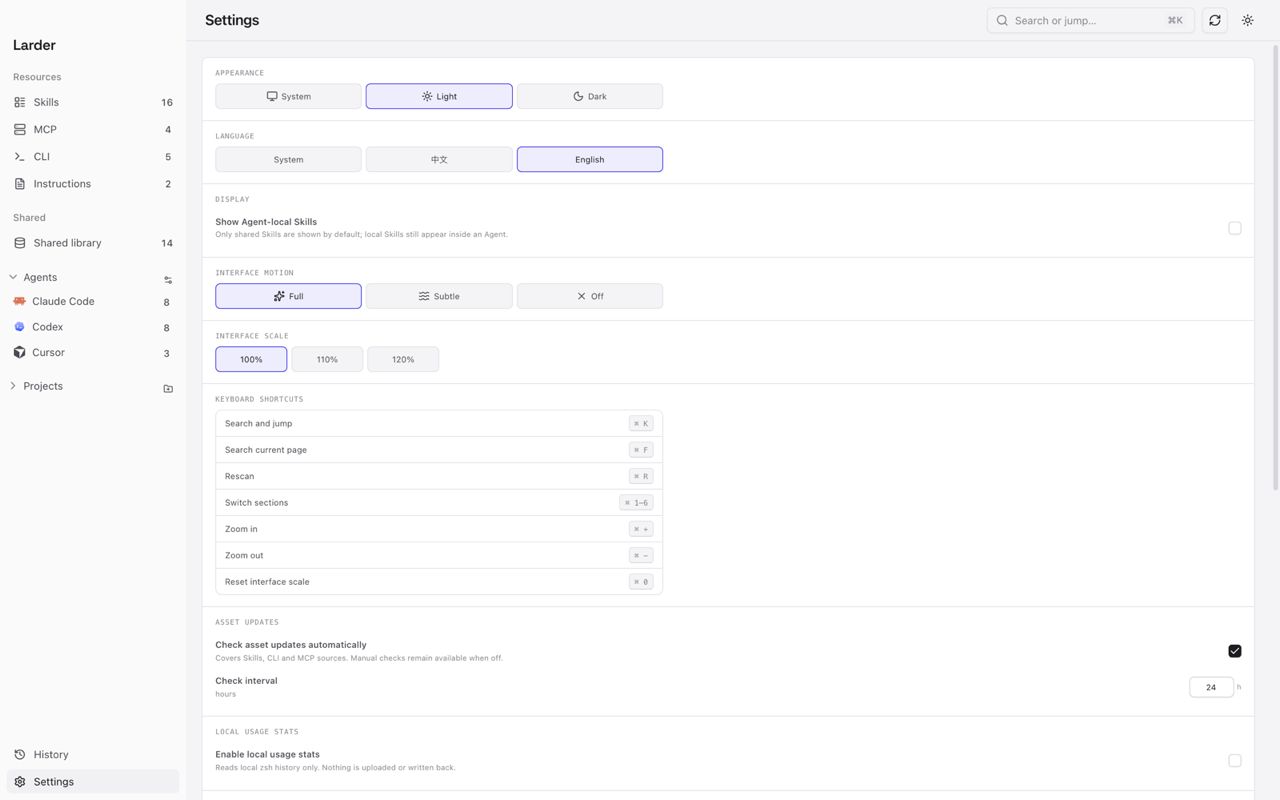 Settings Language, motion, zoom and update preferences. |
Safe by default
Larder reads local files before it writes anything.
- Every write has a visible action or plan.
- Configuration files are snapshotted before modification.
- Failures are shown instead of silently ignored.
- Local data stays local. No account, no file upload, no telemetry.
Build from source
Requirements:
- macOS 13+ (current primary platform)
- Windows 10 1809+ / 11 (build and acceptance path included; WebView2)
- Go 1.26+
- Node.js 24+
- Wails v3 CLI
macOS is the current primary target. The Windows build and test path is already in the repository; more desktop platforms are planned.
git clone <repo-url>
cd larder
./scripts/run.sh
Useful scripts:
./scripts/run.sh    # build if needed, then open the app
./scripts/dev.sh    # development mode with frontend hot reload
./scripts/build.sh  # rebuild the app
There is no signed release build yet.
On macOS, a locally built app may require:
xattr -dr com.apple.quarantine /path/to/Larder.app
On Windows, an unsigned build may show a SmartScreen warning.
Status
0.0.8 — early development. The current focus is local truth, safe writes, and a clearer view of what each Agent actually sees.
License
Reviews (0)
Sign in to leave a review.
Leave a reviewNo results found