7shell
Health Gecti
- License — License: Apache-2.0
- Description — Repository has a description
- Active repo — Last push 0 days ago
- Community trust — 50 GitHub stars
Code Basarisiz
- rm -rf — Recursive force deletion command in .github/workflows/web-package.yml
Permissions Gecti
- Permissions — No dangerous permissions requested
Bu listing icin henuz AI raporu yok.
An open-source SSH and operations client for Windows, macOS and Linux — terminals, SFTP, Docker, Kubernetes, VMware Workstation, RDP, host monitoring and batch execution in one app. Rust + Tauri, with an encrypted local vault, host-key verification before authentication, and audited AI/MCP tool calls.
7Shell
An open-source SSH and operations client for Windows, macOS and Linux
SSH, SFTP, Docker, Kubernetes, VMware, host monitoring and batch commands



Contents
- Features
- Connections
- Screenshots
- Install
- Getting started
- Tech stack
- Build from source
- Project layout
- Documentation
- Security
- Contributing
- License
Features
Terminals
- Remote terminals — SSH with a password, a private key, keyboard-interactive authentication or the system key agent; Telnet, raw TCP and serial.
- Local terminals — PowerShell, Command Prompt, Git Bash, the Unix login shell and WSL on Windows.
- Terminal workspace — tabs, search, links, keep-alive, reconnect and asciicast v2 recording.
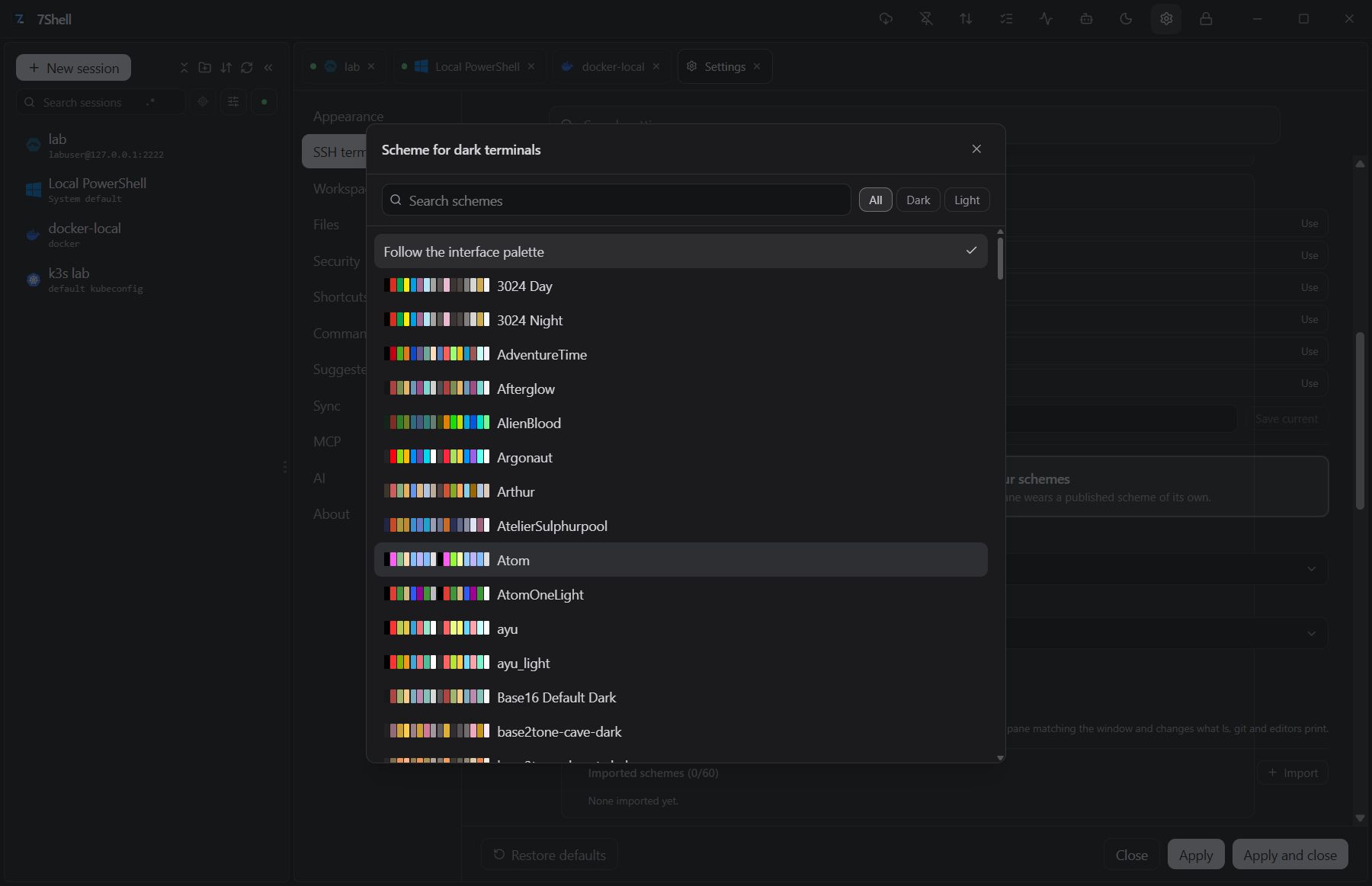
- Appearance — 190 built-in colour schemes; adjustable font family, size, line height, letter spacing and cursor; keyword highlighting with 22 default rules (ERROR, WARN, IP addresses and others) that can be edited.
- Jump hosts and forwarding — routes through other saved sessions, local port forwards (
-L) and a SOCKS5 proxy (-D).
Files
- SFTP workbench — two panes, create, rename, delete, edit text in place, filter the listing by name, upload and download.
- Transfers — queue, pause, resume and outlive the tab; on SSH a whole directory can be sent as one archive.
- Other file servers — WebDAV and FTP/FTPS folders in the same workbench; a server without SFTP falls back to SCP.
- ZMODEM —
rzandszinside the terminal, using the system file dialogs.
Containers and clusters
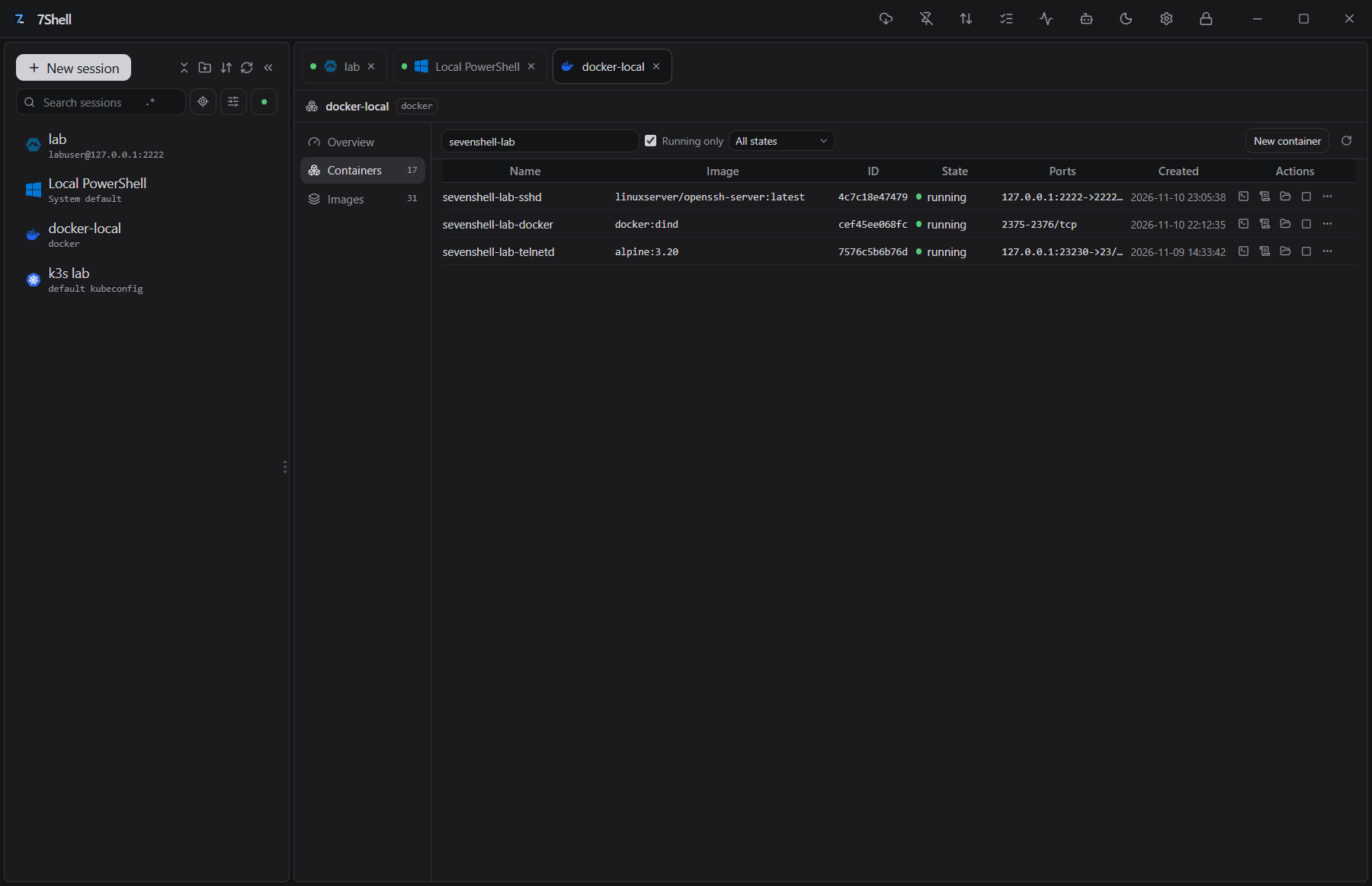
- Containers — Docker, Podman, nerdctl and WSLC: containers, images, logs, stats, an exec terminal, files and image archive import, on this machine or through an SSH session.
- Kubernetes — kubeconfig contexts, resource lists and watches, pod logs, exec, pod files, metrics and YAML editing, directly or through an SSH session.
Virtual machines
The workspace lists this computer's Workstation machines, shows their state and opens SSH or RDP. Snapshots, guest operations, configuration, host networks and console input run through the assistant and MCP tools, under the same risk rules.
- Workstation inventory — scans the machines VMware Workstation knows on this computer and imports them as sessions, keeping the machine's UUID as the identity. A session shows whether the machine is running, suspended or stopped, and starts, resumes, stops or suspends it; the power tool also resets, pauses and unpauses.
- Open a connection — SSH, or RDP on Windows, from the same machine entry once the guest has an address.
- Snapshots and clones — take, revert to and delete snapshots; make linked or full clones, including from a snapshot; and create or deploy
.vmtxtemplates. - Inside the guest — browse directories, copy files in and out, run programs and scripts, create, rename and delete files, list processes and read the environment. These operations sign in with the guest account the session stores.
- Configuration — CPU, memory, disks, network and serial adapters, SATA and NVMe controllers, shared folders, VProbes and configuration entries, without opening Workstation's settings window.
- Console and host network — send key sequences and capture a screenshot without a guest account, which covers boot menus and installers; list virtual networks and port forwards, with the REST service adding MAC-to-IP maps and network creation.
Operations
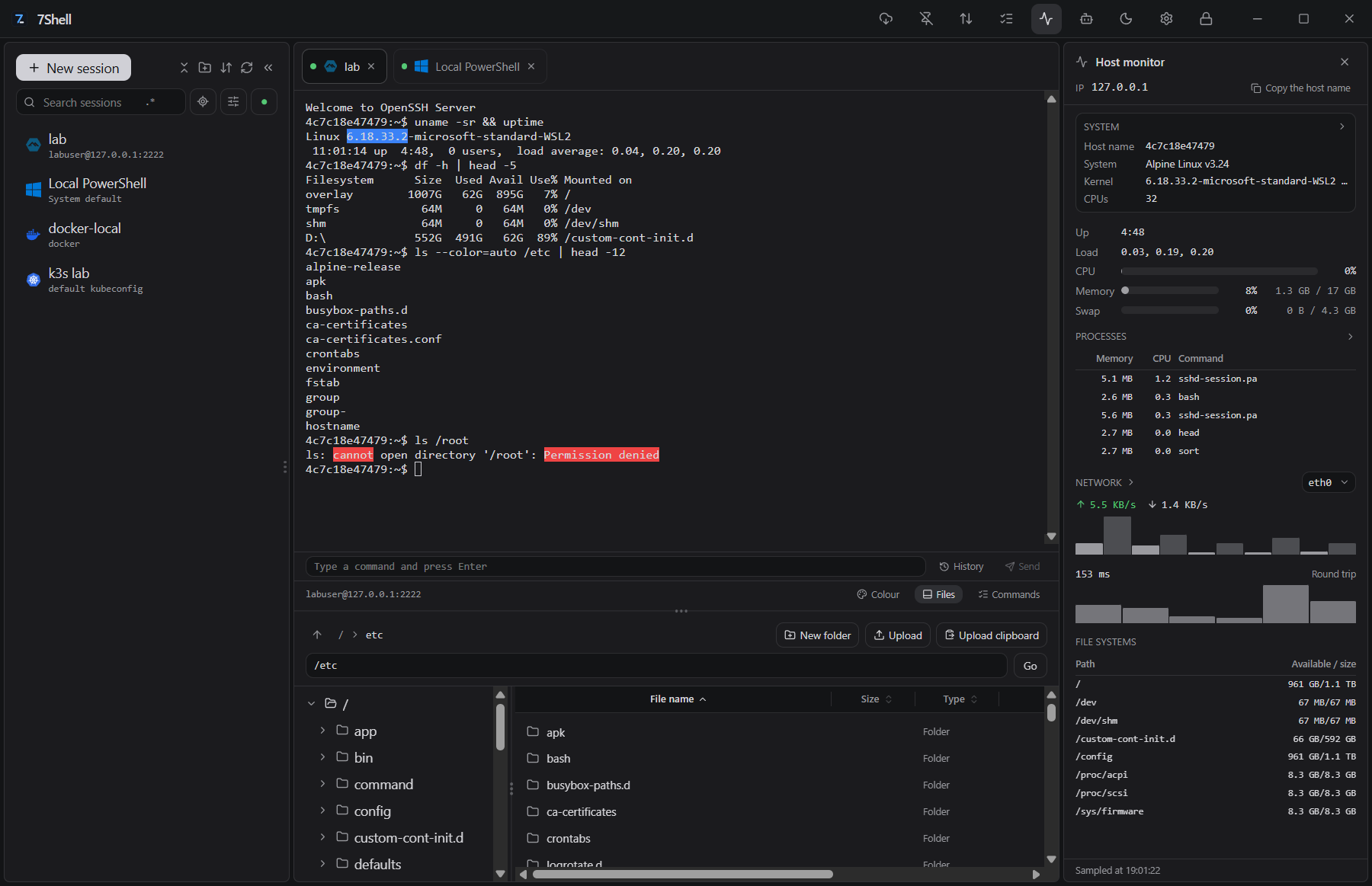
- Host monitor — load, CPU, memory, swap, disks, processes, network and sockets, sampled over the connection that is already open; nothing to install on the server.
- Batch execution — one command to several hosts, a result per host and a risk verdict before it runs.
- Command library — saved commands with
#1–#5slots, history and completion, sent to one terminal or all of them. - Interface — system, dark or light theme; English and Simplified Chinese.
- Sync — sessions and commands to a WebDAV server, or to a snippet on GitHub, Gitee or GitLab.
- RDP — Windows desktops through the system Remote Desktop client.
Assistant and MCP
- Assistant — Anthropic, OpenAI-compatible endpoints and local models.
- MCP server — external MCP clients can call the same tools on saved sessions; credentials stay in the application.
- VMware tools — 17 built-in tools cover inventory, power, snapshots and clones, guest operations, configuration, host networks, console keys and screenshots.
- Approval and audit — tool calls are checked against the risk rules and written to an audit log, and an approval prompt appears when a call needs one.
Connections
| Category | Connection | Notes |
|---|---|---|
| Terminal | SSH | Password, private key, keyboard-interactive or the system key agent |
| Terminal | Telnet | RFC 854 subset, with window reporting and the Enter/Backspace a device expects |
| Terminal | Raw TCP | Plain socket, no negotiation |
| Terminal | Serial | Port, baud rate, data bits, parity, stop bits and flow control |
| Terminal | Local shell | PowerShell, Command Prompt, Git Bash, Unix login shell |
| Terminal | WSL | Installed distributions, Windows only |
| Files | SFTP | Browse, edit, upload and download |
| Files | SCP | Fallback when the server has no SFTP subsystem |
| Files | FTP / FTPS | Plain FTP, or TLS before the login |
| Files | WebDAV | HTTP folders in the same workbench |
| Files | ZMODEM | rz and sz inside a terminal |
| Containers | Docker | Containers, images, logs, stats, exec, files |
| Containers | Podman | Podman engine, same workspace |
| Containers | nerdctl | containerd, with namespace selection |
| Containers | WSLC | Windows containers, Windows only |
| Cluster | Kubernetes | Contexts, resources, logs, exec, files, metrics, YAML |
| Virtual machine | VMware Workstation | Windows and Linux; inventory, power, snapshots, guest files and commands, console |
| Remote desktop | RDP | Windows only, through the system client |
Screenshots
Install
Installers are published on GitHub Releases.
- Windows —
.exe(NSIS) or.msi, plus a-portable.zipthat keeps its vault and settings in adatafolder beside the executable and updates itself in place, and an-offline-setup.exethat carries the WebView2 runtime. - macOS —
.dmgfor Apple silicon or Intel. - Linux —
.AppImage,.debor.rpm.
The builds are not code-signed and the macOS app is not notarized. Windows SmartScreen and macOS Gatekeeper will warn about an unsigned build, and macOS may refuse the first launch. Check the SHA-256 in the release notes against the file you downloaded. Winget, Scoop and Homebrew manifests are attached to each release but are not in the package registries yet.
Getting started
- Create the vault on first launch. The passphrase is not stored and cannot be recovered.
- Add a session: address, authentication method and, if needed, jump hosts.
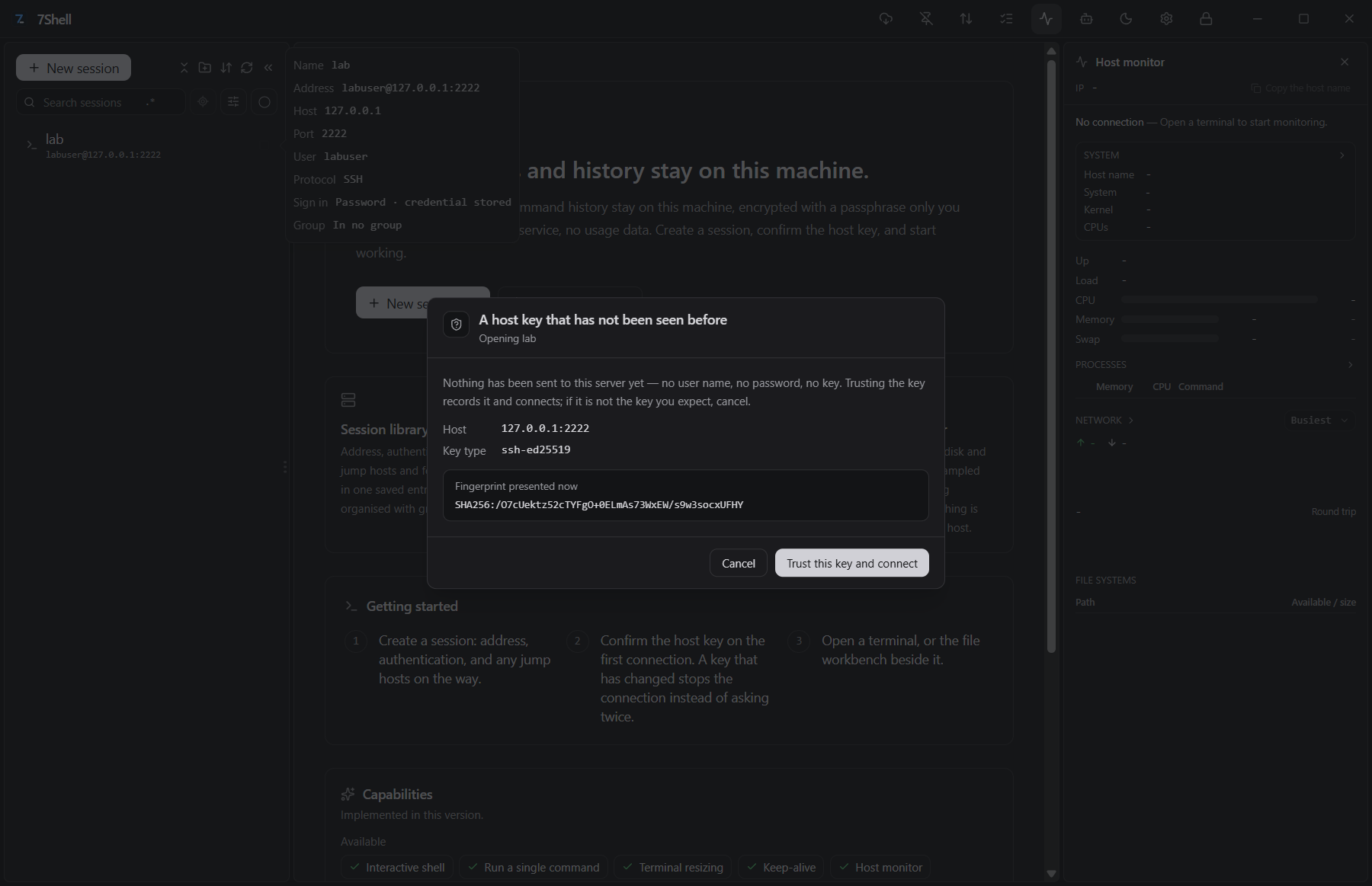
- Confirm the host key on the first connection. A changed key stops the connection instead of asking again.
- Open a terminal. The file workbench below it and the host monitor beside it use the same session.
- For a VMware machine, scan Workstation from the sidebar, import the machine, and open SSH or RDP from its session.
Tech stack
| Layer | Technology |
|---|---|
| Desktop shell | Tauri 2 |
| Core | Rust (russh, portable-pty) |
| Interface | Vue 3, Pinia, Tailwind CSS |
| Terminal | xterm.js |
| Assistant | Anthropic Messages, OpenAI-compatible, local models |
Build from source
- Rust, pinned by
rust-toolchain.toml;rustupinstalls it on the first build. - Node 22.13 or newer, and pnpm 11.
- Windows: the MSVC toolchain and WebView2.
- Linux: the WebKitGTK and GTK development packages.
git clone https://github.com/7wdn/7shell.git
cd 7shell
pnpm install
pnpm dev:tauri   # the desktop application
pnpm check       # every gate
CONTRIBUTING.md has the full setup and test commands.
Project layout
crates/          Rust crates: SSH, SFTP, containers, Kubernetes, VMware, policy, AI, MCP
src-tauri/       Tauri host: commands, windows, native dialogs
apps/desktop/    Vue 3 interface
descriptors/     Capability descriptors that generate wire types and manifests
docs/            Documentation and screenshots
Documentation
Security
- Credentials are stored in a local vault encrypted with Argon2id and XChaCha20-Poly1305. The passphrase is never saved.
- A host key is read over a probe that sends nothing, compared with the trusted keys on this device, and only then used for authentication. An unknown key is shown for confirmation; a changed key stops the connection.
- The interface never receives a local path. Files are picked in native dialogs in Rust and passed on as opaque tokens.
- VMware guest and REST credentials are kept in the same vault. Imported machines are identified by UUID, and agent tools reach them by session id, never by
.vmxpath. - Tool calls from the assistant and from MCP clients go through the risk rules and the audit log, with an approval prompt when a call needs one. Typing in a terminal is not gated.
- The update check is the only request the application makes on its own, and it can be turned off. Sync only connects to the server you configure.
The security model lists each invariant and whether a test holds it.
Contributing
Issues and pull requests are welcome. CONTRIBUTING.md covers the toolchain and the gates a change has to pass. Report vulnerabilities through SECURITY.md, not a public issue.
License
Apache-2.0. See LICENSE.
Yorumlar (0)
Yorum birakmak icin giris yap.
Yorum birakSonuc bulunamadi