cast-subagents

agent
Guvenlik Denetimi
Uyari
Health Uyari
  • License — License: MIT
  • Description — Repository has a description
  • Active repo — Last push 0 days ago
  • Low visibility — Only 5 GitHub stars
Code Gecti
  • Code scan — Scanned 10 files during light audit, no dangerous patterns found
Permissions Gecti
  • Permissions — No dangerous permissions requested
Purpose
This is a Python-based agent that integrates with Codex to analyze tasks before execution. It identifies work that can be delegated and recommends a lineup of subagents, pausing to wait for user approval before any actual work begins.

Security Assessment
Overall Risk: Low. The tool operates primarily as an analytical advisor rather than taking direct action. The automated code scan reviewed 10 files and found no dangerous patterns, hardcoded secrets, or requests for elevated permissions. It does not appear to execute arbitrary shell commands or scrape sensitive data independently. By design, it specifically pauses for explicit user approval before proceeding, meaning it does not trigger background processes or network requests without the developer's knowledge.

Quality Assessment
The project is actively maintained, with its last push occurring today. It uses the permissive and standard MIT license, making it safe for most open-source and commercial use. The main drawback is its low community visibility; it currently only has 5 GitHub stars. This indicates that while the code is clean, it has not been widely battle-tested or rigorously peer-reviewed by a large audience. Community trust should be considered preliminary.

Verdict
Safe to use, but proceed with the standard caution applied to new, low-visibility open-source tools.
SUMMARY

A Codex skill that suggests subagent lineups before Codex starts. Spots tasks worth delegating, recommends a 1-4 role lineup, and waits for your approval.
README.md

Cast-Subagents

Codex stays quiet about subagents until you ask. Cast-Subagents speaks up first.

English | 简体中文

License: MIT Codex Compatible GitHub Stars Status: Active PRs Welcome

Cast Subagents hero banner

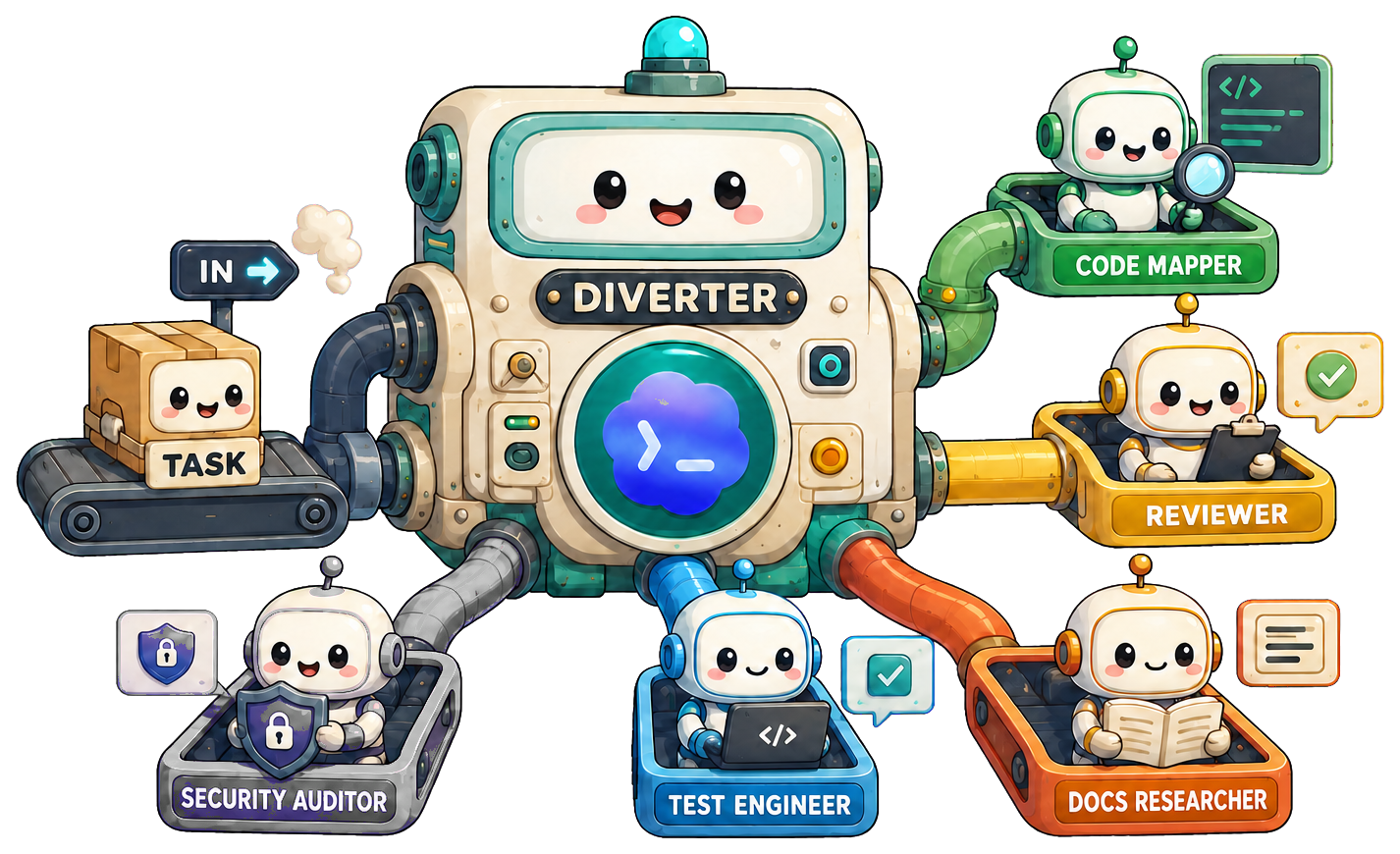
That silence has a cost. Every time a task splits cleanly across multiple lanes — a multi-axis PR review, a codepath-plus-docs verification, an option research with parallel threads — Codex stays in the main thread by default. The user has to notice the opportunity, decide which roles to spawn, and phrase the request clearly enough that Codex follows through. Cast-Subagents handles that recognition step: it spots the task shapes that benefit from delegation and surfaces a lineup suggestion before work begins.

💬 See It In Action

cast-subagents identifies the task shape, names the lineup and work mode, asks one direct question, then stops. It does not touch the task itself until you say go.

Two chat examples showing cast-subagents recommending subagent lineups

🤔 Why cast-subagents

OpenAI's own Codex documentation states: "Codex doesn't spawn subagents automatically, and it should only use subagents when you explicitly ask for subagents or parallel agent work."

That sentence describes a real gap. For every multi-lane task that would benefit from delegation, you have to manually decide whether to split it, which roles to pick, and how to phrase the spawn request clearly. As context grows longer, the main agent tends to absorb everything itself rather than handing work off. cast-subagents closes that gap by front-loading the analysis — but it hands the spawn decision back to you every time.

Some other delegation tools go all the way to automatic spawning after the analysis. cast-subagents stops at the suggestion. That's a deliberate design choice:

Other auto-spawn tools cast-subagents
Analyze the task, then spawn immediately Analyze the task, then pause for approval
User sees delegation after the fact User sees the proposed lineup before anything runs
Token spend committed without review You weigh whether the cost is worth it per task
Workflow changes to accommodate the tool Tool fits the workflow you already have

Three reasons this matters in practice:

  1. You keep final say on every spawn. Subagents multiply token consumption. An advisory step lets you decide case-by-case whether that spend is justified.
  2. Zero workflow disruption. Install and keep working the same way. The suggestion appears when it's useful; Codex proceeds normally when it isn't.
  3. No accidental delegation. If the main thread would handle something fine on its own, cast-subagents stays silent rather than adding overhead.

⚙️ How It Works

cast-subagents has two parts that work in sequence:

  • The AGENTS.md gate is the always-on trigger. It adds a short advisory block to your Codex AGENTS.md that tells Codex to check for a subagent-worthy task before starting any non-trivial work.
  • SKILL.md is the advisor. When the gate determines a suggestion is warranted, the skill does the detailed work: classifies the task shape, selects a lineup of 1–4 roles, determines the work mode, and writes the suggestion message. Then it stops and waits.

Think of them as gatekeeper and advisor: the gate decides whether to escalate; the skill decides what to recommend.

User sends task
      │
      ▼
AGENTS.md gate checks task
      │
      ├── task is simple / single-lane / opted out
      │         │
      │         ▼
      │     stay silent → Codex continues normally
      │
      └── task has independent lanes
                │
                ▼
          cast-subagents skill
                │
                ▼
          classify task shape
          select lineup (1–4 roles)
          choose work mode
          write suggestion message
                │
                ▼
          STOP — wait for approval
                │
      ┌─────────┴──────────┐
      │                    │
   declined             approved
      │                    │
      ▼                    ▼
  continue in         delegate with
  main thread         handoff schema

The Suggestion Contract

Every suggestion covers four things in order: why the task could benefit from subagents, the exact lineup with a reason per role, the work mode, and a permission question matched to the risk of the work. The output is conversational rather than templated — the same four pieces, different wording each time.

Hard constraints: exactly one lineup, no more than four roles, no task content before approval, no implication that delegation has already started. The suggestion always ends with a question.

After Approval

Once you approve, each agent gets a structured handoff that includes the goal, success criteria, scope boundaries, relevant file paths, write policy, and a verifiable deliverable. Here's what a typical handoff looks like:

goal: Map the affected code path for the settings save failure.
success_criteria: Identify the real execution path, likely failure boundary,
  and the files that own the behavior.
scope_in: settings modal, client mutation, API route, response handling
scope_out: unrelated settings pages, styling, copy updates
relevant_paths: src/settings/, app/api/settings/, useSettingsForm
constraints: read-only; no code edits; cite concrete files and symbols
deliverable: concise summary with file references and one likely root cause
write_policy: read-only
open_questions: whether retries or optimistic updates affect the failure mode

No agent infers scope from context — everything is explicit. The full schema is in references/handoff-schema.md.

📦 Installation

Agent-friendly install (recommended)

Tell Codex:

Fetch and follow instructions from https://raw.githubusercontent.com/917Dhj/cast-subagents/refs/heads/main/.codex/INSTALL.md

Codex will install the skill with npx skills add, install the AGENTS gate, and optionally install the bundled agent roles — then tell you to restart.

By default, the AGENTS gate is installed globally so cast-subagents can advise Codex across all workspaces. If npx has trouble, the install guide includes a Codex skill-installer fallback.

Manual install

1. Install the skill for Codex with npx Skills:

npx skills add 917Dhj/cast-subagents -a codex
CAST_SUBAGENTS_HOME="${AGENTS_HOME:-$HOME/.agents}/skills/cast-subagents"

If the command opens an interactive prompt, choose Codex as the target agent and confirm the install. If npx fails, use the fallback flow in .codex/INSTALL.md.

2. Install the AGENTS advisory gate:

Global install is the default and recommended setup. Use project-only only when you explicitly want cast-subagents enabled for one repository.

# Global — default; applies to all Codex workspaces
python3 "$CAST_SUBAGENTS_HOME/scripts/install-agents-gate.py" --scope global

# Project-only — opt in for one repository
python3 "$CAST_SUBAGENTS_HOME/scripts/install-agents-gate.py" \
  --scope project \
  --path /path/to/repo

3. (Optional) Install bundled agent roles:

# Global
python3 "$CAST_SUBAGENTS_HOME/scripts/install-agent-roles.py" --scope global

# Project-only
python3 "$CAST_SUBAGENTS_HOME/scripts/install-agent-roles.py" \
  --scope project \
  --path /path/to/repo

Without the bundled roles, cast-subagents still works — it will suggest lineups using whatever roles are already available in your Codex environment.

4. Restart Codex so the skill and AGENTS rules are loaded.

🎯 Decision Rules

When cast-subagents speaks up

  • Multi-axis review — the task asks for several independent review angles on the same diff or branch.

    Review this branch against main for bugs, security issues, missing tests, and maintainability risks.

  • Read-heavy codebase mapping — the task requires tracing multiple paths or layers before any changes.

    Map the auth flow first, then tell me whether the current implementation is safe to change.

  • Codepath plus docs/API verification — the task needs both a code trace and a documentation check, and those can run in parallel.

    先帮我查清楚代码路径,再去核对官方文档里这个 API 的行为。

  • Parallelizable research — the task involves independent questions that don't block each other.

    Research three approaches for background job retries and summarize the tradeoffs before we choose one.

  • Broad planning with separable subtasks — the task is a high-level goal with clearly independent investigation lanes.

    Map the relevant module boundaries first, then decide how to approach the change.

When it stays quiet

  • Trivial or single-file change — a one-liner fix or rename doesn't benefit from delegation.

    Fix this typo in the README.

  • Tightly coupled write work — same-file changes with overlapping logic are safer in sequence.

    就修这个单文件的小 bug,不要并行拆分。

  • Immediate fact lookup — the task is blocked on one answer, so spawning agents first doesn't help.

    What port is the dev server using right now?

  • Explicit opt-out — if you say not to use subagents, that's a hard constraint.

    Do not use subagents for this task.

  • Ambiguous request — if the intent isn't clear enough to build a solid lineup, the skill asks for clarification first.

The Chinese examples above are included intentionally. cast-subagents matches the user's language when writing suggestions; role names and work mode labels remain in English regardless of the prompt language.

🎭 Roles & Lineups

Bundled roles

Seven specialized roles are included in the agents/categories/ directory:

Role What it does
code-mapper Traces execution paths and maps file ownership across the codebase
reviewer Identifies correctness, security, and test risks in a change
docs-researcher Verifies API guarantees and documentation assumptions
search-specialist Gathers high-signal evidence quickly across code or external sources
knowledge-synthesizer Consolidates research findings into a concise, actionable summary
task-distributor Structures a broad goal into bounded, independent subtasks
test-automator Adds minimal regression coverage for identified risk areas

The skill selects capabilities first, then maps them to the roles that are actually available in your Codex environment. If a preferred role is missing, the skill says so explicitly rather than silently substituting.

Common lineups

Task shape Recommended lineup Work mode
Multi-axis PR review reviewer + code-mapper + docs-researcher read-only
Codepath plus docs/API verification code-mapper + docs-researcher read-only
Option research and tradeoff synthesis search-specialist + knowledge-synthesizer read-only
Read-heavy codebase exploration code-mapper + search-specialist read-only
Regression-risk evidence gathering code-mapper + reviewer + search-specialist read-only
Exploration before a bounded fix code-mapper + reviewer + worker mixed
Coverage-focused follow-up reviewer + test-automator write-capable

The cap is four roles. If a task seems to need more, cast-subagents either compresses the lineup or stays silent rather than padding it out.

These role names are compatible with VoltAgent/awesome-codex-subagents and similar community Codex subagent collections. If you use a custom role set, you can adapt references/role-lineups.md to add your own task shape mappings.

🔄 Work Modes

read-only — agents inspect, trace, and report. No files are written. This is the default for review, mapping, research, and verification tasks, and what cast-subagents defaults to when in doubt. Most suggestions use this mode.

mixed — agents start with a read-only pass and pause before any writes. The skill confirms the exploration phase is complete before handing off to a write-capable agent. When you see mixed in a suggestion, it means: "we'll dig in first, and I'll check with you before anything changes."

write-capable — agents may edit files within their assigned scope. cast-subagents flags this mode explicitly and, where the tradeoff is worth surfacing, offers to start in read-only mode instead. Any lineup that includes test-automator uses this mode by default.

The mode is always stated using one of these three exact labels — you won't see a suggestion without knowing which one applies.

❓ FAQ

Why doesn't it just spawn subagents automatically?

That's a deliberate design choice, not a limitation. Subagents multiply token consumption, and the right call varies by task. An approval step lets you weigh that cost each time rather than committing to it unconditionally. Other tools in this space make spawning automatic; cast-subagents treats your approval as a required step.

Will it slow Codex down on simple tasks?

No. The AGENTS gate evaluates every task before responding, but for simple, single-domain, or single-file work it stays completely silent. You won't see a suggestion for tasks that don't warrant one.

What if I want to skip the suggestion just this once?

Include a phrase like "do not use subagents" or "no subagents" in your prompt. The gate treats explicit opt-outs as a hard constraint. You can also decline the suggestion when it appears — cast-subagents will continue in the main thread without re-suggesting unless the task materially changes.

Does it work with custom subagent collections?

Yes. The preferred role names are compatible with collections like VoltAgent/awesome-codex-subagents. If you use a custom set, edit references/role-lineups.md to add your own task shape mappings. cast-subagents will use whatever roles are available and say so explicitly when a preferred role is missing.

Does it edit my code?

No. cast-subagents produces a suggestion and waits. Even after approval, the spawn is handled by Codex — cast-subagents doesn't touch your files at any point.

Does it support non-English prompts?

Yes. cast-subagents matches your language when writing the suggestion. Role names and work mode labels remain in English as exact tokens, but the surrounding message follows the language of your prompt. Chinese is supported out of the box.

Can I customize which task shapes trigger a suggestion?

Yes. references/decision-rules.md is the source of truth for task shape classification. references/role-lineups.md controls lineup recommendations. Both are plain Markdown tables — edit them directly to add, remove, or adjust rules. No configuration language to learn.

🗂 Project Structure

cast-subagents/
├── SKILL.md                      # Core advisor skill
├── .codex/
│   └── INSTALL.md                # Agent-readable install instructions
├── agents/
│   ├── openai.yaml               # Skill interface definition
│   └── categories/
│       ├── 01-core/
│       │   └── code-mapper.toml
│       ├── 02-research/
│       │   ├── docs-researcher.toml
│       │   ├── knowledge-synthesizer.toml
│       │   └── search-specialist.toml
│       ├── 03-planning/
│       │   └── task-distributor.toml
│       └── 04-quality/
│           ├── reviewer.toml
│           └── test-automator.toml
├── references/
│   ├── decision-rules.md         # Task shape → suggest/silent mapping
│   ├── role-lineups.md           # Task shape → lineup recommendations
│   ├── suggestion-contract.md    # Output format and tone rules
│   ├── handoff-schema.md         # Post-approval delegation payload
│   ├── examples-positive.md      # Tasks that should trigger a suggestion
│   └── examples-negative.md      # Tasks that should stay silent
├── scripts/
│   ├── install-agents-gate.py    # Manages the AGENTS.md trigger block
│   └── install-agent-roles.py    # Copies bundled .toml files to Codex agents dir
├── evals/
│   ├── prompts.yaml
│   ├── rubric.md
│   ├── scenarios.md
│   └── results/
└── CHANGELOG.md

The references/ directory is where substantive changes go. The SKILL.md loads these references at runtime, so you can tune decision rules, lineup tables, and wording without touching the skill logic itself.

🙏 Acknowledgments

The always-on gate pattern and session-bootstrap approach in this project were inspired by obra/superpowers. The idea of using a session-bootstrap mechanism to ensure a gate runs before every task came directly from studying that project.

The role names and lineup categories are designed to be compatible with VoltAgent/awesome-codex-subagents so users with that collection installed can use cast-subagents out of the box.

🤝 Contributing & License

Issues and pull requests are welcome. The most useful contributions are:

  • New task shapes in references/decision-rules.md with a matching lineup in references/role-lineups.md
  • Positive and negative examples in references/examples-positive.md and references/examples-negative.md that ground the new rule in real prompts
  • Eval scenarios in evals/scenarios.md that cover edge cases where the current rules produce an unexpected result

When adding a decision rule, the useful test is: can you write a prompt that should trigger it, and a similar-looking prompt that should stay silent? If both are in the example files, the rule is well-scoped.

This project is released under the MIT License.

Yorumlar (0)

Sonuc bulunamadi
