AK47
mcp
Uyari
Health Uyari
- License — License: MIT
- Description — Repository has a description
- Active repo — Last push 0 days ago
- Low visibility — Only 6 GitHub stars
Code Gecti
- Code scan — Scanned 1 files during light audit, no dangerous patterns found
Permissions Gecti
- Permissions — No dangerous permissions requested
Purpose: This tool is a cross-platform vulnerability exploitation and security assessment framework. It provides an MCP server interface for AI-assisted security testing, featuring plugin support, custom syntax engines, and out-of-band (OOB) agent services for DNS, LDAP, and HTTP.
Security Assessment: Overall risk is Medium. The code scan on checked files found no dangerous patterns, hardcoded secrets, or dangerous permission requests. However, the tool's core purpose involves executing network requests across multiple protocols (TCP, UDP, HTTP, WebSocket) and running external exploit modules. It also explicitly instructs users to bypass macOS Gatekeeper security (`xattr -rd com.apple.quarantine`), which is a significant security concern. Furthermore, the application opens browser advertisements upon exit to generate revenue for the author, which demonstrates an intrusive behavior typically seen in less trustworthy software.
Quality Assessment: The project is licensed under MIT and appears to be actively maintained based on recent repository pushes. However, it suffers from extremely low community visibility and trust, having only 6 GitHub stars. The README is comprehensive and offers dual-language documentation, but developers should be highly cautious of a closed-source security tool from an unverified author with such minimal community validation.
Verdict: Use with caution—while the automated code scan passed, its invasive ad behavior, exploit-focused nature, and lack of community vetting make it strictly suited for isolated research environments rather than trusted daily use.
Security Assessment: Overall risk is Medium. The code scan on checked files found no dangerous patterns, hardcoded secrets, or dangerous permission requests. However, the tool's core purpose involves executing network requests across multiple protocols (TCP, UDP, HTTP, WebSocket) and running external exploit modules. It also explicitly instructs users to bypass macOS Gatekeeper security (`xattr -rd com.apple.quarantine`), which is a significant security concern. Furthermore, the application opens browser advertisements upon exit to generate revenue for the author, which demonstrates an intrusive behavior typically seen in less trustworthy software.
Quality Assessment: The project is licensed under MIT and appears to be actively maintained based on recent repository pushes. However, it suffers from extremely low community visibility and trust, having only 6 GitHub stars. The README is comprehensive and offers dual-language documentation, but developers should be highly cautious of a closed-source security tool from an unverified author with such minimal community validation.
Verdict: Use with caution—while the automated code scan passed, its invasive ad behavior, exploit-focused nature, and lack of community vetting make it strictly suited for isolated research environments rather than trusted daily use.
AK47 是一款跨平台的漏洞利用与安全评估工具 | AK47 is a cross-platform vulnerability exploitation and security assessment tool
README.md
AK47


中文 | English
[!WARNING]
此工具仅限于安全研究和教学,用户承担因使用此工具而导致的所有法律和相关责任! 作者不承担任何法律和相关责任!
AK47 是一款跨平台的漏洞利用与安全评估工具,内置高级引擎与多种安全扩展模块,致力于显著提升安全验证的工作效率。
功能特性
- 跨平台: Windows / Linux / MacOS
- 插件化: 灵活的规则编排与语法引擎
- AI 支持: MCP 深度联动 + Skill 专业赋能
- 通信协议: TCP / UDP / HTTP / WebSocket
- 外部扩展: ysoserial / Java-Chains / MemShellParty
- Agent服务: OOB / JNDI / Service[DNS/LDAP/HTTP]
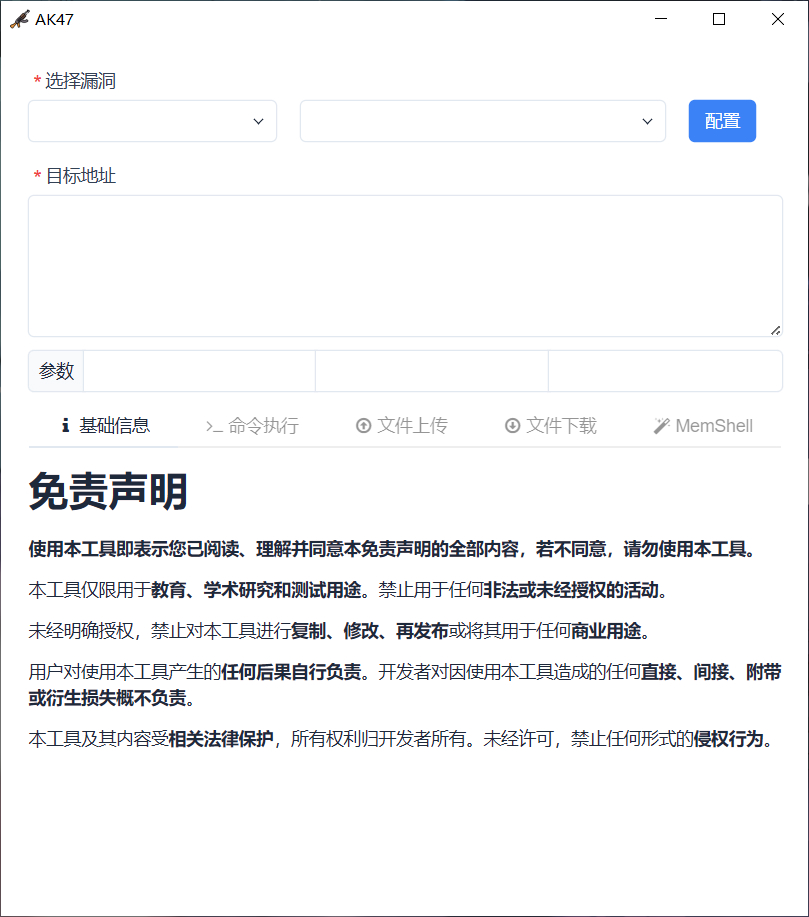
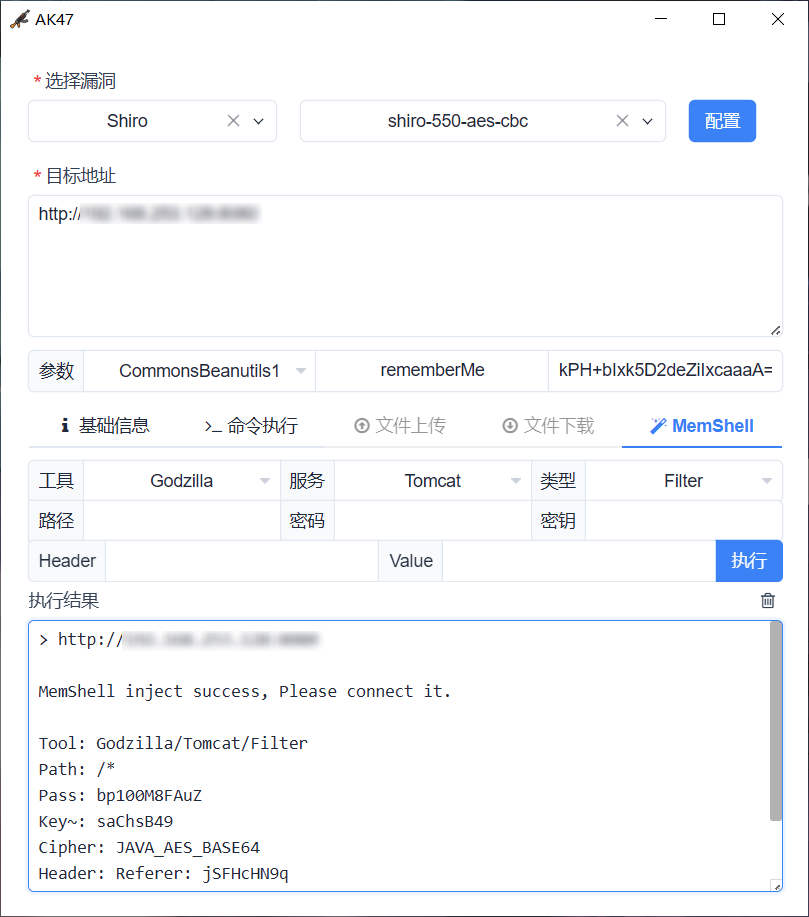
界面预览
常见问题
1. 如何启动 MCP 服务?
通过 ./AK47 127.0.0.1:9999 启动 MCP 服务端,查看 AK47.log 获取 StreamableHTTP 路径。
2. 如何搭建 Agent 服务?
# AK47 配置 Agent 并连接 https://xxx:6666/8418baac-ece1-4f1f-73ef-9bfc08eb886f
./rpg_linux_amd64 -l :6666
2026/01/01 12:00:00 config.go:93: using /8418baac-ece1-4f1f-73ef-9bfc08eb886f as agent endpoint
2026/01/01 12:00:00 service.go:360: starting dns server on :53
2026/01/01 12:00:00 service.go:217: starting tcp server on :6666
3. 为什么 Mac 下无法运行?
请执行以下命令移除 com.apple.quarantine 属性后重新运行:
sudo xattr -rd com.apple.quarantine /path/to/directory
4. 如何编写 AK47 漏洞插件?
请详细阅读 Wiki,并参考 plugin 目录下示例,然后通过 npx skills add 99999G/AK47 --skill ak47-plugin-generator 安装 Skill 来辅助编写。
5. 为什么每次程序退出都会打开浏览器广告?
非常抱歉打扰到您,广告将为作者增加一点微薄的收入,感谢您的理解与支持。
赞助支持
如果本项目对你有帮助,欢迎 Star 或赞助支持!
参考项目
Yorumlar (0)
Yorum birakmak icin giris yap.
Yorum birakSonuc bulunamadi