isokit
Health Warn
- License — License: MIT
- Description — Repository has a description
- Active repo — Last push 0 days ago
- Low visibility — Only 6 GitHub stars
Code Pass
- Code scan — Scanned 12 files during light audit, no dangerous patterns found
Permissions Pass
- Permissions — No dangerous permissions requested
No AI report is available for this listing yet.
Isometric figures you can press. Rounded boxes, faces you draw on, keys that click back and synthesized sound, for React. Plus a Claude Code skill that draws them.

isokit
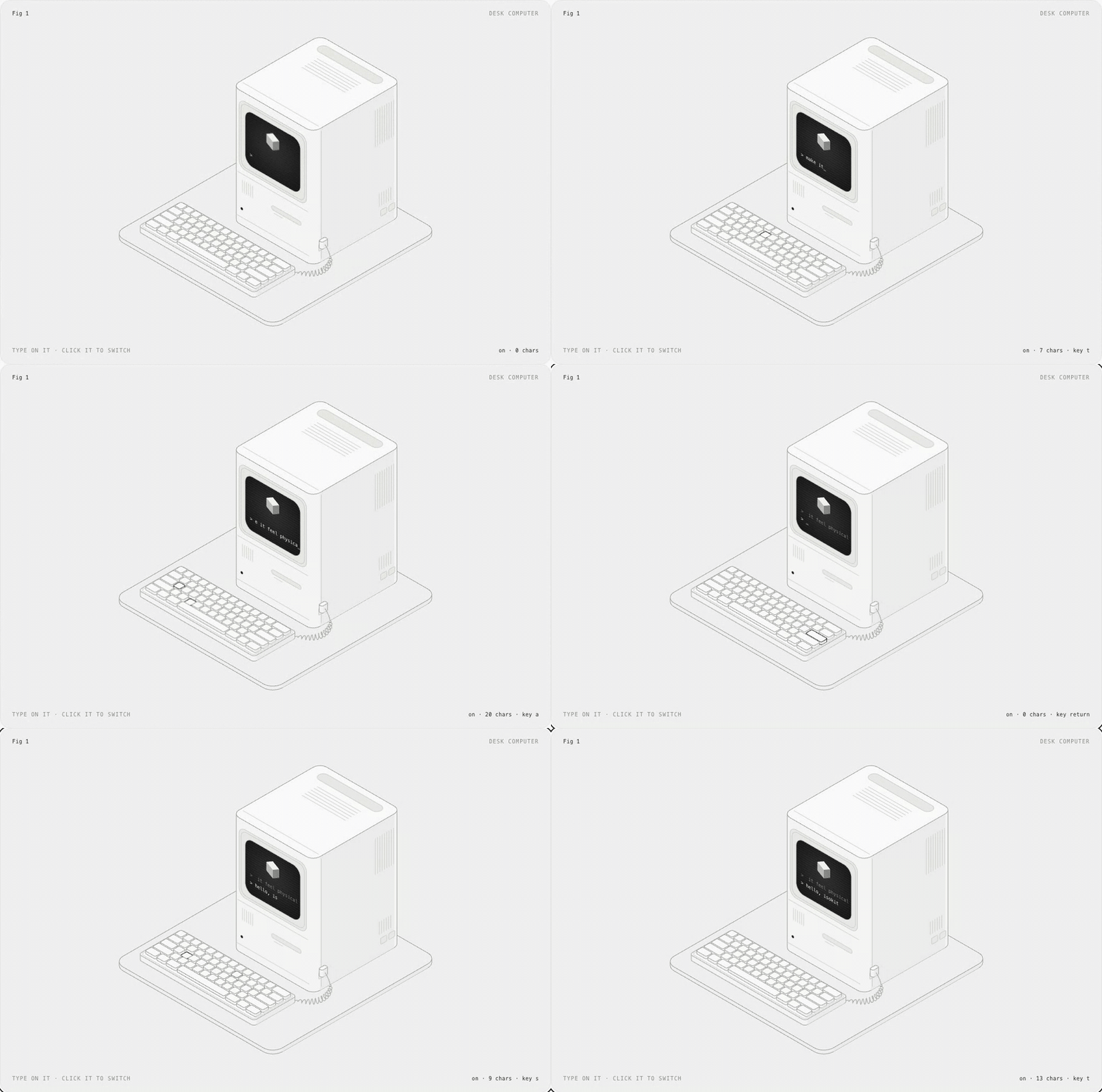
Isometric figures you can press.
Rounded boxes, faces you can draw on, keys that click back, and sound you can hear.
A small, typed React kit, and a skill your coding agent uses to draw with it.





Live demo · Quick start · API · With your agent
Why
Most product illustrations are pictures. These are objects: the key goes down when you press it and comes back up when you let go, the screen says what happened, and you can hear it. isokit gives you the few pieces that make that easy, so a figure is a list of boxes, not an afternoon in a design tool.
- Real isometric. True 30° projection, no perspective, no WebGL. Plain SVG that stays crisp at any size.
- Draw on faces, not polygons. Every face takes ordinary
<rect>,<path>and<text>in its own flat coordinates. Screens, labels and vents land in projection for free. - Presses that feel physical. Down on press, up on release, acts on release. Pointer, touch, Enter and Space.
- Sound, done properly. Twelve synthesized interaction sounds, no audio files, loaded only when someone reaches for a figure, silent until the page opts in.
- Typed and validated. Every public type is inferred from a zod schema. In development, bad input is explained in the console; in production it is clamped and costs nothing.
- Light on the page. 3.1 kB core, the sound engine is a separate 2.6 kB chunk, loops sleep offscreen, server rendering works.
Quick start
npm i react-isokit
import { useState } from "react"
import { Box, Plate, Press } from "react-isokit"
import "react-isokit/styles.css"

const key = { x: 0, y: 0, z: 0, w: 60, d: 60, h: 14 }

export function Key() {
  const [n, setN] = useState(0)
  return (
    <Plate label="A key you can press" fit={[key]} readout={`pressed ${n}×`}>
      <Press label="Press the key" onPress={() => setN(n + 1)}>
        <g><Box {...key} r={10} /></g>
      </Press>
    </Plate>
  )
}
That is a working, accessible, keyboard-operable key that sinks and springs back. Add configureSound({ defaultOn: true }) once, and it clicks.
How it works
World space. +x runs down-right, +y runs down-left, +z runs up, all 120° apart. A box is its back-left-bottom corner and its size: { x, y, z, w, d, h }. Units are yours; Plate scales the result to fit.
Paint order is depth. There is no depth buffer: later shapes cover earlier ones. Emit back to front: smaller x + y first, lower z first, and for a grid, rows by y then columns by x.
Faces are flat. Box takes top, front and side children, each drawn in that face's own coordinates:
| Face | Faces toward | Local x | Local y | Origin |
|---|---|---|---|---|
top |
up | along +x | along +y | back-left corner |
front |
lower-left | along +x | down | top-left corner |
side |
lower-right | front edge → back | down | top-front corner |
<Box x={0} y={0} z={0} w={150} d={48} h={46} r={8}
  front={<>
    <rect className="ik-screen" x={9} y={8} width={106} height={30} rx={4} />
    <text className="ik-screen-text" x={15} y={30} fontSize={9.5}>Deploy preview?</text>
  </>}
/>
API
Components
<Plate>
The numbered plate a figure sits on, and the <svg> it is drawn in.
| Prop | Type | |
|---|---|---|
label |
string |
Required. The accessible name: what it is and how to use it. |
fit |
Array<Box3 | Vec3> |
Boxes and points to frame. Fit the most extreme pose your figure takes. |
aspect |
number |
Width / height of the drawing. Default 1.25. |
pad |
number |
Padding around fit, as a share of its size. Default 0.07. |
viewBox |
string |
Your own viewBox instead of fit. |
fig, name, hint, readout |
ReactNode |
The four corner captions. readout is announced to screen readers. |
credit |
boolean |
Shows the small “Made with isokit · pushary.com” link. Default true; set false to omit it. |
theme |
"light" | "dark" | "system" |
Unset follows a .dark or [data-theme="dark"] ancestor. |
look |
"blueprint" | "paper" | "phosphor" | string |
A look from react-isokit/themes.css, in its light or dark version. A data-look attribute on any ancestor works too. |
Any other prop goes to the <svg>, so data-* attributes there can drive your CSS.
<Box>
A rounded box. Its outline is the hull of its rounded top and foot, so no vertical corner is drawn; its right side is tinted darker and its lid is lightest.
x, y, z, w, d, h (required), r (corner radius), top, front, side (drawn on that face), className, children (drawn after it).
<Press>
A part you can press. It goes down on press, comes up on release, and calls onPress on release. Wrap the boxes that should sink in one <g> inside it.
label (required), onPress (required), sound (default true), material ("plastic" by default, or "metal", "rubber", "glass", "paper": it shapes the click), disabled, className. Add the class ik-lift for parts that lift instead of sinking. The part's size sets the pitch of its click and its position sets the stereo pan, measured when it is pressed. Set --ik-travel on it for a deeper key.
<Glow>
Light coming off something that is switched on: an LED, an awake screen's text, a signal on a wire. on (default true) fades a soft halo in fast and out slowly. Wrap small emitters only; never faces or pressable parts. The halo shows on dark themes and dark looks; on light themes, lit means the darker fill you give it.
Drafting: react-isokit/drafting
<Dimension from to offset label> draws a dimension line with witness lines and arrowheads; when what it measures moves, its end and label slide with it, so the label can be a read-out. <Callout at dx dy label> draws a leader-line label. Both show only in a look that turns drafting on, like blueprint.
Guided motion: useDemoTap, <Cursor>, <Ripple>, <Signal>, <Flight>
A first-time reader should see what to press and what pressing does. These five pieces do that; each has a page with a live example on the components site.
| Piece | |
|---|---|
useDemoTap(onTap, { delay, threshold }) |
Presses the part marked data-hot once, silently, the first time the figure is mostly in view, then hands it over. Returns { ref, phase, dismiss, plate }: ref on a group inside the svg, plate spread onto Plate, phase for Cursor. Cancelled by scrolling away before the press; never plays after the reader presses or types in the figure, under reduced motion, or without IntersectionObserver. |
<Cursor at phase size> |
The pointer the demo presses with, landing on a world point. Draw it last. |
<Ripple x y z w d r inFace> |
A ring breathing out from a footprint: the part to press. Show it until the first press. inFace draws it in the face it sits in, for keys on upright faces. |
<Signal points delay duration> |
A dash that runs once along world points, from the cause to the result. New key to run again. |
<Flight from to delay duration lift> |
Carries its children along an arc between two world points and hides them as they land. |
All five ignore the pointer, sleep offscreen and calm down under reduced motion. delay and duration are milliseconds; sound options are seconds.
<SoundToggle>
A small switch for interaction sound that remembers the reader's choice. Takes any <button> prop; its children replace the "Sound" label.
Functions
| Function | |
|---|---|
frame(fit, aspect?, pad?) |
A viewBox around boxes and points. |
project(x, y, z) |
A world point on screen. |
top(x, y, z), front(x, y, z), side(x, y, z) |
SVG transform strings for drawing on a plane yourself. |
path(points) |
An open path through world points: cables, guides, wires. |
curve(a, b, c, d, steps?) |
Points along a cubic Bézier through four world points; draw them with path. |
outline(box, r) |
The outline path of a rounded box. |
corners(box), hull(points), radius(box, r) |
The geometry underneath. |
Sound
configureSound({ defaultOn, storageKey, volume }) |
Sound is off until the page turns it on. |
playSound(name, options?) |
Plays a sound if sound is on; returns a stop() for sounds a newer action should cut short. |
primeSound() |
Starts loading the engine. Plate calls it when a pointer or focus arrives. |
useSoundEnabled() |
[on, setOn]. |
soundPreference |
The store, shaped for useSyncExternalStore. |
Validation
Every type isokit accepts is defined once, as a zod schema, and the TypeScript types are inferred from it. In development builds, Plate, Box, frame, playSound and configureSound check what they are given and explain any problem once in the console:
react-isokit: <Box x={0} y={0} z={0} w={-5} d={10} h={10}> cannot be drawn
✖ w cannot be negative
  → at w
Production builds skip the checks entirely, never load zod, and clamp bad input instead of breaking. To validate figure data you did not write yourself (JSON, a CMS, an agent's output), import the schemas:
import { box3Schema, describe } from "react-isokit/schema"

const result = box3Schema.safeParse(json)
if (!result.success) console.error(describe(result.error))
The palette: press, release, toggle, boot, success, error, notify, complete, cascade, whoosh, paper, process, done, and the mechanical complications tick, latch, relay, motor, roll, beep. cascade and roll take { count, stagger, delay } so their steps land in time with your animation; motor takes { duration }. Press passes material, pan and size for its own clicks; you can pass them too.
Styling
Everything is drawn with a few classes and coloured by --ik-* custom properties, all at zero specificity, so your CSS always wins.
| Class | For |
|---|---|
ik-face, ik-top, ik-tint, ik-edge |
Solids and silhouettes (what Box uses). |
ik-detail |
Dim inner lines: seams, vents, text lines. |
ik-line |
Structure-weight lines: cables, rails. |
ik-live |
The one bright stroke: whatever is live right now. |
ik-dash |
Dotted construction guides. |
ik-well, ik-fill, ik-dot |
Recesses, solid marks, a bright dot. |
ik-screen, ik-screen-text, ik-screen-line |
Displays and what they show. |
ik-label |
Small engraved labels. Size them with CSS (font-size), not the fontSize attribute: CSS wins over SVG presentation attributes. |
ik-enter, ik-pulse, ik-blink, ik-float, ik-loop |
Ready-made motion; loops sleep offscreen. |
Restyle with --ik-panel, --ik-top, --ik-front, --ik-side, --ik-well, --ik-line, --ik-detail, --ik-live, --ik-ink, --ik-ink-hi, --ik-screen, --ik-screen-ink, --ik-screen-font, --ik-border, and --ik-glow, --ik-glow-size, --ik-glow-strength for light.
Lines come in three weights: --ik-weight-edge for silhouettes, --ik-weight-crease for creases, --ik-weight-fine for inner marks.
Motion is one scale: --ik-ease, --ik-ease-out, --ik-ease-move, --ik-ease-fall and --ik-spring (a real spring, written as CSS linear()), timed by --ik-t-press, --ik-t-hover, --ik-t-state, --ik-t-move, --ik-t-spring, --ik-t-glow-on, --ik-t-glow-off and --ik-stagger. Change one and every figure follows.
Looks
import "react-isokit/styles.css"
import "react-isokit/themes.css"
themes.css adds three looks, each with a light and a dark version, set with look on a Plate or data-look on any ancestor: blueprint (blue on whiteprint, white on cyanotype, on isometric graph paper, with the drafting layer), paper (sepia ink, one vermilion accent) and phosphor (amber or green, with bloom and scanlines). A look is five colours per scheme, --ik-paper, --ik-pen, --ik-live, --ik-glow and --ik-accent with -light and -dark; every face tone is mixed from them, so writing your own look takes ten lines.
Performance
- 3.1 kB for
Plate,Box,Pressand the math, 4.9 kB for the whole entry with guided motion andGlow, minified and brotlied; unused pieces tree-shake away. 2.5 kB of CSS, plus 0.8 kB for the looks and 0.9 kB for drafting if you use them. Budgets are enforced in CI. - Validation costs nothing in production. The schemas (zod/mini, 7.4 kB) load only in development builds, or when you import
react-isokit/schemayourself. - Sound costs nothing until it is used. The 2.6 kB engine is a separate chunk fetched when a pointer or focus reaches a plate; no
AudioContextexists until the first press, and it is suspended again once the longest scheduled sound has finished and four quiet seconds have passed. - Loops sleep offscreen. Each plate watches itself with one
IntersectionObserver. - Server rendering. Everything renders to static SVG; the package ships
"use client"for the Next.js App Router. - Reduced motion lands every transition at once and stops every loop.
Accessibility
Every plate is a group named by your label (pass role="img" for a figure with nothing to press). Every Press is a focusable button with its own label; Enter and Space work like a real key, and focus shows as the live stroke. The read-out is a polite live region. Sound is never the only feedback.
The skill
isokit ships a skill that teaches Claude Code (and Codex, Cursor and other agents that read skills) to draw interactive figures with it: decide what pressing produces, lay out the boxes, paint back to front, wire the presses and sounds, then screenshot and check its own work.
npx skills add aadilghani1/isokit
Or as a Claude Code plugin:
/plugin marketplace add aadilghani1/isokit
/plugin install isokit@isokit
From a shell: claude plugin marketplace add aadilghani1/isokit and claude plugin install isokit@isokit. Where else the skill is listed, and how, is in docs/DISTRIBUTION.md.
Then ask for a figure:
/isokit a kitchen timer with minute buttons and a display that counts down
With your agent, end to end
- Teach your agent.
npx skills add aadilghani1/isokit(Claude Code, Codex, Cursor and any agent that reads skills). - Add the kit.
npm i react-isokitandimport "react-isokit/styles.css"once. - Ask for a figure.
/isokit a coffee grinder with a dial that sets the grind. The skill decides what pressing produces, then lays out the boxes. - It draws, looks and fixes. Your agent writes the component, screenshots it in light and dark at desktop and phone width with the skill's checker, and fixes what it sees.
Examples
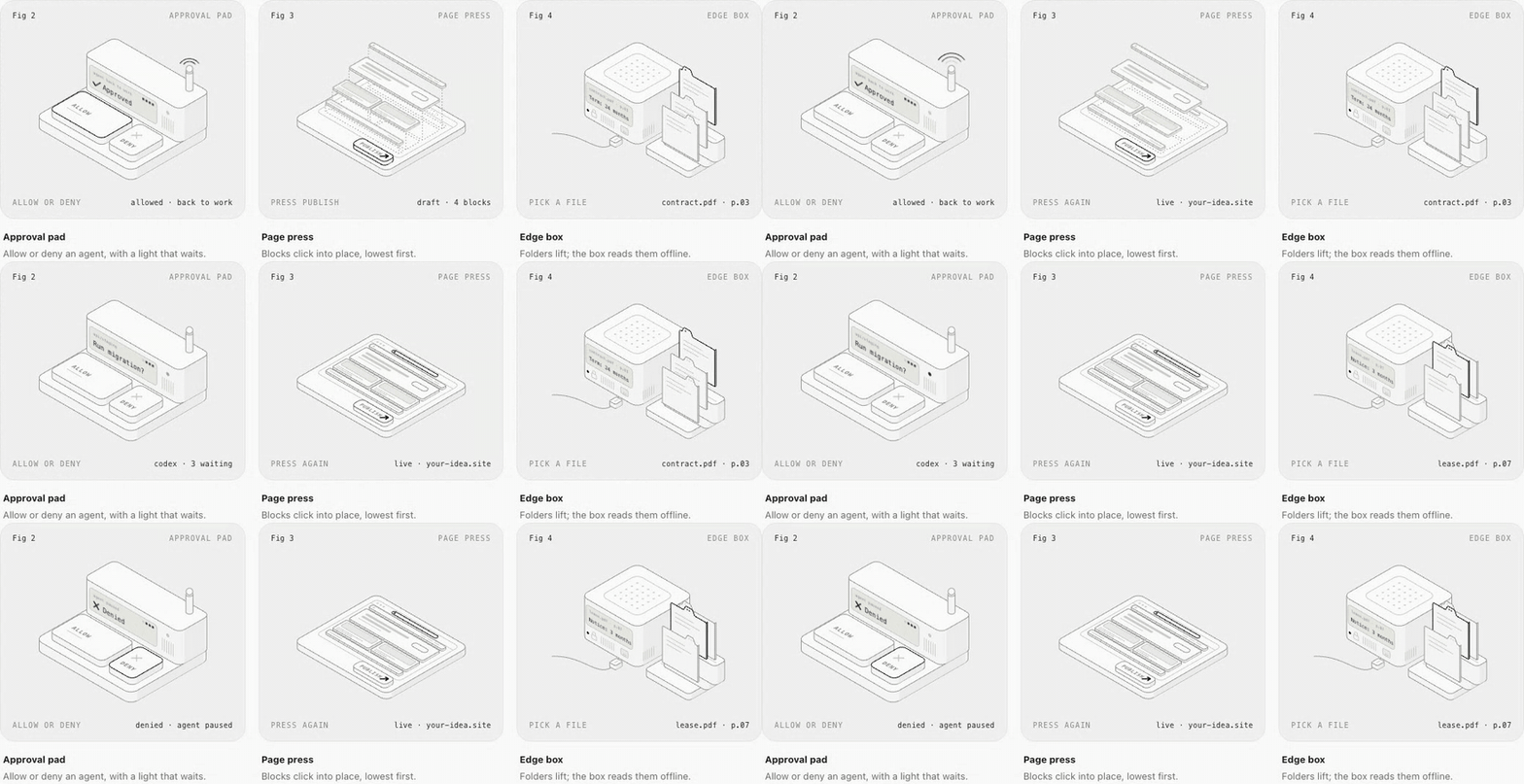
The studio's figures are in examples/demo/src/figures, one folder per industry and one file per figure, at four levels of complication. Run them with npm run dev, browse the open briefs on the studio page, and start a new one with npm run new:figure.
Made by the maker of Pushary
isokit is built by Aadil Ghani, who also makes Pushary. When your coding agent needs an answer, Pushary sends the question to your phone. You can approve or decline from there. The agent relay example shows how it works.
Pushary is a separate, optional tool. isokit is free to use with or without it.
Contributing
Issues and pull requests are welcome; see CONTRIBUTING.md. Please keep to the code of conduct.
For website changes, use the design system and its live examples at #/design-system in the studio.
Credits
isokit stands on Hairline by Lucas Marques and iso-figure by Tolga Cohce, both MIT. See NOTICE.md for what came from where.
License
Reviews (0)
Sign in to leave a review.
Leave a reviewNo results found