skill-video-studio
Health Gecti
- License — License: MIT
- Description — Repository has a description
- Active repo — Last push 0 days ago
- Community trust — 346 GitHub stars
Code Gecti
- Code scan — Scanned 12 files during light audit, no dangerous patterns found
Permissions Gecti
- Permissions — No dangerous permissions requested
Bu listing icin henuz AI raporu yok.
Claude Code skill for product videos: real browser capture, branded composition, and local mastering.
Video Studio Skill
From product workflow to polished demo.
v1.0.1 release · aaitor/skill-video-studio
Quick start · Worked videos · Usage · Contribute


A local video-production workspace driven by the /devrel-video Claude Code skill. Capture real product interactions with Playwright CLI, compose title cards, chapters, and CTAs with HyperFrames, then master and inspect the result with FFmpeg. Start with a silent walkthrough; add narration, music, subtitles, or your own presenter footage when needed.
Demo
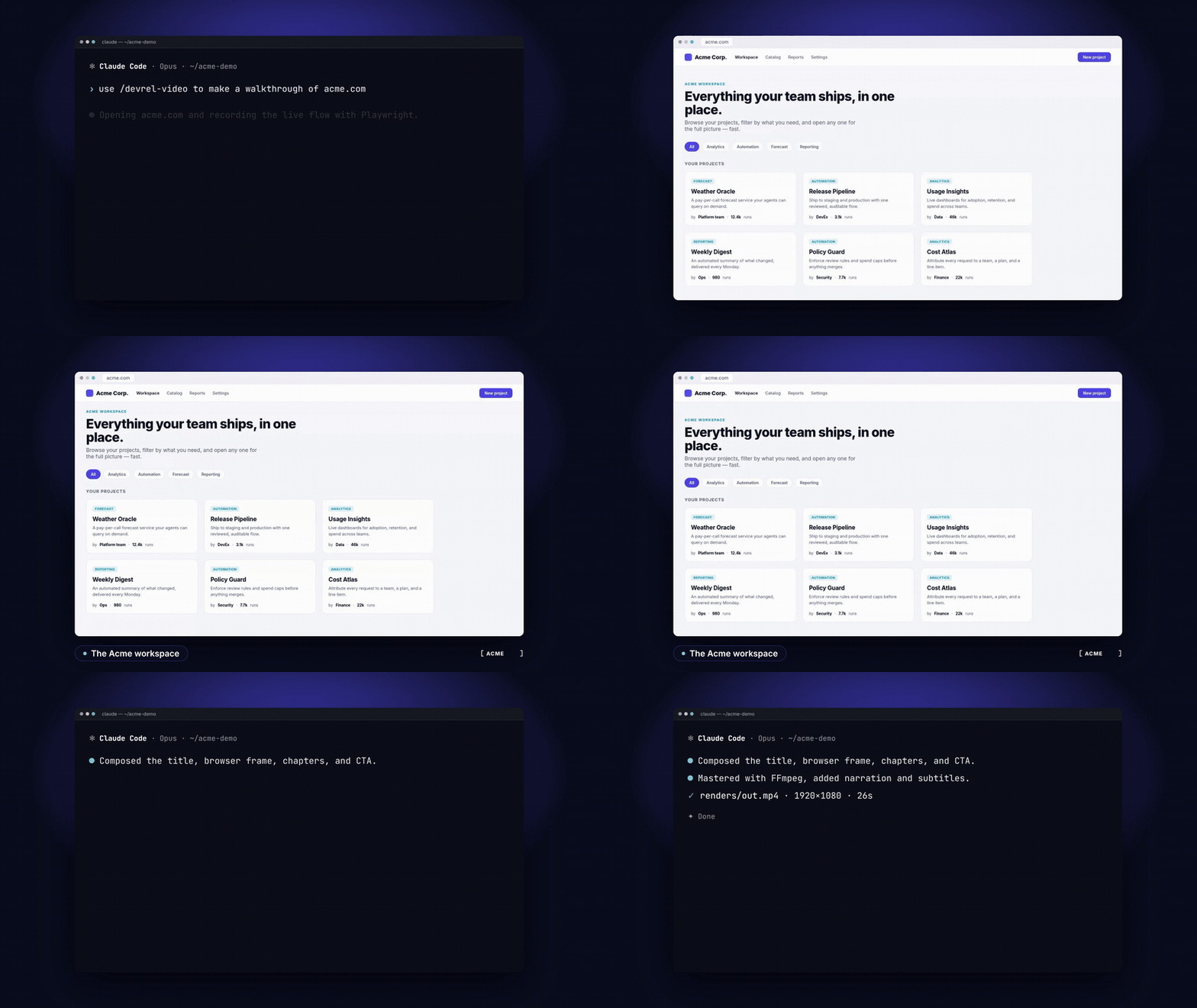
Download the full MP4 — one consistent narrator across terminal → browser → terminal, with a real Acme browser capture, category filtering, project details, and a finished render. The scene timing follows the complete voice takes so sentences finish before the next scene. Source, rebuild commands, and QA.
The terminal scenes are authored reenactments of the workflow. For a separate live Claude Code intake recording, see the short setup demo; that recording stops before capture/render.
Example 2: Nevermined Catalog
Another video created with the skill: The Nevermined Catalog: describe the outcome, your agent builds it. Click the preview to watch on YouTube with sound.

Quick start
For planning: Git and authenticated Claude Code. Clone the full workspace so its native skill and project layout stay together:
git clone https://github.com/aaitor/skill-video-studio.git
cd skill-video-studio
claude
Ask Claude:
/devrel-video Prepare a 25-second silent walkthrough brief for the bundled
Acme app: show the workspace, filter by category, then open a project.
Reuse brands/acme. Show the plan before capture or rendering.
Expected result: a project brief and a concrete beat plan. For a complete video, install the capture/render prerequisites and follow the worked walkthrough. The production stack needs Node.js 22+, FFmpeg/ffprobe, Chromium, and the helper-specific Python dependencies. Optional narration and avatars require your own additional services or GPU setup.
Features
- Real product capture: browser interaction scripts with explicit beats and stable selectors.
- Branded composition: title, browser frame, chapters, and CTA in a HyperFrames timeline.
- Local mastering and QA: master/web copies, ffprobe checks, contact sheet, and thumbnail.
- Optional audio: six local music styles, narration-driven timing, and voice variants.
- Optional presentation: subtitles, private bring-your-own presenter footage, and terminal/browser sequences.
- Source-based workflow: reusable brands, briefs, templates, and two complete worked examples.
Portrait/social output profiles remain on the roadmap. Full capture/render depends on your local toolchain; offline CI checks sources and selected local utilities, not the complete production stack. See workflow and usage.
Worked videos
Product walkthrough: a local Acme fixture, real browser capture, narration/music, and EN/ES subtitles. Source and commands · Watch with sound.
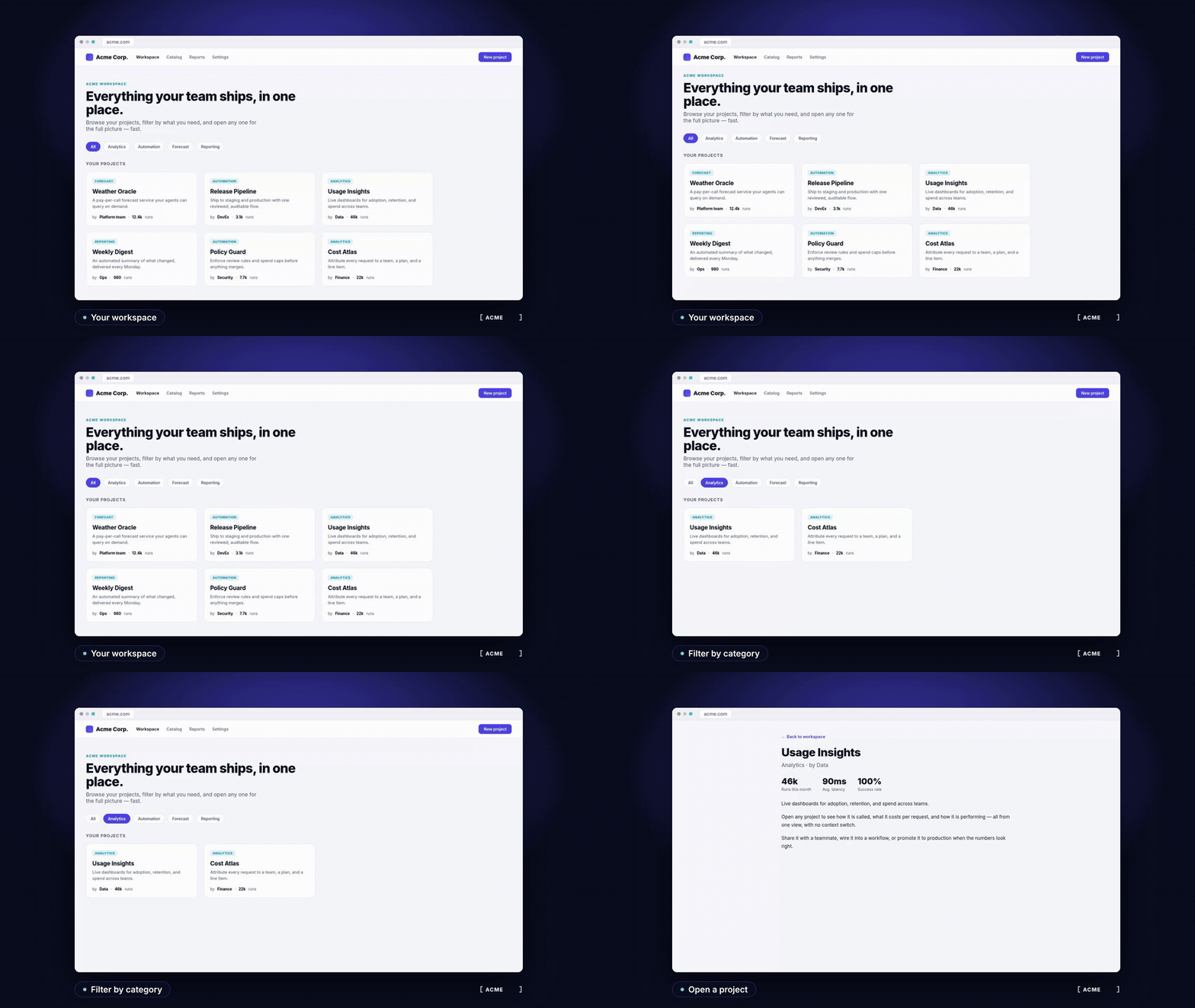
Composed CLI/browser film: a multi-environment example whose terminal scenes are authored HTML reenactments. Source and explanation · Download video with sound.
The checked-in assets/default-demo.mp4 is the reviewed README video. Other generated MP4/audio files are ignored; rebuild them from the included sources. See usage prompts for silent, narrated, avatar, voice-swap, and multi-environment requests.
Configuration
Each video uses projects/<slug>/brief.yaml, brand tokens under brands/<name>/, and generated output under its project folder. Optional private settings live outside Git, selected by DEVREL_VIDEO_ENV.
| Setting | Purpose |
|---|---|
brief.yaml |
Product URL, audience, message, beats, brand, duration, and optional layers |
ORPHEUS_URL / ORPHEUS_KEY |
Your optional narration endpoint and token |
AVATAR_HOST / LS_DIR |
Your optional SSH GPU host and LatentSync checkout |
BGM_STYLE |
Local background-music style; default corporate |
See configuration, the actual brief template, and security/privacy guidance. Keep private footage and credentials outside this public repository.
How it works
Brief → explore → brand → capture → compose → optional layers → render/QA → thumbnail. The skill coordinates existing tools rather than replacing them. Detailed production steps are in the workflow guide and production notes.
Repository layout
.claude/skills/devrel-video/  Skill instructions, scripts, templates, production notes
brands/                     Brand tokens and logos
projects/                   Curated public examples; private projects stay ignored
examples/                   Real harness recording, public input, generated brief
assets/                     Shared banner, social card, and short terminal GIF
docs/                       Onboarding, usage, configuration, troubleshooting
Documentation
- Installation and production prerequisites
- Configuration
- Prompts and optional layers
- Workflow
- Troubleshooting
- Security, privacy, and media rights
- Banner generation and social preview
- Original references: studio design guide · avatar guide
Contributing and support
Use Issues for questions, bugs, and ideas. Read CONTRIBUTING.md and CODE_OF_CONDUCT.md; report vulnerabilities privately through SECURITY.md.
Install requirements-dev.txt in a virtual environment and run python3 scripts/check.py. See CHANGELOG.md for changes. Live recordings, service calls, GPU jobs, and full renders are manual validation steps.
License
MIT for original studio content. Embedded banner fonts retain their OFL notices; external tools/models/media retain their own terms. See licensing.
Built by Aitor Argomaniz · LinkedIn · More open source
Yorumlar (0)
Yorum birakmak icin giris yap.
Yorum birakSonuc bulunamadi