usage-tracker
Health Uyari
- License — License: MIT
- No description — Repository has no description
- Active repo — Last push 0 days ago
- Low visibility — Only 6 GitHub stars
Code Gecti
- Code scan — Scanned 12 files during light audit, no dangerous patterns found
Permissions Gecti
- Permissions — No dangerous permissions requested
Bu listing icin henuz AI raporu yok.
UsageBar
Codex, Claude, Cursor, OpenCode, Devin, and Antigravity quota windows and reset times, at a glance.
UsageBar is a small, local-first macOS menu-bar app for seeing current AI-coding quota windows, how much remains, and exactly when each window resets. Codex data comes from your existing Codex login through the official Codex App Server—no OpenAI API key and no credential scraping. If Claude Code, Cursor, OpenCode Go, the Devin CLI, or Google Antigravity is signed in on this Mac, those meters show up too.
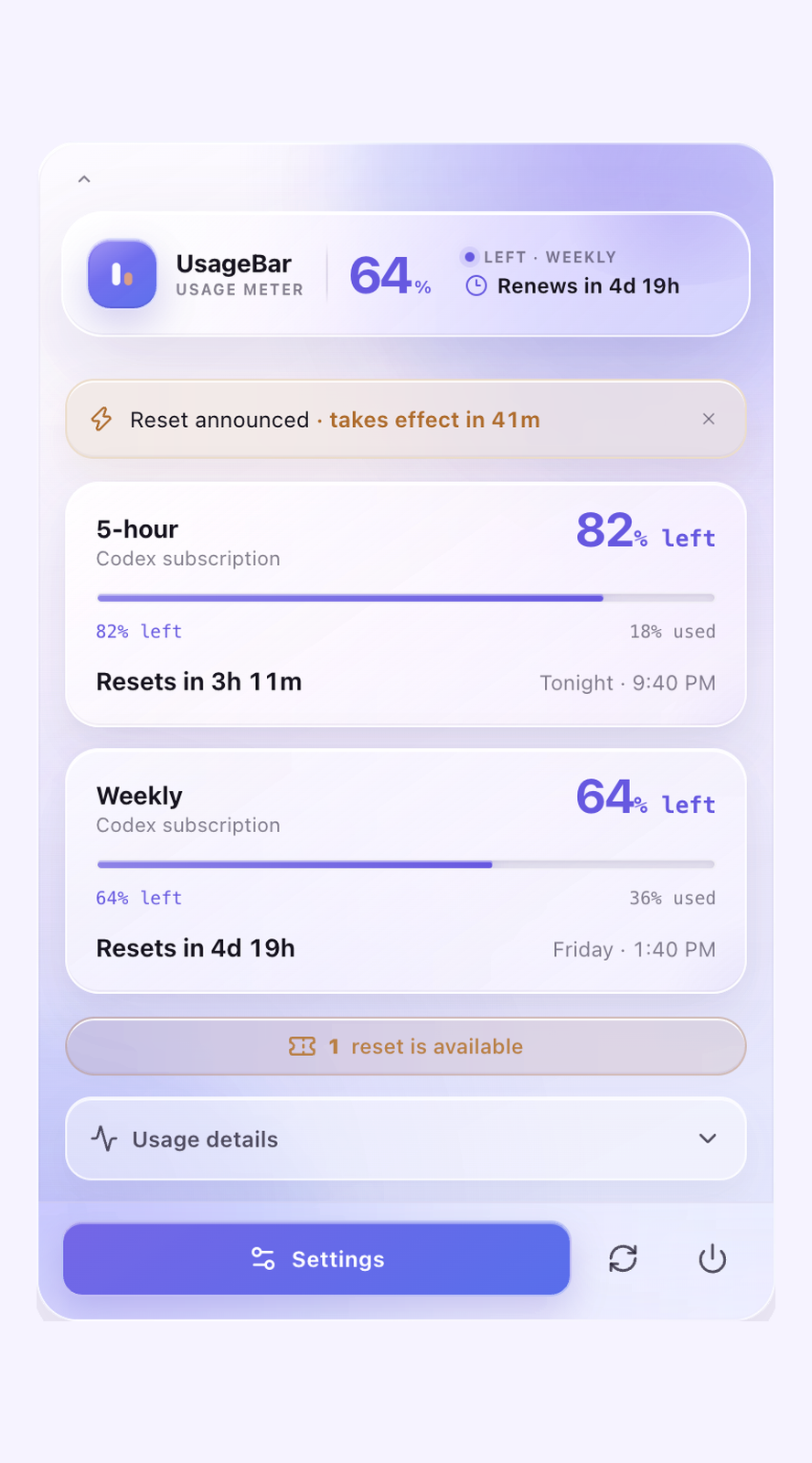
The menu bar shows a 42% · 1:25:49-style remaining-percentage and reset countdown for each provider — how much you have left, matching what the official apps show, so the numbers always agree. By default each meter follows whichever window is most used — for Claude that is often a per-model weekly limit like Fable — and you can pin a specific window in Settings. The tooltip always names the window on display. The popover is built with a native macOS glass (vibrancy) look, and Tibo Watch watches @thsottiaux for surprise-reset announcements and sends a local notification when a fresh one lands.
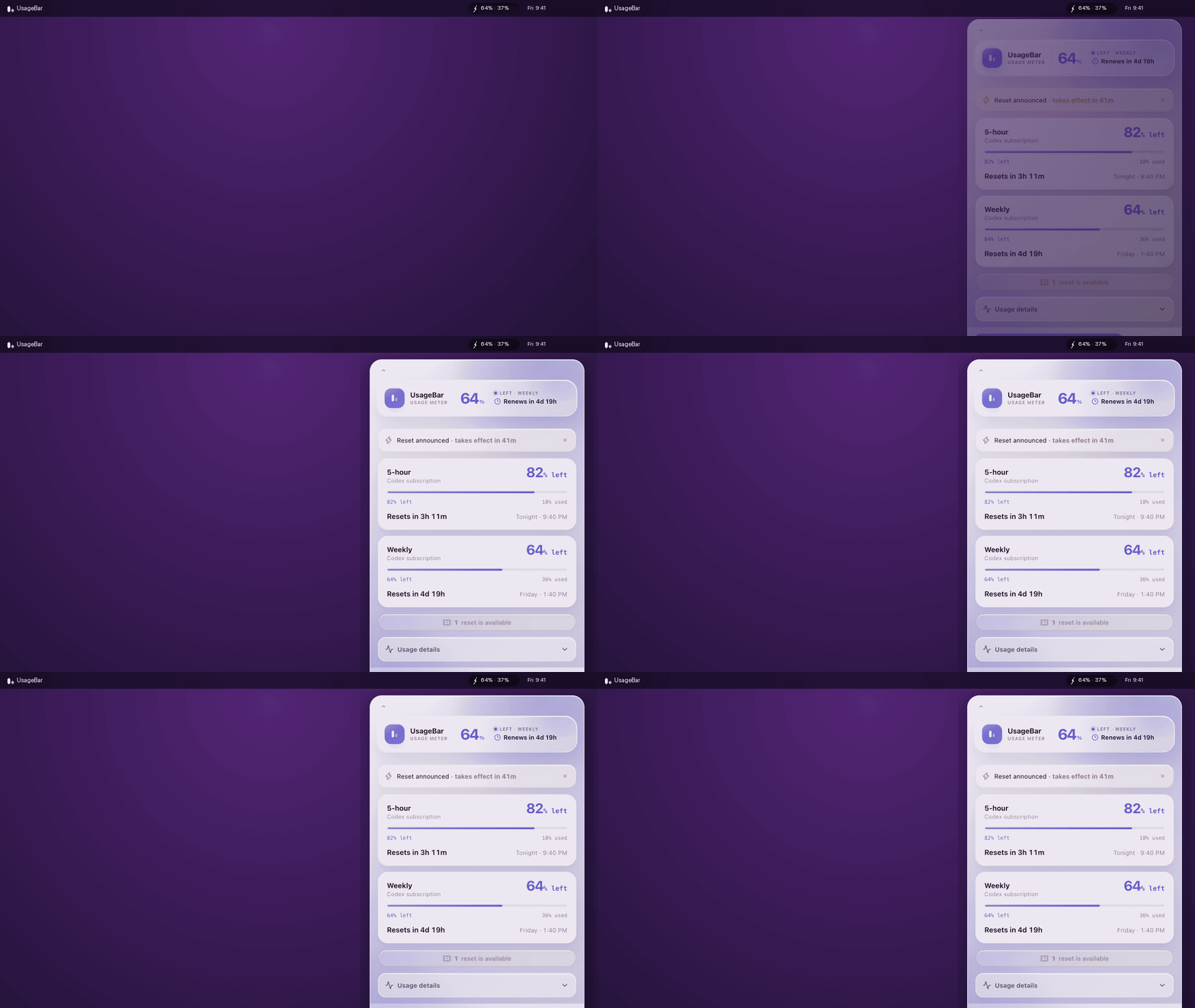
| Codex meters & reset radar | Claude Code meters |
|---|---|
 |
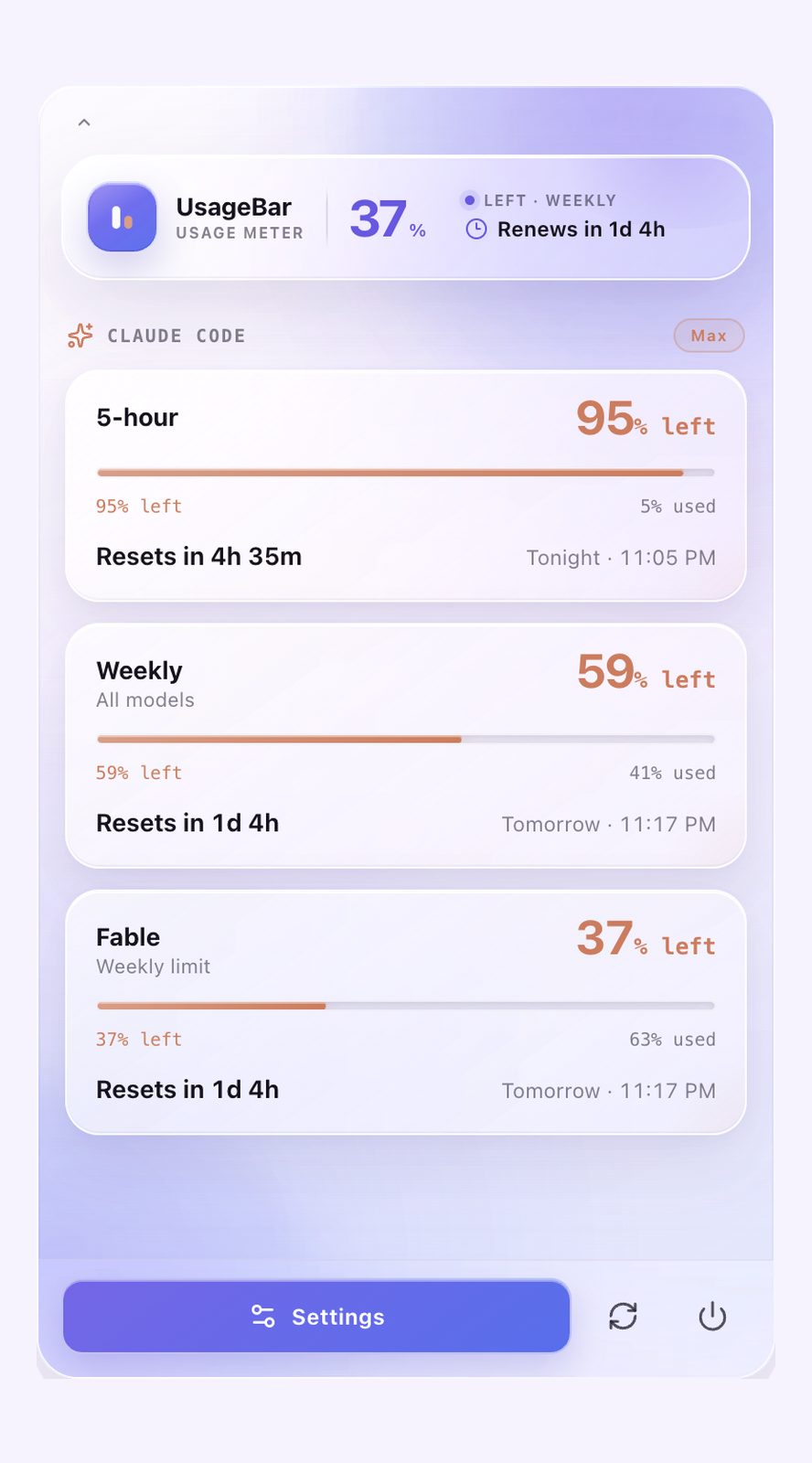 |
Demo and screenshots use preview data.
By default visible providers share one menu-bar icon (63% · 8%, Codex · Claude) — the Compact layout, which macOS is less likely to hide on a crowded or notched menu bar. Open Settings in the popover (or right-click the icon) to switch to Extended (one icon per provider), choose which quota window each meter follows — most used, 5-hour, weekly, or a per-model limit like Fable — and toggle Usage Alerts (notifications at 80% / 95% used and on a fresh window) and Launch at Login.
Compared with CodexBar and similar apps
CodexBar and other menu-bar quota apps are excellent — especially if you want a very wide provider set, merge-icons modes, Stream Deck hooks, or a bundled CLI for scripts.
UsageBar’s wedge is narrower and opinionated:
- Multi-CLI including Devin — Codex, Claude Code, Cursor, OpenCode, and Devin as first-class meters in one menubar
- Local / read-only CLI logins — reuses credentials those tools already keep on your Mac; never writes, refreshes, or ships them to a UsageBar server
- Notarized universal
.dmg— drag to Applications; signed releases open without a Gatekeeper fight
If you need dozens of providers or deeper dashboards, look at CodexBar (or similar). If you mainly care about the AI coding CLIs above — especially Devin — with a small on-device meter, UsageBar is built for that. No shade either way; different tools for different desks.
Install
Download the .dmg from
Releases,
open it, and drag UsageBar to Applications. Signed releases are notarized by
Apple, so they open without a security warning. Or build from source below.
The public site is the
privacy and support URL. Distribution is the notarized GitHub .dmg only —
not the Mac App Store.
Or build it yourself:
git clone https://github.com/abdelrahmanmagdii/usage-tracker.git
cd usage-tracker
npm install
npm run tauri build
The app lands in src-tauri/target/release/bundle/macos/.
Maintainers: see docs/RELEASING.md for how signed releases are cut.
Requirements
- macOS 10.15 or newer
- A working, authenticated
codexCLI for the Codex meter - Optional: signed-in Claude Code, Cursor, OpenCode Go, Devin CLI, and/or Antigravity for those meters
- Node.js 20+ and Rust for development
Run locally
npm install
npm run tauri dev
Click the meter icon in the macOS menu bar to toggle the popover. In development, the window also opens on launch for easier inspection.
To put the current source on the menu bar for real — building alone only refreshessrc-tauri/target/release/bundle, leaving the installed copy behind:
npm run app:install
That builds the app bundle, quits the running copy, replaces /Applications/UsageBar.app, and relaunches it.
Useful checks:
npm run typecheck
npm test
cargo test --manifest-path src-tauri/Cargo.toml
npm run tauri build -- --debug
How it works
The Rust process owns one managed codex app-server --stdio child process. It performs the required initialize / initialized handshake, reads account/read, account/rateLimits/read, and (when available) account/usage/read, and routes responses by request ID. Rolling account/rateLimits/updated notifications trigger an immediate refresh. The UI updates countdowns locally once per second; it does not poll App Server for every tick.
Background freshness is defended three ways: the process opts out of App Nap (macOS otherwise throttles hidden menu-bar apps until you click them), staleness is measured against the wall clock so refreshes catch up within seconds of the Mac waking from sleep, and a refresh that fails while "connected" restarts the app-server child instead of retrying a dead pipe.
Claude Code
Claude Code has no local app-server equivalent, so the Claude meter reads the OAuth session that Claude Code itself maintains — ~/.claude/.credentials.json first, then the macOS Keychain item Claude Code-credentials only if that file is missing or expired, without showing a Keychain prompt — and asks Anthropic's own usage endpoint (the same one behind Claude Code's /usage screen) for the current 5-hour, weekly, and model-scoped windows. Access is strictly read-only: the token is never refreshed, rewritten, or sent anywhere except api.anthropic.com, so this app can never invalidate your Claude Code session.
If no Claude Code login exists on the Mac, the Claude tray icon and popover section stay hidden entirely.
One caveat worth knowing. UsageBar reads the login the claude command-line tool keeps, and that login is refreshed only when the CLI itself runs. The Claude desktop app signs in separately and does not touch this login, so if you work entirely inside the desktop app the meter can go stale between CLI runs — it will show a ~ prefix and the age of the numbers rather than a wrong figure presented as current. Running claude once refreshes it. UsageBar deliberately never refreshes the token itself, because doing so could invalidate the CLI's session.
Devin CLI
Devin has no local app-server equivalent, so the Devin meter reads the API key the CLI already stores in ~/.local/share/devin/credentials.toml (or $XDG_DATA_HOME/devin/credentials.toml) and asks Cognition's GetUserStatus service — the same one behind Devin CLI's /usage screen — for the current daily and weekly windows. Max plans hide the daily cap, so only weekly is shown. Access is strictly read-only: the key is never written, refreshed, or sent anywhere except the API server the CLI itself uses (typically server.codeium.com).
If no Devin CLI login exists on the Mac, the Devin tray icon and popover section stay hidden entirely.
Antigravity
The Antigravity meter asks the running Antigravity app for quota. Sign in inside that app. UsageBar does not need agy login.
While the app is open, its language server already holds the Google session. UsageBar reads the 5-hour and weekly windows for Gemini models and for Claude/GPT models from that local server. The login stays on this Mac.
If the app is closed, UsageBar can use a still-valid access token from Keychain item gemini / antigravity, or from ~/.gemini/antigravity-cli/antigravity-oauth-token. It does not refresh or write that token. Open the app again when the token expires.
If Antigravity is not signed in, the Antigravity tray icon and popover section stay hidden. Open the app to bring the meter back.
Protocol assumptions were checked against TypeScript bindings generated by the locally installed Codex CLI (codex app-server generate-ts). The renderer intentionally uses narrow, defensive application types so new or unknown response fields do not break the app.
The app is split into:
src/features— Tibo Watch (feed provider, notifications)src/lib— defensive parsing, formatting, persistence, and reset detectionsrc-tauri/src/codex— process lifecycle and JSONL protocol routingsrc-tauri/src/tray.rs— menu-bar meter: quota-aware pill icon plus% · countdowntitletools/tibo-watch— the zero-cost scraper behind the public reset feeddata/resets.json— the canonical reset event store (edit this to backfill)
Privacy
Private usage stays on this Mac. UsageBar does not read Codex credential files, expose authentication tokens, or send quota data to a remote server. The backend strips the account email before state reaches the renderer.
About stored logins. Optional meters reuse credentials the matching CLI or app already keeps. Each implementation is one auditable file:
- Claude Code —
src-tauri/src/claude.rs: reads~/.claude/.credentials.json(or Keychain) and sends the token only tohttps://api.anthropic.com/api/oauth/usage. - Cursor —
src-tauri/src/cursor.rs: reads the local login database and sends the token only toapi2.cursor.sh. - OpenCode Go —
src-tauri/src/opencode.rs: readsauth.jsonand sends the key only toopencode.ai. - Devin CLI —
src-tauri/src/devin.rs: reads~/.local/share/devin/credentials.tomland sends the key only to the API server the CLI itself uses (typicallyserver.codeium.com). - Antigravity —
src-tauri/src/antigravity.rs: reads quota from the running Antigravity app on this Mac. If the app is closed, it can send a still-valid access token from Keychain itemgemini/antigravity(or~/.gemini/antigravity-cli/antigravity-oauth-token) only to Google Cloud Code (daily-cloudcode-pa.googleapis.com). It does not refresh that token.
In every case the credential is never written or rotated, never shown in the UI, and never sent to a UsageBar server. If a session expires, the meter asks you to sign in through that tool again.
Heads-up: several of these usage endpoints are unofficial (they are what the tools themselves use, not documented public APIs), so a vendor change could break a meter until this app is updated. Parsers are defensive and degrade to hiding the section rather than misreporting.
Local history is stored in WebView local storage and records only observed percentages and reset timestamps. It is used to flag a possible surprise reset when quota jumps substantially before the expected reset time; it never attributes that reset to a person with certainty.
Tibo Watch
Tibo Watch tracks public surprise-reset announcements without any paid infrastructure:
- A GitHub Actions workflow (
.github/workflows/tibo-watch.yml) runstools/tibo-watch/check.mjsevery ~5 minutes (free on public repos). - The script reads @thsottiaux's public timeline through free Nitter RSS mirrors (curl/HTTP-2 first, plain fetch as fallback), keeps tweets that match reset-announcement phrasing, parses lead times like "in the next hour" into an
occursAttimestamp, and commits new events todata/resets.json. - The app fetches that JSON from
raw.githubusercontent.com, caches it locally, merges it with locally detected resets (deduped by id), and notifies you when a freshly announced event appears. Events announced more than 2 hours ago are marked as seen without notifying, so backfilling never floods Notification Center.
The merge never edits or deletes existing entries, which makes manual backfill safe. To record historical resets, add entries to data/resets.json:
{
  "id": "manual-2025-11-02-1",
  "announcedAt": "2025-11-02T17:30:00Z",
  "occurredAt": "2025-11-02T18:00:00Z",
  "source": "manual",
  "text": "Optional note",
  "sourceUrl": "https://x.com/thsottiaux/status/…"
}
Use a unique id (a manual-* prefix is fine), ISO-8601 timestamps, and source: "manual". Tweet-derived ids are tibo-<tweet id> if you want the scraper to recognize a tweet it later finds.
Knobs, all optional:
TIBO_HANDLE— watch a different account (scraper)TIBO_INSTANCES— comma-separated Nitter mirrors, tried in order (scraper)TIBO_DATA_FILE— alternate resets.json path (scraper)VITE_TIBO_FEED_URL— point the app at a forked/self-hosted feed (build-time)
Run the scraper yourself with node tools/tibo-watch/check.mjs (--dry-run to preview).
Known limitations
- The reset feed relies on unofficial Nitter mirrors, which rate-limit and occasionally return empty responses; the workflow retries and simply catches up on the next run. Local on-device reset detection remains as a fallback, and hand-written
manualentries always win. - GitHub's scheduled workflows can be delayed by a few minutes under load.
- There is no auto-updater yet, so new versions mean downloading the next release.
- A GUI-launched app must still be able to locate an executable
codexcommand; common Homebrew paths and the login shell are checked.
Future ideas
- Auto-update
- Richer local history trends and reset correlation
- Local Claude usage history and trends
- A Gemini CLI provider
UsageBar is an independent community project and is not an official OpenAI product.
Yorumlar (0)
Yorum birakmak icin giris yap.
Yorum birakSonuc bulunamadi