inyon
Health Uyari
- License — License: MIT
- Description — Repository has a description
- Active repo — Last push 0 days ago
- Low visibility — Only 5 GitHub stars
Code Basarisiz
- network request — Outbound network request in .github/scripts/android-smoke.sh
- network request — Outbound network request in .github/scripts/smoke-server.ts
- rm -rf — Recursive force deletion command in .github/workflows/android.yml
Permissions Gecti
- Permissions — No dangerous permissions requested
Bu listing icin henuz AI raporu yok.
Watch, answer and steer the coding agents running in tmux on your machines, from your phone or any browser.

Inyon
Your coding agents, from your phone.
Watch, answer and steer Claude Code, Codex, Gemini CLI, OpenCode, GitHub Copilot
and Antigravity CLI running in tmux on your own computers. Each keeps its own account.




Download · Quick start · Docs · Releases

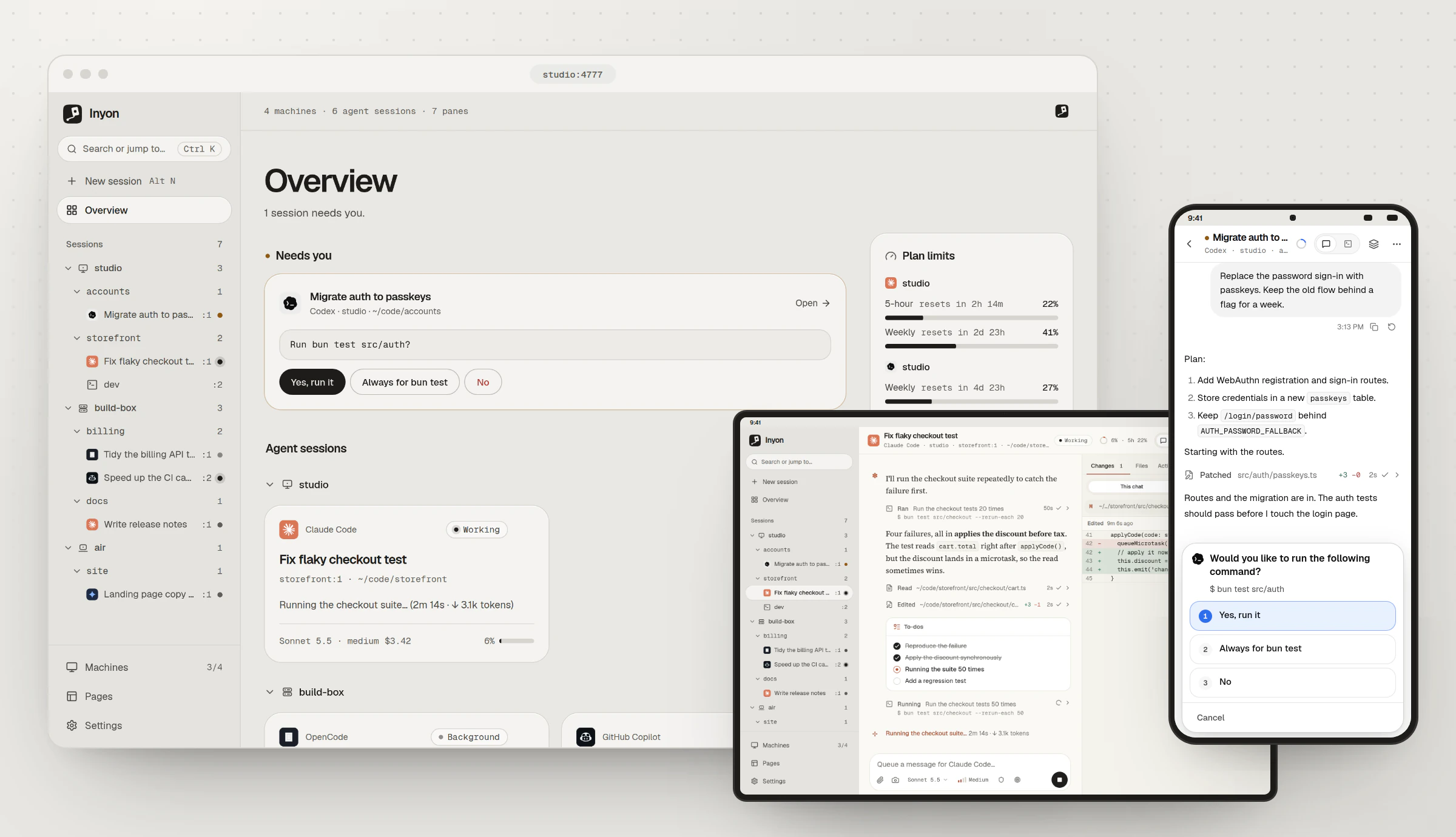
Walk away from your laptop while an agent works. When it asks something, answer from your phone
with a tap. Sit back down and carry on in the same terminal, because nothing changed at the
keyboard.
See it work
Codex asks before it runs the tests. Answer from the overview, then watch the results come in.


On a phone, read the change an agent made, watch the tests pass and send the next instruction.

On a tablet, sessions sit in a tree by machine. Ending one says exactly what closes.
Why I built it
I run agents on a laptop and two servers, each signed in to a different account. Built-in remote
features follow one account at a time, so switching machines meant switching accounts.
Inyon never signs in anywhere. It drives the agent CLI already running in tmux, so every machine
keeps its own account, subscription or API key.
What you can do
- Read each session as a chat: replies, tool calls, diffs, plans and to-dos. The real terminal is
one tap away. - Answer permission requests, questions and menus with buttons, straight from the overview.
- See the model, context, cost and lines changed, plus the 5-hour and weekly plan limits.
- Switch model, effort and permission mode, or compact, clear and rewind.
- Follow queued messages, subagents and background shells, each shell with a real Stop.
- Type with
/commands,@file search and attached images. Drafts mirror into the terminal. - Set up a new machine from the app: it installs tmux and the agents, then opens sign-in.
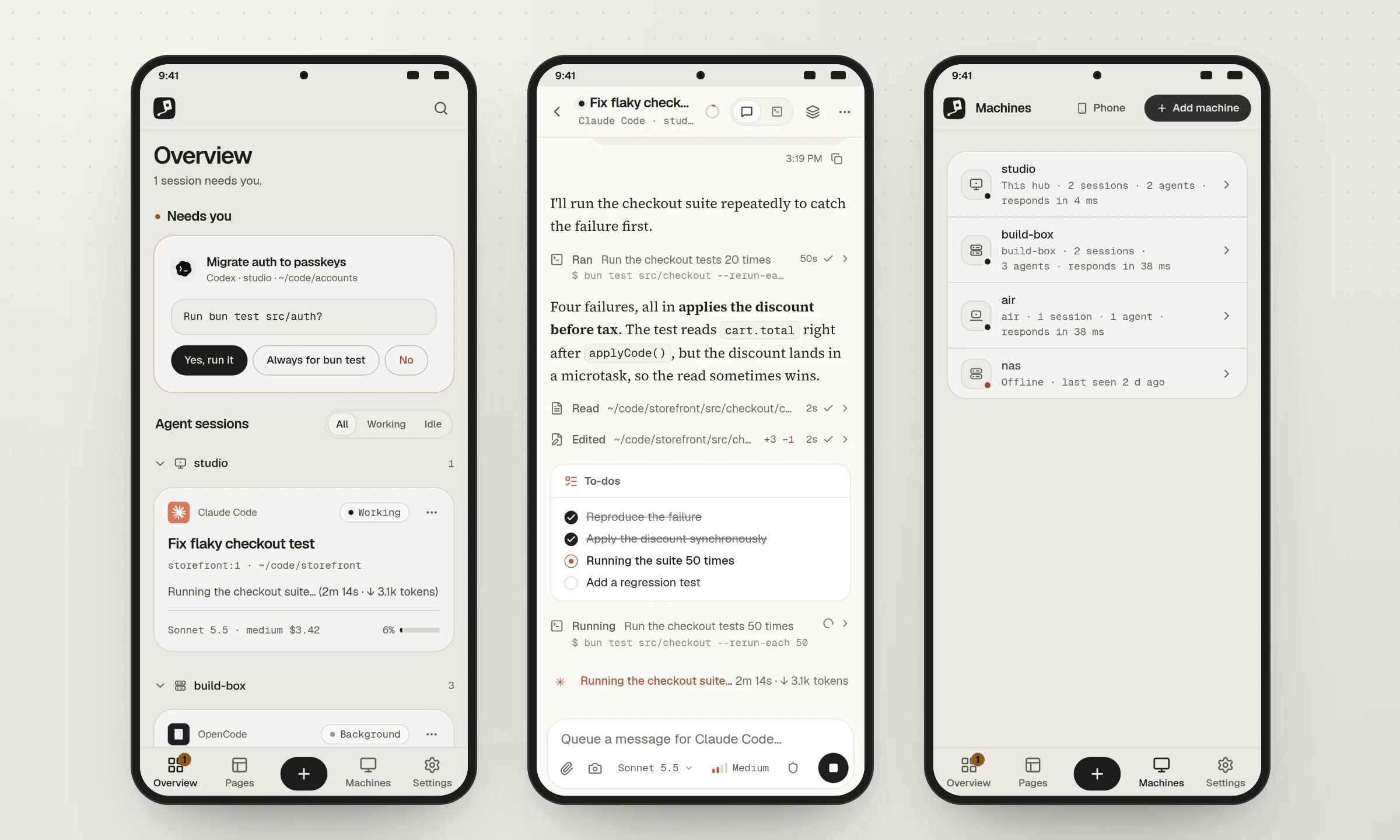
Inside a session the app takes on that agent's colours, logo and reply font. Everywhere else it
stays ink on silver, in light and dark.
How it works

Inyon reads tmux, the process tree and each agent's own session files, and types answers back withtmux send-keys. The agents never know it's there. There are three ways to connect a machine:
| Way | What runs on the machine | How you connect |
|---|---|---|
| Direct | Nothing but tmux | The app or a hub connects over SSH |
| Paired | inyon, as a small user service |
Scan its QR code in the Android app |
| Hub | A hub on one machine that stays on; others join it | Open the hub in any browser |
Paired machines reach the phone through a free Cloudflare tunnel or your VPN, end-to-end
encrypted with Noise, so nothing needs an open port or an account.
Agent support
| Agent | Chat view | Live status | Prompts |
|---|---|---|---|
| Claude Code | Full | Full, with the integration | Full |
| Codex | Full | Context, limits, credits | Numbered prompts |
| Gemini CLI | Beta | Context | Numbered prompts |
| OpenCode | Beta | Context, cost | Through its API |
| GitHub Copilot | Beta | Context and activity | Native CLI prompts |
| Antigravity CLI | Yes | Plan quotas | Yes |
Agents in the docs has the details for each.
Why not Paseo, Happy or Claude Remote Control?
They're good tools, and each needs the agent started its own way: Paseo starts it from its
daemon, Happy when you run happy instead of claude, and Remote Control only from insideclaude itself. Inyon works the other way round. It picks up the agents already running in your tmux panes,
including the one you started an hour ago over SSH, and you can still start new ones from it.
| Inyon | Paseo | Happy | Claude Remote Control | |
|---|---|---|---|---|
| An agent already running in tmux | Any pane | No | No | Only by typing /remote-control in it |
| Needs on a server | tmux and your agents, over SSH | Its daemon | The happy CLI or app |
Claude Code |
| Phone to computer | Encrypted end to end over a free tunnel or your VPN, or your own hub | Encrypted relay, or direct | Encrypted relay, or one you host | Anthropic's servers |
| Agents | Six, from Claude Code to Antigravity | Seven | Several | Claude Code |
| Account | None | None | A Happy key pair | A Claude plan, no API keys |
What you give up: Paseo and Happy have iPhone apps and Inyon doesn't yet. Inyon also reads each
agent's transcript and screen, so a new agent release can break a reader until Inyon catches up.
Checked against their docs in October 2026.
Quick start
With the Android app, nothing is hosted anywhere:
Install the APK from the download page.
On each computer, run one line. It prints a QR code.
curl -fsSL https://inyon.tech/get.sh | sh      # macOS, Linux
irm https://inyon.tech/get.ps1 | iex           # Windows, PowerShell
Or with npm:
npm install -g @abhash-chakraborty/inyon, theninyon setup.In the app, tap Add a computer and scan it.
From 0.19 that line installs one program, inyon, written in Rust: about 4 MB on Windows and
10 to 13 MB on Linux and macOS, where from 0.20 it also carries the Rust hub. It draws
the setup, the status screen and the pairing code, and runs the link to your phone. Only a hub
also fetches the engine (about 85 MB, with Bun inside) as inyon-engine. A 0.11 or 0.12 install
crosses over on its next update, and an older one needs the line above again.
From a browser, run a hub on a machine that stays on, then open the address it prints:
curl -fsSL https://inyon.tech/get.sh | sh -s -- --hub
The hub listens only on localhost until you choose a network. Running a hub covers
the rest, and SECURITY.md explains why it matters.
Docs
The full documentation is at inyon.tech/docs, with search. A few
places to start:
- Quick start and choosing a setup
- Android app: pairing, private networks, servers over SSH
- Running a hub and adding machines
- The inyon command: every command and flag
- Troubleshooting
- Security (SECURITY.md for reporting a vulnerability)
- Contributing: development setup, tests, adding an agent
Status
Inyon is young and moving fast. Linux, macOS and Windows (through psmux) work today. The Gemini,
OpenCode and Copilot readers are in beta, and the iOS app isn't built yet.
The name comes from 인연 (inyeon), the Korean word for a bond between people. 연 on its own also
means kite, which is the mark.
Support
Inyon is free and MIT licensed. If it saves you a walk back to your desk and you want to chip in,
GitHub Sponsors is the place. Bug reports and
pull requests help just as much.
License
MIT. See LICENSE. Agent names and logos belong to their owners; see
NOTICE.md.
Yorumlar (0)
Yorum birakmak icin giris yap.
Yorum birakSonuc bulunamadi