secret-bridge-mcp
Health Uyari
- License — License: MIT
- Description — Repository has a description
- Active repo — Last push 0 days ago
- Low visibility — Only 5 GitHub stars
Code Gecti
- Code scan — Scanned 11 files during light audit, no dangerous patterns found
Permissions Gecti
- Permissions — No dangerous permissions requested
Bu listing icin henuz AI raporu yok.
Native local MCP secret entry for AI clients — built by Abomination81
SecretBridge MCP


Built by Abomination81 · X @Abomination81
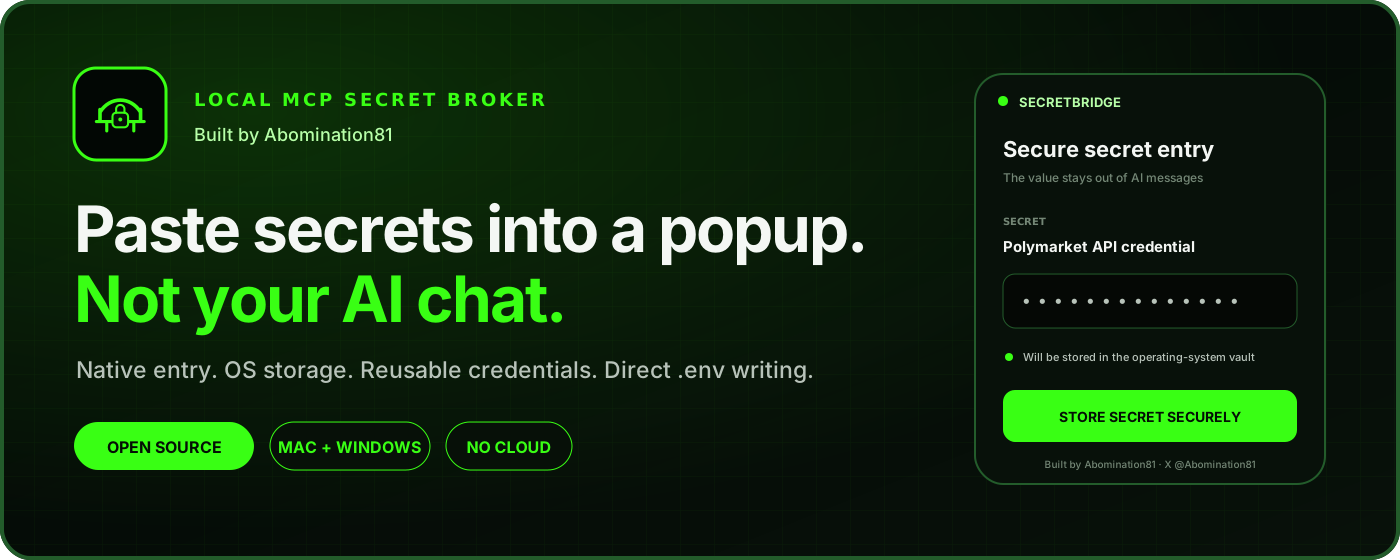
SecretBridge lets an AI request a credential without asking you to paste it into chat. It opens a native password dialog, stores the value in macOS Keychain or Windows Credential Manager, and returns only an opaque ID through MCP. It is a local application: it has no server, account, telemetry, or network listener.
The model can later ask SecretBridge to place selected credentials into a local .env file within the workspace you authorized with Save & Use. Secret values never appear in MCP requests, responses, labels, metadata, or audit logs.
Open the visual installation guide
What it protects
flowchart LR
    AI["MCP-capable AI client"] -->|"label + purpose"| MCP["SecretBridge MCP"]
    MCP -->|"native hidden-input prompt"| User["Human"]
    User -->|"secret value (in-process only)"| Popup["SecretBridge native UI"]
    Popup --> Vault["macOS Keychain / Windows Credential Manager"]
    Popup -->|"in-process success state"| MCP
    MCP -->|"opaque secret_id only"| AI
    AI -->|"secret_id + env name + relative path"| MCP
    MCP -->|"check workspace grant + safe destination"| MCP
    MCP -->|"local retrieval and write"| Env["gitignored .env file"]
There is deliberately no secret_get, secret_reveal, clipboard, HTTP, or network tool.
MCP tools
secret_request: shows a hidden-input popup, stores a new value, or reuses an existing label. The result contains only an opaquesecret_id.secret_list: returns non-sensitive labels, purposes, IDs, and timestamps.env_write: uses the existing workspace grant to merge selected secrets into.env,.env.*, or.dev.varsbeneath the workspace named in that request, without a second popup.secret_delete: shows a confirmation and removes the stored credential and its metadata.
After a new value is submitted and OS storage succeeds, secret_request explicitly returns:
{
  "status": "stored",
  "user_confirmed": true,
  "secret_received": true,
  "secret_stored": true,
  "safe_to_continue": true,
  "secret_id": "sb_..."
}
The accompanying MCP message tells the AI that secure entry was confirmed and it can continue. An existing credential instead returns status: "reused" without claiming that the user entered it again. Neither response contains the secret value.
env_write also:
- rejects absolute paths,
.., symlink targets/parents, and paths outside the request workspace; - refuses committable templates such as
.env.example, targets already tracked by Git (in any letter case), and targets Git does not report as ignored, and refuses the write if Git cannot answer; - rejects client-bundled prefixes such as
NEXT_PUBLIC_,VITE_, andREACT_APP_; - adds safe
.env*/.dev.varsignore rules and template exceptions to the workspace.gitignorewhen needed; - refuses a symlinked
.gitignore, caps existing env files at 1 MiB, writes mode0600on macOS, and preserves unrelated existing variables; - records only metadata in a local audit log.
Submitting Save & Use grants storage and use within the workspace displayed in the popup, including subsequent .env writes without another approval. Reuse from another workspace still requires a one-time native grant. Deletion still requires confirmation.
On macOS the popup is a native alert with the SecretBridge icon, system typography, and a workspace well that shows the folder Save & Use authorizes and its full location. It follows your light or dark appearance. A line break at the start or end, such as the one a copied key often carries, is not stored; spaces are kept. Drag the dialog background to move it. The popup grows to fit the request message. Unusually long messages have a visible scrollbar, while the input and buttons stay visible. Standard editing shortcuts, including ⌘V, work in the secure field; Return submits a filled credential and Escape cancels. Windows uses the simplified light layout with a dedicated drag area.
Upgrading to 0.2: existing workspace grants also authorize .env writes without a second popup. This changes the earlier per-write approval behavior; the workspace, path, Git-ignore, and variable-name checks remain enforced.
Install from GitHub
SecretBridge currently uses a source-first installation so macOS Gatekeeper and Windows SmartScreen do not have to trust an unsigned downloaded executable. Install Rust, then:
macOS
git clone https://github.com/abomination81/secret-bridge-mcp.git
cd secret-bridge-mcp
./scripts/install.sh
The executable is installed at ~/.local/bin/secret-bridge-mcp unless SECRET_BRIDGE_INSTALL_DIR is set.
Windows PowerShell
git clone https://github.com/abomination81/secret-bridge-mcp.git
Set-Location secret-bridge-mcp
.\scripts\install.ps1
The executable is installed under %LOCALAPPDATA%\SecretBridge unless SECRET_BRIDGE_INSTALL_DIR is set.
Build from an existing checkout
Install a current stable Rust toolchain, then run:
cargo build --locked --release
The build produces one executable: secret-bridge-mcp (or secret-bridge-mcp.exe on Windows). A connected broker never creates a native window. For each active request it launches a one-shot prompt process from that same executable. The parent sends only validated display metadata over the child's stdin; the secret value is entered and stored directly in the OS credential store inside the child, and the parent receives only an exit status. The child process terminates after submission or cancellation, so the operating system destroys its window. There is no separate helper binary and no channel that carries a secret value.
Convenience installers build the locked dependency graph from source and copy the executable to a user-local directory:
./scripts/install.sh
.\scripts\install.ps1
No API key or secret is needed to build or run the MCP server itself. After replacing an installed binary, restart the MCP client so its persistent broker uses the new version. Older brokers can still open the updated entry dialog, but keep their old per-write approval behavior until restarted.
Upgrading to 0.3: replace --workspace-root and its path with --workspace-per-request in shared MCP entries, then restart the client to refresh tool schemas. Existing credentials and workspace grants stay intact. A credential saved to the wrong workspace by an older setup can be reused by label in the intended workspace through its native grant; no value needs to be copied through chat.
Configure an AI client
Use an absolute binary path. For an installation shared by multiple chats or projects, use --workspace-per-request. Every tool call must supply workspace_root with the current task's absolute project directory. The popup, grants, receipts, and env writes all use that request's directory; there is no remembered last project and no fallback when the argument is missing.
A dedicated project-only server can still use --workspace-root /absolute/path/to/project. If a call supplies a different workspace_root, it is rejected. Without either flag, legacy installations use the launch directory. Do not use a fixed project path in a global entry that should serve unrelated projects.
Codex and the ChatGPT desktop app
codex mcp add secret-bridge -- /absolute/path/to/secret-bridge-mcp --workspace-per-request --client-name Codex
Equivalent ~/.codex/config.toml:
[mcp_servers.secret-bridge]
command = "/absolute/path/to/secret-bridge-mcp"
args = ["--workspace-per-request", "--client-name", "Codex"]
default_tools_approval_mode = "writes"
The ChatGPT desktop app, Codex CLI, and Codex IDE extension share this configuration on the same Codex host. ChatGPT on the web cannot launch a local stdio executable; it needs a hosted plugin or remote MCP service instead. See the official Codex MCP documentation.
Claude Code
claude mcp add --scope user --transport stdio secret-bridge -- /absolute/path/to/secret-bridge-mcp --workspace-per-request --client-name "Claude Code"
Claude Desktop and other JSON-configured clients
{
  "mcpServers": {
    "secret-bridge": {
      "command": "/absolute/path/to/secret-bridge-mcp",
      "args": [
        "--workspace-per-request",
        "--client-name",
        "Claude Desktop"
      ]
    }
  }
}
Gemini CLI
Add this to Gemini CLI's settings.json and keep trust set to false so the client also asks before tool calls:
{
  "mcpServers": {
    "secret-bridge": {
      "command": "/absolute/path/to/secret-bridge-mcp",
      "args": [
        "--workspace-per-request",
        "--client-name",
        "Gemini CLI"
      ],
      "trust": false
    }
  }
}
The same stdio entry works with any local MCP host—including future Grok or other clients—when that host supports launching local stdio servers. A web-only chat cannot create a native popup on your computer without a local companion process.
Make SecretBridge the default for credentials
After registering the MCP above, run this once from the repository checkout:
# macOS: enable for both Codex and Claude Code
sh ./scripts/enable-defaults.sh both
# Windows: enable for both Codex and Claude Code
.\scripts\enable-defaults.ps1 both
Use codex or claude instead of both to configure only one client. The scripts install the shared credential instructions in the clients' user-level instruction files. They preserve existing preferences and update only their marked section when rerun. They respect CODEX_HOME and CLAUDE_CONFIG_DIR; Codex's nonempty AGENTS.override.md is selected when present.
Start a new Codex task or Claude Code session afterward. When a task needs a credential, the AI is instructed to discover SecretBridge, check saved labels, reuse an appropriate credential or open the popup, and use env_write within the authorized workspace without asking for permission again. You do not need to mention the MCP in each request. If the tools are unavailable, it helps resolve the connection instead of asking you to paste a key in chat.
These are persistent defaults, not a guarantee of every model decision. They do not change tool permissions, bypass native approvals, or expand the configured workspace. Use --workspace-per-request for a global entry. Never repoint a global fixed root when switching tasks; existing chats can retain the old process and scope. Claude Desktop chat does not automatically load Claude Code's CLAUDE.md.
To undo the preference, remove just the section between the SecretBridge managed markers in the affected instruction file. MCP registration and saved credentials are separate and remain available. See Codex instruction discovery and Claude Code memory for client behavior.
Windows example
JSON paths must escape backslashes:
{
  "mcpServers": {
    "secret-bridge": {
      "command": "C:\\Users\\you\\AppData\\Local\\SecretBridge\\secret-bridge-mcp.exe",
      "args": [
        "--workspace-per-request",
        "--client-name",
        "AI client"
      ]
    }
  }
}
Example conversation
Configure Stripe for local development using
.env.localandSTRIPE_SECRET_KEY.
With the default credential instructions installed, this is enough; you do not need to remind the AI about SecretBridge.
The AI calls secret_request with the current project's workspace_root. You see a native dialog labeled, for example, “Stripe test secret key for Acme billing,” paste the value there, and click Save & Use. The popup shows the workspace this authorizes. The AI receives an ID such as sb_…, then calls env_write with the same workspace_root and a relative path, without a second popup.
Security boundary
SecretBridge is designed to keep the secret out of AI conversations, MCP messages, command history, and logs while it is collected and reused. It is not designed to hide an approved .env file from software running on the same computer. An AI client with unrestricted filesystem permissions can potentially read that file. Review the workspace before submitting. Save & Use authorizes later dotenv writes anywhere beneath that workspace that pass the file and variable-name checks.
On macOS, SecretBridge enables Secure Event Input for the secret window. After a paste event it replaces the clipboard contents with an empty value. These are small hygiene measures, not malware detection.
Windows Credential Manager generic credentials can be read by other processes running as the same Windows user. Protecting a compromised local account is outside SecretBridge's threat model.
See SECURITY.md for the full threat model and design limits.
Release maintainers must also follow RELEASING.md; locally built binaries are not production release artifacts.
Development
cargo fmt --check
cargo test --locked
cargo clippy --locked --all-targets -- -D warnings
The stdio server writes only newline-delimited JSON-RPC to stdout. Diagnostics go to stderr. Non-secret metadata is stored under ~/Library/Application Support/SecretBridge on macOS or %APPDATA%\SecretBridge on Windows.
Updating and uninstalling
To update, pull the latest tagged version and rerun the platform install script. Before uninstalling, use secret_list and secret_delete to remove any stored credentials you no longer want. Then remove the installed executable and the non-secret metadata directory shown above. Removing an executable does not automatically delete credentials from the operating-system store.
Contributing and support
See CONTRIBUTING.md for development and pull-request guidance. Use GitHub Issues for ordinary bugs. Security reports must follow SECURITY.md and must never contain a real credential.
Yorumlar (0)
Yorum birakmak icin giris yap.
Yorum birakSonuc bulunamadi