draft-canvas
Health Warn
- License — License: Apache-2.0
- Description — Repository has a description
- Active repo — Last push 0 days ago
- Low visibility — Only 5 GitHub stars
Code Warn
- process.env — Environment variable access in .github/workflows/ci.yml
- fs module — File system access in .github/workflows/ci.yml
- process.env — Environment variable access in .github/workflows/desktop-ci.yml
- process.env — Environment variable access in .github/workflows/desktop-release.yml
- fs module — File system access in .github/workflows/desktop-release.yml
- fs module — File system access in .github/workflows/desktop-update-pointer.yml
Permissions Pass
- Permissions — No dangerous permissions requested
No AI report is available for this listing yet.
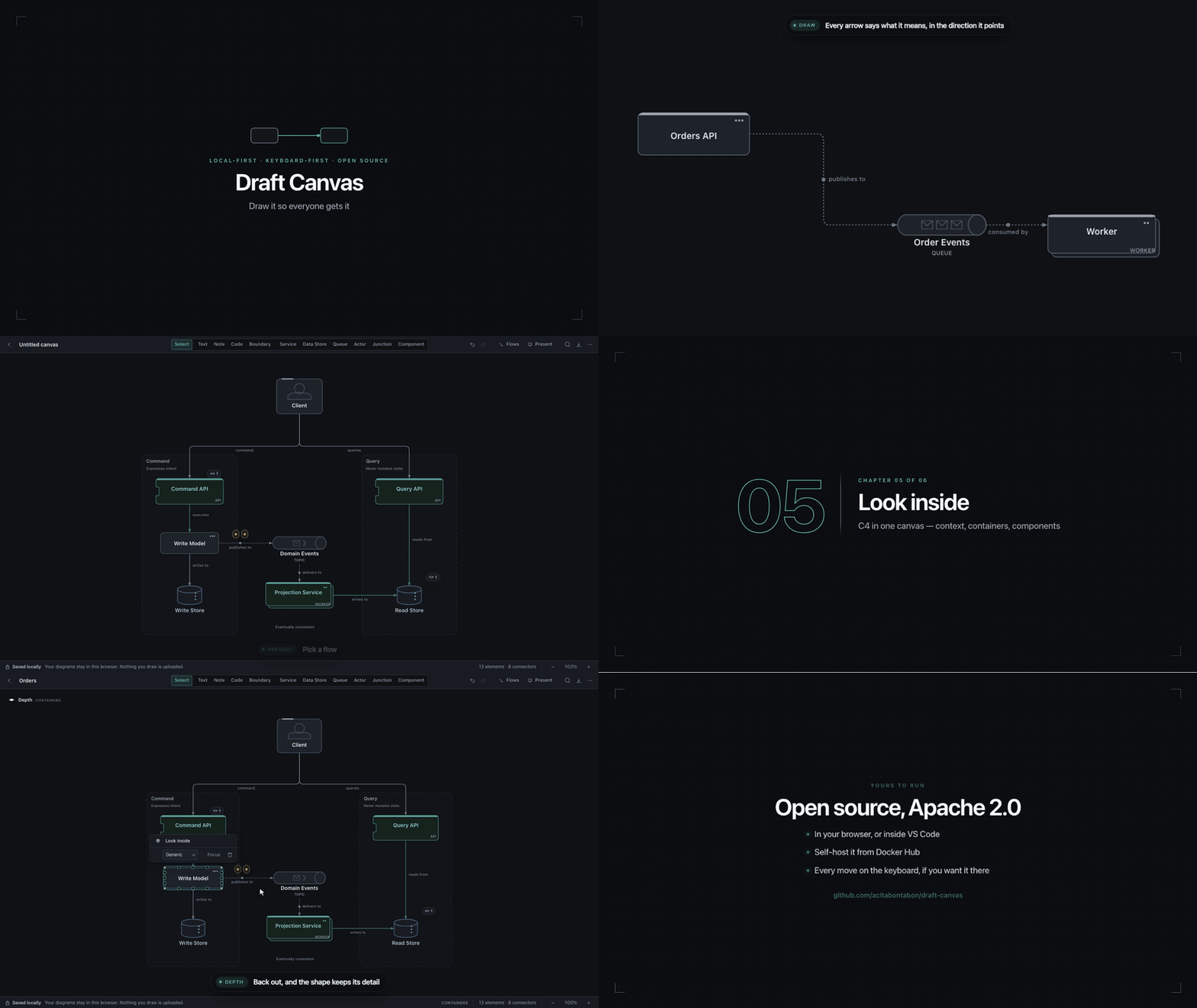
A simple diagramming tool built for developers to explain how a system works: architecture diagrams with tech-aware shapes, C4 views, sequence diagrams, request flows you can present, live collaboration and AI agents over MCP. Free, open source, and your diagrams stay on your device.
 Draft Canvas
A simple diagramming tool built for developers to explain how a system works.
Tech-aware shapes, C4 views, sequence diagrams, flows you can present, live collaboration and AI agents.
Free, open source, and your diagrams stay on your device.
What it can do
- C4-aware. System Context, Containers, Components, and nested views.
- Tech-aware shapes. Services, APIs, workers, stores, queues, actors, and boundaries.
- Presentation flows. Trace and present happy or failure paths.
- Sequence diagrams. Lifelines, replies, conditions and loops that lay themselves out, beside the architecture.
- Bring your own agent. Connect Claude Code, Codex, Cursor, or any MCP client.
- Live collaboration. Share, manage access, and follow presentations.
- Context for decisions. Notes, code, sources, and open questions.
- Import and export. Import Mermaid and editable files; export images, editable files, Mermaid, PlantUML, Structurizr, and draw.io.
Examples
Whole systems from the starters gallery, open in Draft Canvas. Load any of them from
Starters in the app, present their flows, step inside their services, and make them yours.
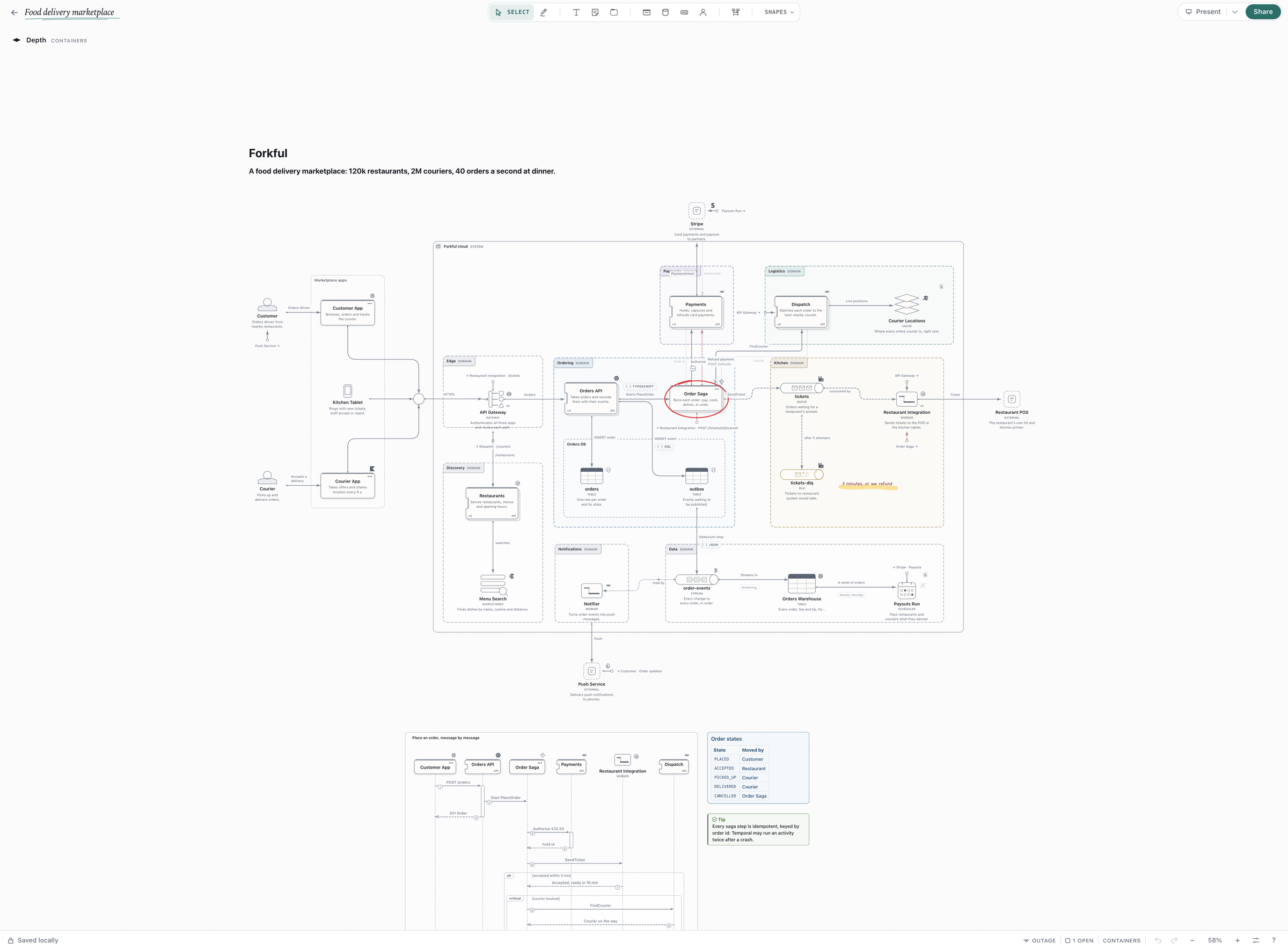
Food delivery |
|
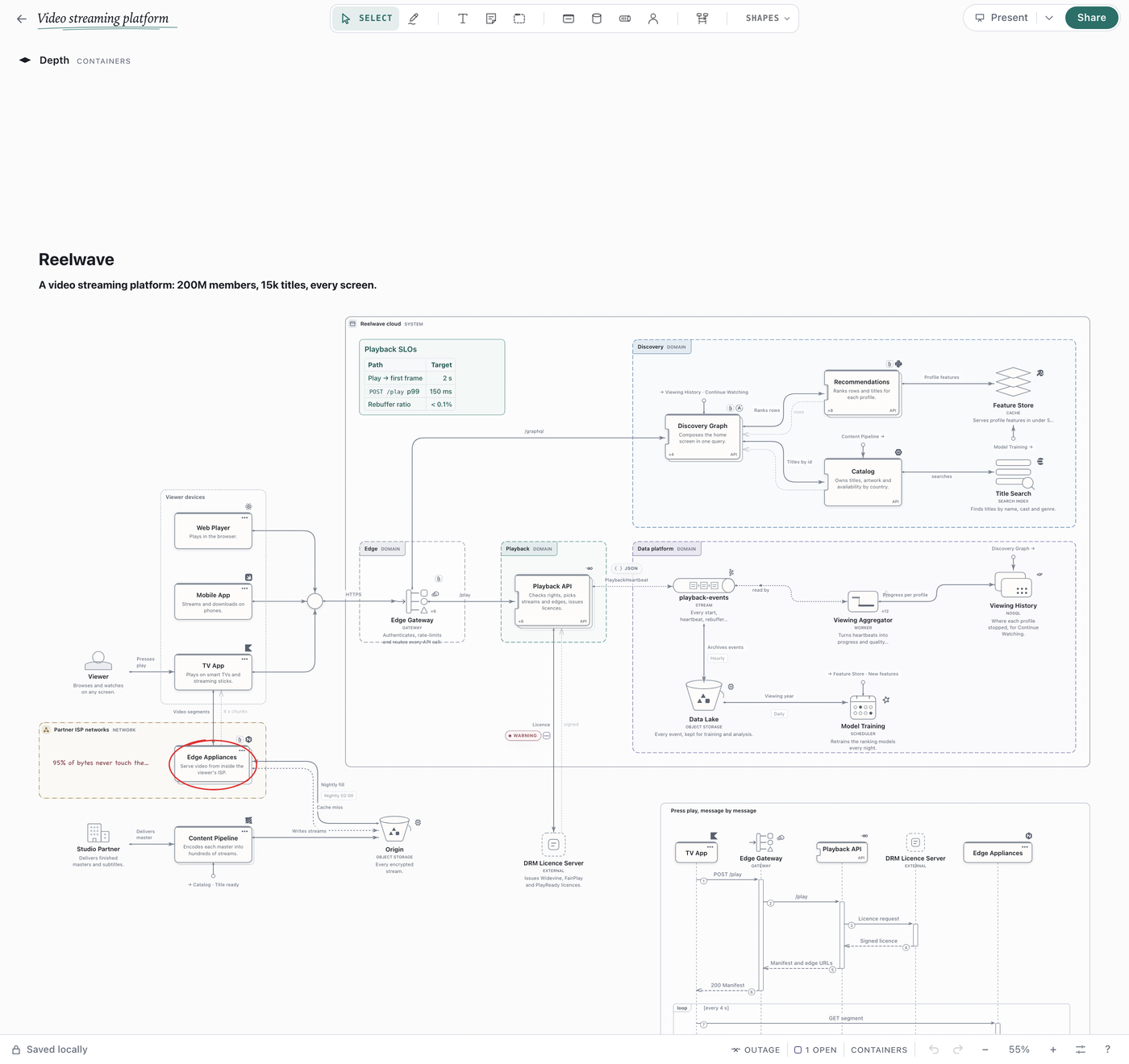
Video streaming |
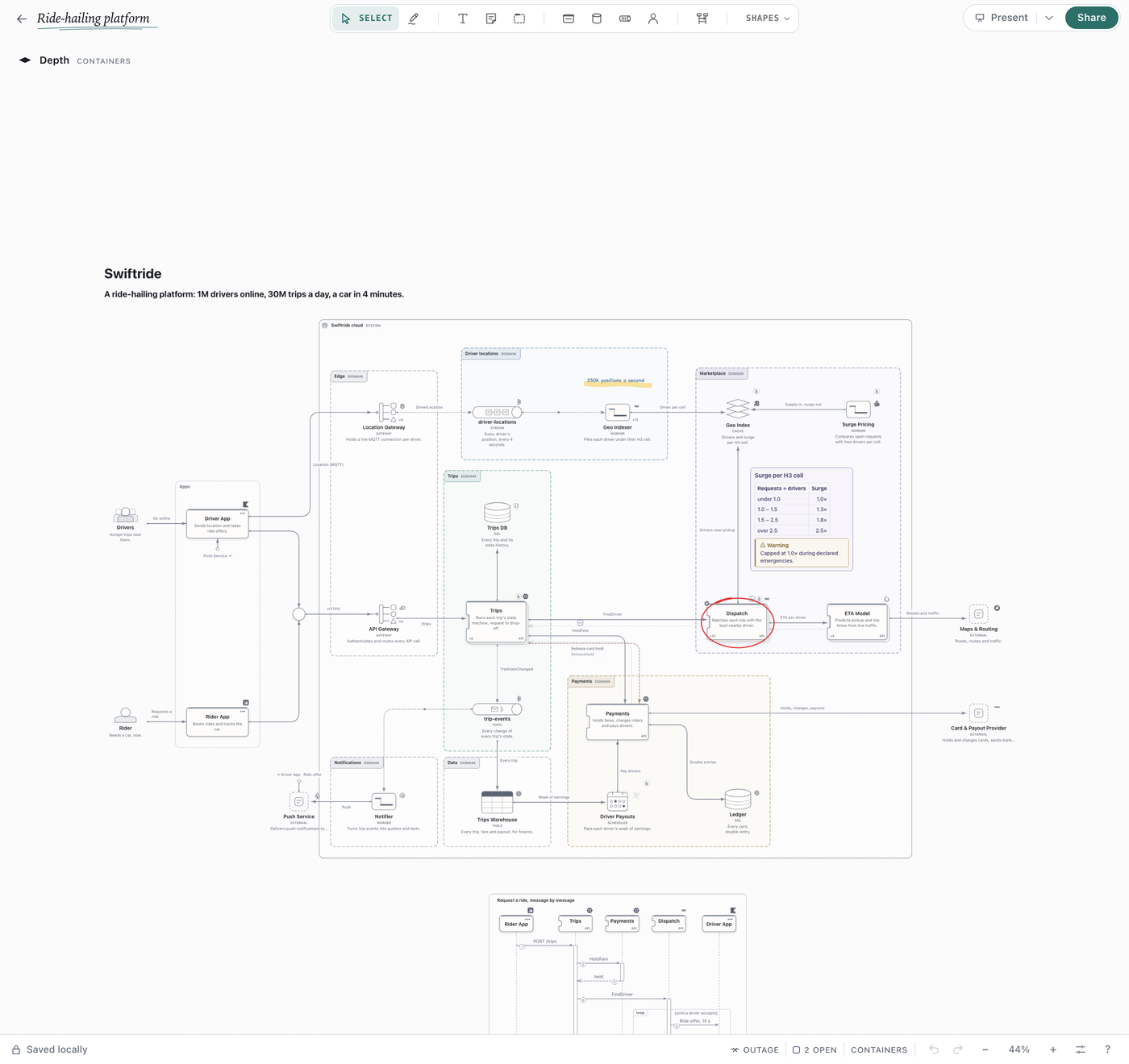
Ride-hailing |
Get started
Start in the Draft Canvas web app—nothing to install—or download
the desktop app for macOS or Windows
for desktop use and repository access. On macOS, you can also use Homebrew:
brew install --cask acltabontabon/tap/draft-canvas
Put your repository on the canvas
Open your project folder in Draft Canvas Desktop. In Settings → AI agents, turn on Allow agent
access and tick the folder. Click Add to… for your agent, then Install skill. Start a new
agent session and ask:
Use the Draft Canvas skill to map this repository’s runtime architecture. Verify boundaries
and connections in source, cite evidence, and mark inferences. Add component views where
they explain real logic, and presentation flows for verified requests and handled failures.
Don’t turn dependencies or concurrent effects into an invented execution order. Inspect every
view and fix readability before finishing; tell me the scope and any unresolved questions.
Ask again to refresh the same diagram when the code changes.
Reviews (0)
Sign in to leave a review.
Leave a reviewNo results found