cocogem
Health Warn
- License — License: MIT
- Description — Repository has a description
- Active repo — Last push 0 days ago
- Low visibility — Only 9 GitHub stars
Code Fail
- process.env — Environment variable access in internal/nativecli/gemini_sse.cjs
- process.env — Environment variable access in scripts/dev.mjs
- process.env — Environment variable access in scripts/dev.test.mjs
- network request — Outbound network request in scripts/dev.test.mjs
- spawnSync — Synchronous process spawning in scripts/verify-redesign.mjs
- process.env — Environment variable access in scripts/verify-redesign.mjs
- network request — Outbound network request in scripts/verify-redesign.mjs
- process.env — Environment variable access in web/e2e/appearance.spec.ts
- process.env — Environment variable access in web/e2e/collaboration-runtime.spec.ts
- process.env — Environment variable access in web/e2e/collaboration.spec.ts
- process.env — Environment variable access in web/e2e/file-delivery.spec.ts
- Hardcoded secret — Potential hardcoded credential in web/e2e/file-delivery.spec.ts
Permissions Pass
- Permissions — No dangerous permissions requested
No AI report is available for this listing yet.
Let Claude Code, Codex, Gemini, Pi, and OpenCode discuss, research, develop, and review in one local workspace.
Cocogem
Give your task a team.
Let Claude Code, Codex, Gemini, Pi, and OpenCode discuss, research, develop, and review in one workspace.




English | 简体中文
Why Cocogem?
You already have a few AI CLIs you rely on, but you still move context between terminals, relay opinions, and ask the next agent to review the work. The more complex the task, the more time goes into coordination.
Cocogem brings them into one local workspace. Describe your goal; members divide the work, hand off tasks, and check each other's results. Conversations, sources, and deliverables stay available for review. Each member can use a different CLI and model, reusing your existing API keys, endpoints, providers, and model settings without an extra Cocogem model key or a new login.
See It in Action
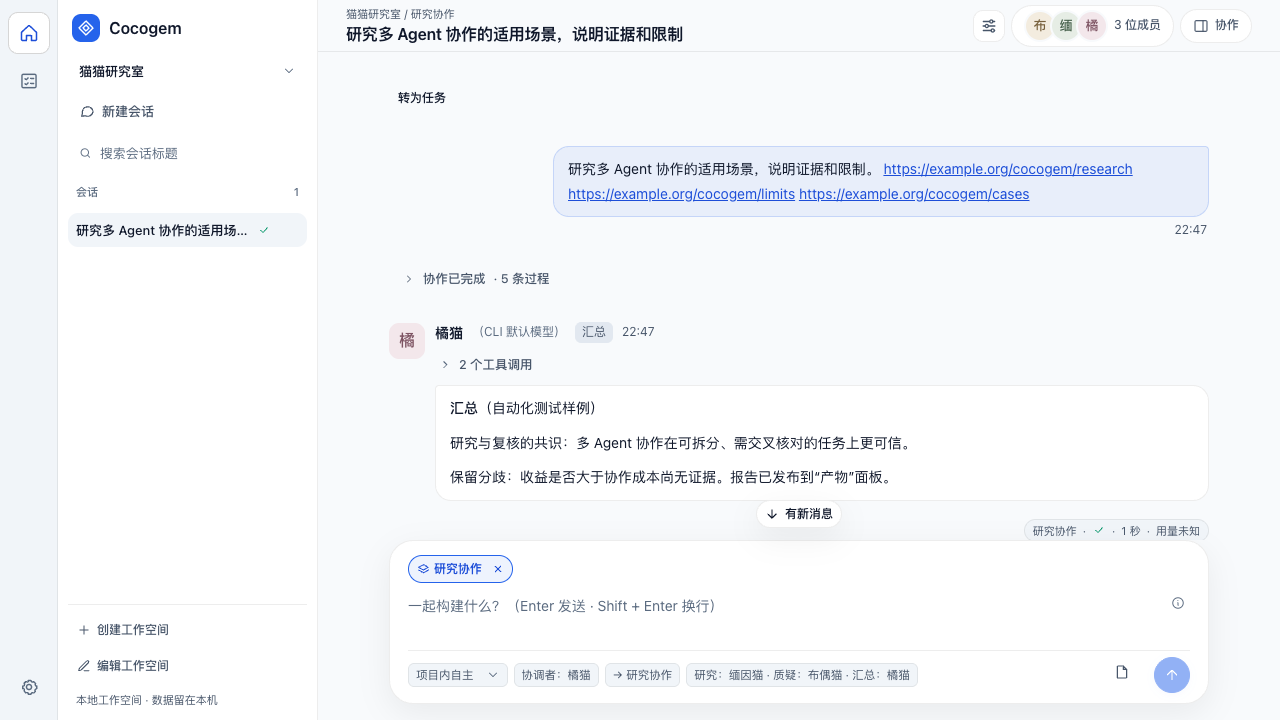
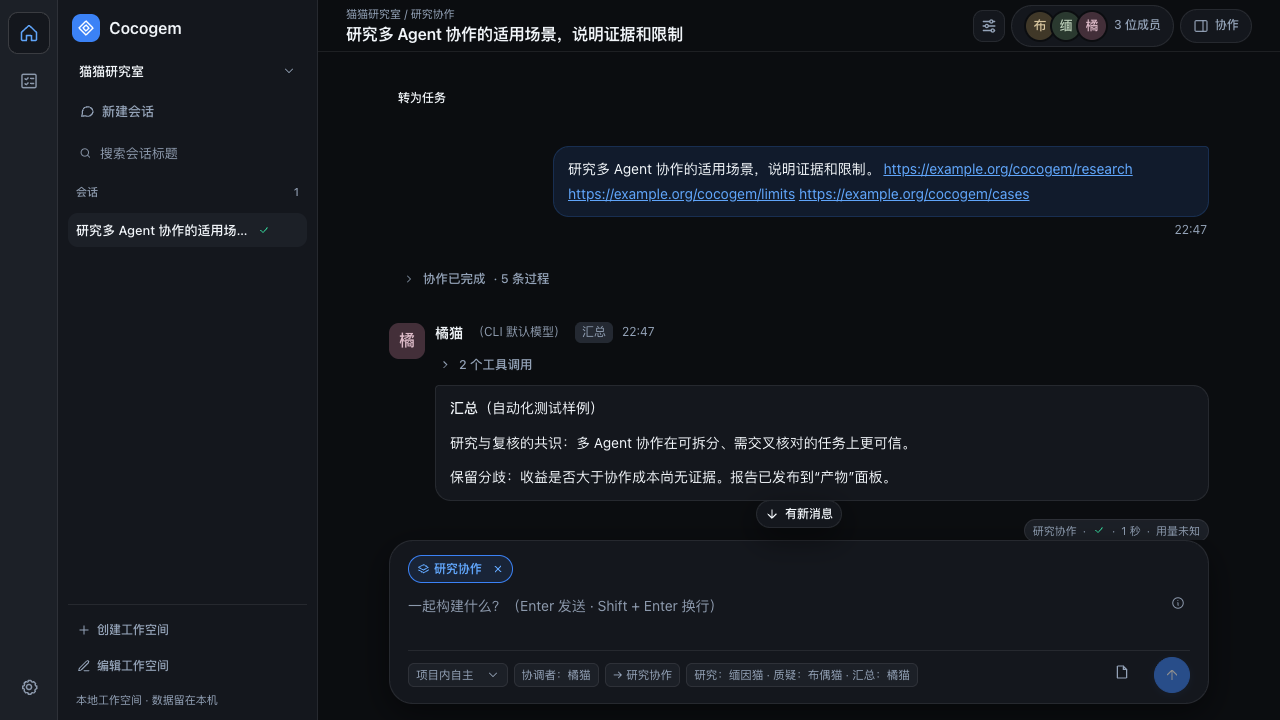
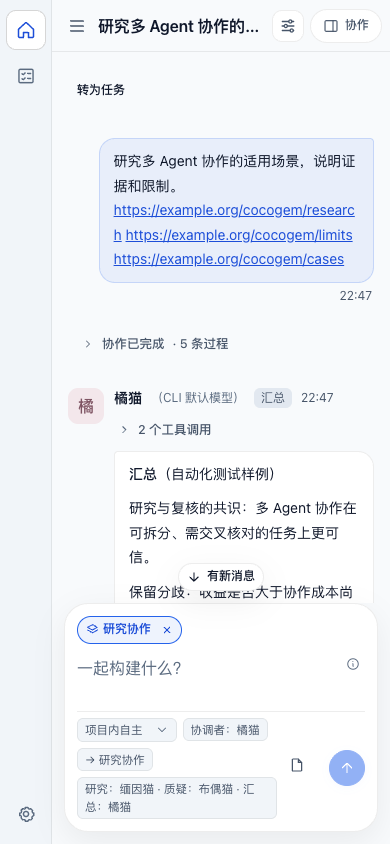
These screenshots use synthetic data to demonstrate the interface. They do not establish the quality of real model research or deliverables.
Quick Start
You need Go 1.26.10+ within the 1.26 series, Node.js 22.12+ (24 LTS recommended), npm, and at least one working local agent CLI.
git clone https://github.com/AcSunday/cocogem.git
cd cocogem
make setup
make dev
Open http://127.0.0.1:5173:
- Set a local access password of 12–128 characters on first use.
- Describe your goal directly. The first input creates an unnamed project, a conversation and editable default member profiles from your already-configured CLIs; no wizard is required.
- Research needs no project directory. Select a local directory for engineering work. Permission is global: new installations and the one-time migration default to project-autonomous mode; the Composer and Settings → Permissions stay synchronized.
- Use
@or natural language to address members, or let the coordinator choose. Durable tasks, goal revisions, budgets and completion records continue across sessions and restarts.
Enter sends; Shift+Enter inserts a newline. Member completion and IME confirmation are supported. The local access password unlocks the web interface independently of the CLI's model credentials.
Run a Build
make build
./dist/cocogem-server
Open http://127.0.0.1:8741. Keep dist/cocogem-server alongside dist/web/. Node.js is not required at runtime; the local agent CLIs are still required.
Use COCOGEM_DATA_DIR to choose the data directory and --allow-root /absolute/project to restrict workspace directories. Proxy, search, timeout, and backup settings are covered in the product guide (Chinese).
What It Does
| Capability | How it works |
|---|---|
| Projects and durable tasks | The project home keeps the welcome scenarios plus a small summary; a far-left rail switches to a linked todo list of durable tasks. Goal revisions keep their history, and delivery is distinct from acceptance |
| Free collaboration | Use @ or natural language; the coordinator answers, hands off tasks, or selects a built-in workflow as needed. An automatically selected engineering workflow is read-only |
| Team discussion | Members form independent views, challenge each other, and check the synthesis while preserving disagreements |
| Research | Search and read sources, then challenge, respond, and recheck before delivering a research report |
| Engineering collaboration | Explicitly select this workflow to allow authorized changes and tests, followed by independent review and delivery; task and role restrictions still apply. Other file tasks can use their authorized tools without selecting it |
| Reusable members | Share global profiles across workspaces with roles, models, execution options and avatars; workspace membership manages links and enablement |
| Global permissions | Choose controlled, project-autonomous or full-access mode; extra operations offer once, conversation-wide or deny, with exact tool and resource scope |
| Sources and deliverables | Inspect captured sources, exact report versions, and human feedback; download Markdown reports and delivered files |
| Long tasks and recovery | Stream output, run independent tasks in parallel, stop tasks, retry failed member steps, wait and wake durably, and resume from checkpoints while retaining completed steps and history |
| Collaboration budget | Configure future root defaults (20/4/2/3/2) globally; each root keeps a separate ledger shared by its children and retries, with explicit waiting at exhaustion |
| Everyday workspace tools | Search, rename, and restore conversations; choose light, dark, warm, or system appearance |
Project-autonomous command execution currently uses the macOS boundary. Other operating systems fail closed where no verified execution boundary exists. A separate candidate directory is not guaranteed for every write, and restart recovery can requeue a step whose process stopped without a committed result. See the product guide (Chinese) and acceptance record for tested versions, paths and remaining limits.
Supported CLIs
| CLI | Command | Web integration |
|---|---|---|
| Claude Code | claude |
Bidirectional stream-json approvals, scoped MCP and native tools with per-operation execution boundaries |
| Codex | codex |
On verified macOS versions, app-server with a restricted project/task permission profile; outside operations use scoped host tools because native approvals cannot express a one-call outside scope |
| Gemini CLI | gemini |
stream-json with private tool hooks, scoped MCP and scoped native execution |
| Pi | pi |
RPC with a private tool extension, scoped MCP and execution-before-effect approvals |
| OpenCode | opencode |
Private v2 server with an execution-before-effect plugin; live text deltas, scoped MCP and model thinking variants |
Availability depends on the installed CLI's protocol, isolation capabilities, and actual model connection. An installed CLI does not imply a verified connection. Open Settings → Service (设置 → 服务) for diagnostics and connection verification.
How It Works
Your task
   ↓
Web workspace · Members and routing · Shared skills
   ↓
Go service · Plans and permissions · Scoped MCP · Sources and checkpoints
   ↓
Claude Code / Codex / Gemini / Pi / OpenCode
   ↓
Shared conversations · Independent review · Versioned deliverables
The backend uses Go's standard library HTTP server and SQLite; the frontend uses React, TypeScript, and Vite. Data is stored locally. Model services receive the content needed for a task, and search services receive queries. See SECURITY.md for the full boundaries. Cocogem currently serves a single local user and only listens on loopback addresses.
Contributing
Report problems through Issues, or send a focused pull request. Read the contribution guide and product guide (Chinese) before you start.
GitHub Actions runs only make test on pushes and pull requests. Other local validation commands are listed below.
make test             # Go, native CLI fixtures, frontend unit tests, lint, and type checks
make check-contract   # Regenerate contracts and check for changes against HEAD
make e2e              # Build, production service smoke, and browser tests
make verify-redesign  # Real CLI: first question, task, global permissions and budget
make security         # Credential checks and dependency vulnerability scans
Before your first browser test, run npx playwright install chromium in web/, or use an installed Chrome with PLAYWRIGHT_CHANNEL=chrome make e2e.
By default, make test and make e2e use temporary processes and synthetic data without model credentials. make probe-cli and make probe-isolation check installed CLIs against a local fake model for protocol and isolation behavior. make verify-redesign uses an isolated data directory but calls a real configured CLI and may incur provider usage; its result applies only to that connection and journey. It uses installed Chrome by default; PLAYWRIGHT_CHANNEL can select another browser channel. make check-contract also fails when the generated files contain intended uncommitted changes against HEAD.
Acknowledgments and License
Thanks to Clowder AI for inspiration on multi-agent collaboration, shared skills, and project presentation, and to Cat Cafe Tutorials for the introductory CLI examples.
Licensed under the MIT License. Dependency licenses are listed in THIRD_PARTY_NOTICES.txt.
Reviews (0)
Sign in to leave a review.
Leave a reviewNo results found