context-book
Health Warn
- License — License: MIT
- Description — Repository has a description
- Active repo — Last push 0 days ago
- Low visibility — Only 6 GitHub stars
Code Warn
- network request — Outbound network request in frontend/src/App.tsx
Permissions Pass
- Permissions — No dangerous permissions requested
No AI report is available for this listing yet.
Stop re-explaining yourself to Agents. Give it the right context, right when it needs it.
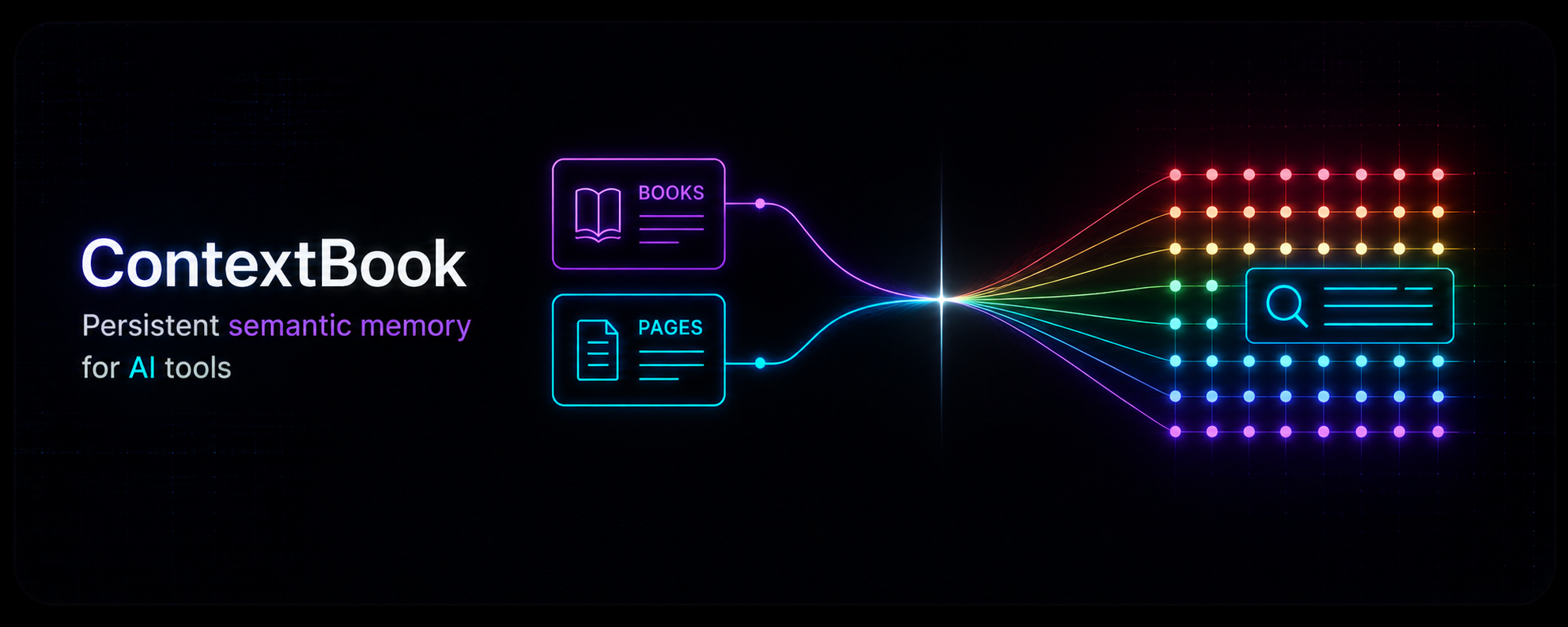


Stop re-explaining yourself to Agents. Give it the right context, right when needed.
LLMs are stateless — each conversation starts from scratch. ContextBook gives your AI tools a persistent, searchable knowledge library to draw the right context when they need it. No bloatware, no pre-loaded junk. Just the right information, at the right time.
How It Works
flowchart LR
    AI["🤖 AI Clients\nClaude · Cursor · Windsurf"]
    Browser["🌐 Browser Dashboard"]
    MCP["🔌 MCP Server :8081\n8 Bearer-authenticated tools"]
    API["⚙️ REST API :8080\nOAuth 2.0 · Books · Pages · Search"]
    DB["🗄️ PostgreSQL\npgvector · pg_trgm"]
    VOYAGE["🧠 Voyage AI\nvoyage-4 (1024-dim)"]

    AI -- "MCP · Bearer Token" --> MCP
    Browser -- "Session · HTTP JSON" --> API
    MCP --- DB
    API --- DB
    API -- "OAuth 2.0 PKCE" --> AI
    DB --- VOYAGE
Two Go binaries share a PostgreSQL database:
- API server (
cmd/api) — the control plane: user login, OAuth 2.0, dashboard, book/page CRUD - MCP server (
cmd/mcp) — the data plane: 8 MCP tools for AI agents, protected by Bearer tokens
MCP Tools
All tools require a valid Bearer token and are scoped to the authenticated user.
| Tool | Description |
|---|---|
book_create_or_update |
Create a Book or update its metadata |
book_list |
Paginated list of Book metadata |
book_get |
Retrieve all pages of a Book |
page_insert |
Push an atomic page into a Book; embeds immediately |
page_update |
Replace a page's content; re-embeds |
page_delete |
Remove a page (indices not re-numbered) |
page_search |
Semantic search across all Books |
readme |
Returns the usage guide (call once per session) |
Quick Start
Prerequisites
1. Set up the database
CREATE DATABASE contextbook_db;
\c contextbook_db
CREATE EXTENSION IF NOT EXISTS vector;
CREATE EXTENSION IF NOT EXISTS pg_trgm;
Migrations run automatically on API server startup.
2. Configure environment
cp .env.example backend/.env
# Edit backend/.env — set DATABASE_URL, API_KEY_SALT, VOYAGE_API_KEY
3. Run the backend
cd backend
go run ./cmd/api/main.go    # API + dashboard (:8080)
go run ./cmd/mcp/main.go     # MCP server (:8081)
4. Run the frontend (optional)
cd frontend
npm install && npm run dev    # Vite dev server on :5173
5. Connect an AI client
For Cursor (.cursor/mcp.json):
{
  "mcpServers": {
    "contextbook": {
      "url": "http://localhost:8081/mcp"
    }
  }
}
For any MCP-compatible client, point the server URL to http://localhost:8081/mcp.
Documentation
- Backend README — API routes, auth flows, database schema, MCP tools, configuration
- Frontend README — components, routing, design system, development setup
- Architecture — full system overview with Mermaid diagrams
Project Structure
context-book/
├── backend/
│   ├── cmd/api/main.go          REST API + auth server
│   ├── cmd/mcp/main.go          MCP tool server
│   └── internal/
│       ├── api/                  REST handlers + routes
│       ├── auth/                 OAuth 2.0 PKCE, sessions, SSO
│       ├── context/              Book/Page business logic
│       ├── db/                  pgx queries + migrations
│       ├── embedding/            Voyage AI client
│       ├── logger/               slog + HTTP access logging
│       └── mcp/                  8 MCP tool handlers
├── frontend/                     React 19 + Vite + TypeScript SPA
│   └── src/
│       ├── App.tsx               Router + app shell
│       ├── lib/api.ts            HTTP client
│       └── components/           UI components
├── Dockerfile                    API server container
├── Dockerfile.mcp                MCP server container
└── go.work                       Go workspace
Contributing
- Fork the repository
- Create a feature branch (
git checkout -b feature/my-feature) - Make your changes
- Ensure the backend compiles (
cd backend && go build ./cmd/api ./cmd/mcp) - Ensure the frontend builds (
cd frontend && npm run build) - Commit and push
- Open a Pull Request
License
MIT — see the LICENSE file for details.
Reviews (0)
Sign in to leave a review.
Leave a reviewNo results found