OpenBcon
Health Uyari
- License — License: AGPL-3.0
- Description — Repository has a description
- Active repo — Last push 0 days ago
- Low visibility — Only 5 GitHub stars
Code Gecti
- Code scan — Scanned 12 files during light audit, no dangerous patterns found
Permissions Gecti
- Permissions — No dangerous permissions requested
Bu listing icin henuz AI raporu yok.
Open-source AI funding workspace for consultants, advisors, and incubators. Manage opportunities, companies, applications, and AI-generated funding packages.
OpenBcon
The Open Source AI Platform for Funding & Business Consultants
OpenBcon helps consultants, advisors, incubators, and funding teams run the full workflow in one place:
- discover funding programs
- assess business readiness
- manage company and client records
- generate funding-ready business plans
- organize applications, templates, resources, and reports
Community edition:
AGPL-3.0-or-laterCommercial licensing available for private deployments, closed-source modifications, white-label/OEM distribution, implementation services, and ongoing support.
See COMMERCIAL-LICENSE.md and CLA.md.
Why OpenBcon
Funding consultants and business advisors still spend too much time on repetitive work:
- searching and comparing grant or loan programs
- collecting company information from clients
- rewriting business plans and funding narratives
- tracking applications, deadlines, and next actions
- building reports and export packages manually
OpenBcon turns that fragmented process into one AI-assisted workspace.
Who It's For
OpenBcon is designed for teams that help businesses secure funding:
- funding consultants and grant writers
- business advisors and coaches
- incubators and accelerators
- economic development organizations
- partner networks, internal advisory teams, and multi-client workspaces
Core Capabilities
- AI business plan generation: turn company and funding-program context into a structured funding-ready package
- Funding readiness workflows: assess strengths, risks, and missing inputs before submission
- Client and company management: organize founder profiles, business details, and working records
- Funding program database: manage grants, loans, and opportunity sources in one directory
- Partner and admin workspace: configure modules, data sources, models, payment settings, and workspace behavior
- Resource and template libraries: centralize templates, social resources, tools, and reusable content
- Google Sheets and Airtable integrations: connect external resource sources with admin-managed sync
- Open-source customization: self-host, extend, rebrand, or commercialize under the project's dual-license model
Product Surfaces
The repository currently includes three product surfaces:
/- public landing page/dashboard- user workspace/admin- platform configuration console
Every workspace module uses a flat route such as /funding-readiness, /quick-generate, and /grants-loans.
Built-in auth entry flows are also included for /login, /signup, /forgot-password, and /reset-password.
Demo Preview
Live demo and short product walkthroughs are planned. Until then, the repository includes a visual snapshot of the current product experience.
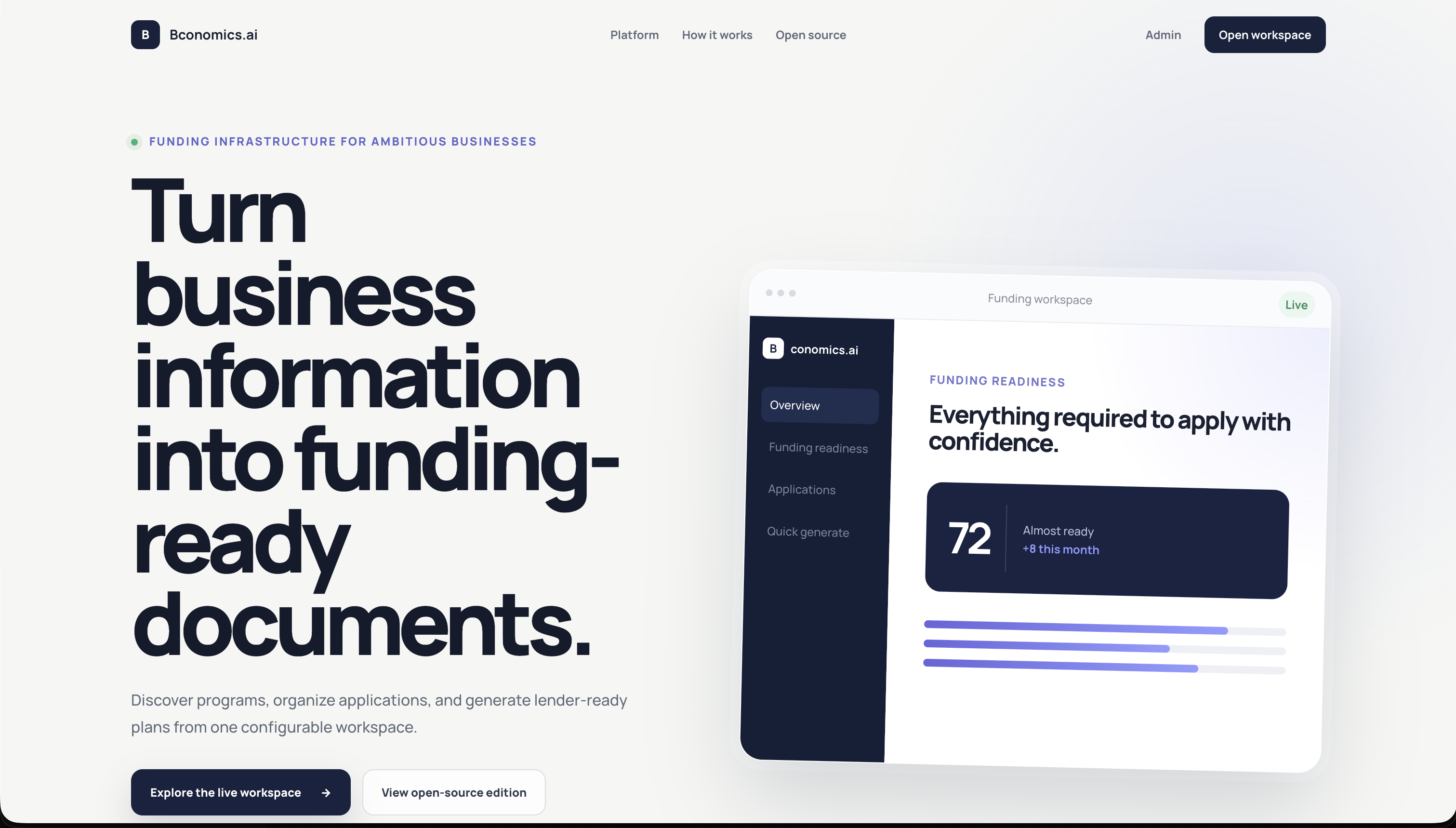 Landing Page |
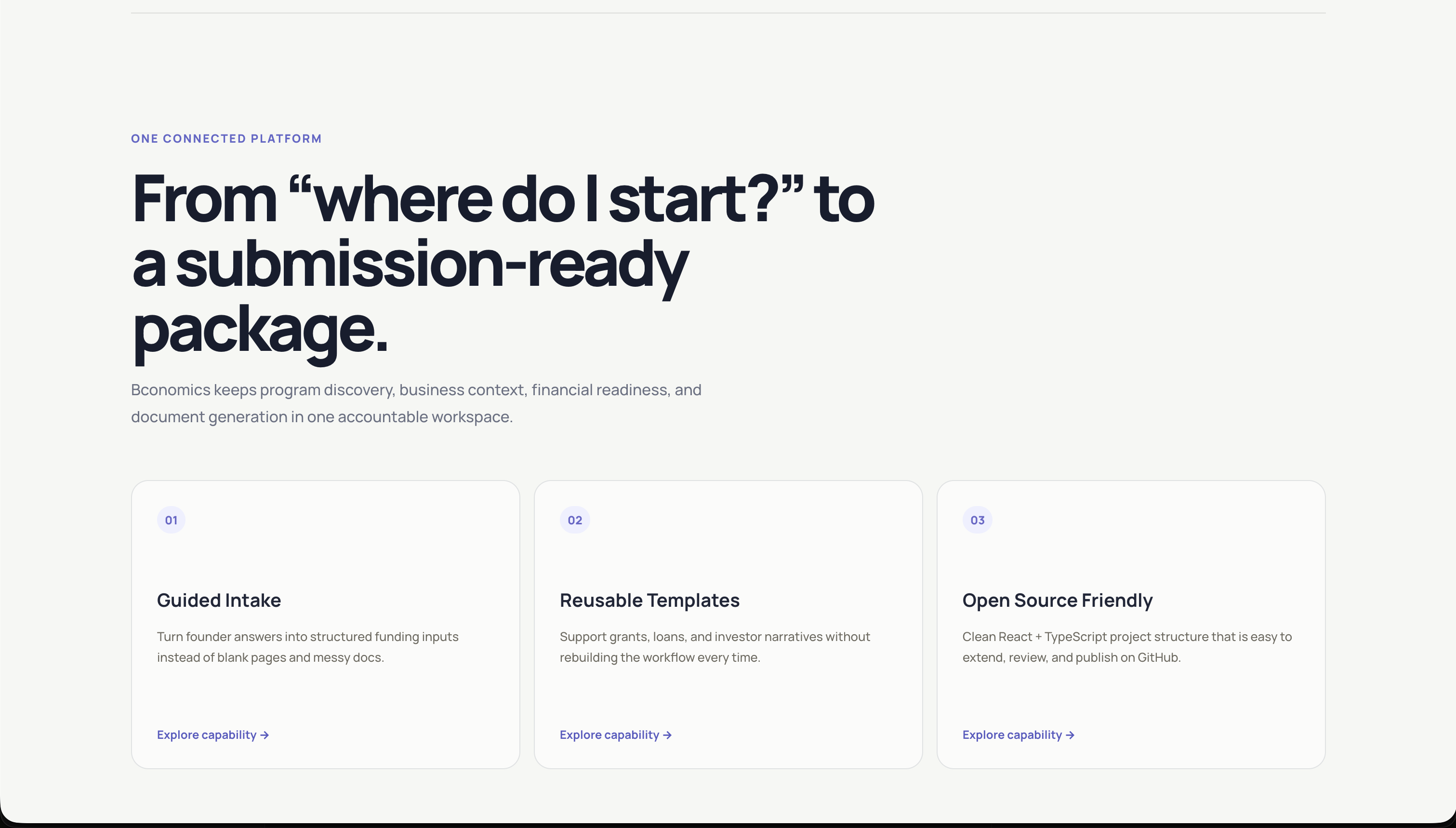 Landing Page 2 |
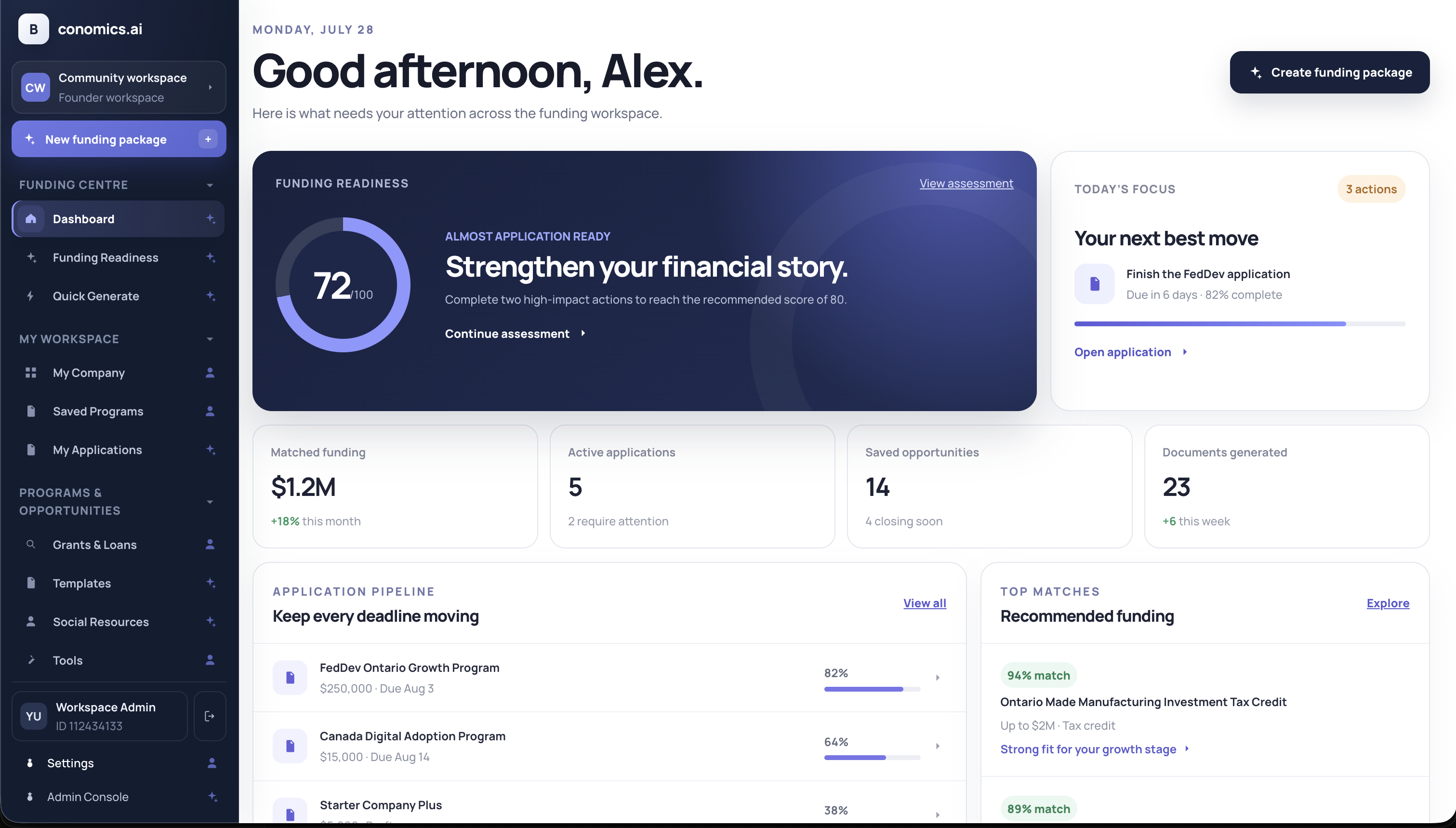 Dashboard Overview |
Screenshot Gallery
The current repository snapshot includes the landing experience, dashboard workspace, directories, and Quick Generate flow.
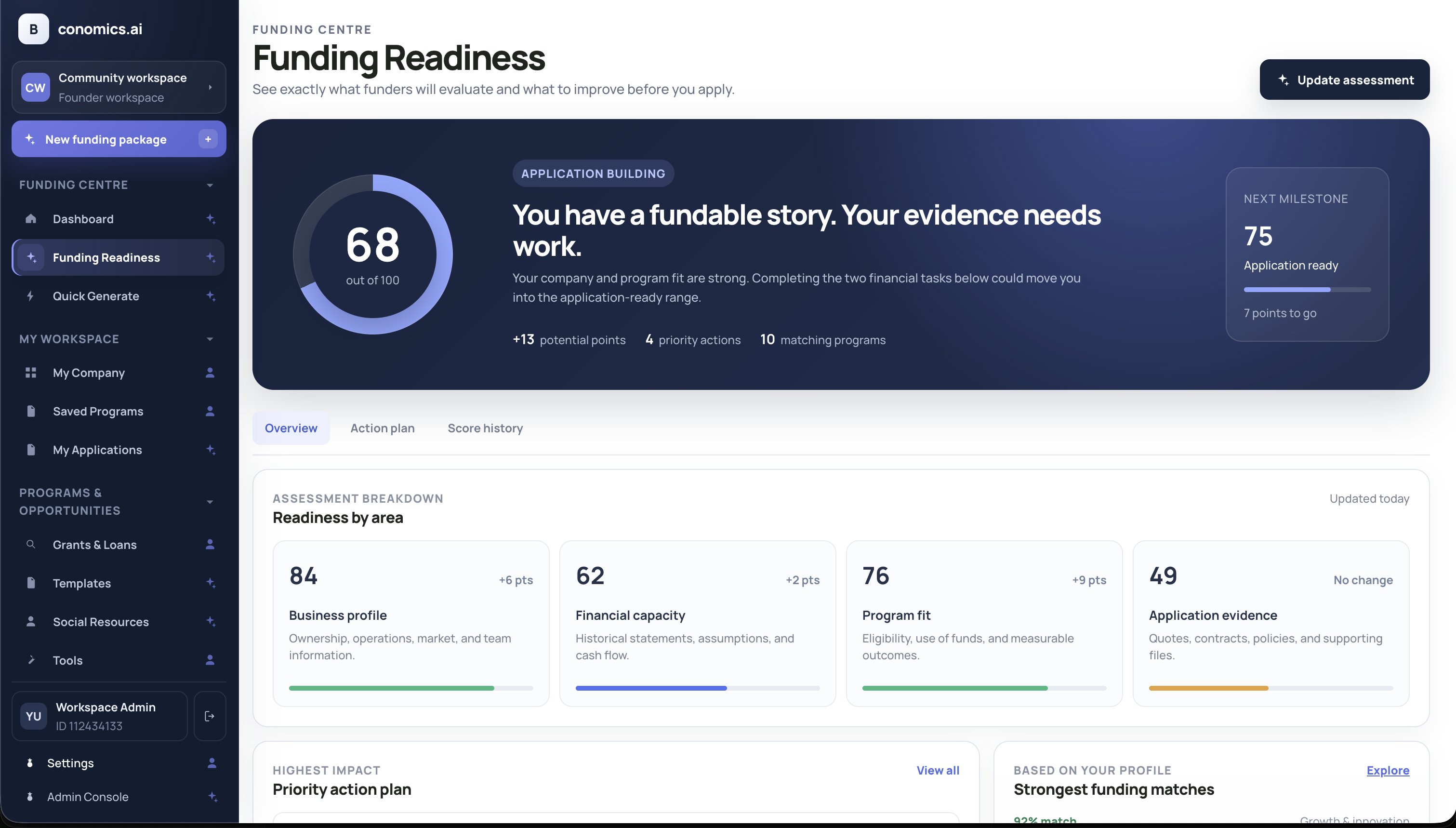 Funding Readiness |
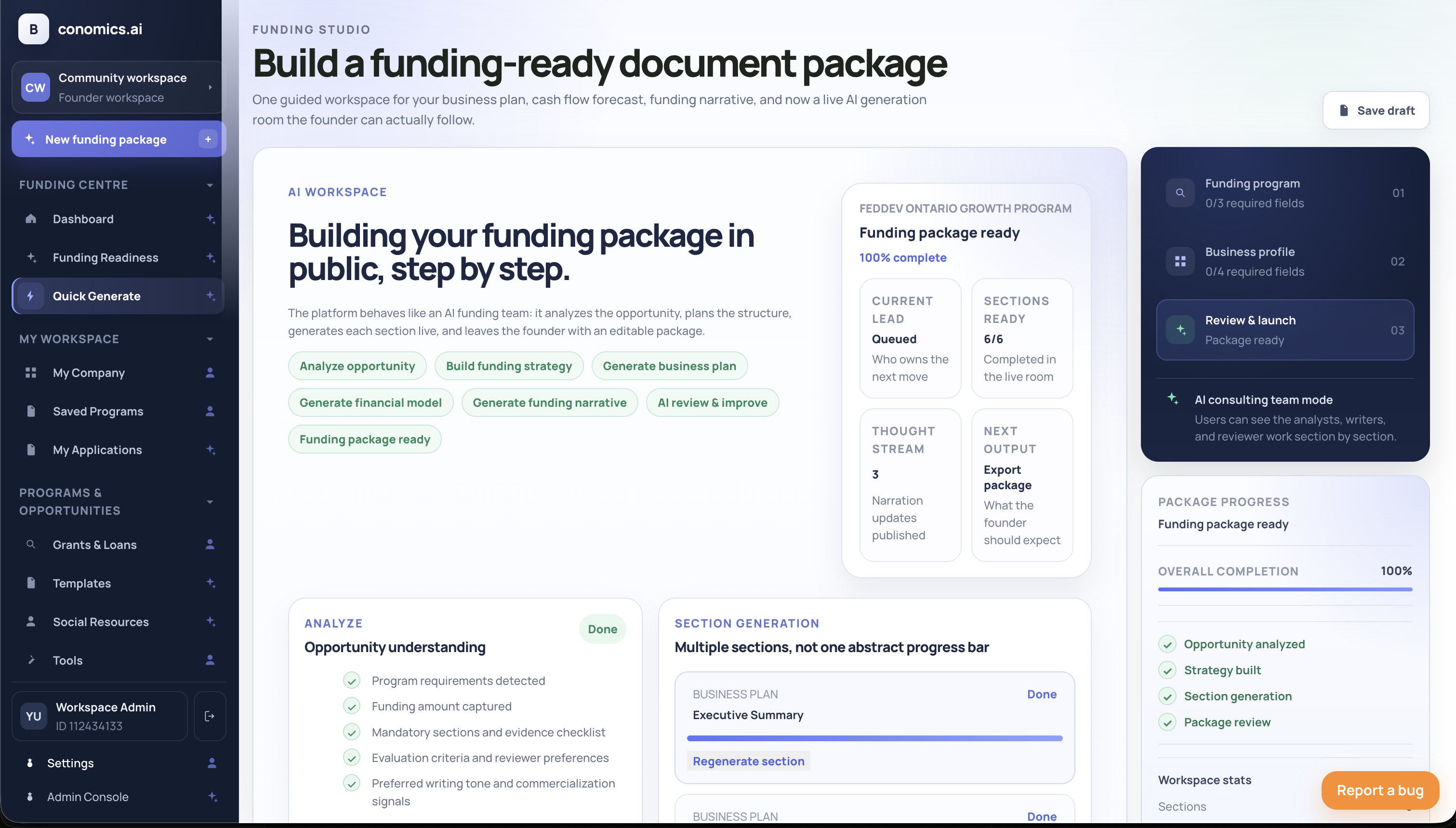 Quick Generate |
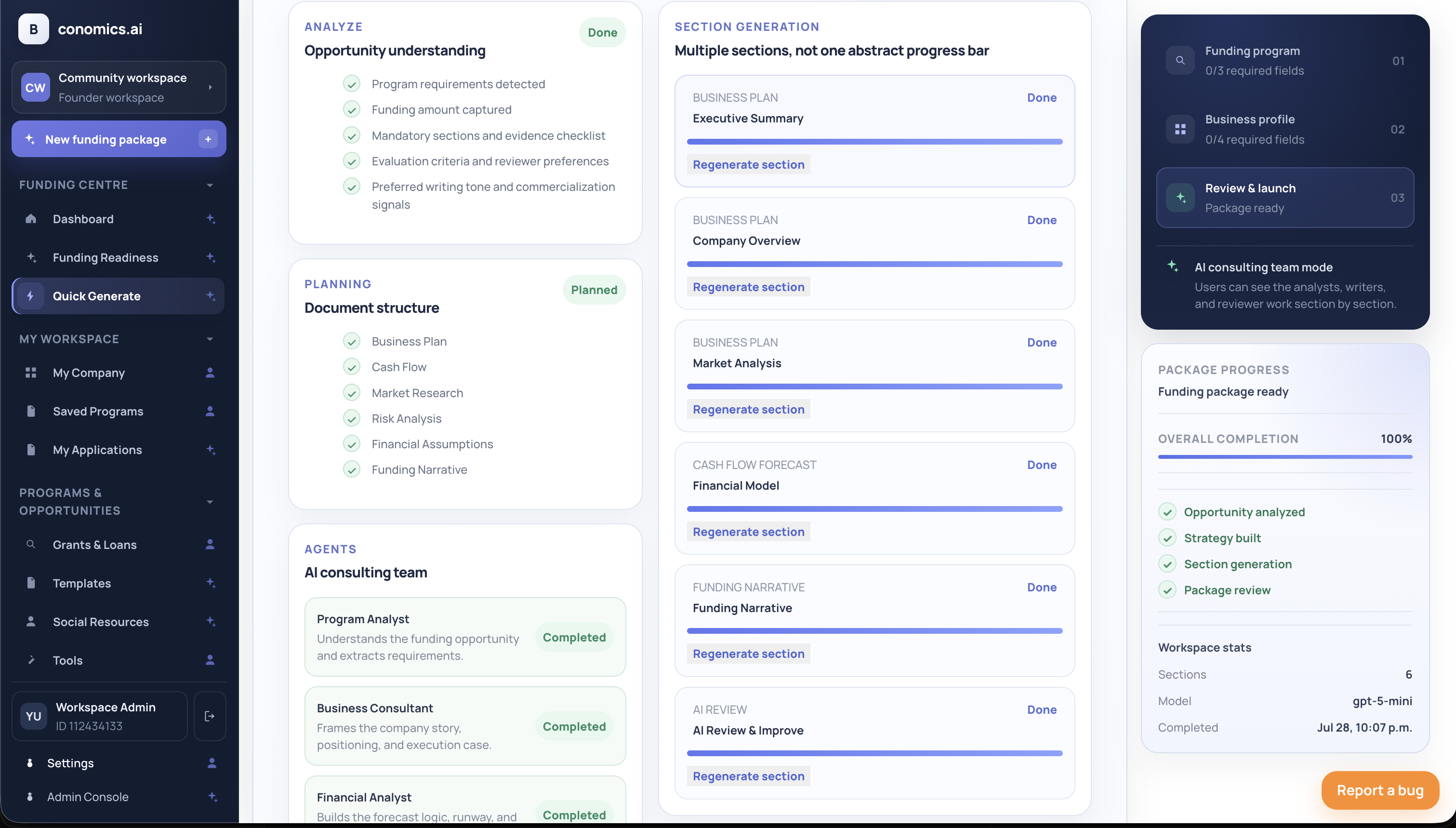 Quick Generate - Result Preview |
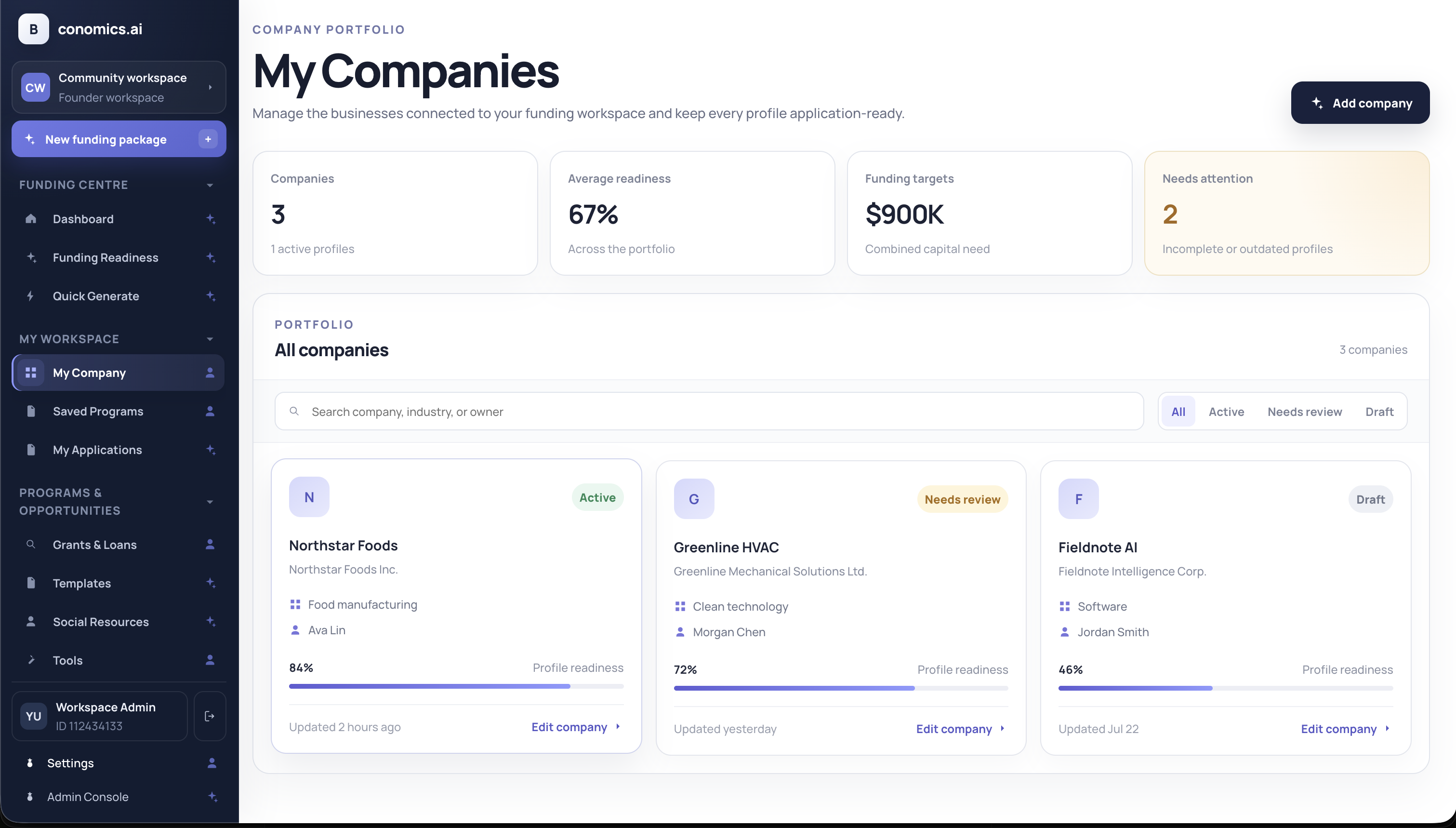 My Company |
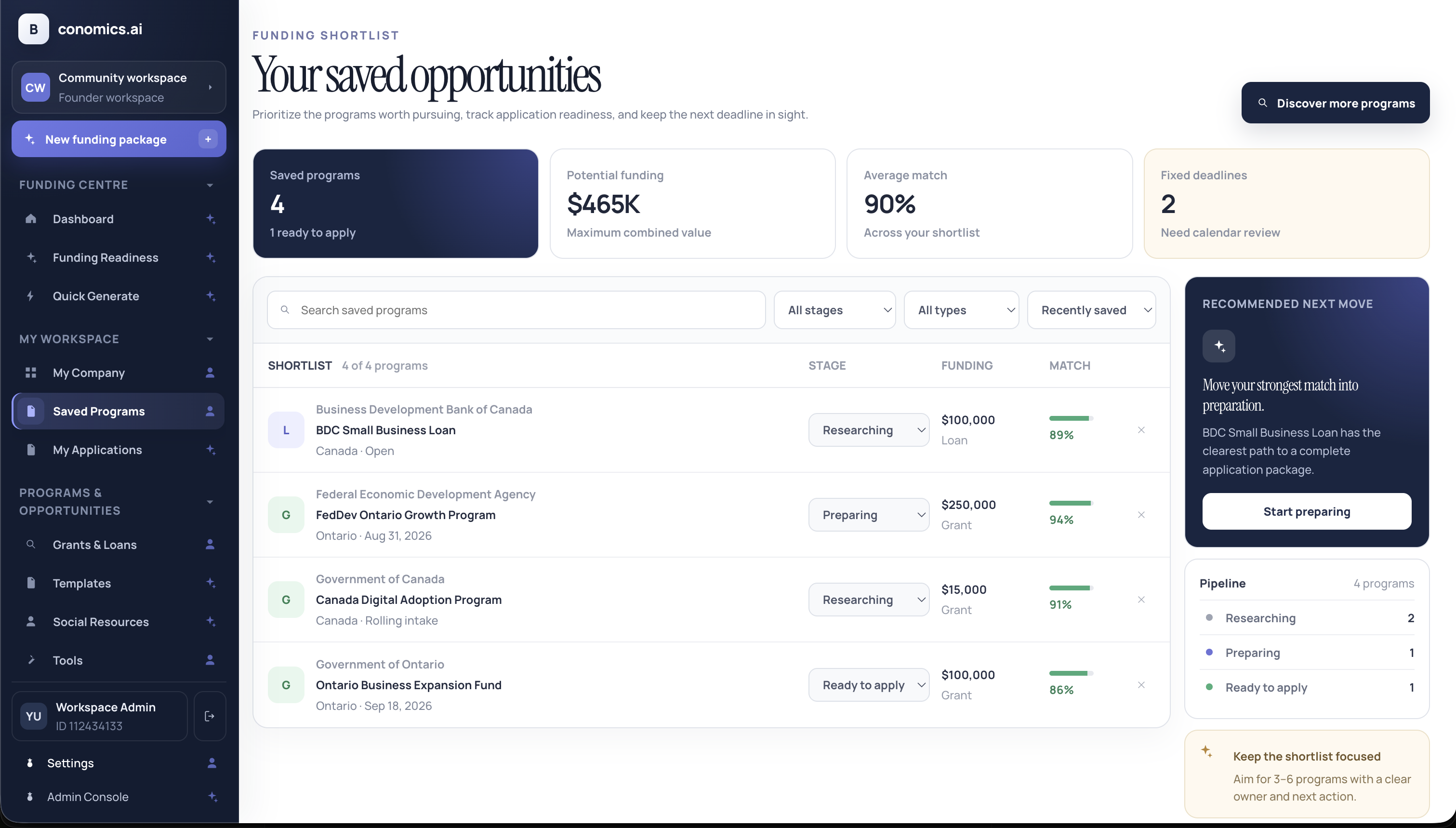 Saved Programs |
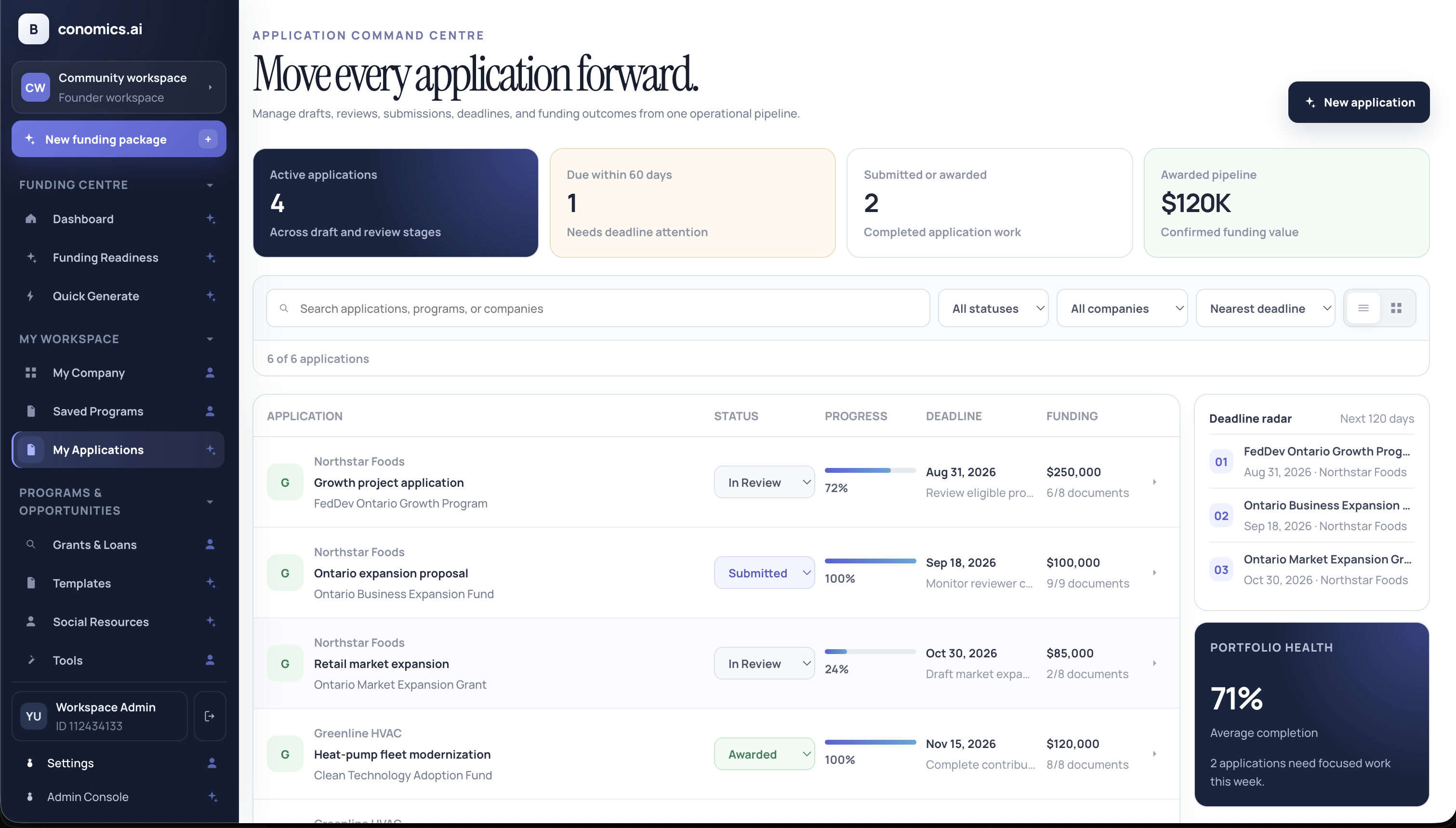 My Applications |
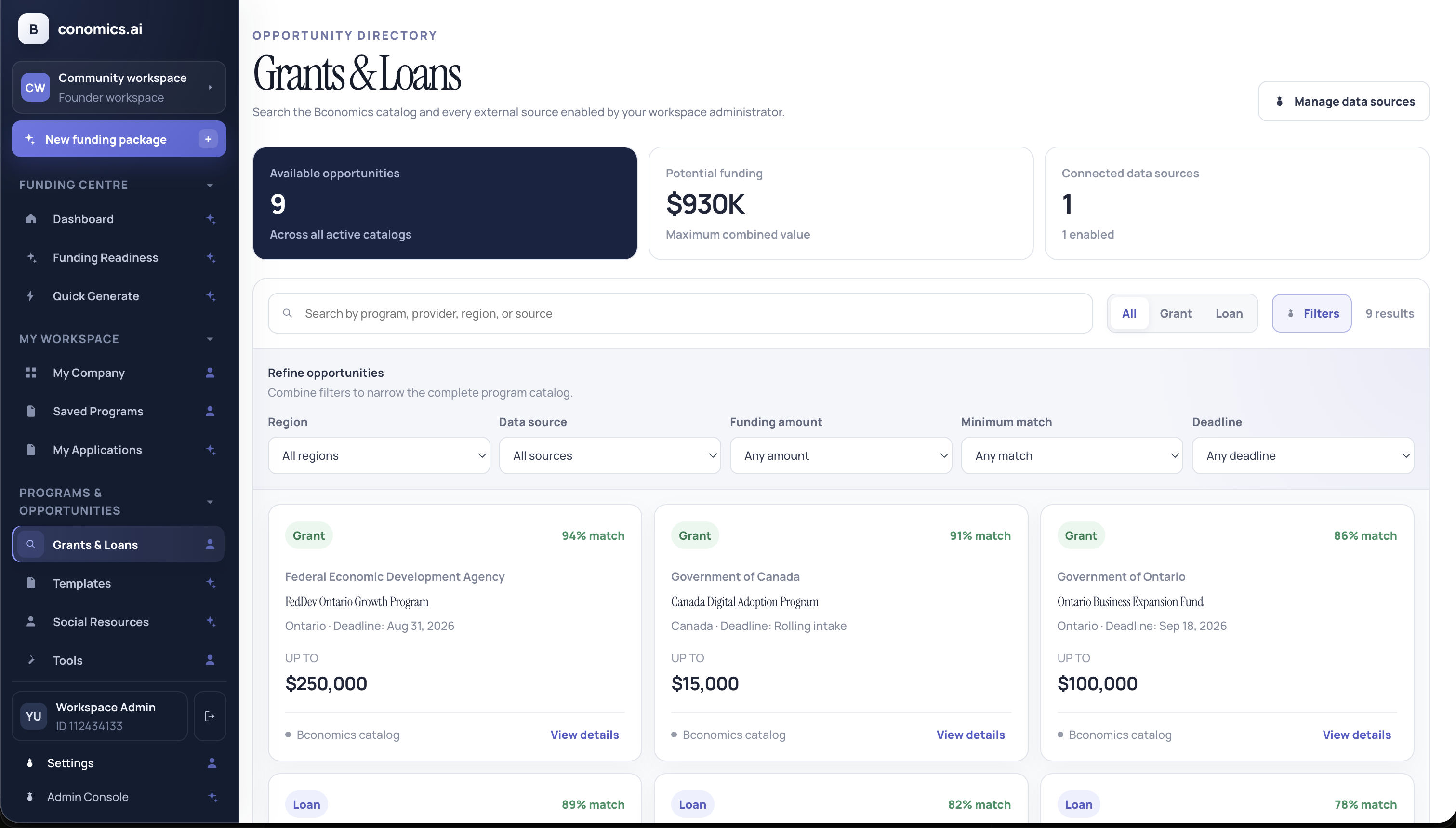 Grants & Loans |
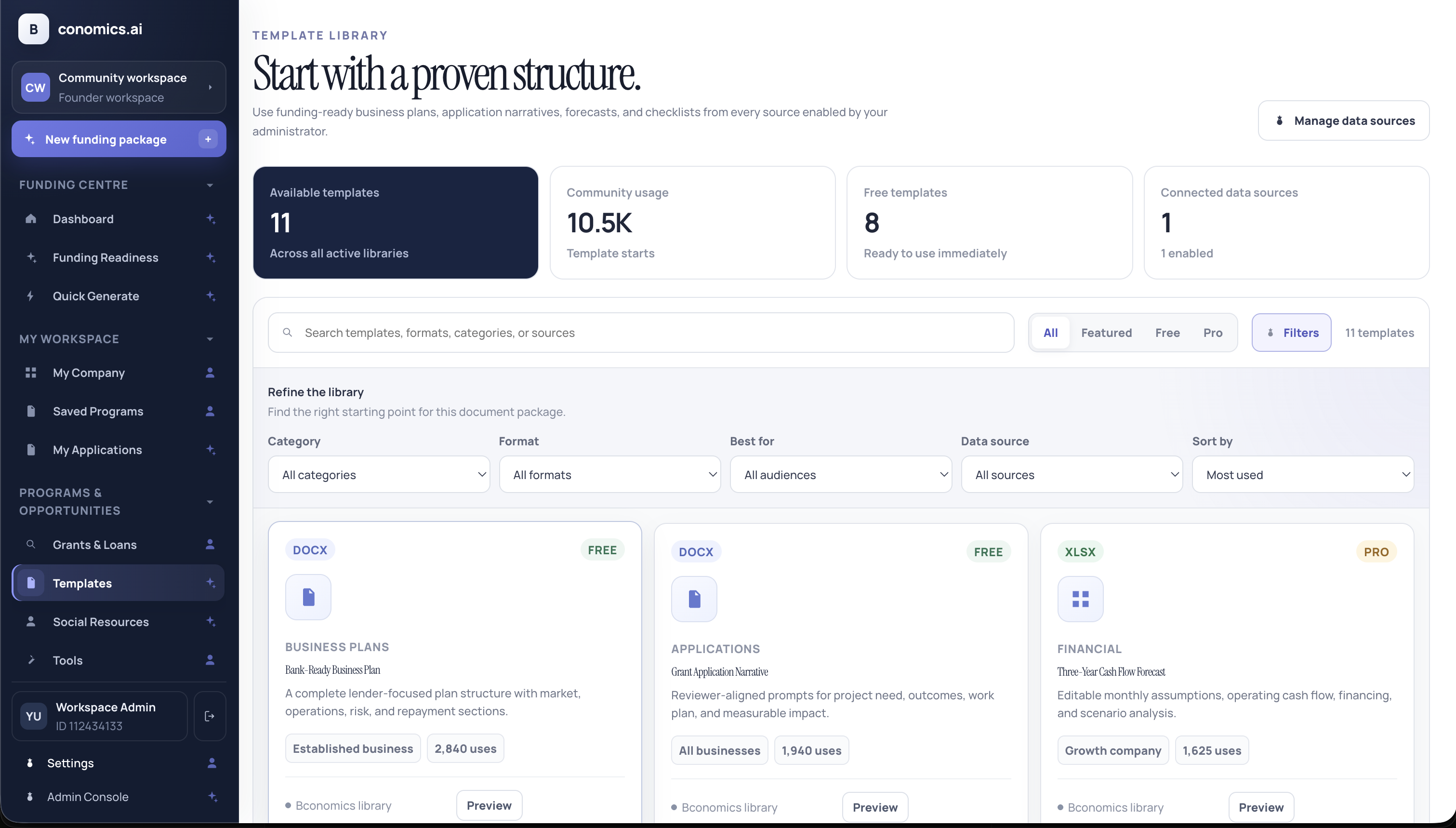 Templates |
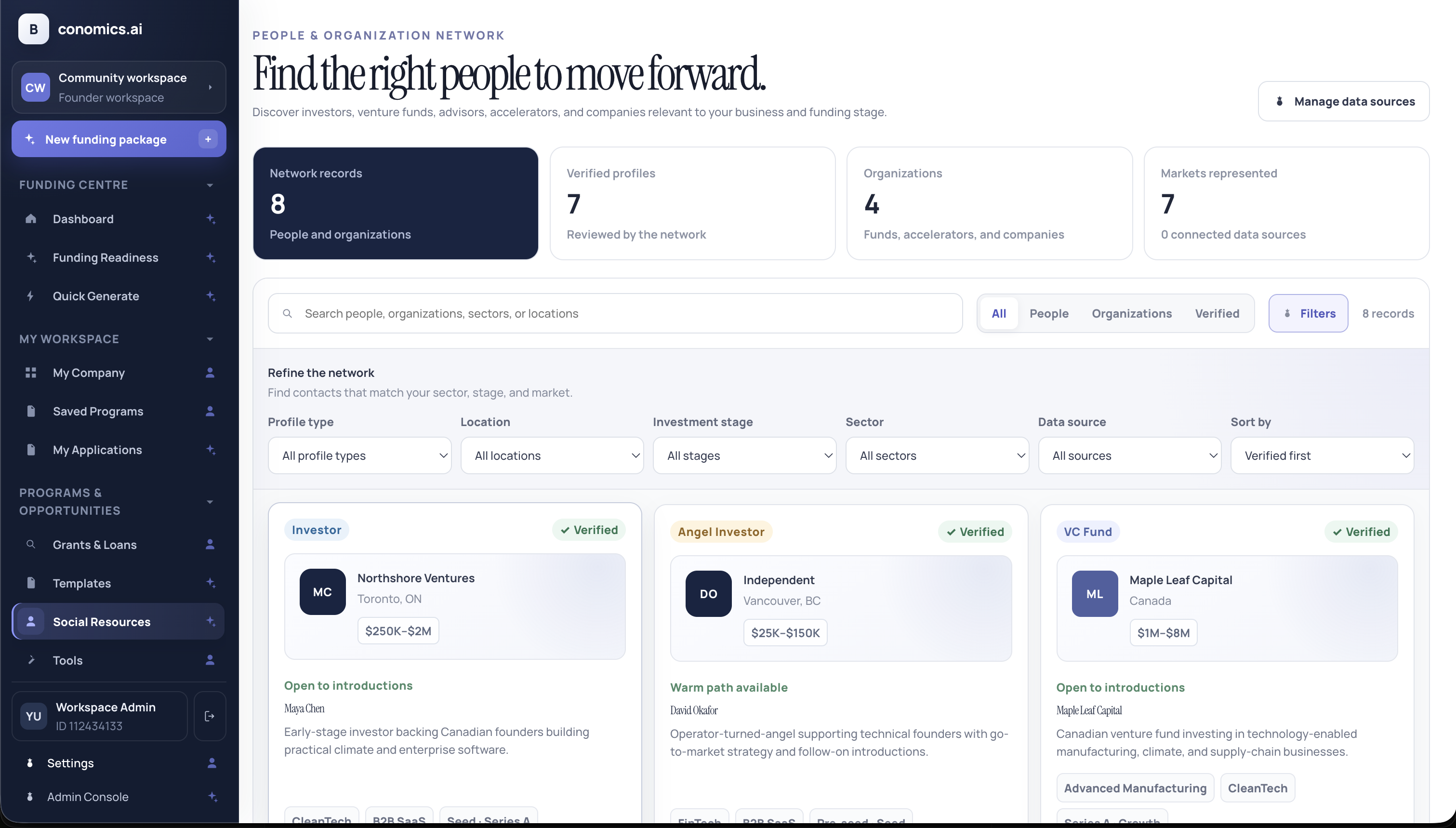 Social Resources |
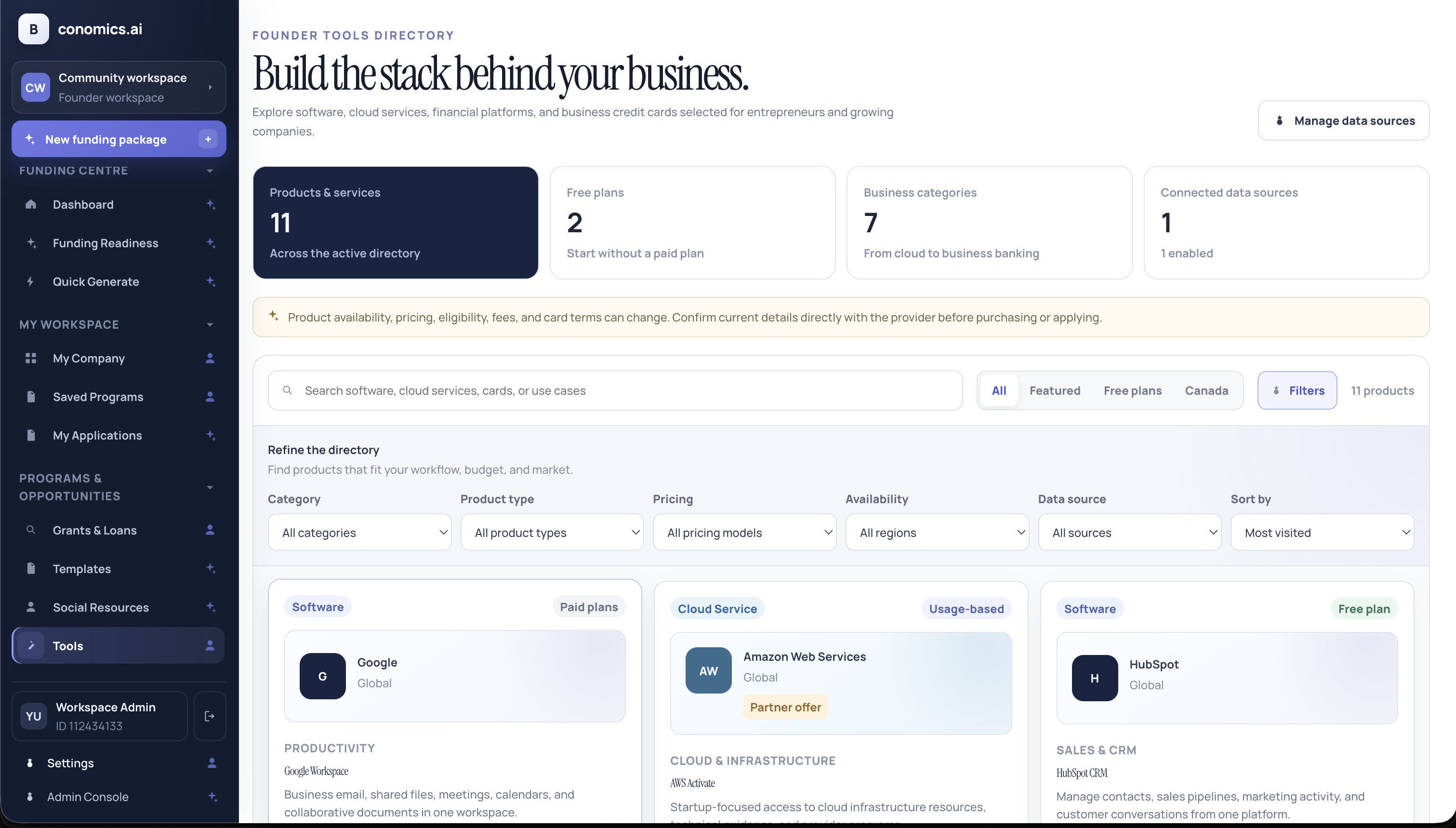 Tools |
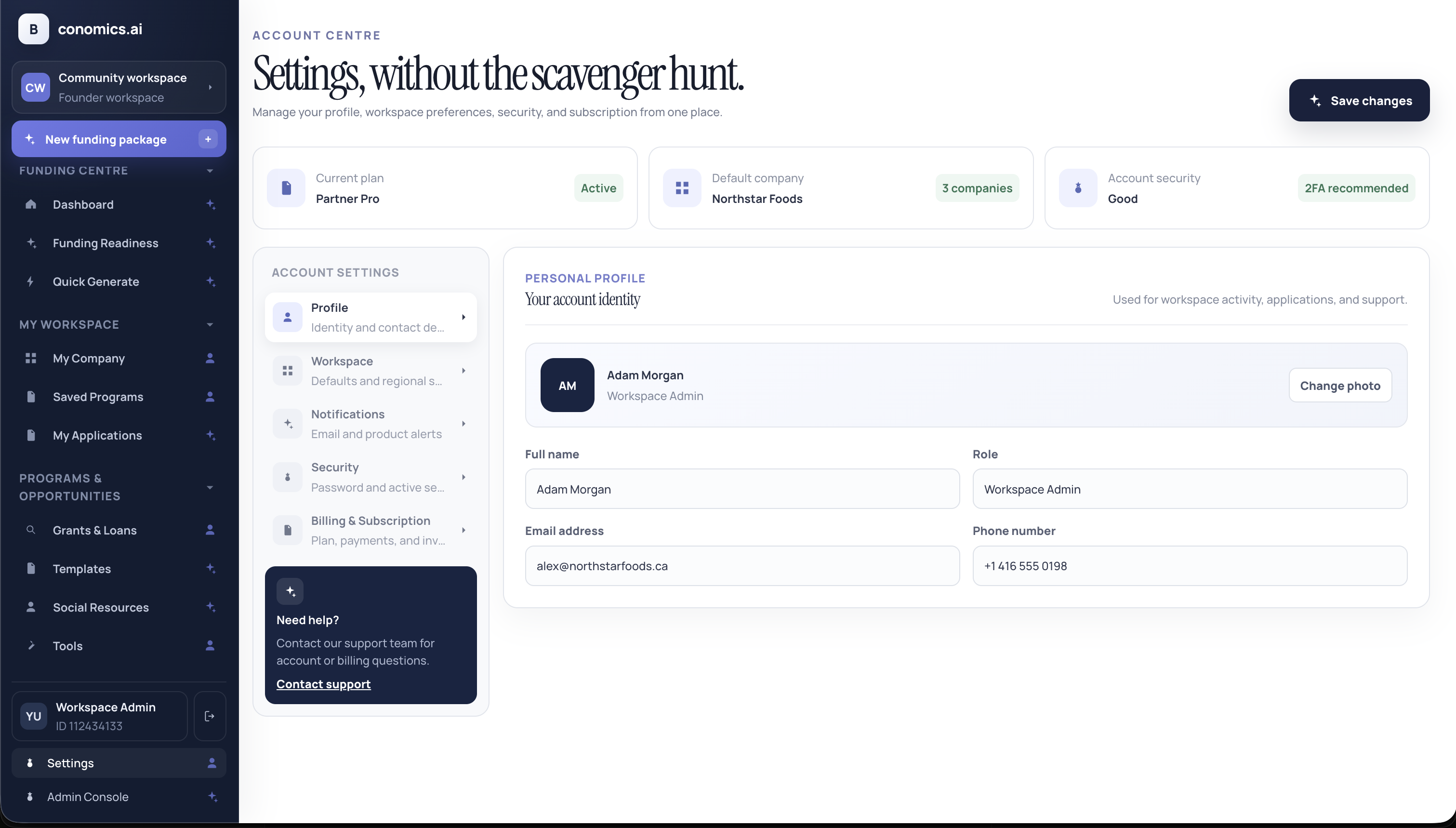 Settings |
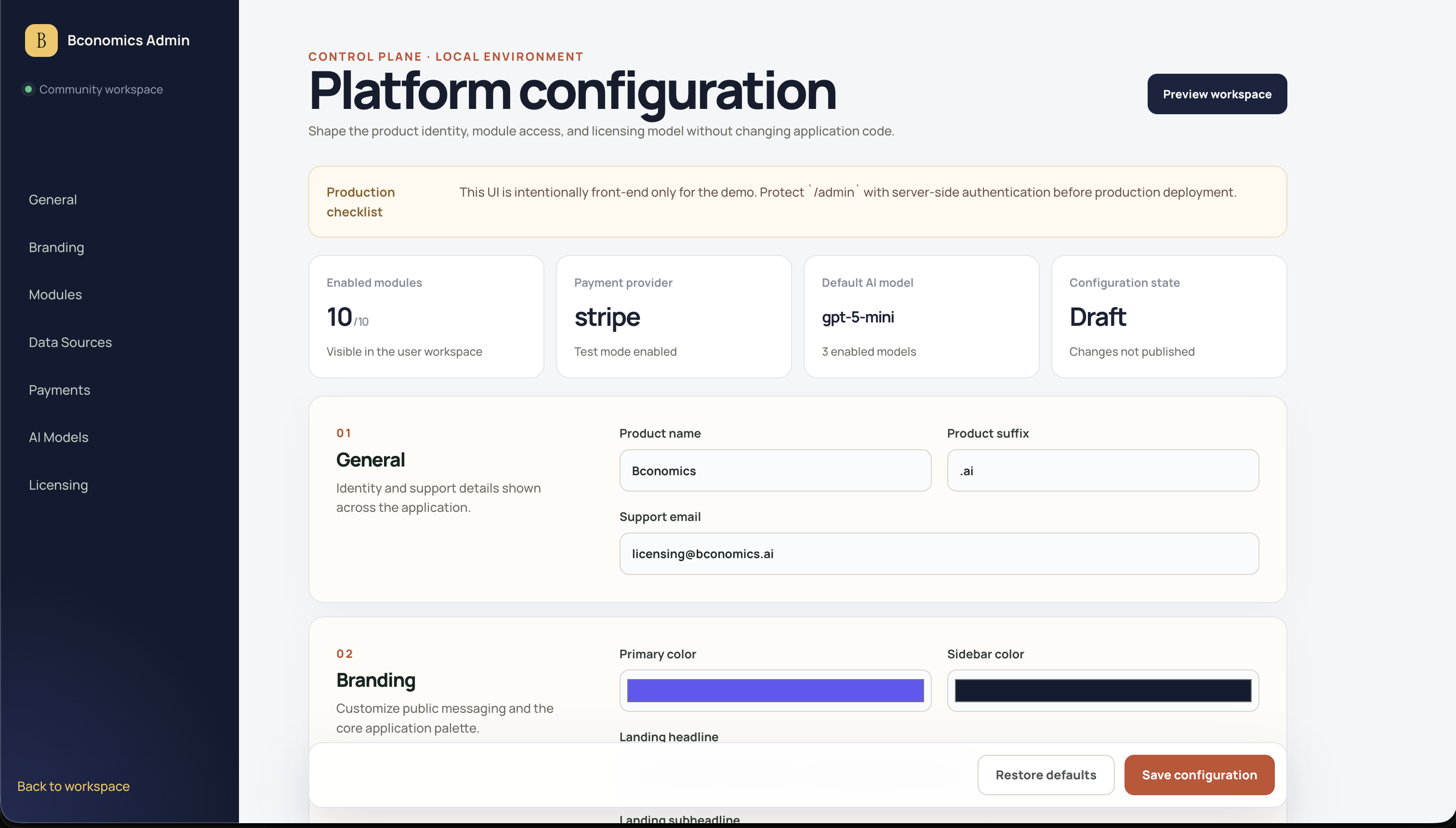 Admin Console |
Current features
- Responsive landing page and dashboard shell
- Mobile drawer navigation and collapsible sidebar groups
- Configurable branding and public messaging
- Module and Partner Portal feature flags
- Searchable and filterable listing views with record details
- Three-step Quick Generate workflow with validation, draft recovery, company import, and generated previews
- Google Sheets and Airtable funding data-source integrations
- Admin data-source search, create, edit, delete, enable, and manual sync controls
- Dynamic Grants & Loans directory with source attribution and Quick Generate import
- PostgreSQL-backed persistence with local offline fallback and first-run migration
- Database migrations, demo seed data, audit logs, and Docker Compose setup
- Route-specific titles, metadata, and a dedicated 404 page
- Vitest checks and a GitHub Actions verification workflow
- Dual-license foundation for open-source and commercial distribution
Tech stack
- React 19
- TypeScript
- Vite
- React Router
- Oxlint
- Express
- PostgreSQL 17
- Zod
Local development
npm install
npm run db:setup
npm run dev
Open http://localhost:5173.
Copy .env.example to .env before changing database credentials or ports.npm run dev starts both the API on port 8787 and Vite on port 5173.
Scripts
npm run dev
npm run build
npm run lint
npm run test
npm run check
npm run preview
npm run db:up
npm run db:migrate
npm run db:seed
npm run db:down
Project structure
src/
  config/       Platform configuration and persistence
  data/         Navigation and demo records
  lib/          Domain and generation helpers
  pages/        Landing, dashboard, and admin surfaces
  persistence/  PostgreSQL synchronization and offline fallback
server/
  db/           PostgreSQL pool, migrations, and seed data
  app.ts        API routes and validation
  stateRepository.ts
Admin configuration
The Admin Console persists platform configuration and data-source settings through
the API. Browser storage remains a local cache and offline fallback. The server
validates a strict state-key allowlist so session tokens and credentials cannot be
stored in the state database.
Before production deployment:
- Replace the demo auth flow and seeded development identity with production authentication and user provisioning.
- Add role-based authorization for founder, advisor, admin, and partner workflows.
- Add row-level workspace authorization before accepting user-supplied IDs.
- Keep secrets and API keys in a secret manager, not browser or state storage.
- Configure TLS and a managed PostgreSQL backup policy.
PostgreSQL persistence
The API stores the current product state in PostgreSQL using three scopes:
platformfor branding, modules, AI/payment configuration, and data sourcesworkspacefor companies, applications, saved programs, and generated documentsuserfor personal settings, pinned resources, and active workspace selection
On first connection, existing supported browser state is uploaded automatically.
On later visits, PostgreSQL is loaded before the React application mounts. Mutations
are debounced and written in batches, and every database mutation creates an audit
record.
See docs/DATABASE.md for the schema, API contract, deployment
guidance, and migration path toward fully normalized domain tables.
Workspace data sources
Open /admin#data-sources to manage the sources that populate Grants & Loans,
Templates, Social Resources, and Tools. Administrators can search and filter by
module, change a source's destination, enable or disable it, and run a manual sync.
Synchronized records are cached locally in the demo and become available in their
selected workspace module.
Supported columns are:
Program Name, Type, Provider, Amount, Deadline, Match, URL, Location
Common alternatives such as Name, Agency, Maximum Amount, Closing Date,
and Region are mapped automatically.
Templates, Social Resources, and Tools use:
Title, Description, Category, Status, URL, Updated
Alternatives such as Name, Summary, Format, Channel, Link, andLast Updated are also recognized.
Google Sheets
Paste a public or link-readable Google Sheets URL and optionally provide the sheet
tab name. The frontend converts the sharing URL to CSV and imports the rows. The
included funding, template, and tools CSV files can be used to test the sync flow
without an external account.
Airtable
Airtable synchronization uses a server-side proxy so the personal access token is
never stored in the browser. Configure the base ID, table, view, proxy URL, and
environment-variable name in Admin.
The integration proxy receives:
{
  "provider": "airtable",
  "baseId": "appXXXXXXXXXXXXXX",
  "tableName": "Funding Programs",
  "view": "Published",
  "credentialReference": "AIRTABLE_ACCESS_TOKEN"
}
It should return either an array of field objects or the Airtable-style shape:
{
  "records": [
    {
      "fields": {
        "Program Name": "Community Growth Loan",
        "Type": "Loan",
        "Amount": 50000
      }
    }
  ]
}
Protect the proxy with administrator authorization, validate the requested base and
table against an allowlist, and read the Airtable token from server-side environment
variables.
Licensing
OpenBcon uses a dual-license structure:
- Community edition:
AGPL-3.0-or-later - Commercial edition: available by separate paid agreement
The commercial edition is intended for customers that need:
- proprietary or closed-source deployment rights
- private modifications without AGPL disclosure obligations
- white-label, OEM, or embedded distribution rights
- paid implementation, customization, or ongoing support
In the community edition, OpenBcon attribution in the landing page and dashboard footer is required. Commercial license holders can negotiate white-label controls, including whether that attribution is visible.
See COMMERCIAL-LICENSE.md for the commercial
licensing model and CLA.md for the contributor agreement required
for external contributions.
Publishing to GitHub
git init
git add .
git commit -m "Initial open source release"
git branch -M main
git remote add origin <your-repository-url>
git push -u origin main
Do not commit production credentials, customer data, generated documents, or third-party assets that you do not have the right to redistribute.
Yorumlar (0)
Yorum birakmak icin giris yap.
Yorum birakSonuc bulunamadi