claude-deck
Health Uyari
- License — License: MIT
- Description — Repository has a description
- Active repo — Last push 17 days ago
- Low visibility — Only 6 GitHub stars
Code Gecti
- Code scan — Scanned 12 files during light audit, no dangerous patterns found
Permissions Gecti
- Permissions — No dangerous permissions requested
Bu listing icin henuz AI raporu yok.
A web-based dashboard for visually managing and configuring Claude Code projects and extensions.
Claude Deck
Website: claudedeck.org
A self-hosted web application for visualizing and managing Claude Code configuration. Provides a unified interface for managing MCP servers, plugins, slash commands, hooks, agents, permissions, usage tracking, and other Claude Code extensions.
Features
- Dashboard — Overview of all Claude Code configurations with context window visualizer
- Config Editor — Browse, inspect, and edit configuration files across all scopes
- MCP Servers — Add, edit, test, and manage MCP server connections with OAuth support. Browse and install servers from the MCP Registry. View tools, resources, and prompts. Supports stdio, HTTP, and SSE transports
- Slash Commands — Browse, create, and edit custom commands (user and project scope)
- Plugins — Browse installed plugins with detail views and enable/disable toggles
- Hooks — Configure automation hooks by event type (PreToolUse, PostToolUse, etc.)
- Permissions — Visual allow/deny rule builder for tool access control
- Agents — Create and manage custom agent configurations
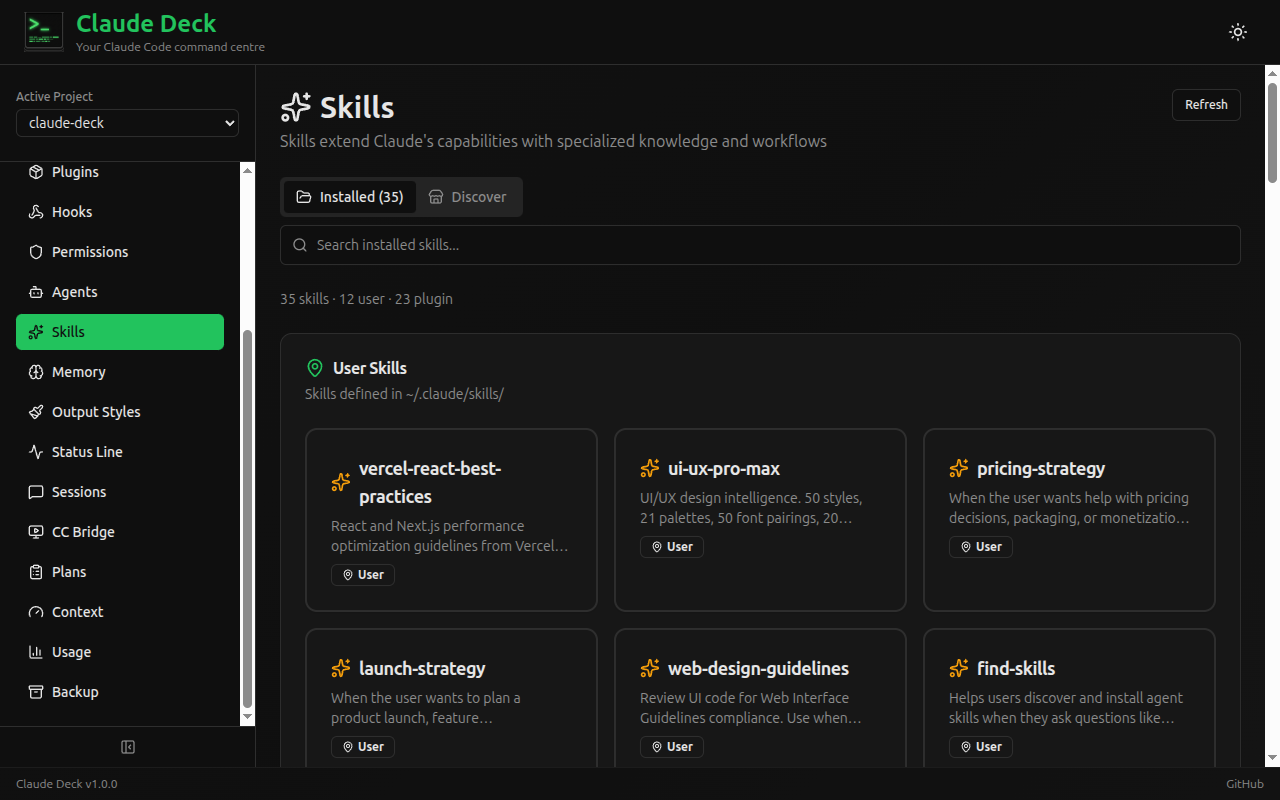
- Skills — Browse installed skills and discover new ones from skills.sh
- Memory — View and edit Claude Code memory files
- Output Styles — Configure response output formats
- Status Line — Customize Claude Code status line display
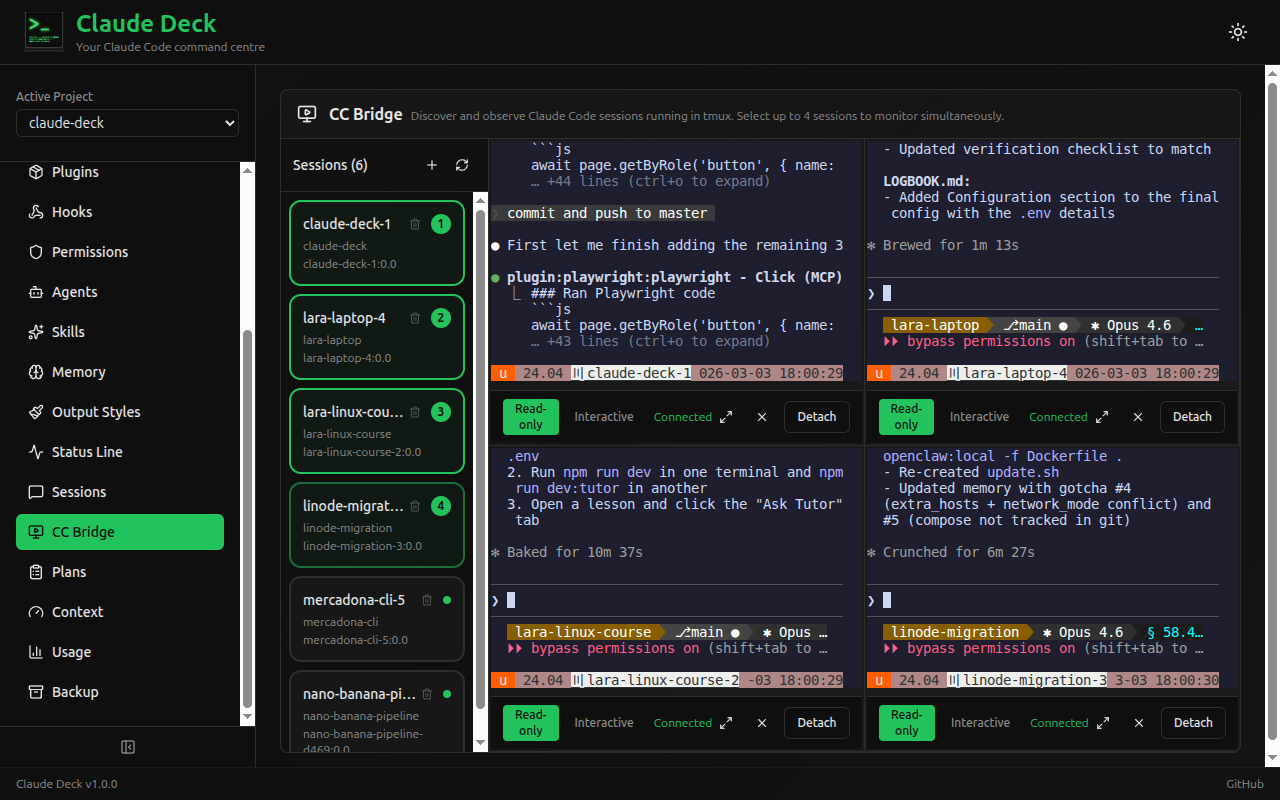
- CC Bridge — Discover and monitor Claude Code sessions running in tmux. Attach up to 4 terminals simultaneously in a 2x2 grid with independent read-only/interactive modes, fullscreen toggle, and per-pane controls. Spawn new sessions and manage worktrees directly from the UI
- Session Transcripts — View conversation history with full message details and tool use
- Usage Tracking — Monitor token usage, costs, and billing blocks with daily/monthly charts
- Plan History — Browse and review Claude Code implementation plans
- Backup & Restore — Create and manage configuration backups with selective restore
- Projects — Discover and manage project directories
Screenshots
| Dashboard | MCP Servers |
|---|---|
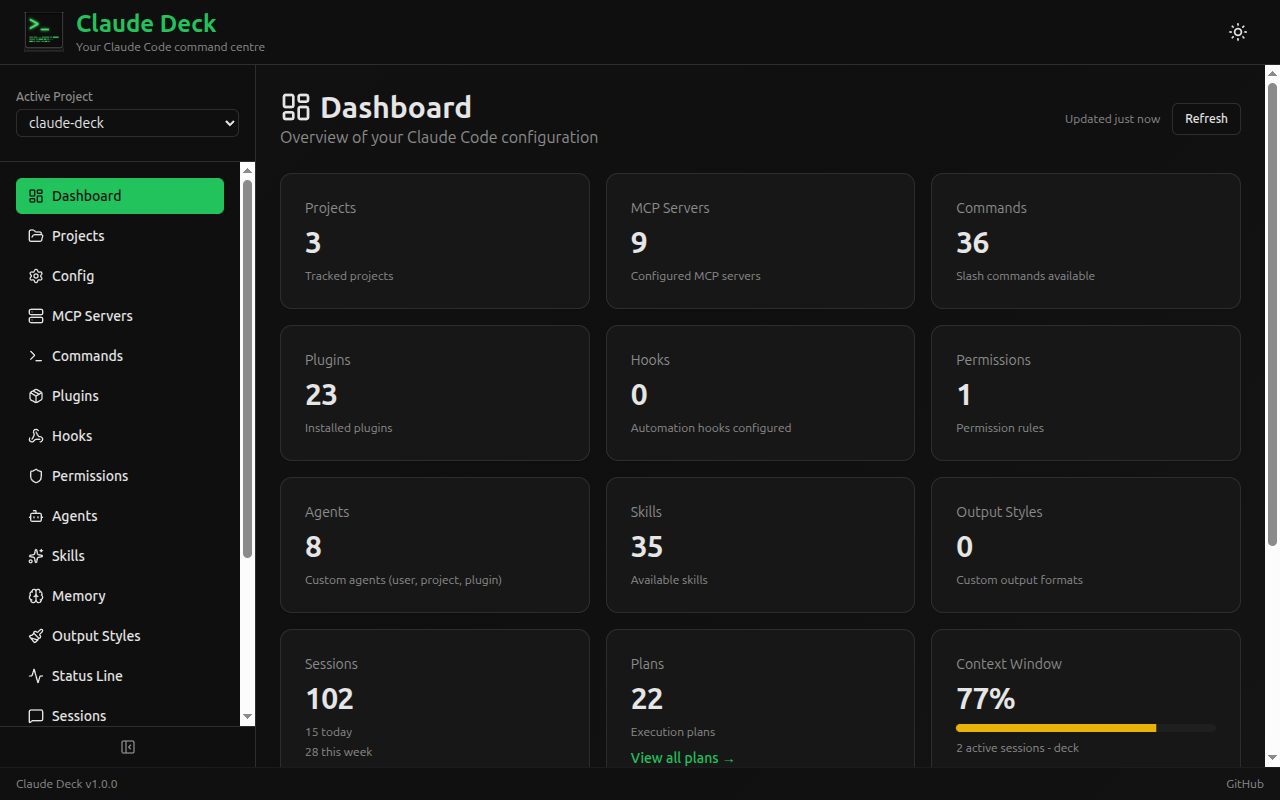 |
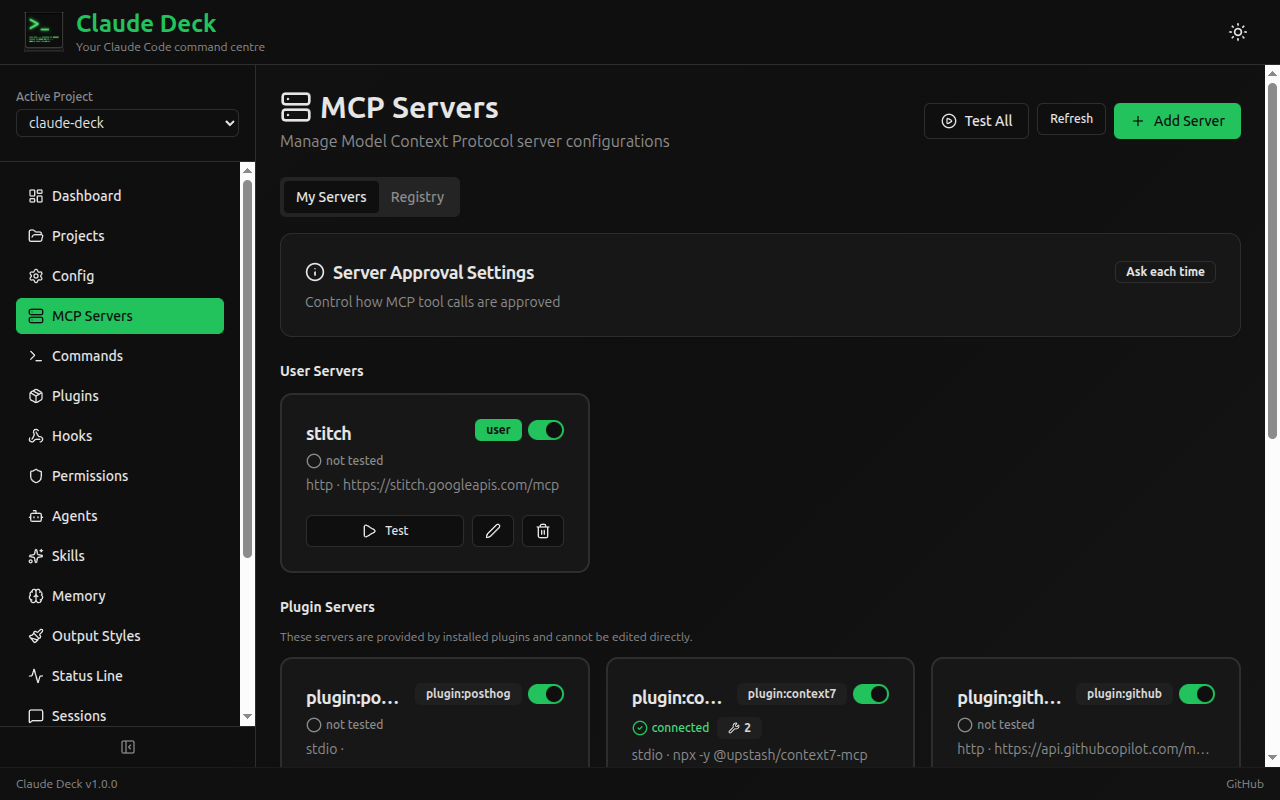 |
| Usage Tracking | Session Transcripts |
|---|---|
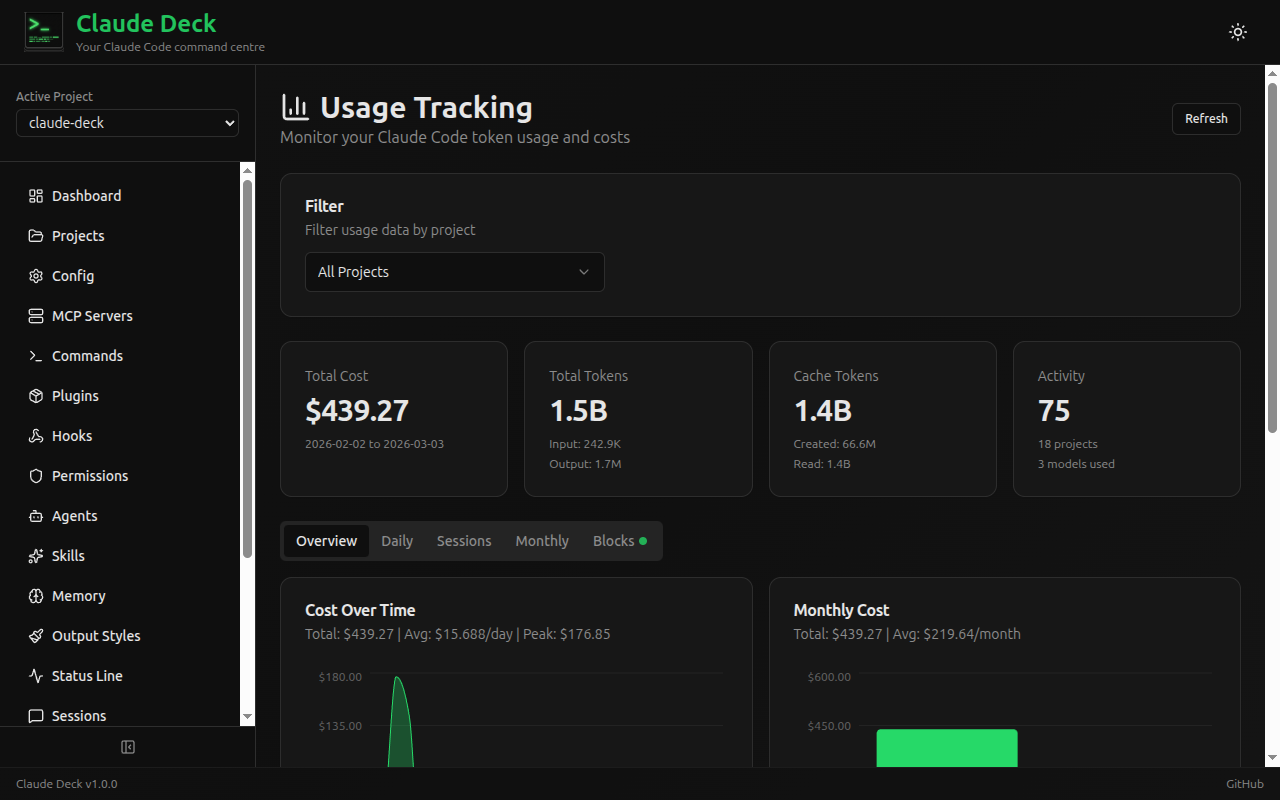 |
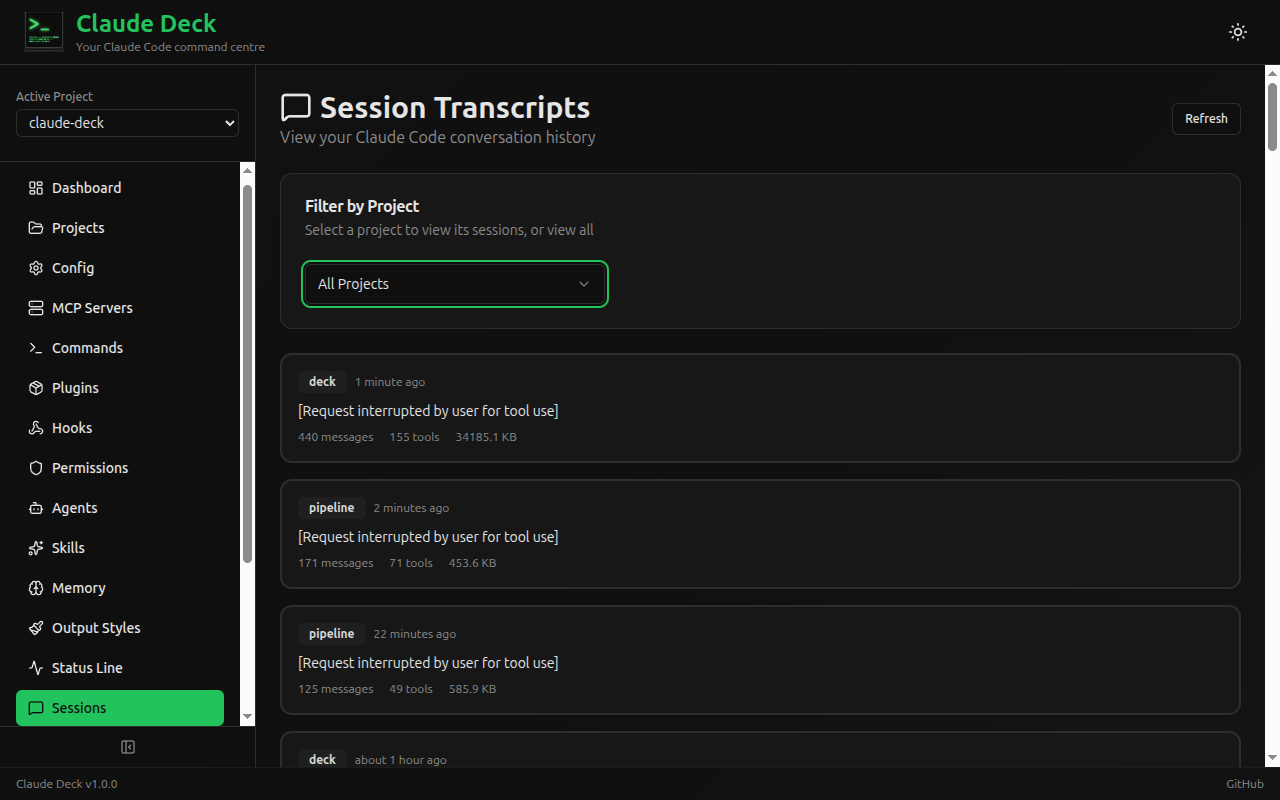 |
| CC Bridge | Skills |
|---|---|
 |
 |
Tech Stack
| Layer | Technology |
|---|---|
| Backend | Python 3.11+ with FastAPI |
| Frontend | React 19 + TypeScript + Vite 7 |
| UI Components | shadcn/ui + Tailwind CSS |
| Charts | Recharts (via shadcn/ui) |
| Database | SQLite (async via SQLAlchemy + aiosqlite) |
| Containerization | Docker + Docker Compose |
Quick Start with Docker
git clone https://github.com/adrirubio/claude-deck.git
cd claude-deck
docker compose up
This builds and starts Claude Deck at http://localhost:8000, mounting your ~/.claude and ~/.claude.json configuration files.
[!NOTE]
The container mounts your home directory's Claude Code configuration. The container runs as root to access these files; adjust permissions if running as a non-root user.
Manual Installation
Prerequisites: Python 3.11+, Node.js 18+
git clone https://github.com/adrirubio/claude-deck.git
cd claude-deck
./scripts/install.sh
Development
./scripts/dev.sh
This starts:
- Backend at http://localhost:8000 (API docs at http://localhost:8000/docs)
- Frontend at http://localhost:5173
Configuration Files
Claude Deck reads and writes these Claude Code configuration files:
| File/Directory | Scope | Description |
|---|---|---|
~/.claude.json |
User | OAuth, caches, MCP servers |
~/.claude/settings.json |
User | User settings, permissions, disabled servers |
~/.claude/settings.local.json |
User | Local overrides (not committed) |
~/.claude/commands/ |
User | User slash commands |
~/.claude/agents/ |
User | User agents |
~/.claude/skills/ |
User | User skills |
~/.claude/projects/ |
User | Session transcripts & usage data |
.claude/settings.json |
Project | Project settings |
.claude/commands/ |
Project | Project slash commands |
.mcp.json |
Project | Project MCP servers |
CLAUDE.md |
Project | Project instructions |
Contributing
- Fork the repo and create a feature branch
- Run
cd frontend && npm run lintbefore submitting - Open a pull request against
master
API documentation is available at http://localhost:8000/docs when running the dev server.
Built By
Adrian (13) and Juan during the 2025 Christmas break as a learning project — to explore open source, Claude Code, and full-stack development together.
Acknowledgments
The session transcript viewer was inspired by and includes code adapted from claude-code-transcripts by Simon Willison.
The usage tracking feature ports algorithms from ccusage by ryoppippi, including session block identification, tiered pricing, and burn rate projections.
Disclaimer
Claude Deck is a community project and is not affiliated with or endorsed by Anthropic.
License
MIT License
Yorumlar (0)
Yorum birakmak icin giris yap.
Yorum birakSonuc bulunamadi