swapbar
Health Uyari
- No license — Repository has no license file
- Description — Repository has a description
- Active repo — Last push 0 days ago
- Low visibility — Only 8 GitHub stars
Code Basarisiz
- rm -rf — Recursive force deletion command in scripts/bundle.sh
- rm -rf — Recursive force deletion command in scripts/dmg-background.sh
Permissions Gecti
- Permissions — No dangerous permissions requested
Bu listing icin henuz AI raporu yok.
macOS menu bar app for claude-swap: see every Claude account's 5h, 7d and Fable quota at a glance, switch with one click, and track token costs.
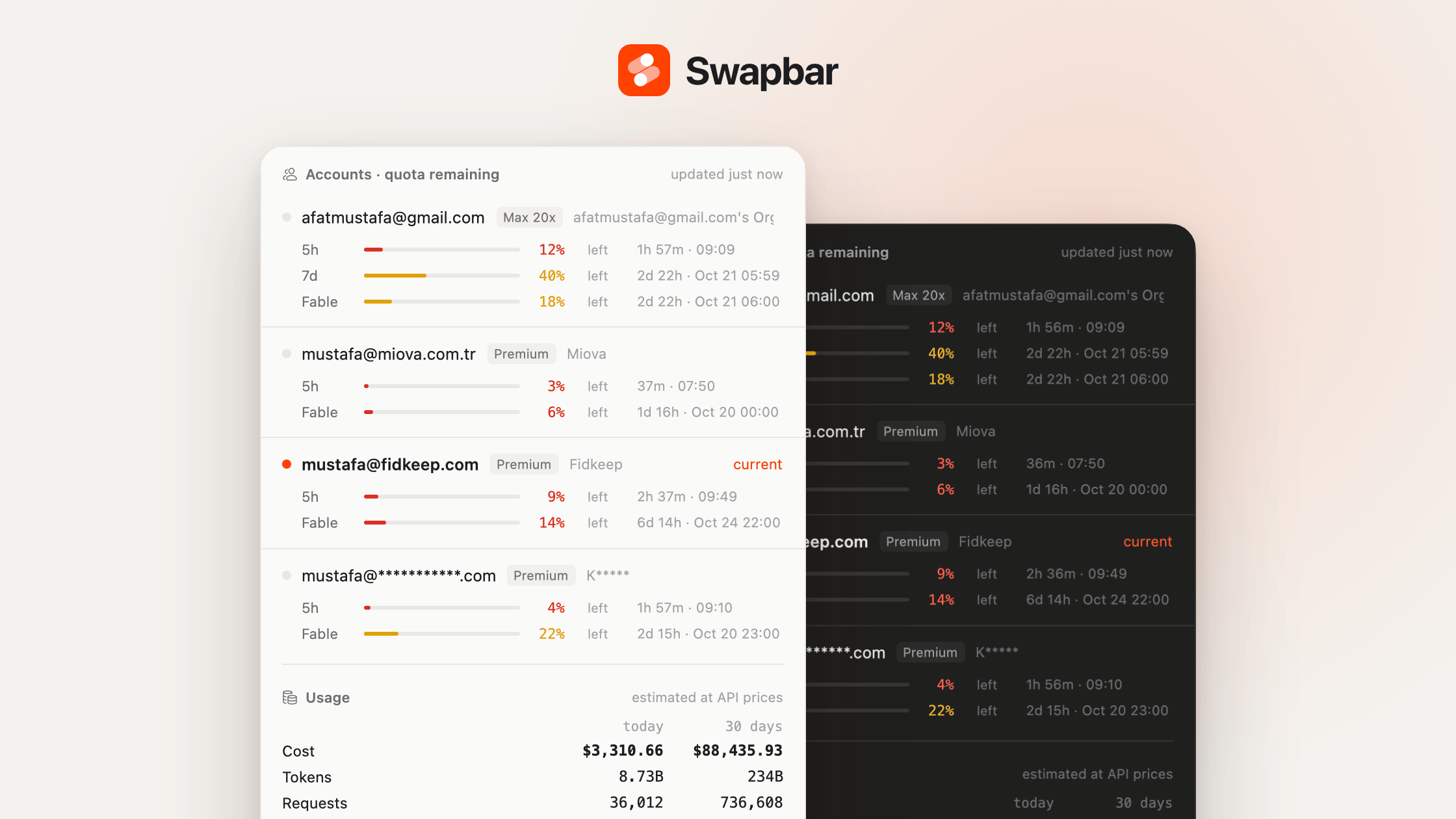
Every Claude account's quota in view, one click to switch.
A macOS menu bar app for claude-swap (cswap).


Download · Website · English | Türkçe
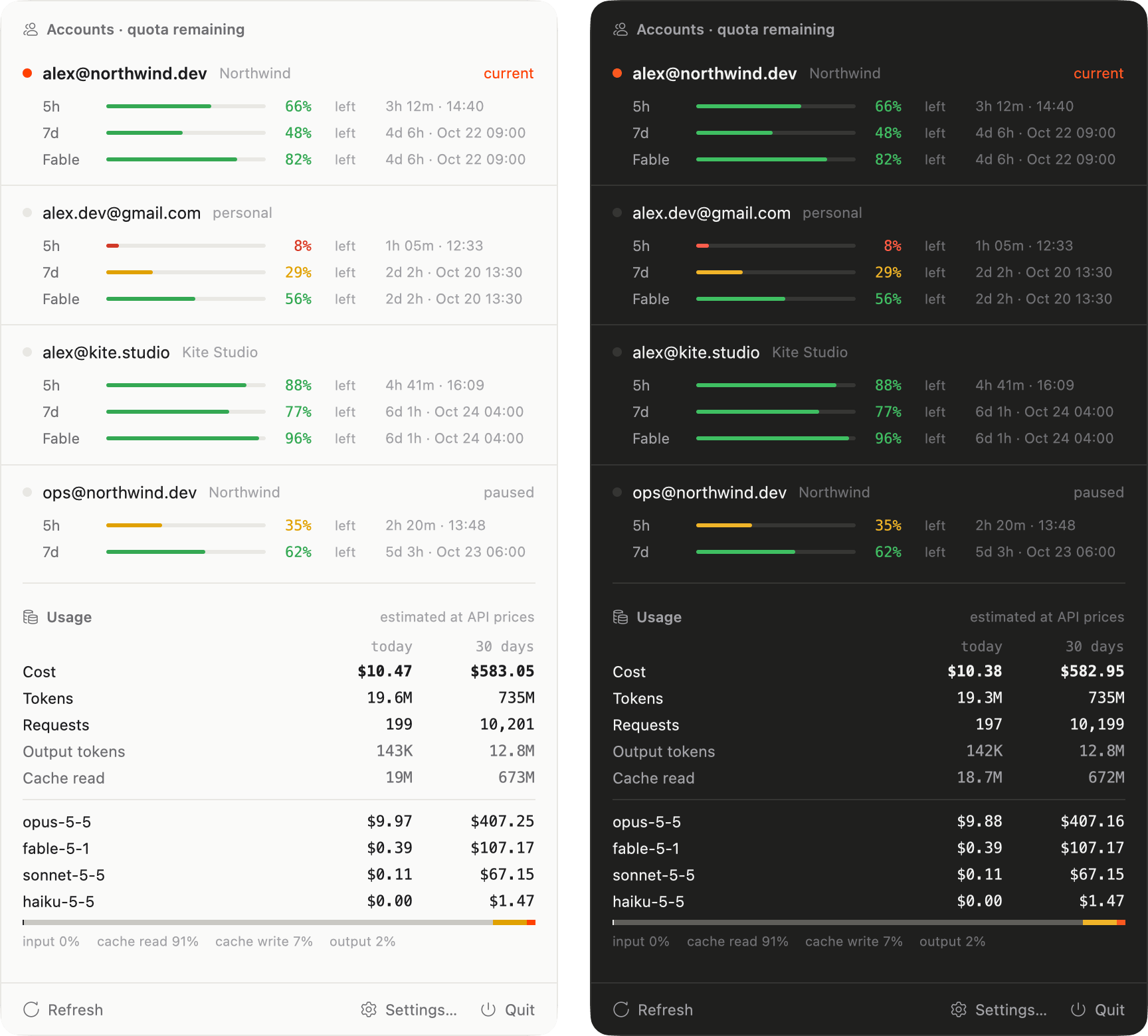
Swapbar shows the 5h, 7d and per-model (Fable) quotas of every cswap account at a glance, switches accounts with one click, and summarizes token usage and cost from Claude Code transcripts.
Features
- Setup assistant. On first run Swapbar checks for Claude Code and claude-swap, installs claude-swap if it's missing (with
uv, installinguvtoo if needed), and adds your accounts one by one: each signs in throughclaude auth loginin the browser, cswap saves the login, and Claude Code switches back to the account it was using. - **All accounts, one glance. Each account shows its plan (Max 20x, Max 5x, Pro, Team Premium/Standard) and gets 5h, 7d and per-model (Fable) bars with time to reset. The bars turn yellow at 40% left and red at 15%.
- One-click switching. Click an inactive account to run
cswap switch. The active account is marked current, and accounts left out of auto-rotation show as paused. - Pace warnings. A marker on a bar shows where an even pace would be when an account is using a window too fast, and the row says when the window would run out if that comes before its reset. A notification warns about the current account once per window.
- **Switch suggestion. When the current account's tightest window drops to the low-quota level (15% left by default), a banner names the account with the most room and switches to it in one click. That account is also marked suggested in the list.
- Notifications. A notification when the current account runs low, with a Switch button for the best other account, and another when a depleted account's quota resets.
- Global shortcuts.
⌃⌥Sopens Swapbar from any app;⌃⌥⇧Sswitches to the account with the most quota left. No Accessibility permission needed. - Update check. Swapbar checks GitHub for a new release at launch and every 6 hours and shows a Download banner when one is out.
- Quota in the menu bar. The Swapbar icon is followed by the active account's quota, as
5hor5h · 7d, shown as remaining or used. - Token and cost summary. Today and 30-day totals for cost, tokens, requests, output and cache reads, cost per account (worked out from cswap's switch log,
cswap runsessions and each profile's login) and per model, and a bar splitting input, cache read, cache write and output. - English and Turkish. Follows the macOS language, or pick one in Settings › General.
- Light and dark. Follows the macOS appearance, or set it to Light or Dark in Settings.
- Small and native. Rust and gpui (Zed's UI framework), a universal binary for Apple Silicon and Intel, about 4 MB.
Settings
Open Settings… from the popover. Preferences are stored in ~/.config/swapbar/settings.json.
 |
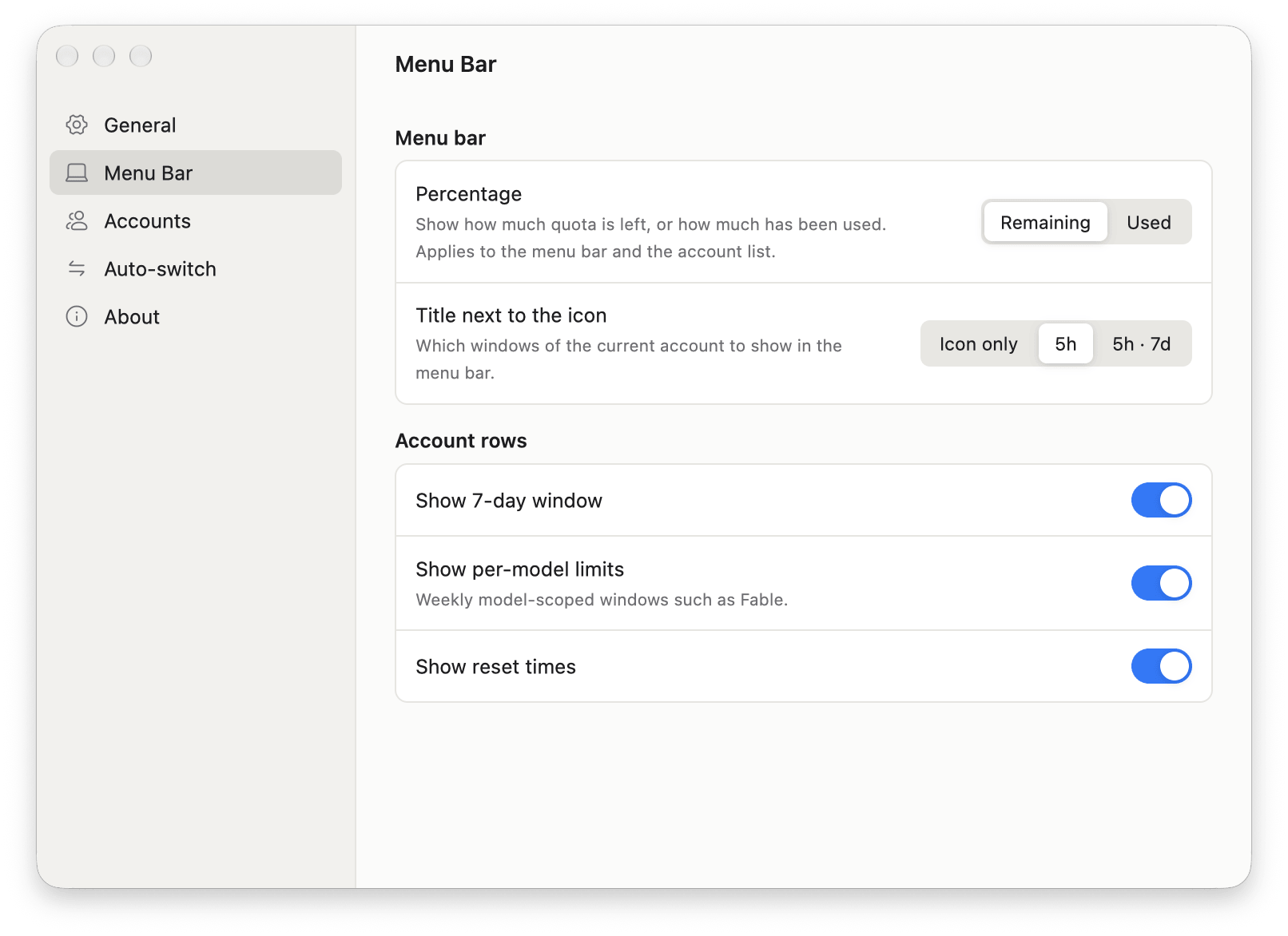 |
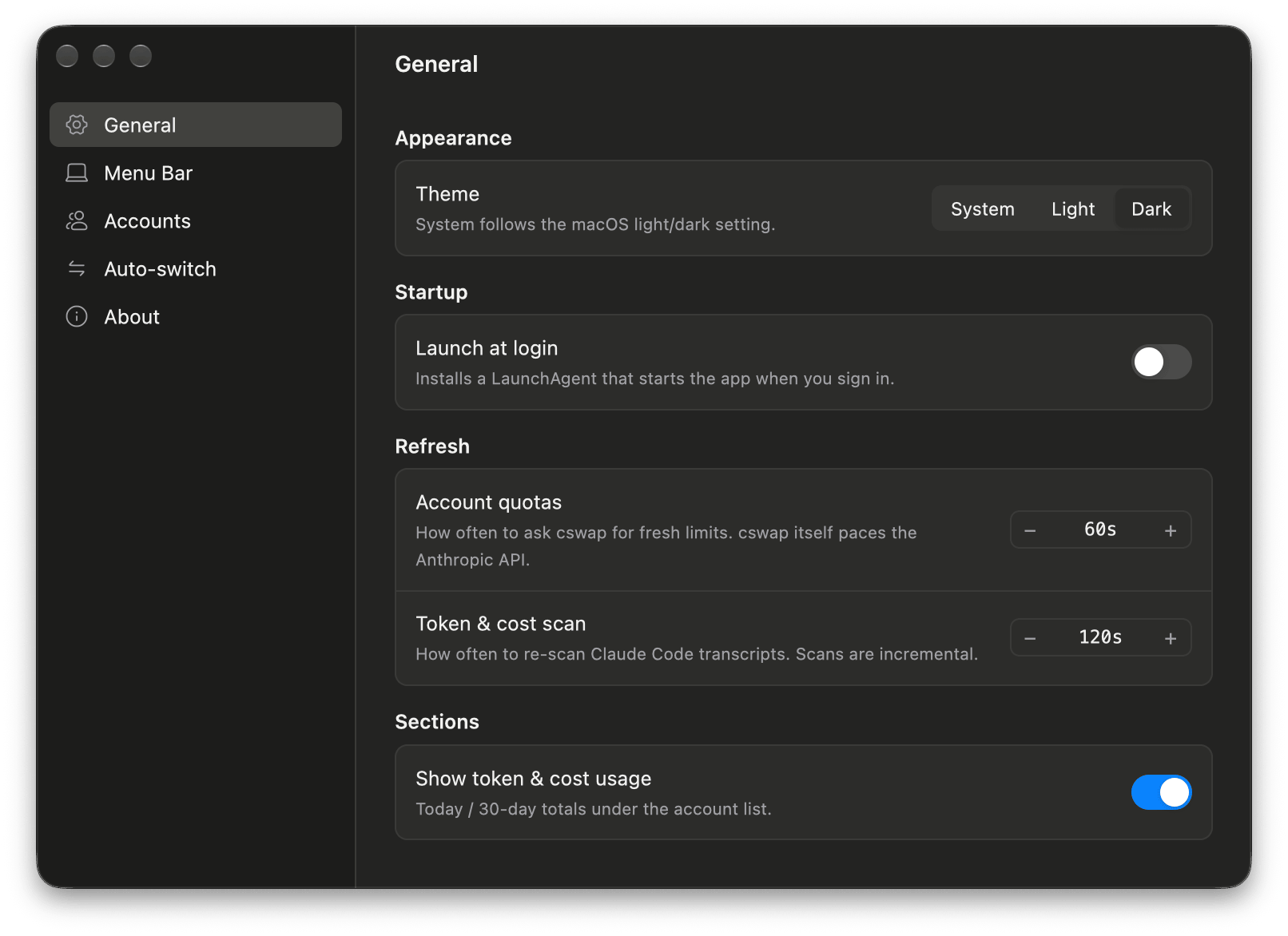
| General: theme (System / Light / Dark), language (System / English / Türkçe), launch at login (LaunchAgent), refresh intervals, show or hide the usage section. | Menu Bar: percentage mode (remaining / used), title next to the icon (icon only / 5h / 5h · 7d), 7-day window, per-model limits, reset times. |
 |
 |
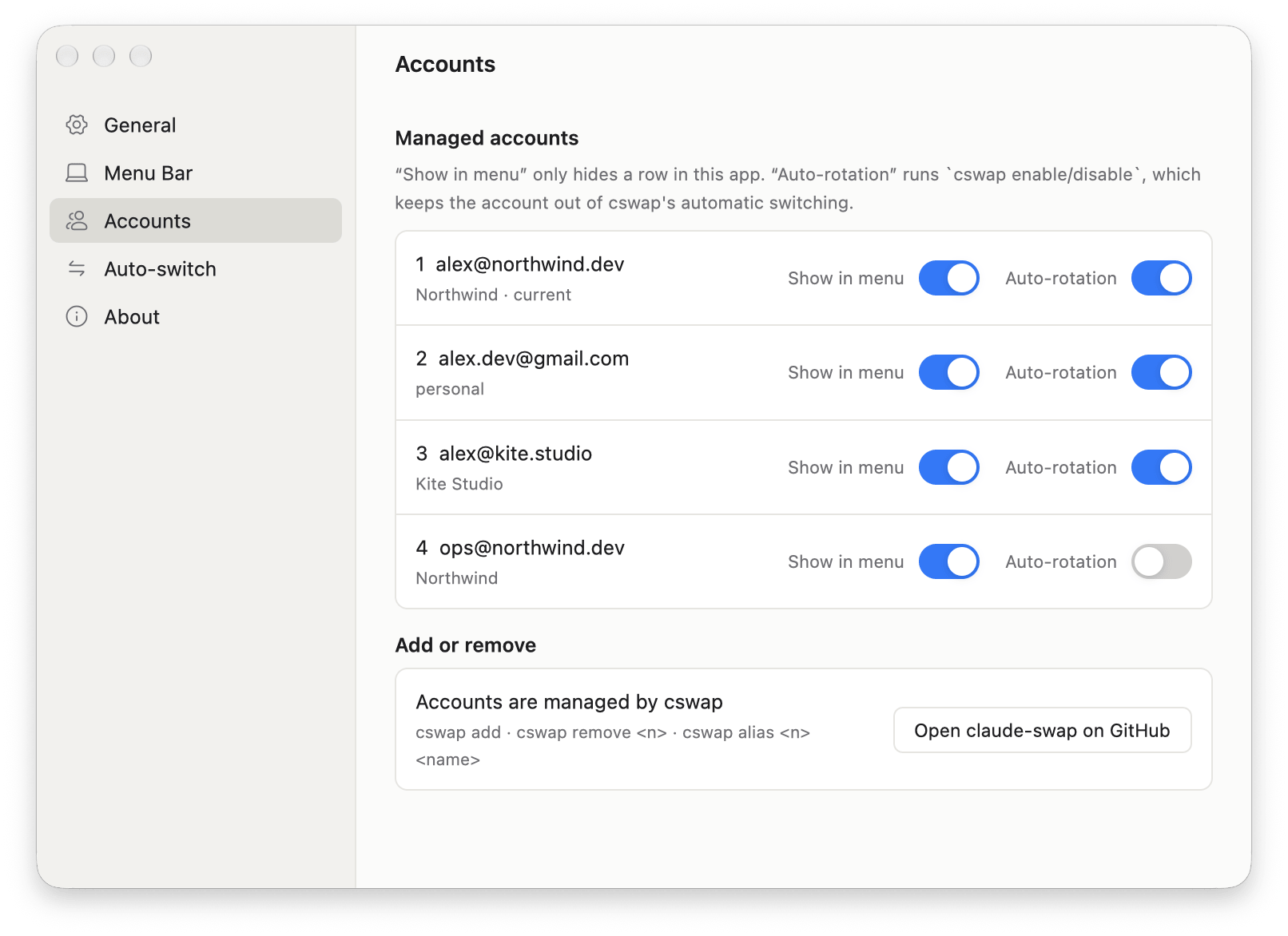
Accounts: add an account, rename (cswap alias), reorder (cswap swap), sign a broken login in again, remove; show or hide each account in the menu, include it in auto-rotation (cswap enable/disable). |
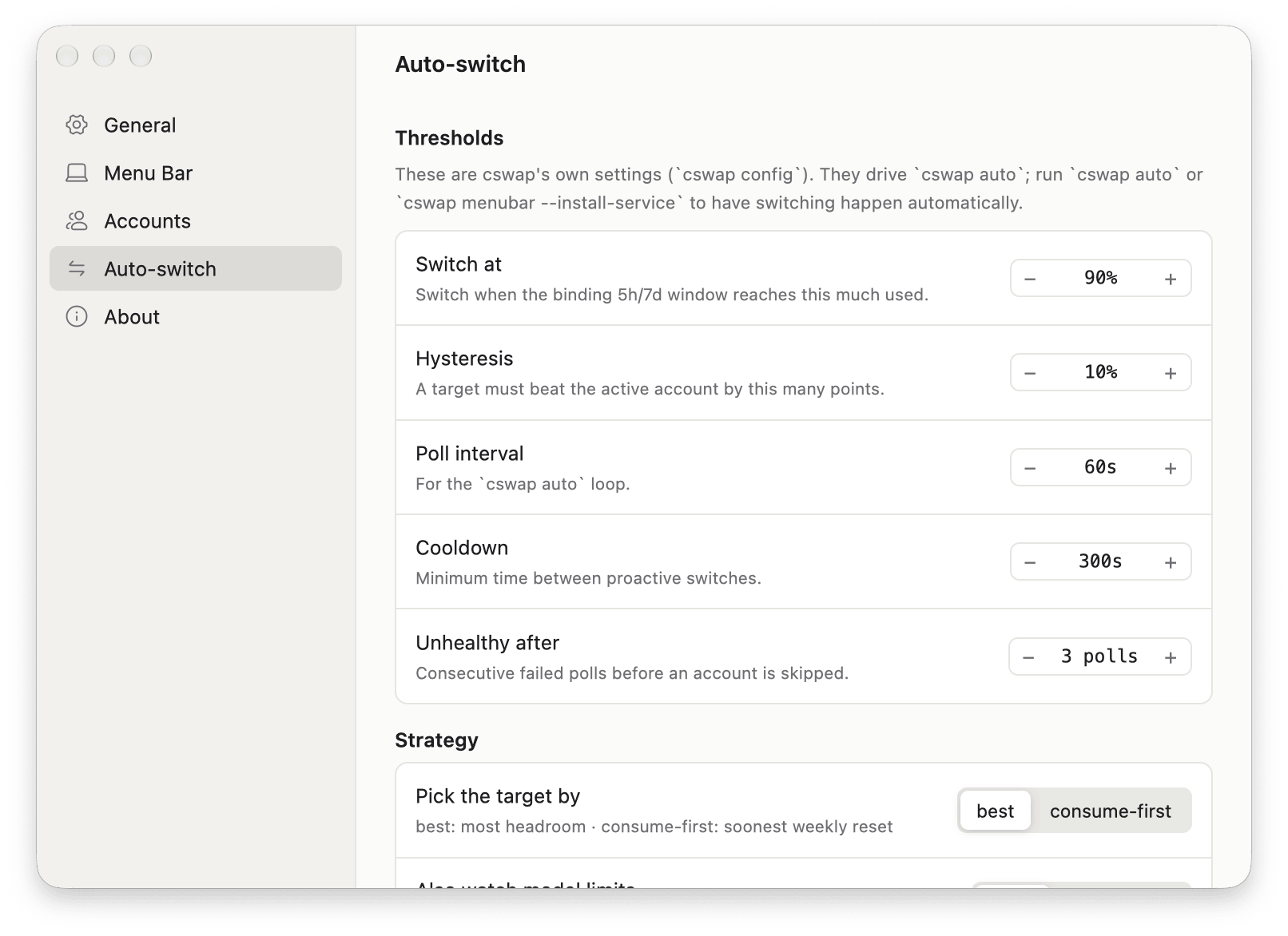
Auto-switch: cswap's autoswitch.* settings (cswap config set), reset to defaults. These only take effect while cswap auto is running. |
Installation
Homebrew
brew install --cask afatmustafa/tap/swapbar
The cask installs Swapbar into Applications; brew upgrade --cask swapbar updates it. On first launch the setup assistant installs claude-swap if needed and adds your accounts.
Download
- Download
Swapbar.dmgfrom the latest release and drag Swapbar to Applications. - Open Swapbar. Its icon appears in the menu bar, and the setup assistant opens if claude-swap or your accounts are missing. It needs Claude Code to sign in to accounts.
Swapbar looks for cswap at ~/.local/bin/cswap, /opt/homebrew/bin/cswap and /usr/local/bin/cswap. Set CSWAP_BIN to use another path (CLAUDE_BIN and UV_BIN work the same way for claude and uv).
Releases from 0.1.1 on are signed with a Developer ID and notarized by Apple, so Swapbar opens with a double-click. Version 0.1.0 is not: macOS blocks its first launch, and you allow it with Open Anyway under System Settings → Privacy & Security.
To launch at login, turn on Launch at login in Settings.
Build from source
./scripts/bundle.sh                    # release build, produces target/Swapbar.app
./scripts/bundle.sh --universal        # arm64 + x86_64
./scripts/dmg.sh                       # target/Swapbar.dmg from the bundle
cp -R target/Swapbar.app /Applications/
Requirements:
- Rust toolchain
- Xcode. gpui is built with the
runtime_shadersfeature, so the Metal toolchain is not needed.
How it works
| Data | Source |
|---|---|
| Accounts, 5h/7d/Fable quotas | cswap list --json, every 60 seconds. cswap calls the Anthropic usage API itself. That endpoint allows roughly 30 requests per hour per account, so cswap manages the polling cadence. |
| Account switching | cswap switch <n> --json |
| Tokens and cost | ~/.claude/projects/**/*.jsonl, plus CLAUDE_CONFIG_DIR, ~/.claude-* profiles and cswap session directories. Entries are deduplicated by message.id:requestId and rescanned incrementally every 2 minutes. |
| Prices | Built-in table with a models.dev overlay (cached for 24 hours). 1h cache write = 2× input, 5m cache write = 1.25× input. |
Caches live in ~/.config/swapbar/ (usage-cache.json, model-rates.json).
Cost figures are estimates at API list prices, not your subscription bill.
Swapbar does not talk to Anthropic directly. Quotas come from cswap, and usage is read from transcripts on your Mac.
Development
cargo run                                          # click the Swapbar icon in the menu bar
SWAPBAR_OPEN=1 cargo run                           # open the popover on launch
SWAPBAR_SETTINGS=1 SWAPBAR_PAGE=about cargo run    # open settings on a given page
SWAPBAR_DEBUG=1 cargo run                          # geometry and scan logs
cargo run -- --scan                                # headless: print the token and cost summary
./scripts/icon.sh                                  # rebuild assets/AppIcon.icns from AppIcon.svg
SWAPBAR_PAGE accepts menubar, accounts, auto and about; anything else opens General.
The popover and settings screenshots use demo accounts and generated transcripts. Usage and quota figures in the header image are illustrative.
Files
src/main.rs: app state, timers, window open/close, menu bar titlesrc/statusbar.rs: NSStatusItem (cocoa), click callback, screen geometrysrc/cswap.rs: bridge to cswap (list,switch,add,remove,alias,swap)src/setup.rs: findingclaude/cswap/uv/brew, installing claude-swap,claude auth loginsrc/onboarding.rs: setup assistant windowsrc/i18n.rs: English/Turkish strings (l(),lf!) and cswap time strings in Turkishsrc/dialog.rs: native NSAlert confirmations and text promptssrc/advice.rs: switch suggestion, pace, notification eventssrc/usage.rs: JSONL scanner, cache, period summariessrc/pricing.rs: model pricessrc/assets.rs: embedded SVG icons (AssetSource)src/theme.rs: light/dark appearancesrc/ui.rs: popover UIsrc/settings.rs: preferences model, LaunchAgentsrc/settings_ui.rs: settings window and About page
Website
The landing page lives in its own repository, swapbar-website.
Credits
Icons are Hugeicons stroke-rounded (MIT, in assets/icons/). Account data and switching come from claude-swap.
Made by Mustafa Afat.
Yorumlar (0)
Yorum birakmak icin giris yap.
Yorum birakSonuc bulunamadi