MotionCraft
Health Uyari
- License — License: MIT
- Description — Repository has a description
- Active repo — Last push 0 days ago
- Low visibility — Only 5 GitHub stars
Code Gecti
- Code scan — Scanned 12 files during light audit, no dangerous patterns found
Permissions Gecti
- Permissions — No dangerous permissions requested
Bu listing icin henuz AI raporu yok.
Clean, high-taste motion graphics videos made by your AI agent with Remotion. One-command Agent Skill: npx skills add ahmdd4vd/motioncraft

Clean, high-taste motion graphics videos, made by your AI agent with Remotion.
Give your agent a topic (or a video you like). It researches, writes the script, times every word to the voice, makes original music and sound effects, builds the video, checks the exported pixels and audio, and renders.
npx skills add ahmdd4vd/motioncraft
English · Bahasa Indonesia
Made with motioncraft
Click a preview to watch the full video with sound.
 Agent harness explainer · 61 s · English · pi-v2 |
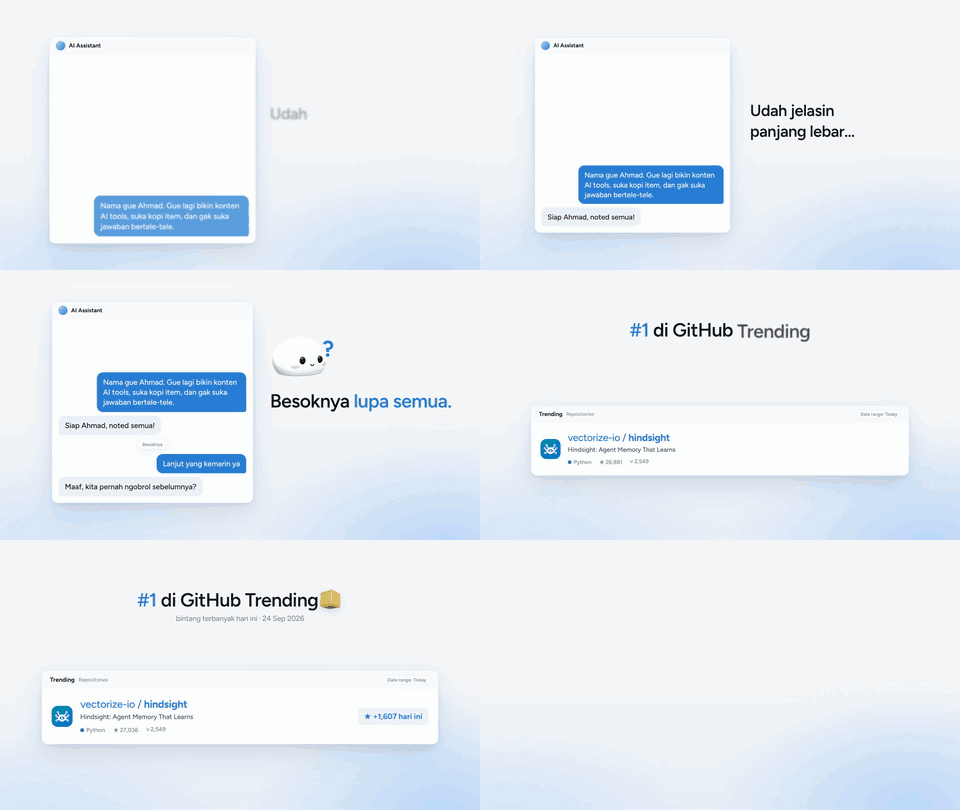 Hindsight: agent memory · 66 s · Indonesian |
 Impeccable: better AI-made websites · 83 s · Indonesian |
 Tutorial: make videos with an AI agent · 53 s · Indonesian |
What it does
| Locked styles | 5 ready styles (pi-v2, pi-v2-dark, warm-paper, mono-editorial, tech-neon-soft), all from one tokens file. Or point it at a video you like and it copies the feel. |
| Voice-synced text | Words appear exactly when they are spoken (word timings from Whisper, or pauses as a fallback). |
| Original music | 7 instrumental presets synthesized on your machine, no licensing. A variety guard stops every video from sounding the same. |
| Sound design | 16 synthesized sound effects in 5 packs, snapped to the beat, mixed to -14 LUFS. |
| Remotion template | Headlines, UI cards, checklists, counters, step cards, real 3D shapes, mascot, end card. |
| Honest QA | Debug-box overlap checks plus samples from the final export: contact sheets, phone-size text and 9:16 UI-zone flags, headline-area and font checks. Samples are review leads, not proof every frame is clear. |
| Ready to share | Render presets for WhatsApp (under 16 MB), Instagram, YouTube and a master file. |
New in v0.5
- Perspective 3D camera. Dolly, orbit and target keyframes move the actual 3D camera in
Logo3D,MascotandFloatingShapes, with depth-separated objects for parallax. Set per-shotcameraMovekeys or use the five styles'three.camera.movesdefaults. This does not move DOM text. Animation guide. - Materials and light. Choose ceramic, metal or glass finishes for 3D objects; each style controls the lights, physical material settings and soft shadows. An optional depth-aware DOF pass is available but off by default: it costs more to render and can darken transmissive materials. Check your own render backend before enabling it. Animation guide.
- Beat-aware motion. Pass a beat array from the music's real beatgrid to snap selected entrances within 80 ms and add restrained 3D pulses. Without supplied beats, the original timing stays unchanged. Render with the matching music and listen before publishing. Beat guide.
- Kinetic type and count-up.
<Headline reveal="character">staggers characters without shifting the line;<Counter from={20} to={100}>animates a cited number. Character timing and number duration follow each style's tokens. Keep the copy short, inspect phone-sized text, and credit real numbers. Typography guide. - Authored morph handoff.
MorphTransitioninterpolates matching polygon vertices, position and size across a scene boundary, with optional holds and a fade-out. The example morphs a diamond into a square. It is not automatic arbitrary 3D mesh morphing; other scene cuts still use the existing crossfade. Morph guide.
New in v0.4
- Storyboard and quick preview.
storyboardturns a brief into exact scene frame ranges and a copy-review scaffold. After you build the scenes,previewrenders real stills and a contact sheet.cache3dstores expensive 3D frames so text/audio edits do not rerender WebGL. This does not write or approve the script for you. Planning guide. - Timeline audio. Annotate scene events such as typing, clicks, transitions, logo reveal and CTA, then use
sfx autofor sparse timed cues.music moodshelps pick an instrumental preset per video;mix --durationmakes the final bed match the video length with a fade. Listen to the mix and usemix review --approvebefore rendering with audio. Events come from the brief, not visual detection. Audio guide. - Final-pixel QA.
qa pixelssamples the exported video and writes full-size frames, a contact sheet and review flags for tiny phone text, 9:16 app UI zones, crowded headline areas and font imports. Open the actual frames, watch the whole video and listen to its audio: neither this sample norqa overlapcertifies zero collisions. Pixel QA guide. - Two pi-v2 templates.
ProductLaunch(30-60 s) lays out problem → real demo → verified features → CTA.ScreenTutorial(30-90 s vertical) adds focus zoom, pointer highlight and captions below the recording panel. Both show DO NOT PUBLISH placeholders until real captures and source credits are added;template launch|tutorialvalidates props and frame files, not authenticity or licenses. Template guide.
Install
npx skills add ahmdd4vd/motioncraft
Works with any AI agent that supports Agent Skills - Claude Code, Codex, Cursor, Gemini CLI, Pi, Hermes Agent and many more (installed with the skills CLI, listed on skills.sh).
Needs Node.js 18+. Remotion and the rest are installed per video project. Optional: Python with faster-whisper (word timings), yt-dlp (reference downloads).
Use it
Just ask your agent:
Make a 60 second explainer about <topic> in the motioncraft pi-v2 style, 16:9, with an English voiceover.
Here's a video I like: <link>. Make one like it about <topic>.
The agent follows the loop: brief → research → script → voice → music & SFX → build → QA → render → your feedback. You approve the script before any voice or render, and you get stills before the full video.
The CLI
Everything the skill does is also a plain command:
node skills/motioncraft/scripts/motioncraft.mjs doctor               # check your machine
node skills/motioncraft/scripts/motioncraft.mjs new my-video --style pi-v2
node skills/motioncraft/scripts/motioncraft.mjs storyboard --brief brief.json --out storyboard.json
node skills/motioncraft/scripts/motioncraft.mjs preview --dir my-video --board storyboard.json --comp Main
node skills/motioncraft/scripts/motioncraft.mjs sfx auto --board storyboard.json --out audio/auto-cues.json
node skills/motioncraft/scripts/motioncraft.mjs music moods --mood premium
node skills/motioncraft/scripts/motioncraft.mjs mix --music audio/music.wav --sfx audio/sfx.wav --duration 52 --out audio/final.wav
node skills/motioncraft/scripts/motioncraft.mjs mix review --file audio/final.wav --approve  # after listening
node skills/motioncraft/scripts/motioncraft.mjs render --preset wa --audio audio/final.wav
node skills/motioncraft/scripts/motioncraft.mjs qa pixels out/final.mp4 --board storyboard.json --dir .
Run ... help for the full list.
What's inside
skills/motioncraft/
  SKILL.md          the workflow your agent follows
  references/       15 short guides (script, voice, music, typography, QA, taste...)
  scripts/          the motioncraft CLI (pure Node audio engine, analysis, QA, render)
  assets/template/  the Remotion project
  styles/           tokens + style notes for each look
License
MIT - see LICENSE. Remotion has its own license: free for individuals and small companies, a company license for larger teams. See remotion.dev/license.
Credits for the showcase topics and tools: CREDITS.md.
Social output: 1:1, 4:5, 9:16
One responsive Remotion composition can export three real canvas dimensions (1080x1080 IG feed, 1080x1350 IG feed, 1080x1920 TikTok), with repositioned text, hero, credits and end card rather than center-cropping. render --all-formats exports the three sizes; use --format 9:16 --platform reels for a separate Reels safe layout. See social formats and caveats. Platform UI varies, so inspect each final export in its app before posting.
Automatic SFX from animation data
motioncraft sfx auto --board storyboard.json --timeline public/timeline.json --out audio/auto-cues.json creates sparse cue timing from scene headlines and boundaries plus structured animation events (text, transition, UI click, check, logo reveal). The timeline is optional; the tool never guesses UI or logo actions from prose. scene.events remains an exact override ([] means silence). Review and listen before publishing: this does not parse arbitrary Remotion animation code or judge whether a sound fits. See timeline audio.
Timeline editor
motioncraft timeline init launch --out timeline-launch.json, then timeline edit --board timeline-launch.json --grid audio/beatgrid.json --out timeline-editor.html opens a local editor. Drag scene blocks, edit durations and offset beat markers; render TimelineLaunch with --timeline storyboard.edited.json --grid beatgrid.edited.json. For tutorials use tutorial and TimelineTutorial. Those compositions follow the edited scene order and timing without code edits. The legacy Main, MainVertical, ProductLaunch, and ScreenTutorial compositions also accept matching timeline init main|product-launch|screen-tutorial plans via --timeline: existing shot content and footage are sampled from source frames while scenes reorder and stretch. Their copy and visuals remain hand-coded; timeline headlines do not rewrite them. Run timeline audio --original timeline-launch.json --edited storyboard.edited.json --grid beatgrid.edited.json --music audio/music.wav --vo audio/vo.wav --outDir audio/retimed to reorder and stretch scene-aligned music/VO, with the beat offset applied to music. Then re-mix and listen to cuts; independently timed footage still needs review. Guide.
GPU/cloud worker
For 3D-heavy scenes, gpu probe checks whether a GPU is even visible; worker manifest and worker verify prepare and check a portable project handoff. render --require-gpu --gl angle refuses an obvious software/no-device render. It does not prove Chrome used the GPU. Test a short 3D segment and compare hardware vs. software on the actual worker; no cloud VM or spend is started by this skill. Requirements and limits.
Yorumlar (0)
Yorum birakmak icin giris yap.
Yorum birakSonuc bulunamadi