codex-claude-transfer
Health Gecti
- License — License: MIT
- Description — Repository has a description
- Active repo — Last push 0 days ago
- Community trust — 17 GitHub stars
Code Basarisiz
- rm -rf — Recursive force deletion command in demo/recording/prep.sh
- rm -rf — Recursive force deletion command in demo/recording/record.sh
- process.env — Environment variable access in demo/webui-rec/record-webui.mjs
- process.env — Environment variable access in demo/webui-rec/test-maphere.mjs
- network request — Outbound network request in internal/webui/static/app.js
Permissions Gecti
- Permissions — No dangerous permissions requested
Bu listing icin henuz AI raporu yok.
Local-first CLI (cct) that moves Codex & Claude Code sessions between machines: export to a .codexbundle, copy, import. No cloud, no account, optional LAN sync.
codex-claude-transfer
Move local Codex and Claude Code sessions between machines.
The command is cct.


Unofficial. Not affiliated with or endorsed by OpenAI or Anthropic.
These tools' internals can change at any time and break this tool. Use at your
own risk. See the Disclaimer.
The problem it solves
Codex and Claude Code keep valuable project context in local session files. That
is good for privacy, but painful when you switch machines, rebuild a laptop, or
want to continue a thread in the other agent.
cct turns that local context into a simple handoff:
Machine A:  cct export --project .      ->  project.codexbundle
                        copy it however you trust
Machine B:  cct import ./project.codexbundle
No cloud account, hosted sync service, or background process by default. You move
one .codexbundle over a channel you trust, then import it after checksum
verification. The agents' indexes are left alone and re-scan the session files
themselves.
It works for Codex, Claude Code, and cross-agent handoff. The same flow is
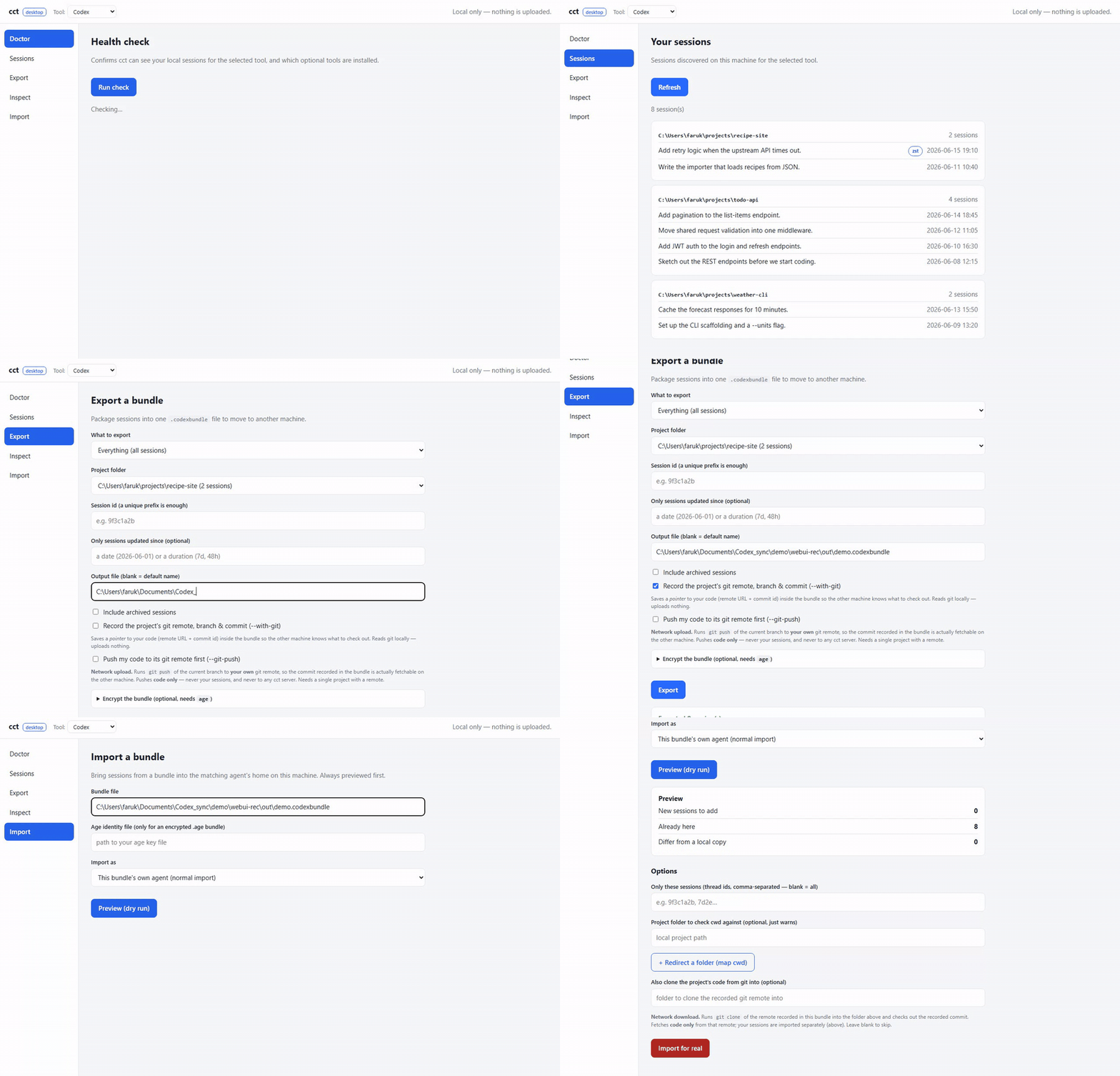
available as a CLI, a terminal wizard (cct ui), and a local browser app
(cct app).
Demo
Export on one machine, then import or incrementally sync onto the other:


The optional local desktop UI uses the same engine:
More clips in demo/: LAN sync,
full-text search,
secret scan & redact,
Markdown export,
repair-times,
cross-agent handoff,
encryption,
conflict resolution & cwd remap,
export filters,
git handoff, the
interactive cct ui wizard, and
reading compressed .jsonl.zst sessions.
All recordings use throwaway demo sessions, never a real ~/.codex or~/.claude.
Install
# From source (Go 1.23+)
go install github.com/ahmojo/codex-claude-transfer/cmd/cct@latest
Or download a prebuilt binary from
Releases, or build
from a clone:
git clone https://github.com/ahmojo/codex-claude-transfer.git
cd codex-claude-transfer && go build -o cct ./cmd/cct
Package manifests for Homebrew and Scoop live inpackaging/.
30-second use
cct doctor
cct export --project .
# copy project.codexbundle to the other machine
cct import ./project.codexbundle --dry-run
cct import ./project.codexbundle
Use --tool claude to export Claude Code sessions. Use import --to claude orimport --to codex to translate a session into the other agent. After importing,
restart the agent so it re-scans the files.
Docs
- Usage guide: quickstart, desktop app, common workflows, LAN
sync, and optional external tools. - Command reference: commands and flags.
- Internals: how bundles work, safety model, limitations,
and versioning. - Safety notes: detailed privacy and write-safety model.
- Roadmap: shipped features, never-planned features, and
project notes.
Contributing
PRs welcome. Keep changes small, preserve the no-cloud / no-SQLite-writes
principles, test with fake Codex homes only, and run the documented Go checks.
See CONTRIBUTING.md.
Disclaimer
Unofficial and not affiliated with or endorsed by OpenAI or Anthropic. It
works against Codex's and Claude Code's local files based on their behavior at a
point in time, which may change and break it. .codexbundle files can contain
prompts, code, command output, paths, and secrets; treat them like sensitive local
history and encrypt them over untrusted channels. Provided "as is", without
warranty. Use at your own risk.
Yorumlar (0)
Yorum birakmak icin giris yap.
Yorum birakSonuc bulunamadi