TokenMini
Health Uyari
- License — License: MIT
- Description — Repository has a description
- Active repo — Last push 0 days ago
- Low visibility — Only 7 GitHub stars
Code Basarisiz
- rm -rf — Recursive force deletion command in scripts/build.sh
- rm -rf — Recursive force deletion command in scripts/preflight-release.sh
- rm -rf — Recursive force deletion command in scripts/release.sh
Permissions Gecti
- Permissions — No dangerous permissions requested
Bu listing icin henuz AI raporu yok.
Free AI usage monitor for Mac. Claude Code & Codex tokens, quotas and system health. Local-first. 原 MacPulse。

TokenMini
Monitor your Mac. Understand your AI.
A native menu bar monitor for Apple Silicon: system health, Claude Code and Codex usage, cost estimates, quotas, and local-first tools.







[!IMPORTANT]
TokenMini 0.11.0 public beta is the new name and visual identity of MacPulse. Existing settings and local data remain compatible. Download the signed DMG from Releases. The interface is Chinese-first; the documentation language switch does not change the app language.
Why TokenMini
| What it gives you | |
|---|---|
| System pulse | CPU, memory, network, disk, battery, temperature, fans, and top processes in a menu bar app. |
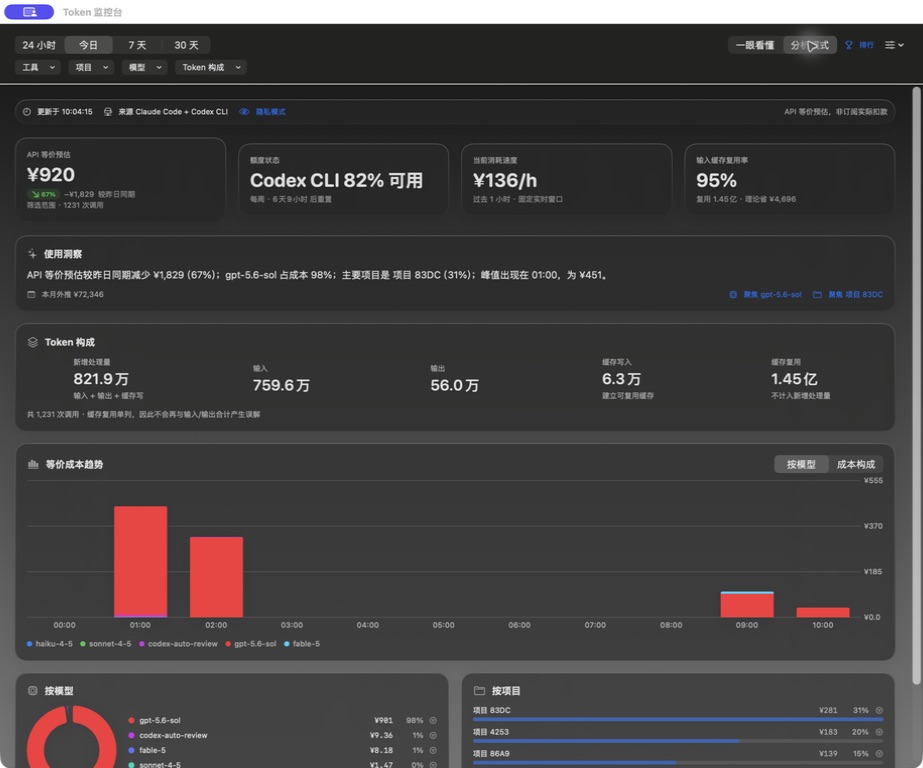
| AI usage | Local aggregation of Claude Code and Codex JSONL sessions, with token composition, trends, and API-equivalent cost estimates. |
| Quota awareness | Claude and Codex quota windows, reset countdowns, optional notifications, and a compact notch experience. |
| Local-first tools | Privacy mode, safe cache cleanup, memory usage management, process termination, and recoverable Skills management. |
TokenMini is designed for people who use AI coding tools heavily but still want a clear view of the Mac underneath them. The default simple mode answers three practical questions: how long the quota may last, whether today's pace is expensive, and whether the computer is under pressure. Analysis mode keeps the detailed token and model breakdown available when needed.
Gallery
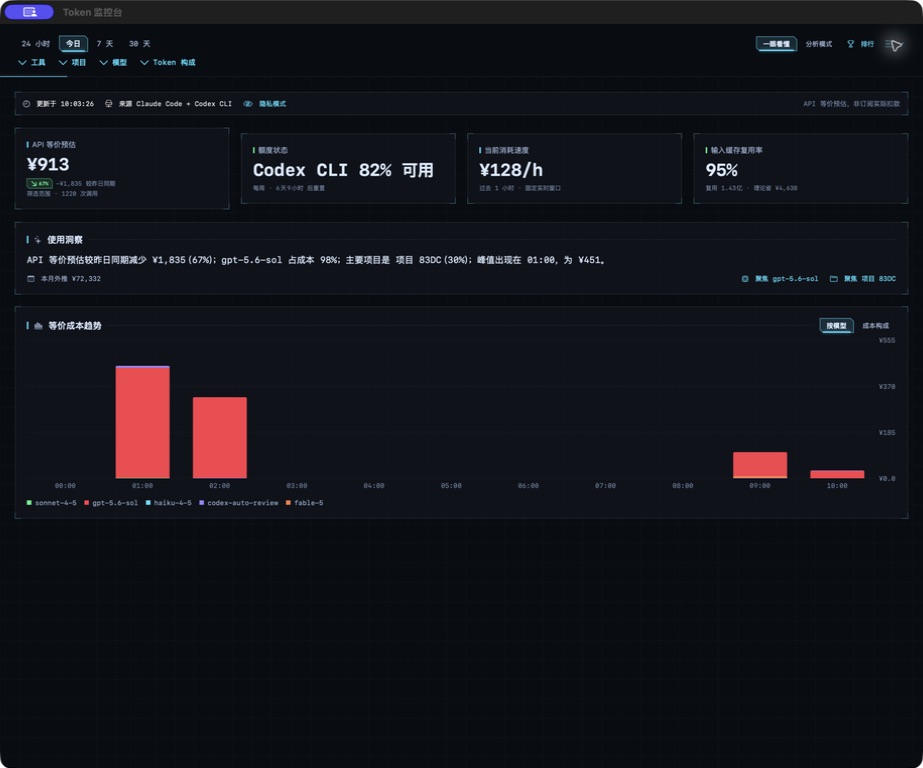
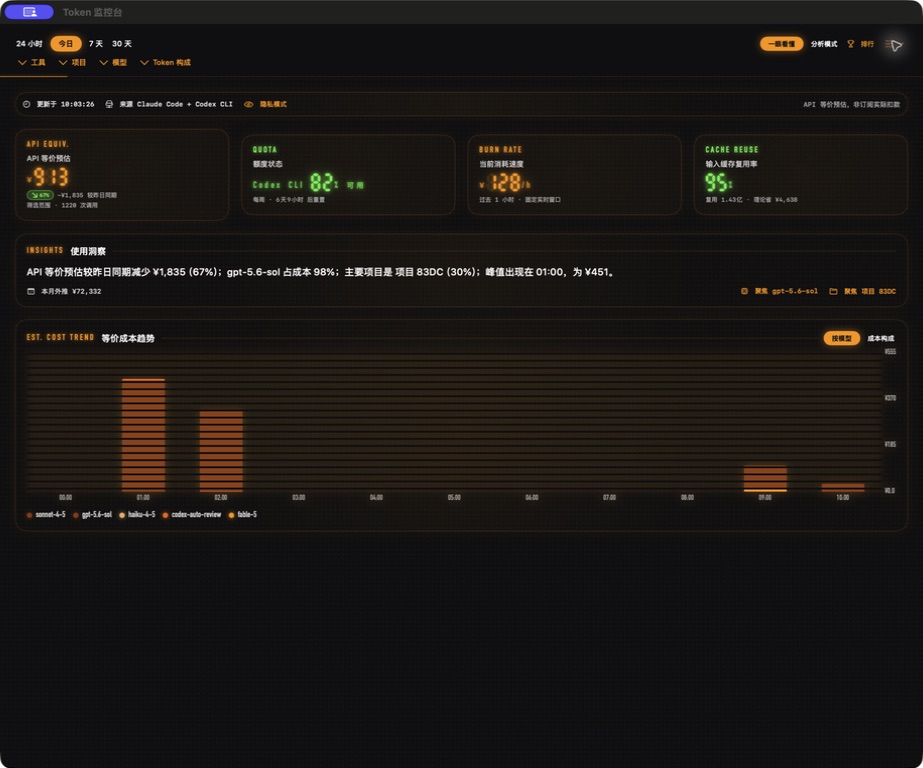
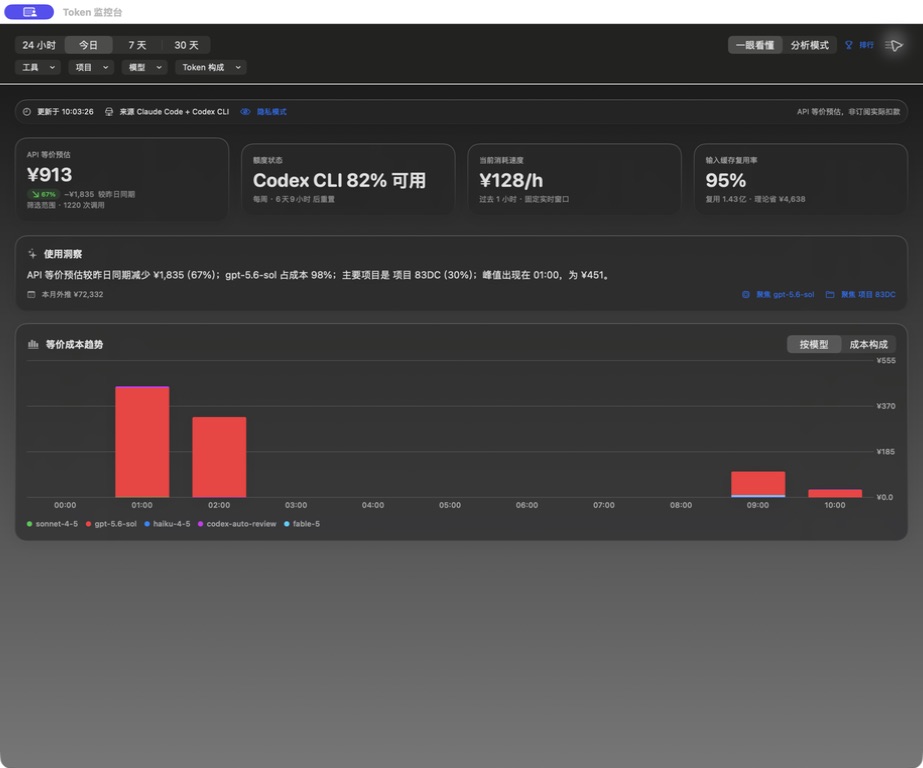
Three visual systems
The screenshots below illustrate the existing theme features before the 0.11.0 brand update.
| HUD | LED | Classic |
|---|---|---|
 |
 |
 |
Analysis mode
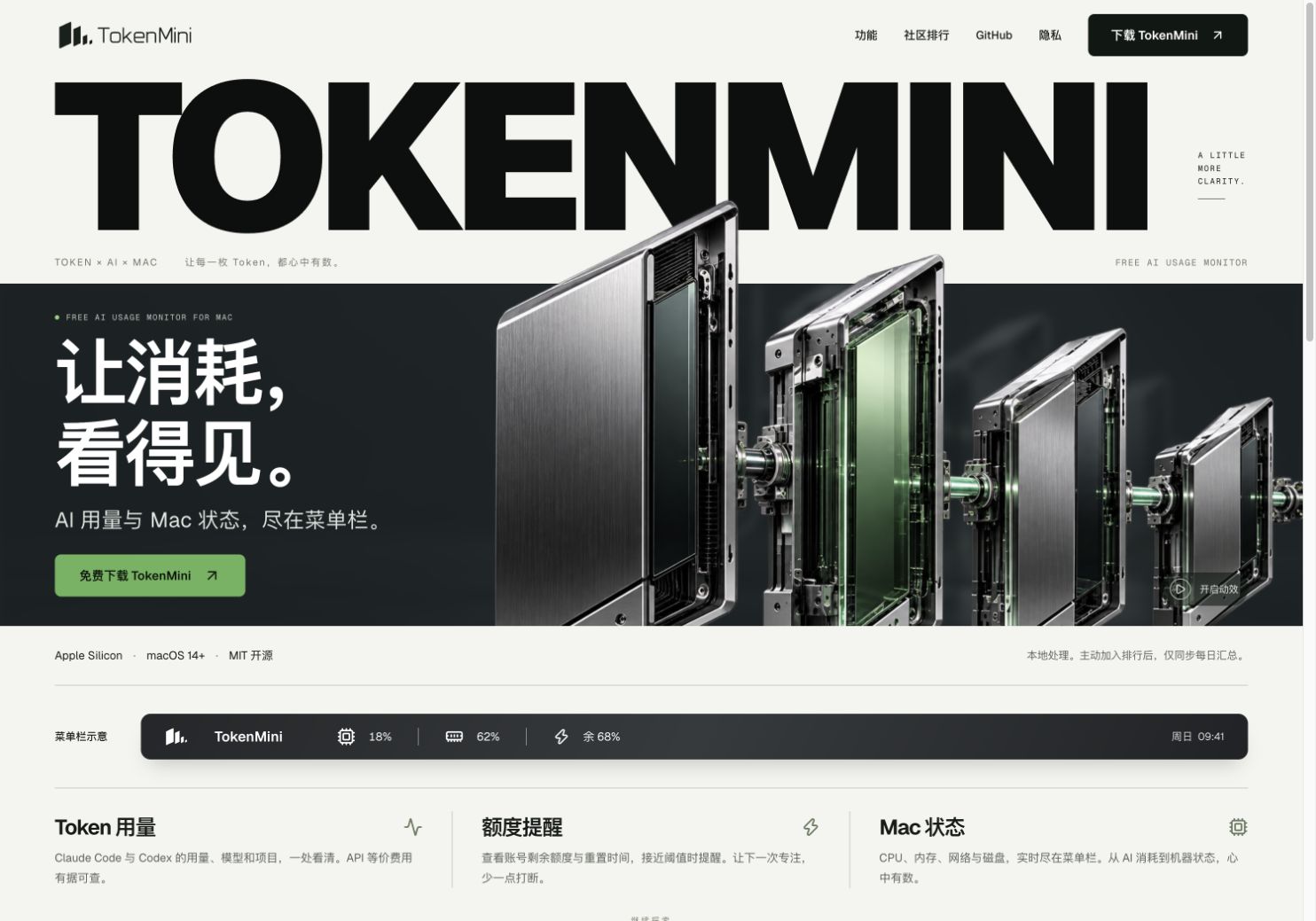
Public website
All app screenshots above were captured from the built macOS app with privacy mode enabled. Project names are replaced with stable aliases. Screens showing unavailable services, credentials, admin tools, or private paths are intentionally excluded.
Features
System monitoring- Stable fixed-width menu bar label for CPU and memory, with an optional tightest-quota remaining indicator; today's AI API-equivalent estimate remains in the popover.
- CPU total/user/system load, real-time chart, and AppleSMC temperature sampling.
- Memory pressure, compression, disk and network throughput, battery health, and fan speed.
- Top processes by CPU or memory, with confirmation before sending
SIGTERM. - Safe cache cleanup guarded by lexical path validation, protected paths, and sandbox-style regression tests.
- Reads local Claude Code (
~/.claude/projects) and Codex (~/.codex/sessions) JSONL files. - Daily and monthly API-equivalent estimates, recent burn rate, seven-day trends, model/project drill-down, and cache reuse.
- Global
messageId:requestIdde-duplication aligned with ccusage semantics when both identifiers exist. - Claude OAuth quota access is optional and disabled by default; Codex quota is derived from local rollout events.
- Cost figures are estimates for comparison and planning, not subscription invoices or actual charges.
- Simple and professional information modes.
- Classic, HUD, and LED themes across the popover, dashboard, and notch surfaces.
- Local Skills discovery, installation, copying, and recoverable uninstall-to-Trash behavior.
- Optional quota-reset and wellbeing moments, each rate-limited and controlled by a master switch.
- Optional community ranking; local monitoring works without signing in.
Download and requirements
| Requirement | Support |
|---|---|
| Hardware | Apple Silicon (arm64) |
| macOS | 14 or later |
| Distribution | GitHub Releases, Developer ID signed and Apple notarized |
| App Store | Not available; sandboxing would block SMC and local session access |
- Download the latest
.dmgfrom GitHub Releases. - Drag
TokenMini.appto/Applications. - Open the app and review the first-run privacy explanation before enabling optional features.
[!NOTE]
There is another macOS product using themacpulseHomebrew cask name. TokenMini does not currently publish a Homebrew install command, so use this repository's signed GitHub Release.
Privacy model
TokenMini is local-first. It does not upload conversation text, prompts, responses, private project paths, or AI credentials. Product analytics, advertising telemetry, and automatic crash reporting are not enabled.
Network access only occurs for user-visible features such as update checks, optional Claude quota access, installing a Skill from a user-selected GitHub repository, and the optional community ranking. See the full Privacy Notice and Security Policy.
Build from source
Use the project scripts rather than a bare swift build when you need a runnable app bundle:
./scripts/test.sh
./scripts/build.sh 0.11.0 5
open dist/TokenMini.app
The package uses Swift 5 language mode, targets macOS 14+, and is built with Swift Package Manager. The build script compiles, assembles dist/TokenMini.app, generates the icon when needed, and applies an ad-hoc signature for local testing.
Public release artifacts must be Developer ID-signed, notarized by Apple, and delivered through a signed Sparkle appcast. Maintainer credentials and operational runbooks are intentionally kept outside this public repository. Do not distribute artifacts produced with SKIP_NOTARIZE=1.
Architecture highlights
- SwiftUI
MenuBarExtra(.window)and Swift Charts; no Xcode project is required. - Mach APIs for CPU and memory,
getifaddrsfor network, IOKit for disk/battery, and AppleSMC for temperature/fans. - Serial sampling queues behind
@MainActorobservable stores. - Sparkle 2 for signed application updates.
- A separate website and lightweight worker for the optional public ranking.
Contributing and support
- Read CONTRIBUTING.md before opening a pull request.
- Use the structured bug report and remove tokens, session text, usernames, and real project paths.
- Use GitHub's private vulnerability reporting flow for security issues; do not post credentials in a public Issue.
- Release history is maintained in CHANGELOG.md.
Acknowledgements
TokenMini was inspired by SystemPal and references ideas from exelban/stats and ccusage. Third-party license notices are listed in THIRD_PARTY_NOTICES.txt.
License
MIT © 2026 Liang Heping
Yorumlar (0)
Yorum birakmak icin giris yap.
Yorum birakSonuc bulunamadi