aicw-ai-mentions
Health Gecti
- License — License: MIT
- Description — Repository has a description
- Active repo — Last push 0 days ago
- Community trust — 24 GitHub stars
Code Basarisiz
- process.env — Environment variable access in bin/aicw-ai-mentions.js
- rimraf — Recursive directory removal in package-lock.json
- rimraf — Recursive directory removal in package.json
- rm -rf — Recursive force deletion command in script/build-demo-pages.sh
- process.env — Environment variable access in src/actions/check-models.ts
- exec() — Shell command execution in src/actions/enrich-calculate-mentions.ts
- exec() — Shell command execution in src/actions/enrich-get-source-links-for-entities.ts
Permissions Gecti
- Permissions — No dangerous permissions requested
Bu listing icin henuz AI raporu yok.
Open-source CLI and MCP server that tracks how ChatGPT, Claude, Gemini, Grok and Perplexity mention your brand and competitors. Ranks mentions, extracts cited links and domains, and builds a local HTML report with CSV export. AI visibility and GEO tracking for marketers. Formerly AICW Rankings.
AICW AI Mentions
Open-source CLI for checking how AI assistants mention a company, product, person, or topic.
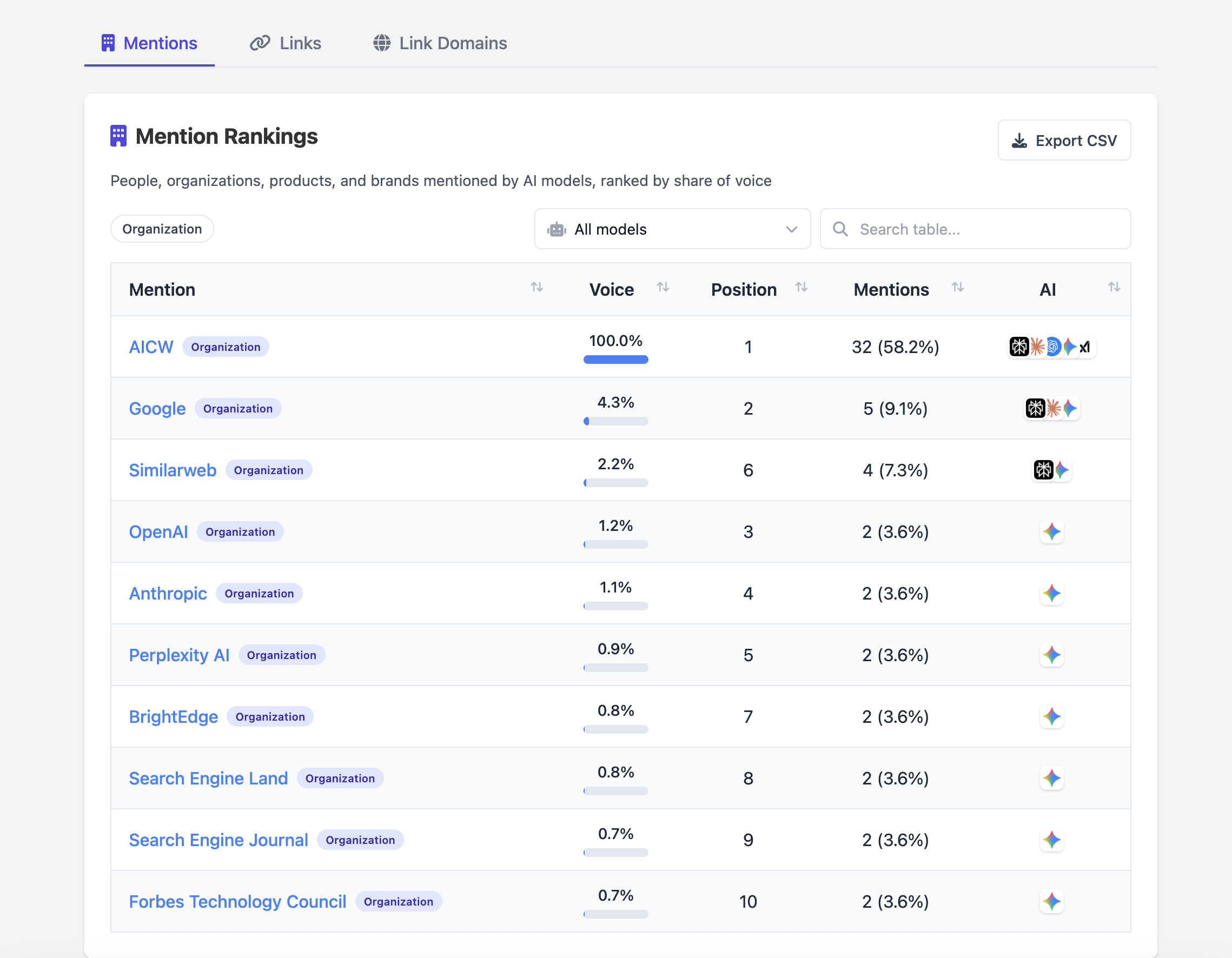
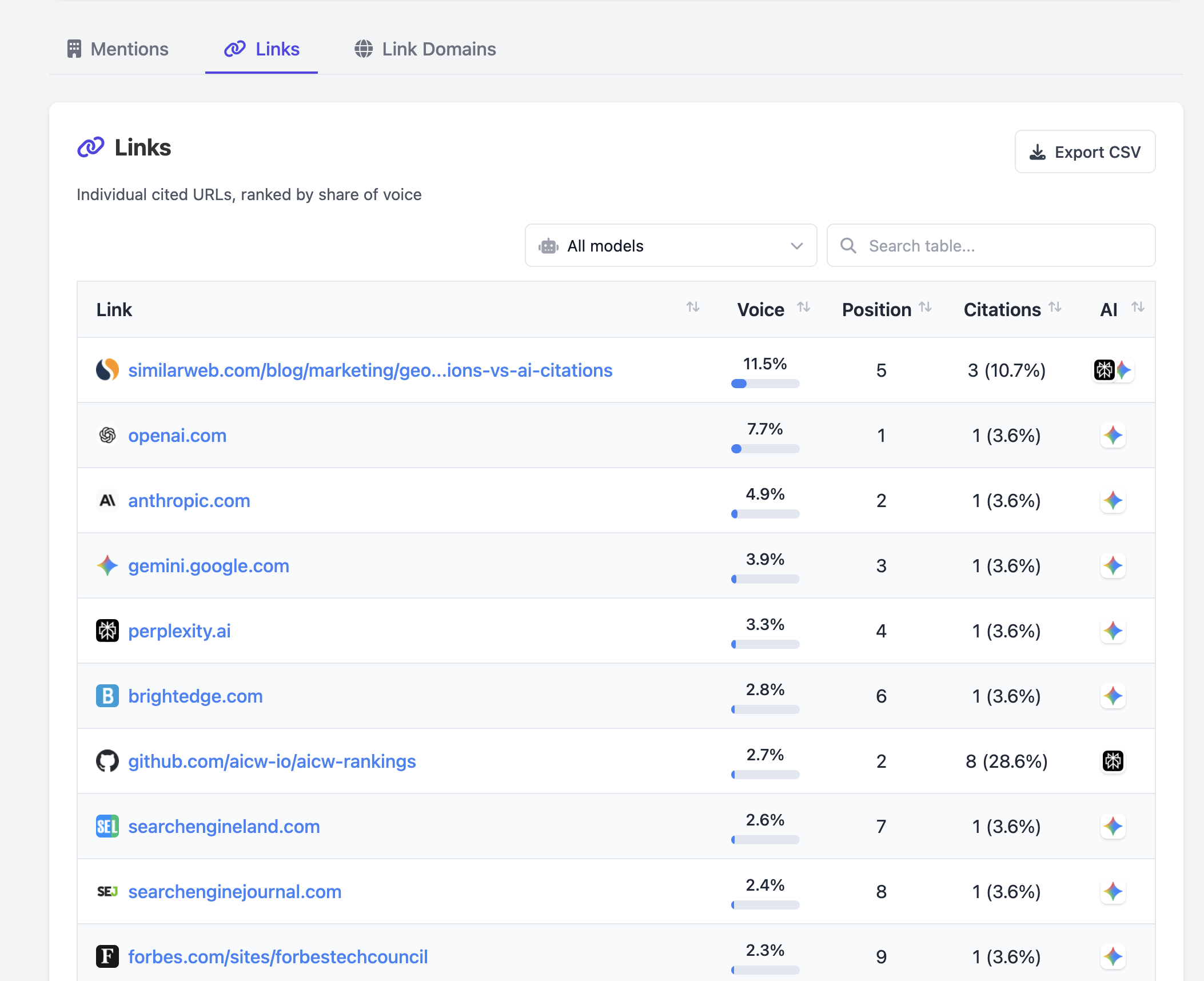
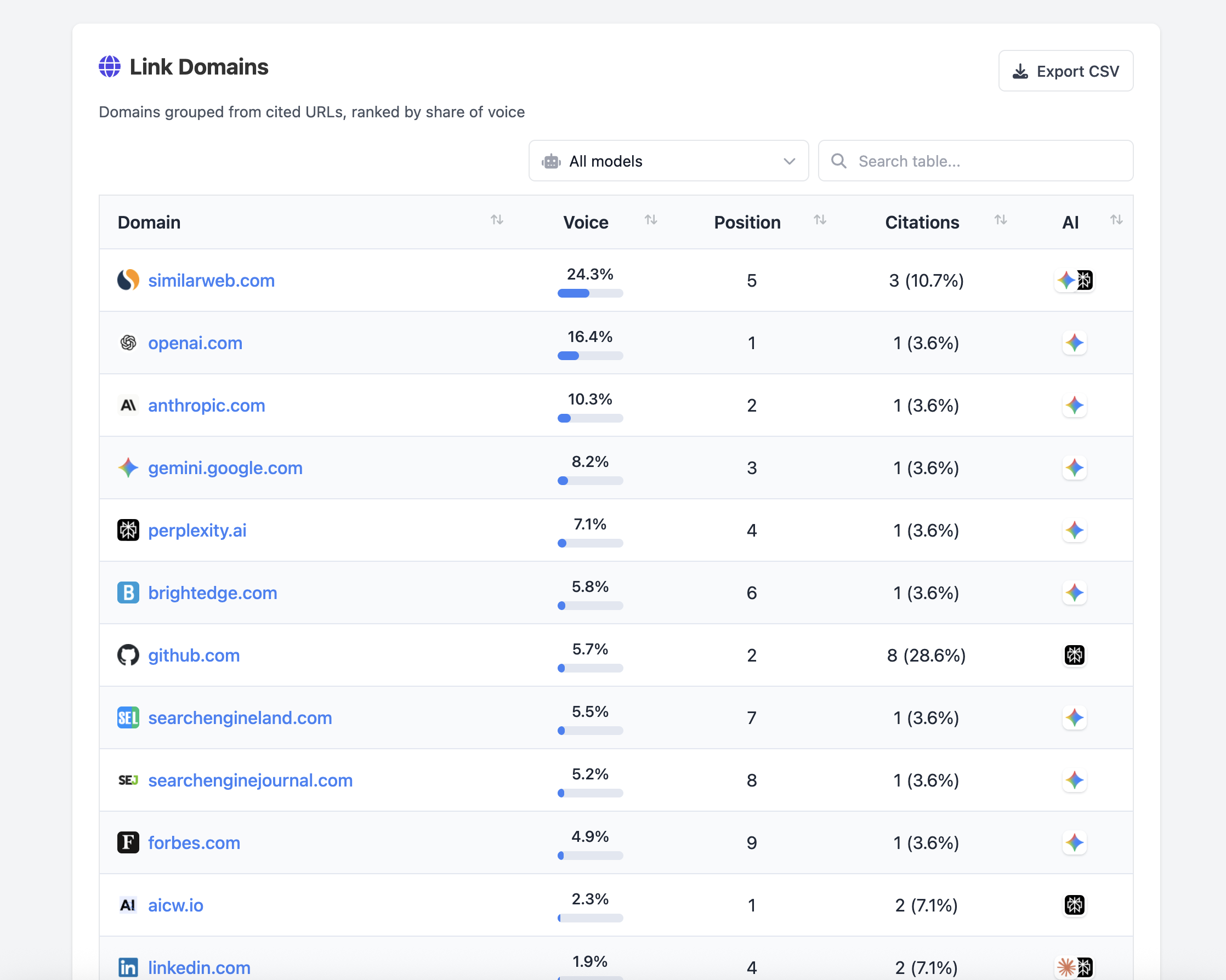
It asks multiple AI models the same questions, extracts mentions and cited links, then builds a local HTML report with:
- mention rankings
- cited links
- link domains
- model filters, search, and CSV export
Video Demo
https://github.com/user-attachments/assets/4e334850-e496-40fd-9204-dc37fb534489
Screenshots
Mentions
Links
Link Domains
Live Demo report
Explore live demo report for "Y Combinator" term
Install
Run without a global install:
npx aicw-ai-mentions@latest setup-api-key
npx aicw-ai-mentions@latest scan "Y Combinator"
npx aicw-ai-mentions@latest serve
Or install globally:
npm install -g aicw-ai-mentions
aicw-ai-mentions setup-api-key
aicw-ai-mentions scan "Y Combinator"
aicw-ai-mentions serve
Then open the local report URL printed by serve.
By default, scan runs every question from the built-in default question template. You can also pass your own line-based Markdown template file:
aicw-ai-mentions scan "Y Combinator" --template ./questions.md
Or pass a template string directly:
aicw-ai-mentions scan "Y Combinator" --template-text "Who mentions {{SUBJECT}}?\\nWhich links cite {{SUBJECT}}?"
Each non-empty, non-comment line is treated as one question; -, *, and numbered list prefixes are accepted. Use {{SUBJECT}} where the scan subject should appear. By default, every question in the template runs; use --questions 2 only when you intentionally want the first two questions.
MCP
aicw-ai-mentions can run as a Model Context Protocol server so Claude, Codex, ChatGPT, and other MCP clients can inspect local reports or start scans.
Local stdio server:
npx -y aicw-ai-mentions@latest mcp
Claude Code:
claude mcp add --transport stdio aicw-ai-mentions -- npx -y aicw-ai-mentions@latest mcp
Claude Desktop or other stdio MCP clients:
{
  "mcpServers": {
    "aicw-ai-mentions": {
      "command": "npx",
      "args": ["-y", "aicw-ai-mentions@latest", "mcp"]
    }
  }
}
Codex:
[mcp_servers.aicw-ai-mentions]
command = "npx"
args = ["-y", "aicw-ai-mentions@latest", "mcp"]
env_vars = ["OPENROUTER_API_KEY", "OPENAI_API_KEY", "ANTHROPIC_API_KEY", "PERPLEXITY_API_KEY"]
ChatGPT requires a reachable HTTPS Streamable HTTP endpoint. Run the HTTP MCP server, expose it with your tunnel or deployment, then add the HTTPS URL ending in /mcp in ChatGPT Settings > Apps & Connectors:
aicw-ai-mentions mcp --http --port 8787
ngrok http 8787
Only expose the HTTP MCP server through a tunnel or deployment you trust. It can run scans and, when asked, store an OpenRouter API key in the local encrypted credentials file.
Available MCP tools:
aicw_openrouter_key_status- check whether an OpenRouter key is configuredaicw_set_openrouter_api_key- storeOPENROUTER_API_KEYin the encrypted local credentials fileaicw_data_location- show the local data foldersaicw_list_projects- list saved scans and report metadataaicw_get_project- read one scan's questions and report metadataaicw_scan- create and run a new AI mentions scanaicw_rebuild_report- rebuild a report from saved data
aicw_scan uses your configured provider API keys and may take several minutes, so increase the MCP client's tool timeout for full scans. To replace the default questions, pass templateText:
{
  "subject": "Y Combinator",
  "templateText": "Which sources cite {{SUBJECT}} most often?\\nWhich competitors or alternatives are mentioned near {{SUBJECT}}?",
  "questions": 2
}
Optional Agent Skill
MCP is enough to expose executable tools. The package also ships an optional Skill at skills/aicw-ai-mentions/SKILL.md for agents that support SKILL.md-style workflows. The Skill teaches the agent when to use the MCP tools, how to check/set the OpenRouter key, and how to pass templateText.
From a checkout:
mkdir -p ~/.claude/skills "${CODEX_HOME:-$HOME/.codex}/skills"
cp -R skills/aicw-ai-mentions ~/.claude/skills/
cp -R skills/aicw-ai-mentions "${CODEX_HOME:-$HOME/.codex}/skills/"
From a global npm install:
SKILL_SRC="$(npm root -g)/aicw-ai-mentions/skills/aicw-ai-mentions"
mkdir -p ~/.claude/skills "${CODEX_HOME:-$HOME/.codex}/skills"
cp -R "$SKILL_SRC" ~/.claude/skills/
cp -R "$SKILL_SRC" "${CODEX_HOME:-$HOME/.codex}/skills/"
Requirements
- Node.js 18+
- An OpenRouter API key
The bundled OSS model presets use OpenRouter by default because one key can route requests to multiple AI assistants. You can provide the key with:
export OPENROUTER_API_KEY=sk-or-...
or run:
aicw-ai-mentions setup-api-key
setup-api-key stores the key in your local AICW data folder. You can also put OPENROUTER_API_KEY in .env.local or .env.
Example Scan
The package does not ship a generated demo report. To create your own local report, run:
aicw-ai-mentions scan "Y Combinator"
aicw-ai-mentions serve
scan stores local project data and generated reports in your AICW data folder. serve prints the local report URL.
Local Data
Reports, logs, cache files, and saved credentials stay on your machine.
To print the exact data folder on your machine:
aicw-ai-mentions show-user-data-location
Default data folders:
- macOS:
~/Library/Application Support/aicw/ - Windows:
%APPDATA%\aicw\ - Linux:
~/.config/aicw/
Link verification is optional and off by default. Update checks only show a notice when a newer npm version exists; they do not install anything automatically.
Development
git clone https://github.com/aichatwatch/aicw-ai-mentions.git
cd aicw-ai-mentions
npm install
npm test
npm run build
Useful local commands:
npm run demo:build
npm run package:dry
node bin/aicw-ai-mentions.js help
npm run demo:build is a maintainer helper. It writes generated demo output to .demo-data/, which is local-only and not included in the npm package.
License
MIT. See LICENSE.
Yorumlar (0)
Yorum birakmak icin giris yap.
Yorum birakSonuc bulunamadi