aidget
Health Uyari
- License — License: MIT
- Description — Repository has a description
- Active repo — Last push 0 days ago
- Low visibility — Only 6 GitHub stars
Code Gecti
- Code scan — Scanned 12 files during light audit, no dangerous patterns found
Permissions Gecti
- Permissions — No dangerous permissions requested
Bu listing icin henuz AI raporu yok.
Hand desktop creativity over to your AI agent

aidget
Hand desktop creativity over to your AI agent




Quick start | Cross-platform support | Development | Data directory | Security model
English | 简体中文
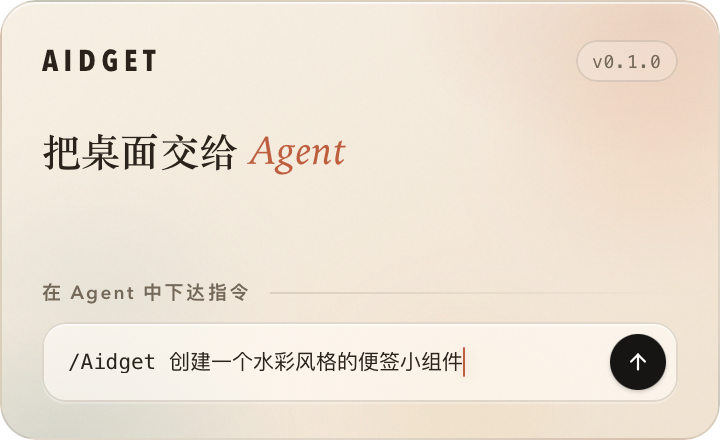
Is aidget for you?
If your desktop feels lifeless and you already use a desktop agent such as ChatGPT, Claude, or Grok Bot, aidget can help your agent bring it to life.
Connect aidget to your agent, describe your ideas in natural language, and give your desktop a fresh look.
Some typical scenarios:
- Sticky notes. Ask your agent to create a personalized sticky note on the desktop and keep track of the day's tasks.
- Weather widget. Ask your agent to recreate the macOS weather widget with a live forecast.
- Desktop pet. Let your agent look after a digital pet and watch what it does.
- Anniversary card. Ask your agent to create a card for an important date so you never miss it.
- Stock tracker. Ask your agent to display the stocks you follow so you never miss a market update.
More ideas are waiting to be discovered!
Quick start
1. Install
Download and launch the build for your operating system from GitHub Releases.
⚠️ macOS and Windows packages are currently unsigned and may trigger Gatekeeper or SmartScreen warnings. Builds downloaded from GitHub Releases are the official builds.
Launching aidget opens the main window; you can also access it from the system tray. On first launch, aidget places a welcome widget on the desktop, so keep an eye out.
2. Connect an agent
aidget detects common local agent applications. Any MCP-compatible client can also connect manually.
- Open the MCP & Skills page.
- Click the icons to connect MCP Service and Agent Skill for detected agents. Installing both is recommended.
- If your agent does not detect the MCP server or the
aidgetSkill, restart it to reload the configuration.
3. Ask your agent to create a widget
Return to the agent chat you normally use and describe what you want, for example:
/aidget Create an Ace of Hearts playing card as a desktop widget.
Or a scheduled task:
/aidget Create a stock-tracking widget and check the latest Apple stock details every 5 minutes.
Cross-platform support
| Platform | Window / bridge | Capabilities and notes |
|---|---|---|
| macOS 12+ | WKWebView / Unix socket | Screenshot, CoreLocation, and native glass material. |
| Windows x64 | WebView2 / named pipe | Screenshot and WinRT geolocation; use HTTPS for network requests made by scripts. |
| Linux x64 | WebKitGTK / Unix socket | Screenshot and GeoClue; under Wayland, positioning is controlled by the compositor. |
Development
How it works
flowchart LR
    A["Agent"]
    A -->|"Reads Skill"| S["~/.aidget/skills"]
    A -->|"Calls MCP"| M["~/.aidget/aidget mcp"]
    A -->|"Calls CLI"| C["~/.aidget/aidget"]
    M --> U["aidget ui"]
    U --> W["widgets"]
Requirements
- Rust 1.85 or newer
- Node.js 20 or newer
- pnpm 12
- Tauri 2 platform prerequisites
- Linux:
libwebkit2gtk-4.1-dev,libayatana-appindicator3-dev, andlibrsvg2-dev
Run locally
git clone https://github.com/aidget-ai/aidget.git && cd aidget
pnpm install
pnpm dev
To run development, tests, or a portable setup against an isolated directory, point
AIDGET_HOMEat a throwaway path:
AIDGET_HOME=/tmp/aidget-dev pnpm dev
Build
pnpm build             # production release bundle
pnpm build:debug       # debug app bundle
Checks
pnpm test
pnpm typecheck
cargo fmt --check
AIDGET_CHECK_TARGET=1 cargo check --lib
cargo test
MCP service
| Tool | Purpose |
|---|---|
aidget_list |
List widgets, revisions, board revision, positions, broken entries, and display names. |
aidget_get |
Read one widget's metadata, HTML, CSS, agents.md, and current position. |
aidget_create |
Create a widget with HTML, CSS, permissions, and author guidance. |
aidget_update |
Replace files or metadata using revision compare-and-swap. |
aidget_patch |
Atomically replace the inner HTML of one or more data-aidget-region targets. |
aidget_move |
Move or resize with board revision CAS when the user asks. |
aidget_screenshot |
Capture the rendered widget as PNG and wait briefly for readiness. |
aidget_delete |
Move a widget to the trash. |
aidget_guide |
Read the complete authoring contract. |
CLI
aidget ui [--background]
aidget mcp
aidget widget list|show|create|update|patch|delete
aidget board show|move
aidget displays
aidget template list|install
aidget screenshot <id> [--scale N] [--out FILE]
aidget doctor
aidget guide [--json]
Data directory
The default data root is ~/.aidget.
~/.aidget
├── aidget                    # stable CLI entry (aidget.cmd on Windows)
├── board.json                # widget positions and sizes
├── settings.toml             # application settings
├── widgets/
│   └── <id>/
│       ├── config.json       # title, script toggle, drag mode, permissions, and revision
│       ├── index.html        # widget structure
│       ├── style.css         # appearance, size, and layout styles
│       ├── agents.md         # guidance for future agents
│       └── assets/           # images, fonts, and other local assets
├── state/
│   ├── screenshots/          # widget screenshots
│   ├── storage/
│   │   └── <id>.json         # persistent widget data
│   └── widgets.json          # widget state
├── skills/
│   └── aidget/
│       └── SKILL.md          # the Skill distributed to agents
└── trash/                    # archived widgets
Security model
aidget runs under the same user account as you; ~/.aidget, widgets, and agent configuration files are all within the user's trust boundary.
Widgets are user-controlled content, not trusted extensions. aidget therefore applies two layers of restrictions: script permissions and system permissions.
Script permissions
allowScriptsis disabled by default. When disabled, CSP blocks scripts, inline event handlers, nested pages, objects, and workers, while HTML, CSS, and static assets still render normally.- When enabled, widgets run in a sandbox without same-origin access. They cannot read another widget's files, access Tauri IPC, or control the aidget main window.
System permissions
- A widget must explicitly request capabilities through
permissionsin itsconfig.json; undeclared calls returnpermission_denied. locationrequests access through the operating system's location service and does not fall back to IP-based geolocation.storagekeeps strings isolated per widget, with a 256 KB limit, and never shares them with other widgets.
Security statement
aidget does not store model or account credentials. By default, prompts, replies, keys, and accounts do not pass through aidget.
See SECURITY.md for the vulnerability reporting process.
License
Yorumlar (0)
Yorum birakmak icin giris yap.
Yorum birakSonuc bulunamadi