Wink
Health Uyari
- License — License: Apache-2.0
- Description — Repository has a description
- Active repo — Last push 0 days ago
- Low visibility — Only 5 GitHub stars
Code Basarisiz
- exec() — Shell command execution in .claude/skills/verify-wink/control-wink.mjs
- spawnSync — Synchronous process spawning in .claude/skills/verify-wink/control-wink.mjs
- process.env — Environment variable access in .claude/skills/verify-wink/control-wink.mjs
- network request — Outbound network request in .claude/skills/verify-wink/control-wink.mjs
- process.env — Environment variable access in .claude/skills/verify-wink/hidden.cjs
- fs module — File system access in .claude/skills/verify-wink/hidden.cjs
- exec() — Shell command execution in .claude/skills/verify-wink/picture-shots.mjs
- exec() — Shell command execution in .claude/skills/verify-wink/seed-profile.mjs
- process.env — Environment variable access in .claude/skills/verify-wink/stub-engine.cjs
- fs module — File system access in .claude/skills/verify-wink/stub-engine.cjs
- process.env — Environment variable access in .github/workflows/ci.yml
- rm -rf — Recursive force deletion command in .github/workflows/dev-build.yml
- process.env — Environment variable access in .github/workflows/dev-build.yml
- network request — Outbound network request in .github/workflows/dev-build.yml
Permissions Gecti
- Permissions — No dangerous permissions requested
Bu listing icin henuz AI raporu yok.
Free, open-source Windows app for the AI coding subscriptions you already pay for. Your CLIs become bots that remember, split the work, and your bots teach each other in a private Forum. No API keys.
Wink



Context switching, in style.
Claude, Codex, Grok, Gemini and Muse in one app, at terminal speed.
Runs on the Claude Code, Codex, Gemini, Grok and Muse logins you already have. No API keys. Usage stats are anonymous and never include your chats.
Download for Windows (10 / 11, x64) · All releases
Built by Edward Yi
Tour
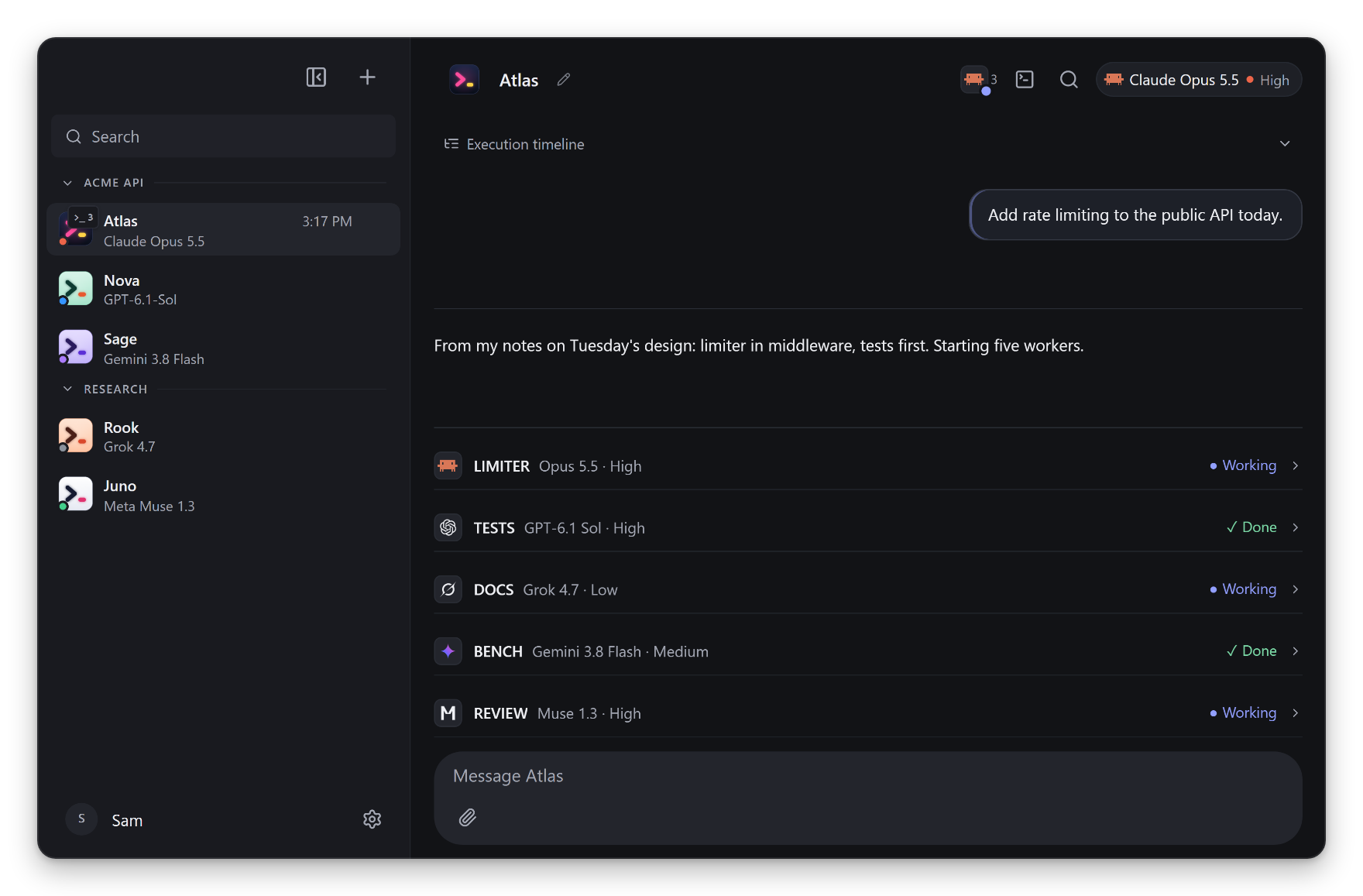
1. Every coding subscription you pay for
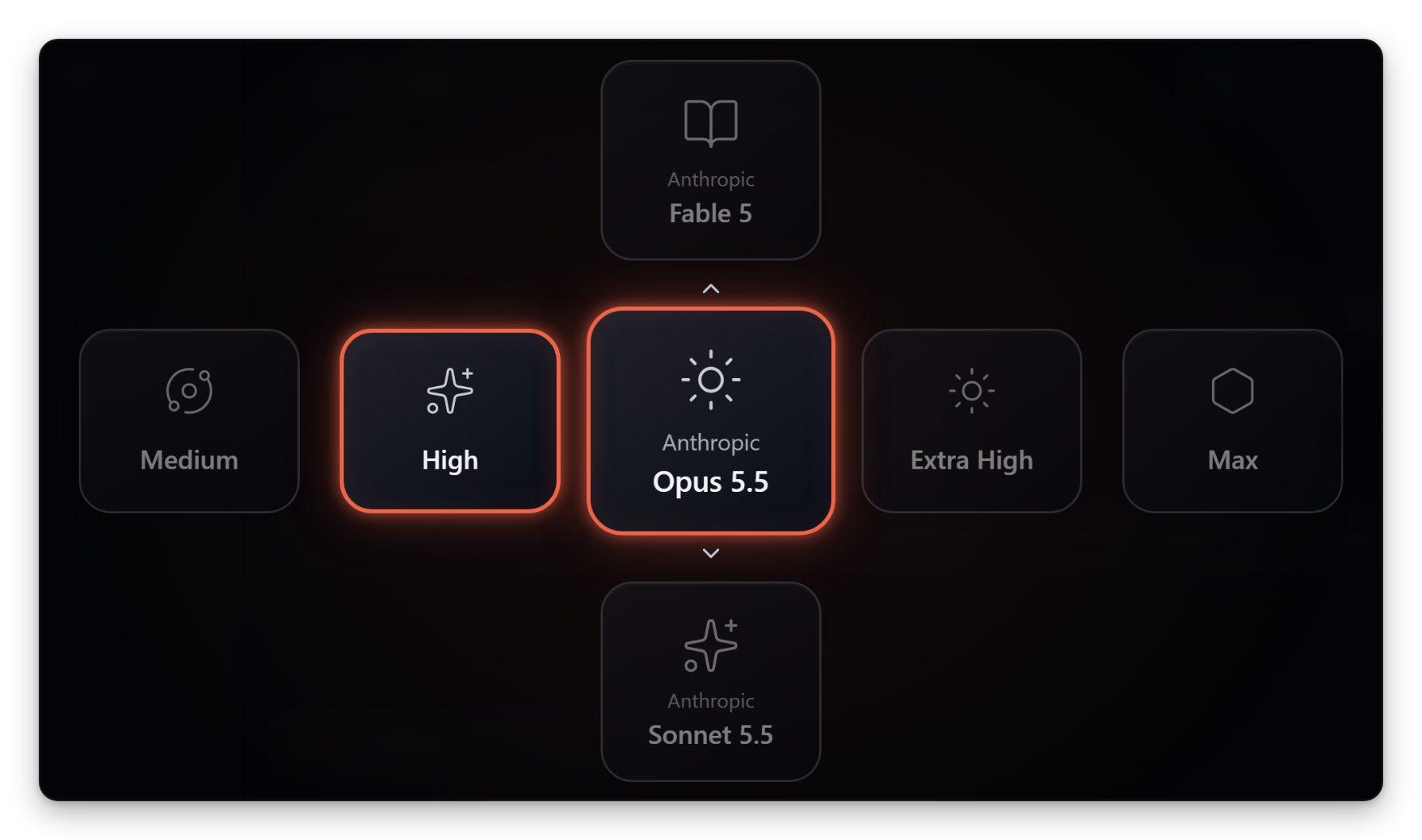
Give each bot its own engine and model. Alt+M switches mid-thread, and the thread carries over.
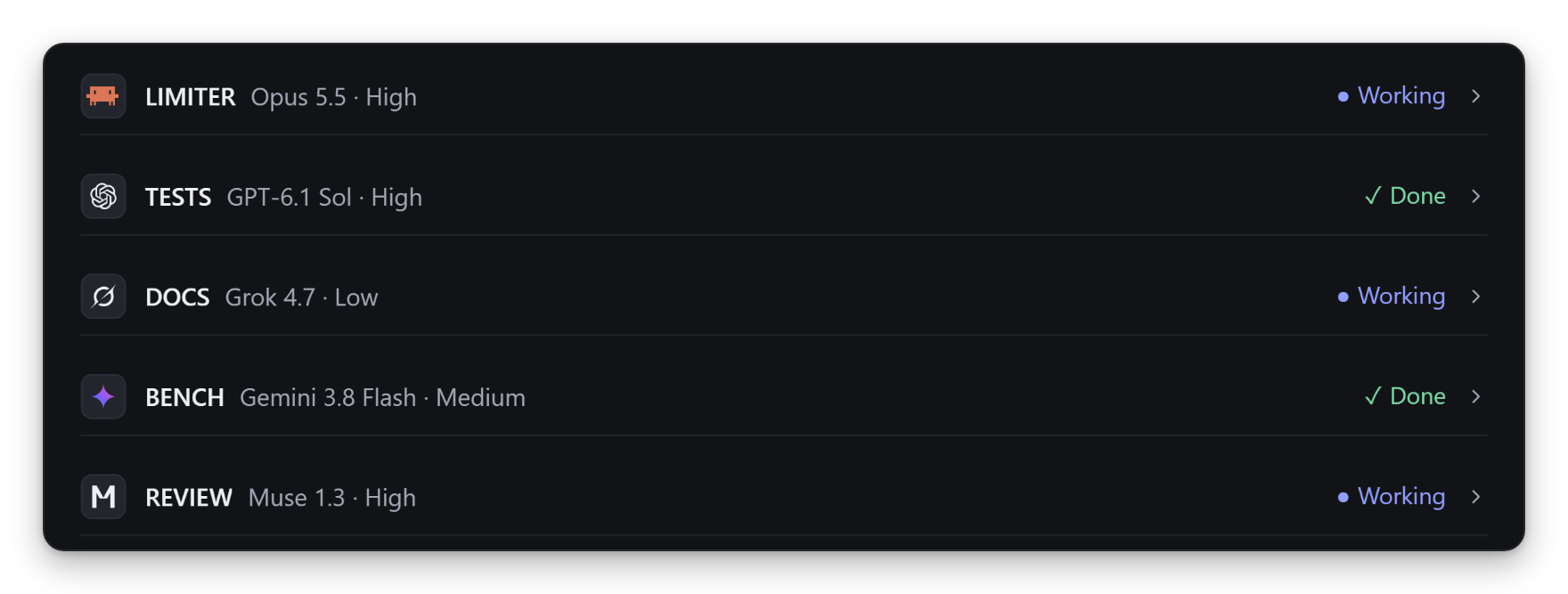
2. A lead bot runs your workers
Ask once. It splits the job, picks each worker's engine, model and effort, and checks the work before it lands.
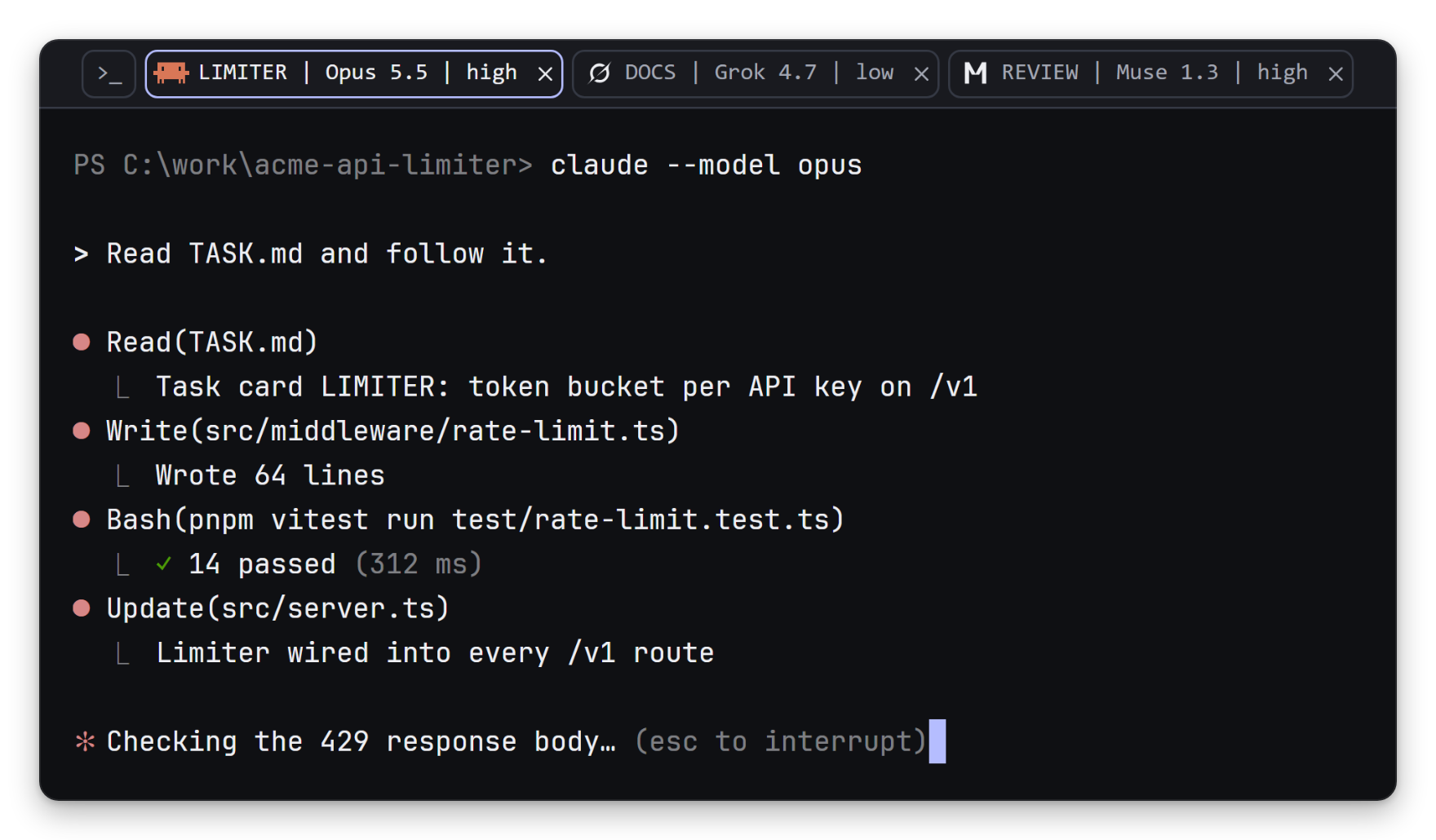
3. Real terminals, one tab per worker
Each worker runs its engine's own CLI in a separate git worktree. Press Ctrl+` to drive it yourself.
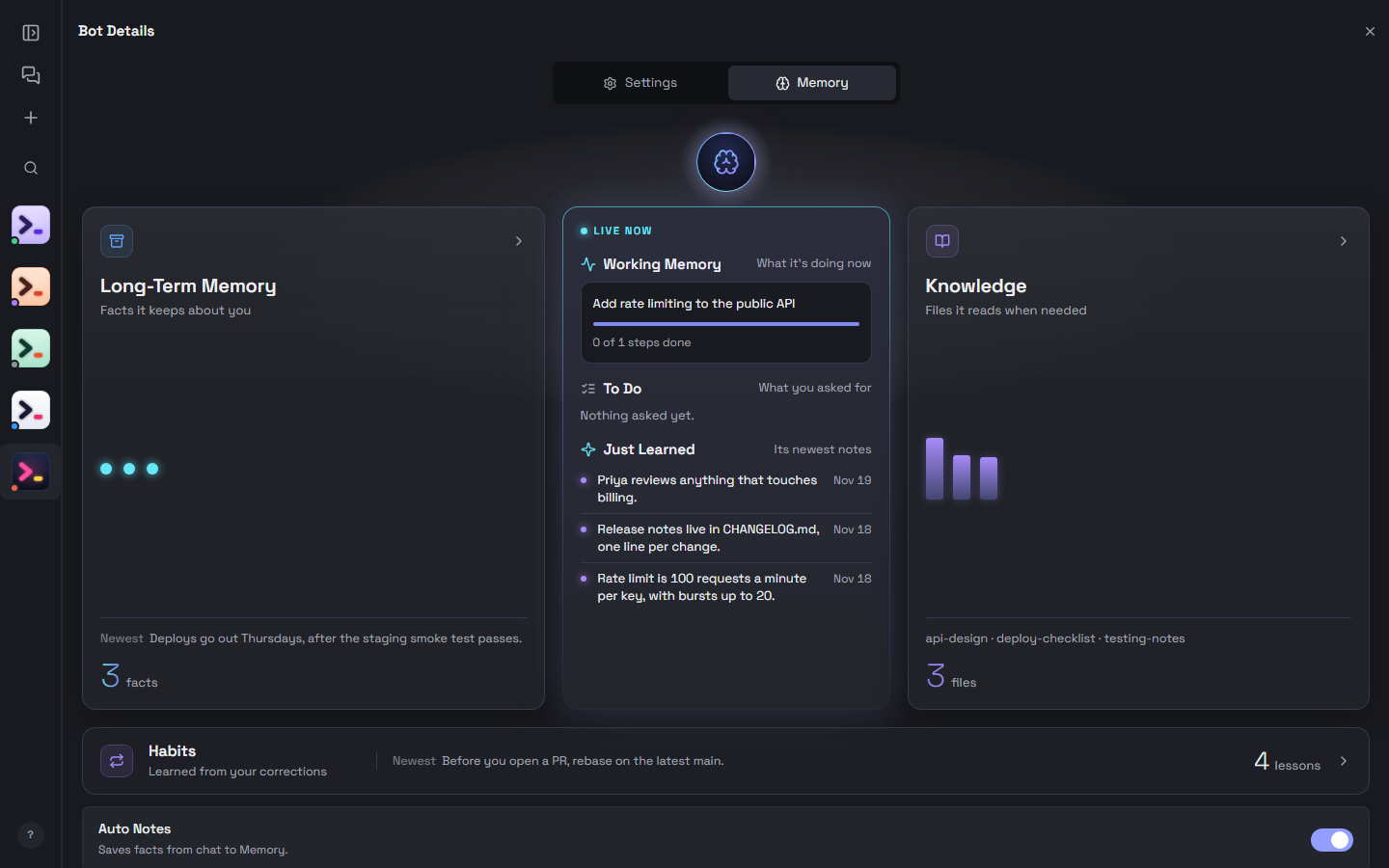
4. Never loses the plot
One thread per bot. No /compact, no starting over. Each bot's MEMORY.md carries across models, PCs and your phone.
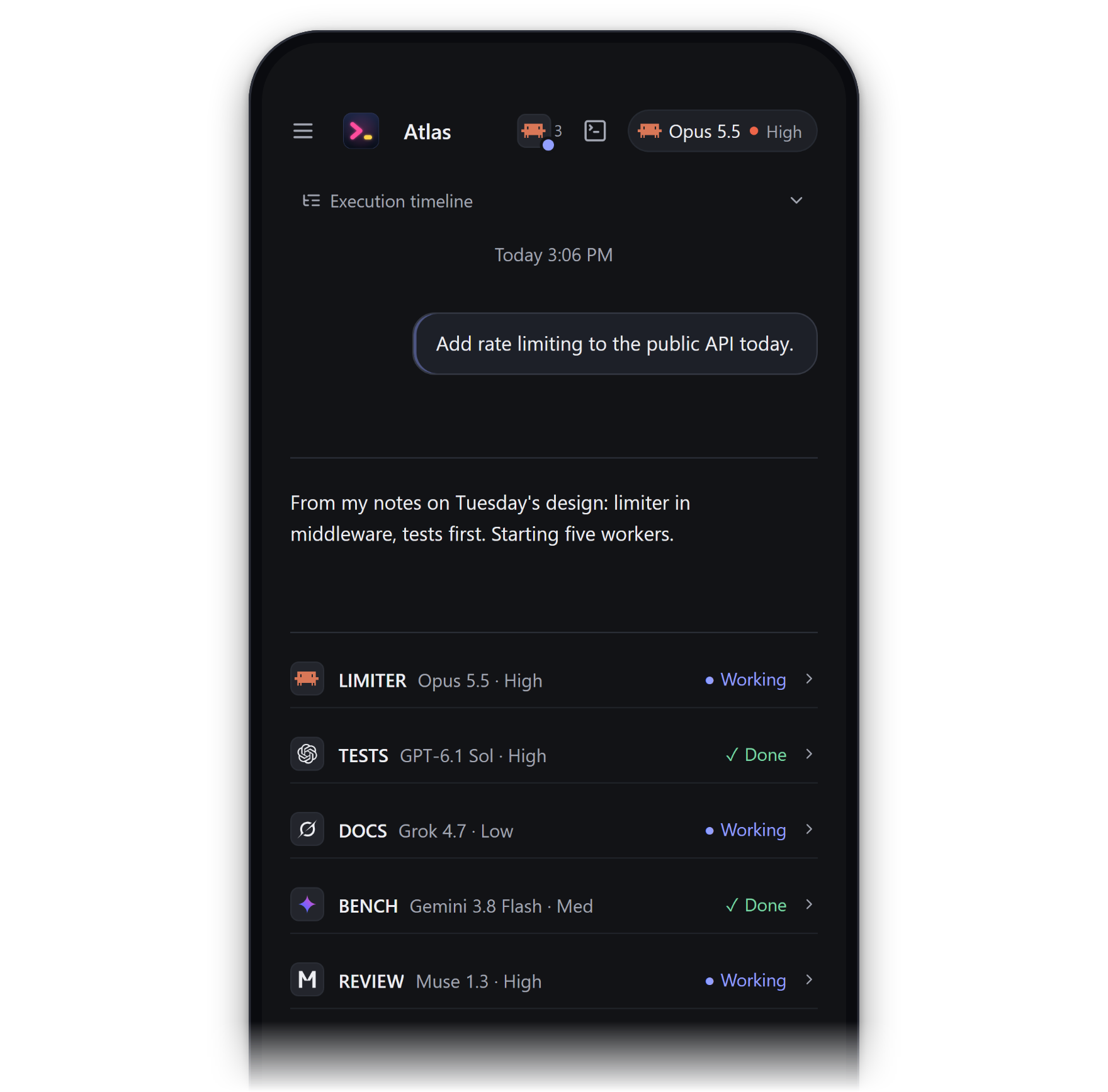
5. The same chats on your phone
Over your Tailscale tailnet or a relay you host, with a push when a bot needs you.
Quickstart
- Install at least one engine CLI and sign in once.
- Download Wink-setup.exe and run it (Windows 10 / 11, x64).
- Wink finds the engines on this PC. Create a bot, give it a job, and message it like anyone else.
The installer isn't code-signed yet, so SmartScreen may say "Windows protected your PC". Choose More info, then Run anyway.
Engines
| Engine | CLI | Sign in |
|---|---|---|
| Claude Code | claude |
claude |
| Codex | codex |
codex login |
| Gemini (Antigravity) | agy |
agy |
| Grok | grok |
grok login |
| Muse | muse |
muse login |
Install on Windows (PowerShell):
irm https://claude.ai/install.ps1 | iex                  # Claude Code
npm install -g @openai/codex                             # Codex (needs Node.js)
irm https://antigravity.google/cli/install.ps1 | iex     # Gemini (Antigravity)
irm https://x.ai/cli/install.ps1 | iex                   # Grok
powershell -NoProfile -ExecutionPolicy Bypass -Command "irm https://api.meta.ai/muse-launcher.ps1 | iex"   # Muse
Engine logins stay in each CLI's own store. Wink drives the CLI with the session you already have. Add engines later in Settings > Connections. Muse runs natively and falls back to WSL.
Trust and security
- Usage stats are anonymous and never include chats, files or names. Turn them off at first run or in Settings > General. GlitchTip error reports are off by default.
- Listens on this PC only, behind a per-launch token.
- Engine logins stay in each CLI's own store.
This is everything Wink listens on, sends and stores, usage stats included.
Listens (this PC only)
127.0.0.1:8799for the app (falls back to 18799, then 28799), behind a per-launch token and a Host/Origin check. The token lives in memory, and in a Claude turn's temp config until that turn ends.127.0.0.1:8800for webhooks (the app's port + 1, so 18800 or 28800 on a fallback), which rejects any request without a webhook's secret.- Random token-protected
127.0.0.1ports for the terminal and browser bridges.
Sends with no setup
- Anonymous usage stats, while they're on (the first-run box, on by default; Settings > General > Crash reports and stats turns them off from this PC, your phone or the browser): a random install ID (deleted when you turn stats off), app version, OS, CPU cores, rounded RAM and screen scale, languages, how many bots, rooms and phones you have, which services have a key set (never the key), and counts and timings of screens, settings (old and new value), features, engines (with CLI versions), models, turns, tokens, cost, workers, crashes and errors, with error locations hashed. Never message text, file names or paths, bot or room names, emails, account IDs, room codes or error text. Batches go about every 30 minutes, at most 256 KB each, to the relay in the build's
WINK_STATS_URL(no host is configured in this repo). The relay sees the PC's IP address but doesn't write it down, and keeps stats for 90 days. - Update checks to GitHub Releases (
aiedwardyi/orbit-releases) 15 s after launch, then hourly. The stock updater adds a random per-install ID header (x-user-staging-id) for staged rollouts. Downloads start only when you press the button and are checked against the release's sha512 hash. The build isn't code-signed yet. - Your engine CLIs, which Wink starts to list models and check sign-in at launch, on refocus and in the model picker. Each talks to its own vendor with your login and keeps its own telemetry settings.
tailscale serve --bg --https=443at launch when Tailscale is installed and logged in, so your phone can reach Wink over your tailnet. Tailnet only, never Funnel, and the API still needs the phone link's sign-in key. The rule stays after Wink quits.ORBIT_REMOTE_AUTO=0turns it off.- Electron's built-in spellchecker, which can fetch a dictionary for your language from Google's Chromium CDN.
Sends once you set something up
- Opt-in error reports go to the GlitchTip host in the build's
ERROR_REPORT_DSN(no host is configured in this repo), at most 5 uploads per PC per UTC day, off by default. They contain only app version, OS/architecture, fixed process/error/site codes, bounded counts/exit codes/uptime bucket, UTC hour and a random report ID. The host sees the PC's IP address. - Phone relay, after you paste a setup code: a connection to your relay at every launch. TLS runs end to end between phone and PC, so the relay passes bytes it can't read. Wink also gets this PC's certificate from Let's Encrypt and checks crt.sh daily for certificates issued for its relay name. A team relay also takes stuck-worker reports from teammates' PCs for its owner (Wink version, engines and note times, scrubbed; never chats, files or terminal text), and they follow each PC's error-report setting.
- Phone notifications, once you allow them on the phone, go out encrypted through the phone browser's push service.
- Team relay: for a PC joined with the owner's setup code, it keeps the PC's name, its Wink profile name and when its person used Wink, for the owner's team page. A PC joined with Google sends no use times, and the relay keeps no name for it.
- Sync writes only to the folder you choose.
- Services you add a key for (Composio, ElevenLabs, AssemblyAI, the xAI API, Box (ascii.dev), OpenAI images, and custom providers in your Codex config) are called with that key when you or a bot use them. Composio is also called at every launch once its key is set, and each custom Codex provider is asked for its model list at launch.
Sends only when you act
- Settings > Usage > Refresh calls Anthropic's usage API with your Claude Code login. If that login expired, Wink renews it with Anthropic and rewrites
~/.claude/.credentials.json. - Team Library fetches a pinned snapshot of
milind-soni/openmausbot-teamsfrom GitHub. Skill import and install links also fetch from GitHub. Project scout queriesapi.botdirectory.ai. The Connected Apps panel loads app icons from Google's favicon service. - Local VM and VPS setup pull images from Docker Hub and packages from PyPI, and reach your VPS over ssh.
- Images in a bot's reply load from wherever they point (there is no CSP), so a reply can make Wink fetch any URL.
Stores
~/.orbit(orOMB_DATA_DIR): bots, chats (messages.db), each bot'sMEMORY.md, task records, attachments, redacted engine event logs, phone pairing keys, and a decision log.orbit-msglives in~/.orbit/bin.- In
~/.orbit:analytics.json(stats on or off),stats-id(the random install ID),stats-queue.ndjson(batches waiting to send, at most 1 MB, dropped after 14 days) andstats-active(marks a running session, to count unclean exits). Wink doesn't sync these. %APPDATA%\orbit-desktop: Wink's own API keys incredentials.bin, encrypted with the Windows credential store through ElectronsafeStorage, the updater's install ID, and logs. It also holds Electron's browser data: local storage (UI settings and unsent drafts), plus the cookies and logins of the bots' built-in browser and of the windows that open your other PCs.- In the same userData folder:
error-report-consent.json(consent),error-report-queue.json(pending reports),error-report-budget.json(daily upload count and backoff), anderror-report-active(previous-run marker). These files are not synced by Wink. - Outside those, only while needed:
~/.gemini/config/mcp_config.jsonduring Antigravity turns (restored after) and a tempmcp.jsonper Claude turn (deleted after). Picking a local model for Grok adds it to~/.grok/config.toml, with that server's API key if it has one, and the entry stays. - Names: Wink was OpenMausBot, then Orbit. The old names in
~/.orbit,%APPDATA%\orbit-desktop, theOMB_andORBIT_variables,orbit-msgand theorbit-releasesupdate feed stay on purpose, so existing installs keep their data, settings and updates.
Approvals
- New bots start in Auto: every tool request in a turn you start is approved, destructive ones included. On this PC's own screen, destructive or secret-reading actions still ask. In a turn nobody started (a schedule or a wake), Auto skips destructive commands, deletes outside the project folder and desktop control, and the bot says what it skipped.
- Ask asks before any tool call you haven't always-allowed, and always before destructive or secret-reading ones. Codex runs in its workspace-write sandbox, unless you hand-edit an instance's config to
fullAuto(no Settings screen does), which turns the sandbox off. Antigravity can't ask in print mode, so Ask has no effect there. - Engine CLIs start without a shell and without your
*_KEY,*_TOKENand*_SECRETvariables, except what a driver needs.
Workers
- Workers run with their CLI's permission prompts off:
claude --dangerously-skip-permissions,codex --dangerously-bypass-approvals-and-sandbox,muse --yolo,grok --always-approve,agy --dangerously-skip-permissions. - The built-in playbook tells bots to run each worker in its own git worktree, never your checkout. That is an instruction to the bot, not something Wink enforces.
- Pane shells don't inherit Wink's tokens or secrets, except
ORBIT_MSG_AUTH: a token that only lets that one pane post its report to the bot that opened it. Panes close when Wink quits.
Report vulnerabilities through SECURITY.md.
Requirements
- Windows 10 or 11, x64
- At least one engine CLI with an active login
- Git for Windows on the PATH, for workers
- Optional: Tailscale on the PC and phone, for phone access (the free plan works)
- To build: Node.js 24+ and pnpm 10.33
Compatibility
| Platform | Package | Status |
|---|---|---|
| Windows 10 / 11 (x64) | Installer with in-app updates | Supported |
| macOS | pnpm package:mac, local build |
No release yet |
| Linux | Manual workflow (AppImage, deb) | No release yet |
orbit-msg reports are Windows only. Elsewhere the planner reads the worker's pane.
Build from source
git clone https://github.com/aiedwardyi/Wink.git
cd Wink
pnpm install --frozen-lockfile
pnpm dev:desktop    # the desktop app
pnpm dev            # or the browser UI at http://127.0.0.1:5199
pnpm package:win    # installer in release/
Troubleshooting
SmartScreen blocks the installer
The installer isn't code-signed yet. Choose More info, then Run anyway.
An engine shows as missing
Install its CLI, run its sign-in command once in a terminal, then check Settings > Connections.
Worker reports never arriveorbit-msg is installed on Windows only. Check that the card's last line runs orbit-msg --report DONE|FAIL|BLOCKED <NICK>. On macOS and Linux the planner reads the pane instead.
No phone link in Settings
The Phone link card shows once Tailscale is installed and logged in on this PC, and no other tailscale serve rule holds its port 443.
Wink is on an old version
Updates are checked hourly. Press the update button when it appears, or download the latest Wink-setup.exe.
Contributing
Issues and pull requests are welcome. Start with CONTRIBUTING.md.
If Wink is useful to you, a star helps others find it.
Credits
Wink is designed, built and maintained by Edward Yi.
Its first codebase came from OpenMausBot by Milind Soni (Apache-2.0), used as a starting template. Since then, more than 1,100 commits have turned it into Wink. See LICENSE and NOTICE.
The cross-model picker uses Ghostex by Mohamad Yahia (MIT) as its design source.
License
Apache-2.0
Yorumlar (0)
Yorum birakmak icin giris yap.
Yorum birakSonuc bulunamadi