Agent-OS
Health Warn
- License — License: MIT
- Description — Repository has a description
- Active repo — Last push 0 days ago
- Low visibility — Only 6 GitHub stars
Code Warn
- network request — Outbound network request in static/app.js
Permissions Pass
- Permissions — No dangerous permissions requested
No AI report is available for this listing yet.
Autonomous Multi-Model AI Workspace - Claude Artifacts-style live preview, 7 AI providers, file/camera uploads, 9 built-in tools
🧠 Agent OS — Autonomous Multi-Model AI Workspace




A Claude Workspace-like autonomous AI agent that creates real apps, runs code, and shows live previews — all from your browser.
Features • Screenshots • Quick Start • Providers • Architecture
📸 Screenshots
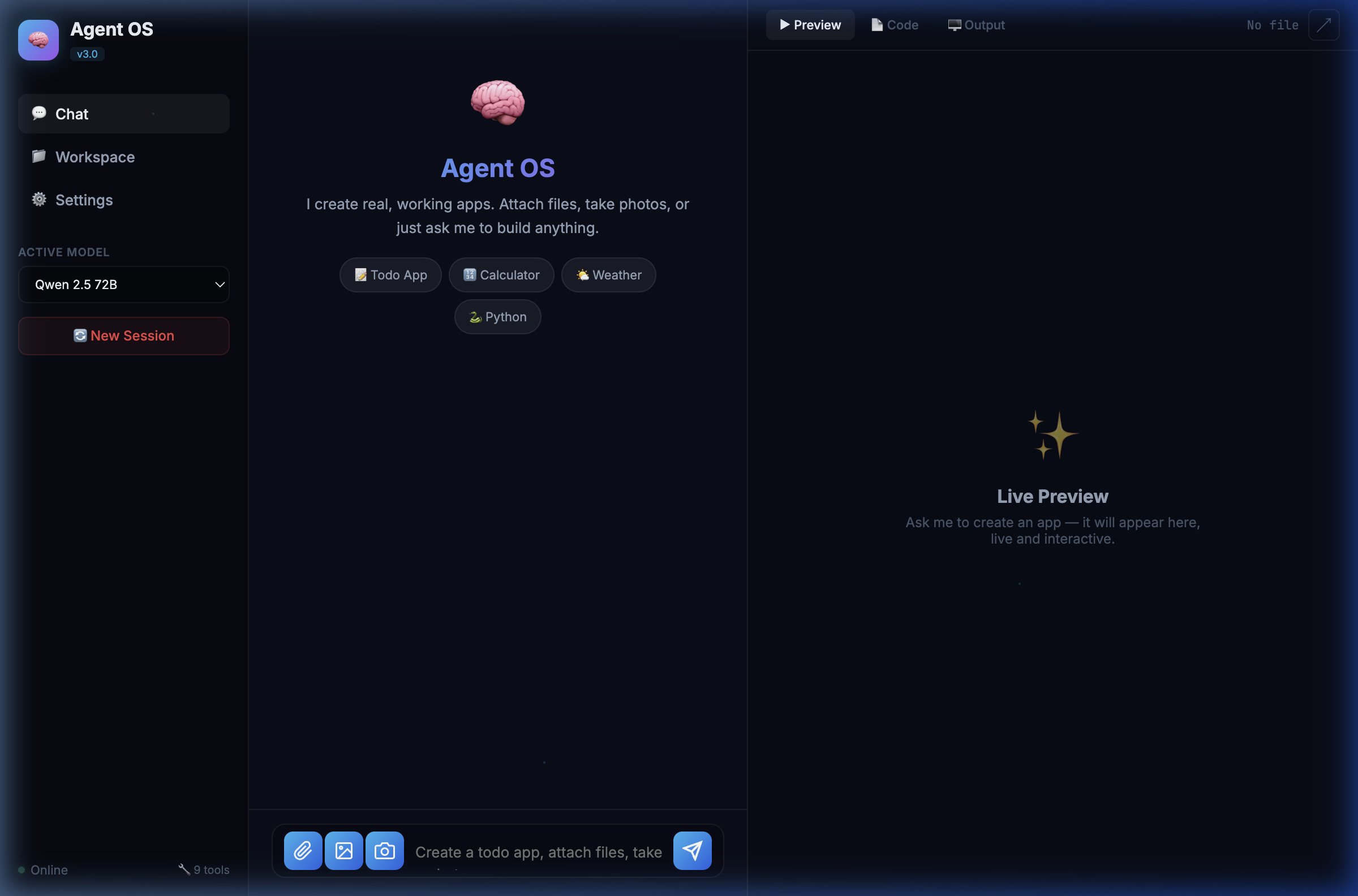
💬 Chat + Live Preview Workspace
Split-pane layout: chat on the left, live app preview on the right. Attach files, take photos, or use the camera — all from the input bar.
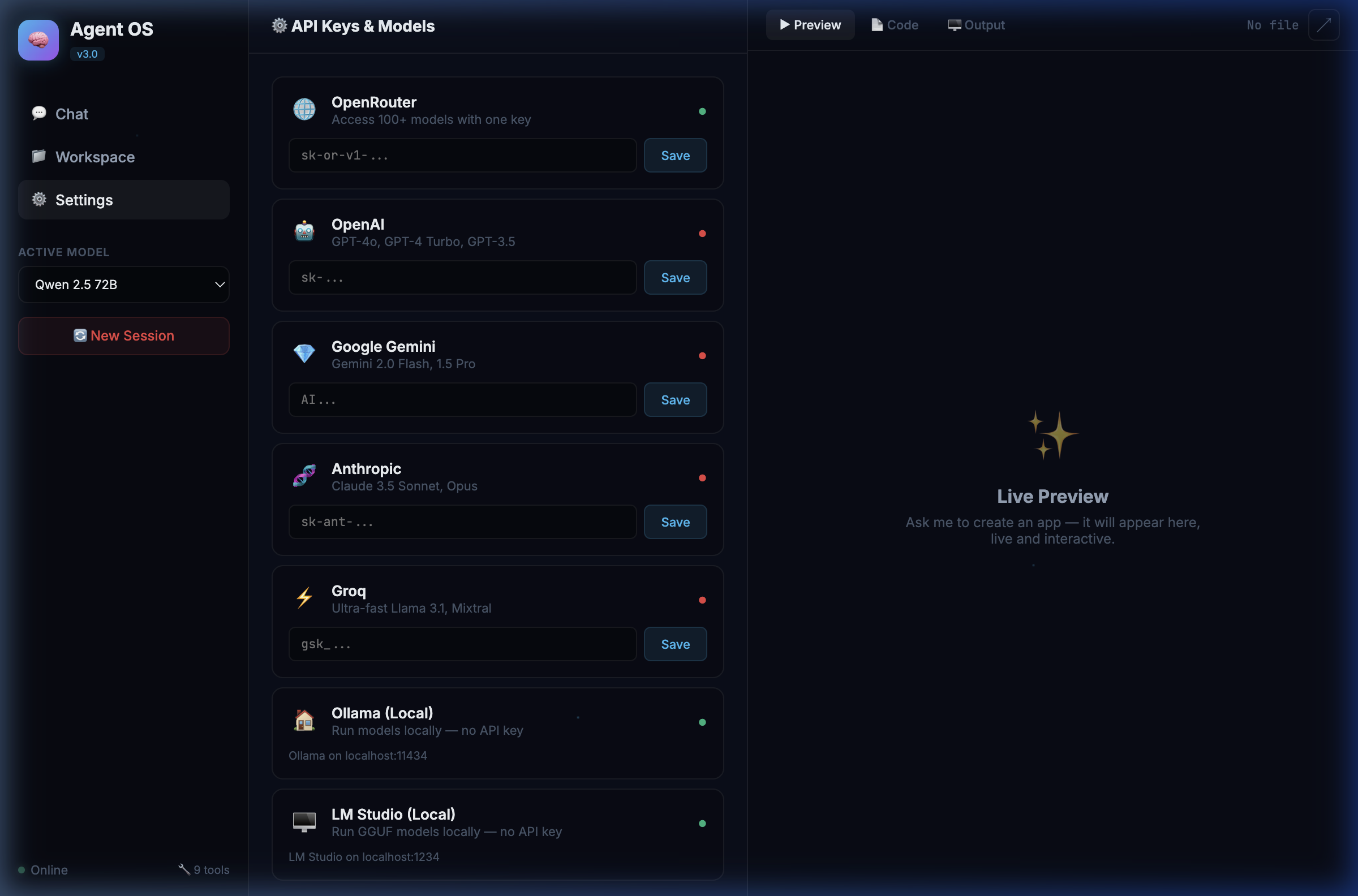
⚙️ Multi-Provider Settings
Manage API keys for 7 AI providers. Green dot = connected, red dot = needs key. Add any custom model ID.
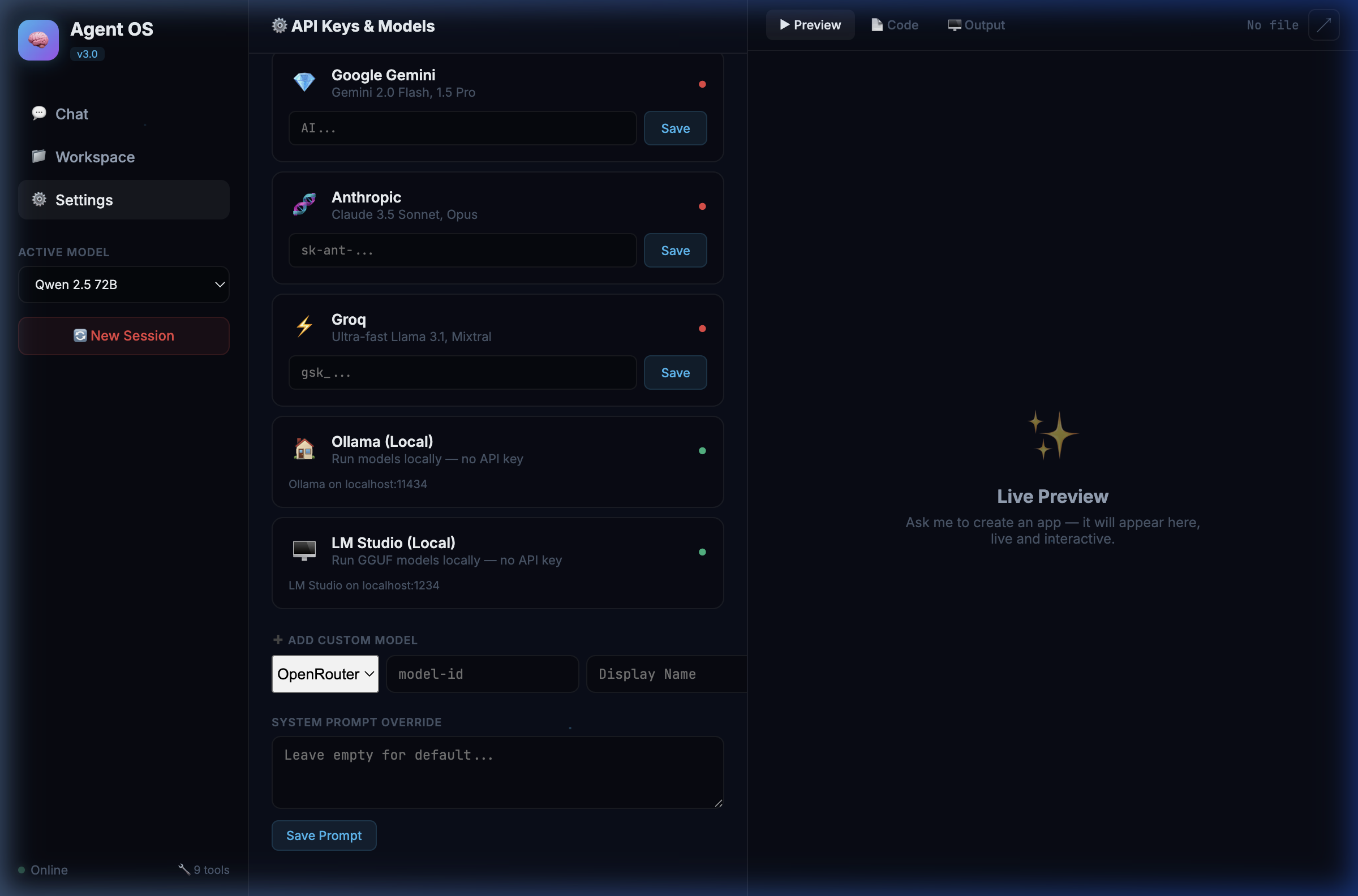
🖥️ Local Models & Custom Configuration
Ollama and LM Studio for local models (no API key needed). Add custom models from any provider. Override the system prompt.
✨ Features
🤖 Autonomous Agent
- ReAct Loop — Thinks, acts, observes, and iterates autonomously (up to 15 steps)
- 9 Built-in Tools — Search, browse web, write/read files, run Python, execute shell commands
- Any Task — "Create a todo app", "Search the web", "Run Python code", "Build a calculator"
🎨 Live Preview (Claude Artifacts-Style)
- Split Layout — Chat on the left, live preview on the right
- Instant Rendering — Created apps appear immediately in an interactive iframe
- Code Viewer — View source code of any created file
- Output Panel — See tool execution logs in real-time
📎 File & Camera Support
- Attach Files — Upload any file type to the workspace
- Photo Upload — Attach images from your device
- Camera Capture — Take photos directly from your webcam
- Drag & Drop — Drop files into the chat area
⚙️ Multi-Provider API Management
- 7 AI Providers with dedicated settings cards
- Per-provider API keys — saved to
.envfor persistence - Custom Models — Add any model ID from any provider
- Local Models — Ollama & LM Studio support (no API key needed)
🚀 Quick Start
Prerequisites
- Python 3.10+
- An API key from any supported provider
Installation
# Clone the repository
git clone https://github.com/Aj2280/Agent-OS.git
cd Agent-OS

# Install dependencies
pip install -r requirements.txt

# Set your API key (or add it later in Settings)
echo "OPENROUTER_API_KEY=your-key-here" > .env

# Start the server
python server.py
Open in Browser
http://localhost:8000
That's it! 🎉
🔌 Supported Providers
| Provider | Models | API Key Required |
|---|---|---|
| 🌐 OpenRouter | 100+ models (GPT-4o, Claude, Llama, etc.) | ✅ |
| 🤖 OpenAI | GPT-4o, GPT-4 Turbo, GPT-3.5 | ✅ |
| 💎 Google Gemini | Gemini 2.0 Flash, 1.5 Pro | ✅ |
| 🧬 Anthropic | Claude 3.5 Sonnet, Claude 3 Opus | ✅ |
| ⚡ Groq | Llama 3.1, Mixtral (ultra-fast) | ✅ |
| 🏠 Ollama | Any local model (Llama, Mistral, etc.) | ❌ |
| 🖥️ LM Studio | Any GGUF model loaded locally | ❌ |
Tip: OpenRouter is the easiest way to get started — one key gives you access to 100+ models.
🛠️ Built-in Tools
| Tool | Description |
|---|---|
google_search |
Search the web for real-time information |
fetch_url |
Read and extract content from web pages |
write_file |
Create files (code, HTML, documents) |
read_file |
Read existing files in the workspace |
list_files |
Browse directory contents |
create_directory |
Create folders |
run_python_code |
Execute Python code directly |
run_shell_command |
Run system commands |
think |
Internal planning for complex tasks |
🏗️ Architecture
Agent-OS/
├── server.py          # FastAPI backend — API routes, file serving
├── agent_core.py      # Autonomous ReAct agent with multi-provider routing
├── tools.py           # 9 tool implementations
├── main.py            # CLI interface (optional)
├── requirements.txt   # Python dependencies
├── .env               # API keys (auto-generated)
├── static/
│   ├── index.html     # Dashboard UI
│   ├── style.css      # Dark theme, glassmorphism
│   └── app.js         # Frontend logic, preview, uploads
└── workspace/         # Files created by the agent
How It Works
graph LR
    A[User Message] --> B[FastAPI Server]
    B --> C[Agent Core]
    C --> D{LiteLLM Router}
    D --> E[OpenRouter/OpenAI/Gemini/...]
    C --> F[Tool Execution]
    F --> G[Write File / Run Code / Search]
    G --> C
    C --> H[Response + Created Files]
    H --> I[Live Preview in iframe]
- User sends a message via the chat UI
- Agent plans using the ReAct loop (Reason → Act → Observe)
- Tools are executed — files written, code run, web searched
- Results are returned — response in chat, apps in live preview
- Files are served from the workspace via
/preview/endpoint
📦 Dependencies
fastapi
uvicorn
litellm
duckduckgo-search
requests
beautifulsoup4
python-dotenv
python-multipart
🤝 Contributing
Contributions are welcome! Feel free to:
- Open issues for bugs or feature requests
- Submit pull requests with improvements
- Add new tools or providers
📄 License
MIT License — feel free to use, modify, and distribute.
Built with ❤️ by Aj2280
⭐ Star this repo if you find it useful!
Reviews (0)
Sign in to leave a review.
Leave a reviewNo results found