personal-ops-manual
Health Uyari
- License — License: MIT
- Description — Repository has a description
- Active repo — Last push 0 days ago
- Low visibility — Only 9 GitHub stars
Code Gecti
- Code scan — Scanned 12 files during light audit, no dangerous patterns found
Permissions Gecti
- Permissions — No dangerous permissions requested
Bu listing icin henuz AI raporu yok.
Native macOS manual for your own setup: one Markdown page per machine, service and agent, read by every agent through MCP, written by one operator.
Personal Ops Manual







ops-manual.akakika.com · latest release
A native macOS app and an MCP server over one folder of Markdown pages that
describe your setup: machines, services, launch agents, agents, MCP servers,
domains, backups, recovery steps. The folder is the truth; the app and the
server are two windows onto it. One operator writes, every other agent reads
and reports.
- macOS 26 or newer. Swift 6, SwiftUI, XcodeGen, swift-markdown.
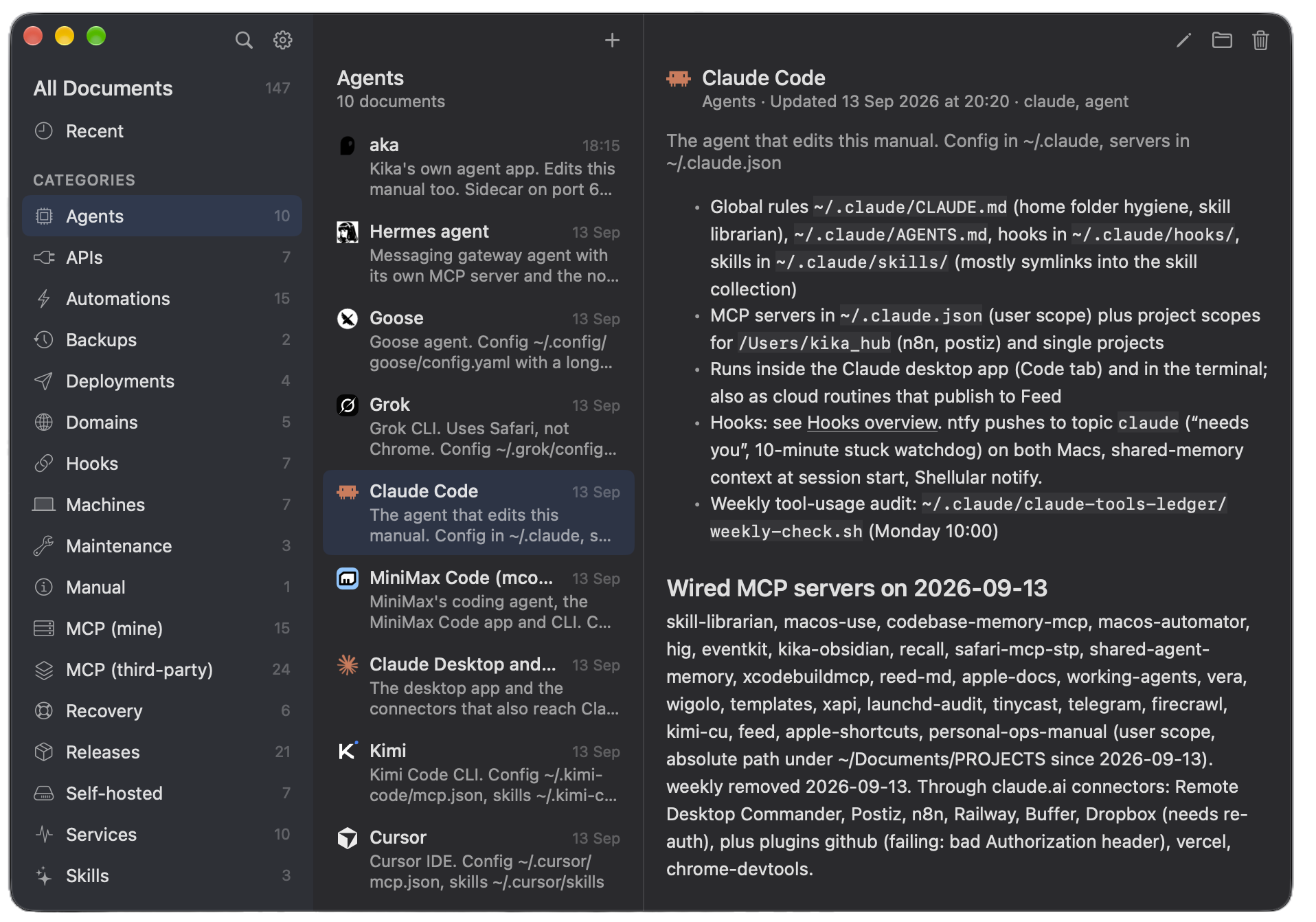
- Three columns: categories, pages, reader. Wiki links between pages,
"Linked from", agent glyphs, a New and Edit sheet, search, settings. mcp/server.mjs: seven tools for any MCP client, read-only on pages
(list_categories,list_documents,search_documents,get_document,get_stale) plus an inbox (report_changeappends a line,list_reports
reads it) so readers can tell the operator what changed. Node 18 or newer.
One page per thing
Every machine, service, agent or domain gets exactly one page, and every page
looks the same: one line that says what it is, a few short sections, links to
the pages that belong with it, and a last line that says when someone last
checked the facts and how.
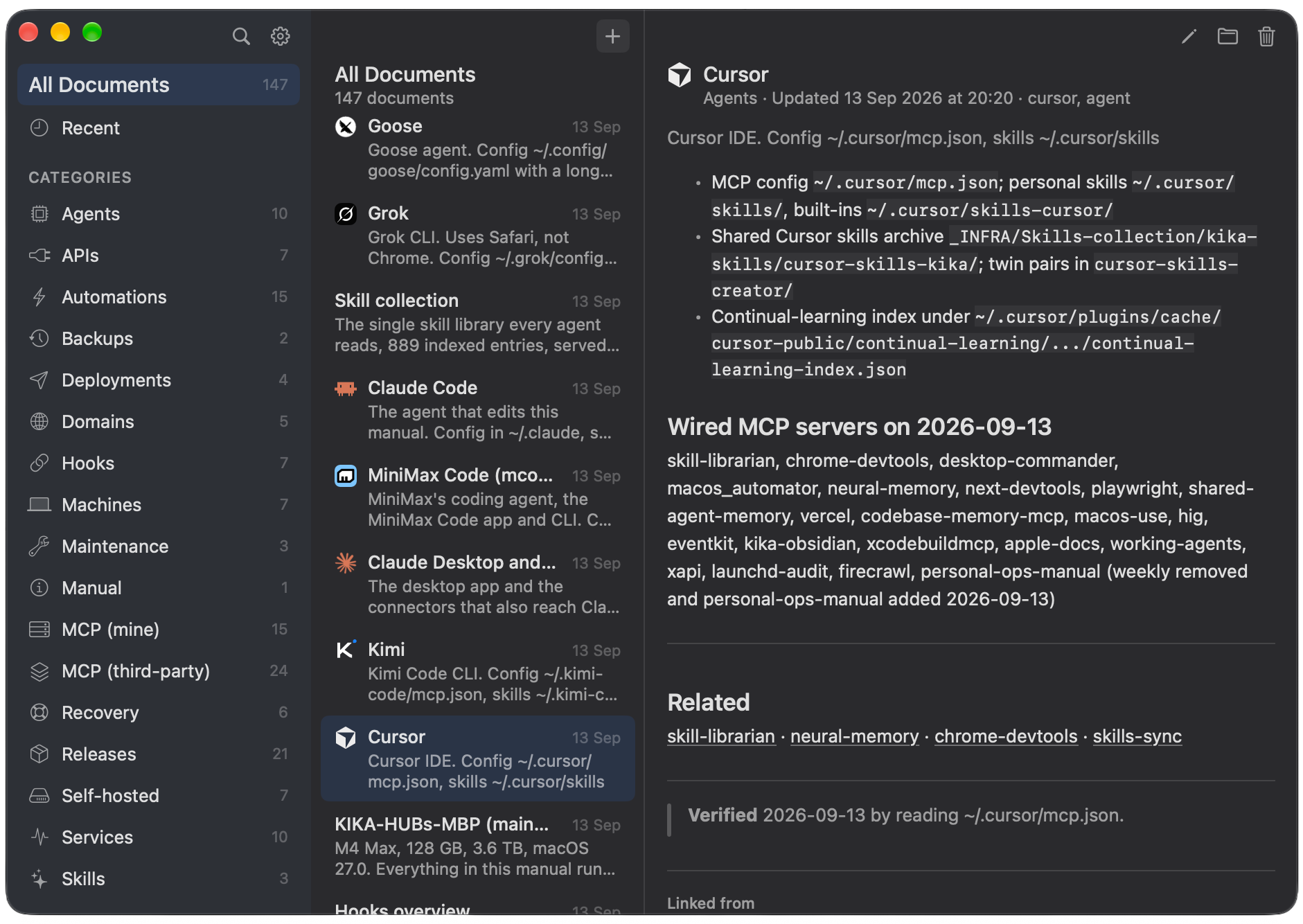
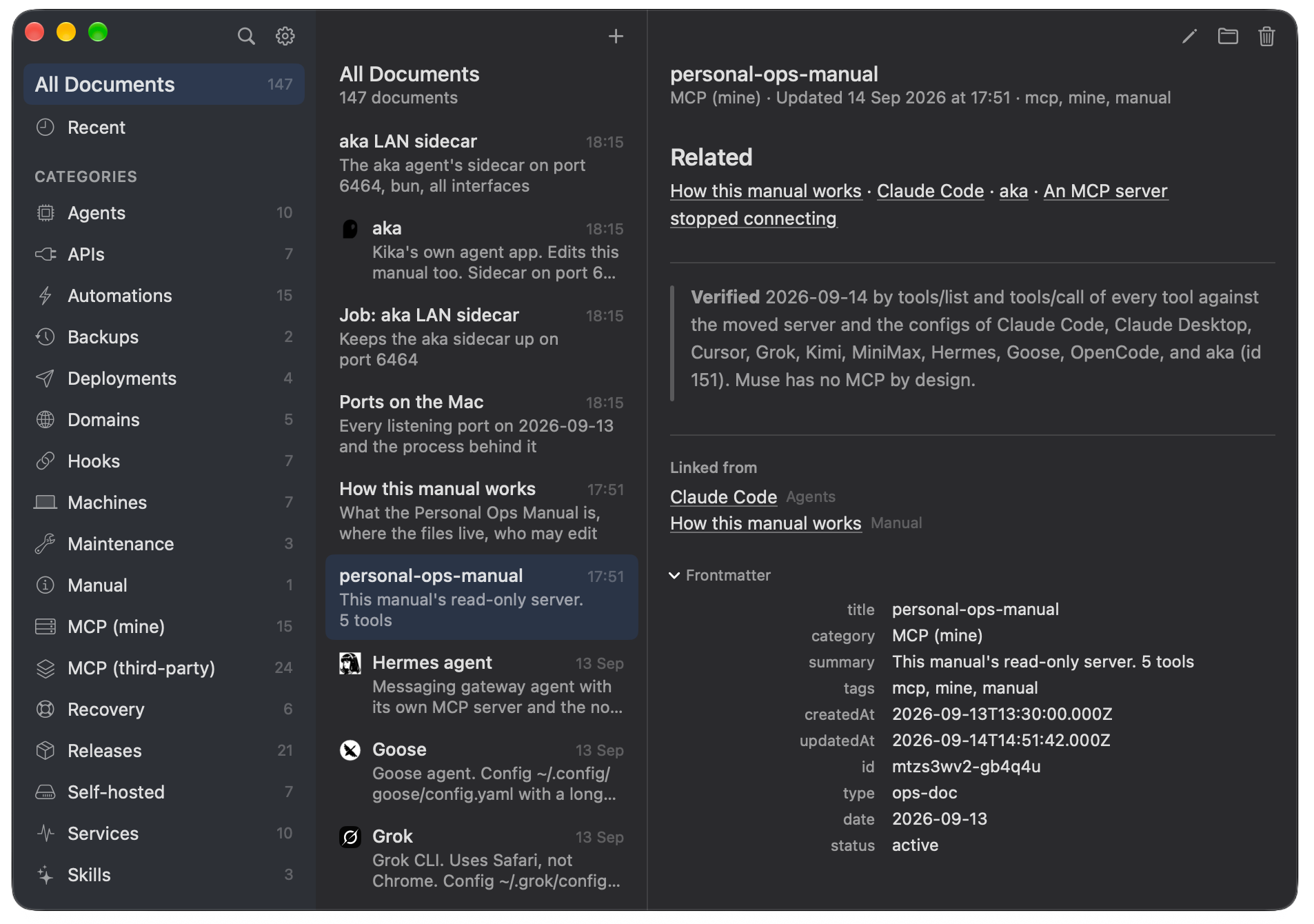
Pages point at each other with [[links]]. Open a page and the app also
shows you which other pages point back at it, so nothing is ever a dead end.
At the bottom, a small Frontmatter section shows the page's properties: its
category, tags, dates and id.
The manual describes itself
The manual has a page about itself: where the files live, how to connect an
agent, and who is allowed to change things. Anyone who opens the folder for
the first time can read the rules right there.
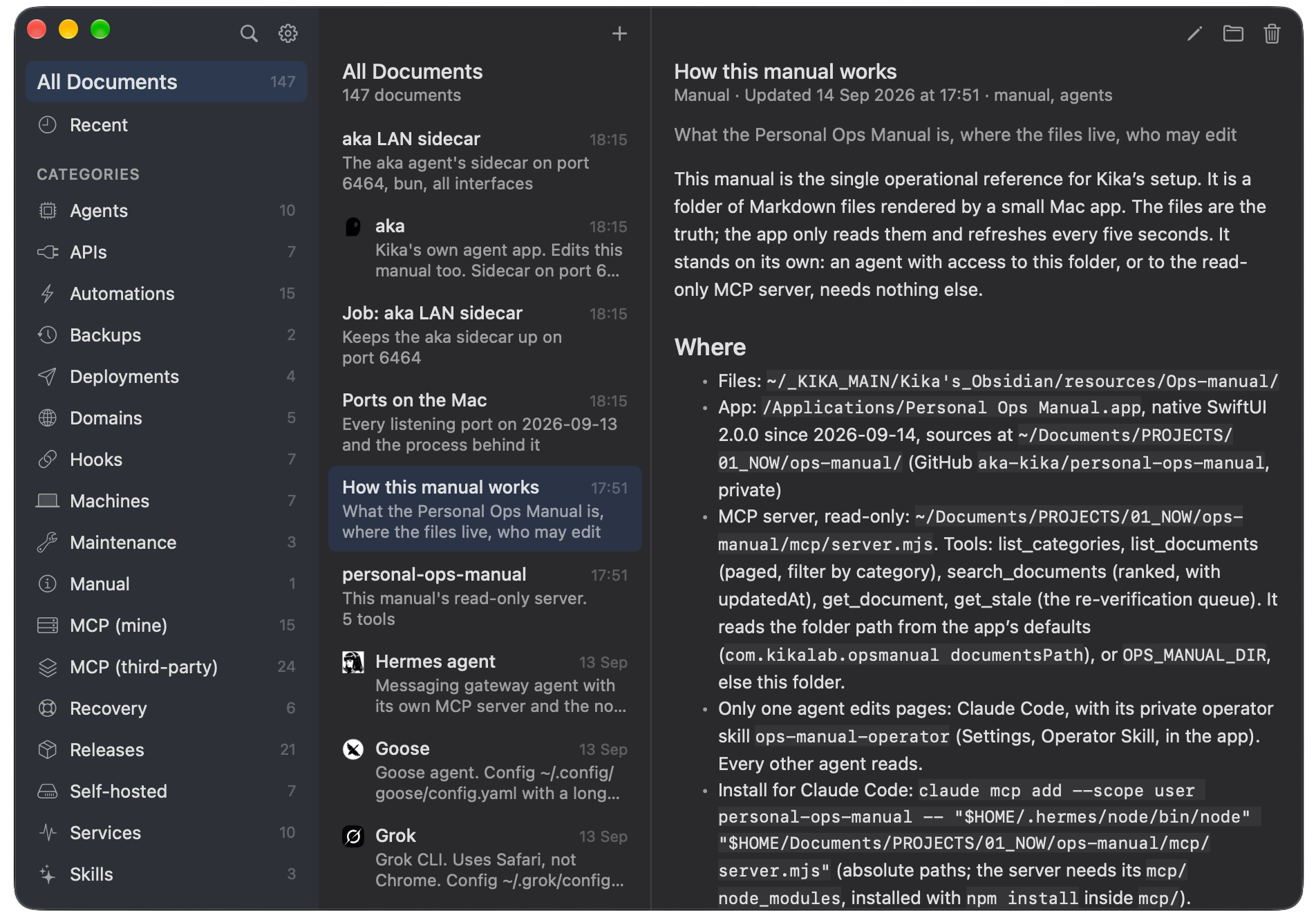
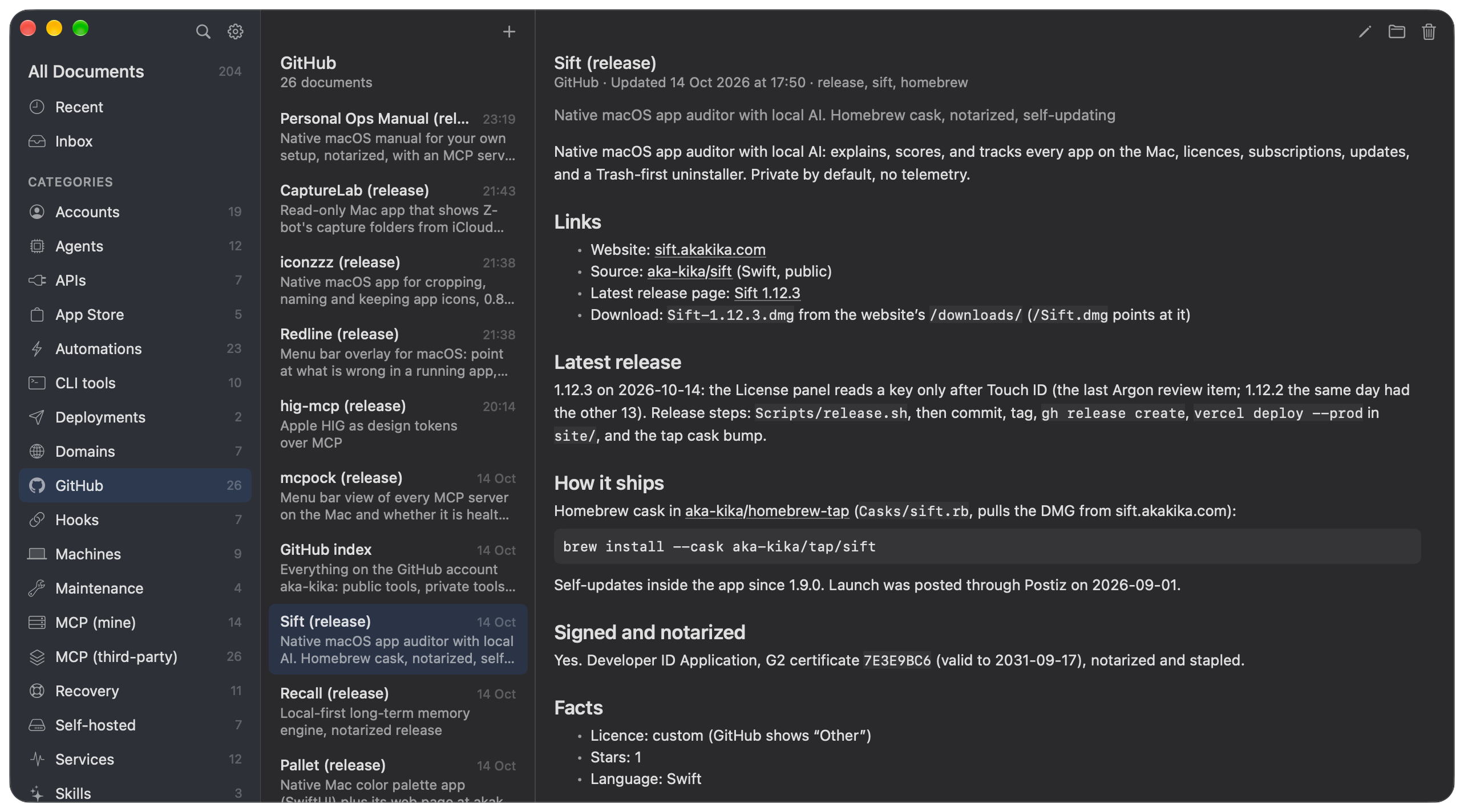
Anything you have shipped gets a page too, under GitHub: what it is, where
the website and the code are, the latest version, and how to install it. One
place to look instead of five browser tabs.
Only the operator writes, and the folder can enforce it
Readers get no page write tools, but an agent with plain file access could
still edit a page. scripts/ops-lock.sh closes that gap with the macOS locked
flag (the Locked box in Finder's Get Info) on every page and on the folder
itself. Every app and agent on the Mac then gets "Operation not permitted" on
a write, whatever tool it uses. _inbox/ stays open, so report_change keeps
working.
scripts/ops-lock.sh status          # locked or unlocked
scripts/ops-lock.sh unlock          # for the operator; locks again after 30 min
scripts/ops-lock.sh lock            # lock now
While the folder is locked the app is a reader too: New, Edit and Move to
Trash explain that the manual is locked. list_reports also returns lines
someone typed into the inbox by hand under malformed, so none go unseen.
Install
brew install --cask aka-kika/tap/personal-ops-manual
Or download the zip from Releases, unzip, drop the app into /Applications.
Or build it: ./build.sh --install (ad hoc signed, for the machine you
build on).
Everything else, from the MCP install lines to the skills, is in the app's
Settings and in docs/FIRST-SETUP.md.
Docs
docs/FIRST-SETUP.md— standing the manual up on a new machinedocs/PHILOSOPHY.md— why only one agent writesdocs/HANDOFF.md— the code, how to build, known gapsdocs/AGENT-ICONS.md— the glyphs and where they came fromskill/— the reader skill for every agent and the operator skill for oneCONTRIBUTING.md— how to build, test, and send a change;LICENSEis MIT
Release
./release.sh builds with Developer ID, notarizes, staples, and zips;--install replaces the installed app, --publish creates the GitHub
release. It reads the signing identity from a git-ignored release.env; the
script header says what goes in it.
Contributing
Issues and pull requests are welcome; CONTRIBUTING.md has the build steps
and the house style.
License
MIT. See LICENSE.
Yorumlar (0)
Yorum birakmak icin giris yap.
Yorum birakSonuc bulunamadi