Agent-Tarmac
Health Uyari
- License — License: MIT
- Description — Repository has a description
- Active repo — Last push 0 days ago
- Low visibility — Only 5 GitHub stars
Code Gecti
- Code scan — Scanned 12 files during light audit, no dangerous patterns found
Permissions Gecti
- Permissions — No dangerous permissions requested
Bu listing icin henuz AI raporu yok.
Mission control for your coding agents — every Claude Code and Codex session on your Mac in one window: live terminals, activity status (which agent needs you), restore after reboot.

Mission control for your coding agents.


⬇ Download for macOS · Apple Silicon · free & open source
Running many coding agents in parallel — often 20+ Claude Code and Codex sessions spread across terminal windows — makes them impossible to track: no way to see which ones need you, no single place to resume or stop them, and every reboot feels risky. Agent Tarmac is a single-window macOS app that turns every session on your machine into a live dashboard: each one ever run, from any terminal, browsable and resumable, with per-session status so you can glance at twenty sessions and know which one is holding short for a decision.
It's agent-agnostic by design — it manages Claude Code and Codex today, with Gemini planned (see Roadmap) — and it only ever reads your local session transcripts, so it never spends your Claude or API usage.
Features
- Dashboard over every session — not a walled garden of app-created sessions. Any
claude --resume-able orcodex resume-able session shows up, regardless of where it was started. - Claude Code and Codex — both agents in one cockpit, side by side, with a per-backend badge. ChatGPT-app Codex sessions are hidden by default and one toggle away.
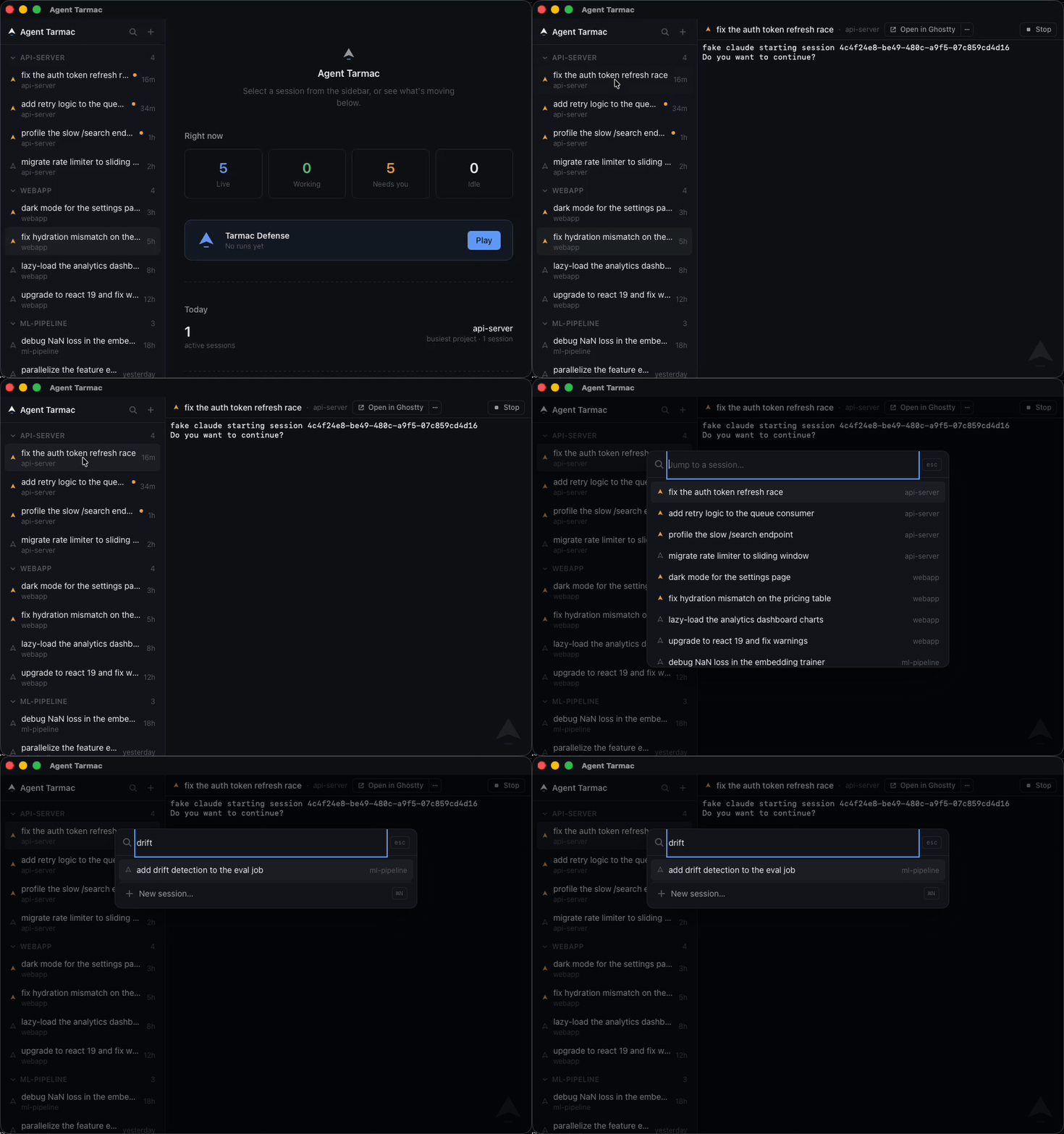
- Embedded terminals — interact with live sessions inside the app, sidebar + terminal pane, like a chat client.
- Activity-aware sidebar — per-session status (
Working/NeedsYou/Idle/Dormant), with badges and optional macOS notifications for the one thing you actually need to know: which session is blocked on you. - Token stats you can flex — a live tally of every token your agents have burned across all sessions, plus a shareable "tokenmaxxing" card. Counted from your transcripts — Agent Tarmac never spends a token of its own.
- Restore workspace — after a reboot, one click respawns everything that was running.
- Pop out to a real terminal — eject any session to your terminal of choice (Ghostty, iTerm2, Terminal…); Agent Tarmac keeps tracking it via transcript watching.
- Stop — a graceful
SIGTERMto a session's process group, no orphaned processes.
Install
⬇ Download the latest release — grab the .dmg (Apple Silicon), open it, and drag Agent Tarmac to Applications.
First launch: the app isn't notarized yet, so macOS won't open it on a double-click. Right-click it in Applications → Open → Open — once. After that it launches normally. (Notarized builds and one-click auto-update are on the roadmap.)
You'll want the Claude Code CLI (claude) and/or Codex on your PATH — Agent Tarmac drives them; it checks for claude and tells you if it's missing.
Build from source
For development, or an Intel Mac / Linux:
git clone https://github.com/aknakshay/Agent-Tarmac.git
cd agent-tarmac
npm install
npm run tauri build   # bundle lands in src-tauri/target/release/bundle/macos/
npm run tauri dev     # or run the dev build
Development
Dev loop with a fake claude
scripts/fake-claude.sh is a stand-in for the real CLI — it starts, prompts, and echoes stdin without touching a real Claude Code session, so you can develop and test the whole app loop without spending real agent turns:
export AGENT_TARMAC_PROJECTS_DIR="$PWD/src-tauri/tests/fixtures/projects"
export AGENT_TARMAC_CLAUDE_BIN="$PWD/scripts/fake-claude.sh"
npm run tauri dev
AGENT_TARMAC_PROJECTS_DIR points the session index at a fixture directory instead of the real ~/.claude/projects; AGENT_TARMAC_CLAUDE_BIN swaps in the fake binary everywhere the app would otherwise spawn claude. Both env vars are read once at startup by the Rust backend (session_index.rs, pty_manager.rs).
Tests
npm test               # vitest — frontend store, workspace metadata
cd src-tauri && cargo test   # Rust — PTY manager, activity state machine, session index
See CONTRIBUTING.md for the full checklist before opening a PR.
How it compares
| Agent Tarmac | FleetCode | opcode | claude-terminal / cc-pane | agent-session-manager | |
|---|---|---|---|---|---|
| Sessions started outside the app | ✅ any session in ~/.claude/projects |
❌ app-created only | ❌ chat GUI, not a terminal cockpit | ❌ layout manager only | ✅ |
| Live activity status (Working/NeedsYou/etc.) | ✅ | ❌ | ❌ | ❌ | ➖ unclear |
| Embedded terminal | ✅ | ✅ | ❌ | ✅ | ✅ |
| Restore workspace after reboot | ✅ | ➖ persistence, not one-click restore | ❌ | ❌ | ➖ unclear |
| Pop out to a real terminal, keep tracking | ✅ | ❌ | ❌ | ❌ | ❌ |
| Platform | macOS (full support) · Linux (compiles, runtime untested — contributions welcome, see #13) | Node/Electron | macOS/Linux/Windows (Tauri) | macOS (Tauri) | Linux only (GTK4) |
FleetCode is the closest competitor — multi-session embedded terminals with --resume persistence and git-worktree isolation — but it only manages sessions it created, is Claude-only, and has no activity status. Agent Tarmac is mission control for every session on the machine — Claude Code and Codex — with live status, regardless of what started it.
Known limitations
- None currently blocking. Popped-out sessions now survive app restarts: the external set is persisted and reconciled against still-running processes at startup (v0.2.0). Found something? Open an issue.
Roadmap
Tracked as GitHub issues:
- Next up: notarized builds + signed auto-update — no more right-click-to-open, and one-click in-place updates (the in-app check currently notifies and links to the GitHub release page)
- Gemini backend support (Claude Code and Codex ship today)
- Git-worktree isolation per session
- tmux backend (alternative to the native PTY manager)
- Tier-3 hooks integration
- Settings pane (notification toggle, clear-metadata action)
- Web/mobile remote access
- Linux runtime support (compiles + CI-checked today; see #13) and Windows support
- Persist which session tabs were open across a restart (which panes were open, not just which were live) and reopen them without auto-resuming dormant ones
Privacy
Agent Tarmac reads your local session transcripts and nothing leaves your machine — with one small, opt-out exception. On launch it makes a single anonymous request to a tiny counter endpoint that tells the maintainer how many people are running the app (the GitHub download badge only sees .dmg downloads, not source builds). That request contains only a random install id the app generates locally, the app version, and the OS — no account, no machine or user identifier, no file paths, no session content. The same request doubles as the update check.
Don't want even that? Set AGENT_TARMAC_NO_TELEMETRY=1 and the app checks for updates against GitHub directly and sends nothing. (In source builds telemetry is off entirely unless a maintainer has configured an endpoint.)
License
Yorumlar (0)
Yorum birakmak icin giris yap.
Yorum birakSonuc bulunamadi