fpga-project-analyzer
Health Uyari
- License — License: MIT
- Description — Repository has a description
- Active repo — Last push 0 days ago
- Low visibility — Only 6 GitHub stars
Code Basarisiz
- eval() — Dynamic code execution via eval() in skills/fpga-project-analyzer/scripts/fpalib/hdl.py
Permissions Gecti
- Permissions — No dangerous permissions requested
Bu listing icin henuz AI raporu yok.
See and review any Vivado / Zynq / PYNQ project: drill-down Vivado-style diagrams and clock-domain, constraint and overlay checks for AI coding agents.
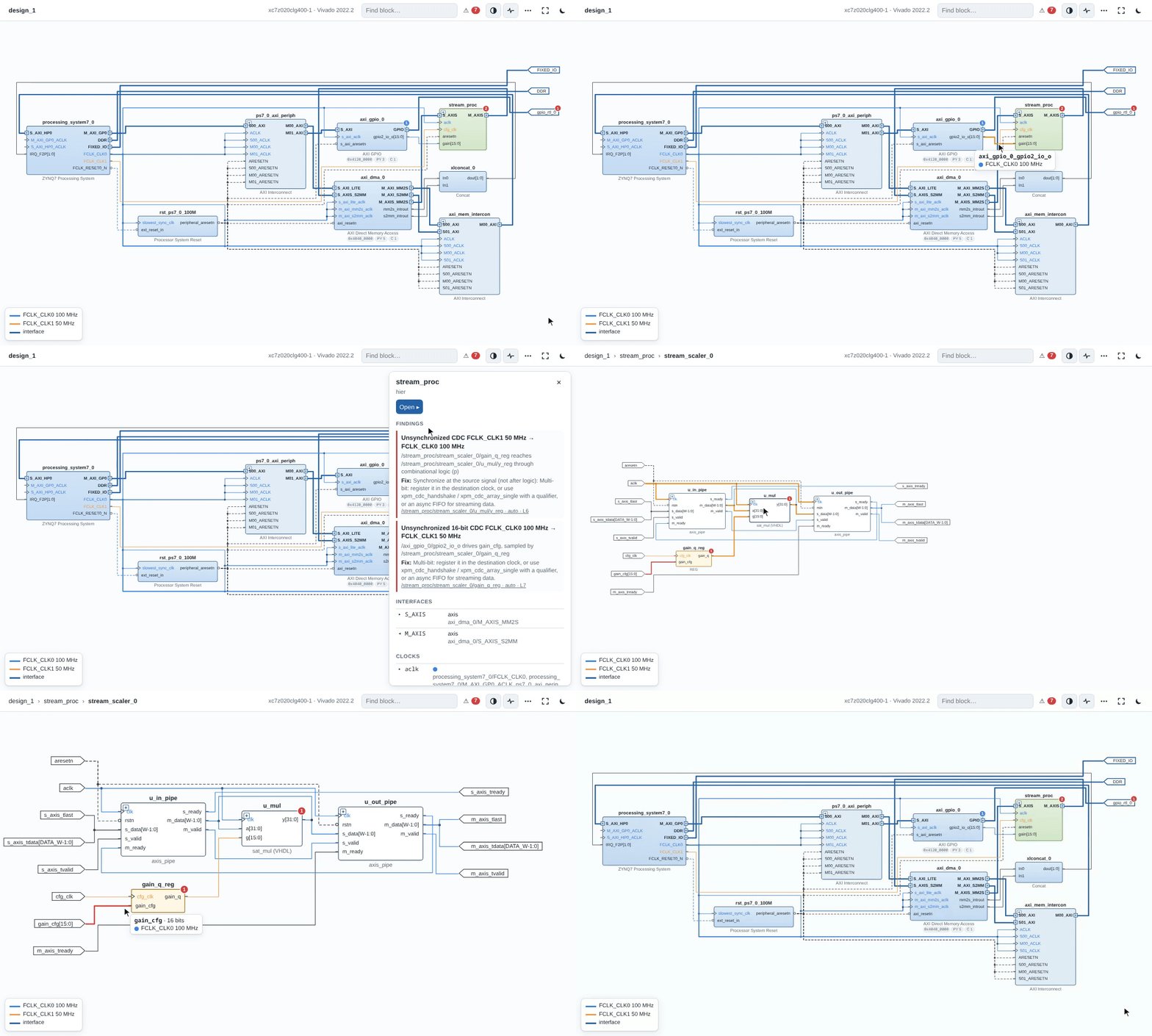
FPGA Project Analyzer
See and review any Vivado, Zynq or PYNQ project - visually.
Drill-down Vivado-style diagrams, plus the bugs that "timing met" hides. A CLI and an AI agent skill.



 |
 |
Features
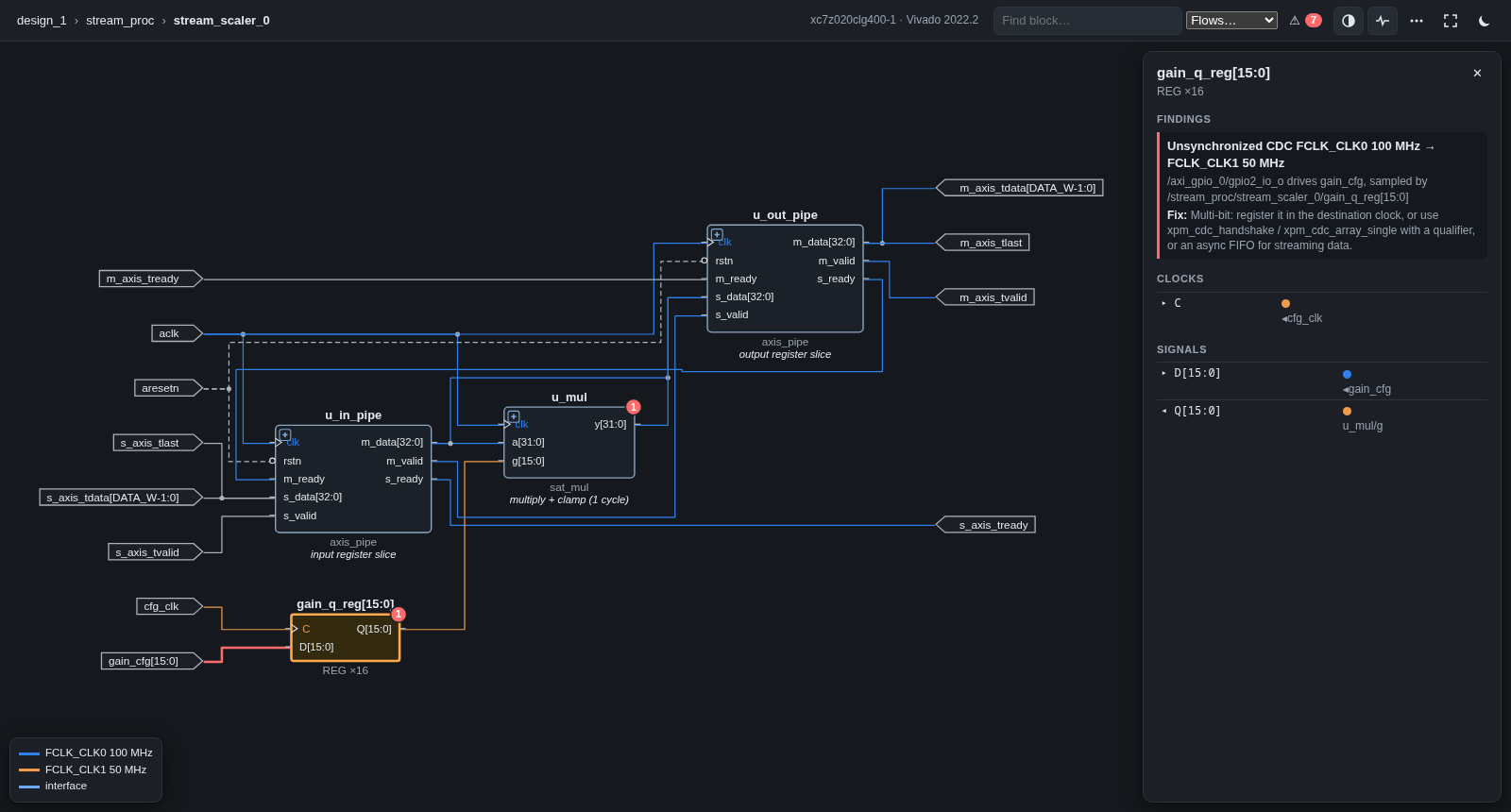
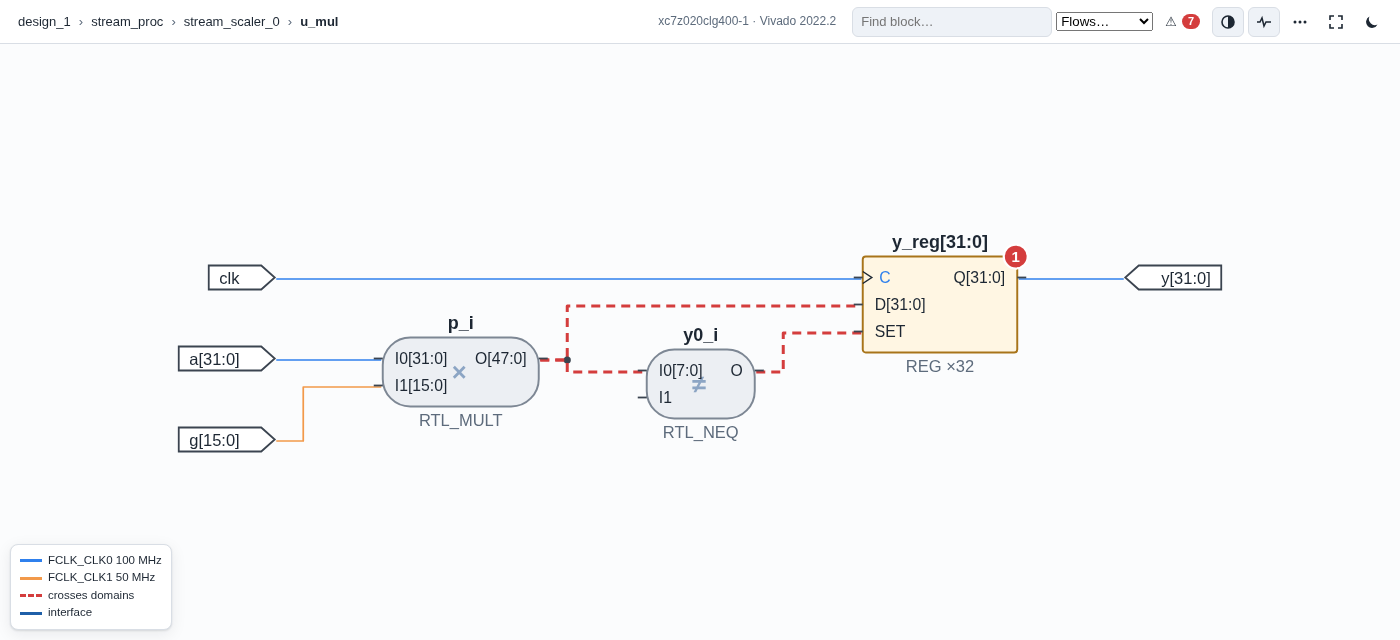
- Diagram: one offline HTML file. Click from block design → hierarchy → Verilog/VHDL → registers; wires
coloured by clock domain. - Checks: clock-domain crossings traced from the block design into RTL, unconstrained pins, reset polarity,
address map, interrupts, PYNQ.bit/.hwhmistakes. - Logs: failed Vivado/PetaLinux builds condensed to the lines that matter.
- Software links: PYNQ notebooks, bare-metal C and device trees mapped to the blocks they drive.
- Docs: export any level as SVG/PNG, or generate a Markdown design document with diagrams (
fpa doc).
Demo
examples/zynq_dma_scaler: Vivado reports timing met; the analyzer finds
H io-unconstrained  gpio_rtl_0_tri_o[3]: no IOSTANDARD / PACKAGE_PIN   ← why write_bitstream failed
H cdc  .../gain_q_reg   16-bit CDC 100 MHz → 50 MHz                     (Vivado report_cdc agrees)
H cdc  .../u_mul/y_reg  CDC 50 MHz → 100 MHz through logic             (Vivado report_cdc agrees)
M pynq-bitname  notebook loads design_1.bit, build makes design_1_wrapper.bit
Install
In Claude Code:
/plugin install fpga --marketplace al-nafisah/fpga-project-analyzer
Older Claude Code: /plugin marketplace add al-nafisah/fpga-project-analyzer, then /plugin install fpga@fpga-project-analyzer.
Any other agent (Cursor, VS Code Copilot, Gemini CLI, Codex CLI, Claude Desktop): install the CLI, then add it as an
MCP server.
pipx install git+https://github.com/al-nafisah/fpga-project-analyzer
{"mcpServers": {"fpga": {"command": "fpa", "args": ["mcp"]}}}
VS Code: same entry under "servers" in .vscode/mcp.json. Codex: [mcp_servers.fpga] with command = "fpa",args = ["mcp"] in ~/.codex/config.toml. Agents that read SKILL.md: copy skills/. Browser chats can't
read your files; paste fpa build output instead. No AI at all: fpa build <project>, then fpa view <project>.
Needs Python 3.8+; Vivado optional.
Use
Open your project folder in Claude Code and type:
| Command | What you get |
|---|---|
/fpga:explain |
How the design works, as a clickable diagram |
/fpga:review |
Hardware bugs: clock crossings, pins, resets, address map, PYNQ |
/fpga:debug build.log |
Why the build failed, and the exact fix |
Each takes an optional folder or file. Or just ask in plain words, e.g. "why did my bitstream fail?".
Limitations
Without Vivado, RTL is read structurally: clocks routed through SystemVerilog interface internals may go
untraced, so "no findings" can mean "not checked". fpa.py deep uses Vivado elaboration for exact results.
Findings are candidates to confirm against the source.
Credits
Created by Abdullah AlNafisah, built with Claude Code. Layout by
ELK (THIRD_PARTY.md). AMD, Vivado, Zynq and PYNQ are trademarks
of AMD; this project is not affiliated with AMD.
MIT © 2026 Abdullah AlNafisah
Yorumlar (0)
Yorum birakmak icin giris yap.
Yorum birakSonuc bulunamadi