Rove
Health Uyari
- License — License: MIT
- Description — Repository has a description
- Active repo — Last push 0 days ago
- Low visibility — Only 5 GitHub stars
Code Uyari
- process.env — Environment variable access in bridge/scripts/smoke-ws.ts
- process.env — Environment variable access in bridge/src/agents/claudeCodeSdk.ts
- process.env — Environment variable access in bridge/src/agents/registry.ts
Permissions Gecti
- Permissions — No dangerous permissions requested
Bu listing icin henuz AI raporu yok.
Control your local Claude Code (and other CLI coding agents) from your phone over Tailscale. Self-hosted, peer-to-peer, no cloud relay — your code, sessions, and API keys never leave your machine.
Your coding agent. In your pocket.
Drive Claude Code (and friends) on your desktop from your phone.
No cloud relay. No third-party server. Just your tailnet.
Try the web client → · Quickstart · Why · Live preview · vs. Happy
🔒 Peer-to-peer over Tailscale · 🧠 Real diffs, real tool cards, real approvals · 👁 Live dev-server preview, one swipe away · 🪶 ~3 MB bridge, no DB, no daemon
What it is
rove is two pieces you self-host on your own machines:
- A bridge — tiny Node.js server you run alongside
claudeon your desktop. Drives Claude Code in-process via@anthropic-ai/claude-agent-sdkand exposes each session over HTTP + WebSocket on your tailnet. - A client — either the Expo / React Native mobile app, or the hosted web client running from your browser. Both read session history, stream tool calls + diffs as they happen, surface approval prompts as bottom sheets, and preview the dev server your agent is editing right next to the chat.
Your laptop runs the agent. Your phone (or browser) is the editor surface. Tailscale is the network. Nothing in between.
Why
Existing mobile clients (Happy, etc.) work — but they route your turns through their own infrastructure, even with end-to-end encryption. rove is for the case where you want zero third-party touch: your laptop runs the agent, your phone runs the client, Tailscale tunnels the bytes, and nobody else is in the path.
Status
Early. Works end-to-end with Claude Code today; Codex / Aider / Gemini drivers are scaffolded but unimplemented. APIs may change.
Architecture
┌────────────────────┐                          ┌────────────────────────────────────┐
│ Phone (Expo RN) or │                          │ Your desktop                       │
│ browser (web)      │                          │                                    │
│                    │   Tailscale tunnel       │  bridge (Hono + WebSocket)         │
│  - Sessions list   ├──── HTTPS / WSS ────────►│   ├─ /sessions  /sessions/:agent/  │
│  - Chat view       │                          │   ├─ @anthropic-ai/claude-agent-sdk│
│  - File / diff     │                          │   ├─ canUseTool → permission gate  │
│  - Approval sheets │                          │   ├─ FileChanged hook (file events)│
│                    │                          │   └─ git diff helpers              │
└────────────────────┘                          │                                    │
                                                │  ~/.claude/projects/.../*.jsonl    │
                                                │  your repositories                 │
                                                └────────────────────────────────────┘
Sessions live as JSONL files in ~/.claude/projects/. The bridge runs Claude Code in-process via the agent SDK, streams normalized events over WebSocket, and forwards approval requests through the SDK's canUseTool callback straight to your phone — no subprocess hop, no separate MCP server.
See docs/ARCHITECTURE.md for the full picture and docs/WIRE_PROTOCOL.md for the event schema.
Quickstart
You'll need:
- macOS or Linux with Node 22+, pnpm, and Tailscale installed and logged in.
claudeCLI installed and authenticated (claude /login).- An iPhone or Android phone with Tailscale and Expo Go installed (Expo Go is for dev; see Production builds for standalone apps).
1. Clone and install
git clone <repo-url> rove
cd rove

# Bridge
cd bridge && pnpm install && cd ..

# Mobile
cd mobile && pnpm install && cd ..
2. Run the bridge
cd bridge
pnpm start
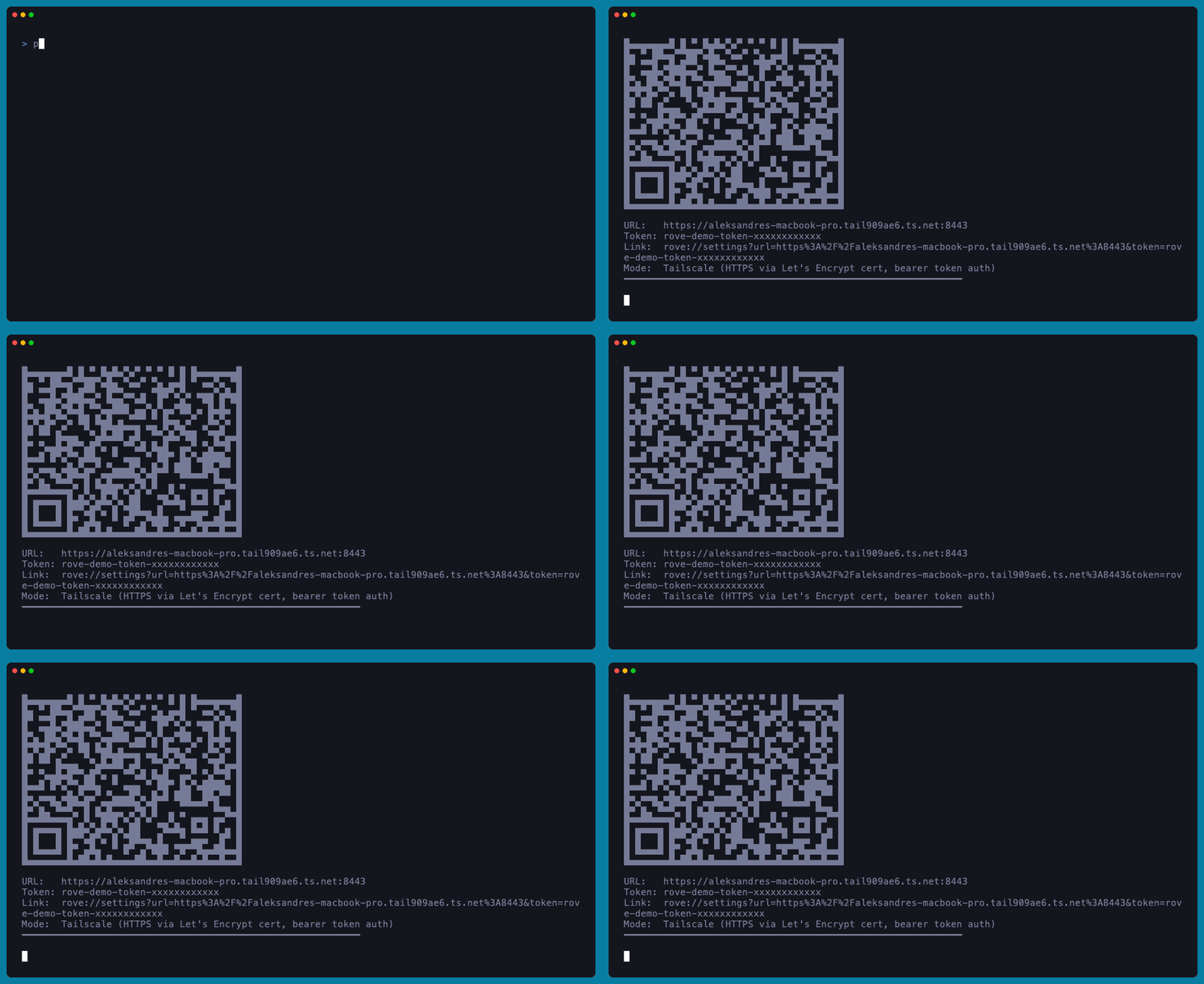
That's it. The bridge:
- Raises its own file-descriptor limit.
- Auto-detects your Tailscale device-owner email and restricts access to you.
- Requests a Let's Encrypt cert for your
.ts.nethostname so the phone can connect over real HTTPS. - Detects whether
tailscale serveis running and prints a QR code with the right URL.
For TLS + zero-token setup, run this once on the same machine (persists across reboots):
sudo tailscale serve --bg --https=443 http://127.0.0.1:8443
See bridge/SETUP.md for all deployment modes (LAN, Tailscale IP, Tailscale serve + TLS).
3. Run the mobile app
cd mobile
pnpm start
Scan the QR with Expo Go on your phone.
4. Connect
In the app: Settings → Scan QR from the bridge → point camera at the QR printed by the bridge. URL and token auto-fill, the app tests the connection, and you're in.
Repo layout
.
├── bridge/                 # Node.js bridge that runs alongside claude on your desktop
│   ├── src/
│   │   ├── server.ts       # Hono HTTP + WebSocket server
│   │   ├── runtime.ts      # Per-session lifecycle manager
│   │   ├── agents/         # AgentDriver interface + SDK-backed Claude Code driver
│   │   ├── permissions.ts  # Cross-session approval registry (canUseTool → user)
│   │   ├── tailscale.ts    # Tailscale detection
│   │   └── ...
│   ├── bin/                # CLI entry (for npx rove-bridge)
│   └── SETUP.md            # Deployment modes
├── mobile/                 # Expo React Native + web app
│   ├── app/                # Expo Router screens
│   ├── components/         # Chat UI, markdown, code blocks, scanner
│   └── lib/                # Transport, store, types
└── docs/
    ├── ARCHITECTURE.md
    ├── WIRE_PROTOCOL.md
    └── web-client-setup.md # Pointing the live web client at your bridge
Production builds
For Android: cd mobile && eas build --platform android --profile preview. The resulting APK installs on any Android phone, no developer account needed.
For iOS: requires the Apple Developer Program ($99/year) for permanent installs via TestFlight, or use a free Apple ID + Xcode for ad-hoc installs that re-sign every 7 days. See mobile/README.md.
Multi-user
Default behavior: only the device owner (auto-detected from Tailscale) can connect. To share with others:
[email protected],[email protected] pnpm start
Each friend joins your tailnet (you invite them via the Tailscale admin UI) and installs the mobile app on their phone. Their Tailscale identity is validated against ALLOWED_USERS on every request.
Live preview
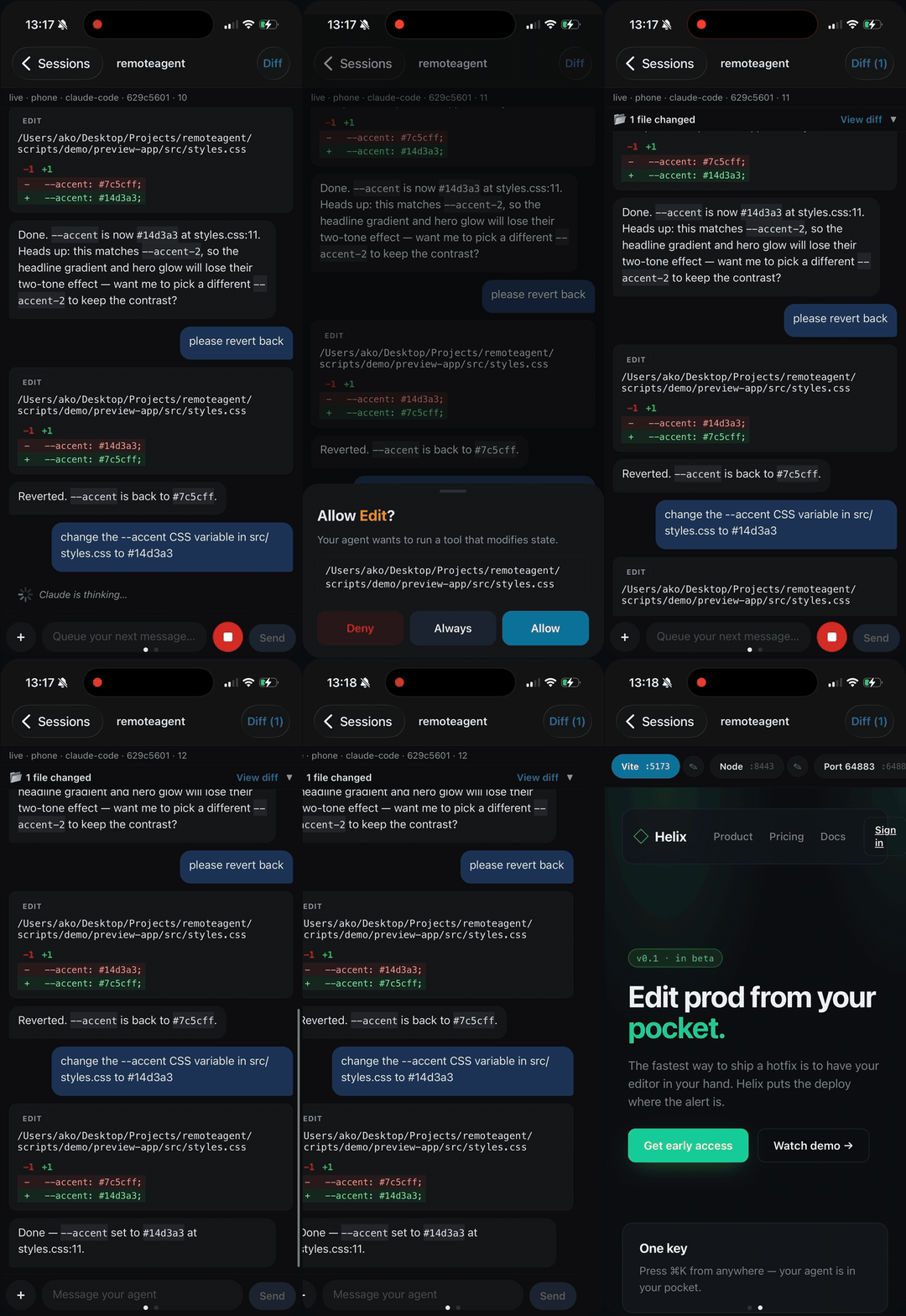
Swipe left from the chat in any session to see a WebView of the dev server running for that project — no configuration. (See it in action at the top of this README.) The bridge scans listening TCP ports on your desktop and matches any process whose working directory sits inside the session's cwd. Vite, Next.js, Astro, webpack, Parcel, Bun and plain node servers are auto-labeled; multiple candidates (e.g. backend + frontend in a monorepo) appear in a picker. Rename any entry to whatever's meaningful ("Admin FE", "Storefront API", …) — labels persist per session.
Caveats:
- The dev server must bind to
0.0.0.0(or::), not127.0.0.1. If it's localhost-only the pane shows a framework-specific hint instead of a broken WebView (vite --host,next dev -H 0.0.0.0, etc.). - The bridge sees what your user can see — don't run dev servers under
sudo, they'll be invisible tolsof. Port 3000 etc. never needs root. - Requires
react-native-webview, a native module — use a dev build (npx expo run:ios/run:android) or an EAS build. Expo Go can't load it.
Adding a new agent
The AgentDriver interface in bridge/src/agents/types.ts is the extension point. To add Codex / Aider / Gemini / your-own-CLI:
- Implement
AgentDriverfor it: how to list sessions, read history, spawn the CLI in headless mode, translate its events into our normalizedAgentEventschema. - Register it in
bridge/src/agents/registry.ts. - Optionally add tool-card layouts for its native tools in
mobile/components/chat/ToolCard.tsx(or rely on the generic fallback).
That's the whole surface. The transport, mobile UI, approval flow, file watcher, and pagination are all agent-agnostic.
See docs/WIRE_PROTOCOL.md for the event schema and docs/ARCHITECTURE.md for where the seams are.
Comparison with similar projects
- Happy — Polished, ships in app stores, supports Claude Code + Codex + Gemini + more. Uses their hosted server for sync (E2E encrypted). If you want a real product right now, install Happy.
roveexists for the case where "encrypted relay through someone else's server" isn't quite the property you want. tmux+ Blink/Termux over SSH — The closest thing to no-code. Works today, gives you full TUI fidelity, but the phone-side UX is "terminal on a tiny screen".roveis a phone-native chat UI on top of the sameclaudesession files.
License
MIT — see LICENSE.
Contributing
See CONTRIBUTING.md. Bugs, driver implementations for other agents, and polish for less-common terminals/devices are all welcome.
Yorumlar (0)
Yorum birakmak icin giris yap.
Yorum birakSonuc bulunamadi