cognithor
Health Gecti
- License — License: Apache-2.0
- Description — Repository has a description
- Active repo — Last push 0 days ago
- Community trust — 55 GitHub stars
Code Uyari
- network request — Outbound network request in apps/pwa/public/sw.js
Permissions Gecti
- Permissions — No dangerous permissions requested
Bu listing icin henuz AI raporu yok.
Cognithor - Agent OS: Local-first autonomous agent operating system. 16 LLM providers, 17 channels, 112+ MCP tools, 5-tier memory, A2A protocol, knowledge vault, voice, browser automation, Computer-use, self-healing, self-improving. Python 3.12+, Apache 2.0.
Cognithor · Agent OS
A local-first, autonomous agent operating system for AI experimentation and personal automation.
Cognition + Thor — Intelligence with Power
18 LLM Providers · 17 Channels · 6-Tier Memory · Knowledge Vault · Flutter Command Center · Security · Apache 2.0








Note: Cognithor is in active development (Beta). While the test suite is extensive (11,769+ tests, 89% coverage), the project has not been battle-tested in production environments. Expect rough edges, breaking changes between versions, and some German-language strings in system prompts and error messages. Contributions, bug reports, and feedback are very welcome. See Status & Maturity for details.
Weekly Recap: Rank #1 | $1,644 spent vibe-engineering
Vibe-Engineered, not vibe-coded. Cognithor is not a weekend hack held together by AI-generated spaghetti. Every module follows a deliberate architecture (PGE-Trinity, 6-phase gateway init, 3-layer security), backed by 11,769+ tests, structured plans, spec compliance reviews, and code quality gates. The AI writes the code — but a human engineers the system. There's a difference.
Why Cognithor?
Most AI assistants send your data to the cloud. Cognithor runs entirely on your machine — with Ollama or LM Studio, no API keys required. Cloud providers are optional, not mandatory.
It replaces a patchwork of tools with one integrated system: 17 channels, 122 MCP tools, 6-tier memory, knowledge vault, voice, browser automation, and more — all wired together from day one. 11,769+ tests at 89% coverage keep it honest. See Status & Maturity for what that does and does not guarantee.
Status & Maturity
Cognithor is Beta / Experimental software. It is under rapid, active development.
| Aspect | Status |
|---|---|
| Core agent loop (PGE) | Stable — well-tested and functional |
| Memory system | Stable — 6-tier architecture works reliably |
| CLI channel | Stable — primary development interface |
| Flutter Command Center | Beta — Sci-Fi aesthetic, cross-platform, GEPA pipeline visualization, Robot Office pathfinding, 20 config pages, chat, voice, learning dashboard |
| Messaging channels (Telegram, Discord, etc.) | Beta — basic flows work, edge cases may break |
| Voice mode / TTS | Alpha — experimental, hardware-dependent |
| Browser automation | Alpha — requires Playwright setup |
| Deployment (Docker, bare-metal) | Beta — tested on limited configurations |
| SSH Remote Execution | Beta — tested against Docker containers, key-based auth |
| Evolution Engine | Stable — autonomous deep learning with quality self-examination, GDPR-compliant |
| Autonomous Task Framework | Beta — task decomposition, self-evaluation, recurring scheduling |
| Background Process Manager | Beta — 6 MCP tools, 5-method ProcessMonitor, SQLite persistence |
| Multi-Agent System | Beta — 5 specialized agents with model/temperature/top_p overrides |
| Audit & Compliance | Beta — HMAC + Ed25519 signatures, RFC 3161 TSA, GDPR Art. 15/33, WORM-ready |
| Enterprise features (GDPR, A2A, Governance) | Stable — GDPR 100% user rights, consent management, SQLCipher encryption, audit trail |
| Encryption at Rest | Stable — SQLCipher (AES-256) for all databases, Fernet for files, OS Keyring key management |
| OSINT / HIM Module | Beta — person/project/org investigation with trust scoring |
What the test suite covers: Unit tests, integration tests, real-life scenario tests, and live Ollama tests for all modules. The 11,769+ tests verify code correctness in controlled environments.
What the test suite does NOT cover: Real-world deployment scenarios, network edge cases, long-running stability, multi-user load, hardware-specific voice/GPU issues, or actual LLM response quality.
Important notes for users:
- This project is developed by a solo developer with AI assistance. Code is human-reviewed, but the pace is fast.
- Breaking changes may occur between minor versions. Pin your version if stability matters.
- The default language is German, switchable to English via the Flutter Command Center or
config.yaml. See Language & Internationalization. - For production use, thorough testing in your specific environment is strongly recommended.
- Bug reports and contributions are welcome — see Issues.
Cognithor is a fully local, Ollama/LM Studio-powered, autonomous agent operating system that acts as your personal AI assistant. All data stays on your machine — no cloud, no mandatory API keys, full GDPR compliance. It supports tasks ranging from research, project management, and knowledge organization to file management and automated workflows. Optional cloud LLM providers (OpenAI, Anthropic, Gemini, and 11 more) can be enabled with a single API key. Users can add custom skills and rules to tailor the agent to their needs.
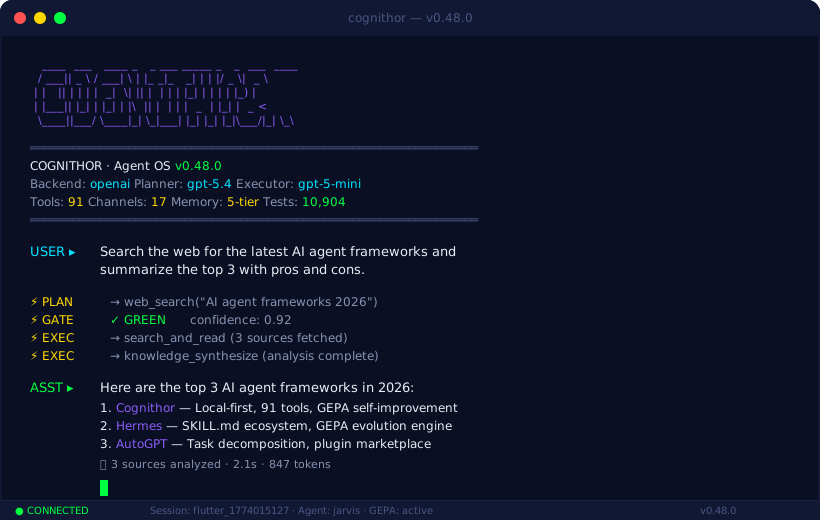
Table of Contents
- Why Cognithor?
- Status & Maturity
- What's New
- Highlights
- Architecture
- LLM Providers
- Channels
- Quick Start (under 5 minutes)
- Configuration
- Security
- MCP Tools
- Tests
- Code Quality
- Project Structure
- Deployment
- Language & Internationalization
- Roadmap
- Recording a Demo
- License
What's New
What's New in v0.68.0
Document Powerhouse — Cognithor can now create, read, and manage all major document formats:
- 7 document tools:
read_pdf,read_docx,read_ppt,read_xlsx(new),document_export,document_create(new),typst_render(new) - Template system:
template_list+template_render— fill Typst templates (Brief, Rechnung, Bericht) and compile to PDF - Structured creation: JSON input with sections, tables, lists → DOCX, PDF, PPTX, XLSX
- Typst pipeline: modern LaTeX alternative for high-quality PDFs (<1s compilation)
Skill Lifecycle — Skills created by Cognithor are now immediately usable:
- Hot-loading: skills available instantly after creation (no restart)
- Startup scan of generated skills directory
- SkillLifecycleManager: audit, auto-repair, suggest, prune
Tactical Memory (Tier 6) — Tool outcome tracking across sessions:
- Learns which tools work best in which context
- Auto-creates avoidance rules after 3 consecutive failures (24h TTL)
- Injects tactical insights into Planner context
What's New in v0.67.0
ARC-AGI-3 Benchmark Integration — Cognithor can now compete in the ARC Prize 2026 ($2M+ prize pool). New src/jarvis/arc/ module with 14 files implements a hybrid agent (algorithmic exploration + optional LLM planning + optional CNN prediction) for interactive reasoning benchmarks.
- 3 new MCP tools:
arc_play,arc_status,arc_replay— playable from any Cognithor channel - CLI:
python -m jarvis.arc --game ls20 [--mode benchmark|swarm] - 105 new tests covering all ARC subsystems
- Dependency groups:
pip install cognithor[arc]orcognithor[arc-gpu]
v0.66.0 — Encryption at Rest, Vault Dual-Backend, GDPR 100%
Encryption at Rest — Full Disk Clone Protection
- SQLCipher — All 33 SQLite databases encrypted with AES-256. Key stored in OS Keyring (never on disk).
- EncryptedFileIO — Transparent Fernet encryption for memory files (CORE.md, episodes, procedures).
- Auto-migration — Existing unencrypted databases migrated to SQLCipher on first startup.
Vault Dual-Backend
- VaultBackend ABC — Pluggable storage: FileBackend (.md, Obsidian-compatible) or DBBackend (SQLCipher + FTS5).
- Bidirectional migration — Switch between file and DB mode without data loss.
GDPR User Rights — 100% Coverage
- Art. 15 (Access), Art. 16 (Rectification), Art. 17 (Erasure), Art. 18/21 (Restriction), Art. 20 (Portability) — all fully implemented across 11 data tiers.
122 MCP tools, 11,769+ total tests (was 11,779+). 12 bug fixes including SQLCipher compatibility, cron consent, and tool timeouts.
v0.65.0 — GDPR Compliance, OSINT Module, Evolution Engine Stable
GDPR Compliance Layer
- ComplianceEngine — Runtime enforcement gate with fail-closed design. Blocks processing if consent store unavailable.
- ConsentManager — Per-channel consent tracking with versioning. No data processing without explicit consent.
- Right to Erasure (Art. 17) —
DELETE /api/v1/user/datadeletes across all data tiers (memory, vault, sessions, episodes). - Right of Access (Art. 15) —
GET /api/v1/user/dataexports all personal data as JSON. - ComplianceAuditLog — Append-only JSONL with SHA-256 chain, tamper detection.
- TTL Enforcement — Automated daily retention enforcement via cron.
- Processing Register — Art. 30 compliant register of all 13 processing activities.
- Privacy Mode — Runtime toggle disabling all persistent storage.
- Encryption at Rest — SQLCipher wrapper for all SQLite databases.
OSINT / HIM Module
- HIMAgent — Structured OSINT investigation for persons, projects, and organizations.
- 3 new MCP tools —
investigate_person,investigate_project,investigate_org. - TrustScorer — 5-dimension weighted trust score (0-100) with evidence cross-verification.
- GDPRGatekeeper — Pre-investigation consent and purpose check.
- EvidenceAggregator — Multi-source claim classification and contradiction detection.
- HIMReporter — Markdown/JSON/Quick report formats with SHA-256 signature.
Evolution Engine — Stable
- Promoted from Beta to Stable after extensive testing and quality self-examination integration.
- All 4 phases production-ready: SystemDetector, IdleLoop, Budget/Resources, Checkpoint/Resume.
122 MCP tools (was 106), 11,769+ total tests.
v0.60.0 — Autonomous Evolution Engine (Premium)
Per-Agent Budget + Resource Monitor (Phase 3)
- ResourceMonitor — Real-time CPU/RAM/GPU sampling. Cooperative scheduling pauses background tasks when system is busy.
- Per-Agent Cost Tracking — Every LLM call tagged by agent. Daily budgets per agent with 80% warning threshold.
- Flutter Budget Dashboard — Per-agent cost table (today/week/month), live resource bars, budget status.
Checkpoint/Resume Engine (Phase 4)
- Step-Level Checkpointing — Evolution cycles save state after each step (Scout→Research→Build→Reflect). Resume interrupted cycles exactly where they stopped.
- Delta Snapshots — Only changed data persisted between checkpoints.
- Flutter Evolution Dashboard — Visual stepper, one-click resume, recent activity feed.
Full Evolution Engine (Phases 1-4 complete)
- Phase 1: Hardware-Aware System Profile (8 detectors, tier classification)
- Phase 2: Idle Learning Loop (autonomous skill building during idle time)
- Phase 3: Per-Agent Budget + Resource Monitor (cooperative scheduling)
- Phase 4: Checkpoint/Resume Engine (resilient cycle execution)
- REST API — 7 new endpoints for budget, resources, evolution stats, and resume.
- 63 new tests, 11,769+ total.
v0.54.0 — Computer Use, Deep Research v2, VS Code Extension
Computer Use (GPT-5.4-style)
- 6 new MCP tools —
computer_screenshot,computer_click,computer_type,computer_hotkey,computer_scroll,computer_drag - Takes desktop screenshots, analyzes with vision model, clicks at pixel coordinates
- Auto-installed via
start_cognithor.bat
Deep Research v2 (Perplexity-style)
- Iterative search engine — up to 25 rounds with query decomposition, source evaluation, cross-verification, confidence scoring
- Source priority: Official Docs → GitHub → Community → Lateral approaches
- Automatically invoked for complex queries ("recherchiere", "analysiere", "untersuche")
VS Code Extension
- cognithor-vscode/ — Full extension with Chat sidebar, Code Lens, 11 commands
- WebSocket streaming, context-aware code assistance, editor integration
POST /api/v1/chat/completionsbackend endpoint
Autonomous Coding
- 50 iterations for coding tasks, auto-debug, auto-fix
- Ollama/Qwen3:32b as default local planner
- GREEN gatekeeper for core tools (write_file, run_python, exec_command)
v0.52.0 — Autonomous Agent Framework, SSH Backend, Session Management Overhaul
Autonomous Task Execution
- Autonomous Orchestrator — Complex tasks are automatically decomposed into subtasks, self-evaluated after execution, and learned from for future tasks. Recurring tasks get automatic cron scheduling.
- Research Auto-Escalation — Planner self-assesses source quality. When results are thin or contradictory, automatically escalates to
deep_researchorsearch_and_readfor deeper analysis. - Marketplace Monitor Skill — Built-in skill for price tracking, fake detection, and recurring marketplace alerts (Tomi's 5090 example).
- GEPA Robustness — Longer evaluation windows (20 traces, 15 sessions), user approval for high-impact proposals, LLM-powered patch generation, cascade failure auto-detection.
SSH Remote Shell Backend
- 3 new MCP tools —
remote_exec,remote_list_hosts,remote_test_connectionfor executing commands on remote servers via SSH. - Security — Dangerous command blocking, ORANGE gatekeeper approval for remote execution.
- Tested against Docker containers with key-based SSH auth.
Session Management
- Auto-New-Session — Fresh session after 30 min inactivity (configurable). No more resuming stale chats.
- Project Folders — Group sessions into projects with sidebar grouping.
- Incognito Mode — Sessions without memory enrichment or chat persistence.
- Session Export — Download any chat as JSON.
- Full-Text Search — Search across all chat messages in all sessions.
- GDPR Retention — Automatic cleanup of old sessions (30-day retention).
- Chat History Filter — System messages and raw tool results no longer shown as chat bubbles.
Flutter UI
- Mobile optimized — Bottom nav reduced from 8 to 5 items. iPhone Pro Max responsive layout.
- Light mode fixed — Theme-aware text colors and code block backgrounds.
- Incognito badge — Purple indicator in AppBar + drawer button.
- Search bar — Live search in session drawer.
- Project sidebar — Sessions grouped by folder with ExpansionTile.
- Device permissions — Toggles work on both native and web.
Infrastructure
- Docker Real-Life Test Suite — 22 scenario tests (pipeline + live Ollama).
- WebSocket stability — Fixed reconnection storms, rate-limiting, Windows semaphore errors.
- CI/CD — iOS + Android builds green, GitHub Release uploads working.
- 106 MCP tools (was 91), 11,769+ tests (was 10,904).
v0.47.1-beta — Sci-Fi UI, GEPA Pipeline, Robot Office Pathfinding
Sci-Fi Flutter Command Center
- Sci-Fi aesthetic overhaul — Dark translucent panels, neon accent glows, holographic card effects, particle background animations
- GEPA pipeline visualization — Real-time Goal-Evaluate-Plan-Act pipeline status with animated phase indicators and timing metrics
- Robot Office pathfinding — Interactive office map with A* pathfinding visualization, room navigation, and agent location tracking
GEPA (Goal-Evaluate-Plan-Act)
- 4-phase cognitive pipeline — Goal extraction, Evaluation (context + memory retrieval), Planning (tool selection + sequencing), Action (sandboxed execution)
- Pipeline observability — Each phase emits timing, token count, and status events visible in the Flutter Command Center's Observe panel
Tool Expansion
- MCP tools: 53 → 94 — New tools across filesystem, automation, code analysis, and agent coordination modules
v0.42.0-beta — Premium UI, Complete Learning System, Issue #35/#36
World-Class Flutter UI
- Responsive 3-tier navigation — Desktop: animated side rail (220px expand/collapse), Tablet: compact rail with hover-expand, Mobile: bottom bar
- Glassmorphism cards —
BackdropFilterfrosted glass with gradient highlight edges - Micro-animations everywhere —
StaggeredList(cascading entrance, 50ms/item),AnimatedCounter(smooth number tweens),ShimmerLoading(gradient sweep skeleton),AnimatedIndexedStack(fade+slide page transitions) - Gradient background — Subtle rotating accent glow (60s cycle, 3-5% opacity)
- Theme contrast fix — 30+ hardcoded dark-mode colors replaced with theme-aware
cardColor/dividerColor— light mode fully usable - Centralized design system — 30+ colors in
jarvis_theme.dart: entity colors, phase colors, code block colors, Hermes-style semi-transparent accents, Google Fonts Inter typography - Admin Hub — Master-detail layout (30/70 split) instead of grid, responsive
- Dashboard — Real-time API data (System Status, Performance Metrics, Model Info, Events, Activity Chart), 15s auto-refresh, animated counters
- Custom toast system — Top-of-screen styled toasts with type icons and accent borders
- Global keyboard shortcuts — Ctrl+1-5 for tabs (from any screen), Ctrl+S save, Ctrl+K search
- Config export — Browser file download (not just clipboard)
Complete Learning System (Issue #36)
- ExplorationExecutor — Autonomously researches knowledge gaps via memory search
- KnowledgeQAStore — SQLite Q&A knowledge base with confidence tracking and verification
- KnowledgeLineageTracker — Provenance tracking per entity (file/web/conversation/feedback/exploration)
- Gateway integration — ActiveLearner starts on boot, CuriosityEngine scans every 5min, ConfidenceManager decays daily
- Confidence persistence — Feedback API reads/writes actual entity confidence in DB
- 14 API endpoints under
/api/v1/learning/*— stats, gaps, Q&A CRUD, lineage, exploration - Flutter Learning Dashboard — 5 tabs (Overview, Gaps, Queue, Q&A, Lineage) with directory config
Issue #35 Bug Fixes
- PDF upload, version display, provider clarity, observe panel, search button, markdown rendering, Ollama timeout
- Identity auto-install in
start_cognithor.batandinstall.sh - React UI deprecated, Flutter auto-download from GitHub release
Code Quality
ruff check src/jarvis/— 0 errors (was 204)flutter analyze— 0 issues- All tests passing
v0.41.0-beta — Flutter UI, Active Learning, Knowledge Curiosity Engine
Flutter Command Center — Full Feature Parity (React UI now deprecated)
- 48 new Flutter files — Complete cross-platform UI replacing React for mobile/tablet/desktop
- 18 editable config pages — General, Language, Providers, Models, Planner, Executor, Memory, Channels, Security, Web, MCP, Cron, Database, Logging, Prompts, Agents, Bindings, System
- Form widget library — 12 custom widgets: Text, Number, Slider, Select, Toggle, List, DomainList, TextArea, JSON Editor, ReadOnly, CollapsibleCard
- ConfigProvider — Deep dot-path set, JSON snapshot dirty-tracking, parallel save, resilient loading with defaults
- Observe Panel — 4-tab side panel (Agent Log, Kanban, DAG, Plan) with phase icons, elapsed time, pipeline status indicator
- Knowledge Graph — Force-directed layout with 6 entity-type colors, node click details, search + type filter
- Voice Mode — 5-state machine (OFF/LISTENING/CONVERSATION/PROCESSING/SPEAKING), German phonetic wake-word detection, speech_to_text + just_audio TTS
- Global Search — Ctrl+K modal, 50 indexed terms across 18 pages
- Theme Toggle — Light/Dark mode with SharedPreferences persistence
- Runtime Locale Switching — LocaleProvider with 4 languages (EN/DE/ZH/AR), instant UI update
- Keyboard shortcuts — Ctrl+1-0 for page navigation, Ctrl+S to save
Active Learning System (Issue #36)
- CuriosityEngine — Detects knowledge gaps from low-confidence (<0.5) and stale (>90 days) entities, proposes prioritized exploration tasks
- KnowledgeConfidenceManager — Exponential time decay (180-day half-life), feedback-based adjustment (positive/negative/correction), verification boost, full audit history
- ActiveLearner — Background file watcher for ~/Documents and ~/Downloads, idle-time processing, content-hash deduplication, configurable learning rate
- 7 new API endpoints —
/api/v1/learning/stats,/gaps,/gaps/{id}/dismiss,/confidence/history,/confidence/{id}/feedback,/queue,/explore - Flutter Learning Dashboard — 3-tab screen (Overview, Knowledge Gaps, Exploration Queue) with stats cards, activity chart, confidence history
Issue #35 Bug Fixes
- PDF Upload — File picker with explicit extensions, upload spinner, error handling
- Version Display — Reads from backend config, fallback "Unknown"
- Provider Clarity — Active provider at top with "ACTIVE PROVIDER" badge, inactive dimmed
- Observe Panel — Phase icons (brain/shield/play/refresh), elapsed time per entry, pipeline status indicator
- Search Button — Moved from FAB to clean AppBar buttons
- Response Formatting — Markdown with tappable links, styled code blocks
- Ollama Timeout — 10s health check timeout, clear "Backend nicht erreichbar" message
v0.36.0-beta — 9 New Features: Roles, Delegation, Resume, Context Windows, Parallel Tools
- Create / Operate / Live Role System — Agents now have explicit roles:
orchestrator(extended thinking, can spawn),worker(full MCP tool access),monitor(read-only). Default:workerfor backward compat - Direction-based Delegation — A2A messages gain a
directionfield:remember(memory-write),act(execute task),notes(fire-and-forget log). Role-based send permissions - Resume-as-Tool-Call — Persistent checkpoints saved to disk (
~/.jarvis/checkpoints/). Sessions can be resumed from last checkpoint viacognithor_resume - Per-Agent Context Windows — Each agent owns an isolated
ContextWindowwith time-weighted trimming. System messages and tool results are never trimmed - Parallel Tool Calls — Read-only MCP tools fire simultaneously via
asyncio.gather(). Write tools remain sequential. Per-tool timeout (30s default) - Thinking / Execution Split — Orchestrators think privately (Extended Thinking ON, not logged). Workers execute (logged). Cost tracking counts thinking tokens
- Tab-as-Context-Window — Browser tabs mapped to agent context via
TabContextBridge. Tab state persists through checkpoints - Multi-Session Cognitive Base — Persistent session management with cross-session Core Memory (max 2048 tokens, never auto-trimmed)
- Priority-based Agent Scheduling — Min-heap priority queue (1-10), 50/50 orchestrator/worker quota, platform-aware concurrency limits
- Cross-platform Utilities —
jarvis.utils.platformmodule:get_platform_name(),get_user_data_dir(),get_max_concurrent_agents(),supports_curses() - 11,769+ tests passing (90 new feature tests + 10,814 existing, 0 regressions)
v0.35.6-beta — Community-Reported Fixes (#26, #29, #33)
- Search Button CSS Fix — Global search trigger in legacy React Control Center was invisible (same background as header). Now uses
--bg3for proper contrast in both light and dark themes (#26) - i18n Prompt Presets — System prompts now load curated translations from
prompt_presets.py(de/en/zh) instead of falling back to hardcoded German. Priority chain: Disk file -> i18n Preset -> Hardcoded (#33) - CORE.md Tool Deduplication — Tool descriptions no longer dumped into CORE.md AND the Planner prompt. CORE.md now shows a one-line tool count reference; Planner gets localized, categorized descriptions via
ToolRegistryDB(#29) - Prompt Evolution Guard — Tool descriptions are now protected against mutation by the PromptEvolutionEngine.
lockedcolumn on tools table + post-evolution validation rejects variants that remove{tools_section}(#29) - 11,769+ tests passing (0 failures)
v0.34.4-beta — A2A Delegation, Sandbox Enforcement, Lint Zero
- A2A Planner Delegation — 2 new MCP tools (
list_remote_agents,delegate_to_remote_agent) let the Planner autonomously discover and delegate tasks to remote A2A agents. Auto-discovery via/.well-known/agent.json - Sandbox Config Enforcement — UI settings for
max_memory_mb,max_cpu_seconds, andnetwork_accessnow actually propagate to the execution sandbox (were previously ignored) - Proportional Iteration Caps —
max_iterationssetting now scales coding task caps proportionally (80% for iteration cap, 30% for success threshold) instead of hardcoded limits - Auto-Update on Startup —
plugins.auto_updateandmarketplace.auto_updatenow trigger community registry sync at gateway startup - Lint Zero — 393 lint errors (F401, F541, F841, E501, E741, E402) cleaned to zero across the entire codebase
- MCP tools: 51 → 53 (added A2A delegation tools)
- 11,769+ tests passing (0 failures)
v0.34.3-beta — REPLAN Loop Fix, Full English UI, Tool Schemas
- REPLAN Loop Fix — Deep architectural fix to PGE loop: detects bare REPLAN text, consecutive no-tool iterations, and coding task caps to prevent infinite replanning
- Full English UI — All remaining German strings in legacy React Control Center translated (cron.js, A2A descriptions, icons, prompts)
- Tool Schemas in CORE.md — Auto-inventory now shows full parameter signatures (
tool(param: type *)) instead of bare names - Chrome Autofill Defense — GlobalSearch and provider filter inputs protected against Chrome autofill interference
- Renamed "MCP & A2A" → "Integrations" — Clearer page label in Command Center
- Backend Startup Fix — Vite now verifies jarvis importability before selecting a Python interpreter; bootstrap auto-repairs broken venvs
v0.33.0-beta — i18n Language Packs, 4 Critical Bug Fixes
- i18n Language Pack System — JSON-based internationalization with dot-notation keys, SHA-256 integrity verification, fallback chain (locale → EN → raw key), thread-safe locale switching. Ships with German and English packs (~250 keys each)
- Language Switcher in UI — Command Center header quick-toggle (DE/EN) + General page dropdown. Language changes are live — no restart needed
- Bug Fix: Planner JSON Parse Retry — When the LLM returns malformed JSON, the planner now automatically retries with format hints instead of silently failing ("task failed successfully")
- Bug Fix: LLM Timeout Wiring — Embedding timeouts now respect the configured
timeout_secondsinstead of hardcoded values. LLM timeout is now visible on the Executor page for all backends - Bug Fix: WebSocket Race Condition — All 12
send_json()calls in the WebSocket handler are now protected against disconnection errors via_ws_safe_send(). No more "Cannot call send" crashes - Bug Fix: GlobalSearch — Added missing pages (Executor, Workflows, Knowledge Graph) to FIELD_INDEX and PAGE_LABELS. Search now finds all 19 config pages
- 11,769+ tests passing (0 failures)
v0.30.0 — mTLS, Document Reading, DB Retry
- Document Reading — 3 new MCP tools:
read_pdf(PyMuPDF),read_ppt(python-pptx),read_docx(python-docx) with structured output, formatting, tables, images, metadata - mTLS for WebUI API — Mutual TLS with auto-generated CA/server/client certificates; prevents unauthorized API access (
security.mtls.enabled) - DB Retry Logic — SQLite retries "database is locked" with exponential backoff + jitter (configurable)
- MCP tools: 48 → 51
Previous Releases
v0.29.1 — CI sandbox test fix,
pysqlcipher3dependency fix, encryption extras fixv0.29.0 — QA fixes: UI wiggle, unsaved changes, keyboard shortcuts, token tracking, SQLite encryption
UI Stability — Layout wiggle fixed (
scrollbar-gutter: stable), unsaved-changes false positives eliminated, keyboard shortcuts made sequential (Cmd+1..0)Token Tracking —
WorkingMemory.add_message()now updatestoken_countlive (was always 0)SQLite Encryption — Optional SQLCipher support with OS keyring key storage (
pip install cognithor[encryption])Speed field removed — Was a metadata-only field with no runtime effect; removed from Models UI
Previous Releases
- v0.28.0 — Vite IPv6 fix, Qwen3-Coder model update, Python 3.15 locale compat
- v0.27.5 "BugHunt" — 60+ CodeQL fixes, CI stability, thread-safe EpisodicStore, 11,769+ tests
- v0.27.3 — CWE-22 Path Traversal fix in TTS API, multi-GPU installer fix,
--init-onlyhang fix - v0.27.1 — Community Skill Marketplace, ToolEnforcer runtime sandboxing, 5-check validation pipeline, 13 autonomy fixes
- v0.27.0 — Full Audit, Installer Overhaul: 80-item audit, XSS fix, CORS hardening, rate limiting, auto-install Python/Ollama
- v0.26.7 — Wiring: DAG-based parallel executor, http_request tool with SSRF protection, sub-agent depth guard, live config reload
- v0.26.6 — Chat & Voice: Integrated chat page, voice mode with wake word, Piper TTS, 15 agent infrastructure subsystems
- v0.26.5 — Human Feel: Personality Engine, sentiment detection, user preferences, status callbacks, friendly error messages
- v0.26.0-v0.26.4 — Security hardening, Docker prod, LM Studio backend, scaling, coverage & skills
Highlights
- 18 LLM Providers — Ollama (local), LM Studio (local), vLLM (local), llama-cpp-python (local), OpenAI, Anthropic, Google Gemini, Groq, DeepSeek, Mistral, Together AI, OpenRouter, xAI (Grok), Cerebras, GitHub Models, AWS Bedrock, Hugging Face, Moonshot/Kimi — plus any custom OpenAI-compatible endpoint
- 17 Communication Channels — CLI, Web UI, REST API, Telegram, Discord, Slack, WhatsApp, Signal, iMessage, Microsoft Teams, Matrix, Google Chat, Mattermost, Feishu/Lark, IRC, Twitch, Voice (STT/TTS)
- 6-Tier Cognitive Memory — Core identity, episodic logs, semantic knowledge graph, procedural skills, working memory, tactical memory
- 3-Channel Hybrid Search — BM25 full-text + vector embeddings + knowledge graph traversal with score fusion
- PGE Architecture — Planner (LLM) -> Gatekeeper (deterministic policy engine) -> Executor (sandboxed)
- Security — 4-level sandbox, SHA-256 audit chain, EU AI Act compliance module, credential vault, red-teaming, runtime token encryption (Fernet AES-256), TLS support, file-size limits (not independently audited — see Status & Maturity)
- Knowledge Vault — Obsidian-compatible Markdown vault with YAML frontmatter, tags,
[[backlinks]], full-text search - Document Analysis — LLM-powered structured analysis of PDF/DOCX/HTML (summary, risks, action items, decisions)
- Model Context Protocol (MCP) — 122 tools across 12 modules (filesystem, shell, memory, web, browser, media, vault, synthesis, code, skills, documents, automation, coordination, arc) + A2A delegation
- Distributed Locking — Redis-backed (with file-based fallback) locks for multi-instance deployments
- Durable Message Queue — SQLite-backed persistent queue with priorities, DLQ, and automatic retry
- Prometheus Metrics — /metrics endpoint with Grafana dashboard for production observability
- Skill Marketplace — SQLite-persisted skill marketplace with ratings, search, and REST API
- Community Skill Marketplace — GitHub-hosted registry with publisher verification (4 trust levels), 5-check validation pipeline, ToolEnforcer runtime sandboxing, async install/search/report
- Telegram Webhook — Polling + webhook mode with sub-100ms latency
- Auto-Dependency Loading — Missing optional packages detected and installed at startup
- Agent-to-Agent Protocol (A2A) — Linux Foundation RC v1.0 with full JSON-RPC 2.0 server/client, Planner-level delegation via MCP tools, auto-discovery, SSE streaming
- Integrated Chat — Full chat page in the Flutter Command Center with WebSocket streaming, tool indicators, canvas panel, approval banners, and voice mode
- Flutter Command Center — Cross-platform UI (Flutter 3.41, Web/Desktop/Mobile) with Sci-Fi aesthetic, GEPA pipeline visualization, Robot Office pathfinding, 18 editable config pages, Observe panel, Knowledge Graph, Voice Mode, Learning Dashboard, Light/Dark theme, 4-language i18n
- Active Learning & Curiosity — CuriosityEngine detects knowledge gaps, KnowledgeConfidenceManager with time decay and feedback, ActiveLearner processes files in background during idle time
- Human Feel — Personality Engine (warmth, humor, greetings), sentiment detection (frustrated/urgent/confused/positive), user preference learning, real-time status callbacks, user-friendly German error messages
- Auto-Detect Channels — Channels activate automatically when tokens are present in
.env— no manual config flags needed - Knowledge Synthesis — Meta-analysis across Memory + Vault + Web with LLM fusion:
knowledge_synthesize(full synthesis with confidence ratings),knowledge_contradictions(fact-checking),knowledge_timeline(causal chains),knowledge_gaps(completeness score + research suggestions) - Adaptive Context Pipeline — Automatic context enrichment before every Planner call: BM25 memory search + vault full-text search + recent episodes, injected into WorkingMemory in <50ms
- Security Hardening — Runtime token encryption (Fernet AES-256) across all channels, TLS support for webhook servers, file-size limits on all upload/processing paths, persistent session mappings in SQLite
- One-Click Start — Double-click
start_cognithor.bat-> browser opens -> click Power On -> done - Enhanced Web Research — 4-provider search fallback (SearXNG -> Brave -> Google CSE -> DuckDuckGo), Jina AI Reader for JS-heavy sites, domain filtering, source cross-checking
- Procedural Learning — Reflector auto-synthesizes reusable skills from successful sessions
- DAG Workflow Engine — Directed acyclic graph execution with parallel branches, conditional edges, cycle detection, automatic retry. Now wired into the Executor for parallel tool execution
- Distributed Workers — Capability-based job routing, health monitoring, failover, dead-letter queue
- Multi-Agent Collaboration — Debate, voting, and pipeline patterns for agent teams
- i18n Language Packs — JSON-based internationalization with SHA-256 integrity verification, German and English included, extensible to any language
- Tool Sandbox Hardening — Per-tool resource limits, network guards, escape detection (8 attack categories)
- GDPR Compliance Toolkit — Data processing logs (Art. 30), retention enforcement, right-to-erasure (Art. 17), audit export
- ARC-AGI-3 Benchmark — Compete in the ARC Prize 2026 ($2M+ prize pool) via the
arc/module: hybrid agent (algorithmic + LLM + CNN), 3 MCP tools (arc_play,arc_status,arc_replay), CLI mode, swarm mode.pip install cognithor[arc] - Agent Benchmark Suite — 14 standardized tasks, composite scoring, regression detection across versions
- Deterministic Replay — Record and replay agent executions with what-if analysis and diff comparison
- Agent SDK — Decorator-based agent registration (
@agent,@tool,@hook), project scaffolding - Plugin Remote Registry — Remote manifests with SHA-256 checksums, dependency resolution, install/update/rollback
- uv Installer Support — Automatic uv detection for 10x faster installs, transparent pip fallback
- 11,769+ tests · 89% coverage · 0 lint errors · 0 CodeQL alerts
Architecture
┌───────────────────────────────────────────────────────────────────┐
│      Flutter Command Center (Dart/Flutter 3.41, cross-platform)   │
│   Sci-Fi UI · GEPA Pipeline · Robot Office · 18 Config Pages     │
│   Chat · Voice · Observe · Knowledge Graph · Learning Dashboard   │
├───────────────────────────────────────────────────────────────────┤
├───────────────────────────────────────────────────────────────────┤
│         Prometheus /metrics · Grafana Dashboard                    │
├───────────────────────────────────────────────────────────────────┤
│           REST API (FastAPI, 48+ endpoints, port 8741)            │
├───────────────────────────────────────────────────────────────────┤
│                       Channels (17)                                │
│   CLI · Web · Telegram (poll+webhook) · Discord · Slack           │
│   WhatsApp · Signal · iMessage · Teams · Matrix · Voice · ...     │
├───────────────────────────────────────────────────────────────────┤
│                     Gateway Layer                                  │
│   Session · Agent Loop · Distributed Lock · Status Callbacks       │
│   Personality · Sentiment · User Preferences                       │
├───────────────────────────────────────────────────────────────────┤
│        Durable Message Queue (SQLite, priorities, DLQ)             │
├───────────────────────────────────────────────────────────────────┤
│           Context Pipeline (Memory · Vault · Episodes)             │
├─────────────┬──────────────┬──────────────────────────────────────┤
│  Planner    │  Gatekeeper  │  Executor                            │
│  (LLM)      │  (Policy)    │  (Sandbox)                           │
├─────────────┴──────────────┴──────────────────────────────────────┤
│  DAG Workflow Engine · Workflow Adapter · Benchmark Suite             │
├───────────────────────────────────────────────────────────────────┤
│                   MCP Tool Layer (122 tools)                         │
│   Filesystem · Shell · Memory · Web · Browser · Media · Vault      │
│   Synthesis · Skills Marketplace · Remote Registry                  │
├───────────────────────────────────────────────────────────────────┤
│               Multi-LLM Backend Layer (16)                         │
│   Ollama · OpenAI · Anthropic · Gemini · Groq · DeepSeek           │
│   Mistral · Together · OpenRouter · xAI · Cerebras · ...           │
├───────────────────────────────────────────────────────────────────┤
│               6-Tier Cognitive Memory                               │
│   Core · Episodic · Semantic · Procedural · Working · Tactical      │
├───────────────────────────────────────────────────────────────────┤
│         Infrastructure: Redis/File Distributed Lock                 │
│         SQLite Durable Queue · Prometheus Telemetry                 │
│         Worker Pool · GDPR Compliance · Deterministic Replay        │
└───────────────────────────────────────────────────────────────────┘
PGE Trinity (Planner -> Gatekeeper -> Executor)
Every user request passes through three stages:
- Planner — LLM-based understanding and planning. Analyzes the request, searches memory for relevant context, creates structured action plans with tool calls. Supports re-planning on failures.
- Gatekeeper — Deterministic policy engine. Validates every planned tool call against security rules (risk levels GREEN/YELLOW/ORANGE/RED, sandbox policy, parameter validation). No LLM, no hallucinations, no exceptions.
- Executor — Executes approved actions via DAG-based parallel scheduling (independent actions run concurrently in waves). Shell commands run isolated (Process -> Namespace -> Container), file access restricted to allowed paths.
6-Tier Cognitive Memory
| Tier | Name | Persistence | Purpose |
|---|---|---|---|
| 1 | Core | CORE.md |
Identity, rules, personality |
| 2 | Episodic | Daily log files | What happened today/yesterday |
| 3 | Semantic | Knowledge graph + SQLite | Customers, products, facts, relations |
| 4 | Procedural | Markdown + frontmatter | Learned skills and workflows |
| 5 | Working | RAM (volatile) | Active session context |
| 6 | Tactical | SQLite | Active goals, pending actions, rollback |
Memory search uses a 3-channel hybrid approach: BM25 (full-text search with FTS5, optimized for German compound words) + Vector Search (Ollama embeddings, cosine similarity) + Graph Traversal (entity relations). Score fusion with configurable weights and recency decay.
Knowledge Vault
In addition to the 6-tier memory, Cognithor includes an Obsidian-compatible Knowledge Vault (~/.jarvis/vault/) for persistent, human-readable notes:
- Folder structure:
recherchen/,meetings/,wissen/,projekte/,daily/ - Obsidian format: YAML frontmatter (title, tags, sources, dates),
[[backlinks]] - 6 tools:
vault_save,vault_search,vault_list,vault_read,vault_update,vault_link - Open the vault folder directly in Obsidian for graph visualization
Reflection & Procedural Learning
After completed sessions, the Reflector evaluates results, extracts facts for semantic memory, and identifies repeatable patterns as procedure candidates. Learned procedures are automatically suggested for future similar requests.
LLM Providers
Cognithor auto-detects your backend from API keys. Set one key and models are configured automatically:
| Provider | Backend Type | Config Key | Models (Planner / Executor) |
|---|---|---|---|
| Ollama (local) | ollama |
(none needed) | qwen3:32b / qwen3:8b |
| LM Studio (local) | lmstudio |
(none needed) | (your loaded models) |
| OpenAI | openai |
openai_api_key |
gpt-5.2 / gpt-5-mini |
| Anthropic | anthropic |
anthropic_api_key |
claude-opus-4-6 / claude-haiku-4-5 |
| Google Gemini | gemini |
gemini_api_key |
gemini-2.5-pro / gemini-2.5-flash |
| Groq | groq |
groq_api_key |
llama-4-maverick / llama-3.1-8b-instant |
| DeepSeek | deepseek |
deepseek_api_key |
deepseek-chat (V3.2) |
| Mistral | mistral |
mistral_api_key |
mistral-large-latest / mistral-small-latest |
| Together AI | together |
together_api_key |
Llama-4-Maverick / Llama-4-Scout |
| OpenRouter | openrouter |
openrouter_api_key |
claude-opus-4.6 / gemini-2.5-flash |
| xAI (Grok) | xai |
xai_api_key |
grok-4-1-fast-reasoning / grok-4-1-fast |
| Cerebras | cerebras |
cerebras_api_key |
gpt-oss-120b / llama3.1-8b |
| GitHub Models | github |
github_api_key |
gpt-4.1 / gpt-4.1-mini |
| AWS Bedrock | bedrock |
bedrock_api_key |
claude-opus-4-6 / claude-haiku-4-5 |
| Hugging Face | huggingface |
huggingface_api_key |
Llama-3.3-70B / Llama-3.1-8B |
| Moonshot/Kimi | moonshot |
moonshot_api_key |
kimi-k2.5 / kimi-k2-turbo |
# ~/.cognithor/config.yaml — just set one key, everything else is auto-configured
gemini_api_key: "AIza..."
# That's it. Backend, models, and operation mode are auto-detected.

# Or use LM Studio (local, no API key needed):
llm_backend_type: "lmstudio"
# lmstudio_base_url: "http://localhost:1234/v1"  # default
Channels
| Channel | Protocol | Features |
|---|---|---|
| CLI | Terminal REPL | Rich formatting, streaming, /commands, status feedback |
| Web UI | WebSocket | Real-time streaming, voice recording, file upload, dark theme, status events |
| REST API | FastAPI + SSE | Programmatic access, server-sent events |
| Telegram | Bot API (poll + webhook) | Text, voice messages (Whisper STT), photos, documents, webhook mode (<100ms), typing indicator |
| Discord | Gateway + REST | Embeds, reactions, thread support, typing indicator |
| Slack | Socket Mode | Block Kit, interactive buttons, thread support |
| Meta Cloud API | Text, media, location, contacts | |
| Signal | signal-cli bridge | Encrypted messaging, attachments |
| iMessage | PyObjC (macOS) | Native macOS integration |
| Microsoft Teams | Bot Framework v4 | Adaptive cards, approvals |
| Matrix | matrix-nio | Federated, encrypted rooms |
| Google Chat | Chat API | Workspace integration |
| Mattermost | REST API | Self-hosted team chat |
| Feishu/Lark | Bot API | ByteDance enterprise messaging |
| IRC | IRC protocol | Classic internet relay chat |
| Twitch | TwitchIO | Live stream chat integration |
| Voice | Whisper + Piper + ElevenLabs | STT, TTS, wake word (Levenshtein), Konversationsmodus, Piper TTS (Thorsten Emotional) |
Demo
python demo.py           # Full experience (~3 minutes)
python demo.py --fast    # Speed run (~15 seconds)
Quick Start
Time: under 5 minutes from clone to running agent.
Prerequisites
- Python >= 3.12
- LLM Backend (one of):
- Optional:
playwrightfor browser automation,faster-whisperfor voice
Step 1: Clone and Install (~2 min)
# Option A: Install from PyPI (simplest)
pip install cognithor          # Core features
pip install cognithor[all]     # All features (recommended)
pip install cognithor[full]    # Everything including voice + PostgreSQL

# Option B: Clone the repository (for development / latest changes)
git clone https://github.com/Alex8791-cyber/cognithor.git
cd cognithor

# Recommended: Interactive installation (venv, Ollama check, systemd, smoke test)
chmod +x install.sh
./install.sh

# Or: Manual installation (no C compiler needed)
pip install -e ".[all,dev]"

# Individual feature groups (install only what you need)
pip install -e ".[telegram,voice,web,cron]"
Windows One-Click: Run
install.bat(double-click) or.\install.ps1in PowerShell. Both handle Python, venv, Ollama, and model downloads automatically.
No git? Download the ZIP instead, extract it, and open a terminal in the extracted folder.
[all]vs[full]:[all]installs all features that work out of the box on any platform without a C compiler.[full]additionally includesvoice(faster-whisper, piper-tts, sounddevice) andpostgresql(psycopg, pgvector) which may require build tools on some systems.
The installer offers five modes: --minimal (core only), --full (all features), --use-uv (10x faster installs with uv), --systemd (+ service installation), --uninstall (removal). Without flags, it starts in interactive mode. If uv is installed, it is auto-detected and preferred over pip.
Step 2: Pull an LLM (~2 min)
ollama pull qwen3:32b           # Planner (20 GB VRAM)
ollama pull qwen3:8b            # Executor (6 GB VRAM)
ollama pull qwen3-embedding:0.6b    # Embeddings (500 MB VRAM)
# Optional:
ollama pull qwen3-coder:30b     # Code tasks (20 GB VRAM)
No GPU? Use smaller models (qwen3:8b for both) or a cloud provider — just set one API key.
Step 3: Start (~10 sec)
Option A: One-Click (Windows) — includes a pre-built Web UI, no Node.js needed
Double-click start_cognithor.bat -> Browser opens -> Click "Power On" -> Done.
The launcher auto-installs Python and Ollama via winget if missing. Node.js is only needed for UI development (
npm run dev).
Option B: CLI
cognithor                          # Interactive CLI
python -m jarvis                   # Same thing (always works, no PATH needed)

python -m jarvis --lite            # Lite mode: qwen3:8b only (6 GB VRAM)
python -m jarvis --no-cli          # Headless mode (API only)
JARVIS_HOME=~/my-cognithor cognithor  # Custom home directory
Windows: If
cognithoris not recognized afterpip install, usepython -m jarvisinstead — this always works regardless of PATH configuration. Alternatively, add Python'sScriptsdirectory to your PATH (typically%APPDATA%\Python\PythonXY\Scriptsor theScriptsfolder inside your venv).
Option C: Flutter Command Center (Development)
cd flutter_app
flutter pub get
flutter run       # Desktop, or:
flutter run -d chrome  # Web
The Flutter Command Center connects to the Python backend on port 8741. Start the backend first (python -m jarvis --no-cli), then launch the Flutter app. The Chat page opens as the default start page — start talking to Jarvis immediately, or activate Voice Mode for hands-free conversation. The Sci-Fi aesthetic features dark translucent panels, neon accents, and GEPA pipeline visualization.
All configuration — agents, prompts, cron jobs, MCP servers, A2A settings — can be edited and saved through the dashboard. Changes persist to YAML files under ~/.jarvis/.
Legacy React UI (deprecated): The old React + Vite UI in
ui/is deprecated and will be removed in a future release. Use the Flutter Command Center instead.
Windows users: A desktop shortcut named Cognithor is included for convenience.
Channel Auto-Detection
Channels start automatically when their tokens are found in ~/.jarvis/.env:
# ~/.jarvis/.env — just add your tokens, channels activate automatically
JARVIS_TELEGRAM_TOKEN=your-bot-token
JARVIS_TELEGRAM_ALLOWED_USERS=123456789
JARVIS_DISCORD_TOKEN=your-discord-token
JARVIS_SLACK_TOKEN=xoxb-your-slack-token
No need to set telegram_enabled: true in the config — the presence of the token is sufficient.
Directory Structure (Auto-Created on First Start)
~/.cognithor/
├── config.yaml          # User configuration
├── CORE.md              # Identity and rules
├── memory/
│   ├── episodes/        # Daily log files
│   ├── knowledge/       # Knowledge graph files
│   ├── procedures/      # Learned skills
│   └── sessions/        # Session snapshots
├── vault/               # Knowledge Vault (Obsidian-compatible)
│   ├── recherchen/      # Web research results
│   ├── meetings/        # Meeting notes
│   ├── wissen/          # Knowledge articles
│   ├── projekte/        # Project notes
│   ├── daily/           # Daily notes
│   └── _index.json      # Quick lookup index
├── index/
│   └── cognithor.db     # SQLite index (FTS5 + vectors + entities)
├── mcp/
│   └── config.yaml      # MCP server configuration
├── queue/
│   └── messages.db      # Durable message queue (SQLite)
└── logs/
    └── cognithor.log    # Structured logs (JSON)
Configuration
Cognithor is configured via ~/.cognithor/config.yaml. All values can be overridden with environment variables using the JARVIS_ prefix (legacy) or COGNITHOR_ prefix.
# Example: ~/.cognithor/config.yaml
owner_name: "Alex"
language: "de"  # "de" (German, default) or "en" (English)

# LLM Backend — set a key, backend is auto-detected
# openai_api_key: "sk-..."
# anthropic_api_key: "sk-ant-..."
# gemini_api_key: "AIza..."
# groq_api_key: "gsk_..."
# xai_api_key: "xai-..."
# Or: llm_backend_type: "lmstudio"  # Local, no key needed

ollama:
  base_url: "http://localhost:11434"
  timeout_seconds: 120

web:
  # Search providers (all optional, fallback chain: SearXNG -> Brave -> Google CSE -> DDG)
  # searxng_url: "http://localhost:8888"
  # brave_api_key: "BSA..."
  # google_cse_api_key: "AIza..."
  # google_cse_cx: "a1b2c3..."
  # jina_api_key: ""              # Optional, free tier works without key
  # domain_blocklist: []          # Blocked domains
  # domain_allowlist: []          # If set, ONLY these domains allowed

vault:
  enabled: true
  path: "~/.jarvis/vault"
  # auto_save_research: false     # Auto-save web research results

channels:
  cli_enabled: true
  # Channels auto-detect from tokens in ~/.jarvis/.env
  # Set to false only to explicitly disable a channel:
  # telegram_enabled: false

security:
  allowed_paths:
    - "~/.cognithor"
    - "~/Documents"

# Personality
personality:
  warmth: 0.7                    # 0.0 = sachlich, 1.0 = sehr warm
  humor: 0.3                     # 0.0 = kein Humor, 1.0 = viel Humor
  greeting_enabled: true          # Tageszeit-Grüße
  follow_up_questions: true       # Rückfragen anbieten
  success_celebration: true       # Erfolge feiern

# Scaling
distributed_lock:
  backend: "file"                 # "redis" or "file"
  # redis_url: "redis://localhost:6379/0"

message_queue:
  enabled: true
  # max_retries: 3
  # dlq_enabled: true

telemetry:
  prometheus_enabled: true
  # metrics_port: 9090
Security
Cognithor implements multi-layered security (not independently audited):
| Feature | Description |
|---|---|
| Gatekeeper | Deterministic policy engine (no LLM). 4 risk levels: GREEN (auto) -> YELLOW (inform) -> ORANGE (approve) -> RED (block) |
| Sandbox | 4 isolation levels: Process -> Linux Namespaces (nsjail) -> Docker -> Windows Job Objects |
| Audit Trail | Append-only JSONL with SHA-256 chain. Tamper-evident. Credentials masked before logging |
| Credential Vault | Fernet-encrypted, per-agent secret storage |
| Runtime Token Encryption | All channel tokens (Telegram, Discord, Slack, ...) encrypted in memory with ephemeral Fernet keys (AES-256). Never stored as plaintext in RAM |
| TLS Support | Optional SSL/TLS for all webhook servers (Teams, WhatsApp, API, WebUI). Minimum TLS 1.2 enforced. Warning logged for non-localhost without TLS |
| File-Size Limits | Upload/processing limits on all paths: 50 MB documents, 100 MB audio, 1 MB code execution, 50 MB WebUI uploads |
| Session Persistence | Channel-to-session mappings stored in SQLite (WAL mode). Survives restarts — no lost Telegram/Discord sessions |
| Input Sanitization | Injection protection for shell commands and file paths |
| Sub-Agent Depth Guard | Configurable max_sub_agent_depth (default 3) prevents infinite handle_message() recursion |
| SSRF Protection | Private IP blocking for http_request and web_fetch tools |
| EU AI Act | Compliance module, impact assessments, transparency reports |
| Red-Teaming | Automated offensive security tests (1,425 LOC) |
GDPR Compliance (Privacy by Design) — 100% User Rights
Cognithor implements GDPR compliance at the architecture level with full coverage of all user rights:
- Consent Management — Per-channel consent with versioning. No data processing without explicit consent.
- ComplianceEngine — Runtime enforcement gate. Fail-closed design: blocks processing if consent store unavailable.
- Art. 15 (Access) — Complete export across 11 data tiers (sessions, vault, entities, relations, episodes, procedures, core memory, preferences, processing logs, model usage, consents). JSON + CSV formats.
- Art. 16 (Rectification) —
PATCH /api/v1/user/datafor entities, preferences, vault notes. - Art. 17 (Erasure) —
DELETE /api/v1/user/datawith 7 erasure handlers covering all data tiers including vault notes. - Art. 18/21 (Restriction) — Per-purpose restriction (evolution, cloud_llm, memory, osint) via REST API + ComplianceEngine enforcement.
- Art. 20 (Portability) — Export format v2.0
cognithor_portable+POST /api/v1/user/data/import. - Encryption at Rest — SQLCipher (AES-256) for all 33 SQLite databases, Fernet for memory files, OS Keyring key management.
- Audit Trail — Append-only, SHA-256-chained compliance log with tamper detection.
- TTL Enforcement — Automated daily retention enforcement via cron.
- Privacy Mode — Runtime toggle disabling all persistent storage.
- Processing Register — Art. 30 compliant register of all 13 processing activities.
MCP Tools
| Tool Server | Tools | Description |
|---|---|---|
| Filesystem | read, write, edit, list, delete | Path-sandboxed file operations |
| Shell | exec_command | Sandboxed command execution with timeout |
| Memory | search, save, get_entity, add_entity, ... | 10 memory tools across all 6 tiers |
| Web | web_search, web_fetch, search_and_read, web_news_search, http_request | 4-provider search (SearXNG -> Brave -> Google CSE -> DDG), Jina Reader fallback, domain filtering, cross-check, full HTTP method support (POST/PUT/PATCH/DELETE) |
| Browser | navigate, screenshot, click, fill_form, execute_js, get_page_content | Playwright-based browser automation |
| Media | transcribe_audio, analyze_image, extract_text, analyze_document, convert_audio, resize_image, tts, document_export | Multimodal pipeline + LLM-powered document analysis (all local) |
| Vault | vault_save, vault_search, vault_list, vault_read, vault_update, vault_link | Obsidian-compatible Knowledge Vault with frontmatter, tags, backlinks |
| Synthesis | knowledge_synthesize, knowledge_contradictions, knowledge_timeline, knowledge_gaps | Meta-analysis across Memory + Vault + Web with LLM fusion, confidence scoring, fact-checking |
Tests
# All tests
make test

# With coverage report
make test-cov

# Specific areas
python -m pytest tests/test_core/ -v
python -m pytest tests/test_memory/ -v
python -m pytest tests/test_channels/ -v
Current status: 11,769+ tests · 100% pass rate · 89% coverage · ~118,000 LOC source · ~108,000 LOC tests
| Area | Tests | Description |
|---|---|---|
| Core | 1,893 | Planner, Gatekeeper, Executor, Config, Models, Reflector, Distributed Lock, Model Router, DAG Engine, Delegation, Collaboration, Agent SDK, Workers, Personality, Sentiment |
| Integration | 1,314 | End-to-end tests, phase wiring, entrypoint, A2A protocol |
| Channels | 1,360 | CLI, Telegram (incl. Webhook), Discord, Slack, WhatsApp, API, WebUI, Voice, iMessage, Signal, Teams |
| MCP | 825 | Client, filesystem, shell, memory server, web, media, synthesis, vault, browser, bridge, resources |
| Memory | 658 | All 6 tiers, indexer, hybrid search, chunker, watcher, token estimation, integrity, hygiene |
| Skills | 534 | Skill registry, generator, marketplace, persistence, API, CLI tools, scaffolder, linter, BaseSkill, remote registry |
| Security | 469 | Audit, credentials, token store, TLS, policies, sandbox, sanitizer, agent vault, resource limits, GDPR |
| Gateway | 252 | Session management, agent loop, context pipeline, phase init, approval flow |
| A2A | 158 | Agent-to-Agent protocol, client, HTTP handler, streaming |
| Telemetry | 175 | Cost tracking, metrics, tracing, Prometheus export, instrumentation, recorder, replay |
| Other | 247 | HITL, governance, learning, proactive, config manager |
| Tools | 103 | Refactoring agent, code analyzer, skill CLI developer tools |
| Utils | 126 | Logging, helper functions, error messages, installer |
| Benchmark | 48 | Agent benchmark suite, scoring, regression detection |
| Cron | 63 | Engine, job store, scheduling |
| UI API | 55 | Command Center endpoints (config, agents, prompts, cron, MCP, A2A) |
Code Quality
make lint        # Ruff linting (0 errors)
make format      # Ruff formatting
make typecheck   # MyPy strict type checking
make check       # All combined (lint + typecheck + tests)
make smoke       # Installation validation (26 checks)
make health      # Runtime check (Ollama, disk, memory, audit)
Project Structure
cognithor/
├── src/jarvis/                    # Python backend
│   ├── config.py                  # Configuration system (YAML + env vars)
│   ├── config_manager.py          # Runtime config management (read/update/save)
│   ├── models.py                  # Pydantic data models (58+ classes)
│   ├── core/
│   │   ├── planner.py             # LLM planner with re-planning
│   │   ├── gatekeeper.py          # Deterministic policy engine (no LLM)
│   │   ├── executor.py            # DAG-based parallel tool executor with audit trail
│   │   ├── model_router.py        # Model selection by task type
│   │   ├── llm_backend.py         # Multi-provider LLM abstraction (16 backends)
│   │   ├── orchestrator.py        # High-level agent orchestration
│   │   ├── reflector.py           # Reflection, fact extraction, skill synthesis
│   │   ├── distributed_lock.py    # Redis/file-based distributed locking
│   │   ├── dag_engine.py          # DAG Workflow Engine (parallel execution)
│   │   ├── execution_graph.py     # Execution Graph UI (Mermaid export)
│   │   ├── delegation.py          # Agent Delegation Engine (typed contracts)
│   │   ├── collaboration.py       # Multi-Agent Collaboration (debate/voting/pipeline)
│   │   ├── agent_sdk.py           # Agent SDK (decorators, registry, scaffolding)
│   │   ├── worker.py              # Distributed Worker Runtime (job routing, failover)
│   │   ├── personality.py         # Personality Engine (warmth, humor, greetings)
│   │   ├── sentiment.py           # Keyword/regex sentiment detection (German)
│   │   └── user_preferences.py    # SQLite user preference store (auto-learn)
│   ├── memory/
│   │   ├── manager.py             # Central memory API (all 6 tiers)
│   │   ├── core_memory.py         # Tier 1: CORE.md management
│   │   ├── episodic.py            # Tier 2: Daily logs (Markdown)
│   │   ├── semantic.py            # Tier 3: Knowledge graph (entities + relations)
│   │   ├── procedural.py          # Tier 4: Skills (YAML frontmatter + Markdown)
│   │   ├── working.py             # Tier 5: Session context (RAM)
│   │   ├── indexer.py             # SQLite index (FTS5 + entities + vectors)
│   │   ├── search.py              # 3-channel hybrid search (BM25 + vector + graph)
│   │   ├── embeddings.py          # Embedding client with LRU cache
│   │   ├── chunker.py             # Markdown-aware sliding window chunker
│   │   └── watcher.py             # Auto-reindexing (watchdog/polling)
│   ├── mcp/
│   │   ├── client.py              # Multi-server MCP client (stdio + builtin)
│   │   ├── server.py              # Jarvis as MCP server
│   │   ├── filesystem.py          # File tools (path sandbox)
│   │   ├── shell.py               # Shell execution (timeout, sandbox)
│   │   ├── memory_server.py       # Memory as 10 MCP tools
│   │   ├── web.py                 # Enhanced web search (4 providers), URL fetch (Jina fallback), http_request
│   │   ├── vault.py               # Knowledge Vault (Obsidian-compatible, 6 tools)
│   │   ├── synthesis.py           # Knowledge Synthesis (4 tools: synthesize, contradictions, timeline, gaps)
│   │   ├── browser.py             # Browser automation (Playwright, 6 tools)
│   │   └── media.py               # Media pipeline (STT, TTS, image, PDF, document analysis, 8 tools)
│   ├── gateway/
│   │   ├── gateway.py             # Agent loop, session management, subsystem init
│   │   └── message_queue.py       # Durable SQLite-backed message queue (priorities, DLQ)
│   ├── channels/                  # 17 communication channels + Command Center API
│   │   ├── base.py                # Abstract channel interface
│   │   ├── config_routes.py       # REST API for Command Center (20+ endpoints)
│   │   ├── cli.py, api.py         # Core channels
│   │   ├── telegram.py            # Telegram (polling + webhook mode)
│   │   ├── discord.py             # Discord
│   │   ├── whatsapp.py, signal.py # Encrypted messaging
│   │   ├── voice.py               # Voice I/O (STT/TTS)
│   │   └── ...                    # Teams, Matrix, IRC, Twitch, Mattermost, etc.
│   ├── security/
│   │   ├── audit.py               # Append-only audit trail (SHA-256 chain)
│   │   ├── credentials.py         # Credential store (Fernet encrypted)
│   │   ├── token_store.py         # Runtime token encryption (ephemeral Fernet) + TLS helper
│   │   ├── sandbox.py             # Multi-level sandbox (L0-L2)
│   │   ├── policies.py            # Security policies (path, command, network)
│   │   ├── policy_store.py        # Versioned policy store (simulation, rollback)
│   │   ├── resource_limits.py     # Tool sandbox hardening (per-tool profiles, escape detection)
│   │   ├── gdpr.py                # GDPR Compliance Toolkit (Art. 15-17, 30)
│   │   └── sanitizer.py           # Input sanitization (injection protection)
│   ├── cron/                      # Cron engine with APScheduler
│   ├── a2a/                       # Agent-to-Agent protocol (Linux Foundation RC v1.0)
│   ├── skills/                    # Skill registry, generator, marketplace (SQLite persistence)
│   ├── graph/                     # Knowledge graph engine
│   ├── telemetry/                 # Cost tracking, metrics, tracing, Prometheus export
│   │   ├── recorder.py            # Execution recorder (13 event types, JSONL export)
│   │   └── replay.py              # Deterministic replay engine (what-if analysis)
│   ├── benchmark/                 # Agent Benchmark Suite
│   │   └── suite.py               # 14 tasks, scoring, runner, reports, regression detection
│   └── utils/
│       ├── logging.py             # Structured logging (structlog + Rich)
│       ├── installer.py           # uv/pip detection and command abstraction
│       └── error_messages.py      # User-friendly German error templates
├── flutter_app/                   # Flutter Command Center (Flutter 3.41, Dart)
│   ├── lib/
│   │   ├── main.dart              # App entry point
│   │   ├── theme/                 # Sci-Fi theme, glassmorphism, neon accents
│   │   ├── pages/                 # 18+ config pages, chat, dashboard, learning
│   │   ├── widgets/               # GEPA pipeline, Robot Office, observe panel
│   │   └── providers/             # State management (config, locale, theme)
│   ├── pubspec.yaml               # Flutter dependencies
│   └── README.md                  # Flutter-specific docs
├── ui/                            # Legacy React UI (deprecated — use flutter_app/)
│   ├── vite.config.js             # Dev server with backend launcher plugin (deprecated)
│   ├── package.json               # Dependencies (react, vite)
│   └── src/                       # React components (deprecated)
├── tests/                         # 11,769+ tests, ~92,000 LOC
│   ├── test_core/                 # Planner, Gatekeeper, Executor, Distributed Lock
│   ├── test_memory/               # All 5 memory tiers, hybrid search
│   ├── test_mcp/                  # MCP tools and client
│   ├── test_channels/             # All channel implementations (incl. Webhook)
│   ├── test_security/             # Audit, sandbox, policies
│   ├── test_integration/          # End-to-end tests
│   ├── test_skills/               # Skills, marketplace, persistence
│   ├── test_telemetry/            # Metrics, Prometheus export
│   ├── test_config_manager.py     # Config manager + API routes
│   └── test_ui_api_integration.py # 55 Command Center API integration tests
├── skills/                        # Built-in skill definitions
├── scripts/                       # Backup, deployment, utilities
├── deploy/                        # Docker, systemd, nginx, Caddy, bare-metal installer
├── apps/                          # PWA app (legacy)
├── start_cognithor.bat            # One-click launcher (Windows)
├── config.yaml.example            # Example configuration
├── pyproject.toml                 # Python project metadata
├── Makefile                       # Build, test, lint commands
├── Dockerfile                     # Container image
├── docker-compose.yml             # Development compose
├── docker-compose.prod.yml        # Production compose (5 services + profiles)
└── install.sh                     # Interactive installer
Deployment
Caution: Cognithor is Beta software. Test thoroughly in your environment before relying on it for important workflows. Back up your data regularly. See Status & Maturity.
One-Click (Windows)
Double-click start_cognithor.bat -> browser opens -> click Power On -> done.
Docker (Development)
docker compose up -d                         # Core backend
docker compose --profile webui up -d         # + Web UI
Docker (Production)
cp .env.example .env   # Edit: set JARVIS_API_TOKEN, etc.
docker compose -f docker-compose.prod.yml up -d

# With optional services
docker compose -f docker-compose.prod.yml --profile postgres up -d   # + PostgreSQL
docker compose -f docker-compose.prod.yml --profile nginx up -d      # + Nginx TLS
docker compose -f docker-compose.prod.yml --profile monitoring up -d # + Prometheus + Grafana
Services: Jarvis (headless) + WebUI + Ollama + optional PostgreSQL (pgvector) + optional Nginx reverse proxy + optional Prometheus/Grafana monitoring. GPU support via nvidia-container-toolkit (uncomment in compose file).
Bare-Metal Server (Ubuntu/Debian)
sudo bash deploy/install-server.sh --domain jarvis.example.com --email [email protected]
# Or with self-signed cert:
sudo bash deploy/install-server.sh --domain test.local --self-signed
Installs to /opt/cognithor/, data in /var/lib/cognithor/, systemd services cognithor + cognithor-webui.
Systemd (User-Level)
./install.sh --systemd
systemctl --user enable --now cognithor
journalctl --user -u cognithor -f    # Logs
Health Checks
curl http://localhost:8741/api/v1/health     # Command Center API
curl http://localhost:8080/api/v1/health     # WebUI (standalone)
curl http://localhost:9090/metrics           # Prometheus metrics
Backup
./scripts/backup.sh                    # Create backup
./scripts/backup.sh --list             # List backups
./scripts/backup.sh --restore latest   # Restore
See deploy/README.md for full deployment documentation (Docker profiles, TLS, Nginx/Caddy, bare-metal install, monitoring, troubleshooting).
Language & Internationalization
Cognithor ships with a JSON-based i18n language pack system (since v0.33.0). The default language is German, switchable to English — or any future language — via the Flutter Command Center or config.yaml.
How It Works
from jarvis.i18n import t, set_locale

set_locale("en")  # or "de"
print(t("error.timeout"))  # "The operation timed out..."
- Language packs: JSON files in
src/jarvis/i18n/locales/(e.g.,en.json,de.json) - Dot-notation keys:
{"error": {"timeout": "..."}}→t("error.timeout") - Fallback chain: Current locale → English → raw key
- SHA-256 integrity: Optional
.sha256sidecar files for community pack verification - Thread-safe: Locale switching via
set_locale()is thread-safe
Switching Language
- Flutter Command Center: General → "Sprache / Language" dropdown, or click the language button in the header
- Config file: Set
language: enin~/.jarvis/config.yaml - Environment variable:
JARVIS_LANGUAGE=en
| Area | i18n Status | Notes |
|---|---|---|
| Error messages | Fully i18n | utils/error_messages.py uses t() |
| Tool names | Fully i18n | All 20 MCP tools have translated names |
| Personality / Greetings | Fully i18n | Greetings, empathy, success messages |
| System prompts (Planner) | i18n keys | Prompt templates in language packs |
| Flutter Command Center | Partial | Config labels still hardcoded (planned) |
| Log messages | English only | structlog keys are not translated |
Contributing Translations
- Copy
src/jarvis/i18n/locales/en.jsonto<locale>.json(e.g.,zh.json,fr.json) - Translate all ~250 string values
- Run
python -c "from jarvis.i18n import generate_pack_hash; generate_pack_hash('<locale>')" - Submit a PR
Roadmap
| Phase | Description | Status |
|---|---|---|
| Phase 1 | Foundation (PGE trinity, MCP, CLI) | Done |
| Phase 2 | Memory (6-tier, hybrid search, MCP tools) | Done |
| Phase 3 | Reflection & procedural learning | Done |
| Phase 4 | Channels, cron, web tools, model router | Done |
| Phase 5 | Multi-agent & security hardening | Done |
| Phase 6 | Web UI & voice | Done |
| Phase 7 | Command Center UI, API integration, channel auto-detect | Done |
| Phase 8 | UI integration into repo, backend launcher, orphan management | Done |
| Phase 9 | Security hardening: token encryption, TLS, file-size limits, session persistence | Done |
| Phase 10 | Server deployment: Docker prod, bare-metal installer, Nginx/Caddy, health endpoints | Done |
| Phase 11 | Scaling: distributed locking, durable message queue, Prometheus metrics, Telegram webhook, skill marketplace persistence, auto-dependency loading | Done |
| Deploy | Installer, systemd, Docker, backup, smoke test, one-click launcher | Done |
| Phase 12 | Human Feel: personality engine, sentiment detection, user preferences, status callbacks, friendly error messages | Done |
| Phase 13 | Voice & Chat Integration: integrated chat page, voice conversation mode, Piper TTS (Thorsten Emotional), natural language responses | Done |
| Phase 14 | Agent Infrastructure: DAG workflows, execution graphs, delegation, policy-as-code, knowledge graph, memory consolidation | Done |
| Phase 15 | Multi-Agent & SDK: collaboration (debate/voting/pipeline), agent SDK, plugin remote registry | Done |
| Phase 16 | Security & Ops: tool sandbox hardening, distributed workers, deterministic replay, benchmarks, uv installer, GDPR toolkit | Done |
What's Next
- Phase 17 — Mobile: native Android/iOS apps via Capacitor, push notifications, offline mode with local LLM
- Phase 18 — Horizontal scaling: multi-node Gateway with Redis Streams, auto-sharding of memory tiers
- Phase 19 — Advanced governance: federated policy management, cross-organization compliance
Recording a Demo
To create a terminal recording for your README or documentation:
# Install asciinema
pip install asciinema

# Record a session
asciinema rec demo.cast

# Convert to GIF (requires agg)
# https://github.com/asciinema/agg
agg demo.cast demo.gif
Alternatively, use terminalizer for customizable terminal GIFs, or VHS for scripted recordings.
Metrics: ~118,000 LOC source · ~108,000 LOC tests · 11,769+ tests · 89% coverage · 0 lint errors · Status: Beta
Contributors
| Contributor | Role | Focus |
|---|---|---|
| @Alex8791-cyber | Creator & Maintainer | Architecture, Core Development |
| @TomiWebPro | Core Contributor & QA Lead | Ubuntu Deployment & Real-World Testing |
Special Thanks
@TomiWebPro — First community QA partner and the reason Cognithor's Ubuntu deployment actually works. His meticulous testing on real Ubuntu systems uncovered 9 critical install bugs that are now fixed with full test coverage.
License
Apache 2.0 — see LICENSE
Copyright 2026 Alexander Soellner
Yorumlar (0)
Yorum birakmak icin giris yap.
Yorum birakSonuc bulunamadi