grafana-agento11y-hermes
Health Warn
- License — License: Apache-2.0
- Description — Repository has a description
- Active repo — Last push 0 days ago
- Low visibility — Only 6 GitHub stars
Code Pass
- Code scan — Scanned 12 files during light audit, no dangerous patterns found
Permissions Pass
- Permissions — No dangerous permissions requested
No AI report is available for this listing yet.
Grafana Agent Observability plugin for Hermes Agent
sigil-hermes
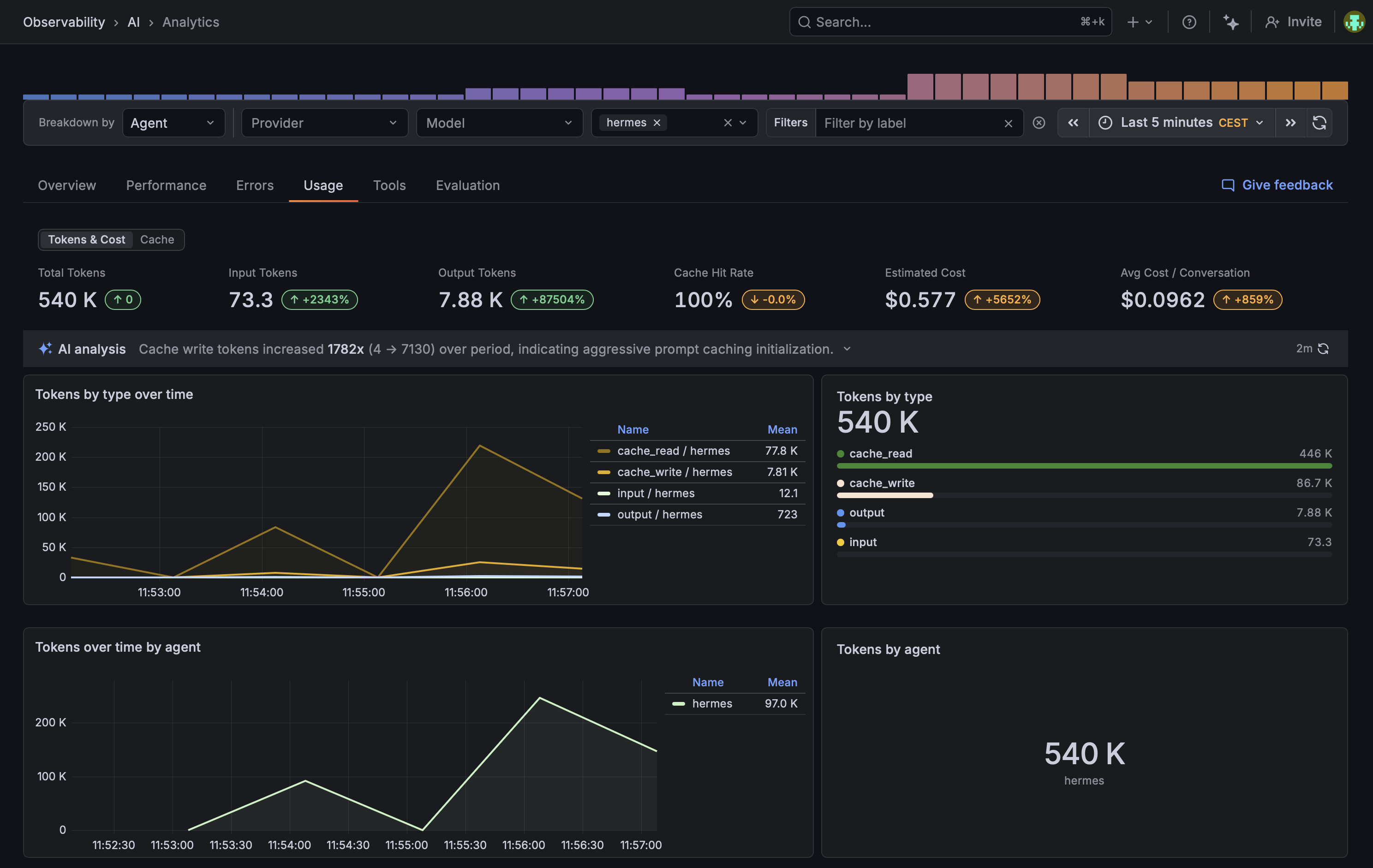
Grafana AI Observability plugin for Hermes Agent. Records LLM calls and tool executions as Sigil generations and emits OTel traces + metrics.
Install
Preferred: let your agent do it
Paste this into Hermes (or any Claude / Codex / Cursor / similar agent that can fetch URLs):
Install and configure the Grafana AI Observability plugin for me by following
https://raw.githubusercontent.com/alexander-akhmetov/sigil-hermes/main/llms.txt
The agent will walk you through pip install, ~/.hermes/config.yaml, and the credential collection from Grafana Cloud. It will also explain what conversation data flows by default and how to tune it before turning anything on.
Manual
pip install git+https://github.com/alexander-akhmetov/sigil-hermes
Install into the same Python environment hermes runs from (which hermes to check). Then enable the plugin in ~/.hermes/config.yaml:
plugins:
  enabled:
    - sigil
Hermes's
plugins enableCLI does not see pip-installed plugins yet — it only scans~/.hermes/plugins/and the bundled directory. Editing the YAML directly is the workaround.
Configure
Two independent channels, each optional: generations under the canonical SIGIL_* schema, traces and metrics under the standard OpenTelemetry OTEL_* schema. You can find URLs and tokens in your Grafana account: https://grafana.com/orgs/{org}.
If you do not have a Grafana Cloud account, you can create one for free at https://grafana.com/auth/sign-up/create-user/. The free tier is enough to run this plugin.
# Generations → Sigil API (Conversations)
export SIGIL_ENDPOINT="https://sigil-prod-<region>.grafana.net"
export SIGIL_PROTOCOL=http
export SIGIL_AUTH_MODE=basic
export SIGIL_AUTH_TENANT_ID="<grafana-cloud-stack-id>"
# Find this token in your stack info → "AI Observability" card at
# https://grafana.com/orgs/{org-id}/stacks/{stack-id}
export SIGIL_AUTH_TOKEN="<sigil:write token>"

# Traces + metrics → Grafana Cloud OTLP gateway (standard OTel envs)
export OTEL_EXPORTER_OTLP_ENDPOINT="https://otlp-gateway-prod-<region>.grafana.net/otlp"
# OTEL_EXPORTER_OTLP_HEADERS is optional: when unset, the plugin derives
# Authorization=Basic base64("$SIGIL_AUTH_TENANT_ID:$SIGIL_AUTH_TOKEN") plus
# X-Scope-OrgID. That only works when the OTLP gateway's basic-auth username
# equals SIGIL_AUTH_TENANT_ID. If the OTLP instance ID differs, set it
# explicitly with that username (override per signal with
# OTEL_EXPORTER_OTLP_TRACES_HEADERS / _METRICS_HEADERS):
# Base64 of "<otlp-instance-id>:<grafana-cloud-otlp-token>" — see your stack's
# "OpenTelemetry" card.
export OTEL_EXPORTER_OTLP_HEADERS="Authorization=Basic <base64>"
Optional
| Variable | Default | Description |
|---|---|---|
SIGIL_AGENT_NAME |
hermes |
Per-generation gen_ai.agent.name |
OTEL_SERVICE_NAME |
hermes |
OTel resource service.name. Plugin defaults to hermes when this and OTEL_RESOURCE_ATTRIBUTES's service.name are both unset. |
SIGIL_CONTENT_CAPTURE_MODE |
full |
full / no_tool_content / metadata_only. Plugin defaults to full so tool args and results are visible — the SDK's own default is no_tool_content, which leaves agent conversations looking empty. |
SIGIL_DEBUG |
false |
Verbose SDK logs |
SIGIL_HERMES_SAMPLE_RATE |
1.0 |
Fraction of LLM and tool calls to record, 0.0–1.0 |
SIGIL_HERMES_MAX_CHARS |
12000 |
Per-string truncation cap for redacted payloads |
SIGIL_HERMES_OTEL_AUTO |
true |
Set false if your application already installs a TracerProvider / MeterProvider |
SIGIL_HERMES_AGENT_VERSION |
— | Stamped on each generation as effective_version (Sigil tracks per-version drift) |
Verify
SIGIL_DEBUG=true hermes
In ~/.hermes/logs/agent.log you should see:
hermes-plugin-sigil: installed TracerProvider with OTLP HTTP exporter
hermes-plugin-sigil: installed MeterProvider with OTLP HTTP exporter
hermes-plugin-sigil: Sigil client initialized (generations=configured, otel=configured)
Ask hermes anything, then check Grafana Cloud -> Observability -> AI -> Conversations.
License
Apache-2.0.
Reviews (0)
Sign in to leave a review.
Leave a reviewNo results found