penumbra
Health Gecti
- License — License: Apache-2.0
- Description — Repository has a description
- Active repo — Last push 0 days ago
- Community trust — 11 GitHub stars
Code Gecti
- Code scan — Scanned 12 files during light audit, no dangerous patterns found
Permissions Gecti
- Permissions — No dangerous permissions requested
Bu listing icin henuz AI raporu yok.
Open-source TouchDesigner alternative in Rust: node-based live visuals, projection mapping onto real objects, camera and blob tracking, sound/DMX/OSC. Scriptable by AI agents over MCP.
penumbra
penumbra is a node-based tool for projection mapping, camera tracking and installations driven
by sound, DMX or OSC. It is written in Rust on egui and wgpu. It covers part of what
TouchDesigner is used for. It is not compatible with TouchDesigner: no .toe/.tox files, no
TouchDesigner Python API, its own node names.
- Projection onto real objects. Point the projectors and a camera at the scene and scan.
penumbra finds the faces and objects, lines the projectors up, blends them and puts content
on each surface (below). - Live. Pictures, 3D, sound, camera, DMX and OSC in one network that keeps running while
it is edited. Beat tracking from the sound alone, blob tracking from a camera. - Everything is a command. Every action in the app is also a command on a local JSON
control channel. A script, or Claude Code, can build, change, run and photograph a network
without anyone clicking.penumbra-cli mcpserves the same commands to MCP clients. - Plain files. A project is a folder of text files that can be diffed and edited by hand.
- Free and open source (MIT or Apache-2.0).
Status: work in progress, used for real installations. There will be breaking
changes before 1.0 (scope). The current version is on
the releases page.
Features
About 160 node types in ten data kinds: tex pictures, chan channels of numbers, audio
sound, table text tables, geo, mat, light and view for 3D, vol volumes, bodies
groups of rigid bodies. The
node reference lists every one.
- Pictures: noise, ramps, text, shapes, images, PSD layers, video (a channel can scrub it
like tape). Level, HSV, blur, edge, displace, lookup, threshold, chroma key, matte, composite.
Feedback loops, frame cache, per-pixel time machine, 2D fluid, 2D water, sand and snow
(liquid example). Shaders in WGSL. Named
palettes and colormaps. Image files read as data (maps, positions,
normals). - Volumes: 3D smoke with burning fuel in a box (
vol.smoke), up to 64 emitters, drawn bytex.render_volume(smoke example). - Rigid bodies: boxes, balls and hulls of any model fall, pile up and come to rest
(physics.rigid_bodies). A table or a tracker moves bodies that push the others aside.
Obstacles that move, fields that pull, blow or whirl the bodies, kicks on a trigger, springs
that pull the bodies into a figure (rigid-bodies example). - 3D: OBJ, STL, glTF, FBX. Primitives, solid 3D text, texture projection (planar, cylinder,
sphere, box). Instancing from a table or a texture, tens of thousands on the GPU. Phong, PBR,
wireframe, occluder materials. Ambient, directional, point, spot, environment lights. Shadows,
transparency, ambient occlusion. Perspective, orthographic, calibrated cameras. A projector
light on a 3D model of the room, to try a mapping before going on site. - Projectors: one output per display or part of a display (4K splitters), found again after
a replug. Corner pin, mesh warp, soft edges, drawn masks
(mapping without a camera). Test patterns on all projectors
at once. Output also in a desktop window. Colour and brightness matched from camera
measurements (projector-wall example). - Model mapping: a projector fitted to a 3D model without a camera. Choose corners on the
model, move a crosshair onto the real ones
(how). - Scanned objects: structured light from each projector, filmed by a camera
(scanning). Lines the projectors up (side by side or stacked), blends them,
finds faces and objects, groups faces into regions editable by clicking. A relief panel becomes
a height map. - Content library: over 70 ready-made components on shelves in the add dialog: effects for
any scanned scene, worlds and elements for music (library). - Shapes: pulses, chases, ripples per drawn shape, each with its own colour and phase. Shapes
traced from any mask or label picture, then edited by hand. - Camera: webcams and capture cards, denoising, optical flow, blob tracking with stable ids.
- Sound: any audio device or sound file. Loudness, bands, onsets, spectrum (also as a
texture). Live beat tracker; for sound files a beat and bar grid ahead of time, sections and a
written arrangement (below). Instruments and drones played by channels,
filter, room reverb. Limiter on the output. Records to WAV or into a video. - Channels: LFO, noise, math, filter, envelope, integrator, derivative, trail, merge, select.
Buttons and sliders on their node. Mouse, keyboard, 3D mouse. A web page on a phone
(control-page example). Any param bound to a channel by
dragging a wire onto it. OSC and MIDI learn. - Shows: a list of steps (
chan.sequence): which piece, how long, which transition. Hold
until GO from a key, a button or OSC.tex.sequenceblends and cooks only what is shown
(show example). - Python: script node (CPython 3.12 or later). Channels and tables in, channels and a table
out, state kept between frames. - Components: networks inside a node, with chosen params exposed, kept in a library.
- Editor: automatic layout (below), undo with a change log, copy and
paste, replacing a node's kind with its wires kept, notes on the canvas. The add dialog also
finds TouchDesigner names and file extensions. A?on every node opens its help in a
single-page manual. - Running a show: a failing node shows an error, the rest keeps running. Feedback loops and
caches survive a restart. Idle nodes give their video memory back. Check for Windows settings
that disturb a show (Game Bar, banners, Duplicate displays), fixed and restored afterwards.
Meters for GPU load, memory, temperature and per node;cook.profileshows where a frame's
time goes. Recovery after a lost GPU device. Show mode locks the project. After a crash the
app restarts and the show goes on at its cue. - Files out: recording with sound (
out.video), tables as CSV or TSV (out.table), geometry
as OBJ, STL or GLB (out.mesh). - Automation: headless runs execute a script of commands and save pictures of any node or
the window. Every rendered picture in this README was made that way
(python tools/gallery.py).
Inputs and outputs
| in | out | notes | |
|---|---|---|---|
| Displays, projectors | yes | fullscreen per display, or a viewport of one | |
| Camera, capture card | yes | Media Foundation (UVC webcams, Elgato Cam Link and similar) | |
| Video files | yes | yes | in: MP4, MOV, MKV, WebM, MXF, MPEG with H.264, HEVC, ProRes, DNxHR, VP9, AV1, HAP; GIF. Out: H.264 (MP4, CPU or NVIDIA card), ProRes 422, 422 HQ, 4444 (MOV) |
| Image files | yes | snapshots | PNG, JPEG, TIFF, EXR, HDR, WebP and more; PSD/PSB layers. Any node can be saved as PNG |
| 3D files | yes | yes | in: OBJ (with MTL), STL, glTF/GLB, FBX (7.x binary and ASCII, animated, skinned). Out: OBJ, STL, GLB |
| Text tables | yes | yes | in: CSV, TSV, plain lines. Out: CSV, TSV |
| Audio | yes | yes | any device (WASAPI, shared mode). Files: WAV, FLAC, MP3, Ogg, AAC, in step with video files. Output always through a limiter at -1 dBFS. Records to WAV |
| Spout | yes | yes | textures shared with other programs on the same machine |
| NDI® | video and audio | video and audio | needs the NDI runtime installed |
| Screen, windows | yes | a monitor or one window by its title (Windows.Graphics.Capture) | |
| DMX over USB | yes | Enttec Open DMX USB, one universe | |
| Art-Net | yes | yes | |
| sACN (E1.31) | yes | yes | |
| DDP | yes | pixel controllers such as WLED | |
| OSC | yes | yes | UDP; learn binds a param to the next address that arrives |
| HTTP, WebSocket | yes | JSON from a browser or another program; serves the project's control page, or a built-in one | |
| Mouse, keyboard | yes | the pointer anywhere on the desktop; keys while a penumbra window has the focus | |
| 3D mouse | yes | 3Dconnexion SpaceNavigator, also steers the 3D viewer; without the vendor driver | |
| Control channel | yes | yes | JSON lines over TCP on localhost, every command of the app |
| MIDI | yes | yes | controllers by name, every control a channel; learn binds a param to the next control moved; MIDI clock as a tempo. An unplugged device comes back by itself |
| Depth cameras | not built (no Kinect, RealSense, ZED) |
Compared with TouchDesigner
The node kinds map roughly onto TouchDesigner's families: tex onto TOPs, chan onto CHOPs,table onto DATs, geo onto SOPs, mat onto MATs, comp onto COMPs. penumbra is a
small project and has far fewer nodes in each family.
A TouchDesigner project does not open in penumbra; it is rebuilt. The
Claude Code skill for that walks a session
through it. It dumps the .toe as text with TouchDesigner's own toeexpand. It maps the
operators, GLSL shaders and Python to penumbra nodes, and it compares the port with a
screenshot of the original.
Not in penumbra, as of now. Some of this is planned, some stays out, see Scope:
- Timecode (LTC, MTC), VST plugins.
- Depth cameras and other tracking hardware (Kinect, RealSense, ZED, Leap Motion).
- Python expressions on parameters. Parameters are driven by binding them to channels. Python
runs only in script nodes. - Custom control panels (TouchDesigner's Panel COMPs): buttons and sliders sit on their nodes
and, flaggedshow, on the locked show screen. A web page in the project'swwwfolder
steers channels from a phone. Keyframe animation and a timeline: a show
runs as a list of steps instead (chan.sequence). - Geometry modelling beyond primitives, 3D text, transforms, merging and instancing.
- Particle systems have no dedicated nodes. Particles can be done in shaders, as in the
curl-noise example. Rigid bodies have no joints. - Network I/O beyond OSC, Art-Net, sACN, DDP, NDI and incoming HTTP and WebSocket: no raw TCP,
UDP or serial nodes, no outgoing web requests, no streaming (RTMP, SRT, WebRTC). - GLSL (shaders are WGSL), a C++ plugin API.
Different by design:
- A project is a folder of plain text files (RON). It can be diffed and edited by hand, and
the app reloads it when it changes on disk. - Everything is reachable over the control channel, including clicks, screenshots and the
layout of the editor. - Projection onto objects from a camera scan is built in, down to the content.
- Free and open source (MIT or Apache-2.0), no licence tiers or resolution limits.
Scope
penumbra is built with Claude Code, and new scenes are meant to be built the same way: you
describe the scene, Claude Code builds the network. Because of that, some things from
TouchDesigner are missing on purpose. For example there are few logic nodes. A short Python
script in a script node does the same job, and Claude Code writes that script faster than
anyone wires the nodes.
Not every planned feature is there yet. More will come over the first months. The feature list
of TouchDesigner is not the goal. Hardware nobody on the project owns, like depth cameras, stays
out until someone who owns it contributes. Things that would make penumbra hard to maintain
for a small team stay out on purpose.
There will be breaking changes before 1.0. A project is plain text and Claude Code can read
it. So when an update breaks a project, Claude Code can usually fix the files. Release notes
list every rename.
The goal is that a show runs more stably and faster in penumbra than in TouchDesigner. And
that penumbra does some things TouchDesigner does not, like structured light scanning.
The project's founder used TouchDesigner for almost six years and has worked only in penumbra
since penumbra 0.2. The plan is to maintain penumbra for a long time.
Projection onto objects and walls
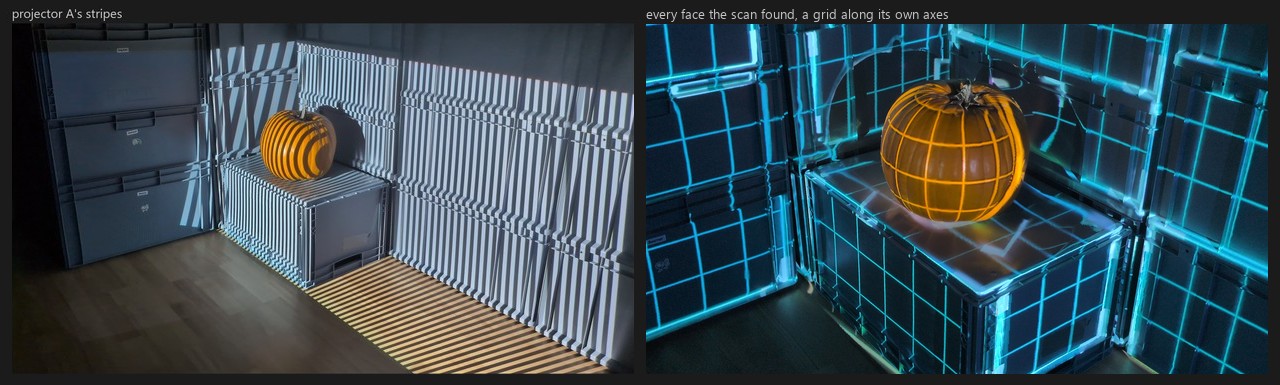
Each projector shows stripe patterns, the camera films them, and from the films penumbra
knows where every projector pixel lands. You draw the content once, in the camera's picture;
each projector shows its share, in place. On objects, scan.scene finds the faces andscan.regions groups them. A Halloween show on crates and a pumpkin, two projectors (click
for the film):
On a wall, three projectors become one picture: blend weights from the scan, colours matched
by the camera, brightness evened out by a flat field.
Scanning has the whole chain; the examples
projection-onto-objects and
projector-wall ship real scans, and a
Claude Code skill walks a session through it.
Gallery
Each picture comes from a project that ships with penumbra.
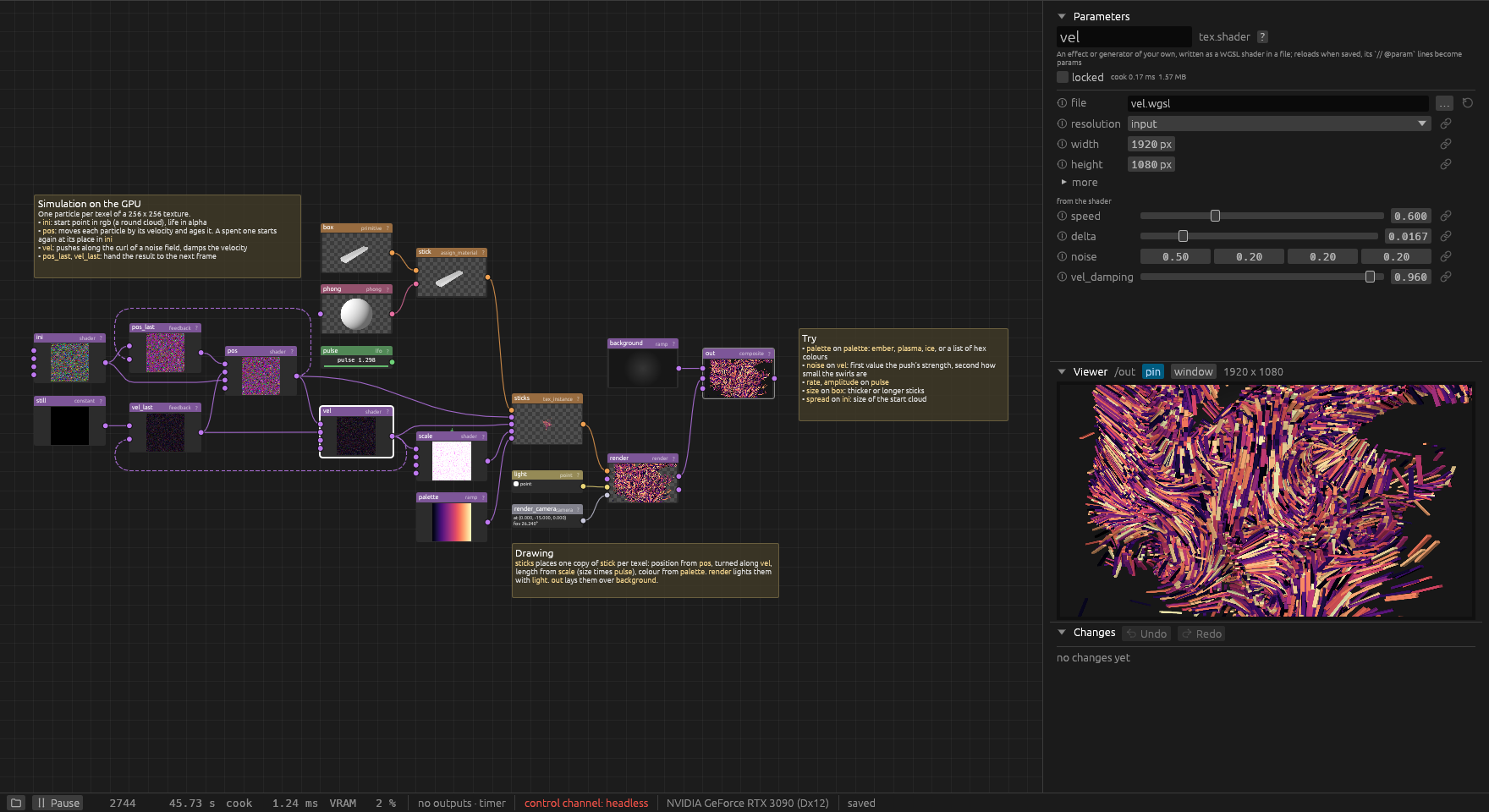
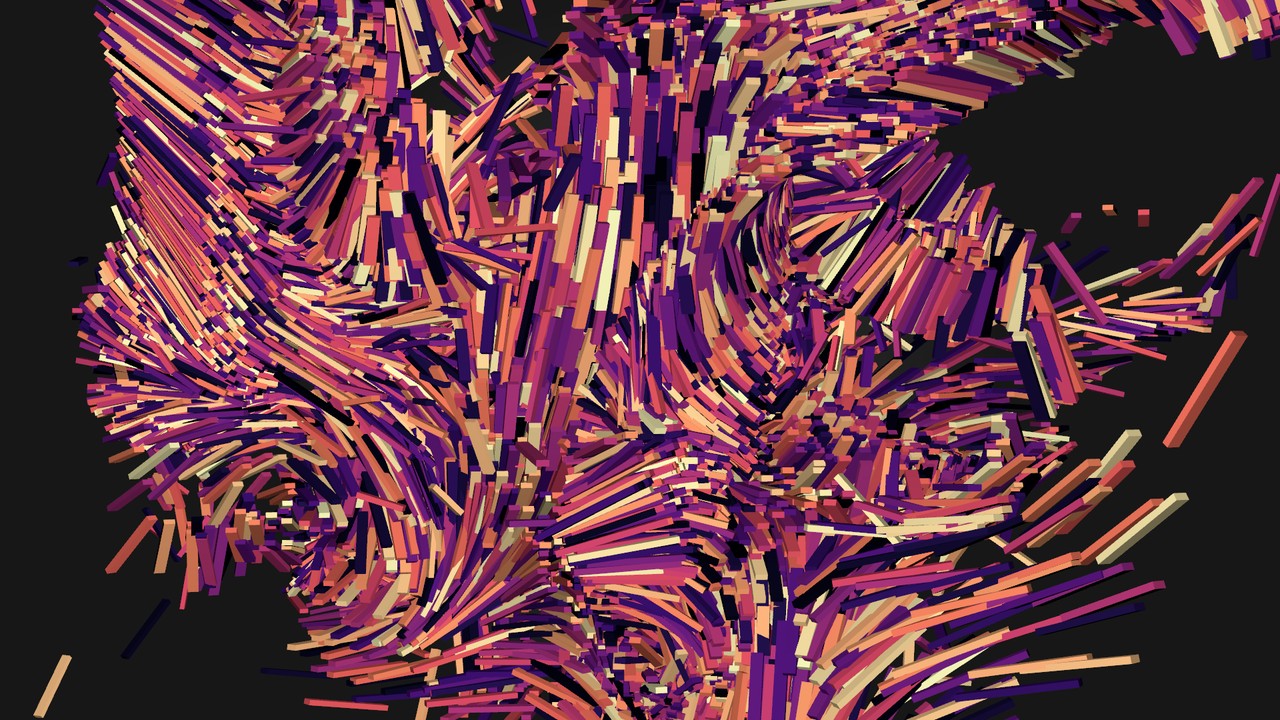
The curl-noise example: 65 536 sticks moved through a
curl-noise flow field, simulated in shaders and drawn instanced, coloured through the magma
colormap. The screenshot at the top of this page shows its network. Inspired by the video
"TouchDesigner _03 Curl Noise" by threedashes.
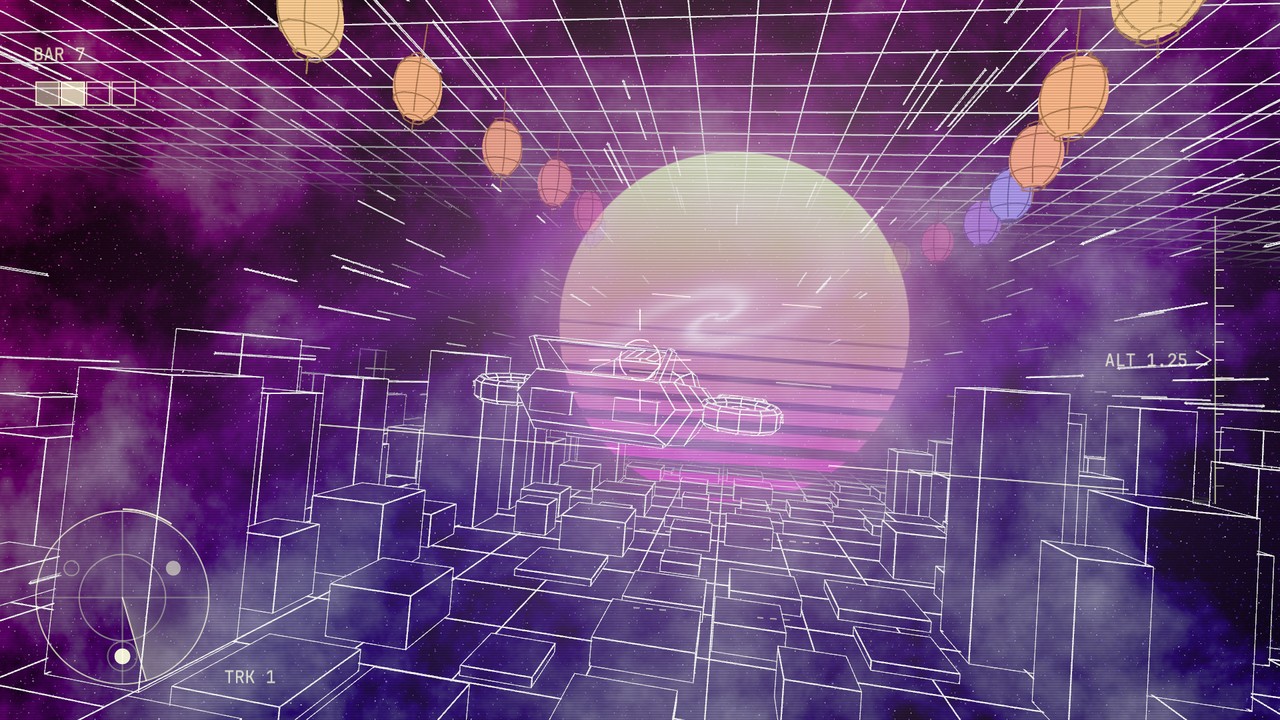
The music-synthwave example: a whole show on one song. The
glider's world of wireframe blocks, lamps and a sun moves with the beats, and one command writes
the arrangement from the beats and sections found in the file.
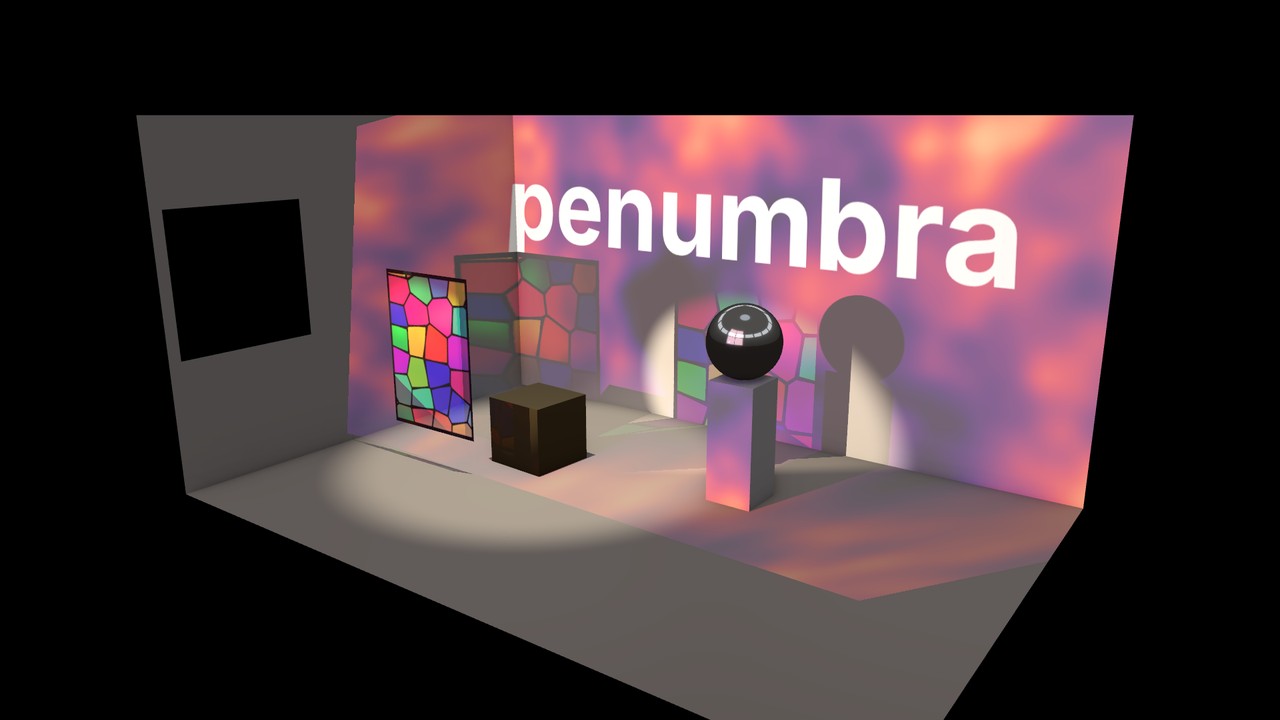
The projection-room example: a 3D room lit by a projector,
two spot lights and an environment light, with a stained-glass panel, a cube and a chrome ball.
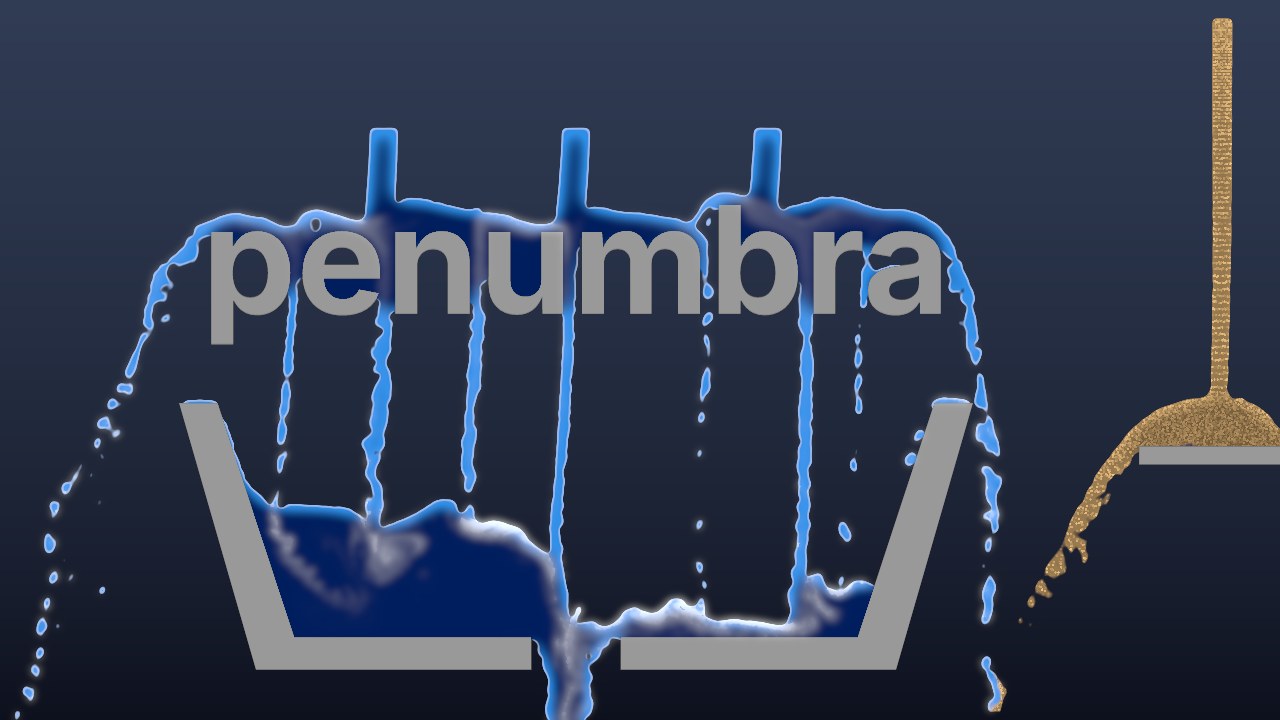
The liquid example: water poured over a word runs into a basin and
drains, a gusty wind bends the streams, and sand heaps up on a shelf.
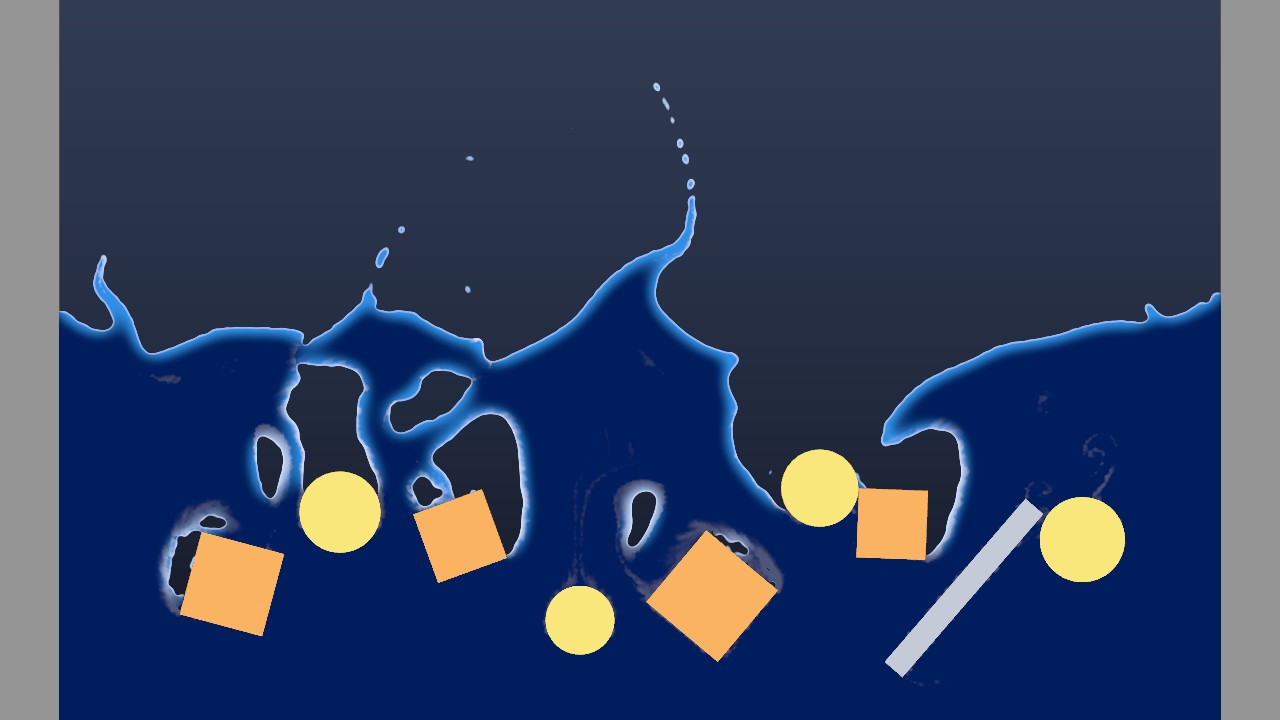
The liquid-bodies example: boxes and balls from the rigid-body
solver drop into a pool, push the water aside and sink to the floor, while a turning bar stirs
it.
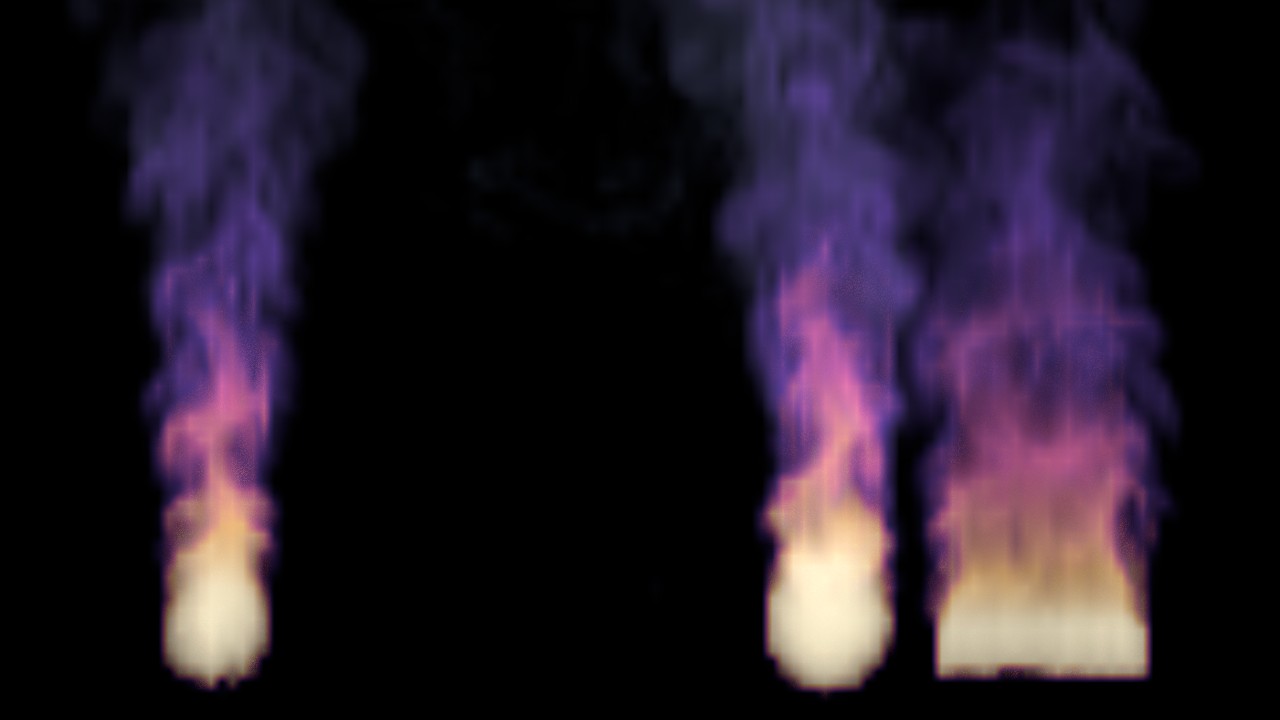
The smoke example: smoke simulated in a box in space from three
emitters. Hot smoke glows in colours of its own.
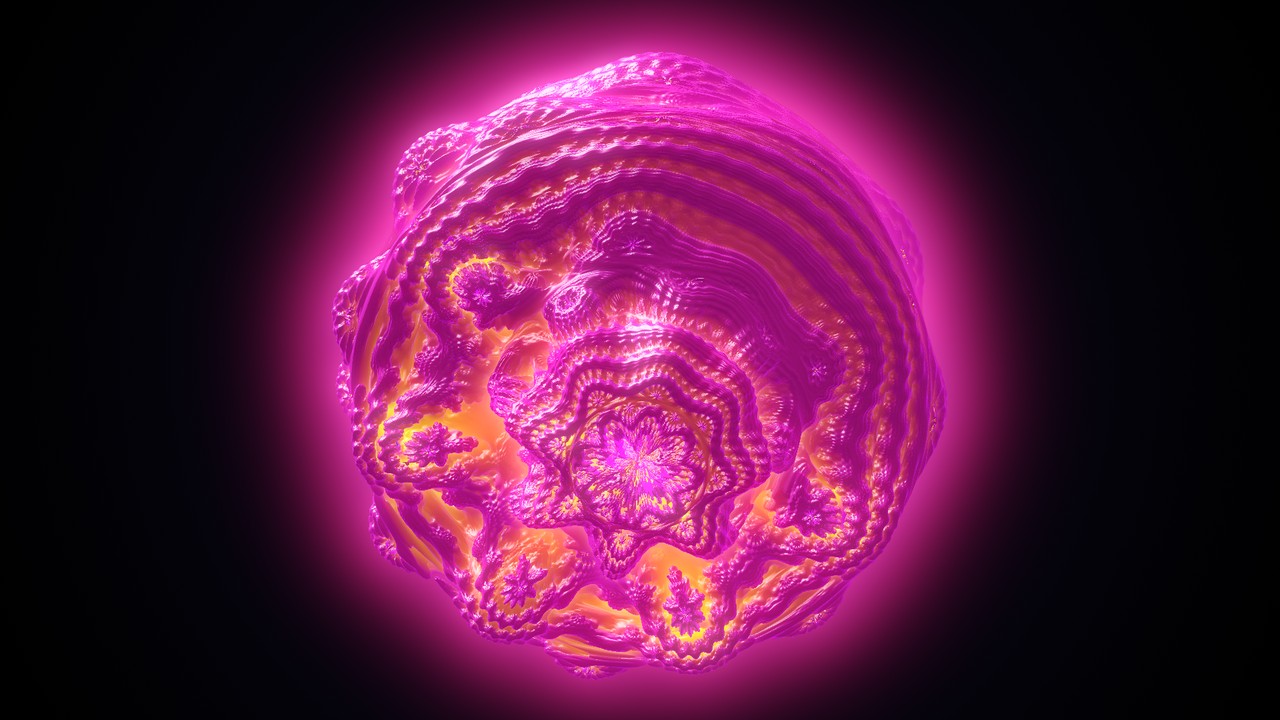
The raymarch example: three raymarched looks that follow music, a
tunnel, melting shapes and a fractal.
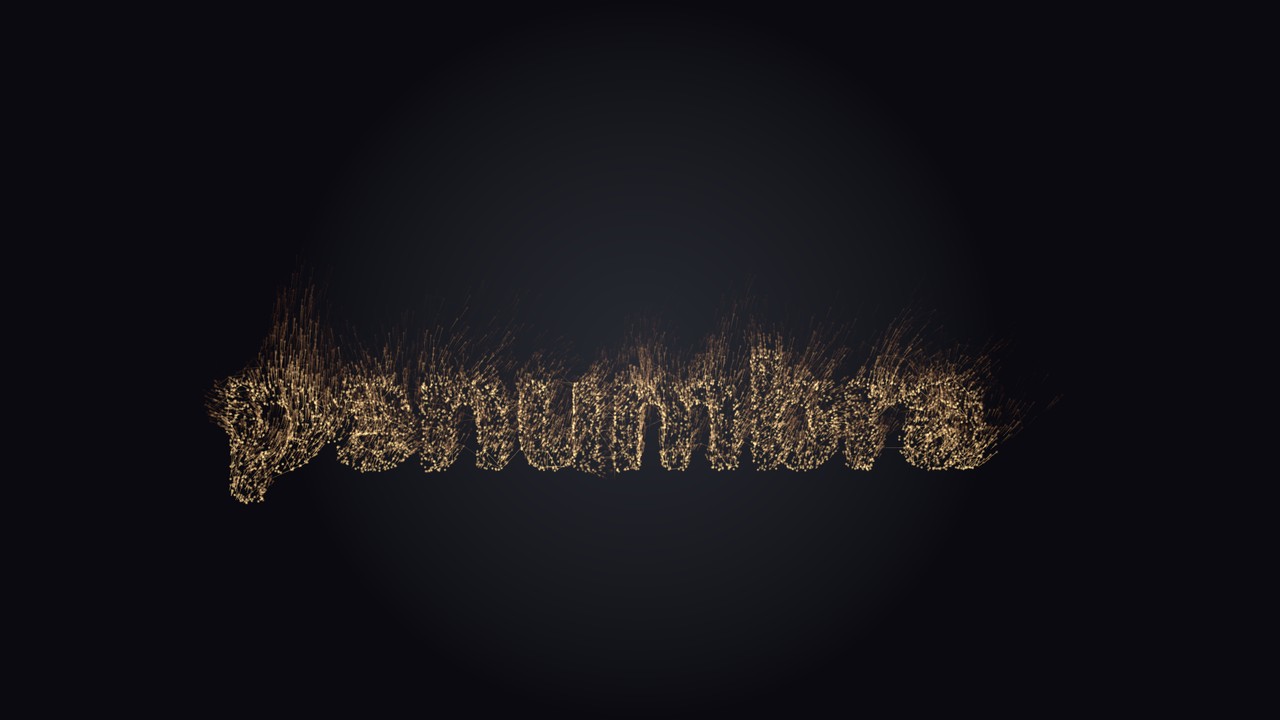
The particles example: sparks rise from the word "penumbra",
stirred by a curl noise and blown up by a wind. Each spark glows as a soft dot, and leaves a
short trail.
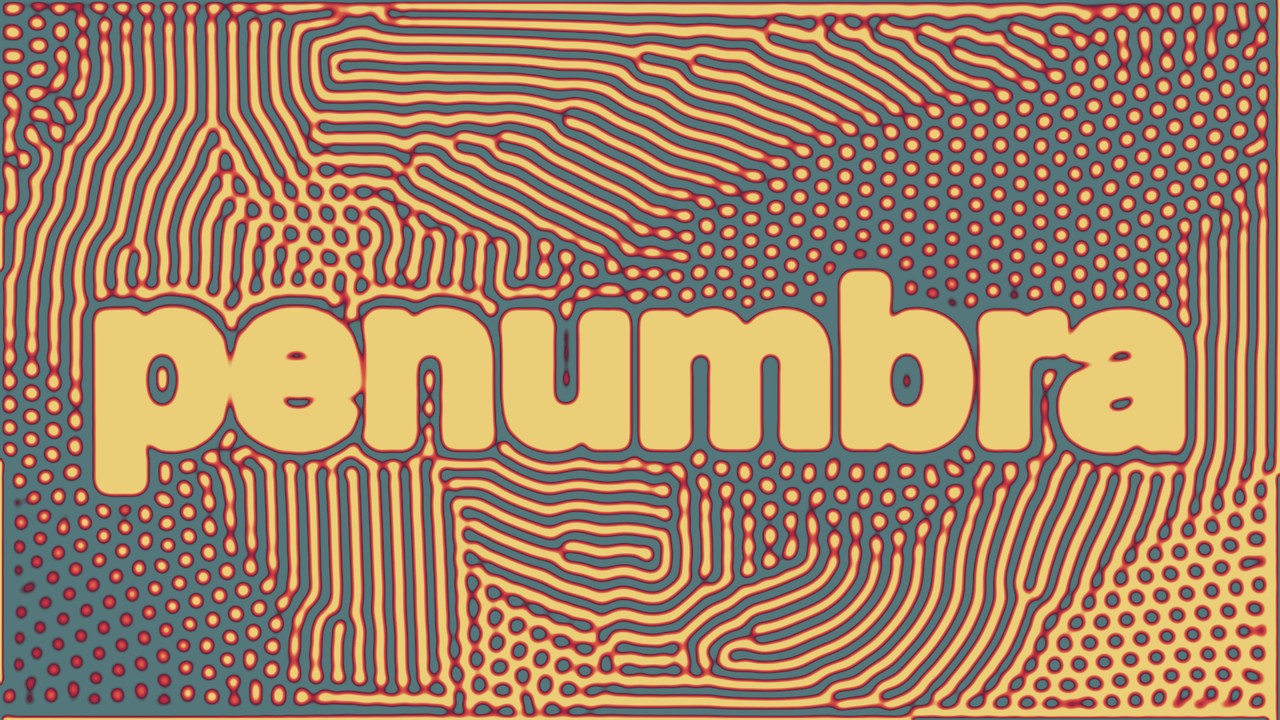
The demo the app opens on its first start: a reaction-diffusion growing around a title.
Beat tracking
chan.beat_analysis finds the tempo, the beat and the bar from the sound alone. No tap tempo,
no clock from another program. It locks on within a few seconds, follows tempo changes and
keeps the beat running through breakdowns. Its outputs are channels to bind params to. beat
and bar rise from 0 to 1 between beats and bars. tick is 1 on each beat. bar_beat counts
the beat within the bar. Also bpm, confidence, level, low, mid, high, onset,kick and a spectrum. The offset param moves beat and bar ahead to make up for a projector's
delay.
The analysis draws meters for a sound check, in the viewer and as a texture that can be
projected or laid over the show. The method is described in Audio.
For a sound file, chan.beat_grid finds every beat and bar before they play, with the
Beat This! model on the CPU. Its channels have no lag
and hold their bars on DJ mixes. The beat-grid example
runs it beside the live tracker on the same music.
chan.beat_grid also finds the tracks and sections of the file. beats.cues makes a step of achan.sequence from each section. beats.arrange writes what a music stage shows in each
section into a table, one row per section. The library has stages for it (a
synthwave world, a tunnel, a valley at night) and elements to swap in and out. The
music-synthwave example is a whole song arranged that way.
Arranging a network
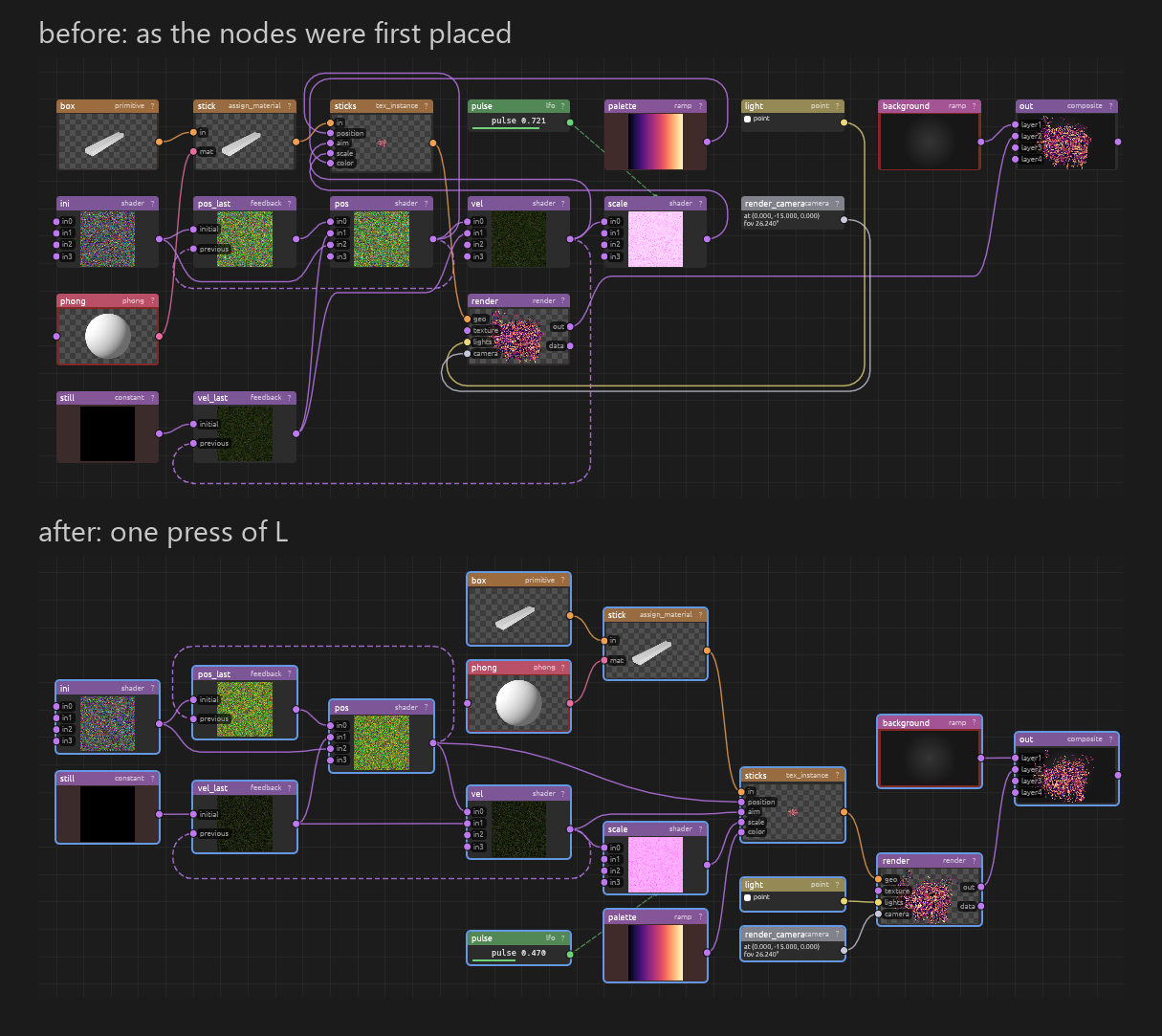
Press L over the node editor to lay the network out. Columns follow the data flow. Within a
column, nodes are ordered so that wires cross as little as possible. Wires are routed around
nodes and kept apart from each other. With two or more nodes selected, only the selection
moves. Ctrl+Z undoes the layout.
Download (Windows)
You need a graphics card with DirectX 12 or Vulkan.
- Download the zip from the latest release
(under "Assets",penumbra-...-windows-x64.zip). - Unpack it anywhere and double-click
penumbra.exe. The first start opens a demo project,
later starts open the project you had open last.
The program is not signed. Windows may show "Windows protected your PC": click "More info",
then "Run anyway". The zip also holds the examples, the content library
and the documentation.
Two features need something installed. The script node needs Python 3.12 or newer, and
numpy for pictures and meshes (scripts). The two NDI nodes need the NDI runtime (NDI).
Everything else runs without them.
Building from source
cargo run -p penumbra
With no arguments the app opens the project that was open last, on the first start the demo
project.
What a build needs:
- Rust 1.95 or newer (
rust-versioninCargo.toml). - Network on the first build: some dependencies (
photocraft,filmcraft,effectcraft) are
git dependencies pinned to a revision, not crates.io releases. - On Windows, the Visual Studio Build Tools for Rust's MSVC toolchain.
rustupoffers to
install them. - No Python or NDI SDK at build time.
cargo xtask ci is the gate before a commit: fmt, clippy, test, clippy for Linux,
the layer check (core and graph must not depend on wgpu or egui, nothing below ui on
egui) and the third-party notices. cargo xtask slow runs the tests that take minutes: those ofchan.beat_grid that need the beat network, and the long liquid simulations on the software
GPU. Only a release needs them. cargo xtask docs
regenerates the reference from the node types and commands, cargo xtask bless rewrites the
golden images after an intended change of a render, cargo xtask dist builds the release zip.
How this is built
Most of the code is written by Claude Code. The developers direct it, review what it wrote and
test the result on projectors, cameras and real shows. Tooling enforces the rules: the
workspace denies unwrap, expect, panic, unreachable, indexing that can panic andunsafe outside small delimited modules. A layer check runs on every dependency set. Renders
are compared with golden images. File, network and hardware input is tested with hostile data.
All code in this repository is Rust, and a Windows build compiles no C or C++. Foreign code is
reached only at the edges, through those small modules: Windows and the graphics driver, and
the NDI runtime and Python, which load at run time and are optional.
The history on GitHub begins with the split into a public repository in October 2026; the work
before that is in a private archive. How the code is put together is in
ARCHITECTURE.md.
Documentation
The documentation starts with getting started and
a glossary, and has a reference of every node and
command.
All of it is also one page, docs/penumbra.html, which the ? on every node
opens.
Acknowledgements
penumbra owes a lot to the storytold apps (photocraft,
effectcraft, filmcraft and their siblings). Its former name, lumencraft, followed their "-craft"
naming, and many of its engineering conventions are borrowed from them: everything is a command,
a JSON control channel, headless snapshots, the no-panic rule, cargo xtask ci as the commit
gate. It also builds directly on several of their crates: photocraft-codecs andphotocraft-psd for image files and PSD layers, effectcraft-text for text, and thefilmcraft-* crates for video.
The FBX reader follows the format knowledge of ufbx (Samuli
Raivio) and fbxcel (YOSHIOKA Takuma), and ufbx's test
files check it.chan.beat_grid finds beats and downbeats with Beat This!
by Francesco Foscarin, Jan Schlüter and Gerhard Widmer (Institute of Computational Perception,
JKU Linz; "Beat This! Accurate Beat Tracking Without DBN Postprocessing", ISMIR 2024). penumbra
runs its published weights (MIT) in its own inference code; assets/models/ holds them with
their licence.
penumbra is an independent project and not affiliated with the storytold team.
Contributing
Issues and pull requests are welcome. The best fit: support for hardware we cannot
test, from someone who uses it. For example "I have a Kinect and want to use it in penumbra,
here is a PR." For anything bigger than a fix, open an issue first, so we can agree on the
scope before the work is done. Contributions are licensed as below.
License
Licensed under either of Apache License, Version 2.0 or
MIT license at your option. Unless you explicitly state otherwise, any
contribution intentionally submitted for inclusion in penumbra, as defined in the Apache-2.0
license, shall be dual licensed as above, without any additional terms or conditions.
One exception: the song in examples/music-synthwave/song.mp3 is by Krzna, used with the producer's
permission, and not under these licenses. See
its license note.
Disclaimer
penumbra is an independent project, not affiliated with, endorsed by or connected to
Derivative Inc. TouchDesigner is a trademark of Derivative Inc. Mentions of TouchDesigner in
this repository only describe where an idea came from or how penumbra differs. NDI® is a
registered trademark of Vizrt NDI AB.
Yorumlar (0)
Yorum birakmak icin giris yap.
Yorum birakSonuc bulunamadi