lot-map
Health Gecti
- License — License: MIT
- Description — Repository has a description
- Active repo — Last push 0 days ago
- Community trust — 21 GitHub stars
Code Basarisiz
- exec() — Shell command execution in hooks/lot-map.test.tsx
- exec() — Shell command execution in hooks/map.ts
Permissions Gecti
- Permissions — No dangerous permissions requested
Bu listing icin henuz AI raporu yok.
A live map beside the chat that shows what Claude Code is doing: tool calls, model steps, hooks, skills and subagents light up as they happen. Local only, in five languages.
lot-map
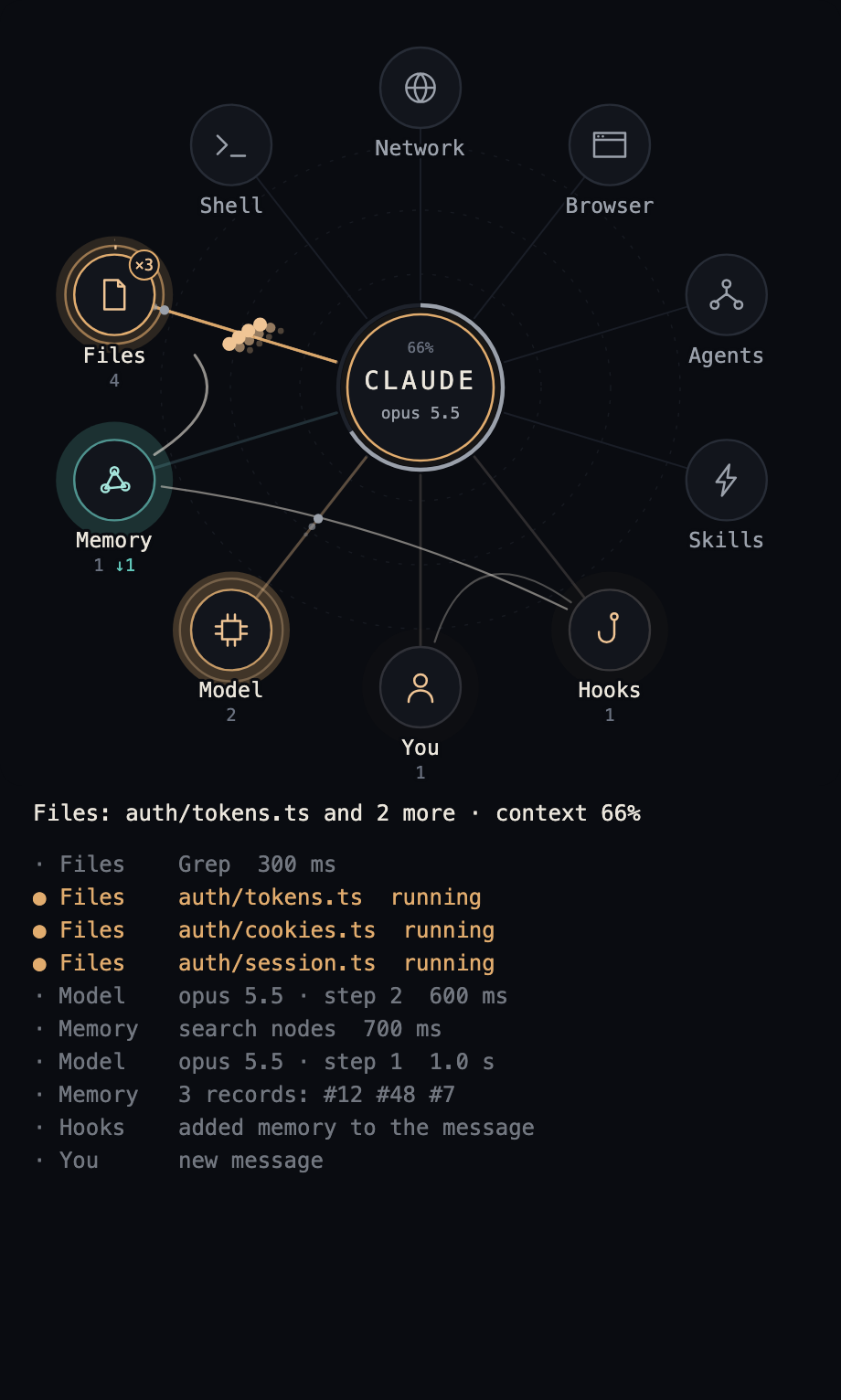
A mod for Claude Code: a live map of the work, in a pane beside the chat. Every tool call, model step, hook and skill sends a pulse from the centre to its station, so you see memory, files, shell, web and agents at work instead of reading a list of commands.
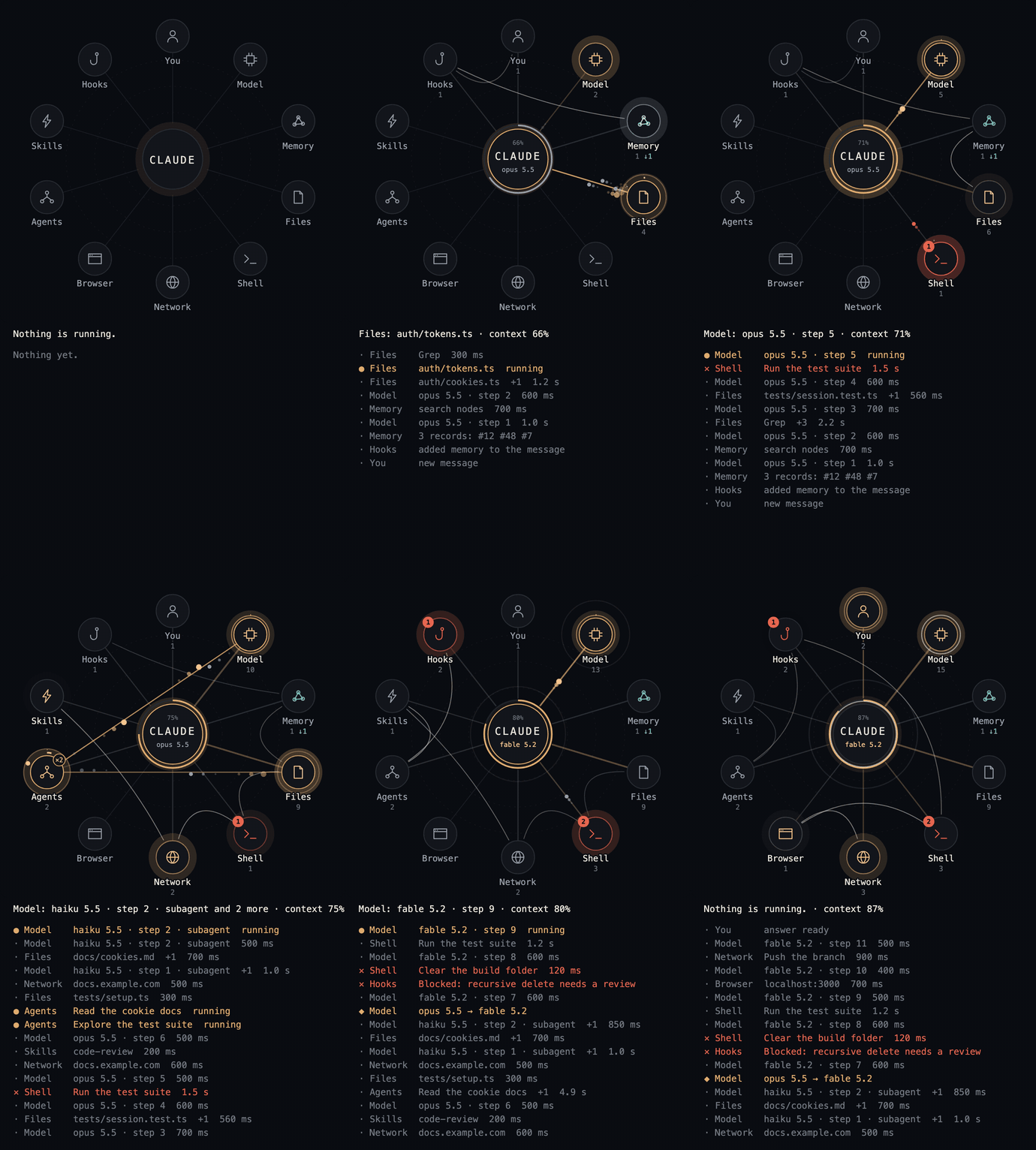
A made-up session replayed through the mod's own drawing code. Video (MP4).
Install
At the prompt of a terminal session:
/plugin install lot-map --marketplace alexeyw/lot-map
Answer y to add the marketplace, then choose a scope. From a shell:
claude plugin install lot-map --marketplace alexeyw/lot-map
In the desktop app: click + next to the prompt box, then Plugins, Add marketplace with alexeyw/lot-map, then Add plugin.
The pane opens by itself when a session starts. In a terminal it needs at least 144 columns and draws text only; otherwise type /lot-map. Built and tested on Claude Code 2.1.321 on macOS.
What lights up
| Station | When |
|---|---|
| You | your messages, questions and files sent to you |
| Model | each model request, context compaction |
| Memory | Claude Code's memory folder, plus whatever you name in the options |
| Files | Read, Write, Edit, Grep, Glob, and shell commands that only look at or move files |
| Shell | every other shell command |
| Network | web fetch and search, curl, gh, git push and the like, MCP servers |
| Browser | browser tools |
| Agents | subagents and workflows; their own calls start from this station |
| Skills | skills and tool search |
| Hooks | settings hooks that refuse a call, ask for permission, add context or take a moment |
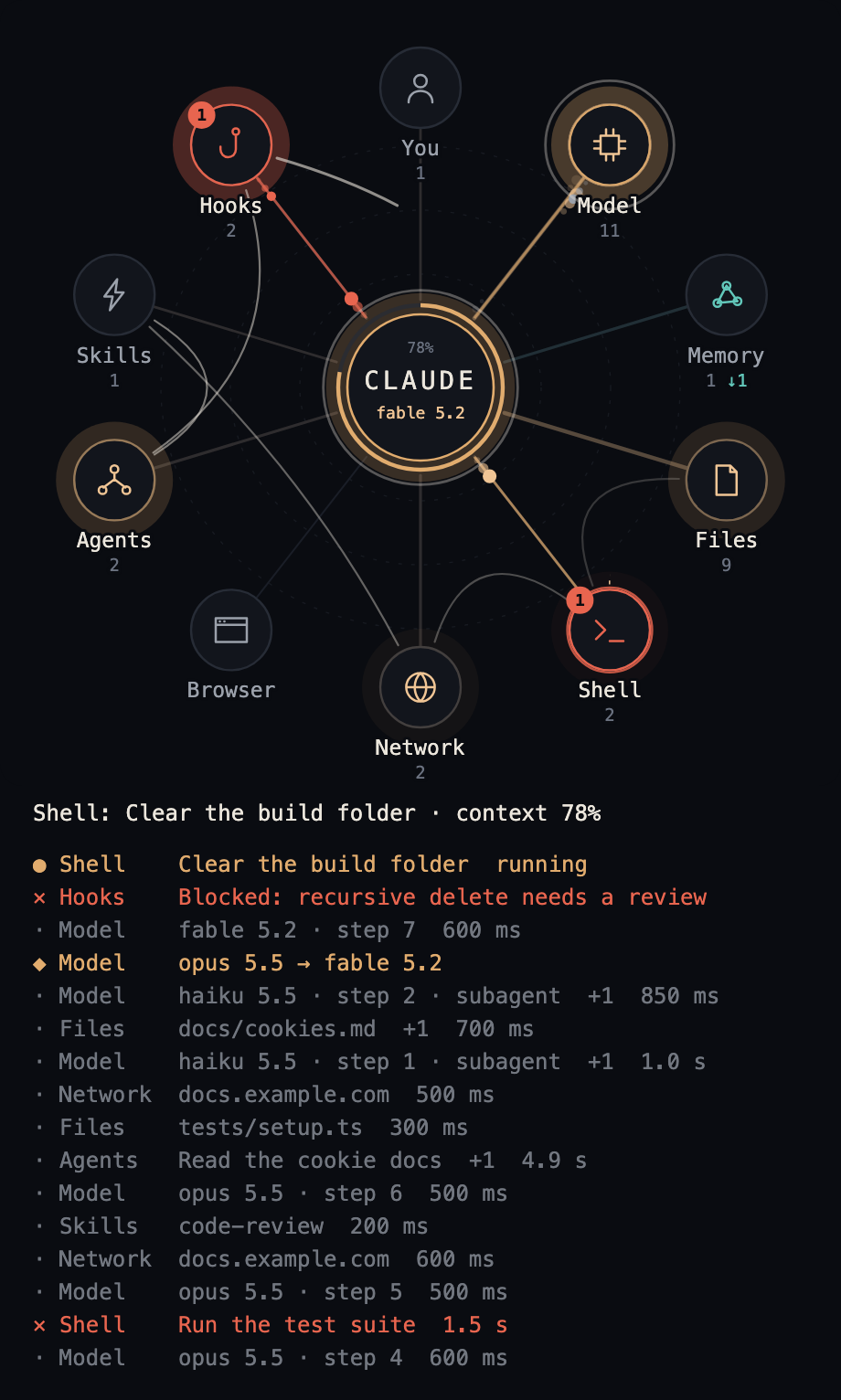
A pulse flies out when something starts and returns when it ends. Refusals and errors turn red.
Reading the map
- The route. A thin line joins the last few stations the main loop went through, in order, and its newest leg draws itself. Model steps are left out, or every leg would pass through Model.
- Worn spokes. A spoke grows thicker and brighter the more its station is used, so at the end of a session the map shows where the work went.
- How long. Two clock hands grow around a station while a call runs: the inner one goes round in a minute, the outer one in ten.
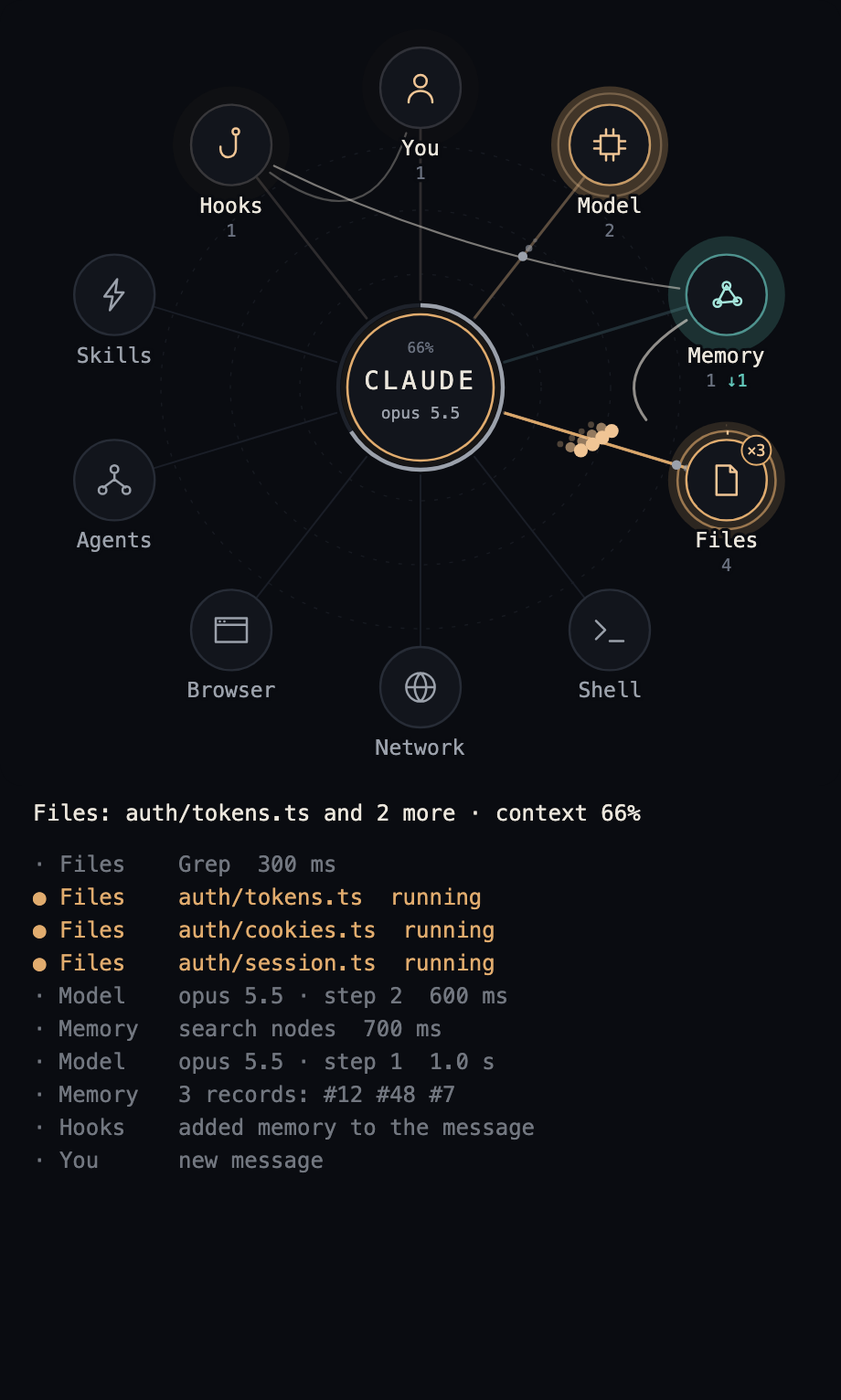
- Several at once. Calls that start together fly side by side, and the station carries their number, such as
×3. - What went wrong. A red dot with a count stays on a station from an error or a refusal until your next message.
- Memory. It has a colour of its own. A solid pulse is a memory Claude asked for; a hollow one on a dashed line is what a hook brought unasked. Under the station, the plain number counts the first and
↓the second. - The context window. The ring around the centre fills as the session goes, with the percentage above the name. It turns amber at 70% and red at 90%.
- A change of model. The centre and the Model station ring for a few seconds, and the feed gets a row such as
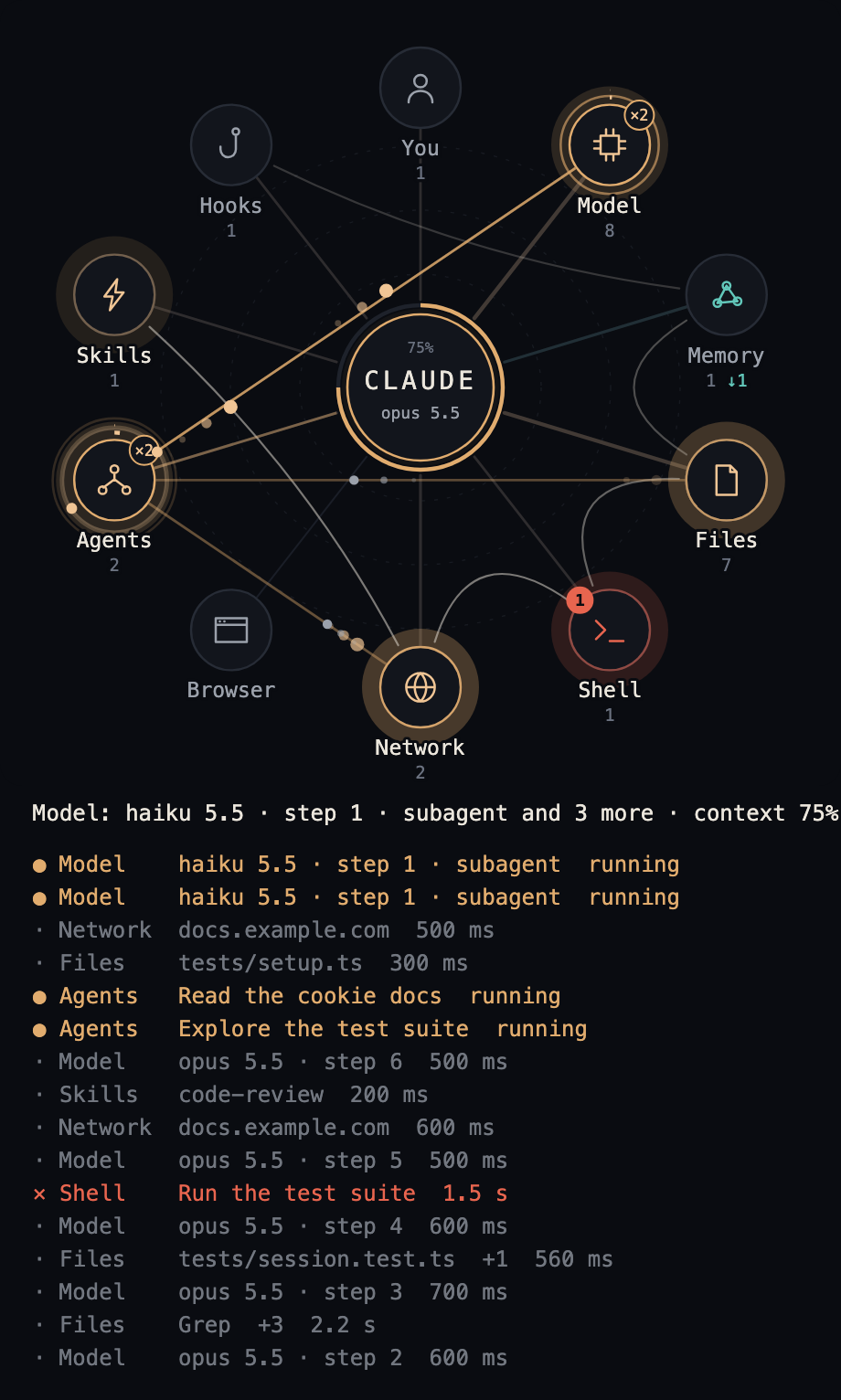
opus 5.5 → fable 5.2. This also happens when a session starts on a different model from the last session in the same folder. - Subagents. Each one still at work circles the Agents station as a small dot, and its calls start from there.
- The answer. One wide ring leaves the centre when the answer is ready.
Below the map are the current action with the context percentage, and the last 16 rows: ● running, · done, ✕ failed or blocked, ◆ a change of model. Finished calls that follow one another at one station fold into one row, marked +2 for the two it stands for besides the one named.
| At work | Subagents | A hook refuses |
|---|---|---|
 |
 |
 |
| A change of model | After the answer | Light colours |
|---|---|---|
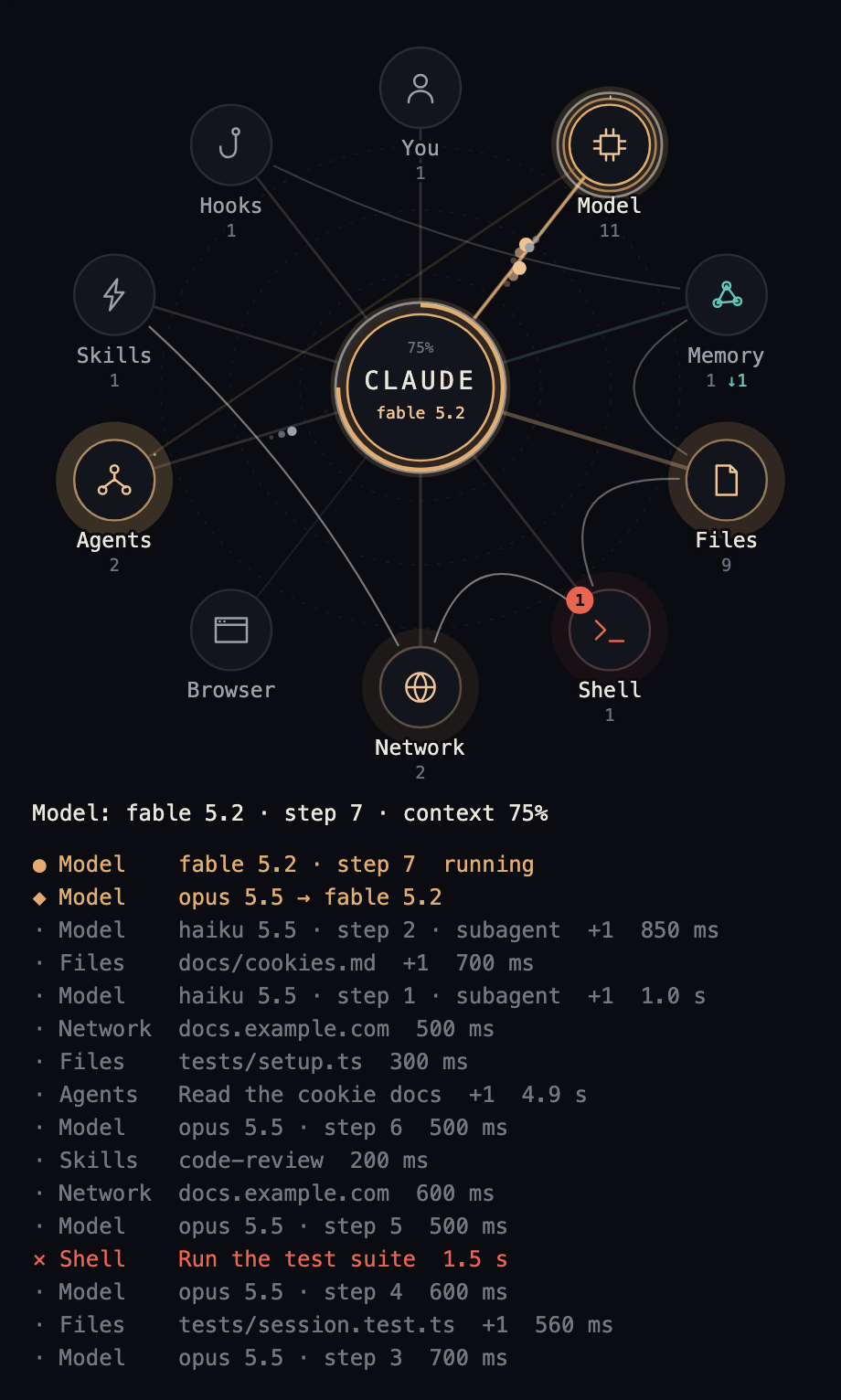 |
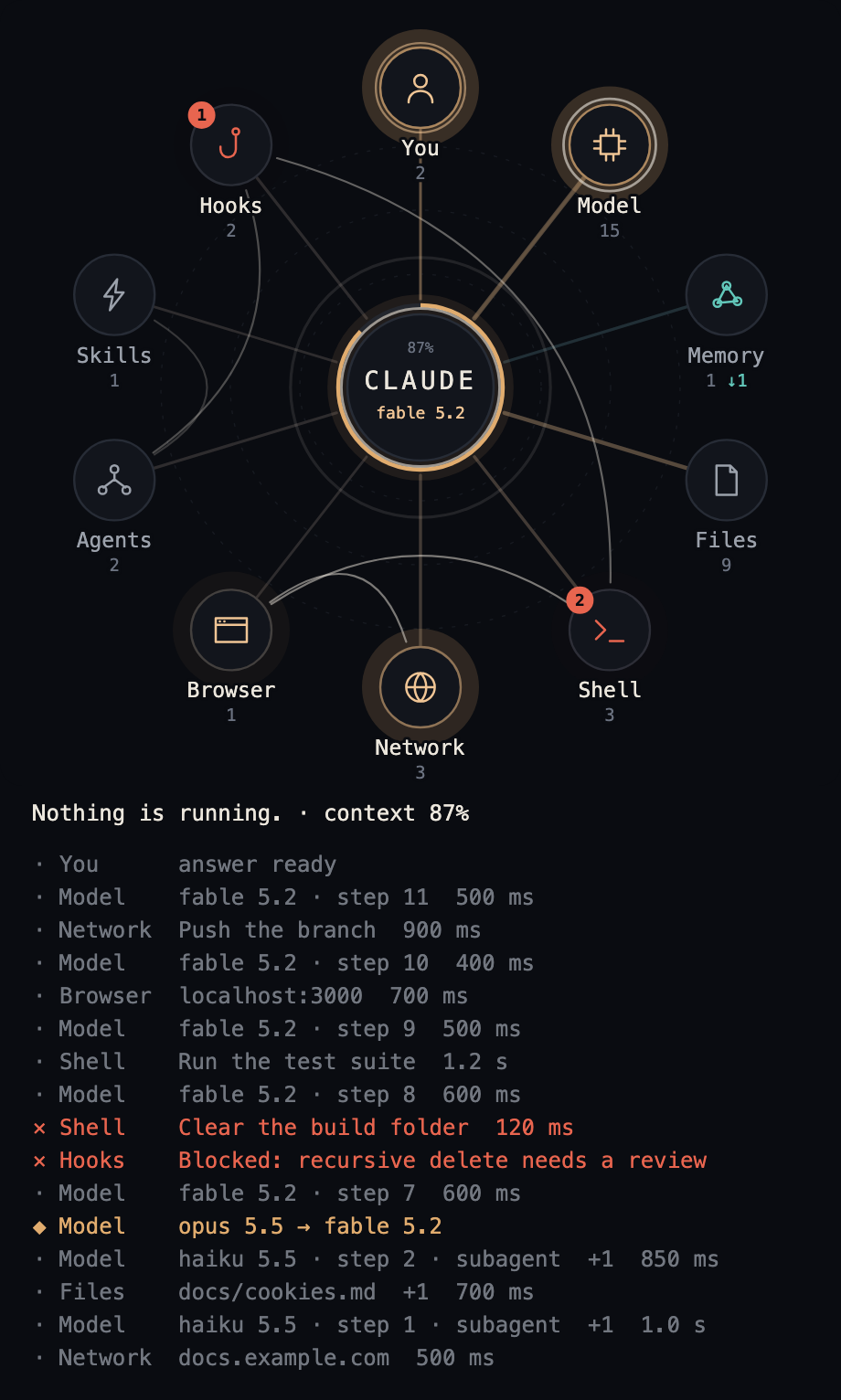 |
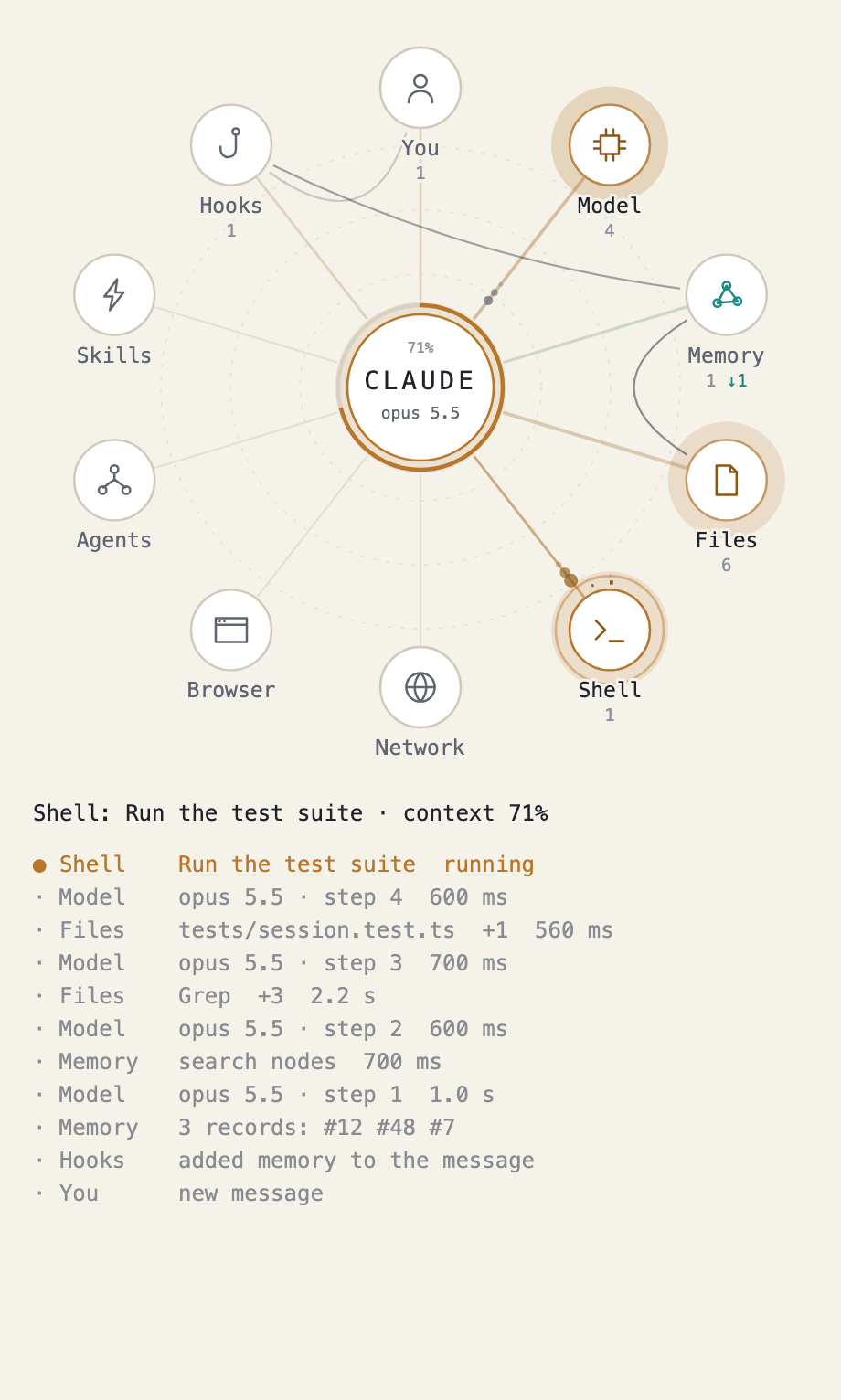 |
Options
The install offers them on a screen. Later, use /config in a terminal or claude plugin configure, then restart the session.
| Option | Default | Meaning |
|---|---|---|
language |
en |
en, ru, es, fr or de |
coreName |
CLAUDE |
what the circle in the middle says, up to ten characters |
memoryServers |
memory |
MCP servers whose tools light Memory |
memoryCommands |
none | shell commands or scripts that light Memory, matched by how the name starts |
memoryPaths |
none | parts of a path that make a file a memory |
memoryLabels |
none | short names for memory tools, each as tool=name |
hookRecords |
false |
turn on if a hook of yours adds memory records numbered like [#123]; they appear on Memory by number only |
theme |
auto |
the map's colours: dark, light, or auto, which is dark on a dark surface and light on a light one |
layout |
you-top |
where you are on the map: you-top, or you-bottom, which turns the ring half a turn so that you are at the bottom and the network and the browser at the top |
For example, Russian labels and your own memory server:
echo '{"language":"ru","memoryServers":"my-memory"}' | claude plugin configure lot-map@lot-map --values-stdin
Lists are written with commas.
| Russian labels | layout set to you-bottom |
|---|---|
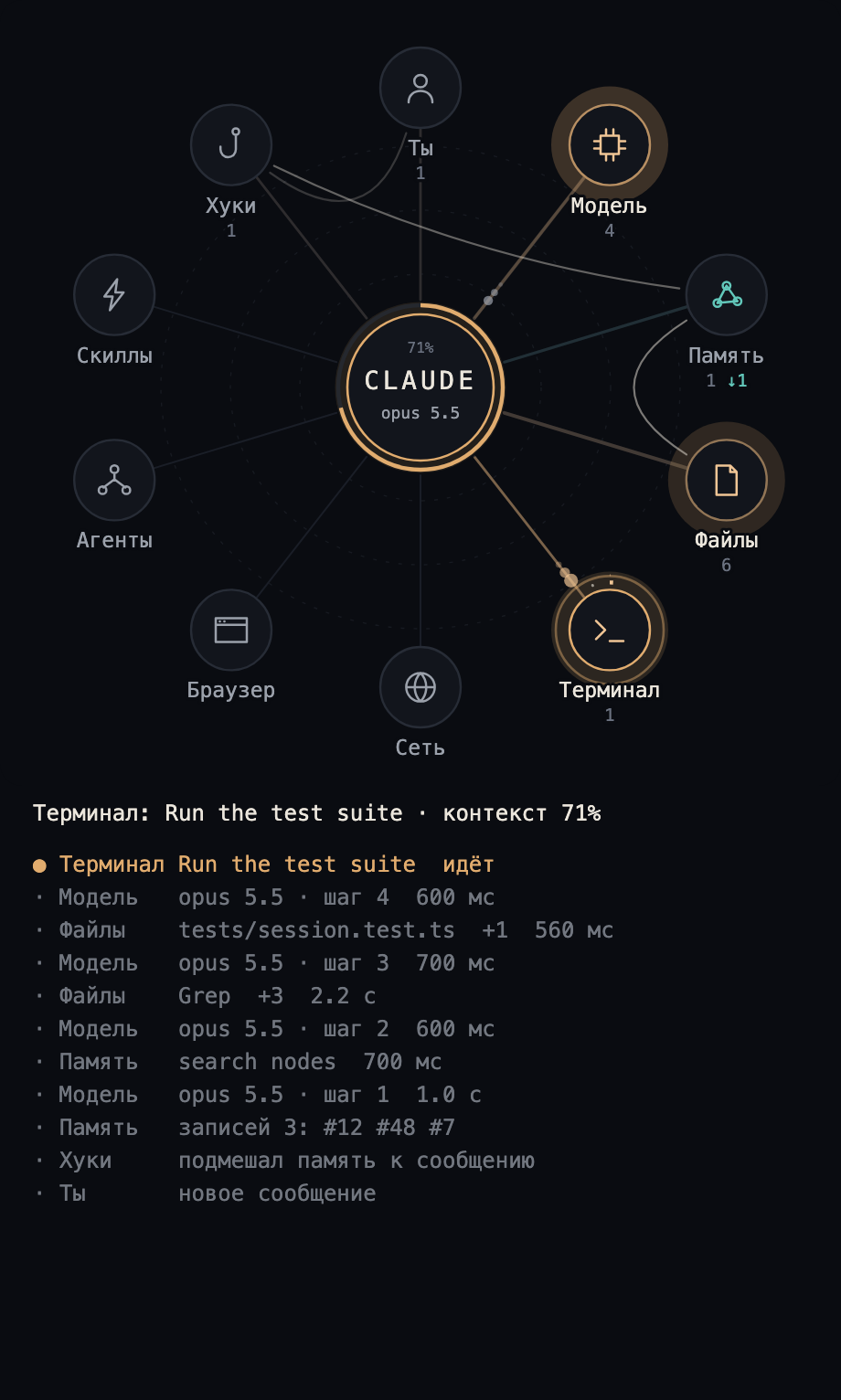 |
 |
What it shows and what it keeps
The mod makes no network requests, reads no files, runs no processes, calls no model and adds nothing to the conversation. Its rows live only for the session.
It asks Claude Code for one thing: how full the context window is, after each model step. Between sessions it keeps one thing, the name of the model last used in each folder, so that it can show a change.
A label holds a name, never content:
- a file: the last two parts of its path;
- a web address: the host alone, without a login, path or query;
- a shell command: the short description Claude wrote for it, or the command's name, never the command line;
- a memory call: the tool's name and a record number, never the text or the query;
- a subagent: the short description it was started with;
- a hook's refusal: its first line, up to 72 characters.
A fault on the map never reaches a tool call or a model turn.
Developing
claude plugin test .
claude plugin validate .
Words live in hooks/text.ts; a new language is one more table there and one more value of language in .claude-plugin/plugin.json.
License
Yorumlar (0)
Yorum birakmak icin giris yap.
Yorum birakSonuc bulunamadi