retainer
Health Warn
- License — License: MIT
- Description — Repository has a description
- Active repo — Last push 0 days ago
- Low visibility — Only 5 GitHub stars
Code Pass
- Code scan — Scanned 12 files during light audit, no dangerous patterns found
Permissions Pass
- Permissions — No dangerous permissions requested
No AI report is available for this listing yet.
A Claude Code plugin that keeps an AI agent on track on complex tasks. The agent works in steps — understands the task, writes a plan, edits the code, checks itself — and only then hands over the result. Dangerous actions are blocked by the plugin itself, not left to the model's self-discipline.
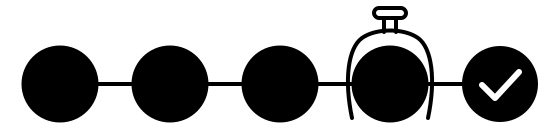
Retainer
Discipline for AI coding agents.
It checks what the agent did, not what it said.



On a complex task an AI agent drifts easily: it changes code nobody asked it to touch, forgets
requirements, skips checks, deletes files — and prompts alone will not hold it.
Retainer handles this with engineering, not instructions. The agent works in steps: it understands
the task, writes a plan, edits the code, checks itself, and only then hands over the result. Dangerous
actions are blocked by the plugin itself, not by the model's self-discipline.
Inside: 17 skills and 5 agents — plan check, code review, pre-merge check, documentation update, and a
tester that clicks through your app in a real browser.
If you are just starting to build with AI
- Install in two commands in the Claude Code chat, in VS Code or in a terminal — see
Install. Then/retainer:installchecks what the machine is missing and installs it with
your OK. - Tasks live in a tracker. The agent takes a task from it or opens a new one and marks what is done,
so nothing gets lost. Works with Gitea (free, runs on your own computer or server) and GitLab. Without
a tracker everything else still works; you keep the tasks by hand. - A safety net for the irreversible. It will not let the agent delete files you need, send passwords
and keys out, or break the main branch.
If you have been developing for a while
- The full cycle: task analysis → plan → code → review → release. Before an edit the agent looks at
the project's dependency graph to see which modules the change will touch. - Checks you configure: ready templates for Python (mypy strict, ruff, import-linter, pytest) and
Django. Heavier checks switch on at the steps you choose: plan review, a browser test, a second opinion
from another model (DeepSeek, for example — bring your own API key). Linter versions do not go stale:
once a week a pull request offers the new releases, and your checks show what they would flag before
you take them. - Tests run in layers: at the end of a turn, only for the files the session changed; on commit, a
fast linter; on push and in CI, the full run. - Four autonomy levels, from manual to "marathon". A level removes questions, not checks. Review is
done by a separate agent in a clean context: it sees only the task and the diff, not the author's
reasoning. Merging into the main branch stays with a person by default. - Hard bans only where a mistake cannot be undone: irreversible commands, leaking secrets, new
dependencies without asking. The rest of the work is not slowed down by extra procedure.
How it works

The full picture — cycle, guard, gates, autonomy, rigor regulators — is in
How it works.
Install
You need Claude Code — the Claude panel in VS Code, or claude in a
terminal. Lines starting with / are typed into the Claude Code chat, not into a shell.
1. Install the plugin — in the Claude Code chat:
/plugin marketplace add alexuraxin/Retainer
/plugin install retainer
If macOS opens a window offering to install "command line developer tools", click Install, wait for it
to finish, then repeat the two lines.
Restart Claude Code so it loads the plugin: in VS Code, ⌘⇧P → "Developer: Reload Window"; in a terminal,
exit and run claude again.
2. Bring the machine up — in the Claude Code chat:
/retainer:install
It shows what is installed, what is missing, and installs the rest with your OK. Two steps it cannot do
for you, because macOS asks for your password: Apple's developer tools and Homebrew. If they are
missing, open the Terminal app (⌘+Space, type "Terminal") and run these lines one at a time:
xcode-select --install
/bin/bash -c "$(curl -fsSL https://raw.githubusercontent.com/Homebrew/install/HEAD/install.sh)"
Then run the lines Homebrew prints under "Next steps", quit VS Code completely (⌘Q) and open it again
(in a terminal: open a new terminal window and run claude), and run /retainer:install again. On Linux
it prints the apt commands instead.
Optional: a DeepSeek key turns on a second, independent opinion before risky steps. Paste it on the
settings page — /retainer:settings, section "Second opinion" — never into the chat.
3. Connect a project — about 15 minutes: Onboarding.
To update: turn on auto-update once — /plugin → Marketplaces → retainer → Turn on auto-update — and
new versions arrive on their own. By hand: /plugin marketplace update retainer, then/plugin install retainer again. /retainer:install shows whether auto-update is on.
Needs: Claude Code, git, bash and Python 3. Works with any git host; the automated task lifecycle
speaks Gitea or GitLab.
Documentation
- How it works — the cycle, the guard, the gates, autonomy
- Onboarding — installation and the first task
- Agent roles — the five cycle agents
- Skills — the skills catalogue
- Guard — guard activation
This repository is the built plugin itself: every folder you see here is exactly what lands in your
project, and you can read all of it. The engine is developed in a separate tree with its own tests and CI.
License
Reviews (0)
Sign in to leave a review.
Leave a reviewNo results found