wikillmapp
Health Warn
- No license — Repository has no license file
- Description — Repository has a description
- Active repo — Last push 0 days ago
- Low visibility — Only 6 GitHub stars
Code Fail
- exec() — Shell command execution in Resources/LibraryTemplate/_assets/matter/matter.min.js
- exec() — Shell command execution in Resources/LibraryTemplate/skills/latex-math/check_math.js
- fs module — File system access in Resources/LibraryTemplate/skills/latex-math/check_math.js
- rm -rf — Recursive force deletion command in Tools/notarize.sh
Permissions Pass
- Permissions — No dangerous permissions requested
No AI report is available for this listing yet.
Native SwiftUI knowledge app for macOS, iPadOS and iOS: a Topics library of rich offline HTML pages (LaTeX, D3, JSXGraph, Mermaid) with Obsidian-style links and a 3D graph view, maintained as an LLM wiki by a Claude Code agent team in a built-in terminal.
Wiki LLM
A native knowledge-building app for Mac, iPad and iPhone. Knowledge lives in a Topics
library: a plain folder whose sub-folders are topics, each holding numbered subtopics and
self-contained HTML pages that can be visual, animated and interactive, with every formula in
LaTeX. On the Mac, Claude Code runs in a built-in terminal and leads a team of nine agents
that write and maintain those pages as an
LLM wiki: one that captures
your own intuitions, tests and extends them, and turns them into notes you can explain to others.






📲 Now on the App Store — Download Wiki LLM for Mac, iPad, and iPhone.
Features
- 📚 Topics library — any folder can be a library. Topics, subtopics and pages are ordinary
folders and.htmlfiles on disk, so nothing is locked into a proprietary store. - 🌐 Rich offline HTML pages — pages copy one template, render offline and update on screen
as soon as the file changes. Each library ships its own copies of KaTeX, D3, Observable Plot,
JSXGraph, Mermaid, Matter.js and highlight.js in_assets/, for diagrams, animations, draggable
constructions, simulations and charts. No CDNs. - ∑ LaTeX everywhere — formulas are written as LaTeX and typeset by KaTeX; the app renders
LaTeX on any page that contains it, even one that forgot to load KaTeX. - 🔗 Obsidian-style links — relative links and
[[wikilinks]], with hover previews, backlinks
and outgoing links computed by the app. - 🕸 3D graph view — every page as a node and every link as an edge, coloured by topic, with
bridges between topics drawn bold. Hover to light up a page's neighbours, click to fly to it. - 🔎 Search — plain words search titles, summaries, keywords and folders;
@wordsearches tags
(@alone lists them all). - 🏷 Tags and keywords — stored in each page's own
<meta name="tags">and<meta name="keywords">, so they stay with the files and plain text search finds a page by any
of its names. - 📝 Markdown too —
.mdfiles open in an Edit · Split · Preview editor with images, tables
and interactive checklists. - 🎨 Light, Dark or System appearance, which pages follow.
- 🍏 One codebase, three platforms — SwiftUI multiplatform.
🖥 Mac: the agent panel and the agent team
The right-hand panel holds the terminals: Claude Code, Codex and a plain shell, each in a real pty
(SwiftTerm) started in the library folder, so Claude
Code follows the library's CLAUDE.md. Ask it in plain language, for example Add a new topic
"Galois Theory", and the new topic appears in the sidebar. Sidebar menus offer one-click Outline,
Lint and Ingest, which type the instruction into Claude Code.
Claude Code starts with agent teams enabled, so the
main session leads the library's agents as teammates you can watch and message (↑/↓ and Enter under
the prompt). They run on your own Claude login; there is no API key.
| Agent | Job | Model |
|---|---|---|
| Lead (main session) | Talks to you, writes original prose, runs the team | Opus |
wiki-researcher |
Research loop: hypotheses, tests, calculations | Opus |
wiki-idea-partner |
Generates and extends ideas | Opus |
wiki-cross-domain |
Brings ideas from other disciplines | Opus |
wiki-critic |
Challenges, questions and debates you | Opus |
wiki-visualizer |
Makes pages visual, animated and interactive | Opus |
wiki-collector |
Gathers content from the web and sources | Sonnet |
wiki-arxiv |
Searches arXiv papers | Sonnet |
wiki-reviewer |
Checks citations, numbers and labels | Sonnet |
wiki-organizer |
Files pages, tags, keywords and cross-links | Sonnet |
The team is active: each agent has standing duties it does unasked. Every intuition you offer goes
onto its page with the team's verdict (sound, needs a fix, or goes further), and concept pages end
with an "Explain it to others" section. The Agents section of the sidebar shows every agent's
model, tools, skills and instructions.
⚠️ Claude Code runs with
--dangerously-skip-permissions, in the library folder, so it can
change files there without asking. Keep your library backed up.
Screenshots
iPhone and iPad:
| iPhone — Page | iPhone — Dark | iPad — Page |
|---|---|---|
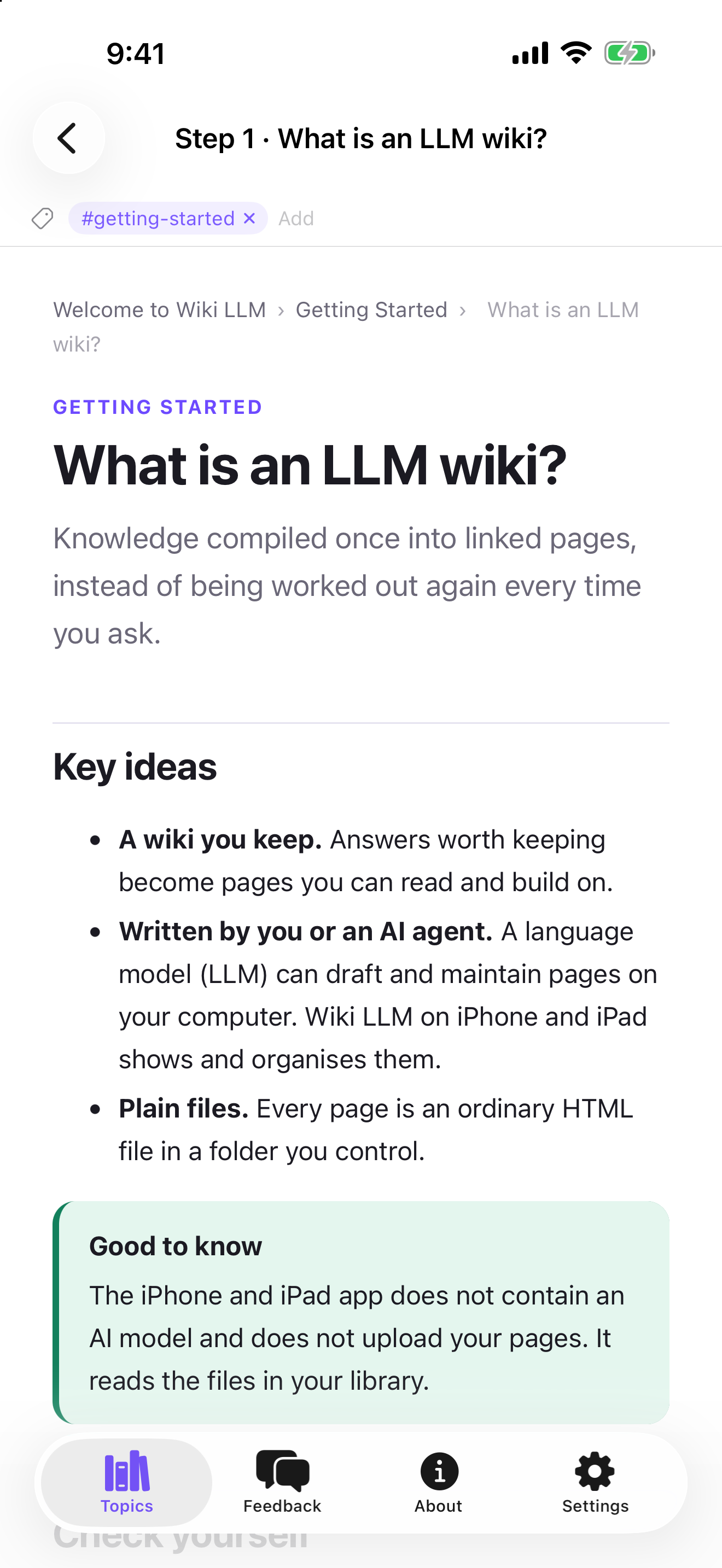 |
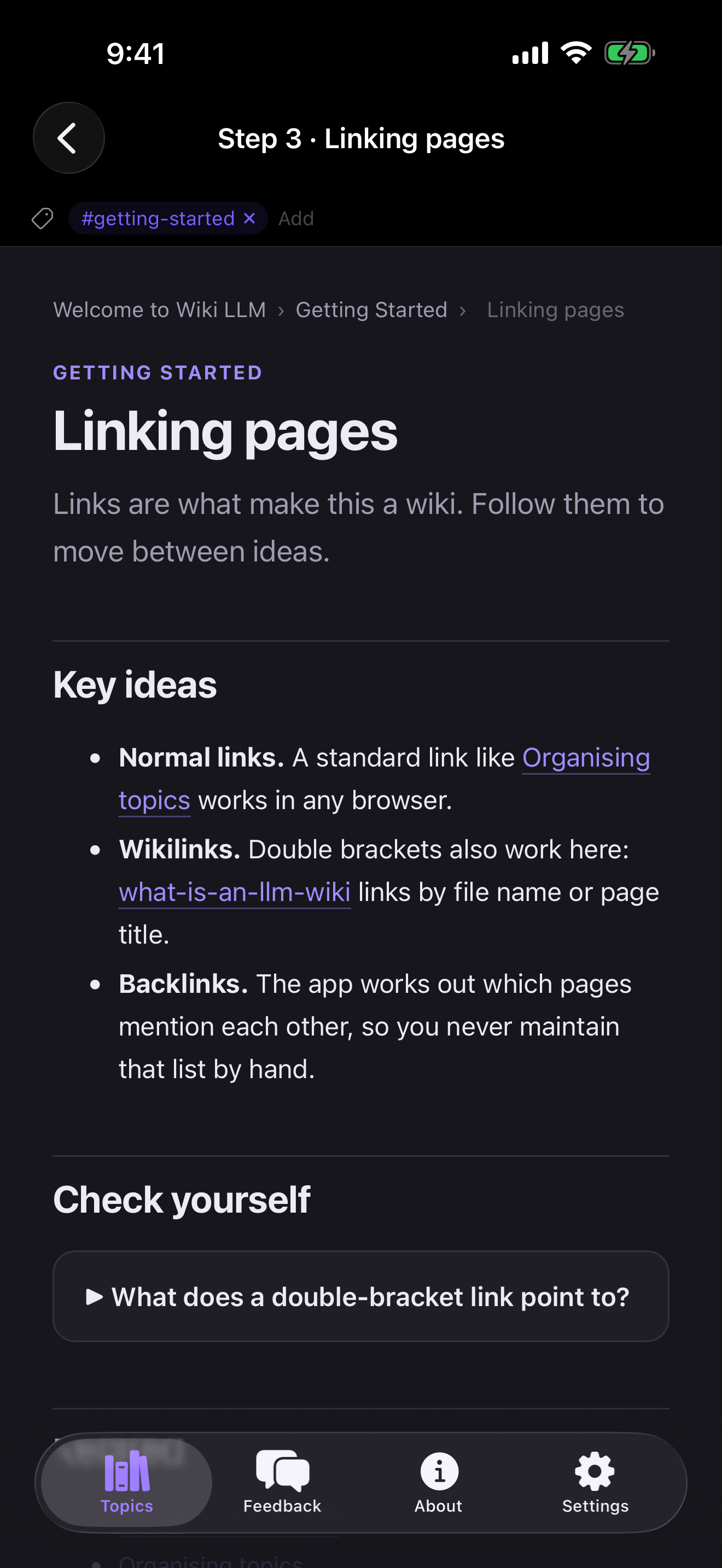 |
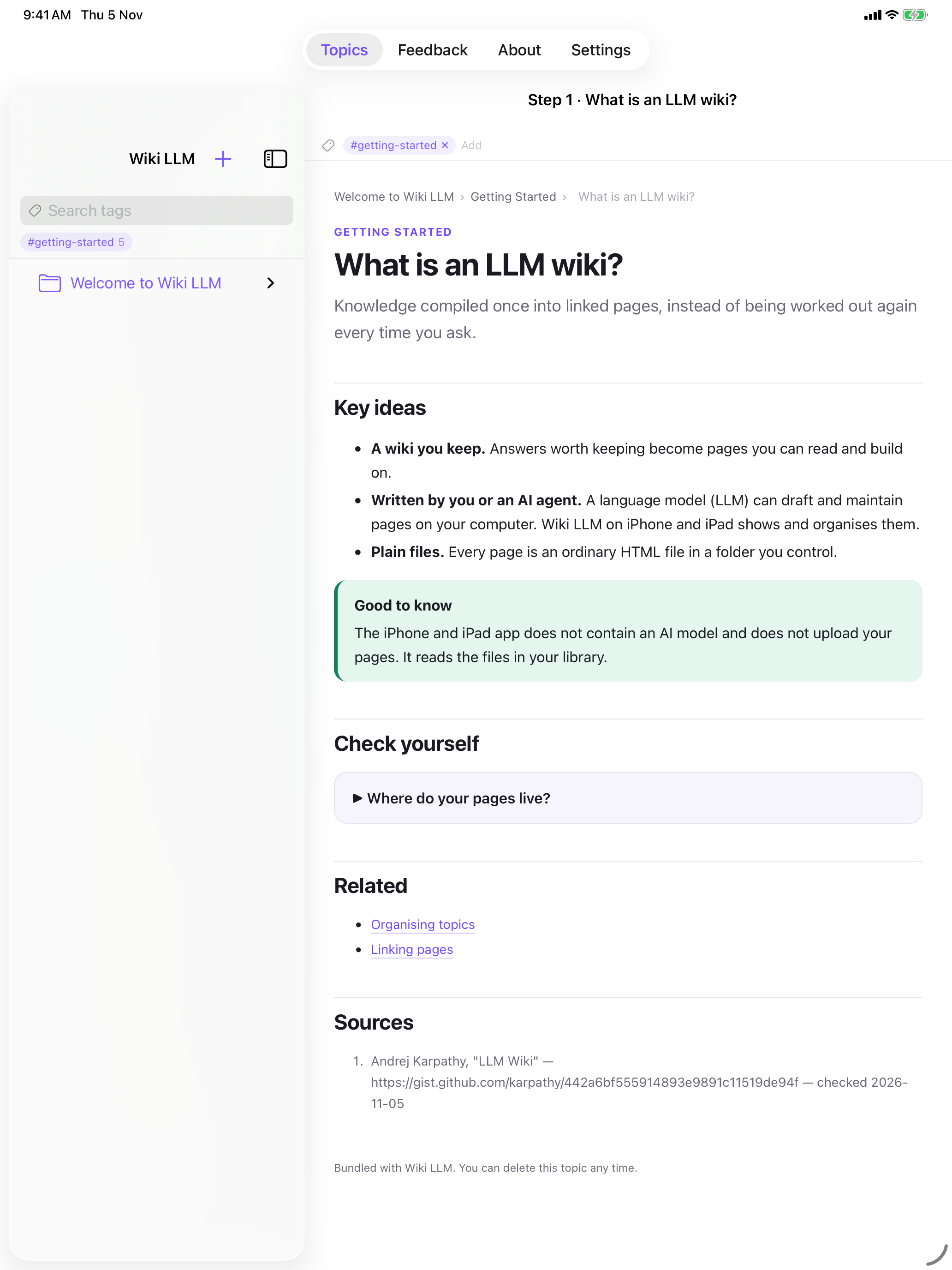 |
Tech Stack
| Area | Choice |
|---|---|
| Language | Swift 5 |
| UI | SwiftUI (multiplatform: iOS 17+ / macOS 14+) |
| Pages | WKWebView with a page script for wikilinks, hover previews and KaTeX |
| Page libraries | KaTeX, D3, Observable Plot, JSXGraph, Mermaid, Matter.js, highlight.js (offline) |
| Graph view | 3d-force-graph (MIT, bundles three.js) |
| Markdown | Custom dependency-free block parser with native SwiftUI rendering |
| Terminal | SwiftTerm 1.11.2 (macOS) |
| Agents | Claude Code (agent teams) and Codex CLIs, installed separately |
| Project gen | XcodeGen (project.yml) |
Architecture
Sources/
├─ MarkdownVaultApp.swift   # @main App + macOS menu commands
├─ RootView.swift           # macOS: TopicsRootView · iOS: TabView
├─ TopicsRootView.swift     # macOS: sidebar · page · agent panel
├─ TopicDetailView.swift    # Folder overview, page view (Preview / Split / Source), links bar
├─ AgentPanel.swift         # Agent tabs and terminal sessions (agent teams enabled)
├─ AgentsView.swift         # Sidebar Agents section: each agent's model, tools, instructions
├─ GraphView.swift          # 3D graph of the library's links
├─ HTMLPageView.swift       # WKWebView page rendering
├─ HTMLSourceEditor.swift   # HTML source editing
├─ WikiLinks.swift          # LinkIndex: backlinks, wikilinks, hover previews
├─ PageTags.swift           # Reads and writes tags in a page's <meta>
├─ TagViews.swift           # Search field (@tag), tag chips and layout
├─ TopicLibrary.swift       # Library layout, seeding and HTML generators
├─ VaultStore.swift         # Open library, file tree, live refresh, CRUD
├─ FileNode.swift           # File/folder tree model
├─ VaultView.swift          # iOS library browser
├─ MarkdownEditorView.swift # Edit · Split · Preview for .md files
├─ MarkdownParser.swift     # GFM-ish block parser
├─ MarkdownPreview.swift    # Native Markdown rendering
├─ Platform.swift           # Platform helpers
├─ Theme.swift              # Brand palette and appearance setting
├─ FeedbackView.swift       # Feedback form
├─ AboutView.swift          # App and developer info
└─ SettingsView.swift       # Library and display preferences
Resources/
├─ Graph/                   # graph.html + 3d-force-graph for the graph view
└─ LibraryTemplate/         # Seeded into new libraries where missing:
   ├─ CLAUDE.md             #   the schema the agent team follows
   ├─ _template.html        #   the page template
   ├─ _assets/              #   offline page libraries (KaTeX, D3, JSXGraph, Mermaid…)
   ├─ agents/               #   the nine wiki-* agents → .claude/agents/
   └─ skills/               #   rich-visuals, latex-math → .claude/skills/
Tools/mdwiki                # Legacy helper for Markdown wikis, not used by Topics libraries
Getting Started
Requirements: macOS 14+, Xcode 26+ and XcodeGen
(brew install xcodegen). The agent panel also needs the
Claude Code CLI on your PATH.
git clone https://github.com/alfredang/wikillmapp.git
cd wikillmapp
xcodegen generate            # creates MarkdownVault.xcodeproj from project.yml
open MarkdownVault.xcodeproj # build & run for My Mac, an iPad or an iPhone
Or from the command line:
# macOS
xcodebuild -project MarkdownVault.xcodeproj -scheme MarkdownVault -destination 'platform=macOS' build
# iOS Simulator
xcodebuild -project MarkdownVault.xcodeproj -scheme MarkdownVault -destination 'generic/platform=iOS Simulator' build
On first launch the app creates a library at ~/Documents/Tertiary Topics (app Documents on iOS).
Use ⌘O to open any other folder as a library.
The Mac build in this repo runs without the App Sandbox so its terminals can start a real
login shell. That makes this build not App Store eligible; keep it for personal and
development use.
How a library is laid out
<library>/
├─ CLAUDE.md          # Schema the agent team follows
├─ .claude/agents/    # The wiki-* agents
├─ .claude/skills/    # rich-visuals, latex-math
├─ _template.html     # Template every page starts from
├─ _assets/           # Offline libraries pages load by relative path
└─ <Topic>/
   ├─ index.html      # Topic home
   ├─ log.md          # Append-only operations log
   ├─ raw/            # Immutable sources
   ├─ runs/           # Scripts and outputs behind computed results
   └─ 01 Subtopic/
      ├─ index.html
      └─ some-page.html
Developer
Tertiary Infotech Academy Pte Ltd — tertiaryinfotech.com
License
MIT. Bundled third-party libraries keep their own licenses (KaTeX, Mermaid, Matter.js,
3d-force-graph: MIT; D3, Observable Plot: ISC; JSXGraph: MIT or LGPL; highlight.js: BSD-3-Clause);
license files sit beside each library in Resources/.
Reviews (0)
Sign in to leave a review.
Leave a reviewNo results found