pixcode
Health Pass
- License — License: MIT
- Description — Repository has a description
- Active repo — Last push 0 days ago
- Community trust — 12 GitHub stars
Code Fail
- process.env — Environment variable access in .github/workflows/discord-release.yml
- fs module — File system access in .github/workflows/discord-release.yml
- fs.rmSync — Destructive file system operation in desktop/electron/main.cjs
- os.homedir — User home directory access in desktop/electron/main.cjs
- process.env — Environment variable access in desktop/electron/main.cjs
- fs module — File system access in desktop/electron/main.cjs
Permissions Pass
- Permissions — No dangerous permissions requested
No AI report is available for this listing yet.
Self-hosted AI coding agent control plane — Claude Code, Codex, Gemini CLI, Cursor, Qwen & OpenCode in one workspace. Chat, files, shell, Git, orchestration, Telegram, MCP, API automation.

Pixcode
Self-hosted control plane for AI coding agents.
Pixcode lets you run AI coding CLIs, inspect files, manage shell and source control, orchestrate agent teams, automate through APIs, and keep long-running work alive from your own computer or server.








Website · Releases · Docs · OpenAPI · Contributing
What Pixcode Does
Pixcode is a local web and desktop workspace for AI coding agents. It wraps the
CLIs developers already use, then adds the missing control layer around them:
project selection, chat history, file navigation, shell access, Git/local change
tracking, orchestration, notifications, Telegram control, and API automation.
Use it when one terminal is not enough:
- You want Claude Code, Cursor CLI, Codex, Gemini CLI, Qwen Code, and OpenCode
available from the same project screen. - You want agent output, edited files, shell commands, Git status, and task
planning visible without switching tools. - You want a server or desktop app that keeps work running while you connect
from another computer, tablet, phone, or Telegram. - You want a real API surface so other tools can create sessions, run agents,
inspect projects, and automate workflows withpx_API keys.
Pixcode is not a hosted cloud IDE. Your source code, CLI sessions, credentials,
project paths, MCP configuration, local database, and automation keys stay on the
machine where Pixcode runs unless you intentionally expose or connect them.
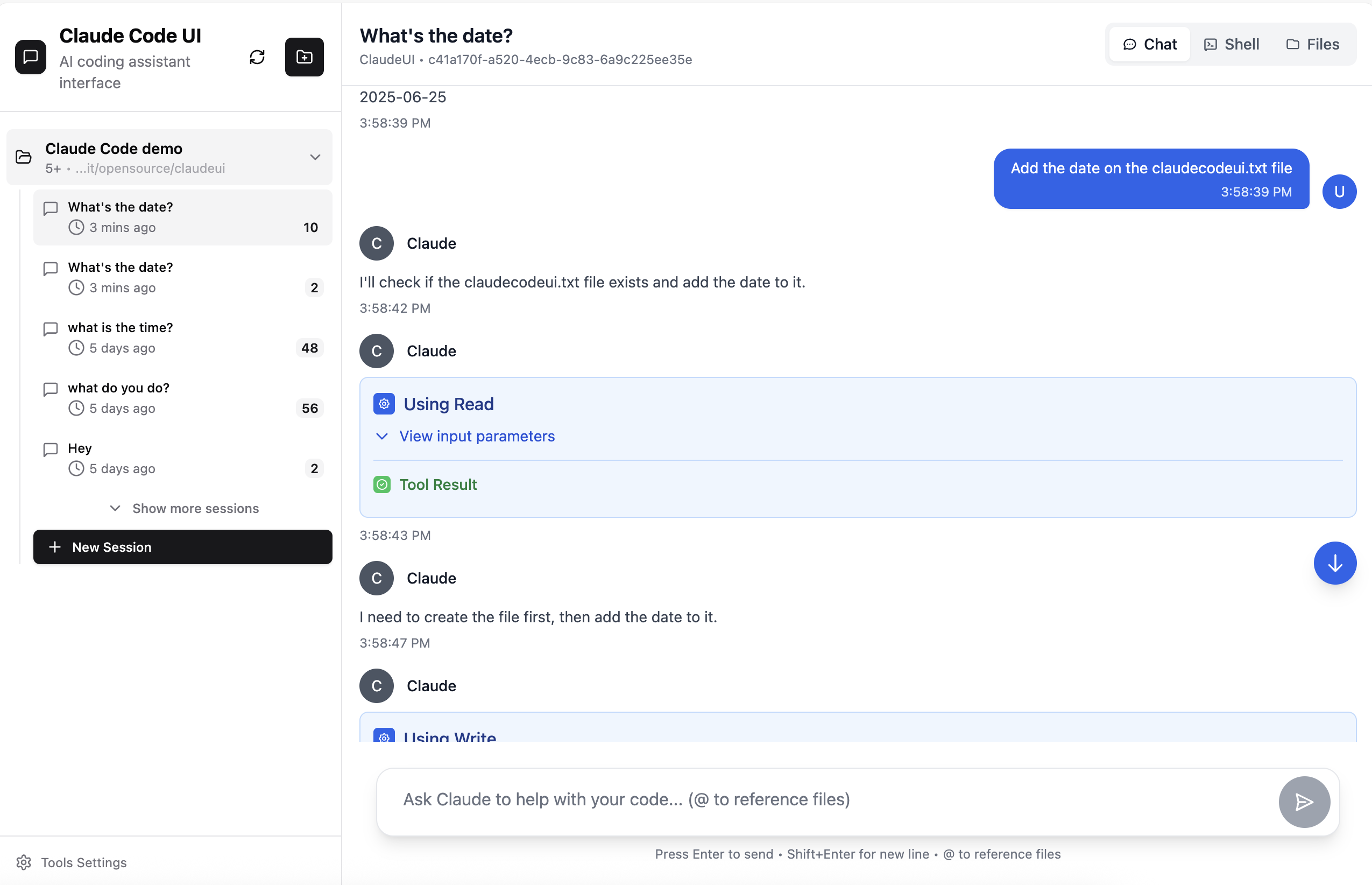
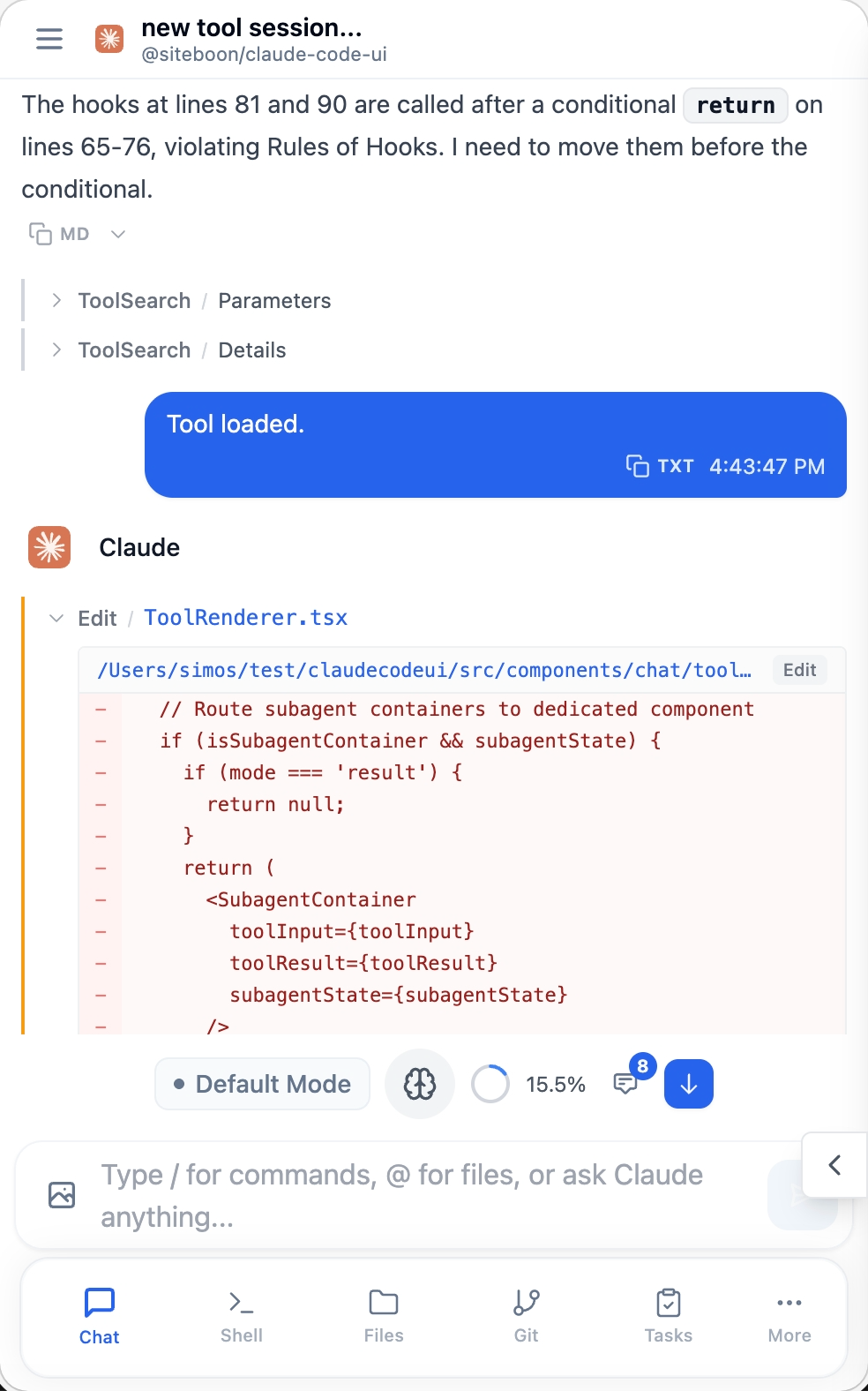
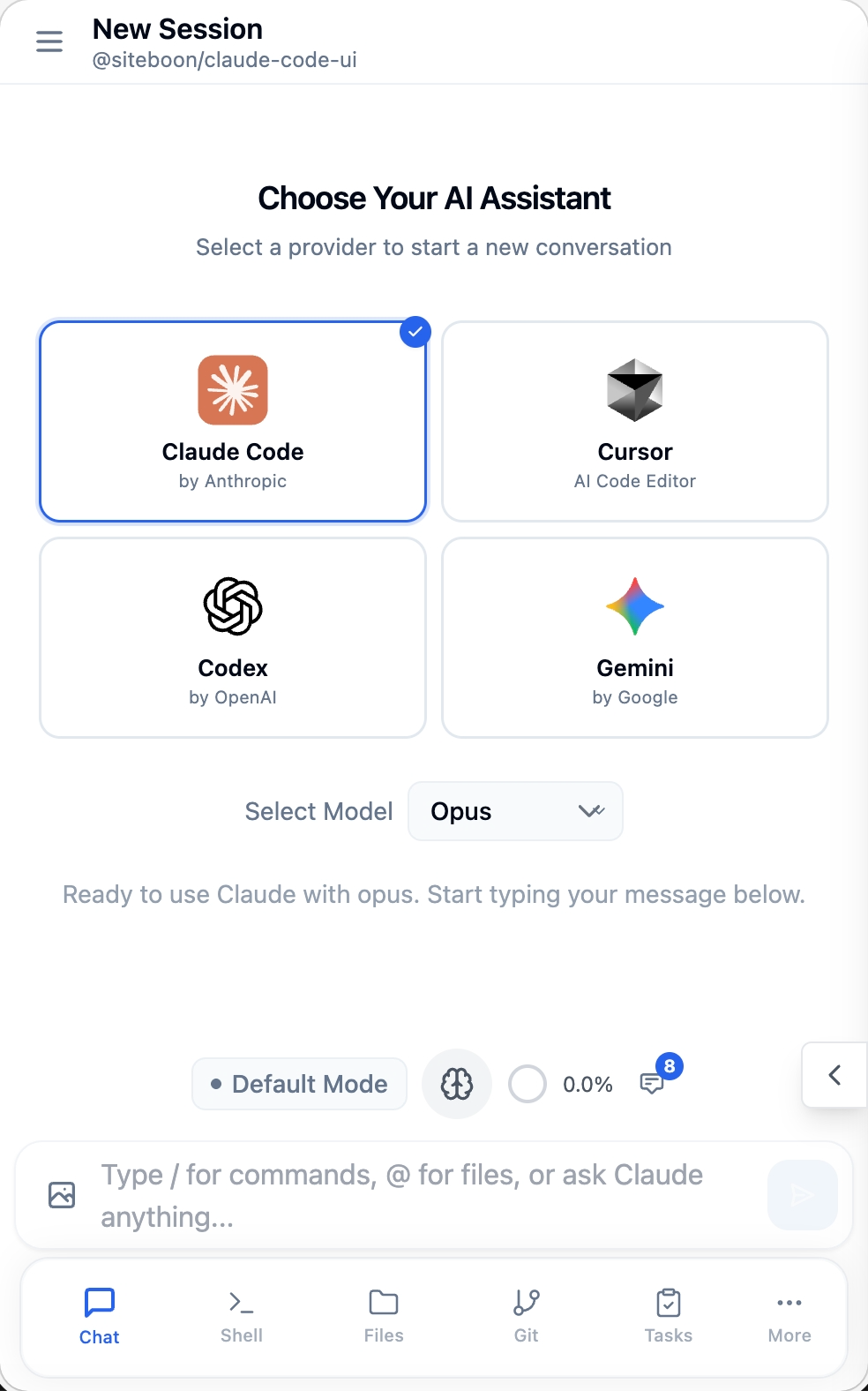
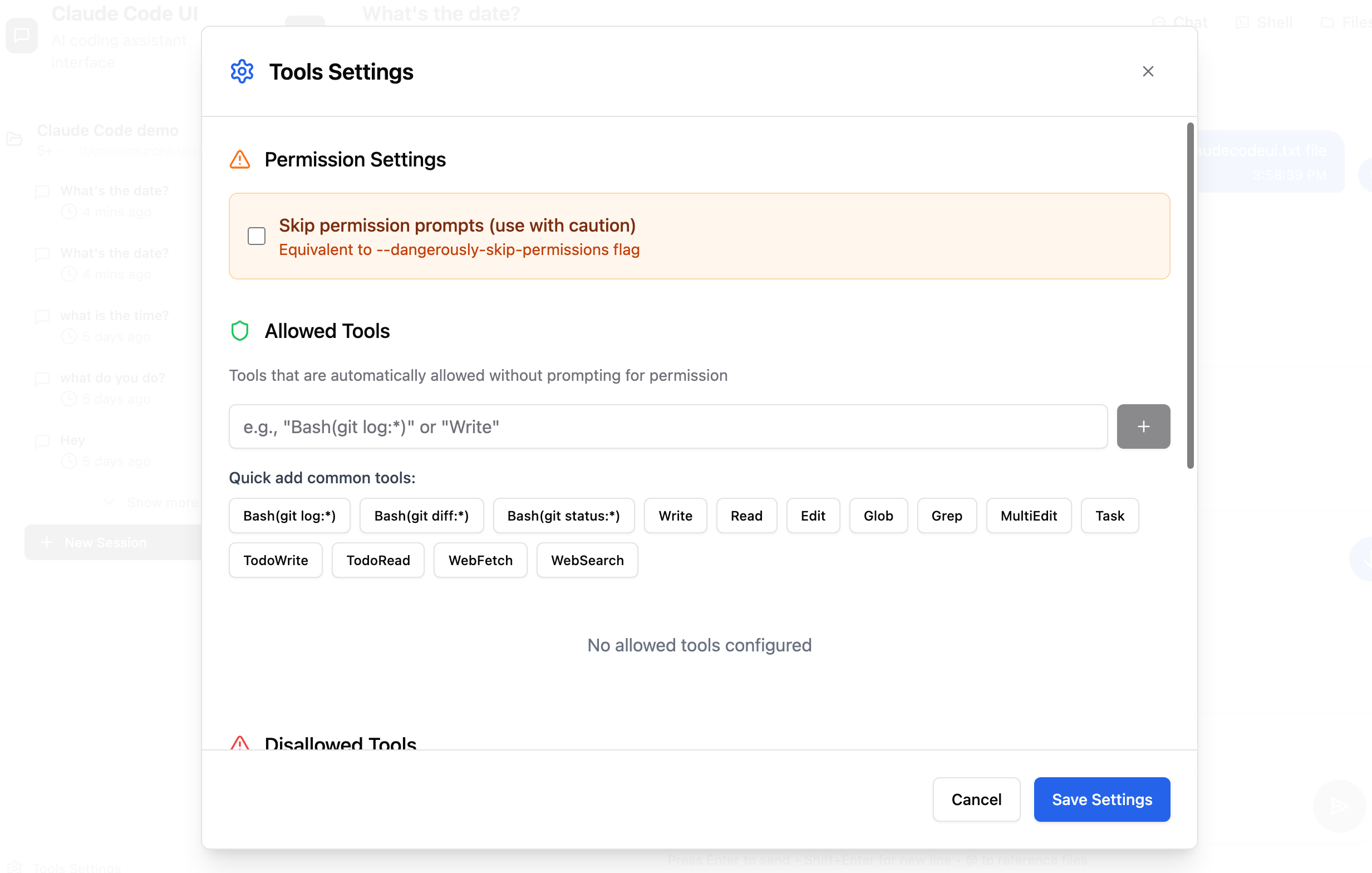
Screenshots
| Workspace control room | Mobile chat |
|---|---|
 |
 |
| CLI selection | Tools and MCP |
|---|---|
 |
 |
Core Features
Multi-CLI agent workspace
Pixcode gives every supported coding CLI a shared workspace without hiding the
provider-native behavior. You can connect the providers you already use and move
between them from the same project.
- Claude Code
- Cursor CLI
- OpenAI Codex
- Gemini CLI
- Qwen Code
- OpenCode
Provider panels cover auth state, install checks, CLI versions, model choices,
MCP support, and session history. When an agent is thinking, running tools,
waiting for approval, or writing output, the UI keeps visible processing state
instead of leaving the screen feeling frozen.
Chat built for development work
Pixcode chat is project-aware and designed for long-running coding sessions.
- Fixed bottom composer on chat/project screens.
- Session history per provider and project.
- Default, plan, and run-style modes where supported.
- Slash-command friendly input.
- Tool output rendering for plans, file operations, command output, and provider
status events. - Telegram and browser/desktop notifications when work finishes, fails, or needs
attention.
Files, shell, and source control
The side panels are built around the way coding agents change projects.
- Files panel with detailed and compact views.
- File open/edit flows that preserve the main chat or orchestration surface.
- Shell panel with split/full behavior on desktop and mobile-safe behavior on
smaller screens. - Source Control panel for Git status, diffs, branches, commits, and changed
files when a project is a Git repository. - Local change tracking for projects that are not Git repositories.
Command Center for changed files
Command Center watches what changes while agents work. It can track Git changes
or local filesystem changes, show the changed file list next to the active chat,
highlight changed items, and open the edited file at the relevant location.
This is meant to answer the practical question: "What did the agent just touch?"
Multi-agent orchestration
Pixcode can run structured agent workflows instead of sending every prompt to one
agent.
Built-in workflow styles include:
- Agent Team: split a job across implementation, review, docs, testing, or
custom roles. - Sequential Handoff: pass compact context from one stage to the next.
- Multi-model Review: compare provider/model opinions on the same code or plan.
- Decision Debate: make multiple agents argue approaches before acting.
Orchestration controls include:
- per-agent provider and model selection,
- custom labels, roles, and instructions,
- duplicate providers when multiple workers should use the same CLI,
- fallback CLI selection for failed steps,
- run preview before execution,
- streamed step output and final report,
- resizable setup/output panes.
Background orchestration
Pixcode includes a project-aware orchestration control plane for background
agent work. It runs inside the current Pixcode instance, understands the active
project context, and can route bounded tasks to Claude Code, Codex, Cursor,
Gemini, Qwen, or OpenCode through terminal-first CLI adapters.
Orchestration controls include:
- project-scoped task context,
- provider/model routing,
- streamed task status and artifacts,
- workflow run coordination,
- background checks and previews,
- authenticated local APIs under
/api/orchestration.
API-first automation
Pixcode's frontend uses the same backend control plane exposed to external
automation. Generate a px_ API key and call the REST/WebSocket APIs from your
own tools, scripts, CI, dashboards, or Telegram bridge.
List projects:
curl http://localhost:3001/api/projects \
  -H "Authorization: Bearer px_your_key_here"
Run a provider task:
curl http://localhost:3001/api/agent \
  -H "Authorization: Bearer px_your_key_here" \
  -H "Content-Type: application/json" \
  -d '{
    "provider": "codex",
    "projectPath": "/home/me/project",
    "message": "Review the current diff and list risky changes.",
    "stream": false
  }'
Preview an orchestration workflow:
curl http://localhost:3001/api/orchestration/workflows/agent_team/preview \
  -H "Authorization: Bearer px_your_key_here" \
  -H "Content-Type: application/json" \
  -d '{
    "metadata": {
      "agents": [
        { "adapterId": "codex", "label": "Backend", "role": "backend" },
        { "adapterId": "opencode", "label": "Reviewer", "role": "review" }
      ]
    }
  }'
Legacy ck_ keys remain accepted for older installations, but px_ is the
current prefix.
OpenAPI reference: public/openapi.yaml
Telegram, notifications, and remote control
Pixcode can pair a Telegram chat with your account so completed tasks, failed
runs, and action-required states can reach you outside the browser. The goal is
not just a final notification: the Telegram bridge is a control surface for
remote prompts, provider/session selection, and long-running work.
Notification surfaces include:
- in-app alerts,
- browser/desktop notifications where the platform allows them,
- Telegram task notifications,
- update notices and release notes.
Theme system
Pixcode has a real appearance system instead of one fixed blue/navy palette.
- Dark and light modes.
- Ready-made accent palettes, including emerald and VS Code-like options.
- Custom accent colors for dark and light themes.
- Token-based styling for focus rings, active controls, buttons, navigation, and
panels.
MCP and plugins
Pixcode includes extension points for local workflows:
- MCP server management for supported providers.
- Provider-specific auth, MCP, and sessions panels.
- Plugin loading with optional frontend tabs and backend services.
- Local settings for API keys, base URLs, model catalogs, and provider install
state.
Installation
Requirements
- Node.js 22 or newer.
- The provider CLIs you want to use, installed and authenticated separately when
required.
Run with npx
npx @pixelbyte-software/pixcode
Open:
http://localhost:3001
Install globally
npm install -g @pixelbyte-software/pixcode
pixcode
Desktop installers
Download desktop builds from GitHub Releases:
- Windows:
.exe - macOS:
.dmg - Linux: AppImage or package asset, depending on the release
Releases: https://github.com/alicomert/pixcode/releases/latest
macOS Gatekeeper: "Pixcode is damaged"
Current macOS desktop builds can be unsigned. If macOS says Pixcode is damaged and can't be opened. You should move it to the Trash, first make sure the DMG
came from the official Pixcode GitHub Releases page, then:
- Open the DMG and drag
Pixcode.appinto/Applications. - Double-click
Fix Gatekeeper.commandinside the mounted DMG. - Pixcode removes the quarantine flag from
/Applications/Pixcode.appand can
open normally.
Manual fallback:
xattr -dr com.apple.quarantine "/Applications/Pixcode.app"
open "/Applications/Pixcode.app"
Linux daemon
For a server or VDS setup:
pixcode daemon install --mode auto --port 3001
pixcode daemon status --mode auto
pixcode daemon logs --mode auto
pixcode daemon restart --mode auto
Foreground mode:
pixcode --no-daemon
Ports
- Installed backend and bundled frontend:
SERVER_PORT, default3001. - Vite-only frontend development:
VITE_PORT, default5173.
For normal installed usage, think in terms of one port: 3001. Port 5173 is
only for separate Vite frontend development.
First Run
- Open Pixcode and create or sign in to the local user account.
- Add the project folders you want to manage.
- Connect the CLI providers you actually use.
- Open Settings and check provider install/auth/model status.
- Use orchestration if you want background workflow and review flows.
- Generate a
px_API key for external automation. - Pair Telegram if you want remote prompts and completion notifications.
- Pick your theme palette under Appearance.
Development
npm install
npm run typecheck
npm run lint
npm run build
Important development notes:
npm run devuses the daemon manager on Linux.- For a foreground development loop, run
npm run clientandnpm run server
separately, or runpixcode --no-daemon. npm run serverruns built output fromdist-server/; rebuild after backend
changes.- There is no unit test suite configured today. Use smoke scripts, typecheck,
lint, build, and manual provider/API checks.
Repository Map
src/- React + Vite frontend.server/- Express, WebSocket, CLI adapters, routes, auth, daemon,
notifications.server/modules/orchestration/- multi-agent workflow engine and CLI adapters.server/modules/providers/- provider auth, MCP, sessions, model and install
endpoints.shared/- contracts shared by frontend and backend.public/openapi.yaml- API reference shipped with the app.public/screenshots/- README and product screenshots.public/llms.txtandpublic/llms-full.txt- AI-discovery summaries.
Open Source Readiness
Pixcode is prepared for public contribution with the basics contributors expect:
- Clear README with purpose, install commands, screenshots, API examples, and
architecture map. - MIT-licensed — see
LICENSE. Free for commercial and personal use. - Contribution guide in
CONTRIBUTING.md. - Code of conduct in
CODE_OF_CONDUCT.md. - Security policy in
SECURITY.md. - GitHub issue templates for bug reports, feature requests, and good first
issues. - Releases and version tags published through GitHub Releases.
- Static website and documentation under
public/.
Good starter work should be labeled good first issue on GitHub. The repository
also includes a good-first-issue template so small, scoped tasks can be filed
without losing context.
Security Model
- Pixcode is self-hosted. Treat it like a local control plane for your machine.
- Use strong local account credentials when exposing it on a network.
- Put public-server deployments behind a trusted reverse proxy, VPN, or firewall.
- API keys are intended for automation. Rotate them if they are exposed.
- Provider secrets are masked in APIs and UI responses where possible.
- Do not publish logs that contain provider tokens, session output, or private
project paths.
Contributing
Read CONTRIBUTING.md before opening a pull request. Keep
changes scoped, run the verification commands above, and include screenshots or
short recordings for UI work when possible.
For community behavior expectations, readCODE_OF_CONDUCT.md. For private vulnerability reports,
read SECURITY.md.
Cloud (Coming Soon)
Pixcode Cloud will offer a fully managed SaaS experience — no server setup,
no Docker, no daemon configuration. Connect your GitHub repos, pick an AI
coding agent, and let it work in an isolated container that we manage for you.
- BYOK (Bring Your Own Key) or use our managed API pool
- Isolated Docker containers per project
- Team collaboration and shared workspaces
- Cost analytics and token usage dashboards
- Workflow marketplace with pre-built orchestration templates
Join the discussion or request early access in
GitHub Discussions.
Links
- Website: https://alicomert.github.io/pixcode/landing.html
- npm: https://www.npmjs.com/package/@pixelbyte-software/pixcode
- GitHub: https://github.com/alicomert/pixcode
- Releases: https://github.com/alicomert/pixcode/releases/latest
- API docs:
public/openapi.yaml - Static docs:
public/docs.html,public/features.html,public/orchestration.html,public/api-automation.html - AI discovery:
public/llms.txt,public/llms-full.txt
Pixcode is an independent open-source project and is not affiliated with OpenAI,
Anthropic, Google, Cursor, Alibaba/Qwen, or OpenCode.
Reviews (0)
Sign in to leave a review.
Leave a reviewNo results found